<?xml version="1.0" encoding="utf-8"?>
<feed xmlns="http://www.w3.org/2005/Atom">
	<id>https://triple-aye.com/</id>
	<title>Triple Eh? Ltd Development Blog</title>
	<link href="https://triple-aye.com/atom.xml" rel="self"/>
	<link href="https://triple-aye.com/"/>
	<author>
		<name>Gareth Noyce</name>
	</author>

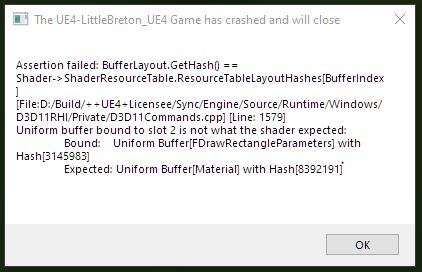
<updated>2026-03-28T00:00:00Z</updated><entry><title>Life on the Bleeding Edge</title><link href="https://www.triple-aye.com/2026-03-28-Life-on-the-Bleeding-Edge.html"/><updated>2026-03-28T00:00:00Z</updated><id>https://www.triple-aye.com/2026-03-28-Life-on-the-Bleeding-Edge.html</id><content type="html"><![CDATA[<p>Been a busy couple of weeks, and gamedev hours have been few and far between, but I did have a few spare on Thursday, which I thought I'd use to bang out some Eggnob levels. So of course, things did not go to plan. I fired up the build and... I could barely see a thing. Everything was coming out at 50% brightness. WTF?</p>
<p>The post processing stack was the last major thing that I'd touched in the EH500, so I immediately started to panic; was I working in the Git submodule, instead of the main engine repo? Did I not test the changes properly? Stale builds? Shaders out of sync? Me confooozed!</p>
<p>Things being too dark immediately made me suspect that the Vignette was to blame, but for the life of me, I couldn't see anything wrong with it. It's not the hardest shader in the world to write. I trawled through the history, rebuilt all the code, rebuilt the shaders, but nope. Couldn't spot anything wrong. So I turned the entire stack off, and ping! The colours were correct. So... it's <strong>definitely</strong> something to do with the post. But uh?</p>
<p>Then it dawned on me. <code>pacman -Qi sdl3</code>: SDL3 had been updated from 3.4.0 to 3.4.2, two days earlier.</p>
<p>The release notes didn't scream &quot;we broke your shaders&quot; but digging through the commit history turned up a couple of interesting items:</p>
<ul>
<li><strong>&quot;Fixed checking against cached shader params&quot;</strong> (Feb 8)</li>
<li><strong>&quot;Fix invalidation of bound textures/shaders across a renderer flush&quot;</strong> (Feb 1)</li>
</ul>
<p>Both touch how the GPU renderer handles fragment shaders... Life on the bleeding edge, Baby!</p>
<hr>
<h3>Narrowing It Down</h3>
<p>The post-process is multi-step, with various intermediary buffers and an upscale. Something's popping, and the only way to find it is to pull everything out, then put it back in, one-by-one until things break. Disabling all post-processing: fine. CRT alone: fine. CRT + bloom: fine. Adding Chromatic aberration or Vignette: things were too dark.</p>
<p>Cool, both of those are broke, but both of those work on the upscaled buffer, so maybe it's something in the multi-pass swap chain? Fortunately, no, running chromatic as the <em>only</em> shader in the simplest possible pipeline (game -&gt; shader -&gt; screen), resulted in things being too dark. Same for the Vignette. Awesome, I can rule out texture copies, blend modes, render target state, and <code>SDL_FlushRenderer</code>. My working shaders worky no more.</p>
<h3>Fix 1</h3>
<p>Comparing the working CRT shader to the broken Chromatic shader, one thing jumped out:</p>
<pre><code class="language-glsl">// CRT (works)
o_color = vec4(col, 1.0) * v_color;

// Chromatic (dark)
o_color = vec4(r, g, b, 1.0);
</code></pre>
<p>The CRT shader multiplied its output by <code>v_color</code> -- the vertex colour passed through from SDL's renderer. The Chromatic and Vignette shaders didn't. Under 3.4.0, this apparently didn't matter, but under 3.4.2, it seems to. Ish. Adding <code>* v_color</code> to the Chromatic shader worked, but it didn't fix the Vignette.</p>
<h3>Fix 2</h3>
<p>Forcing the Vignette's multiplier to <code>1.0</code> looked fine. So I embedded the uniform values I was using as constants... and it worked. WTAF?</p>
<p>I was passing in four floats:</p>
<pre><code class="language-glsl">uniform FVignetteUniforms {
    float fRadius;
    float fSoftness;
    float fAspect;
    float fIntensity;
};
</code></pre>
<p>So I packed them in a vec4:</p>
<pre><code class="language-glsl">uniform FVignetteUniforms {
    vec4 vParams; // x=radius, y=softness, z=aspect, w=intensity
};
</code></pre>
<p>Boom.</p>
<p>The C-side struct is 4 contiguous floats either way, so it should be the same memory layout. But SDL 3.4.2's GPU renderer clearly handles the two differently. Don't ask me why, that's as far down the rabbit hole as I went, but it was a confusing one, to say the least.</p>
<h3>The Pipeline Hack</h3>
<p>While I'm on the subject, SDL3's GPU renderer doesn't seem to like consecutive shader passes that ping-pong between two textures. I keep getting solid flat colours, instead of the expected output. Probably a &quot;me thing&quot; but it's something I've hit since 3.4.0, that I'd already worked around with a &quot;copy-back resolve&quot;: after each shader pass, copy the result back to the source texture, instead of swapping pointers. Less than ideal, obviously, but these buffers are tiny (compared to &quot;modern&quot; games), so who really cares?</p>
<h3>Anyway TIL</h3>
<ol>
<li><strong>Always multiply output by <code>v_color</code></strong> -- I mean, yeah, makes sense I guess.</li>
<li><strong>Pack uniform blocks as vec4, not individual floats</strong> -- There's an alignment issue somewhere, that I'm too lazy to understand properly...</li>
</ol>
<p>Total: 10 lines of shader code changed across 4 files. Four hours of debugging.</p>
<p>Gamedev, Yo!</p>
]]></content></entry><entry><title>First Blood</title><link href="https://www.triple-aye.com/2026-03-06-First-Blood.html"/><updated>2026-03-06T00:00:00Z</updated><id>https://www.triple-aye.com/2026-03-06-First-Blood.html</id><content type="html"><![CDATA[<p><video src="images/eggnobfirstdeaath.webm" autoplay loop muted playsinline onclick="window.open('./images/eggnobfirstdeaath.webm', '_blank');"></video></p>
<p>The Egg can officially be smashed. It's a milestone day. There're a couple of new things in this video, so lets rattle through them:</p>
<h3>Paths</h3>
<p>At $Dayjob, a while back, I added support for arbitrary Animation Curves, that we could attach to scalars &amp; vectors, to ease colours, positions,
alpha and scale. And I knocked up a little editor, based on Unity and Unreal's curve editors. It's super useful, so I quickly ported a lighter weight
version of the same thing to C. And then extended it, to allow for arbitrary length paths.</p>
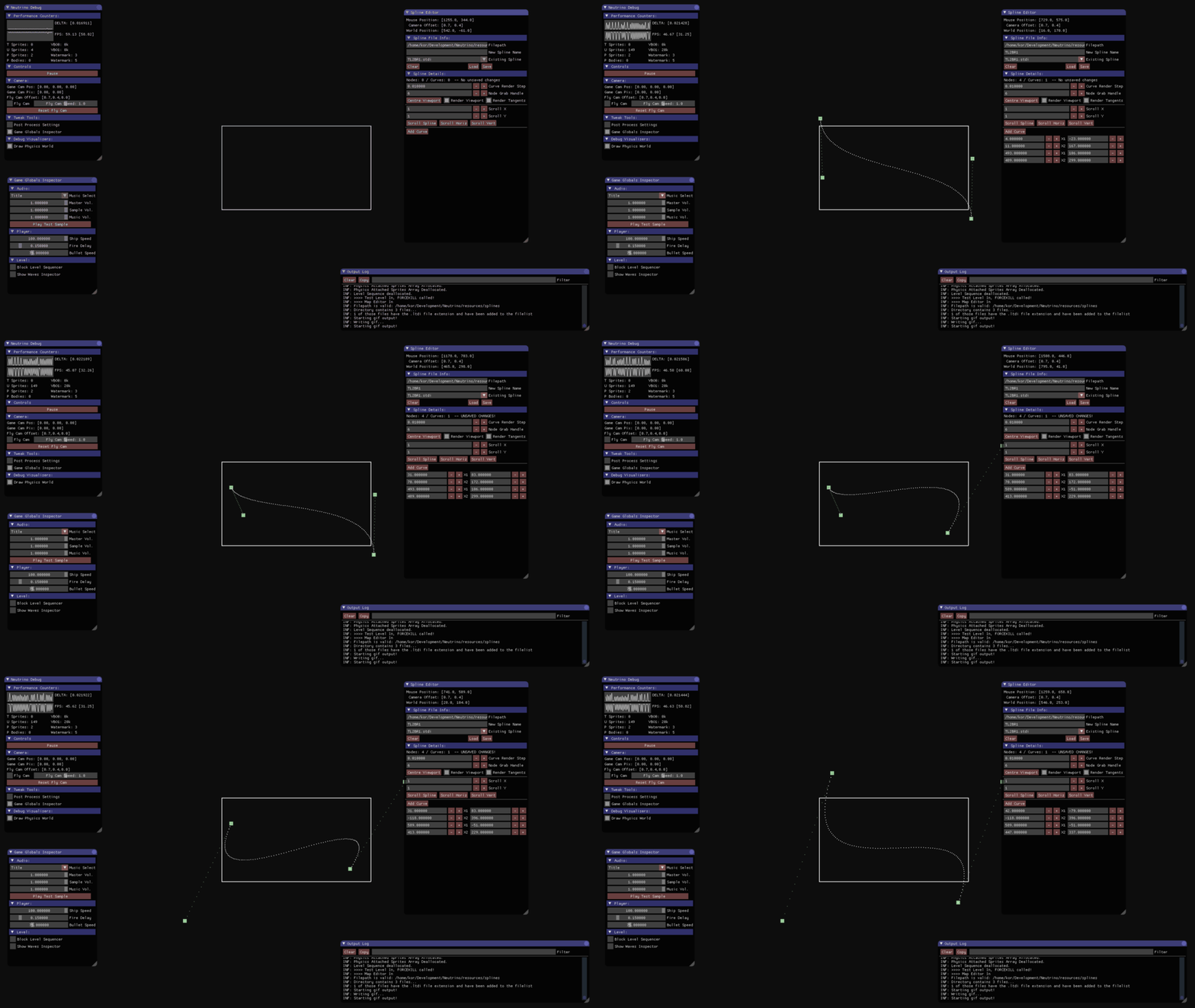
<p>One of the great things about getting old is you get to <a href="https://www.triple-aye.com/2017-09-23-Devlog-Curves.html">leave no code behind</a>. This very much the same idea and implementation
as that old Neutrino stuff, under the hood.</p>
<p>The path evaluation is simple, leaving objects that want to move along them to decide if they want to move at constant speed, or over a fixed duration.</p>
<h3>Sprite Group Traps</h3>
<p>The editor allows me to place an arbitrary number of sprites, group them, and assign a gameplay tag and path to them. Triggers emit gameplay tags
and sprite groups consume them. For now, by deciding to move along a path. Either once, continuously looping, or ping-ponging.</p>
<p>Ultimately I'm going to insert a middle man, <a href="https://www.triple-aye.com/2024-05-07-Week_50.html">Foxy twiddlers</a> between these, so more complicated, chained events can occur.
I have the code for these lying around, it just needs a little tidy-up.</p>
<h3>Particle System</h3>
<p>This is my particle system. There are many like it, but this one is mine. My particle system is my best friend. etc.</p>
<p>The particle library was something I knocked up over Xmas. The only addition made to it, this week, was adding the option for particles to collide.
As you can see, it needs some fettling. The bounce is set too low, and there's no friction, so particles are pooling and sliding all over the ground.
Both should be fairly simple to fix. The great thing about working at this resolution: there're only 80k pixels on the screen so I could (probably) blow <em>everything</em>
up without breaking into a sweat.</p>
<p>The particle system uses the EH500 pixel buffers, which have a four colour limit, so you're not seeing anything fade out
smoothly. This was an intentional limit, but I'm going to setup the buffer with a palette of four whites, of increasing transparency,
then tweak the particle system to pick a colour slot based on each particle's TTL. Should improve the look a bit.</p>
<h3>QoL</h3>
<p>You can see from the video, there's no quality of life stuff in the build atm. I need to lock the controller out for a few 100ms after level load,
there're no transitions, and no debounce on restart. I'll tidy all that up at some point.</p>
<h3>Eggnob Level editor</h3>
<img src="images/eggnobleveleditor.png" onclick="window.open('./images/eggnobleveleditor.png', '_blank');"/>
<p>This warrants a much longer, in-depth post, because it's been a fun experiment. A bespoke editor was definitely the way to go. It does what I need
for each feature, and <em>only</em> what I need. That's beyond liberating, in a way that I wasn't expecting. And doing all this while resisting the
urge to add features to the EH500 has been the most fun I've had developing games in a <em>very</em> long time.</p>
]]></content></entry><entry><title>Pixel Love</title><link href="https://www.triple-aye.com/2026-02-19-Pixel_Love.html"/><updated>2026-02-19T00:00:00Z</updated><id>https://www.triple-aye.com/2026-02-19-Pixel_Love.html</id><content type="html"><![CDATA[<p>It's been a right couple of weeks. Guess who's boiler died, just in time for the coldest couple of weeks in the year? Yup... Sigh.</p>
<p>And my Egg still isn't dying. I'll get to that, eventually, but to keep warm during the chilly evenings, I've done some scaffolding:</p>
<h2>Respect the Pixel</h2>
<p>I couldn't resist. The EH500 has a proper post-processing pipeline. CRT simulation, bloom, vignette, chromatic aberration -- the full works.</p>
<h3>CRT</h3>
<p>I've gone with ol' faithful: <a href="https://www.shadertoy.com/view/XsjSzR">Timothy Lottes' CRT shader</a>, which is public domain and the one most people will recognise from Retro Deck and Emu Station. One think I really like about this one is the Gaussian falloff, which softens all the pixel edges, and rounds things off. If you squint, it's a little bit like phosphor glow, and it blends quite nicely with the RGB pattern overlay.</p>
<p>There're better shaders around, but this one's pretty nippy. I've extended the original with a couple of extra shadow masks:</p>
<ul>
<li><strong>Slot mask</strong> -- staggered triplets every few rows. Gives it brick-like pattern.</li>
<li><strong>Dot triad</strong> -- hexagonal RGB offset. This is my fav and the current default. The diagonal scanlines give it a unique look, imo.</li>
</ul>
<p>And I ripped out the curvature from the original shader. No one needs that...</p>
<h3>Bloom</h3>
<p>Next up was bloom. I've gone for a two-stage thing. First, a threshold extraction pass pulls out pixels above a certain cutoff. I've added a soft knee via <code>smoothstep</code> so it doesn't hard-clip and (fun addition) a cheat for emissive colour: I can register 16 specific RGB colours as &quot;emissive&quot; and they'll always bloom, at full brightness, regardless of their actual luminance. So if a game has glowing pickups, or laser beams, or whatever, I can tell the engine &quot;this colour glows&quot; and boom, it glows.</p>
<p>The second stage: a separable Gaussian blur. Nine taps, run horizontally then vertically, ping-ponging between two render targets. I messed about with a lot of different tap sizes, but given the limited number of pixels, it's actually better to keep things tight, which surprised me.</p>
<p>The bloom is done at native resolution (384x216) but composited <em>after</em> the CRT. This lets my bright areas glow <em>over</em> the CRT effect, which looks a bit more convincing. It's basically the same thing that I did on Cecconoid.</p>
<h3>Vignette</h3>
<p>You can't ship without a vignette, so I've gone for a shader, rather than an overlay, so each game can tweak it to taste.</p>
<h3>Chromatic Aberration</h3>
<p>I know some people hate this, but I'm a big fan of it in CRT emulation, so I've added some radial RGB displacement -- red gets pushed outward from the centre, blue gets pulled inward, and the green stays put. Atm it's running at 540p. I might move that to the present stage, so it's native to the desktop resolution.</p>
<h3>The Pipeline</h3>
<p>The full chain looks like this:</p>
<ol>
<li><strong>Bloom extraction</strong> at 384x216 -- pull out the bright bits</li>
<li><strong>Blur</strong> at 384x216 -- soften the bloom (4 passes, ping-pong)</li>
<li><strong>Upscale with CRT</strong> from 384x216 to 960x540</li>
<li><strong>Vignette</strong> -- darken the edges</li>
<li><strong>Bloom composite</strong> at 960x540 -- additive blend the glow on top</li>
<li><strong>Chromatic aberration</strong> at 960x540 -- channel displacement</li>
<li><strong>Present</strong> to the backbuffer at whatever resolution your display is.</li>
</ol>
<p>All the shaders are GLSL, compiled to SPIR-V (offline via <code>glslc</code>) and embedded as byte arrays. SDL3's GPU API loads them with <code>SDL_CreateGPUShader</code>. No vertex shader needed!</p>
<p>Unfortunately, all of this is native-only. I couldn't quite work out if it's possible with EMScriptem &amp; SDL3's abstraction layer, so that's a problem for future Gareth...</p>
<img src="images/eh500post.png" onclick="window.open('./images/eh500post.png', '_blank');"/>
<p>I'm quite happy with that as a first pass. It's purposefully soft, atm, but since it's all tweakable I can settle on whatever I want, game by game.</p>
<h2>Oh Noes More C++</h2>
<p>I've moved the game from C to C++! I wanted to make sure that the EH500 was a well behaved C citizen. And it wasn't. So it is now. And, being a lazy git, I've copied the bits I like from UE's gameplay framework, and set things up along very similar lines. <code>GameInstance</code>, <code>GameMode</code> etc. I figure the less context switching there is when I jump from thing to thing, the better.</p>
<h2>Tick Lists</h2>
<p>A large percentage of the optimisation work in 2umo was making sure I was only ticking the things that <em>needed</em> to <code>Tick</code>. Blame the Switch, but at times it was making a noticeable difference on my Dev Rig. To the point where, now, I'm the Tick Police.</p>
<p>So much so, at $DAYJOB I created a TickableActor interface, so things can add and remove themselves from a managed ticklist, at runtime. And I liked this <em>so</em> much that I built myself the same thing in C++. Hurrah!</p>
<h2>If you love it stick a Tag on it</h2>
<p>I briefly wrote about stealing, er, implementing my own version of UE's <code>GameplayTags</code> <a href="https://triple-aye.com/2026-01-31-EH500-Single-Header-Libraries.html">last time</a>. They're properly wired into Eggnob now. <code>UGameStateTags</code> wraps the library with a full observer pattern -- <code>IGameplayTagListener</code> gets <code>OnGameplayTagAdded</code> / <code>OnGameplayTagRemoved</code> callbacks, and anything that cares can implement the interface.</p>
<p>I learned my lesson on 2umo -- commit to the Tags, don't layer them on top of a state machine and hope for the best.</p>
<h2>The Level Editor</h2>
<p>I am breaking <em>The Rule</em>: don't get side-tracked by tooling... But! I think my reasoning is sound.</p>
<p>I was using TileD for the tilemaps, collision, and spawn data, which was fine, it worked, but... Switching between Tiled and the game itself is faff. Annnd, there's a load of data that I want to embed in a level that I can't do as nicely as I'd like to in TileD. The big one being: bespoke animation curves for objects that move about the level. So I've started building an editor.</p>
<p>I know... Don't tap the sign.</p>
<p>It parses <code>.aseprite</code> files directly to extract tilesets and sprite regions, and it reads and writes <code>.tmj</code> files (Tiled's JSON format) so the output is still compatible with the engine's default loader. There's a tile painting mode -- cos that's easy, <a href="https://www.triple-aye.com/2017-02-24-Devlog---24.02.17.htm">I wrote a tilemap editor back in 2017</a> -- a furniture mode, for placing spawn points (player, exit, ducks), and a trigger mode for defining trigger areas.</p>
<p>The &quot;hard&quot; bit will be the enemy placement, with custom curves and meta-data that I want to pass to the game. But it's already worth it. I can hit the space bar and it'll instantly launch the game, straight to the level that I'm editing. <em>Lovely</em>.</p>
<h2>What's Next</h2>
<p>I've got two playable levels, a proper gameplay framework, the bones of a level editor, and an egg that still can't die. The scaffolding is solid, so the next chunk of work is going to be the fun bit; smashing that bastard egg.</p>
]]></content></entry><entry><title>Eggnob</title><link href="https://www.triple-aye.com/2026-02-05-Eggnob.html"/><updated>2026-02-05T00:00:00Z</updated><id>https://www.triple-aye.com/2026-02-05-Eggnob.html</id><content type="html"><![CDATA[<p>Ok, so this has been a thing, on and off, since I had the idea over Xmas. I need something to kick the tyres on the EH500. Flush out the bugs, and see if my QoL / ease-of-use assumptions actually play out in practice. A little game, basically.</p>
<p>Eggnob.</p>
<p>Yup, I'm going to keep the world's longest running joke, with the fewest people in on it, running for a bit longer and make a game entirely focused on killing that stupid f#cking egg. Which, for copyright reasons, is definitely not that egg. But if you squint hard enough, it might occasionally look a little bit like that egg.</p>
<p>So I wrote a full player controller over Xmas -- wall slides, dashes, jump buffering, variable jump height, corner correction -- and I've got a stupid egg running about.</p>
<p>Not dying, yet, but that'll happen soon enough.</p>
<h2>Timelines</h2>
<p>I wrote a timeline system for the Day Job, a few months back, and I've been using it in anger ever since. It's a little bare bones, but the reason I've enjoyed using it so much is because it's composable. You create building blocks -- tweens, delays, callbacks -- and snap them together.</p>
<p>Need a tween that waits half a second, animates over two seconds (with Easing?), then fires a callback when it's done? Build it like Lego:</p>
<pre><code class="language-c">EH_TimelineHandle aSeq[] = {
    EH_Timeline_Delay(0.5f),
    EH_Timeline_Tween(2.0f, MyCallback, pData, EH_EASE_OUT_QUAD),
    EH_Timeline_Call(OnComplete, nullptr)
};
EH_TimelineHandle hSeq = EH_Timeline_Sequence(aSeq, 3);
</code></pre>
<p>There's also YoYo, Reverse, and Parallel containers. All in all it ended up being a few hundred lines of code, and it's reasonably battle tested at this point, so I've done a quick port to C. I have a feeling this is going to be the perfect tool to kill eggs with.</p>
<h2>TileD</h2>
<p>The EH500 is hardcoded around TileD Json files. It automatically loads a tilemap for each level (one layer for the tile data, one layer for the collision data), and leaves the game free to decide what else it wants, from whatever other layers may be in the file.</p>
<p>I had a quick look over the weekend at how I'd place enemies, player spawn points, exits and stuff like that. I think, workflow-wise, it'll be reasonably quick. I can grab things out of the spawn layer by class, with a few baked in helper functions for the common bits and bobs.</p>
<pre><code class="language-c">EH_Vec2 vSpawn = {64.0f, 150.0f};
Spawns_GetPlayerPosition(&amp;vSpawn);
Player_Init(&amp;s_Player, vSpawn);
</code></pre>
<p>Nothing revolutionary, but it moves level iteration out of code. I can drag the player start around in Tiled, move enemies etc, and the triggers I mentioned in the previous post work the same way – define them in Tiled on their own layer, and the library picks them up.</p>
<p>Speaking of collision layers: turns out the engine was rendering them and I hadn't noticed. Derp.</p>
<h2>Pixel Perfect Rendering</h2>
<p>Despite being a &quot;retro&quot; fantasy console, the EH500 supports sub-pixel positioning. Internally, everything's floats. The problem is that the rendering pipeline doesn't composite to a single, fixed-resolution buffer, before scaling that up to the display. Everything renders directly through SDL's renderer, which means if a sprite's position is a gnat's testie off, it'll render a gnat's testie off.</p>
<p>Cecconoid rendered everything to a texture, then blitted that, stretched, to the display. Sub-pixel positions could exist (although, I quatised most of them), but by the time they hit the GPU, everything was smoothed out for free because of the low-res render texture. <a href="https://www.triple-aye.com/2019-10-27-Cecconoid-Camera-Setup.html">More info in this blog post</a></p>
<p>I may yet switch the EH500 over to this method, but atm the output pipeline composites (copper list, pixel buffers, tilemaps, sprites, text) at whatever position you give it. This is great for smooth scrolling, which is why I opted for it, but not so great when your player sprite sits at 100.7 and the tilemap collision is aligned to integer tile below.</p>
<p>Visual cracks, baby, and I had a couple. It looked particularly janky during wall slides, but the fix is dead simple: round the render position. Woo!</p>
<pre><code class="language-c">const float fDrawX = SDL_roundf(pPlayer-&gt;fPosX);
const float fDrawY = SDL_roundf(pPlayer-&gt;fPosY);
EH_DrawSprite(iSprite, EH_SPRITE_FRONT, fDrawX, fDrawY);
</code></pre>
<p>The egg's movement is slightly jerkier with this (you can see the pixel-stepping if you look for it), but the collision alignment, the thing you're most likely to see, is pixel-perfect.</p>
<p>Feels like the right trade-off for the time being, but lets see. I think, by the time I ship anything with this, I'll want to do Cecconoid's CRT and Bloom post processing, so I'll have to composite to a render texture to run the shader on it, at which point, none of this will matter very much...</p>
]]></content></entry><entry><title>EH500 Single Header Libraries</title><link href="https://www.triple-aye.com/2026-01-31-EH500-Single-Header-Libraries.html"/><updated>2026-01-31T00:00:00Z</updated><id>https://www.triple-aye.com/2026-01-31-EH500-Single-Header-Libraries.html</id><content type="html"><![CDATA[<p>Super busy month, again – who knew day-jobs would suck up the time I'd normally be sat in my pants, making stupid jokes to amuse myself – but I have snuck the odd bit of time in to do more EH500 hacking. Mainly because I can’t run Unreal Engine on my laptop, so this is about the only thing I can do when I have the odd hour on the sofa…</p>
<p>All of these are external libs, they’re not part of the actual “fantasy console”. They’re bits I can drop into games, as and when I need them.</p>
<h2>GIF Recording</h2>
<p>Quick win, this one. I've added a GIF recorder. Hit F10, and it starts capturing frames; hit it again, and it spits out a timestamped file. There's a pulsing &quot;REC&quot; indicator in the corner, so I don't forget it's running, and because it makes me laugh.</p>
<p>Why bother? Honestly, I’ve always wanted this in my games. Having to faff about with OBS or screen recording tools every time I want to share a clip is <em>boring</em>. Now I can grab gameplay snippets for bug reports, social media, or just to remind myself what something looked like before I inevitably break it. Whee!</p>
<h2>Input Actions</h2>
<p>This one's been brewing for a while. My test game was littered with raw SDL input checks – keyboard here, gamepad there, mouse somewhere else. It was getting messy, and I knew it'd only get worse as I added more features. The engine does have an input abstraction, but it's hardcoded to joypad and WSAD, and I just KNOW someone will want to redefine keys...</p>
<p>So I've built a proper input binding system. Define an action once (&quot;Jump&quot;, &quot;Dash&quot;, &quot;Interact&quot;, whatever), bind it to keys, buttons, or joypad axis, then query the action anywhere in the code. Doesn't care if the player's using a keyboard, or a DualSense or something exotic – the game just asks &quot;is Jump pressed?&quot; and gets an answer.</p>
<p>I've shamelessly nicked the design philosophy from Unreal's Enhanced Input system. Contexts, modifiers, triggers – the works. It's probably over-engineered for what I need, but it’s familiar, it means I can support rebinding, multiple input devices, and all that quality-of-life stuff without revisiting it later. And honestly, it just makes the gameplay code soooo much cleaner.</p>
<h2>Gameplay Tags</h2>
<p>Right, this is the one I'm most chuffed about. Blame Lumo 2, where I fell in love with Gameplay Tags over the course of development.</p>
<p>You know how games end up with a million boolean flags? <code>bIsDead</code>, <code>bIsInvulnerable</code>, <code>bIsDashing</code>, <code>bCanInteract</code>, <code>bHasDoubleJump</code>... it spirals out of control fast. Every new feature adds more flags, and the logic to manage them becomes a tangled mess of if-statements.</p>
<p>Gameplay Tags to the rescue. Instead of flags, entities have a set of hierarchical tags. Something like <code>Status.Alive</code>, <code>Ability.Dash.Ready</code>, <code>Buff.Invulnerable</code>. The hierarchy means I can query broadly (&quot;does this entity have any Status tag?&quot;) or specifically (&quot;is Ability.Dash.Ready present?&quot;). And because it's all done with bitsets, under the hood, it's reasonably fast.</p>
<p>Back on Lumo 2, I started using Unreal's Gameplay Tags for AI queries. Bog simple, stupidly useful. Then I added them for teleporter detection. Then for blocking actions when carrying items. Then for spawning VFX. Each time I reached for them, they just worked and then I kept finding new uses.</p>
<p>But here's the thing I learned the hard way: you have to commit to them. Early on, I layered tags on top of an existing state machine, and ended up with race conditions falling through the cracks. I spent more time than I'd like to admit debugging animation blueprint issues that wouldn't have existed if I'd driven everything through tags from the start.</p>
<p>Eventually, about a year into development, I refactored the entire character controller to be tag-driven which was an incredibly stupid thing to do that late in the project. But the result was so much cleaner that I wished I'd done it sooner. The moral: if you're going to use tags, use tags. Don't half-arse it.</p>
<p>And yeah, I’ve added callbacks to the Tag container, so I can register functions that fire when a tag is added or removed. Instead of polling &quot;is the player dead?&quot; every frame, I just hook into <code>Status.Dead</code> being added, and react immediately. Systems become reactive rather than constantly checking. It's tidy, and it scales. Kinda like a simple message bus.</p>
<h2>Trigger Boxes</h2>
<p>Triggers are zones that I defin in Tiled that do things when the player overlaps them. &quot;Things&quot; being: add or remove gameplay tags. :D</p>
<p>The beauty of this is that it moves game logic out of code and into the level editor. Want a checkpoint? Drop a trigger, configure it to add <code>Checkpoint.Whatever</code>. Want a hazard zone? Trigger that adds <code>Status.OwOwOw</code>. Etc.</p>
<p>The trigger system just reads the zones from the Tiled map, monitors for overlaps, and fires the appropriate tag changes. The rest of the game reacts through the callback system. It's designer-friendly, and it means I can experiment with level flow without touching a line of code.</p>
<h2>Putting It Together</h2>
<p>These four systems might seem disconnected, but they slot together nicely. Input Actions give me cleaner control queries. Gameplay Tags form the foundation for the way I build things now. And triggers are triggers. Every game’s got a trigger. And I’m happy because that’s most of the scaffolding in place.</p>
<h2>Bye Bye Squarespace</h2>
<p>Annnd boring admin work: I've moved the Triple Eh? website off Squarespace. Nothing against them specifically, apart from their price, but with America turning into a bit of a bin fire, I'd rather not have my business related guff sat over there. It's now hosted on an EU server, and it's just plain HTML, CSS, and JavaScript. Cheaper, and less faff.</p>
<p>Host all the things, yo.</p>
]]></content></entry><entry><title>Greetings, 2026</title><link href="https://www.triple-aye.com/2026-01-09-Greetings,-2026.html"/><updated>2026-01-09T00:00:00Z</updated><id>https://www.triple-aye.com/2026-01-09-Greetings,-2026.html</id><content type="html"><![CDATA[<p>Xmas has been and gone, along with my plans to have a productive couple of weeks, away from the day job. The minute I stopped working, my partner and I both came down with a stinking cold, which put paid to most of the month. I should have predicted that would happen. 2025 was easily one of the busiest years I’ve had, all in, and I’m glad to see the back of it.</p>
<p>So, 2026, then…</p>
<p>The full-time gig that I started <a href="https://triple-aye.com/2025-07-19-Lumo2-Key-Art.html">back in July</a> has been going really well. I’m genuinely enjoying smashing my way through some old-school 2D stuff, but it means that my projects have been shuffled into the evenings and weekends. And, honestly, I’m fine about that. It’s a relief to have steady cash coming in, and even nicer not needing to worry about finishing anything to a timeline, or whether it’ll sell. I’ve never really been a full-time “Indie”, but I’m even less so now.</p>
<h2>Gilby’s World</h2>
<p>I did manage to do some work on this over Xmas. The tutorial section – first pass – is done. It’s introducing the controls, and has a great Matrix-like vibe. I think it’ll fit in nicely. I’ve also done another pass on the first 10 levels, bringing in some new ones, and re-ordering what I had so there’s a better, more progressive difficulty balance, where each key pick-up item is introduced, one-by-one.</p>
<p>The job for the next few weeks is to make some traps, a couple of enemies, some switches, disappearing blocks, and stuff like that. Nothing too strenuous, just the core toys that I’ll need to make some more levels with.</p>
<h2>EH500</h2>
<p>I still can’t leave this alone. Probably because I can tinker with it while I’m sat on the sofa, trying to ignore Strictly and Traitors.</p>
<p>Over Xmas I added global sprites and tilesheets (as an addition to the per-level assets, that the engine was built around), and knocked up a custom texture packer tool, so I can work with Aseprite files, end to end. And last night, I integrated the Steam SDK, so now I have it working on the Deck natively.</p>
<img src="images/EH500Deck.png" onclick="window.open('./images/EH500Deck.png', '_blank');"/>
<p>Unsurprisingly, it runs as smooth as silk, so now I’m itching to do something with it, to kick the tyres. And I’ve had a great idea…!</p>
<p>But I need to stay on target.</p>
]]></content></entry><entry><title>Text Writing</title><link href="https://www.triple-aye.com/2025-12-14-Text-Writing.html"/><updated>2025-12-14T00:00:00Z</updated><id>https://www.triple-aye.com/2025-12-14-Text-Writing.html</id><content type="html"><![CDATA[<p>I hate doing tutorials, they’re time-consuming to do well, people skip over them, and it’s better to unfurl things in-game, anyway. But Gilby’s controls aren’t what people expect, so I’ve decided to bite the bullet and make one. This week was all about the text.</p>
<p>UE’s font materials are pretty powerful – Steve Streeting’s got a great <a href="https://www.stevestreeting.com/2022/09/14/text-animation-effects-in-unreal-engine/">write-up</a> about them on his blog – but the text widgets are… a tad basic. If I’m gonna be forced to have text, then I want to add a bit of personality. So I started hunting around, and stumbled on Proto Wolf’s fantastic <a href="https://protowlf.com/unreal/printing-text-in-unreal/">text printing tutorial</a> . Even better, they also have a plug-in <a href="https://www.fab.com/listings/ddb894cc-1686-4172-bfde-6d876e1f8af9">on FAB</a></p>
<p>I now have fancy printing, funky materials, and the bones of the state machine to lock / unlock controls as I direct the player. But I’ve probably got a few more days of work to tie everything together, and add fail / success states. Not gonna lie, it’s bloody tedious. And everyone’ll skip over it…</p>
<h3>EH500</h3>
<p>I couldn’t resist doing a bit more on this (honestly, I hate doing tutorials) so I thought I’d get the windows build up and running. And that ended up being an unexpected adventure. The engine’s written in C23, cos why not? I’ll have proper bool, nullptr, auto and constexpr, thankyouverymuch. Which stops me using Visual Studio, cos, you know, Microsoft being Microsoft. So I ended up landing on <a href="https://www.msys2.org/">MSYS 2</a> and UCRT64.</p>
<p>There was a bit of faff to find the various packages that I use, but ultimately, I was able to get it configured with Meson, Ninja, and SDL3. And more importantly, build statically linked executables. So, the EH500’s properly cross-platform! And quite a funky little toy, imo.</p>
<p>I also:</p>
<ul>
<li>Replaced the hacky, pre-baked Copper style gradients, for a proper system that generates gradients on the fly, using macros.</li>
<li>Baked in a default font, and text system.</li>
<li>Added Aseprite file format support, for proper indexed-colour palette support / enforcement end to end.</li>
</ul>
<p>Still no idea what, if anything, I’ll make with this.</p>
]]></content></entry><entry><title>The EH500</title><link href="https://www.triple-aye.com/2025-12-05-The-EH500.html"/><updated>2025-12-05T00:00:00Z</updated><id>https://www.triple-aye.com/2025-12-05-The-EH500.html</id><content type="html"><![CDATA[<p>Back in 2022 I started a little side-project. A &quot;Fantasy Console&quot; -- the EH500 -- that I could use to make 16bit-era styled games. Partly to replace the <a href="https://triple-aye.com/2017-04-29-Devlog-Making-Pixels-Glow.html">Neutrino</a> engine that I was toying with, post-Lumo, and partly because I don't like the 8bit aesthetic in things like Pico8. I'm more of a 16bit kinda guy.</p>
<p>The specs I ended up with were quite restrictive:</p>
<p>Display</p>
<ul>
<li>Fixed resolution: 384×216 pixels (16:9)</li>
<li>16×16 pixel tiles</li>
</ul>
<p>Graphics</p>
<ul>
<li>3 tilemap layers (so, parallax)</li>
<li>Up to 512 sprites per frame</li>
<li>16-colour sprite palette</li>
<li>2 pixel buffers for CPU-side effects (4 colours each)</li>
<li>Amiga-style copper list for scanline background gradients (although this wasn't properly implemented)</li>
<li>Support for basic drawing primitives in the pixel buffers (circles, triangles, lines)</li>
</ul>
<p>Audio</p>
<ul>
<li>16 simultaneous sound channels</li>
<li>Up to 64 loaded sounds</li>
<li>OGG and WAV support</li>
<li>Streaming music with looping</li>
</ul>
<p>Collision</p>
<ul>
<li>Tile-based collision from Tiled maps</li>
<li>Point and rectangle queries</li>
</ul>
<p>Scripting</p>
<ul>
<li>Wren</li>
</ul>
<p>It worked, it was basically exactly what I wanted, and I never ended up using it because I couldn't live outside the debugger, so Wren became more of a curse than a blessing. But it was a good learning experience, and kept me amused on many flights and train journeys. Anyway, it's sat there for a while, gathering dust, until SDL 3 came out.</p>
<p>I've been using SDL 2, in one shape or another, since the dawn of time, so I really wanted to play with SDL 3... and Emscripten... and Meson... So why not do a quick migration of the EH500 and see what happens?</p>
<iframe src="/eh500/sinescroll/sinescroll.html" width="768" height="432" style="border:none;"></iframe>
<p>So yeah. I have my own fantasy console! That I have no time to play with. :( But don't be surprised if I smash out some 1.99 classics, like the Time Pilot I've been threatening to make since 2001.</p>
]]></content></entry><entry><title>Lumo 2 - Full Play Through</title><link href="https://www.triple-aye.com/2025-11-13-Lumo-2---Full-Play-Through.html"/><updated>2025-11-13T00:00:00Z</updated><id>https://www.triple-aye.com/2025-11-13-Lumo-2---Full-Play-Through.html</id><content type="html"><![CDATA[<p>I've had a bunch of requests from people struggling to find the last few collectables in 2umo. And I'm not surprised, there're a lot of them!</p>
<p>I'm too lazy to make a map, so I thought I'd do something similar to the first game, and record a kinda &quot;Director's Commentary&quot;, of a full 100% run, to help people out. Except it turned into more of a ramble.</p>
<p>I've not tried to go into the same depth in this walk-through. There're too many little hidden things to do that. Instead, it's a reasonably quick 100% speed-run, that you should be able to scrub through for some clues.</p>
<p>Enjoy!</p>
<iframe width="560" height="315" src="https://www.youtube.com/embed/MpMEY8aYMcE?si=9U9quGH0o5sTUg90" title="YouTube video player" frameborder="0" allow="accelerometer; autoplay; clipboard-write; encrypted-media; gyroscope; picture-in-picture; web-share" referrerpolicy="strict-origin-when-cross-origin" allowfullscreen></iframe>
<iframe width="560" height="315" src="https://www.youtube.com/embed/JazogMynU7U?si=NNkkj8T789YEIIVd" title="YouTube video player" frameborder="0" allow="accelerometer; autoplay; clipboard-write; encrypted-media; gyroscope; picture-in-picture; web-share" referrerpolicy="strict-origin-when-cross-origin" allowfullscreen></iframe>
<iframe width="560" height="315" src="https://www.youtube.com/embed/EiDM7c19jWQ?si=2dzCee58K-tq--g8" title="YouTube video player" frameborder="0" allow="accelerometer; autoplay; clipboard-write; encrypted-media; gyroscope; picture-in-picture; web-share" referrerpolicy="strict-origin-when-cross-origin" allowfullscreen></iframe>
<iframe width="560" height="315" src="https://www.youtube.com/embed/UsLvi1UyWdo?si=7wBzt7pNm_VgPYz3" title="YouTube video player" frameborder="0" allow="accelerometer; autoplay; clipboard-write; encrypted-media; gyroscope; picture-in-picture; web-share" referrerpolicy="strict-origin-when-cross-origin" allowfullscreen></iframe>
<iframe width="560" height="315" src="https://www.youtube.com/embed/gTR9gQOgK0k?si=DxmOYaRzoHpC3oW_" title="YouTube video player" frameborder="0" allow="accelerometer; autoplay; clipboard-write; encrypted-media; gyroscope; picture-in-picture; web-share" referrerpolicy="strict-origin-when-cross-origin" allowfullscreen></iframe>
<iframe width="560" height="315" src="https://www.youtube.com/embed/ovpEpGeY-1g?si=RhO2RoNw0TdIMkWM" title="YouTube video player" frameborder="0" allow="accelerometer; autoplay; clipboard-write; encrypted-media; gyroscope; picture-in-picture; web-share" referrerpolicy="strict-origin-when-cross-origin" allowfullscreen></iframe>
]]></content></entry><entry><title>Two Weeks Later</title><link href="https://www.triple-aye.com/2025-10-30-Two-Weeks-Later.html"/><updated>2025-10-30T00:00:00Z</updated><id>https://www.triple-aye.com/2025-10-30-Two-Weeks-Later.html</id><content type="html"><![CDATA[<p>Well, it looks like the dust has settled.</p>
<p>Lumo 2’s initial crop of reviews, and YouTube videos, were about as bumpy as I was expecting. The game is Marmite because it’s very much laser-focused on, well, me. And possibly 50 year old gamers steeped in the same computer, magazine and video game pop-culture references. It’s parochial in a way that games don’t tend to be any more. Which is fine. That was the intention! Besides, I like Marmite. :)</p>
<p>Yeah, it’s a bit of a shame that the Metacritic is languishing below the first one, as I don’t believe for a second that it’s a “worse game”, but when you look at who was reviewing games 10 years ago, it’s no real surprise. We used to have magazines! And websites! And people my age used to work at them! The world’s moved on… What has been a delight is the reaction from the people who <em>do</em> like the game, and that’s far exceeded anything I hoped for, or heard from the first one. The 100% has got its hooks into a fair few people, and it’s been great fun to hear from the few who’ve rinsed it.</p>
<p>In the scheme of things, I think I’d rather make something polarising because, if you like it, you’re really really gonna like it, and I’m in a position where I don’t need to worry about pleasing <em>all</em> the people. I made it to put a grin on a certain set of people’s faces, and it looks like it’s done that. Mission accomplished.</p>
<p>Touch wood, but today might mark my last involvement with the game. I’ve just pushed up a patch for the PC SKU to add Inverted Y camera controls (sorry console peeps) and an extra setting for fullscreen modes and screen resolutions. There’s one definite bug in all skus that I’ve been made aware of, but it doesn’t appear to be game breaking, and I haven’t actually got reproduction steps for it, so that’s gonna remain unfixed. Meaning my time in Rider, touching the code, is over.</p>
<p>I’ve also, finally, set up the <a href="https://www.triple-aye.com/lumo-journal-index.html">Lumo 2 Dev Journal</a> on <a href="https://triple-eh.itch.io/lumo-2-dev-diary">Itch.io</a>. The <a href="https://triple-eh.itch.io/lumo-2-dev-diary">final, glossy journal</a> ended up at ~240 pages, which took me ages to layout. You can, of course, still read the whole thing for free here on the blog, but the PDF is available for £1.99 and despite my lack of chops in Affinity Publisher, it looks nice.</p>
<p>Apologies for any typos and bad grammar. I’d loved to have got a sub-editor and designer in to give it all a proper once over, but, well, time and money got in the way.</p>
<p>I’m going to push these final code changes to Perforce, Rar up the various dev directories, back up, and then remove it all from my hard drive. Lumo 2, you were a lot of fun. x</p>
]]></content></entry><entry><title>Lumo 2 - OUT NOW</title><link href="https://www.triple-aye.com/2025-10-18-Lumo-2---OUT-NOW.html"/><updated>2025-10-18T00:00:00Z</updated><id>https://www.triple-aye.com/2025-10-18-Lumo-2---OUT-NOW.html</id><content type="html"><![CDATA[<p>It's been a long time coming, but yesterday was the big day... Lumo 2 is OUT!</p>
<p>As ever, it's available at all good software emporiums:</p>
<ul>
<li><a href="https://store.steampowered.com/app/3039260/Lumo_2/">Steam</a></li>
<li><a href="https://store.epicgames.com/en-US/p/lumo-2-41636b">Epic Games Store</a></li>
<li><a href="https://store.playstation.com/en-gb/concept/10014971">Playstation Store</a></li>
<li><a href="https://www.nintendo.com/en-gb/Games/Nintendo-Switch-games/Lumo-2-2897116.html">Nintendo eShop</a></li>
<li><a href="https://www.xbox.com/en-gb/games/store/lumo-2/9np986c45p27">X-Box Store</a></li>
</ul>
<p>Have fun with it. I'm going to have a rest... ;)</p>
]]></content></entry><entry><title>Let&apos;s see how deep the rabbit hole goes...</title><link href="https://www.triple-aye.com/2025-10-11-Lets-see-how-deep-the-rabbit-hole-goes....html"/><updated>2025-10-11T00:00:00Z</updated><id>https://www.triple-aye.com/2025-10-11-Lets-see-how-deep-the-rabbit-hole-goes....html</id><content type="html"><![CDATA[<p>Tutorials. Not something I ever really do in my games, but Gilby’s going to need one. I’ve been scratching my head as to what, and how, for a little while now. I don’t want to do something “in-game”, as I think it’d be better as a mode that people can skip. And, I want it to have a different theme. After messing about with a few things, I landed on the Construct, from The Matrix. I figure I can whip geometry in and out, pop up some messages – maybe Gilby’s bleeping and blooping at you? – and it would make sense, thematically.</p>
<p>But how to get the geometry in and out, in a cool way? Well, in the materials. Extreme abuse of <code>world position offset</code>, masking, and emissives.</p>
<video width="640" height="480" controls>
  <source src="images/gilby_construct.mp4" type="video/mp4">
Your browser does not support the video tag.
</video>
<p>The effect isn't finished yet. It needs a point light and a bit of lens flare, but I think it'll work. Now I just need to work out what I'm going to get the player to do...</p>
]]></content></entry><entry><title>Lumo 2 Release Date</title><link href="https://www.triple-aye.com/2025-09-19-Lumo-2-Release-Date.html"/><updated>2025-09-19T00:00:00Z</updated><id>https://www.triple-aye.com/2025-09-19-Lumo-2-Release-Date.html</id><content type="html"><![CDATA[<iframe width="560" height="315" src="https://www.youtube.com/embed/PyIGpEqIIxs?si=TODJoicA4RVcpvSj" title="YouTube video player" frameborder="0" allow="accelerometer; autoplay; clipboard-write; encrypted-media; gyroscope; picture-in-picture; web-share" referrerpolicy="strict-origin-when-cross-origin" allowfullscreen></iframe>
<p>Yup, it's official, Lumo 2 will be released, on all platforms, on the 17th October!</p>
<p>Exciting. :)</p>
]]></content></entry><entry><title>Resolutions...</title><link href="https://www.triple-aye.com/2025-09-11-Resolutions....html"/><updated>2025-09-11T00:00:00Z</updated><id>https://www.triple-aye.com/2025-09-11-Resolutions....html</id><content type="html"><![CDATA[<h2>Lumo 2</h2>
<p>Just when I thought I was out, <em>they pulled me back in</em>… Well, I pulled myself in. I updated my Framework 13” laptop with some new AMD internals, which meant it was just about able to run 2umo. Slowly.</p>
<p>Being infinitely lazy, I rely heavily on the internal up-scaler. The game renders to a smaller area than the display resolution, and that gets scaled up to 4k, or whatever. Unless you’re on a PS5 pro, or a reasonable PC, then the game’s either detected that there’s not enough grunt, and set the up-scaler to what it thinks is needed, or you have to go into the settings – PC only – and tweak it yourself. And this works! Well enough, for the most part, that I thought I’d get away with leaving it at that, but apparently not. My laptop couldn’t quite cope with 1440p, even up-scaled. So I thought I’d add a setting to tweak the actual “screen resolution”.</p>
<p>2umo doesn’t run in exclusive full-screen, i.e., it doesn’t take over the whole screen, or change the desktop resolution. This is fairly normal these days, because people like to be able to Alt-Tab without windows throwing a fit, and their monitor ping-ponging between resolutions. Instead, it opens a full-screen window covering the entire desktop. So, “changing the resolution” isn’t what people might expect; all that really happens is the engine’s back-buffer size changes, and stretches across the window. And not very cleverly... I have a super-ultra-wide, so setting 1080p gives me a veeeery stretched image. The desktop’s actual resolution never changes. But… a smaller back-buffer <em>and</em> optional up-scaling should give enough of a performance gain...</p>
<p>I had a “fun” weekend messing about with this. Worst of all, asking Linux to “please give me a list of supported resolutions” didn’t work at all (at least, not on my Wayland running boxes), so even after all that, I’m no closer to sorting my laptop out. I’ll have another go…</p>
<p>The excursion was worth it, though. I’d not set Steam’s cloud saves up correctly! Oops.</p>
<p>UE’s dev builds save in a different location to shipping builds. Dumb-ass here set Steam up for the dev builds… But phew. Fixed.</p>
<h2>Lumo 2 Journal</h2>
<p>This is inching closer, I’ve done a quick editing pass to half of it, and I’ve written a little Python script that’ll take everything out of Obsidian, and top and tail it so my static-site generator can add it to the blog. Hopefully, I’ll be able to put up a first-draft fairly soon. And then I’ll look at doing the proper layout for a PDF or eBook of some sort…</p>
<h2>Gilby</h2>
<p>So the jobby job has been the main focus for the last month, but I’m back to working on Gilby in my free-time. And the break was useful – it’s always good to look at something with fresh eyes – as I’m going to change the structure of it. Rather than try and teach everything in-game (my normal route) I'll do a proper tutorial level. Mainly to introduce the controls.</p>
<p>Gilby’s movement is slightly odd, and doesn’t do what people might expect. It’ll be better for me to walk players through it, step-by-step, as I’ll be able to jump into the levels straight away with less of a fear of people flailing about. I have an idea about how I’ll approach it, but it’s going to be a bit time-consuming. Especially handling when people get things wrong… oh well.</p>
<p>Oh, and I’ve finessed some of the character actions. They give a bit more feedback when things fail, including some gentle joypad rumble. The only thing left to do on that front is to ensure turning in place sneakily slides Gilby back onto the grid, so his little feet don’t hang over the edges of platforms...</p>
]]></content></entry><entry><title>Summer Side Quest</title><link href="https://www.triple-aye.com/2025-08-08-Summer-Side-Quest.html"/><updated>2025-08-08T00:00:00Z</updated><id>https://www.triple-aye.com/2025-08-08-Summer-Side-Quest.html</id><content type="html"><![CDATA[<p>I’ve been in Finland for the last couple of weeks, having a bit of a summer holiday, and spending a few days at Assembly, in Pasila.</p>
<p>If you’ve not heard of Assembly, it’s an annual gaming / e-sport / demoscene event, that started in the early 90s. I’ve been going since 2011, as it’s a great way to hook up with game industry folks (there’re a lot of overlap with the demoscene), and catch up with chums. I missed last year (partner was ill), so it was great to be back in the hall, catching the memes and watching the demos on the big screen.</p>
<p>As counter-intuitive as it might seem, being in the hall with several thousand other people, in a massive LAN party, is a scarily productive environment. I love coding in there, so I normally spend my time doing something fun. A bit of a side-quest, so to speak. This year, I fired up the Playdate SDK and had a mess around.</p>
<video controls width="100%">
    <source src="/images/amorphus.mp4" type="video/mp4">
    Sorry, your browser doesn't support the video tag...
</video>
<p>Yup, it’s a spin (ha!) on Nebulus.</p>
<p>Rather than hand-animate the tower’s rotation, in something like Aesprite, I’ve done it procedurally.</p>
<p>The brick pattern is 16x16 pixels, so I need to generate 16 frames of animation to scroll it fully, from left to right. But… the tower is 200 pixels across, and the pattern needs to repeat, with some curvature, across those 200 pixels, which is where high-school trigonometry comes in: <code>cosine</code></p>
<p>We need to make a choice about how many pixels map to one degree of rotation around the tower – which I just eyeballed until I got something I liked – and once that’s done, we can use the cosine of the angle to get an index into the source pattern, (and the destination frame) and then copy a line of pixels from one to the other. There’s one downside to this, though: unless you take tiny steps, you might leave some holes in the destination frames, which complicates the maths a bit. To keep things simple, I do it in passes:</p>
<ol>
<li>From the middle of the animation frame to the left edge</li>
<li>From the middle of the animation frame to the right edge</li>
<li>From middle to left, filling any holes with the pixel data from the previous position</li>
<li>Same from middle to right</li>
</ol>
<p>The Playdate has a 1 bit screen, meaning pixels are on or off. It’s a fancy Kindle, basically, so there’s no shading unless you do some sort of dithering. The tower looked nice without it, but it lacked depth. My first attempt to fix this was by baking the dithering into the pre-calculated animation frames, but it didn’t look all that great, so I borrowed a technique from the demo <a href="https://aras-p.info/blog/2024/05/20/Crank-the-World-Playdate-demo/">“Crank The World”</a>. Aras used an 8bit per pixel backbuffer, which is dithered against a bluenoise texture. The big plus with this trick is that the dithering remains static. Flickering pixels on the Playdate look horrible, and kinda flash in a weird way, so you need to be super careful. This method totally avoids that, and has a few additional benefits: once you’re working on an 8bit per pixel back buffer, you can do additive effects, like partial transparency, and everything comes out in the wash without any extra effort.</p>
<p>With the tower looking groovy, I needed to add the platforms. For this, I wrote a simple Python script to parse TileD <code>.tmx</code> files into C headers, so my level data can be compiled in. If a tile is “filled” then I assume there’s a platform there.</p>
<p>The platform rendering is a very similar process to the tower’s pre-calculated animations: I’m wrapping the platforms around a cylinder of known radius, with an offset to add some depth.</p>
<ol>
<li>Where is the platform, around the tower? This is the centre point of the platform.</li>
<li>Using the cosine, work out how far the left and right edges of the platform are, from the centre point</li>
<li>If the platform is “behind” the tower (ie: any cosine value &lt; 0 would mean a portion of the platform’s behind the tower) then work out how if the left and right side need to be clipped</li>
</ol>
<p>To add depth, I’m using the cosine to set an 8 bit colour value for the platform, and then I’m blitting the appropriately sized rectangle of this into the back buffer. It works surprisingly well!</p>
<p>This is the end of my Playdate shenanigans for the foreseeable. I did add a nice gradient copper-list background while I was on the plane, but after updating my laptop to Debian 13, I discovered that the Playdate simulator is basically broken (libweb2gtk version is missing) and I can’t be arsed to patch that.</p>
<p>Besides, I’ve not got any other holidays booked, so no more side-quests for me… Until Xmas.</p>
<p>I have done some more work on Gilby, though! :D</p>
]]></content></entry><entry><title>Lumo 2 Key Art</title><link href="https://www.triple-aye.com/2025-07-19-Lumo2-Key-Art.html"/><updated>2025-07-19T00:00:00Z</updated><id>https://www.triple-aye.com/2025-07-19-Lumo2-Key-Art.html</id><content type="html"><![CDATA[<h2>Lumo 2</h2>
<p>So the game sailed through cert, first time, which was never really in doubt; Pocket Sized Hands are excellent, and the build’s been in great shape for months. But I’m not quite finished with it.</p>
<p>Wil Overton – who did the outstanding key art for the first game – was caught up in the horrific layoffs that Microsoft inflicted upon their gaming division, a couple of weeks back, which meant he was no longer under a no-compete. I really wanted the sequel to have more of his art, but it wasn’t looking possible until MS shat their pants. Despite us being days away from the production run for the physical editions, we managed to pull the handbrake and delay just long enough for Wil to work his magic. And oh boy, it’s magic.</p>
<img src="images/Lumo2KeyArt.jpg" onclick="window.open('./images/Lumo2KeyArt.jpg', '_blank');"/>
<p>So I’ve got to replace all the bastard capsules, on all the storefronts, with new art, AND re-do all the XBox achievement images, but it’ll be worth the pain. I can’t thank Wil enough for rushing this through at the last minute for me.</p>
<h2>Gilby’s World</h2>
<p>No progress since the last update because…</p>
<h2>I’ve got a job…</h2>
<p>Yup, a real, actual paid gig, for earth money, making web games.</p>
<p>I won’t bore you with the financial details of being an Independent game developer in 2025, but it’s about as bad as you’ve heard. And I’ve <em>kinda been doing alright</em>, in so far as, I have paid my mortgage, and I will have a game out next year that might make some money. <em>Might</em>…</p>
<p>The 2025 games industry is a trash fire. An absolute shit-show, top to bottom. A lot of my friends have either been laid off, or are fearing it. Publishers aren’t signing stuff, and the storefronts give zero fucks. It’s genuinely the worst I’ve ever seen it, in my 20+ years. So I’ve had my ear to the ground since the new year, in case something popped up that could either give me a cash injection, or some stability. And something popped up. 2D web-based games, in a tiny team of ultra-experienced OG game devs. It’s about as perfect as perfect could be.</p>
<p>So this week I’ve been getting my head into Typescript, PIXI.JS and learning a new code base. And thoroughly enjoying getting to do some 2D stuff again! The old tricks never die.</p>
<p>Gilby’s going to become an evening / weekend project for the foreseeable, which is fine by me. And hopefully by you. Triple Eh? won’t die, I’ll still be doing my thing, but now with a hell of a lot less stress and pressure.</p>
]]></content></entry><entry><title>Lumo Journal: Week 98</title><link href="https://www.triple-aye.com/2025-07-07-Week_98.html"/><updated>2025-07-07T00:00:00Z</updated><id>https://www.triple-aye.com/2025-07-07-Week_98.html</id><content type="html"><![CDATA[<p><a href="lumo-journal-index.html">Lumo Journal</a></p>
<h3>07.07.2025</h3>
<p>2umo sailed through console certification. Not that I had any doubts. Unreal Engine makes shipping simpler than any other engine I’ve used, and Pocket Sized Hands are excellent. But yeah, it’s officially “done”. Except for the bit that isn’t.</p>
<p>In total, 118 bugs logged. Roughly 60 gameplay bugs, nearly all of which were instant one-line-fixes, or little tweaks in the editor. Perf was essentially fine on all platforms; a few things turned off on Playstation, Xbox upscaling a bit more agressively, and Switch doing its best to keep up.</p>
<p>Far and away, the smoothest, simplest end to any game I’ve ever worked on. Which is slightly scary.</p>
<h3>The bit that’s not finished…</h3>
<p>2umo’s going onto the Epic Game Store, which means supporting achievements on yet another platform. I think I managed to get over the hump of it this morning, but I’m not entirely happy. Epic’s documentation is as Epic’s documentation does (as usual), so I’ve sorta soft-branched the PC sku. The build I pushed to Steam (last week) is using the <code>Online Services Steam</code> plugin, and the EGS build I made this morning is using the <code>Online Services EOS</code> plugin. I could swap the Steam build over to using EOS, and go through all the uploading and testing cycle again, or, live with making two different builds every time the game needs updating.</p>
<p>At this point, cos I’m kinda done with it, I’ll probably go with the latter option, and then learn how to do things properly on Gilby’s World.</p>
<h3>Last minute swapsies…</h3>
<p>Wil Overton was caught in the lastest round of Microsoft Redundancies, so he’s suddenly able to do the key art. This is real last-minute-Larry stuff, given all the storefronts are live, with art, and the console builds are submitted, and will need patching. Numskull agreed to push back the release by a couple of weeks to give Wil some time, but ooo, it was close.</p>
<p>So thank you, Microsoft! I guess. You bloody stupid gets.</p>
<p>I’m a very happy panda. The whole band got back together!</p>
]]></content></entry><entry><title>Gilby&apos;s World Gameplay Vid</title><link href="https://www.triple-aye.com/2025-06-27-Gilbys-World-Gameplay-Vid.html"/><updated>2025-06-27T00:00:00Z</updated><id>https://www.triple-aye.com/2025-06-27-Gilbys-World-Gameplay-Vid.html</id><content type="html"><![CDATA[<p>I’ve been away the last couple of Friday’s, so I missed my blog-window. Sorry! What’s been happening?</p>
<h2>Lumo 2</h2>
<p>All quiet on the 2umo front, which is good news. The build’s looking clean, and it’s been stable for weeks. There’re a couple of small perf issues on Switch (which I’m fine to ship with, if I’m honest), but other than that, it’s good to go. I’ll be uploading “final” Linux and Windows builds, to Steam, early next week.</p>
<p>The release date still hasn’t been finalised, but the latest info I have is “the end of September”. I’ll let you know when I get an exact date…</p>
<h2>Gilby’s World</h2>
<p>I’m reeeeally happy with the progress I’ve been making on this. It’s starting to look, and feel, like a game. Over the last three weeks, I’ve:</p>
<ul>
<li>Moved to UE 5.6</li>
<li>Finished off the Main Menu screen</li>
<li>Added the Pause screen, with sliders for the various audio options</li>
<li>Added a proper splash screen, with a PSO pre-compilation count-down, so you’re not getting as many hitches during load</li>
<li>Made an electric spike trap</li>
<li>And a one-way gate</li>
<li>You can rotate the camera with the right stick</li>
<li>Keyboard controls work (although, you can’t move the camera on the keyboard atm, I’ll need to remember to add that)</li>
<li>The game now tracks the score, and has the baseline group of stats that I’ll use to give you a rank when you complete each level</li>
<li>Made a lovely little pixel shatter effect, so when you get points, they fly through the world as Huge Euge intended</li>
<li>Added a bunch of new pick-up items; various retro computer chips, and the camel I used in 2umo</li>
<li>And I’ve given everything audio and VFX…</li>
</ul>
<p>There’re six levels in the game, which will be the training levels I’ll ship with. Have a look:</p>
<iframe width="560" height="315" src="https://www.youtube.com/embed/G5NGsVow3dY?si=YgMVGCMibXONr9lv" title="YouTube video player" frameborder="0" allow="accelerometer; autoplay; clipboard-write; encrypted-media; gyroscope; picture-in-picture; web-share" referrerpolicy="strict-origin-when-cross-origin" allowfullscreen></iframe>
<p>It’s coming along!</p>
<p>The intention is still to get a demo build up on Steam, ASAP, and then continuously update that as I’m make the rest of the game. I’m hoping the demo will be ready in a couple of weeks, but there’re a few things left to do before I pull the trigger:</p>
<ul>
<li>The settings screen needs to be implemented, so people can set the graphics scalability options to match their PC</li>
<li>I want to do a first pass at the bonus levels biome, so when you collect the 6 bits of fruit in the first 6 levels, you’ll be wizzed off to the first bonus level.</li>
</ul>
<p>The demo’s going to be Windows only, for the moment. The Linux native build is blowing up something on the Steam Deck, which I spent a few hours looking into, but never really got to the bottom of. I think it’s the Vulkan driver, but it’s a bit tricky to tell. The game itself isn’t crashing, the Steam Deck is. Fortunately, the Proton build runs perfectly well enough to push ahead with the demo. I’ll come back to the Linux version once UE5.6 has had a couple of point releases…</p>
]]></content></entry><entry><title>The Game Flow</title><link href="https://www.triple-aye.com/2025-06-07-The-Game-Flow.html"/><updated>2025-06-07T00:00:00Z</updated><id>https://www.triple-aye.com/2025-06-07-The-Game-Flow.html</id><content type="html"><![CDATA[<h3>Game Scaffold</h3>
<p>Normally, when I’m making stuff, I’ll spend the first few weeks on the three C’s – Character, Camera &amp; Controls – then make a bunch of content to ensure that I’m happy with them. This time, for various reasons, I’ve decided to get the game fully scaffolded, super early doors. By that, I mean, do the full game flow from the main menu, through the levels, with appropriate intros, outros, and stats. So I'm doing UI work far earlier than I normally would.</p>
<p>Well, OK, I did make the Main Menu right at the start, but that was to get the look of the logo and fonts nailed, and I always have those at the start of a project... You can't make things with placeholder fonts! Ugh!</p>
<p>Anyway, that’s been the bulk of the work over the last couple of weeks. I’ve dropped Common UI in favour of Steve’s UI Helpers which have been working well, and allowed me to make fairly quick progress on the Level Details, Level Complete and Level Fail screens. I’ve done all the underlying code for the game flow, and you can enter a level, complete it, or let the timer run out and fail. I’ve also done the UI for the collectables and the timer, including transitions in and out. The only real thing missing, in game, is the pause screen, which I’ll probably do next week. Hurrah!</p>
<img src="images/GW_UI_WIP.jpg" onclick="window.open('./images/GW_UI_WIP.jpg', '_blank');"/>
<h3>Biome 1</h3>
<p>I had to make a couple of levels to test the game flow, so, while I was there, spent some time on the look and feel. The first biome is based on Sandy Whites, the final area in 2umo, but with the shiny dialed right up. Given the amount of bling, it seemed only right and proper to mess about with Nanite Displaced Meshes, the fancy new tessellation feature that’s been in UE5 for a while. The results ended up looking fantastic!</p>
<iframe width="560" height="315" src="https://www.youtube.com/embed/gx6AxeJ2Ej8" title="YouTube video player" frameborder="0" allow="accelerometer; autoplay; clipboard-write; encrypted-media; gyroscope; picture-in-picture; web-share" referrerpolicy="strict-origin-when-cross-origin" allowfullscreen></iframe>
<h3>End of Level Screens</h3>
<p>I’m trying to go to town on the amount of motion in the UI, especially as elements transition in and out. Not something I'd normally spend any real time on, but I think this game needs it to sell the Y2K aesthetic I've landed on.</p>
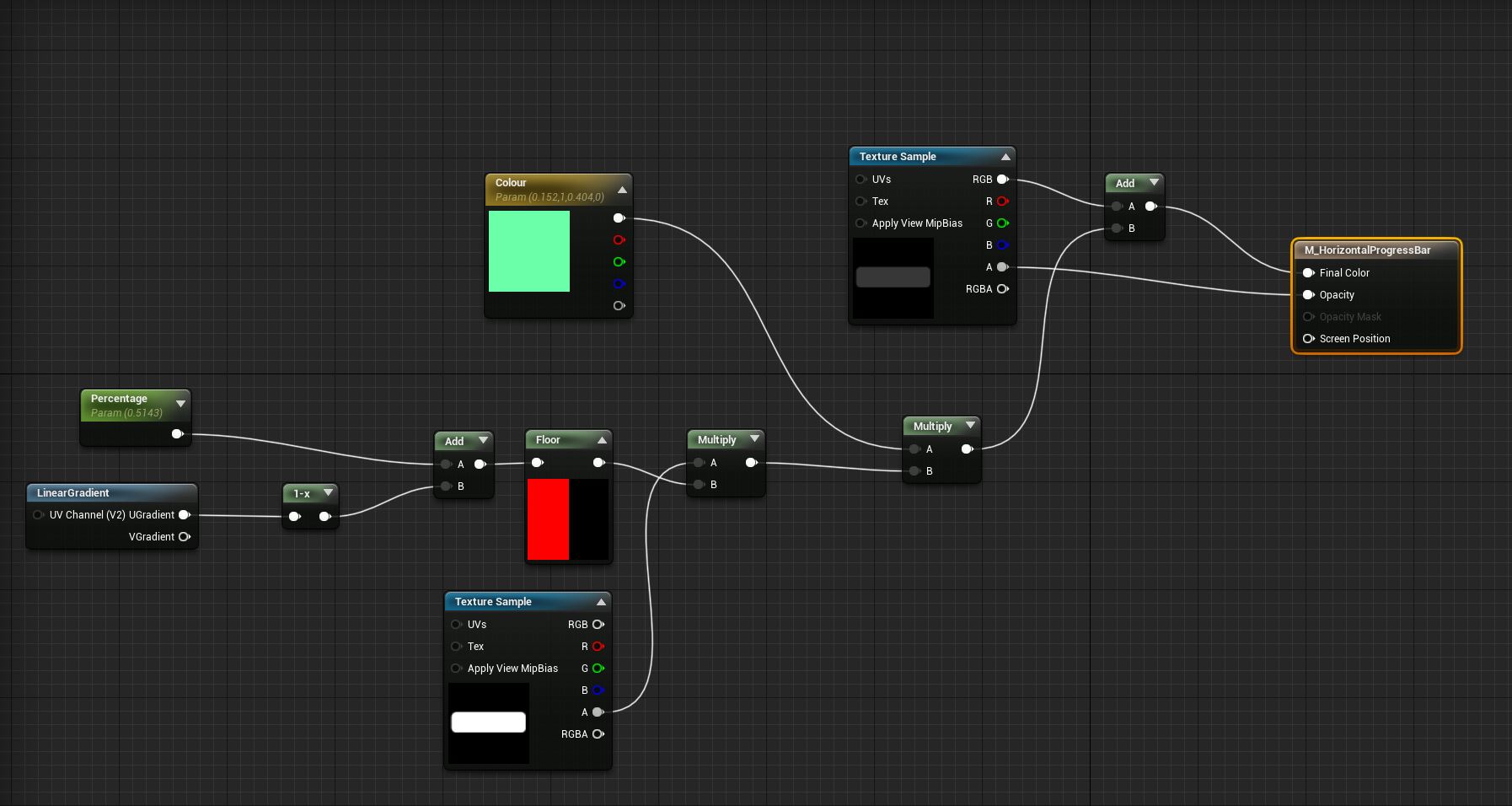
<p>Unreal Engine’s UMG is great, but I actually ended up using a super old-school trick to bring the end of level UI elements in: Gradient Wipes.</p>
<p>The graphical elements are built as gradients, which a shader uses to mask the fill colour.</p>
<img src="images/UIGradient_Image1.jpg" onclick="window.open('./images/UIGradient_Image1.jpg', '_blank');"/>
<p>Lerping from 0 to 1 creates a wipe, that follows the direction of the gradient, bringing the UI elements in.</p>
<img src="images/UIGradient_Image2.jpg" onclick="window.open('./images/UIGradient_Image2.jpg', '_blank');"/>
<img src="images/UIGradient_Image3.jpg" onclick="window.open('./images/UIGradient_Image3.jpg', '_blank');"/>
Super simple, and quite effective. The only downside is that you lose anti-aliasing, but at today’s resolutions that doesn’t really matter.#
<p>And of course, my level ranks have all the bling.</p>
<img src="images/GW_UI2_WIP.jpg" onclick="window.open('./images/GW_UI2_WIP.jpg', '_blank');"/>
]]></content></entry><entry><title>Clear Coat All The Things</title><link href="https://www.triple-aye.com/2025-05-23-Clear-Coat-All-The-Things.html"/><updated>2025-05-23T00:00:00Z</updated><id>https://www.triple-aye.com/2025-05-23-Clear-Coat-All-The-Things.html</id><content type="html"><![CDATA[<p>I have one thing left to do on the character controller: a little montage to indicate that you can’t jump because there’s something above you. So I’m calling it. This is officially the longest time I’ve ever spent writing a custom character. But it was fun, and I’m pleased with it.</p>
<p>I grabbed an audio pack full of bleeps and bloops, and made Gilby play some of them randomly when you turn, or rotate around the level mesh. It’s kinda subtle, but it’s like they’re talking to themselves, which has been cracking me up all week. I’ve also tidied up the animations, improved the blends, and added some additional poses. Everything's a lot smoother, and feels more alive.</p>
<p>I’ve also made a start on the follow camera, it’s still mostly tied to the character, but this project I’m using the <code>PlayerCameraManager</code> class, something I didn’t even know existed until a few months ago. This saved me moving over a bit of the usual boilerplate and it’s made it super simple to spawn camera shakes, and blend between multiple cameras, or states. I guess that why it exists. (I have no idea how that flew under the radar...)</p>
<p>The biggest job, this week, was the pickup items. I made a plugin for these while working on 2umo, so I moved that over and refined it. I now have, essentially, two types: a basic pickup, for simple blueprints, that handles being collected by an actor, but lets the BP decide what to do, and another that applies an attribute, or a gameplay tag, onto the <code>PlayerState</code> or the <code>GameState</code>. I had another variant in 2umo, that handled giving items to the player, but it dawned on me that I can do this by passing a gameplay tag, so I was able to bin that. Variation’s provided by passing <code>DataAssets</code> into the pickup, when placing them in the editor. Super simple, works great, and it’s the same pattern that I used for all the interactives in 2umo. Having one thing – data driven – that swaps its mesh, audio, VFX and behaviour, was a big improvement, and removed a lot of potential bug vectors.</p>
<p>I’m obviously a fan of fruit in video games, so my first batch of pick-ups are the classics: cherries, apples, pineapples, aubergines, chilli peppers and pears.</p>
<img src="images/GilbyClearCoat.jpg" onclick="window.open('./images/GilbyClearCoat.jpg', '_blank');"/>
<p>If you’re wondering why everything is so shiny; I’ve moved this project over to the new Substrate material system. It’s a massive change, which I’m still getting my head around, but it’s a hell of a lot of fun clear-coating, and adding glitter.</p>
<p>I think I’ve stumbled on the look for at least one of the biomes!</p>
<iframe width="560" height="315" src="https://www.youtube.com/embed/1N-FJoTiDQo" title="YouTube video player" frameborder="0" allow="accelerometer; autoplay; clipboard-write; encrypted-media; gyroscope; picture-in-picture; web-share" referrerpolicy="strict-origin-when-cross-origin" allowfullscreen></iframe>
]]></content></entry><entry><title>Gilby Look And Feel</title><link href="https://www.triple-aye.com/2025-05-09-Gilby-Look-And-Feel.html"/><updated>2025-05-09T00:00:00Z</updated><id>https://www.triple-aye.com/2025-05-09-Gilby-Look-And-Feel.html</id><content type="html"><![CDATA[<p>One thing I like to do super early doors when I’m starting a project is settle on a font. Dunno why, but I find it helps set the tone of the project. And no one wants to be looking at the default font while they’re working. Especially if it’s Arial. Ugh.</p>
<p>So this week I made a placeholder logo, grabbed a nice, chunky font (that’s actually designed for Japanese characters) and made a start on the Main Menu. I wouldn’t normally bother with any UI at this point, but I wanted to experiment with the audio analysis stuff in Niagara effects, as that’s something I’m going to lean into.</p>
<p>I went full Y2K aesthetic, in the end, as I've always had a soft spot for that.</p>
<image src="images/Gilby_MainMenu.jpg" onclick="window.open('./images/Gilby_MainMenu.jpg', '_blank');"/>
<p>Everything’s dancing about in time to the music, the audio analysis seems to work – although it’s not actually picking up the correct submix, something I’ll have to dive into at some point – and I’ve added some stuff on the side areas that only people with ultra-wide monitors are gonna see. Quite happy with that.</p>
]]></content></entry><entry><title>Character Controller</title><link href="https://www.triple-aye.com/2025-05-02-Character-Controller.html"/><updated>2025-05-02T00:00:00Z</updated><id>https://www.triple-aye.com/2025-05-02-Character-Controller.html</id><content type="html"><![CDATA[<p>Ha, so I was slightly over-confident with my custom character controller, last week. Once I added the jump in, and was properly able to test the edge cases, not only did I find a load more things that I’d not considered, but I realised Me No Do Math Too Good.</p>
<p>Much code has been stepped through. Many vectors have been abused. Numbers have been modulo’d. But progress has been good!</p>
<p>I’ve got two things left to fix, both of which should be fairly simple to batter through next week. So much so, I started putting the animations in. I’m not going to be able to get away with the simple stuff that I did in 2umo, cos Gilby’s going to need a bit of character, but I’ve the basics in and I’ll improve it as I go.</p>
<p>I was trying to think when the last time I wrote a 100% bespoke character controller was, and I think it must have been a decade or more. UE’s stuff is fantastic, but rolling your own is a really fun thing to do. Lots of little details, that are satisfying to tick off.</p>
<img src="images/Gilby_02.05.2025.jpg" onclick="window.open('./images/Gilby_02.05.2025.jpg', '_blank');">
]]></content></entry><entry><title>Lumo Journal: Week 97</title><link href="https://www.triple-aye.com/2025-04-25-Week_97.html"/><updated>2025-04-25T00:00:00Z</updated><id>https://www.triple-aye.com/2025-04-25-Week_97.html</id><content type="html"><![CDATA[<p><a href="lumo-journal-index.html">Lumo Journal</a></p>
<h3>25.04.2025</h3>
<p>After thinking about the water issue for a while, I decided to bodge it. Created a new, super simple, water material just for the Switch, and hacked the <code>RoomControllers</code> to check which platform we’re running on, and swap the material over if it’s the Switch. I wouldn’t say it’s the prettiest thing in the world, but it does the job, and side-steps a rabbit-hole. SHIP IT.</p>
<p>Beyond that, I only had two other bugs to fix this week. That’s “Good” and “Slightly Terrifying”, all at the same time. I <em>much</em> prefer it when things break, now I’m forever going to be suspicious that we’ll launch with some horrible bugs.</p>
<p>So I’ve switched over to “Gilby World”, and spent most of the week writing a completely custom character controller for it. But that’s a story for a different journal.</p>
]]></content></entry><entry><title>Gilby World</title><link href="https://www.triple-aye.com/2025-04-25-Gilby-World.html"/><updated>2025-04-25T00:00:00Z</updated><id>https://www.triple-aye.com/2025-04-25-Gilby-World.html</id><content type="html"><![CDATA[<p>Lumo 2’s still in QA, but I’ve had a surprisingly low number of bugs to fix – three, this week – so I’ve started to ease myself into the next game. Which is… (working title) Gilby World.</p>
<p>I’m spinning out the Gilby levels from 2umo into their own thing. A few reasons for this: the five that I built were a loads of fun to make, and I love how they look. I also absolutely adore Kula World, the game that inspired them, but my levels didn't do it any justice. Not surprising, I only spent a few days on them, but it feels like unfinished business.</p>
<p>Why not Maenhir? Purely financial reasons. That’s got a couple of years left in it, and I can’t fund myself for that long unless 2umo recoups and starts paying my rent... and <em>that’s</em> not happening any time soon, because it still hasn’t got a release date. Yet. So, yeah.</p>
<p>This is the first “official” week of development on Gilby World, and I’ve made some decent progress. The <code>Gameplay Framework</code> scaffold is in, I've migrated all the bits and pieces I need from 2umo, and I’ve spent a bit of time improving my debug helpers.</p>
<p>2umo’s debug output was, essentially, all or nothing, which was fine as I developed stuff, but it got in the way once we were in alpha, fixing bugs. This time, I’m using console variables – one in each class – so I can turn debug output on/off, at a feature level, via the console at runtime. Tidy.</p>
<p>Gilby’s movement in 2umo was spline-based – time was a feature, don’t @ me! – which <em>obviously</em> isn’t going to cut it, so this week I’ve also been working on an entirely custom character controller.</p>
<p>Kula World’s forward movement is grid-based, but its jump isn’t. That pings you forward two units, and you land where you land. The next forward movement detects that you’re slightly “off grid”, and sneakily pushes you back on to it. None of that’s a problem in 2D, but it gets a bit more fiddly when you're walking around arbitrary surfaces in 3D, and the grid gets offset every time you roll 90 degrees. It took me a couple of attempts to get to the correct solution, but I’m super pleased with the code, and more importantly, it feels a million times better than Gilby's movement in 2umo.</p>
<video controls width="100%">
    <source src="/images/Gilby_Wk1.mp4" type="video/mp4">
    Sorry, your browser doesn't support the video tag...
</video>
]]></content></entry><entry><title>UE5: Debug Text In Fixed Position On-Screen</title><link href="https://www.triple-aye.com/2025-04-23-UE5-Debug-Text-In-Fixed-Position-On-Screen.html"/><updated>2025-04-23T00:00:00Z</updated><id>https://www.triple-aye.com/2025-04-23-UE5-Debug-Text-In-Fixed-Position-On-Screen.html</id><content type="html"><![CDATA[<p>During the early stages of Lumo 2 development, I leaned heavily on <a href="https://github.com/benui-dev/UnrealImGui">Ben Ui’s ImGui for Unreal Engine 5</a> fork. I love Dear ImGui, and I’ve been using it off-and-on in projects for a few years. It’s simple to use, and having a nice debug UI to access cheat modes, and see internal state is a Godsend.</p>
<p>But it’s not perfect. Having to toggle the input mode is a pain in the ass, and, more annoyingly, I could only ever get it working reliably on Win64 builds, defeating the point somewhat.</p>
<p>I’ve started Next Thing, and I want to have a similar view on internal state. Cheat modes are easily handled through CheatManager, and I’m using <a href="https://impromptu.zone/t/data-driven-cvars-add-console-variables-without-any-code/151">Data Driven CVars</a> to toggle debug features on and off, so there’s no need for on-screen buttons.</p>
<p>I figure there must be a way to have debug text, on-screen, in fixed positions — not attached to actors as you normally see — as the engine’s Stat commands do it. I’ve just never seen an explanation of how that works, or any documentation on it, so I thought I’d write it up in case I’m not alone.</p>
<p><code>AHud</code> has a <code>DebugCanvas</code>, and you’re free to draw widgets onto this, as long as any attempts to do so happen within the <code>A_Hud-&gt;DrawHUD()</code> call chain.</p>
<p>As for how to get text onto the canvas, I’m using <code>FCanvasTextItem</code>:</p>
<pre><code>/**
 * Constructor.
 *
 * @param   InPosition   Draw position.
 * @param   InText       String to draw.
 * @param   InFont       Font to draw with.
 * @param   InColor      Color to draw the text with.
 * */
</code></pre>
<p>Followed by <code>DebugCanvas-&gt;DrawItem(MyFCanvasTextItem);</code></p>
<p>My <code>DrawHud</code> function now contains a series of calls to dump out internal state to canvas items and position them on-screen. This doesn’t look as fancy as ImGui, but it works everywhere, and having debug elements on console variable toggles is veh nice.</p>
]]></content></entry><entry><title>Lumo Journal: Week 96</title><link href="https://www.triple-aye.com/2025-04-17-Week_96.html"/><updated>2025-04-17T00:00:00Z</updated><id>https://www.triple-aye.com/2025-04-17-Week_96.html</id><content type="html"><![CDATA[<p><a href="lumo-journal-index.html">Lumo Journal</a></p>
<h3>17.04.2025</h3>
<p>We’ve hit our first proper issue. All the water has broken on the Switch version. Not got to the bottom of it yet, but it’s super annoying given how much time I spent adding fallbacks and quality level stuff to the water’s master material to only have it break, now, fairly comprehensively.</p>
<p>I can hack around it – detect which platform we’re on, and replace the water material with a simpler one, specifically for the Switch – but I’d still like to know the root cause. We have changed to the newer point release of the engine, but I’d be surprised if it that caused it.</p>
<p>Keeping fingers and toes crossed that we don’t hit any more oddities like this.</p>
]]></content></entry><entry><title>Lumo Journal: Week 95</title><link href="https://www.triple-aye.com/2025-04-11-Week_95.html"/><updated>2025-04-11T00:00:00Z</updated><id>https://www.triple-aye.com/2025-04-11-Week_95.html</id><content type="html"><![CDATA[<p><a href="lumo-journal-index.html">Lumo Journal</a></p>
<h3>11.04.2025</h3>
<p>The project seems to be in good shape. QA have only found 10 gameplay related bugs, this week, and all of them were super trivial fixes. Spending the last month polishing and play-testing must have worked.</p>
<p>So I’m on stand-by, hovering around Jira, waiting for something to break. After the intensity of the last few months it feels very strange to not have much to do, so I’ve started a new game. I’m going to spin out the Gilby levels into their own thing. It was super fun to make, and I’d like to extend it. Make 50 or so levels, and get it out. Maybe play around with some of the audio reactive stuff and disco it up.</p>
]]></content></entry><entry><title>Open Sourcing My Code</title><link href="https://www.triple-aye.com/2025-04-11-Open-Sourcing-My-Code.html"/><updated>2025-04-11T00:00:00Z</updated><id>https://www.triple-aye.com/2025-04-11-Open-Sourcing-My-Code.html</id><content type="html"><![CDATA[<p>I spent a couple of days, this week, migrating from GitHub to Codeberg.</p>
<p>There are many reasons for this, and I'm assuming they don't need much in the way of explanation (waves hands at the state of the world and tech in general...), other than, as a European, I'm trying to rely more on EU based services...where possible.</p>
<p>I've also taken this as an opportunity to open source some more of my code, specifically, some Unreal Engine 5 Plugins that are shipping in 2umo.</p>
<p>So, if you're interested, the following is now online:</p>
<ol>
<li>Cecconoid_CC: This is a snapshot of the full, shipped game's Unity Project, stripped of a couple of the commercial plugins (Post Process and Input).</li>
<li>Utility AI Plugin: The Utility AI system, originally developed for Maenhir, that shipped in 2umo.</li>
<li>Action Button Icons: On screen icons for joypad controls and face buttons, that automatically switch image, based on the platform (Console, PC, Steam Deck), at runtime. Shipped in 2umo, so only supports the buttons used in that game, but easily extendable if you need more.</li>
<li>Switches and Responders: This is my implementation of Megan Fox's Switches 201 Patreon post. 99% of the reactive/interactive gameplay in 2umo was built around this pattern. It's super effective.</li>
</ol>
<p>Cecconoid's code is thoroughly documented -- I've used it as a teaching aid for a few years -- but Unity is as Unity does, so it's unlikely to work in the latest versions of the engine out of the box. I'm not maintaining it.</p>
<p>The Unreal Engine plugins haven't been documented. Yet. I will get around to it (rainy day), but they're live code. I'm using them in my new game (started this week!), so they will be maintained, and extended, for the foreseeable.</p>
]]></content></entry><entry><title>Lumo 2 Wishlist On Steam</title><link href="https://www.triple-aye.com/2025-04-08-2umo---Wishlist-On-Steam.html"/><updated>2025-04-08T00:00:00Z</updated><id>https://www.triple-aye.com/2025-04-08-2umo---Wishlist-On-Steam.html</id><content type="html"><![CDATA[<p>Numskull Games pushed out the official announce and teaser trailer for Lumo 2, on Friday, which means the <a href="https://store.steampowered.com/app/3039260/Lumo_2/">Steampage has gone live!</a></p>
<p>I can't give you a release date yet -- I'm not sure it's been settled on -- so in the meantime, please, add 2umo to your wishlists!</p>
<iframe width="560" height="315" src="https://www.youtube.com/embed/rFtJJv46jfI?si=1RgU5UEPFmctjLCD" title="YouTube video player" frameborder="0" allow="accelerometer; autoplay; clipboard-write; encrypted-media; gyroscope; picture-in-picture; web-share" referrerpolicy="strict-origin-when-cross-origin" allowfullscreen></iframe>
]]></content></entry><entry><title>Lumo Journal: Week 94</title><link href="https://www.triple-aye.com/2025-04-01-Week_94.html"/><updated>2025-04-01T00:00:00Z</updated><id>https://www.triple-aye.com/2025-04-01-Week_94.html</id><content type="html"><![CDATA[<p><a href="lumo-journal-index.html">Lumo Journal</a></p>
<h3>01.04.2025</h3>
<p>The console ports are underway!</p>
<p>I’ve archived off my source control repository, backed up everything as “Content Complete” snapshots, pulled down the source and final engine version (5.5.4) from the console teams’ repo, and rebuilt <em>all the things</em>. Took a good few hours. But it’s exciting to be underway.</p>
<h3>02.03.2025</h3>
<p>Just heard, the game’s going to be publicly announced on Friday. 3pm GMT. Release is pencilled in for September, which means I’m going to have to jump onto another game ASAP to get some cash in. I thought I’d spend the summer learning Godot, but now this is confirmed, I think I'll spin out those Gilby levels into a self-contained thing of its own.</p>
<p>The first few bugs have come in from the QA team, and it turns out that I’m working with a tester who used to work at Ruffian Games, my old dev studio. Small world! I’m very happy with how that’s worked out. Good QA are worth their weight in gold, and Euan’s good QA. They’ll give it a proper kicking.</p>
]]></content></entry><entry><title>Lumo 2 Dev. Journal</title><link href="https://www.triple-aye.com/2025-03-27-Lumo-2-Dev.-Journal.html"/><updated>2025-03-27T00:00:00Z</updated><id>https://www.triple-aye.com/2025-03-27-Lumo-2-Dev.-Journal.html</id><content type="html"><![CDATA[<p>Toward the <a href="https://www.triple-aye.com/2022-10-14-INTERLUDE.html">back end of 2022</a> I posted about my finances, and the need to build up a bit of a buffer via contract work. That was the start of this blog’s long, unintentional, radio silence.</p>
<p>A lot happened since then:</p>
<ul>
<li>I did some contract work for Rockstar North. Which I’ll probably never be able to discuss.</li>
<li>I did some contract work on some web-based games. Which likely aren’t interesting enough to discuss.</li>
<li>I moved to South Wales.</li>
<li>I bought a house, which definitely didn’t help the financial situation…</li>
<li>I signed Lumo 2</li>
</ul>
<p>When I signed 2umo I fully intended to get back to the blog, and post my usual weekly updates. I had a decent chat with the marketing bod at Numskull games, and we agreed among ourselves that I’d discuss the project, as I do, and post in-development stuff to my socials. They could echo what they wanted to theirs. And then they left the company.</p>
<p>So I got on with the work, waited for the new marketing guru to arrive, and kept on with the radio silence. Things never go as planned, so by the time the new marketing/production person arrived at Numskull, we were several months into development, and we decided to keep our powder dry, and wait for a proper reveal toward the end of the project.</p>
<p>And... Things never go as planned... :D</p>
<p>I slipped the project by three months, just after I delivered first-playable, because I wanted more time to work on content. When I was due to hit Content Complete, the project slipped by another couple of months because we couldn’t get a suitable team to work on the console ports. And with every slip, that big reveal got pushed back. Further and further.</p>
<p>It’s fair to say that the game industry has changed a lot since I signed this project, and not for the better. In hindsight, if we’d known how dire the media landscape would be, we wouldn’t have held out for the big announce – it would have been better for me to have spammed TikTok for 20 months – but we are where we are.</p>
<p>What I did do, was keep a development diary. Not the usual weekly one that I normally post to the blog, but a daily one. Like the old Zzap64 style-jobbies. With screenshots. And when I get a couple of days, I’ll be able to post them here. But I need to do a few things first:</p>
<ol>
<li>Get the thing sub-edited. There’s a lot of it. I’m probably rambling</li>
<li>Make some tweaks to my static site generator, so you can move backward and forwards between posts.</li>
</ol>
<p>Once that’s out of the way, you can expect a (~100 entry) long development diary of the entire project. Start to finish. I’ll also format it as an e-Book, so you view it in PDF-O-Vision on your screen of choice. Cos, some of the screenshots I took are kinda interesting in and off themselves. The project evolved, quite a bit, as I worked on it.</p>
]]></content></entry><entry><title>Lumo Journal: Week 93</title><link href="https://www.triple-aye.com/2025-03-26-Week_93.html"/><updated>2025-03-26T00:00:00Z</updated><id>https://www.triple-aye.com/2025-03-26-Week_93.html</id><content type="html"><![CDATA[<p><a href="lumo-journal-index.html">Lumo Journal</a></p>
<h3>26.03.2025</h3>
<p>So, after a squirt during [[Week 90 - Post Content Complete Week 1]] I ended up having another lazy few days. I wasn’t being particularly productive, my bug hunts were becoming a bit half-arsed, and I was feeling a little burned out. The winter crunch caught up with me. Well, ish… I don’t like doing QA at the best of times, and I was playing the game by rote, which is less than useless. Far better to do other stuff:</p>
<p>I sat down and read / edited the first third of this journal. <em>Very</em> interesting to see what I was thinking back then, in the context of where I am now and how the game ended up. I also started exploring how I can lay it out in e-book form. I’m thinking something like Affinity Publisher, with some stock template thing, to take advantage of all the screenshots. I’m hoping this will become a nice thing for the website because I used to devour dev diaries, back in the day.</p>
<p>Speaking of which; I tidied up my blog, gave the company website a spit-wash, created a new page for 2umo, and uploaded the gameplay teaser video. Yes, I should have waited for the publisher to announce the game, but I’ve been waiting for two years, and I’m annoyed that whatever momentum the company blog had has long since been lost. So I need to get that ball rolling again.</p>
<p>The long radio silence isn’t really anyone’s fault. When we first discussed it, back as the project was being signed, the idea was that I’d do my usual – blog, screenshot Saturday, etc – and the publisher would echo it, and do their own bits. And then their marketing person left. Cut to a year later, and we’re deep enough into the radio silence that it’s probably better to wait until closer to the end of the project, for the big announcement.</p>
<p>And then the game industry went through months of mass redundancies and site closures.</p>
<p>The landscape’s changed <em>a lot</em> since I started this project. And not for the better. Who do we even announce to? So sod it, I've bitten the bullet, set up the socials, started posting again, and hit Tik Tok. How do you do, fellow kids?</p>
<p>Making websites and videos is a nice diversion for a few days, but it’s not my favourite thing in the world. But the time away from 2umo was useful: I made a big decision: I’ve changed the game’s flow. Willy’s Mansion is now locked until you complete Moonbas.</p>
<p>The reasoning:</p>
<ol>
<li>Moonbas is <em>far</em> simpler than Willy’s. For someone who’s never played an isometric game before – so more likely to be frustrated by the camera angle – there’re fewer jumps and fewer ways to be killed. It’s a softer intro, basically.</li>
<li>Moonbas gives you the double jump. The first section of Willy’s is entirely doable without it – I’ve made numerous tweaks over the last couple of weeks to make sure – but there’s no getting away from the fact that the double jump makes things <em>way</em> easier. And that’s important for the first 30 minutes of the game.</li>
<li>The early section of Moonbas doesn’t really use the wand <em>at all</em>. At least, not until the camera is unlocked. I could patch it up, and scatter wand activated pick-ups about the place, but it’ll feel contrived.</li>
<li>It’s the way I’ve been playing the game for the last three months. If I always go to Moonbas first, then I should probably push everyone else there, as well.</li>
</ol>
<p>With 20/20 hindsight, I could have done a better job at trying to balance out those two routes. I set out to avoid the linearity of the first game, but I’ve ended up doing the same thing, despite myself. But I do think, having changed it, that the flow is better, and the difficulty scales a more linearly, which will avoid some frustrations. Worth the sacrifice.</p>
<p>And yeah, this is what I get for never designing things, up-front. :D</p>
]]></content></entry><entry><title>Lumo 2</title><link href="https://www.triple-aye.com/2025-03-13-Lumo-2.html"/><updated>2025-03-13T00:00:00Z</updated><id>https://www.triple-aye.com/2025-03-13-Lumo-2.html</id><content type="html"><![CDATA[<p>Here's a little sneak peek at what I've been working on:</p>
<iframe width="560" height="315" src="https://www.youtube.com/embed/-nAOvgxX2Qo?si=aWFx6RrL8w0U3usM" title="YouTube video player" frameborder="0" allow="accelerometer; autoplay; clipboard-write; encrypted-media; gyroscope; picture-in-picture; web-share" referrerpolicy="strict-origin-when-cross-origin" allowfullscreen></iframe>
]]></content></entry><entry><title>Lumo Journal: Week 90</title><link href="https://www.triple-aye.com/2025-03-12-Week_90.html"/><updated>2025-03-12T00:00:00Z</updated><id>https://www.triple-aye.com/2025-03-12-Week_90.html</id><content type="html"><![CDATA[<p><a href="lumo-journal-index.html">Lumo Journal</a></p>
<h3>12.03.2025</h3>
<p>It’s been a couple of weeks. I’m nearly finished, right? Nope…</p>
<p>QA and console porting is going to start at the end of the month, so it looks like I was aiming for the wrong date. Boo. But! For the first time in my life, I’ve actually had some time to walk away from the game – I had a very lazy week, last week – and then come back with fresh(ish) eyes. Yay! And that means: fettling and polishing.</p>
<p>The polishing’s mainly been bug-fixing, if I’m honest, but I’ve made some difficulty tweaks, I’ve re-organised some of the rooms in Sandy’s, and found a lot of little bugs, pops and glitches, which I’ve squished and smoothed out. Yesterday was the first time I managed a 100% run of the game (including all the <em>bastard achievements</em>) which was a good feeling!</p>
<p>So, I’m kinda cruising, at least compared to the last three months, and trying to remember what I used to do in the evenings and weekends. I’m sure it wasn’t just sitting in front of the TV… Although, if I’m honest, this happens at the end of most of the games I’ve worked on; you’re so head-down focusing on the thing, putting the hours in over those last few months, that everything else goes out the window. It’s been 20 years, I should have a “re-integrate” plan written down somewhere.</p>
<p>Anyway.</p>
<p>The publisher and I still haven’t settled on a release date, and the loss of Wil Overton’s key-art has caused some background problems, so I’ve decided to break ranks a little. I’m going to start talking about the game on my socials, and the publisher can take their time. The Triple Eh? blog has <em>finally</em> had an update, and this morning I put together a little gameplay tease, that I’ll push out on to the socials. I’ve even set up a TikTok account, which I’m planning to use to explain all the Easter eggs &amp; references that I’ve snuck in the game. A diversion between bug hunting.</p>
]]></content></entry><entry><title>Coming soon...</title><link href="https://www.triple-aye.com/2025-03-07-Coming-soon....html"/><updated>2025-03-07T00:00:00Z</updated><id>https://www.triple-aye.com/2025-03-07-Coming-soon....html</id><content type="html"><![CDATA[<p>It's OK, I'm not dead. The unexpected radio silence lasted a little (a lot) longer than I anticipated, but I'll be updating the blog with more news soon:</p>
<img src="images/2umo.png" onclick="window.open('./images/2umo.png', '_blank');"/>
]]></content></entry><entry><title>Lumo Journal: Week 88</title><link href="https://www.triple-aye.com/2025-02-25-Week_88.html"/><updated>2025-02-25T00:00:00Z</updated><id>https://www.triple-aye.com/2025-02-25-Week_88.html</id><content type="html"><![CDATA[<p><a href="lumo-journal-index.html">Lumo Journal</a></p>
<h3>25.02.2025</h3>
<p>Right, I’m calling it. I’ve added the last room to the game. Close to 600 days after work began on the first one.</p>
<p>Feels a little weird.</p>
<p>I’m not finished, far from it – everything needs fettling, timings need to be checked, bugs fixed, and I’m sure I can squeak in a few more jokes – but I’m not going to be waking up each morning thinking “what shall I make today”. It’ll take a little while to get used to that.</p>
<img src="images/PhysicsSpikeyBalls.jpg" onclick="window.open('./images/PhysicsSpikeyBalls.jpg', '_blank');"/>
<h3>26.02.2025</h3>
<p>Hmm, so this is the part of the project where there’s not a lot of specifics to talk about. Well, apart from a long diatribe about how much of today was spent debugging <em>stupid bloody</em> <em>achievements</em>, but I’ll spare you that. I think they’re working…</p>
<p>I’m in a constant loop of playing the game, looking for things to tweak, hunting bugs, smoothing out pops, adding audio cues, and doing stupid things to see what happens.</p>
<p>It’s the fun bit, in many respects, because the whole thing is laid out for me to fiddle with. But it’s also a little stressful. I don’t have a lot of time to make wholesale changes, and if I start to think I’ve painted myself into a corner, well, it’s too late now.</p>
<p>I was a little bit worried, halfway through the project, that the game would be too short. I’ve gone out of my way to avoid the “empty” rooms – corridors and dog-legs – that made up the bulk of the first game, making sure every room has a “thing”, even if that thing was a one-off (and maybe a little janky). I’ve not done a count, but I know that there are less than 150 rooms in 2umo - it’s ended up being a similar size to Head Over Heels, oddly enough - so it’s a third of the size or the first game. But I’ve still not done a 100% run in a single sitting.</p>
<p>I played for three hours, last night, enough time to complete the intro bits of Willy’s &amp; Moonbas, the three mini-games, and 100% of Sandy’s. I’d guess that I could have completed the rest in another 30-40 minutes, so that’s not bad. I know where everything is. It’s even better when you consider that I was doing 100% speed-runs of the first game in ~50 minutes.</p>
<p>Obviously, there’s absolutely loads of stuff in 2umo that’s optional. You don’t need to chase the Ducks, or the Boom Boxes, and I know that it’ll be a small percentage of ~~masochists~~ players that try to. And, if you’re handy, you’ll probably have enough paint to roll the credits in a couple of hours. So I’m relieved that there’s more meat on the bones, regardless of the percentage of players that see it. I know it’s there, it’s made me laugh, and I’ve really enjoyed the process of making it, despite some really horrible things that have been happening outside of work while I’ve been making this.</p>
<p>2umo’ll be Marmite, my stuff always is, but I happen to like Marmite. Especially with cheese.</p>
<p>Mmm. Cheese.</p>
<p>Anyway, I’ll still be working until the game goes into cert, but for now, I’m only going to write updates if something exciting happens. You honestly don’t want to read about the list of “bugs I cleared today…”</p>
]]></content></entry><entry><title>Lumo Journal: Week 87</title><link href="https://www.triple-aye.com/2025-02-17-Week_87.html"/><updated>2025-02-17T00:00:00Z</updated><id>https://www.triple-aye.com/2025-02-17-Week_87.html</id><content type="html"><![CDATA[<p><a href="lumo-journal-index.html">Lumo Journal</a></p>
<h3>17.02.2025</h3>
<p>I’ve had Sky-Diving on my “this might work” list since the beginning, so I thought I’d give it a go. It’s not refined. It only lasts a minute. And I resisted the urged to nick the graphics from Pilot Wings… But, it is kinda cool for a day’s work.</p>
<img src="images/SkyDiving.png" onclick="window.open('./images/SkyDiving.png', '_blank');"/>
<p>After playing around, I decided not to have any projectiles that could kill you. It’ll be annoying as hell to miss one of the paint-pickups in this room, because the trek to get back goes through rooms you’ll have rinsed, so it’ll get tedious, <em>quickly</em>.</p>
<h3>18.02.2025</h3>
<p>Ian dropped the last track for the mini-games. Lovely little liquid DnB number, that sync’s remarkably well. Considering I didn’t sequence the level to a BPM <em>at all</em> (or even give it much thought), I’m genuinely surprised at how well it’s worked. I did go in and make sure Space Tom spawns <em>exactly</em> on the beat and now my inner DJ is screaming at me to beat match everything else, but… time….</p>
<p>Repurposed the flip-flop platforms, and made a time-based variant. These were in the first game, so I thought I’d give them a quick revisit. There’s an absolute knack to collecting the Boom Box in here, which I can hear people swearing about already. Lulz.</p>
<img src="images/TimedFlipLops.png" onclick="window.open('./images/TimedFlipLops.png', '_blank');"/>
<p>I’ve been prodded a couple of times to get the localisation strings together, which means settling on a list of achievements, then writing their names and descriptions. I set up the obvious ones – You Died, You Completed Everything, etc. – on the Steam backend, but I really can’t be arsed with these. There’re no fun to make, and even less fun to test. But, on the plus side, it meant I had to add the Steam online subsystem, so now, when you launch the game, the Steam Overlay pops up and it acts like a <em>Real Game</em>.</p>
<p>Wrote the code to sync and unlock achievements, but I’m leaving the testing until tomorrow morning. S’already close to midnight, and I’ll be like a dog with a bone if these don’t work first time…</p>
<h3>19.02.2025</h3>
<p>Eventful day. Decided to pester Sandy White one more time, before making a call on whether to chop up Nu-Antesher or just run with it, and he got back to me! Looks like he’s happy with what I’m doing, we just need to iron out some details. <em>Yus!</em></p>
<p>The PC I bought to replace the broken Firebat turned up, so I wiped Windows 11 off it, installed Debian, Perforce, my Git repositories, SyncThing, and a few other bits and bobs that I need for work. Not got it backing up, but I think I might buy the 1TB lifetime option off Rsync.net, and send the live code op there, and have my NAS send the archives to Backblaze.</p>
<p>I did manage to grab a couple of hours to work on the achievements. The code to sync to the platform backend sits in the <code>PlayerController</code>, and that’s all working. I can pull achievements down, write to them, check if they’re already unlocked, and unlock them if they’re not. I also added a bunch of debug code to the <code>CheatManager</code>, so you can unlock, refresh, and dump the current state to the screen, which should be handy for the QA people.</p>
<img src="images/DumpAchievements.png" onclick="window.open('./images/DumpAchievements.png', '_blank');"/>
<p>I am so not looking forward to making the icons for these :(</p>
<h3>20.02.2025</h3>
<p>Hooked up 16 achievements, and added some placeholders for a few more. Just about managed to do it without filthy checks littering the entire code-base, which is an improvement on the first game! I’ll leave it for a while and try and think up some more jokes to squeeze in…</p>
<p>Also added a couple of gimme Boom Box rooms. An Ant Attack sprite:</p>
<img src="images/AntRoom.png" onclick="window.open('./images/AntRoom.png', '_blank');"/>
<p>And because I still feel bad that I never got around to making a Paradroid parody – the entire point of doing Moonbas in the first place – <em>the</em> legendary sprite:</p>
<img src="images/001Room.png" onclick="window.open('./images/001Room.png', '_blank');"/>
<p>Also spent a couple of hours on the new server and set it up to use Rsync.net, which does <em>exactly</em> what it says on the tin. Why had I never heard of it before?! Absolutely brilliant.</p>
<h3>21.02.2025</h3>
<p>Sat down for a session on the big telly, and the rotating room gimbal locked, again! WTAF?! The only difference this time around was that I was running a shipping build – one with all the debug stuff stripped out, that’ll actually get distributed to players – rather than a development build. I’m going to have to go through the engine code, cos this makes no sense…</p>
<h3>24.02.2025</h3>
<p>I’ve re-ordered the Gilby rooms. It’s hard to predict which order players will hit them, but I think there’re likely to get the duck door in Antesher early, so I’ve made that go to the first Gilby room. After that, it’s more of a lottery, so I’ve had a best guess.</p>
<p>And I’ve stepped through the engine code to see how it’s applying the rotation. There’s one check to see if the delta between the current rotation and the desired rotation is close to zero, and if it is, it skips the rotation. But it’s such a teeny-tiny number; the only way I can see that I’d be hitting that check is if I was running at a crazy framerate, and rotating <em>really really slowly.</em> Which I’m not. To add insult to injury, it’s definitely using quaternions all the way down, so I can’t see what I’m doing that’s wrong. Me confoozed.</p>
<p>I’ve reduced the tick rate of the actor that’s rotating the room (larger <code>DeltaTimes</code>) and sped up the speed that the room rotates (bigger rotations). Fingers crossed…</p>
<img src="images/Pasted image 20251009155714.png" onclick="window.open('./images/Pasted image 20251009155714.png', '_blank');"/>
]]></content></entry><entry><title>Lumo Journal: Week 86</title><link href="https://www.triple-aye.com/2025-02-10-Week_86.html"/><updated>2025-02-10T00:00:00Z</updated><id>https://www.triple-aye.com/2025-02-10-Week_86.html</id><content type="html"><![CDATA[<p><a href="lumo-journal-index.html">Lumo Journal</a></p>
<h3>10.02.2025</h3>
<p>Built two more Gilby rooms, but now that I’ve played them, I think aiming for ten was overly optimistic. They’re not <em>that</em> exciting without the time pressure and puzzley bits that Kula World had, so I’m forcing myself not to add pickups, spikes, slow-downs and a timer. I’ll end up remaking the entire game. (Much as I’d like to…) These are a chill distraction atm, which is fine.</p>
<p>Ian dropped me the music for the Mutant Camels mini-game, and yeah, he absolutely smashed that. The intro timing was spot-on, which put a massive grin on both our faces. The sound effect levels need some fettling, in fact, the entire game’s audio could probably do with a mix down now that I think about it... I’ll have to drag the PC downstairs and hook it up to the surround for a day.</p>
<p>Oh, and I bottled working without source control. Ended up flattening my laptop with a fresh install of Debian, and getting Perforce up and running again. I need my safety blanket! And I still can’t get my Eero to port-forward, so I’m starting to wonder if the ISP has started packet filtering. Royal pain in the arse.</p>
<p>Speaking of pains in the arse, Wil Overton can’t do the key art, which is a crying shame. He showed me the roughs he’d been working on, which were wonderful. He’d absolutely <em>nailed</em> it. I’ve asked if he can finish it off as a private commission. I want it for my wall, even if we can’t use it for the actual release.</p>
<p>Sad panda. It’s not going to feel the same without him involved.</p>
<h3>11.02.2025</h3>
<p>Built another Gilby room, and fettled the ones I made yesterday. The new one re-uses the electricity sparks from Moonbase, which livens it up a bit, and looks pretty cool.</p>
<img src="images/Gilby4.png" onclick="window.open('./images/Gilby4.png', '_blank');"/>
<p>I also found a way to fix the dodgy animation imports from last week. The ones with the twisted feet. You can bake the dodgy animation onto the character’s control rig, tweak the twisted bones, then bake out a new animation asset. Dead simple… Problem solved. Have to save, despite being sceptical at first, I’m using the modelling and animation tools in UE5 all the time, now. They’re just so bloody useful.</p>
<p>I’ve not seen the flickering directional lights in Willy’s Mansion since the “big replacement”, a few weeks back. But now, some of the interior lights are flickering. WTAF? Been happening, on and off (ahem), for a week or more, but… Only in packaged builds, and only on Windows (go figure). I’ve deleted them all, and replaced them with new ones. <em>Shrug</em> Fingers crossed, I guess?</p>
<p>Oh, and the player despawns as they go through a door, and then respawns in the new room. I’ve been meaning to do that for <em>aaaages</em>, cos the pop as they teleported has always looked a bit 50p.</p>
<h3>13.02.2025</h3>
<p>Made the final Gilby room, and hooked it up. Spent the rest of the day bouncing the engine version up to 5.5.3. Doesn’t look like it’s fixing anything that I’ve hit, but I might as well take the hot-fixes now, before the porting begins.</p>
<p>Very much the Game Development equivalent of watching paint dry…</p>
<h3>14.02.2025</h3>
<p>Made another windy room, but this one’s entirely driven by the wand, including the ground you’re walking on. S’good fun and the effect looks cool.</p>
<img src="images/WindyThree.png" onclick="window.open('./images/WindyThree.png', '_blank');"/>
<p>But more importantly, I think I’ve finally squashed the oldest bug in the game!</p>
<p>Moving platforms – that bounce between two locations – would occasionally pop to the wrong location, and I’ve never been able to catch them in the act (in the debugger), until today. Took a couple of hours of head scratching, mind.</p>
<p>One line fix: when I reset the platforms, I reset everything <em>except</em> the direction they thought they were going in. If they thought they were going backwards when they were disabled, they’d move forward the next time they were enabled, but when it came time to swap, they’d swap in the wrong direction, pop, and then carry on as normal. <em>Derp.</em></p>
<p>It’s always the bloody simple bugs that take the longest time to spot. Wood for the trees, and all that. 🤦‍♂️</p>
<h3>15.02.2025</h3>
<p>More bugs found, more bugs squished. The worst thing that I managed to find today was around a little nice-to-have that I put in ages ago: if the player Alt-Tabs away from the game, say, to add a note to fix the bug that they’ve just found, I pause the game and bring up the pause screen… Except, that breaks the Juke Box UI, which is forcibly removed without cleaning up any of its key-bindings. Next time you press Y, regardless of where you are, the Jukebox would pop up. Wasn’t too difficult to fix, but I’m glad I spotted it.</p>
<p>Added some particle effects to Inventory Item pickups, and some missing audio effects.</p>
<h3>16.02.2025</h3>
<p>Added more audio effects, including a little click sound when you use the right stick to rotate screws. Sounds stupid (ahem), but that little click’s made such a massive difference. If it feels good without audio, then more often than not you’re in for a nice surprise when you finally add it.</p>
]]></content></entry><entry><title>Lumo Journal: Week 85</title><link href="https://www.triple-aye.com/2025-02-03-Week_85.html"/><updated>2025-02-03T00:00:00Z</updated><id>https://www.triple-aye.com/2025-02-03-Week_85.html</id><content type="html"><![CDATA[<p><a href="lumo-journal-index.html">Lumo Journal</a></p>
<h3>03.02.2025</h3>
<p>Phil delivered the final masters for the main music, which I normalised, topped and tailed, and dropped in. I’m so used to playing the game with the minute long samplers that it’s a bit odd playing with the full versions. Has changed the feel, in a good way.</p>
<p>Have to say, the background music for Sandy’s is <em>chef’s kiss</em>, I absolutely adore that little Casio drumbeat.</p>
<p>Whilst I was on the audio train, I started adding missing audio to the rooms in Sandy’s, and fixing up the Pygame Snake room so it’s always facing the correct way, regardless of which of the three doors you come in through. Was a bit fiddly, as the Screw rotates the room, so you need a certain orientation not to break the thing.</p>
<p>Added the first Boom Box to the initial Gilby level, which uncovered a bug in the movement. Fixed that, but then I realised I had another problem: I was going to have the Gilby rooms unlock sequentially, regardless of which door you came through, but it dawned on me that you could leave some paint behind and then never get back to collect it, so that’s not going to work. They’ll have to be tied to specific doors. That’s going to make the difficulty ramp a bit tricky; the player might hit them in any order. Bugger.</p>
<h3>04.02.2025</h3>
<p>One of the mini-games in Lumo was loosely based on Devil Dice. You stood on a rotating cube, and had to match the face colour to a spot on the ground, within a time limit. I always liked that, so today I remade it.</p>
<p>Like the first game, you have to stand on it to activate it. I’d purposefully avoided that up to now; I’ve not worried about restricting myself to using one button in this game, so there’s been no need to go back to that mechanic. Makes this a bit of a throwback, but it works.</p>
<p>The maths properly fried my brain though – it’s more complicated than the first game, the camera can be facing any direction – so I cheated. I’m using a second, dynamically spawned actor, as a pivot for the rotations. Reduces the problem to a simpler lerp…</p>
<h3>05.02.2025</h3>
<p>Veeeery nearly finished with the Rotating Cube. I just have the player animations left to add.</p>
<p>For lolz, I used the same layout as the final challenge in the first game, except this time you have to do it four times, matching a colour in each corner. I think I’ll use it one more time in Nu-Antesher, to unlock a Gilby room.</p>
<img src="images/RotatingCube1.png" onclick="window.open('./images/RotatingCube1.png', '_blank');"/>
<p>Quite tempted to do an entire Saturday Night Fever floor, but that’d probably have fit better in Moonbas…</p>
<h3>06.02.2025</h3>
<p>My little home server popped. So much for the 100 pound AliExpress mini-computer! I was hoping to drop my laptop in to replace it, but after a few hours of faff, I had to give up. Either the Eero wasn’t port-forwarding traffic to it, or the laptop was dropping the packets, I couldn’t work out which. Have ordered a new PC, but that’s a few days away, which means I’m without source control until it arrives. I’m riding bareback…</p>
<p>I did get the player animations in for the Rotating Cube, but there seems to be an issue with everything I import onto the Player Character’s skeleton since the engine upgrade; the left foot is twisted. Need to work out a way to fix those, in editor.</p>
<p>A job for another day… Today’s been rubbish.</p>
<h3>07.02.2025</h3>
<p>Thought I’d try the Switch version, docked, on the Big Telly, and whoah… that was a lot slower than handheld. Took a lot of fiddling with console variables, but I <em>think</em> I’ve got something reasonable. I can’t get full 1080p resolution, so it’s upscaling from 1340x756, and I had to drop to <code>FXAA</code> antialiasing, but the results are about as good as I think I’m going to get. There’s a bit of light bleed between the walls and the floor, which doesn’t look great, but it’s <em>mostly</em> 30 frames-per-second, or above. It might be worth dropping handheld mode down to <code>FXAA</code> as well. It might claw back a few more frames…</p>
<p>Added a new room, with a black hole that blows you about.</p>
<img src="images/WindyTwo.png" onclick="window.open('./images/WindyTwo.png', '_blank');"/>
<p>And I put the Rotating Cube into Nu-Antesher.</p>
<p>Also heard from the publisher this afternoon; there’s talk of a Collector’s Edition (oooh!) and we’re going to pin-the-tail on a date to announce the game. Finally! (Not that it’s the world’s best kept secret, at this point, but it’ll be nice to be able to Blog about it on the website…)</p>
<h3>09.02.2025</h3>
<p>Added the final two interactive bits to Nu-Antesher, removed one of the areas I wasn’t using, and added in some vertical columns with paint on. All it needs are the Gilby rooms, to hook up the doors, and it’s <em>done</em>.</p>
<p>I also added a little save icon that flashes up on-screen to let you know there’s disc activity (iirc, this is a requirement on console), but er, it looks like a visual glitch. My save game is 2.8KB atm, so it’s basically on-screen for a frame before disappearing. I’ve stuck a 100ms delay on it for now, but I think I’ll end up swapping out the cassette icon for a spinning throbber. That might look less like something’s broken…</p>
<p>It was worth adding because it made me think a bit harder about how I’m saving the game. This morning, it was doing the same thing as the first game; saving as you move between rooms. But I’ve got larger rooms, with more events in, so I’m being a bit more aggressive, and saving as soon as an inventory item, or zone event happens.</p>
<p>And I think I’ll have the “Warp To Hub” button active on the pause screen, all the time. It does risk people walking through empty rooms a few times, but that’s probably offset by the freedom.</p>
]]></content></entry><entry><title>Lumo Journal: Week 84</title><link href="https://www.triple-aye.com/2025-01-27-Week_84.html"/><updated>2025-01-27T00:00:00Z</updated><id>https://www.triple-aye.com/2025-01-27-Week_84.html</id><content type="html"><![CDATA[<p><a href="lumo-journal-index.html">Lumo Journal</a></p>
<h3>27.01.2025</h3>
<p>Had a chum over for a few days, so naturally, he wanted to play the game. Now, despite what I say in my lectures, or to anyone that asks, I don’t really “playtest” my games very much. At least, not in the sense of “keep giving it to people, see what breaks, and get their feedback”. I know that’s not best practice, but I like being able to make things <em>exactly</em> how I want, and then fettling things into shape toward the end before people get their hands on it.</p>
<p>Lumo had two, <em>intentional</em> difficulty spikes, that I put in the wrong places. A room where you had to jump from chain-to-chain, across water, and the entire Ice Section.</p>
<p>The chain jumping was fine, <em>if you used the keyboard</em>, and of course, no one did. Joypad support went in quite late, and I never really used a pad during development. I assumed, (wrongly), that PC would be the lead SKU, so most people would be using the keyboard. Things changed rapidly during the last year, and that was the wrong call, even for PC players.</p>
<p>On reflection (sorry) the Ice Rooms should have appeared a little later in the game, and I knew that toward the end of development, but I couldn’t find the time to re-organise the map. In truth, I ran out of money, and desperately needed the content complete payment. So yeah, playtesting would have highlighted both of those, but in reality, I wouldn’t have been able to do much beyond the chain jumps… Which is why they’re not in the iOS version. (Yes, that exists. It might even get released. Hassle Andy@Thalamus.)</p>
<p>Anyway, 2umo’s first “playtest” went fine, everything’s unlocking at about the right time, Nightmare Room 2 was too tricky, but zero joypads were thrown at the TV. He found a bug, and I was able to look for unfinished bits and bobs, whilst he mooched about.</p>
<p>Which I spent today fixing. Hurrah!</p>
<h3>28.01.2025</h3>
<p>It’s been on the list for a while, but yeah, the game really needs an indicator to show when the room has been rinsed of paint pickups. I’m also paranoid that there’s going to be a bug in them, somewhere, that’ll prevent 100% completion. So the morning was spent writing an on-screen debug dump of paint stats, with background checks for obvious types of breakage, with appropriate on-screen warnings. And the afternoon was spent bending some of that into checks the <code>RoomControllers</code> can run, on entry, to pop up a HUD indicator.</p>
<p>It’s a <em>massive</em> improvement.</p>
<p>I spent three hours going for a 100% run on the big telly, and hit a crash bug on the second visit to Sandy’s. Two rooms before the end. Gutted. I thought today would be the day… On the upside, the fix is simple: a <code>nullptr</code> check. On the downside, that stupid rotating room is STILL GIMBAL LOCKING, so there’s something else going on that I can’t see. <em>Sigh</em></p>
<h3>29.01.2025</h3>
<p>JFC I’m dumb. What was I applying the rotating room’s rotation to? The <code>FRotator</code> (Euler Angles) returned from <code>GetActorRotation</code>. I should have been using <code>GetActorQuat</code>. So I think I’ve fixed that, at least.</p>
<p>I fully intended on doing the music for the shoot-em-up sections myself, but I’ve run out of time. Phil’s crunching, so I’ve asked Ian Ford (DJ H0ffman) if he can squeak a couple out for me. Got the first this morning, and it works well. I love the change of style between the two musicians, it flips the mood of the mini-game in a really nice way.</p>
<p>There’s a bug in the wand, somewhere, that I can’t quite debug, but it looks like a race condition that lets it expire, while you’re dying, so the light and the UI never turn off. I can kinda see the crack this falls into, as the <code>PlayerState</code>’s processing attribute effects in a fairly blind way, and the <code>PlayerCharacter</code> side of the implementation was done before I started leaning into <code>Gameplay Tags</code>. I could clean all that out, but it’s a bit late in the day. Patched in some more checks, but I don’t think I’ve squashed it.</p>
<h3>30.01.2025</h3>
<p>Added a “Warp To Hub” button to the pause menu. I’ve had a console command to do that for a long time, but recently, when I’m playing for those last few paint pickups, I’m using it a fair bit, so everyone else is going to want to, as well. What I’ve not decided is if it should be unlocked from the start, or after the player’s collected the main inventory items and is actually “on the hunt”. It’s doing the latter atm. I’ll play for a while and see how I feel.</p>
<p>Went back to Sandy’s, tidied up a few things, added the Zone Name UI to that start, and added a new room with spinning fans that float you up to a Teleporter that takes you to the first Gilby Room.</p>
<img src="images/GilbyTeleport.png" onclick="window.open('./images/GilbyTeleport.png', '_blank');"/>
<h3>31.01.2025</h3>
<p>Gilby’s animated, has audio, can jump over gaps, and into the oblivion. Might need a couple more checks to make sure he’s always in a valid place, but I’m mostly there. And I think I’ve found the look. Full-on, Disco glitter:</p>
<img src="images/DiscoGilby.png" onclick="window.open('./images/DiscoGilby.png', '_blank');"/>
<h3>01.02.2025</h3>
<p>I spent 3.5 hours on the sofa, this afternoon, doing a full-run on the Switch. A friend wanted to try it, so I made them a build this morning and then settled in to see what would break. Two problems:</p>
<ul>
<li>The Player Character is <em>definitely</em> moving slower on the Switch than the other versions. A bunch of the jumps are far too difficult.</li>
<li>The game got slower, the longer you were in a zone.</li>
</ul>
<p>That last one is really annoying. I dumped ticks to see what was running in the background, but I couldn’t see anything <em>obviously</em> broken. I’m fairly sure I don’t have a leak – I don’t do anything outside UE’s memory management – so that means I’m going to have to get the big guns out, sit down and profile a long play session. Not looking forward to that.</p>
<p>I’ve tweaked the character controller settings on the Switch version, but just as a finger in the air guess. I’ll sit-down in the week, measure the movement distance over time, and compare it to the PC version until I get them matching. Royal pain in the arse.</p>
<p>On the plus side, I did 100% of Moonbas and Willy’s, and enough of Sandy’s to unlock the completion sequence, so today was the first day that I rolled credits on a full play through of the game. Huzzah!</p>
]]></content></entry><entry><title>Lumo Journal: Week 83</title><link href="https://www.triple-aye.com/2025-01-20-Week_83.html"/><updated>2025-01-20T00:00:00Z</updated><id>https://www.triple-aye.com/2025-01-20-Week_83.html</id><content type="html"><![CDATA[<p><a href="lumo-journal-index.html">Lumo Journal</a></p>
<h3>20.01.2025</h3>
<p>The Wizball Hub has been kinda placeholder since its creation, so today I decided to knock that off the list. I had to extend the Save Game by a few bytes, to track the paint count when players leave the hub, vs the count on re-entry, but with that in place it was fairly easy to extend the game mode to trigger the correct cut-scene:</p>
<ol>
<li>New Game</li>
<li>Continuing a game, if you hit Save &amp; Quit in the HUB</li>
<li>Coming back with no paint</li>
<li>Coming back with some paint</li>
<li>Opening the completion teleporter, if you’ve collected more than 85% of the paint in each region.</li>
</ol>
<p>Each has a slightly different ceremony, so it took most of the day to get them in place, but it’s kinda cool to come in and see it doing what it’s supposed to. I’m still missing animations and audio, and I think there’s a bug in the UI, but the scaffold is in place.</p>
<h3>21.01.2025</h3>
<p>My cunning idea for the end game credits roll: drop the playerg in the start location of Maenhir, and complete the Triple Eh? Cinematic Universe. So I imported the map, and spent a couple of hours re-working the scene to get it to look the same. A bit more work than I was expecting, but I got there. Also added the missing animations and audio from the Hub ceremonies, but I’ve not fixed that UI glitch yet…</p>
<img src="images/Maenhir.png" onclick="window.open('./images/Maenhir.png', '_blank');"/>
<p>I have, finally, definitely, I think, fixed the rotating room in Sandys. Even though I was breaking the rotators down to Quaternions in Blueprint, the <code>SetActorRotation</code> node only takes a Rotator, so I had to back port that to C++ and do it properly. Was lucky I spent the time on it, as the save game broke; you couldn’t re-spawn in there. Some poor bugger is going to have to save and quit in every room, just to be sure…</p>
<p>The reason that never showed up in the editor? I’m guessing that it was down to the frame rate, the delta appears to have been large enough to skip over the gimbal lock.</p>
]]></content></entry><entry><title>Lumo Journal: Week 82</title><link href="https://www.triple-aye.com/2025-01-13-Week_82.html"/><updated>2025-01-13T00:00:00Z</updated><id>https://www.triple-aye.com/2025-01-13-Week_82.html</id><content type="html"><![CDATA[<p><a href="lumo-journal-index.html">Lumo Journal</a></p>
<h3>13.01.2025</h3>
<p>Sat down to play the build on the big telly, last night, and guess what… [[Week 74]]’s flickering directional light problem (Willy’s Mansion) is back, <em>with a vengance</em>. Not happy.</p>
<p>Got up this morning and deleted all the lighting, atmosphere, clouds and fog, from Willy’s and cut-and-pasted the ones from Sandy Whites in, then spent the morning re-lighting everything. <em>Shakes fist at the sky</em></p>
<p>I’m falling back on the eye-adaptation to brighten up the really dark rooms, but I’ve no idea if that works on the Switch. <em>Sigh</em>. Whose dumb idea was it to have indoor rooms…</p>
<img src="images/WindyOne.png" onclick="window.open('./images/WindyOne.png', '_blank');"/>
Finished the windy room, with some audio, VFX and pillars to hide behind. Works nicely, so I think I’ll do another version but with pillars tied to the Wand…
<p>One of the things I’ve wanted to do since the start was add Gilby, from Iridis Alpha, as a controllable character with its own set of rooms, so I’ve modelled it (not the hardest thing in the world) and made a start on some of the animations. I’m thinking something vaguely similar to the way the old PSX game Kula World worked – a criminal overlooked little gem, imo – but I’m not sure how that’ll play without a time-limit, and I’m wary of people getting stuck in there. I’ll soon find out tomorrow…</p>
<h3>14.01.2025</h3>
<p>I can teleport into Gilby rooms, posses him, and I’ve done two of the three movement cases needed to run around Kula World style meshes. Wasn’t that fiddly tbh, apart from hitting a gimbal lock with <code>FRotators</code>. A quick swap to quaternions fixed that. Note to self: <code>FRotators</code> aren’t Quaternions. I keep assuming they’re safe for this stuff.</p>
<p>I was going to use vertex colours on the mesh to indicate valid movements at each point, as that would have been trivial to setup in the editor; import a mesh, dab some paint in the corners, Gilby raycasts onto the mesh, grabs the verts, reads the colour, and Bob’s your mother’s brother. Except vertex colours aren’t exposed in packaged builds (well, I could probably uncomment some stuff in the source, but nah), so I’ve resorted to a few ‘Lego’ bricks, with splines attached. Gilby raycasts down, hits a Lego brick, asks for the appropriate spline for the direction he’s facing, and then runs a timeline to move along it. Bit messy in the editor, but saved me some maths in the Blueprint. Should simplify the Jump a bit as well.</p>
<h3>15.01.2025</h3>
<p>Gilby can walk across surfaces, climb walls, roll over the top of columns and generally mooch about. Didn’t get time to add the jump, but I did spend a couple of hours messing about with different shapes, to see what works and what doesn’t. The original game does a nice trick with the camera; it’s placed close enough that it can rely on back-face culling to hide walls. Mine’s a bit too far away (and the character’s too large), to rely on that, so I’ve made a material that fades as it gets close to the camera. It’s not perfect – and I have the same problem in Nu Antesher tbh, cos the camera will quite happily clip thorough things in there – but it’s probably good enough.</p>
<p>I’m currently rocking psychedelic metal. Can’t not be, given who I’m robbing…</p>
<img src="images/GilbyOne.png" onclick="window.open('./images/GilbyOne.png', '_blank');"/>
<p>Kula World’s levels were against the clock. I doubt that’ll work in 2umo, but the time pressure’s cool… I have 10 of Ben Daglish’s tunes left, and Boom Boxes are against the clock… Bosh; I need to make 10 Gilby rooms. Two problems solved.</p>
<h3>16.01.2025</h3>
<p>I’d done all Gilby’s character controller stuff in a blueprint, because I’m at the point in the project where I figure it’d be quicker, and it doesn’t matter if it gets messy. Well, it does matter, and at 2 in the afternoon – when I was getting fed-up trying to remove a couple of glitches – it sailed past my mess threshold. Deleted the lot, and re-wrote everything in C++. <em>Much</em> tidier, far less code, and easier to read. Fair play if you like noodle graphs for everything, but I have my limits.</p>
<p>Normally, for this kinda thing, I’d do a Finite State Machine, but instead I’m checking which <code>GameplayTags</code> Gilby has and responding to those during <code>Tick</code>. This is super-clean, and although I got a lot of the way there with the main <code>PlayerCharacter</code> refactor, back in [[Week 61]], it proved the point; I could have dropped the FSM entirely. I’m tempted to refactor Maenhir’s player, when I go back to it…</p>
<h3>17.01.2025</h3>
<p>Yesterday felt like I ended up standing still, so to make myself feel better I decided to tick off a couple of big jobs: I did a full pass over Willy’s and added any missing audio that I could spot, and added audio to the Intro Sequence. I trawled through the first game and pulled out a few sound effects to use, which I doubt many people will notice, but it does tie the games together.</p>
<h3>18.01.2025</h3>
<p>Added an intro and outro to Space Toms, and an intro to Mutant Camels. I’m quite pleased with the Mutant Camels one, flying along the cassette worked really nicely. T’was worth spending a day on, purely for the joke about Jeff’s Camel font; he’s always said that he’d have been rich if he’d licensed it, given how often it was stolen. Well, it’s my font now! (Jeff: I’ll buy you a pint…)</p>
<h3>19.01.2025</h3>
<p>Played through the game on the Switch, Deck and the Big Telly. The lighting in Willy’s was off (unsurprisingly), so I’ve done another pass on that. Instead of relying on the eye adaptation, I added a smidge of ambient cube map (in the post process) to lift things away from black, tweaked the saturation and contrast, and reduced the overall brightness. I also spent some time on the volumetric clouds, as they were the wrong colour and far too dense. I think the wispy ones I’ve got now are pretty good, tbh. Might be the best they’ve ever looked.</p>
<p>I did spot a few niggly bugs – the rotating room in Sandy’s <em>pauses</em> on the Big Telly, despite not doing it on any other machine I own – so I put in fixes for those, but I’ve not had time to test them. My speed run is still over an hour. A full run, on three machines, is too much for me to do in a single sitting.</p>
<p>That said, the Switch build seems to be in a really good place. No heinous slowdowns, the overall look to the lighting is starting to feel consistent, and no platform-specific bugs that I could see. I was worried it’d end up as bad as the Vita port of the first game, which was god-awful (don’t look at it), but it seems fine atm. I can’t wait to do a full-beans version for Switch 2. Mega Lights?</p>
]]></content></entry><entry><title>Lumo Journal: Week 81</title><link href="https://www.triple-aye.com/2025-01-06-Week_81.html"/><updated>2025-01-06T00:00:00Z</updated><id>https://www.triple-aye.com/2025-01-06-Week_81.html</id><content type="html"><![CDATA[<p><a href="lumo-journal-index.html">Lumo Journal</a></p>
<h3>06.01.2025</h3>
<p>I tapped up Andrew Lemon, over Xmas, to do some Ansi art for the various monitors that are dotted around Moonbas. He smashed it, so I was dead excited to get them in the game. I added three, today, along with the missing cut-scene when you complete the electric floor puzzle (See: [[Week 79]])</p>
<img src="images/Ansi1.png" onclick="window.open('./images/Ansi1.png', '_blank');"/>
<p>I also added a hidden Boom box room, that’s a bit of a bastard. Rotating cubes, that sink as you land on them.
<img src="images/Gobots.png" onclick="window.open('./images/Gobots.png', '_blank');"/></p>
<p>I’ve got one more Ansi to squeeze in, then Moonbas is <em>done.</em></p>
<h3>07.12.2025</h3>
<p>I applied to the BFI for the interim certificate for Videogame Tax Relief, which was about as exciting as it sounds. A big ol’ questionnaire, some budget spreadsheets, a bit of documentation, and a full play-through video (because, er, what’s a GDD?!) The BFI are sound, always been super helpful in the past, so hopefully this should go through without issue. That said, it’s quite challenging trying to explain the <em>Britishness</em> of a game that’s, essentially, a rose-tinted nostalgia trip through my childhood videogame collection, while trying to keep a straight face and sound like a Professional Game Developer (TM).</p>
<p>I’ve tried a couple of different ways to get in touch with Sandy White but I’ve not heard anything back, which (on the plus side) isn’t a “No”, but it’s also not a “Yes”… I don’t want to take the Michael, so I’ve gone through every bit of the Antesher model and either remodelled it, moved it, rotated it, or all of the above. The reference is obvious, but now it’s a pastiche rather than “The Actual Map”.</p>
<p>Shame, it would have been cool AF to ship the OG Antesher.</p>
<h3>08.01.2025</h3>
<p>Made decent progress populating more of Nu Antesher; added in a couple of ducks, with level sequences, some hidden pickups, and re-used the Pygame snake, which lead me down a little bug rabbit hole.</p>
<p>Turns out the snakes never calculated how high the player was when they cancelled a jump (well, not properly), so you could make them dizzy from any old height. Fixed that, which lead me to look at the camera shakes. These spawn when the player lands from a cancelled jump, and modulate their strength based on the distance of the fall. I’ve always known there was something fishy about these, but having looked at it, the cancel height was never calculated properly. It was relying on a value generated inside the Player Character’s Tick that er… wasn’t updated unless you were grounded. Nice. So I fixed that. And then I noticed that if you land inside any of the trigger boxes attached to a Push Block, then you might not go into a push stance. So I fixed that. But if you hit the Action Button to push the block, and you’re not in a push stance, you soft lock. Unlocking the player controller is fired from an animation event, for an animation that’s never triggered. So, I fixed that.</p>
<p>The rabbit hole didn’t end there, but you get the idea.</p>
<h3>09.01.2025</h3>
<p>I think I’ve done all I’m going to in Nu-Ant for a while. I’ve added in the Camera collectable, with a nice cut-scene to explain the controls, another Duck Door, tweaked more of the buildings, ensured you can’t teleport out of the room until you’ve unlocked the camera, and fixed up the Jump Box so you can stack one on top of the other, then alternate between the two to climb as high as you want. Although, now I think about it, I should put some limits on that. There’s bound to be a crazy internet person that tries to use them to climb to the moon…</p>
<p>I also added the last of Andy’s ANSI art to the Jukebox. Very happy with how those came out…</p>
<h3>10.01.2025</h3>
<p>Added a room that forces you to learn how to use two jump boxes to climb heights.
<img src="images/GreasyPole.png" onclick="window.open('./images/GreasyPole.png', '_blank');"/></p>
<p>And very nearly finished another, that uses wind sources to push the player about. Turns out there’re some limitations to UE’s wind sources, the worst being that you can’t adjust the speed at run time. I was planning on slowly ramping the wind up and down, but nah. Can’t find a way to do that. You can turn them on and off, though, so it’s not the end of the world. They’re only responsible for the effect on the cloth sim – I push the player character about in code – so once I add VFX and Audio, then I doubt anyone will notice.</p>
<h3>11.01.2025</h3>
<p>Had to re-record a playthrough for my BFI application. Didn’t quite do a full, 100% run, but it was close. My speed-run time clocked in at 1.5 hours, which isn’t bad. Sandy’s is going to end up being smaller than I’d like, but there’s still plenty of game to uncover.</p>
<p>Took the opportunity to log all the PSOs again, and then dug through the docs to find a way to pop up a message, when the game is run for the first time, to say that “PSOs are being compiled”. I need to get rid of that 10-20 seconds, it’s a loooong time to be staring at a black screen…</p>
<p>I found a plug-in on Fab that claimed to do exactly what I wanted, so I bought it, and was mightily disappointed. It iterated through the Asset Manager to force a load of every material and Niagara System, which yeah, <em>kinda</em> helps, but doesn’t <em>remotely</em> get rid of all the hitches in-game or force everything to be compiled.</p>
<p>The docs for <code>FShaderPipelineCache</code> were a bit more useful, and lead me to a way to count the remaining pre-compiles (<code>FShaderPipelineCache::NumPrecompilesRemaining();</code>, so now I’m able to throw up a bit of UI and display the count.</p>
<p>Which stopped splash screen movies (Triple Eh? &amp; Numskull logo animations) from playing. JFC, why is it so hard to play a bastard movie at start-up?! I’ve lost the will to live at this point, so if they don’t magically re-appear I’m going to Burns Effect some static images and be done with it. Gngngngng</p>
]]></content></entry><entry><title>Lumo Journal: Week 80</title><link href="https://www.triple-aye.com/2024-12-30-Week_80.html"/><updated>2024-12-30T00:00:00Z</updated><id>https://www.triple-aye.com/2024-12-30-Week_80.html</id><content type="html"><![CDATA[<p><a href="lumo-journal-index.html">Lumo Journal</a></p>
<h3>30.12.2024</h3>
<p>It is time. I’ve started implementing the Save Game. Well, I say “started”, the game’s been saving, internally, for months, but it’s never output to a file. And there’s no UI for selecting a save slot, or continuing a game…</p>
<p>UE has a save system, which I’ve never used. As ever, the scarcity of documentation caused me a bit of a problem. You need to mark the variables you want to save with <code>UPROPERTY(SaveGame)</code>. What doesn’t the example on Epic’s website do? Use that bloody <code>UPROPERTY</code>… so my save game was 160k of zeroes. Confused the hell out of me when I started reading it back in, but I eventually found the solution, after a quick scroll through some of Steve Streeting’s code. Burned a couple of hours, but got there in the end.</p>
<p>The Save Slot UI for a New Game is working. Continue Game is going to need a bit of fettling. I’m fairly sure the <code>GameMode</code> doesn’t look for <code>RespawnPoint</code> actors when it’s loaded. When I’m making the game I <code>Play In Editor</code>, and drop straight onto a <code>PlayerStart</code> actor which I move, so I always start close to whatever I’m making.</p>
<h3>31.12.2024</h3>
<p>Yeah, the <code>GameMode</code> needed a bit of work, but nothing outrageous. It already treated the entry in to the level as a room transition. All I needed to do was find the room and <code>RespawnPoint</code> that matched what was in the Save Game, plug those into a couple of variables, and it teleported the player to the correct place, as if they’d walked through a door.</p>
<p>But… There’ll be a few cases where I’ll need to stop the <code>RoomController</code> from updating the respawn data that’s saved out. Anywhere the <code>PlayerController</code> has possessed something other than the default character class would cause a problem (I’d have to spawn the player, then move the player controller over to possess a different actor… boak), so it’d be better to leave the player in the previous room. Fewer things that can break, basically.</p>
<p>Anyway, I can save, quit, and continue games. I’m going to have to sit down and give this a proper kicking.</p>
<h3>02.01.2025</h3>
<p>Save &amp; Continue testing has been going well, not really found many problems, and a few of the rooms that I was worried might cause issues – Impossible Mission, Prince of Purple – “just worked”. That said, I have uncovered a few edge cases, mainly where a respawn point was too low, meaning the player could fall through the world as it was streamed in.</p>
<p>Fixed those issues, and a bunch of little bugs that I spotted while play testing, and setup the PSO Bundling for the new engine version.</p>
<h3>04.01.2025</h3>
<p>Added missing audio to the buttons and gates in Prince of Purple, and a very short animation (a pose, really) to the player character so it looks like they’re vaulting up onto ledges. Largely pointless because you can’t see it, but it’s slightly better than the pop that was there before.</p>
<img src="images/POP_Leap.png" onclick="window.open('./images/POP_Leap.png', '_blank');"/>
<p>And for lols, because the main menu was looking a little bare, I added an artist’s impression of my bookshelf.
<img src="images/MagazineBinders.png" onclick="window.open('./images/MagazineBinders.png', '_blank');"/></p>
<p>The 4Mat joke has been making me laugh all afternoon. Hoping Matt sees it, one day! :D</p>
<h3>05.01.2025</h3>
<p>There’s one room – the PyGame Snake room, in Sandy’s – that relies on the camera facing a certain direction as you enter it. The room prior, with the disappearing walls, was the first thing in the game to rotate the camera, so if you save &amp; quit, then continue game, the camera needs to be facing the correct direction, or you can’t see half the interactive parts of the room.</p>
<p>I’ve been toying with the idea of adding the camera’s orientation to the save game, but for now, I’ve decided not to. Instead, because it’s useful, I’ve added an <code>enum</code> – <code>ETransitionReason</code> – to the <code>GameInstance</code>. This lets the <code>GameMode</code> and <code>RoomControllers</code> check <em>why</em> we’re entering a room (or a level) and in the case of the PyGame room, spin the camera.</p>
<p>–</p>
<p>Something’s fundamentally changed the way alpha masked, and transparent objects, are casting shadows, and I wasn’t sure if it was 5.5.1, or a tweak I made. But its changed the look of the game, and me no likey.</p>
<p>I use dithered masks on walls and objects to fade them in/out as the rooms rotate – dithering avoids sorting issues that “proper” transparent objects tend to cause – but it <em>looks</em> like contact surfaces from “invisible” objects are occluding… <em>very</em> obviously in some places.</p>
<img src="images/SandyShadows.png" onclick="window.open('./images/SandyShadows.png', '_blank');"/>
<p>Now, I don’t actually mind this, it’s oddly useful in terms of giving the player some clues in this particular room, but in other places it’s leaving a shadow that’s obscuring gameplay.</p>
<p>It took several hours to track down; it wasn’t Mega Lights, or anything like that, but one of the settings in the Post Process Volume: <code>Lumen Global Illumination -&gt; Screen Traces</code>, which I’d disabled. Probably when I was trying to get rid of the noise in the Global Illumination, just before I did the engine upgrade. Derp.</p>
]]></content></entry><entry><title>The Arcadia Cecconoid Port</title><link href="https://www.triple-aye.com/2024-12-29-The-Arcadia-Cecconoid-Port.html"/><updated>2024-12-29T00:00:00Z</updated><id>https://www.triple-aye.com/2024-12-29-The-Arcadia-Cecconoid-Port.html</id><content type="html"><![CDATA[<p>Further adventures of the Amiga port of Cecconoid! And this one's kinda crazy. Neil, from RMC, recently came across an Arcadia cabinet, Mastertronic's folly to make an arcade machine out of an Amiga 500. As part of the restoration, Ian decided to port Cecconoid over to it, and it is a thing of beauty.</p>
<p>I got to play on it a couple of weeks ago, and honestly, wrestling the machine is the <em>only</em> way to play.</p>
<p>Anyway, enough of me, check these out:</p>
<iframe width="560" height="315" src="https://www.youtube.com/embed/2y51izqRduo?si=gNSTImG5IqwIjs8P" title="YouTube video player" frameborder="0" allow="accelerometer; autoplay; clipboard-write; encrypted-media; gyroscope; picture-in-picture; web-share" referrerpolicy="strict-origin-when-cross-origin" allowfullscreen></iframe>
<iframe width="560" height="315" src="https://www.youtube.com/embed/bc-T9zA9kZ0?si=HKXr3afMgqL8LUgH" title="YouTube video player" frameborder="0" allow="accelerometer; autoplay; clipboard-write; encrypted-media; gyroscope; picture-in-picture; web-share" referrerpolicy="strict-origin-when-cross-origin" allowfullscreen></iframe>
]]></content></entry><entry><title>Lumo Journal: Week 79</title><link href="https://www.triple-aye.com/2024-12-16-Week_79.html"/><updated>2024-12-16T00:00:00Z</updated><id>https://www.triple-aye.com/2024-12-16-Week_79.html</id><content type="html"><![CDATA[<p><a href="lumo-journal-index.html">Lumo Journal</a></p>
<h3>16.12.2024</h3>
<p>There’s a class of work that I very much reserve for days where I’m a bit tired, maybe hungover, and definitely not firing on all cylinders. Bug fixes, UI, some scaffold thing that’s a bit boring, achievements, stuff like that. I wasn’t feeling particularly awake this morning because we had a slightly boozy weekend visiting Neil and the team at the Retro Man Cave – which was excellent, by the way, highly recommend it – and trying not to get Wham’d, but it ended up being a surprisingly productive day… after a few coffees.</p>
<p>I added a Vertical Sync option to the settings screen, and pause screens to each of the mini-games – a slightly bigger job than I anticipated because they’re plug-ins, and needed their own code path to save the audio values – and then flashed my Switch dev kit to the latest firmware and did a bit of testing.</p>
<p>I had a brief look at Nintendo’s master submission list, and UE 5.4.4 is using a version of the SDK that’s going to fall off the list at the end of the year. I'll have to apply for a waiver when we submit, or bounce up to a new version of the engine. The latter <em>might</em> be worth doing, as I’ll get whatever improvements Epic made to the mobile renderer, but I’m still on the fence.</p>
<p>Performance in handheld mode is right on the margin. If I lower the internal resolution to 70% and let the up-scaler do its thing, Moonbas and Sandy’s hit a solid 30fps, bar the odd room. Willy’s is going to need some hacks, as that’s frequently down at 20.</p>
<p>The two point directional lighting is on all the time in Willy’s, even though most of the rooms have shadow planes to fake being indoors. I keep the main light on because it’s lighting the clouds, and once the camera’s unlocked, they’re visible. So I think the solution may be to add something to the <code>Room Controller</code> class to indicate if a room’s indoors, then (on the Switch) fade out the exterior lighting when it’s not needed. The clouds aren’t rendered on the Switch, so bar a change of colour to the lower-hemisphere, no one will be missing much. Whilst I was poking about I turned off grass, bloom and ambient occlusion. You can’t really see them on that little screen. (Must remember to turn AO back on when the Switch is docked, though).</p>
<p>Another weird thing, I swear the character controller moves differently on the Switch. It doesn’t jump as high, and it feels a smidge slower. A couple of the rooms are <em>way</em> harder to do, which isn’t good.</p>
<h3>17.12.2024</h3>
<p>Couldn’t stop myself, decided to tackle the perf issues on Switch. It wasn’t as simple as knocking out the directional lights while indoors, although that helped. After flicking through the various <code>stat</code> screens, <code>WorldTicks</code> was way larger than I expected, to the point of looking broken; CPU and GPU were both close to a frame. I had a scroll through <code>dumpticks</code> – a nice debug command that spits out everything registered to <code>Tick</code>, in a nice CSV format – and noticed a couple of things that were ticking when they shouldn’t. Easy fix, but the rest looked fine, so there weren’t any CPU hogs in there. But… there were an awful lot of Niagara particle systems registered. One for each paint pick-up, plus torches, and god knows what else. So I culled the Niagara systems from the paint pickups, tweaked all the max/min render distances of the interior spot-lights, and that was enough. Willy’s is bobbling along at 30fps.</p>
<p>A few rooms are dipping into the 20s, but I’m 100% sure there’s going to be a room-specific fix for each of those, I just need to play through and special case some things, which I can do after content complete.</p>
<p>And yeah. I’m 100% convinced that the character controller is moving more slowly, so I’ll have to add a hack to speed that up on the Switch. FFS.</p>
<p>Went to the gym and my car broke down, so the afternoon &amp; evening were written off, trying to get it to a garage. FFS!</p>
<h3>18.12.2024</h3>
<p>There was a hell of a storm this morning, which (aided by the cat) woke me up at 5am. By 6am I was chasing our recycling down the road, and by 7am I’d lost the will to live. So, today’s not been the best of days. I did add the last room to Moonbas, but it wasn’t the Paradroid styled thing I was going for. That ended up looking rubbish, probably due to my complete lack of sleep... Oh well, no point forcing it.</p>
<p>I do love these Spectrum stripes, though.</p>
<img src="images/TimedMovingPlatform.png" onclick="window.open('./images/TimedMovingPlatform.png', '_blank');"/>
<p>So much so, I added an Amstrad stripe to the Toaster Robot room, as well :D</p>
<img src="images/Amstrad.png" onclick="window.open('./images/Amstrad.png', '_blank');"/>
<p>I tried to make a start on the missing puzzle, after the Chimera section, but honestly, I was useless today. I’ve never been a morning person.</p>
<h3>19.12.2024</h3>
<p>The missing puzzle turned out to be one of the most interesting things, from a code point of view, that I’ve ever made. The idea’s simple, there’s electricity coming in at one end of the room, and you have to route it via 9 rotating floor panels, to the other end of the room. To keep things simple, the floor panels can route the electric to one (or more) of the four cardinal compass directions (although, internally, I could pretty easily handle more outputs).</p>
<p>**IMAGE</p>
<p>I use a 4bit bitmask to define the path the electricity can take (North, East, South, West) and as the player rotates the panel, I rotate the bits in the mask.</p>
<p>I use another 4bit mask to indicate if the panel has a permanent input of electricity – from the wall in the room – and a third 4bit mask to indicate if it’s connected to an output – the wire on the other side of the room – a quick bit comparison of these three masks handles the fixed / input output cases for the puzzle.</p>
<p>If the panel is rotated, it’ll check for power from the fixed point, and it’ll ask its neighbours if they’re currently powered up. If either is true, it’ll check to see if the two paths connect, and then power up and down accordingly. Far from optimal in terms of how many checks the panels might end up doing between each other, but very clean and readable from a code point of view.</p>
<p>There was a little wrinkle. It’s possible to create orphaned panels – two or more panels that received power, but were no longer connected to input from the wall – and they’d power each other, indefinitely.</p>
<p>I didn’t want special-case code for panels that were connected to the input, and I didn’t want the panels to walk back, along every possible path, to see if their connection was valid. Instead, when a panel is rotated, it broadcasts a message through the <code>GameplayMessage</code> subsystem telling all the panels to power down. This happens internally, and nothing is updated in the world. When the panel finishes rotating, it broadcasts again, and all the panels check to see if they’re connected, via the wall or their neighbour. It doesn’t matter which order these checks happen; eventually the panel connected to the wall realises that it has power, tells it neighbours, who tell their neighbours, who tell their neighbours... No more orphans.</p>
<p>Again, nowhere near optimal in terms of the number of calls, but me likey the code very much. It was one of those programming things where a bunch of small steps built-up into something nice. A fun few hours.</p>
<p>Annnd TIL that Unreal treats bitmasks as first class citizens. There’s a specific <code>UPROPERTY</code> definition for them, and they appear in the editor as a nice dropdown. I can’t believe I didn’t know that! I love a good bitmask! My game state is a collection of bitmasks, as is the save game (I never serialise objects), but I’ve never exposed them to the editor in this way. Every day’s a school day. :)</p>
<h3>20.12.2024</h3>
<p>Ah, turns out that UE 5.4.4’s Playstation SDK is no longer on the submissions list, either. So I’m doing it: jumping to 5.5.1…</p>
<p>CPU go Brrrrr.</p>
<img src="images/Pasted image 20241221142431.png" onclick="window.open('./images/Pasted image 20241221142431.png', '_blank');"/>
### 21.12.2024
Yesterday’s rebuild and test seemed to go ok. Nothing obviously broken from a cursory look, so today I upgraded all the things; Visual Studio, Graphics Drivers, Switch SDK, Unreal Engine and the two plug-ins I use (Blueprint Assist and ASync Loading Screen). I think the only thing I didn’t touch was Windows, and that’s only because Windows 11 seems to be under the impression that I don’t have a TPM module, when I can clearly see it in the bios.
<p>No code changes required on my end, which was nice (but not unexpected, it’s very rare UE breaks my stuff during an upgrade), but I need to do a full test.</p>
<h3>22.12.2024</h3>
<p>Made a build for all the skus – no catastrophes – and sat in front of the big telly for a 100% run. It’s the first time I’ve done a full run since I made the flow changes to Willy’s and Moonbas, and I’m a lot happier with it now. There’s far less traipsing through rooms that you’ve already seen… if you know where you’re going. But no one will when the first play, so I need to think about leaving a few more clues.</p>
<p>A full run took me 2.5 hours, which was a bit of a surprise. I could 100% the first game in 50 minutes, so this might end up being close to three hours by the time I finish off Sandy’s… I’m sooo not looking forward to that intermittent bug that only appears 2 hours in… Fingers crossed.</p>
<h3>23.12.2024</h3>
<p>Found a lot of minor aesthetic / tweakie bugs, yesterday, and a couple of big ones. Smashed through all the simple bits and bobs, added some missing audio, changed the layout of the pause screen, updated the credits page to include Epic’s copyright line and a column for whoever does the PlayStation port. Couldn’t be arsed to do a full day, so stopped at 2pm and called it; It’s official Christmas.</p>
]]></content></entry><entry><title>Lumo Journal: Week 78</title><link href="https://www.triple-aye.com/2024-12-09-Week_78.html"/><updated>2024-12-09T00:00:00Z</updated><id>https://www.triple-aye.com/2024-12-09-Week_78.html</id><content type="html"><![CDATA[<p><a href="lumo-journal-index.html">Lumo Journal</a></p>
<h3>09.12.2024</h3>
<p>Removed the placeholder for “Ball Room West” and replaced it with a little lava ball. I had much bigger plans for this – a few enemies moving about, fireballs, etc – but it’s such a pain in the arse to place things on and around the sphere that I gave up. I’d need to write a couple of editor extensions to do it properly, and nah, not at this point. Filled it with paint and moved on. Meh.</p>
<img src="images/Ballroom West.png" onclick="window.open('./images/Ballroom West.png', '_blank');"/>
<p>Also went through the documentation for PSO Precaching, and hitch removal on Windows. UE gets a bad rep for hitches and stutters when you first encounter objects, due to shader and pipeline state object compilation. You could mitigate this on older versions of the engine by playing through the game, logging all the PSOs you encounter, and then passing that on to the build tool so they could be included as part of the cook. 5.4, which I’m on, replaces that with automated pre-caching and async compilation of the PSOs, but I needed to enable it. Probably because I’ve migrated engine versions a couple of times?</p>
<p>Anyway, I now have a short-cut that clears the PSO cache every time I run the game, so it acts like a first-run and I can keep an eye out for hitches. Cooking the build took the entire afternoon, though. It looks like the entire data cache was invalidated. Sigh.</p>
<h3>10.12.2024</h3>
<p>The PSO Precaching didn’t remove all the hitches on its own, so I ended up playing through the build until midnight, logging all the PSOs so they could be bundled. The combination of the two works like a charm, I’m not seeing any shader/pso compliation hitches on my machine, even when I’ve cleared the cache. The start-up time on first run is a little long – 15-20 seconds when I limit the game to 4 cores – which is less than ideal, but it’s a one-time thing. Second boot is as close to instant as it’s going to get. The real question is, can I do the same for the Linux sku, using my Steam Deck?</p>
<p>Tbh, I enjoyed playing through, having made a lot of little flow changes recently. Things are feeling better, but I did uncover five or six niggly bugs. I fixed most of them this morning, added a new Boombox room to Moonbase, and a Jefferies Tube that leads out and drops you down onto a new, hidden section, on top of Moonbas’s entrance. I’m using the height-based materials for all the platforms up there, so you’ll never know unless you find the Jefferies Tube. Bugger, should have made that a Minter joke, now I think about it…</p>
<p>I think I need to add two or three rooms before I call Moonbas “good enough”. I want to use the robots from the Toaster Room, and I’d love to sneak a bit of Paradroid styled bas-relief in there somewhere. It’s the most obvious inspiration for the whole joke, after all.</p>
<h3>11.12.2024</h3>
<p>Got the Toaster Robot in. Does the 4 way movement thing that a few of the baddies in Head Over Heels did, so it should be pretty recognisable to players of a certain vintage.</p>
<img src="images/ToasterRobot.png" onclick="window.open('./images/ToasterRobot.png', '_blank');"/>
<p>I’ve not been entirely happy with the lighting in Moonbas when the engine’s at full-beans. There’s been noticeable noise in the Lumen captures, and the metal’s not been picking up the emissives in the way I was expecting, so I deep dived into the docs and forum posts to see if I could improve it, and after a lot of fettling, I think I’ve improved it quite a bit. Screen traces were stopping the emissives being added to the reflections, and my SkyLight was too bright, which was washing everything out. The trick is finding a balance between full-beans, and everything scaled down for the Switch – most of the post-processing turned off, no lumen, limited number of lights – but it’s getting there.</p>
<h3>12.11.2024</h3>
<p>Added another room to Moonbas: floor parts that appear/disappear on a timer, and one of the circle laser emitters, constantly firing. <em>Surprisingly</em> tricky combination, that’s taken me a fair while to balance. But it’s near the end of Moonbas, so I’m allowed some difficulty spikes.
<img src="images/TimedFloor.png" onclick="window.open('./images/TimedFloor.png', '_blank');"/>
Checked out yesterday’s lighting changes on the Steam Deck, and it’s close. The shadows in Willy’s Mansion are too dark, but other than that, it’s not too bad. I need to do the PSO caching for the Linux version, so I’m wondering if I can yoink the files off the Steam Deck… It should be possible, I just need to work out where the dev builds are installed.</p>
<p>More annoyingly, I found a bunch of bugs; things that have been working forever, like half the Boom Boxes in Willy’s, that have suddenly broken. I must have changed a header, at some point, or I’ve done a bit too much live coding, and they’ve gone out of sync. Next time, I’m going to try and keep settings in <code>Data Tables</code>, so code changes don’t start breaking things that I’ve already placed in the editor. It’s about the only fragility I’ve noticed with Unreal Engine, and it’s time-consuming to find and fix stale data.</p>
<h3>13.11.2024</h3>
<p>Fixed the Boom Boxes (ffs), tweaked re-spawning on the rolling ball levels to stop the ball pinging off into space, and fixed the fact that one of the dynamic materials in those rooms was never hooked up (wut?!), tweaked the lighting on all the levels (again), fixed (I hope) one of the puzzles in Antesher, discovered that the main menu breaks when you return from the settings screen (I have no idea how I hadn’t spotted that up to now) and added the last room to Willy’s: Nomen Luni. A free Boombox, for getting that far.</p>
<img src="images/NomenLuni.png" onclick="window.open('./images/NomenLuni.png', '_blank');"/>
<p>I also changed The Backstairs. The number of lights was giving the framerate a bit of a kicking on the Steam Deck. Now you need to use the Wand light, conveniently cutting the number of lights in the room. <em><strong>Ship it!</strong></em></p>
]]></content></entry><entry><title>Lumo Journal: Week 77</title><link href="https://www.triple-aye.com/2024-12-02-Week_77.html"/><updated>2024-12-02T00:00:00Z</updated><id>https://www.triple-aye.com/2024-12-02-Week_77.html</id><content type="html"><![CDATA[<p><a href="lumo-journal-index.html">Lumo Journal</a></p>
<h3>02.12.2024</h3>
<p>Ok, we’re there. Forgotten Abbey; done. I’ll go back and do some better glass for the windows, if I get time, but the rest I’m happy with.</p>
<img src="images/ForgottenAbbey_WIP2.png" onclick="window.open('./images/ForgottenAbbey_WIP2.png', '_blank');"/>
<p>The point of all this was to pay tribute to Stewart Gilray, who sadly passed away in 2022. Stew was the first to champion Lumo, and he would have had plenty to say about a sequel. I miss our rambling phone calls.</p>
<p>RIP, bud. <em>Salutes</em></p>
<img src="images/ForgottenAbbey_WIP3.png" onclick="window.open('./images/ForgottenAbbey_WIP3.png', '_blank');"/>
<h3>03.12.2024</h3>
<p>The core of Willy’s Mansion has been in for a while, but I’ve not been happy with how it plays out when you return with the camera unlocked. The route south of The Hall has always been fine, and now The Forgotten Abbey is in, it loops nicely. But if you follow the original path, through Priests Hole, then you’d end up trekking through First Landing, Nightmare Room and Master Bedroom before there’s another optional path. Too long, too boring.</p>
<p>Today I added a not-particularly-well hidden door out of Priest’s Hole 2, to a new room: Halfway Up The East Wall, that leads to Outdoor Loo, which will teleport you up onto the roof of Nightmare Room, short-cutting the stuff you’ve already seen.</p>
<img src="images/HalfwayUpTheEastWall.png" onclick="window.open('./images/HalfwayUpTheEastWall.png', '_blank');"/>
<p>A complete throw-back to the first game, but fine for a short-cut. I don’t think the majority of players got far enough to see it, anyway! :D</p>
<h3>04.12.2024</h3>
<p>More detail work, today. The two Nightmare Rooms now have a roof, one with moving platforms, the other with crumbling blocks in the shape of the sprite from Jet Set Willy. You get there from Outside Loo, which I’ll dress to look closer to the cover of JSW. From there, you’re back into the Master Bedroom, which gives you access to The Rooftop, sans the boring walk.</p>
<p>I also added placeholders for Ball Room West, and Nomen Luni. The only structural stuff left to do is add a room to take you from Top Landing back up to The Attic, and a Boom Box room out of Master Bedroom. After that, it’s dressing, and seeing if there are any other opportunities to hide things.</p>
<p>Much happier with how this level’s flowing.</p>
<img src="images/NightmareRoom4.png" onclick="window.open('./images/NightmareRoom4.png', '_blank');"/>
<h3>06.12.2024</h3>
<p>Added “Seen This Before”, a re-use of the exploding room parts from the Nightmare Rooms, and “Top Of The House”. I was going add a little nod to Bobby Bearing, with him bouncing around trying to kill you, but a quick Google threw up a commercial remaster released onto mobile a few years back, and, well, better to steer clear of that.</p>
<p>Instead, after a suggestion from Mastodon, I went for the front cover of Spindizzy. I couldn’t quite light it to match, but it’s close.</p>
<img src="images/TopOfTheHouse.png" onclick="window.open('./images/TopOfTheHouse.png', '_blank');"/>
<p>There’s a boom box, tucked away at the back, which is surprisingly tricky to collect, given there aren’t any traps in the room. Might do a few more of those, but with really tight time limits.</p>
<p>I also spent a while re-lighting each of the maps. My ultra-wide is surprisingly bright, and given my tendency to under-light everything, I figure now’s the time to start notching things up. I’ll have to drag my PC downstairs and hook it up to the OLED TV before content complete, but that’s a bit of a faff.</p>
]]></content></entry><entry><title>Lumo Journal: Week 76</title><link href="https://www.triple-aye.com/2024-11-25-Week_76.html"/><updated>2024-11-25T00:00:00Z</updated><id>https://www.triple-aye.com/2024-11-25-Week_76.html</id><content type="html"><![CDATA[<p><a href="lumo-journal-index.html">Lumo Journal</a></p>
<h3>25.11.2024</h3>
<p>Not a super productive day – Storm Bert caused some flooding over the weekend, and I spent all of yesterday helping people bail out water… I’m physically <em>drained</em>, today – but I did get The Watch Tower where I want it. Added some enemies, plenty of pickups on alternate routes, some new obstacles, and a checkpoint, so when you get to the top and die on the flip-flop platforms, you’re not sent all the way back to the start. It’s not the biggest room, but it’s a nice diversion.</p>
<p>I couldn’t decide what to do with Nomen Luni, so spent the rest of the day trying to find the look for Cold Storage. Getting ice to look decent, without being super expensive, took longer than I expected. Ended up buying a material off Fab, and then tweaking that to do what I wanted instead. I’ll look at it tomorrow with fresh eyes.</p>
<h3>26.11.2024</h3>
<p>That Ice material is still too expensive. Looks lovely, but it would happily kill perf on my 3080 if I let it, so I’ve made my own. I’m much happier with the result, but I’ve got a translucency sorting issues, especially with the paint pickups. To be expected… I’ll try and remember to dig into that before I ship.</p>
<p>The colours need some tweaking, but when everything’s moving, and those lights sway, it’s a pretty <em>cool</em> effect. (Sorry, not sorry).</p>
<img src="images/ColdStorageWIP.png" onclick="window.open('./images/ColdStorageWIP.png', '_blank');"/>
<p>I’ve brought the Bouncers back from the first game, but this time the aim is to let them destroy all the ice cubes. The stacks fall down as each cube is broken, and there’ll be some collectables on top of each, that you can grab. I rolled out Chaos Destruction – UE’s set of tools to do real-time destruction – to handle the cubes smashing, but… it didn’t look particularly nice. Opted instead for an old-fashioned particle effect. There are still some sorting issues, but the fact that I have a little more control over where the particles go, and how quickly they fade out, makes all the difference.</p>
<p>This room is by far the most render heavy in the game. Transparency everywhere, so I’ve hard-coded a material change if the material scalability settings are Low or Medium. The cheap material looks utter garbage, but it’s opaque and keeps the cost down. Sorry, potato devices. Not much I can do, except find a better texture…</p>
<p>While I was looking at the shader cost, I noticed that the cocktail glasses (and the particle effect) were still pretty bad, so I’ve massively reduced the spawn count of the particle effect, and switched the glass over to the super cheap hack I made for Sandy’s. It’s actually made the glasses easier to spot, so win-win?</p>
<h3>27.11.2024</h3>
<p>I want to rebuild The Chapel:</p>
<img src="images/Pasted image 20241127140816.png" onclick="window.open('./images/Pasted image 20241127140816.png', '_blank');"/>
<p>Which is easier said than done. I was able to recover the benches, pillars and altar, some tombs and the stairway leading to the original room from my archive, but the candlestick holders and wall bases are missing. I have a vague memory of being lazy (I’m SHOCKED) and kit-bashing a load of Asset Store packs together, but I don’t have the meshes. Most Unity Asset Store stuff shipped without them and regardless, I probably couldn’t use them as-is. Everything I’ve uncovered so far has mirrored UVs with overlapped quads (texture space was at a premium back then!), which is zero use to me now, as I’ll be bringing them into Substance Painter for a tart up. I won’t be able to bake AO, etc. with a load of overlapping UVs…</p>
<p>Fortunately, I archived the versions of Unity that were used to ship (a long story for another day, get me down the pub), so I was able to install one, copy over the old Lumo Unity Project, wait half the day while it re-imported everything (ffs), then load up the original rooms and poke around at the assets. You can’t export meshes directly to FBX from Unity 5.x (or at least, I don’t know how to), but you can export assets to Unity Packages. So I did. And then fired up a hex editor to see what I could see.</p>
<img src="images/unitypackage_hex.png" onclick="window.open('./images/unitypackage_hex.png', '_blank');"/>
<p>A tar file, then? And since no one would ever tar something without compressing the result, probably a .TGZ, which 7Zip will quite happily open
.
<img src="images/7Zip1.png" onclick="window.open('./images/7Zip1.png', '_blank');"/></p>
<p>Yup, it’s a tar file, containing:</p>
<img src="images/7zip2.png" onclick="window.open('./images/7zip2.png', '_blank');"/>
<p>I wonder what happens if I stick a .fbx extension on that asset?</p>
<img src="images/unitypackage_asset.png" onclick="window.open('./images/unitypackage_asset.png', '_blank');"/>
<p>Thank you very much.</p>
<p>That wasn’t quite the end of it, a lot of the FBX files were ascii, which Blender wouldn’t open, so I had to round-trip them through Unreal (which will), but I managed to get hold of everything. And start re-UVing…</p>
<h3>28.11.2024</h3>
<p>Made really decent progress on the Forgotten Abbey. Modelled the entire room in Blender, made a custom shadow box, new materials for the assets I rescued from Lumo, some fake god rays and new window frames. The lighting’s not quite there, but I’m happy with the mood. Dark and unused was the goal, and this feels pretty close.</p>
<img src="images/ForgottenAbbey_WIP.png" onclick="window.open('./images/ForgottenAbbey_WIP.png', '_blank');"/>
]]></content></entry><entry><title>Lumo Journal: Week 75</title><link href="https://www.triple-aye.com/2024-11-18-Week_75.html"/><updated>2024-11-18T00:00:00Z</updated><id>https://www.triple-aye.com/2024-11-18-Week_75.html</id><content type="html"><![CDATA[<p><a href="lumo-journal-index.html">Lumo Journal</a></p>
<h3>18.11.2024</h3>
<p>Decided to cogitate on Antesher and do something else for a bit. The Watch Tower, in Willy’s Mansion, always sounded like a good excuse to have another play at a Nebulus-style room. The Back Stairs were inside a tube – something I always wanted to do in the first game – the Watch Tower will be outside. And this time I’ve got a few more toys to play with, so it’s not going to be a straight rush to the top. Hopefully, I can make it a bit more exploration focused.</p>
<p>I’ve managed to get the controls and camera working - a slight repurpose of the code I wrote for The Back Stairs – and made a start on some platforms that move as you turn a screw with the right stick.</p>
<h3>19.11.2024</h3>
<p>Finished the “screw” platforms; one that rotates around the tube, and one that moves up and down. They’re both one-way, so you can’t manually unwind them, but I think that’ll be fine.</p>
<p>The afternoon was spent double-checking that the build was blocker free (and compiling cleanly) so they could cost up the work. We’re on the vinegar strokes now.</p>
<h3>20.11.2024</h3>
<p>Didn’t have a lot of time today, but started playing around with the new screw actors, and measuring jump distances and timings around the tube. I think I’ve got a reasonable idea about what to do with it.</p>
<h3>21.11.2024</h3>
<p>This is working out quite nicely. I’ve managed to repurpose the rats, the bats, got the new screw platforms in, and made a couple of routes around the tube. Since this is, pretty much, the last room in the level, I’ve made all the paint pick-ups invisible unless you’ve got the wand on. Bit more of a challenge if you’re interested, if you’re not, you can just wander to the top and bounce.</p>
<img src="images/TheWatchTower.png" onclick="window.open('./images/TheWatchTower.png', '_blank');"/>
<p>I think I’m going to add an indicator to each room. Something that flashes, or dings, or pops-up in the UI so you <em>know</em> there’s no more paint to collect. The game’s purposefully soft, you have infinite lives, the platforming’s way easier (Double Jump!), and I’ve tried to keep a pretty chill vibe to the whole thing, but I’m starting to think that it’d be a dick-move to make people hunt for the ONE thing that they’ve missed. Reminds me of the Agility Orbs from Crackdown, except I don’t have an audio loop to give people a clue that something’s nearby. (I thought about adding one, but it wouldn’t work with the music, and tbh, given the number of collectables in the game, it’d end up being a constant background drone…)</p>
<p>I’ll come back to that.</p>
<h3>22.11.2024</h3>
<p>Finished the layout of the Watch Tower, and added a flipper platform that flips when you land on it. I used these toward the end of the first game, as well, but this time I was able to tweak the rotation timings with a curve, so the results are a lot nicer. I didn’t have time to finish it, as we needed to go to a wake :(</p>
]]></content></entry><entry><title>Lumo Journal: Week 74</title><link href="https://www.triple-aye.com/2024-11-11-Week_74.html"/><updated>2024-11-11T00:00:00Z</updated><id>https://www.triple-aye.com/2024-11-11-Week_74.html</id><content type="html"><![CDATA[<p><a href="lumo-journal-index.html">Lumo Journal</a></p>
<h3>11.11.2024</h3>
<p>The reason I called the third location “Sandy Whites” was to get some 3D Ant Attack references in. Sandy, and his then girlfriend Angela Sutherland – who modelled the environment – arguably made the first survival horror game, and the visuals always stuck with me. I didn’t manage to squeeze it into the first game, which was a bit of a crime, so my idea this time was to create a series of rooms based on their map. I was about to model it with Cube Grid, but my first Duck Duck Go turned up a full 3D model of it. Some crazy internet person, “cstroeh&quot;, not only dumped the map, but created an OpenSCAD model of it. Their write-up is <a href="https://happy-computing.weebly.com/tape.html">really interesting</a>.</p>
<p>So I grabbed the model. It needed a fair amount of cleaning up – every block was a teeny bit larger than a unit, not sure why – but it saved me a lot of time, and I ended up with the full map as a nicely broken down model, that I could break apart, remodel, and use as a template.</p>
<img src="images/Anteshere_Blender.png" onclick="window.open('./images/Anteshere_Blender.png', '_blank');"/>
<h3>12.11.2024</h3>
<p>Rather than do a collection of rooms, I’ve decided to have one big one, showing the full Antesher map. The trick is making sure there’s plenty of stuff to do in there, so I’m slowly working my way across each bit, remodelling bits, making the odd change, and deciding what could fit where. I’m going to make this the room where you (finally) get the camera unlock, so you’ll <em>have</em> to spin the camera around to see all the nooks and crannies to unlock all the bits.</p>
<p>First problem: I wasn’t expecting rooms to have more than 64 paint collectables, and this, clearly, is going to have a <em>lot</em> more. I use bitmasks to track if things have been collected, so a single <code>unit64_t</code> isn’t going to cut it. Easy enough fix; the <code>GameState</code> and save game classes now take a struct holding four 64 bit integers. 256 paint pickups should be enough... (Another reason why I always do the save game last.)</p>
<p>Second problem: My paint pickups were being culled faaaar to quickly. Seems the engine bins small transparent objects after a few hundred meters, so I’ve made them opaque and fettled their blueprint so they’re not included in HLODs or cull volumes.</p>
<p>Third problem: Yellow on yellow isn’t working (obviously) so I’ve had to make a new particle effect for the Wand charges and change the colour of the wand platforms. This is a massive pain in the arse, cos I’m locked into yellow after the first game and I really don’t like changing it for this map. It breaks everything I’ve been saying to the player up to this point.</p>
<p>I could change the colour across the entire game but… meeeeh.</p>
<p>Dropped a couple of little puzzles into Antesher, and I think the super large room thing will work out. Lets see how I get on tomorrow.</p>
<h3>13.11.2024</h3>
<img src="images/AnteshereBoomBox1.png" onclick="window.open('./images/AnteshereBoomBox1.png', '_blank');"/>
Starting to feel fairly happy with Antesher. I’ve still got a fair amount of the template model to replace /  tweak, but it’s getting there. Added a Boom Box that you unlock with some buttons and pushblocks, and a carry duck, over deadly water. The latter’s a bit of a repeat of what I did in Willy’s Mansion (The Back Door), but it fits.
<p>Asked around and got the contact details for Sandy White and Kevin Toms. I’ve asked Sandy for permission to use Antesher, cos I don’t want to lift his work wholesale without permission. My fallback plan is to remodel it so it’s reminiscent, but it’d be super cool to have something really close to the original. Fingers crossed. Sent Kevin a video of the Space Toms level, although I’m less worried about that. His face was all over magazine adverts back-in-the-day, it feels like fair use.</p>
<h3>14.11.2024</h3>
<p>The main directional light in Willy’s Mansion is flickering again. This has been a recurring problem for a while, even in packaged builds, and it’s the only map in the game with the problem. I’ve had a couple of attempts at getting to the bottom of this, including today, where I’ve waded through hours of crappy videos, and trawled the web. I’m <em>still</em> none the wiser. It’s definitely something to do with the Ray Traced Shadows, as disabling them seems to fix it… but the cost is, the shadows look shite! Setting it to static seems to fix it, but I’m not baking the lighting… That’s probably my “ship it” fallback, but I’m starting to get annoyed that I can’t work out the what’s happening. The light setup in all the three maps is identical!</p>
<p>Tweaking the light’s source angle, and softening the shadows seems to have made a difference.</p>
<p>…</p>
<p>Took screenshots of the remaining rooms for Wil, and wrote him a little blurb about what I’d like for the key art.</p>
<h3>15.11.2024</h3>
<p>Loaded up Willy’s and the light started flickering. So much for Source Angle. “Cast Cloud Shadows” is today’s fix. I will bet actual money that'll stop working. Probably tomorrow.</p>
<p>Made good progress on Antesher. I’ve got a few areas at the top of the map left to populate, but I think I’m over halfway.
<img src="images/Anteshere_WIP.png" onclick="window.open('./images/Anteshere_WIP.png', '_blank');"/></p>
<p>Since it’d be rude not to have some ants running around, I grabbed an animated model from FAB, and created some simple movement AI. It’s extremely dumb - just tries to run in a straight line until it bumps into something - but it looks kinda cool. I’ve not decided if I’ll let it attack the player or not, as I’m enjoying exploring without getting hassled. The game’s pretty low pressure, I’ll probably leave them as they are.</p>
<img src="images/Antesher_Ants.png" onclick="window.open('./images/Antesher_Ants.png', '_blank');"/>
]]></content></entry><entry><title>Lumo Journal: Week 73</title><link href="https://www.triple-aye.com/2024-11-04-Week_73.html"/><updated>2024-11-04T00:00:00Z</updated><id>https://www.triple-aye.com/2024-11-04-Week_73.html</id><content type="html"><![CDATA[<p><a href="lumo-journal-index.html">Lumo Journal</a></p>
<h3>04.11.2024</h3>
<p>It’s always the things you think’ll be easy…</p>
<p>The Jukebox needs a list of clickable names, one for each of the collectable Boombox tunes, and each of those needs to reflect if it’s been collected or not. Simple. A scrollable list box, populated on the fly, with dynamic entries. Not a problem in UE5, but is <code>CommonListView</code> documented anywhere? Er, no. Is it fuck.</p>
<p>My guess: create the entry, add it to the list, then change the text? Nope. Each entry needs an intermediary object, containing a struct of data that it pulls from. On the plus side, editing those intermediary objects automatically updates the list entries. On the bad side, that took me 3.5 hours to get working. And I can’t even play a tune yet.</p>
<p>What. A. Day.</p>
<img src="images/JukeboxDay1.png" onclick="window.open('./images/JukeboxDay1.png', '_blank');"/>
<h3>05.11.2024</h3>
<p>You can play tunes!</p>
<img src="images/JukeboxDay2.png" onclick="window.open('./images/JukeboxDay2.png', '_blank');"/>
<p>It’s not perfect, I would have preferred to run the music through the room’s reverb volume, but you can only play <code>UI Sounds</code> when the game is paused, and those (seem) to remain 2D and dry, not matter what I do. Really doesn’t sound as nice, but it’s good enough.</p>
<p>News! Wil Overton’s agreed to do the key art. He did such a wonderful job on the first game that it wouldn’t have felt right if he didn’t do the art on this one. So I spent an hour videoing a play through so he can get a feel for it, and spotted a load of niggly little bugs that I need to fix…</p>
<h3>06.11.2024</h3>
<p>Those bugs were too annoying… Fixed everything I saw yesterday, plus everything on my bug list. Most of them were pretty minor, but it’s better to get them out the way now, rather than in January.</p>
<p>Lesson of the day: you do <em>not</em> want a bug in a blueprint that only happens in packaged builds. At least with C++ you can attach the debugger to the running game and set a breakpoint. Blueprints? Have fun with those <code>print strings</code>, and making multiple builds until you track the damn thing down. <em>Facepalm</em></p>
<p>This week’s been far too slow… Why do all my bugs take 10 minutes to reproduce!</p>
<h3>07.11.2024</h3>
<p>Current Gareth is very happy about Past Gareth’s choices…</p>
<p>I didn’t have a lot of time today, so I thought I’d spend it by writing console commands to dump state, and validate some of the things in the world. The most important thing being: the paint pickups.</p>
<p>I’ve always had a feeling that this was the one area where a slightly dodgy setup in the editor could create the sort of bug that would be an absolute bastard to find; like, say, there’s an achievement for collecting them all, and it fires early, or, uh oh, it doesn’t fire at all… (Bastard achievements) I’d have to crawl through every pickup, and work out if it was set up correctly…</p>
<p>So I wrote some code to do a brute force check; make sure each was referenced once, and only once, by a single <code>RoomController</code>.</p>
<img src="images/PaintValidation.png" onclick="window.open('./images/PaintValidation.png', '_blank');"/>
<p>Worst fears confirmed!</p>
<p>I had to cheat a little. Paint pickups effect attributes on the player’s state – but they’re not the only thing that does, Wand Charges do, for example – and there wasn’t an easy way to pull out the attribute that was being effected, and filter against it. But… I use <code>DataAssets</code> to swap out the effect <em>and</em> the visual stuff (meshes, materials etc), so that Past Gareth could make a single blueprint to act as the base for all the Paint pickups in the game (even though they’d look different in each level). By adding an empty interface the <code>Data Asset</code>, I could then filter against it in the code. Hacky, but it did what I needed.</p>
<p>Annnd, TIL: there’s a lovely macro, <code>ENUM_RANGE_BY_COUNT</code> that lets you iterate over an enum, via a template, <em>and</em> a built-in way to convert the entry to a string. I use enums to set &amp; test bit fields <em>all the time</em>. These let me iterate over them, and dump out their current value to the screen. Bosh.</p>
<p>I could really do with a way to teleport to a specific room, and probably a couple more cheat commands to set the level to a specific state. There’re a few events that take a while to do and those have been slowing me down when I’m trying to reproduce a bug… I’ll cogitate.</p>
<h3>08.10.2024</h3>
<p>Ah, managed to break the fan blocks room. You can be in a trigger for the Screw and a Pushblock at the same time… Things go brrr. The proper fix for this would be to work out which direction the player is facing, see which object was closer, and do some jiggery pokery in the code to make sure the object the player wanted was the only one to respond. The “I need to ship this” fix: change the environment so you can’t interact with two objects at once. Hurrah!</p>
<p>Made a black hole that sucks the player toward it.</p>
]]></content></entry><entry><title>Lumo Journal: Week 72</title><link href="https://www.triple-aye.com/2024-10-28-Week_72.html"/><updated>2024-10-28T00:00:00Z</updated><id>https://www.triple-aye.com/2024-10-28-Week_72.html</id><content type="html"><![CDATA[<p><a href="lumo-journal-index.html">Lumo Journal</a></p>
<h3>28.10.2024</h3>
<p>Thought I’d finish off the intro sequence. Added VFX for the warp, tweaked the camera pans and textured all the meshes that were still placeholder. Even got in a couple more Egg related jokes (if you’re on Mastodon, you know…)</p>
<p>Level Sequencer is amazing. Everything I was worried about doing, like switching the materials on the computer monitor, fiddling with emissives and light material functions, was actually straightforward. There is absolutely <em>no way</em> I could have banged this out in Unity. Well, not in the same time frame.</p>
<p>But… I still hadn’t solved the problem from [[Week 70]] – the control rig animations were glitching at runtime. My cunning plan to duplicate the sequence – so I could keep the control rig curves and try various “solutions” in another sequence – was good, but even after exporting the rig to animation sequences and trying every combination of playback methods, it still wasn’t working. I spent the entire afternoon on this, and although I found (kinda) similar problems online, nothing seemed to fix it. The best I could manage was to get the facial animation to play, the body was either glued to the spot, not playing the animation at all, or glitching all over the place.</p>
<p>When the main menu loads up, it kicks off a level sequence that poses the character at the desk. The idea being, I’d do a minute long loop, kinda like an “idle” animation, so there’s something going on while the UI is up. And. I. Never. Stopped. That. Sequence. From. Playing.</p>
<p>My glitches? Two level sequences animating the same character. Fuuuuuuuuuu!</p>
<p>As soon as I stopped the Idle sequence playing <em>everything</em> in the intro sequence worked, straight from control rig. No need to export animation sequences. No faff.</p>
<p>I am <em>mightily</em> relived, but what a derp.</p>
<p>Anyway, I need to add the Buck Rogers warp tunnel, some audio, and one more material change before I’m done with this. Well, until I find out it doesn’t run / looks bloody horrible on the portable SKUS. (Still keeping my fingers crossed…)</p>
<h3>29.10.2024</h3>
<p>Good news / bad news with the intro sequence: It looks <em>OK</em> on the Steam Deck, but it blew over the texture budget (not a surprise). The Switch… looks like garbage. Meta Humans, apparently, don’t look that hot when the engine’s scalability is set to Low.</p>
<p>It didn’t take long to sort out the texture pool – I’d purposefully textured everything in the scene with 4k textures – but hardly anything ended up being close enough to the camera to warrant them. A quick resize, and the Steam Deck was back in budget. Fortunately, the Intro sequence is in two parts, so Switch jumps straight to the Buck Rogers tunnel, and skips the whole stuff at the computer. It is what it is.</p>
<p>I also fixed the UI so the Switch no longer shows the menu button for the Settings screen. There’s nothing to tweak on console, so that’s redundant.</p>
<p>And since I’m on the cut-scenes, I made one for the Wand Collection. Just a little anim, with a quick fourth wall break, and confetti. Lots of confetti. I’ll do the double jump one tomorrow.</p>
<h3>30.10.2024</h3>
<p>The jump pick-up in the first game was a faux Agility Orb, from Crackdown. I’ve stuck with the theme for this one (I’m actually using the same texture for the particle effect), but I was really after Thing On A Spring. It’s a nice visual gag with some decent affordance. If you get the reference…</p>
<p>The MD at Numskull, Martin Defries, is friends with Ian Stewart, who ran Gremlin Graphics, and he was able to put us in touch. After a quick email exchange this afternoon, Thing’s in. Happy with that…</p>
<img src="images/ThingOnASpring.png" onclick="window.open('./images/ThingOnASpring.png', '_blank');"/>
<p>I’ve also added a little cut-scene with the character double jumping a few times, to indicate to the player. Although, thinking about it, it’ll show the wrong button on the Switch. I’ll need to add some code to fix that.</p>
<p>The pause screen was a bit of a mess, and unfinished, so I’ve tidied that up, made a nice material so everything has rounded corners (pfft 9-slice), and added some counters for the paint, ducks and boom boxes. I think I’ll add a fancy background, maybe another sine-based material, to lift it up. It’s too dark in Willy’s mansion.
<img src="images/PauseScreen.png" onclick="window.open('./images/PauseScreen.png', '_blank');"/></p>
<p>Made a start on the Juke Box for Ben’s music, and annoyingly, it’s made me realise that I need to re-orient everything in the Hub. I didn’t plan to let the player rotate the camera in there, but it’s obvious (now) that it’s the <em>first</em> place they’ll try and do it. I need to encourage that, and make sure there’s something on the back wall (I’m going to put the Juke Box there), but… The shape of the room is exactly wrong, and 45 degrees off angle for the walls to fade out nicely. Gngngng.</p>
<h3>31.11.2024</h3>
<p>The hub is re-oriented. Wasn’t as much of a pain in the arse as I was expecting.</p>
<h3>01.11.2024</h3>
<p>Made myself a SID chip! Having now done the research I can happily state, with confidence, that all Jukeboxes look rubbish, or, worse, like something out of a ‘50s diner. SID chip it is.</p>
<img src="images/6581Crew.png" onclick="window.open('./images/6581Crew.png', '_blank');"/>
<p>You can bring the Jukebox UI up, but it’s not populated. Might try and get that done over the weekend.</p>
<p>Fixed a very nasty crash bug – long and boring story – and found some more textures in the intro that needed optimising. Some of the Metahuman ones (teeth!) were absolutely <em>enormous</em>, and you never see them. That clawed some fps back.</p>
<p>Question of the day: should I ship with vsync enabled? It’s off by default, and it’s actually fairly hard to spot due to the lack of movement in the environment. I guess I’m going to have to add an option somewhere, but I’m loath to edit the settings screen. It’s already full… :/</p>
]]></content></entry><entry><title>Lumo Journal: Week 71</title><link href="https://www.triple-aye.com/2024-10-21-Week_71.html"/><updated>2024-10-21T00:00:00Z</updated><id>https://www.triple-aye.com/2024-10-21-Week_71.html</id><content type="html"><![CDATA[<p><a href="lumo-journal-index.html">Lumo Journal</a></p>
<h3>21.10.2024</h3>
<p>I’ve been umming and ahhing about what to do as the third mini-game. I want another arcade game, that’s recognisable to “players of a certain age”, but it needs to be fairly simple. I’m supposed to be content complete by New Year, and that’s 10 weeks away, so I can’t burn another month on it… When I borrowed Jeff’s Camel Font, back in [[Week 67]], I kept coming back to the Atari version of AMC. What a damn fine-looking game that was. Those display lists really were singing. So, that’s the one. I can make that shiny, and it’s not too complicated mechanically.</p>
<p>Made a good start on it: I have all the gameplay framework stuff in, a new level, a decent first pass at the lighting and the two key materials: one that emulates the display list for the sky box, and another that does the scrolling floor. They were good fun to do in a material. The skybox is a smooth gradient, stepped, eight times, with each step used as a mask against the next one, before they’re all mul’d together. The result is pin sharp, and much nicer than if I’d done it in a texture. The floor’s a sine, stepped, with a UV panner for the movement. Looks fantastic when the camera’s depth of field is doing it’s thing.</p>
<img src="images/Camel1.png" onclick="window.open('./images/Camel1.png', '_blank');"/>
<p>Keeping the colour consistent all the way to the horizon was an interesting problem. If the floor is unlit (with a smidge of emissive) then there’s no problem. But unlit doesn’t get shadows and reflections. If the floor’s lit, then the further away it gets, the more of the sky box (blue) and ambient lighting (white-ish) it picks up, presumably because of Fresnel. But I landed on a nice trick, I flipped the problem. The floor is actually white, the ambient cube in the post process volume (and the main directional light) are both purple. You can see that the floor still gets a smidge of the sky box toward the very far end, but it’s much, much better. Another one for the toolbox.</p>
<h3>22.10.2024</h3>
<p>Got the ship flying about, the camera in, and the camel kinda setup to move and shoot things.</p>
<p>I thought I was being clever; I bought the camel off the Epic Marketplace, and it definitely saved me time modelling and texturing, but tweaking the anims has been a bit of a ball-ache. Ended up making a control rig, and then spent the afternoon trying to work out the simplest way to use that to bake out sequences that I could then apply additively, on top of the pre-existing walk animation. I got there in the end. Turns out, you can play <em>any</em> animation asset directly on the default slot, from blueprint, and UE “just works” and blends it in. No complicated montage setup required. Epic clearly use that for something, but it’s a new one on me.</p>
<h3>23.10.2024</h3>
<p>You can bounce off the camels! The camels fire bullets at you! The camel dies when you shoot it! It’s nearly a game.</p>
<img src="images/Camel2.png" onclick="window.open('./images/Camel2.png', '_blank');"/>
<h3>25.10.2024</h3>
<p>I think I’m basically there. Added audio to All The Things, some more VFX, tweaked the ship handling, fettled the bullet homing values, and knocked up the UI. Only thing missing is the background music.</p>
<p>I didn’t rip the original sound effects from the Atari version, nice as they are, but I’ve done a passable impression of them thanks to BFXR, a super handy little tool that spits out 8 bit sound effects. I’ve used it in one shape or another in all my games. Anyway, I’d bet a quid that someone’s going to adjust their glasses and bring up the fact that the audio isn’t correct.</p>
<p>S’funny, but having spent a week with AMC I’m already thinking of directions I could take it. The core’s incredibly simple, but it’s still a solid basis for a cracking little shmup. Guess that’s on the “One Day” list…
<img src="images/Camel3.png" onclick="window.open('./images/Camel3.png', '_blank');"/></p>
<h3>27.10.2024</h3>
<p>It’s official, I’m sliding into working over the weekends…</p>
<p>Spent a few hours on the Intro Sequence. I’ve done all the character animation, including the facial stuff, and finalised the timings of all the camera cuts, and spawns. I’m <em>really</em> happy with how it looks when the engine’s at full-beans. Not checked the Switch or Steam Deck, yet, but I suspect the lack of depth of field is going to be an issue. Fingers crossed.</p>
]]></content></entry><entry><title>Lumo Journal: Week 70</title><link href="https://www.triple-aye.com/2024-10-14-Week_70.html"/><updated>2024-10-14T00:00:00Z</updated><id>https://www.triple-aye.com/2024-10-14-Week_70.html</id><content type="html"><![CDATA[<p><a href="lumo-journal-index.html">Lumo Journal</a></p>
<h3>14.10.2024</h3>
<p>My little hamster wheel has pickups, and spikey things on splines that’ll kill you.
<img src="images/HamsterWheel.png" onclick="window.open('./images/HamsterWheel.png', '_blank');"/></p>
<p>Today I learned: An <code>EnsureMsg</code> started triggering in debug builds, asserting every time I debugged from Rider. My <code>ARespawnPoint</code> class (a <code>USceneComponent</code>), which has two child components – a billboard (icon) and an arrow to let me see player’s re-spawn location and direction in the editor – was causing the issue:</p>
<p><code>Template Mismatch during attachment. Attaching instanced component to template component.</code></p>
<p>Confooozed. I’ve not seen this before, and I’ve not touched the code in <code>ARespawnPoint</code> since I wrote it. But, after a bit of digging, it started to make some sense. I was setting up the attachment for the child components in the constructor, which gets the <code>Class Default Object</code>, not the instance. And worse, I was attaching them to the root of the parent, not the instance of <code>ARespawnPoint</code>. Derp, and chalk up another “why did this ever work!” bug. (And I’m 100% sure I’ve made this mistake elsewhere… 😑)</p>
<p>Why did it pop up now? I have no idea. But, it’s fixed, and every day’s a school day.</p>
<h3>15.10.2024</h3>
<p>Not my brightest day. I’ve been making a room that rotates around a central origin. The walls need to do a quick Dot Product against the camera, so the back facing walls can fade out. All things I’ve done before, but surprise(!) things didn’t work the first time, and it took me <em>far</em> too long to work out why. Short story, the meshes I exported for the wall pieces didn’t share the same rotation, so when I was rotating the Blueprint Actors into place, I was lining things up visually, not looking at the actor’s rotation. Cue half the morning stepping through code, scratching my head... As soon as I dropped an <code>ArrowComponent</code> into the actor, the derp was painfully obvious.</p>
<p>Top tip: always add an arrow whenever facing is important. They’re editor-only, and you <em>never know</em> when they’ll save you from yourself. <em>Facepalm</em></p>
<img src="images/ForcedRotatingRoom.png" onclick="window.open('./images/ForcedRotatingRoom.png', '_blank');"/>
<p>The pickups rotate with the room. I had to go with Predator style ones, in the end, as they’re more fun to collect than when they faded out with the walls.</p>
<p>6/10. Looks alright, feels like filler.</p>
<h3>16.10.2024</h3>
<p>I did a little more work on the Intro sequence, last night. I’ve brought in a Meta Human, and I spent a few hours in the Level Sequencer, messing around with the character’s control rig. The intention was to block things out, then refine, in passes, in my spare time. I was making good progress… in the sequence editor… but when I pressed play, the animation was jittering about all over the place. Er…</p>
<p>I ended up reverting my work (burning an evening), but I think I know <em>why</em> it was jittering. I should have baked what I had to an animation asset, set up the meta human’s animation blueprint, and then used the <em>baked animation asset</em> in the level sequence, rather than keying the control rig. I don’t think control rigs are meant to be animated in that way. (It’s a running Blueprint, so it kinda makes sense that it’ll do stupid things in a level sequence…)</p>
<p>Anyway, lesson learned. I think I’ll duplicate the level sequence, use one copy to animate everything and preview what the Intro’s doing, then bake out the character’s animation as a single asset. I’ll use a duplicate of that at runtime, playing baked animations. That should prevent me from making too many mistakes, or losing all my keys.</p>
<p>–</p>
<p>One of the early rooms in the first game required you to push a button, which turned on some fans, which made some boxes float, that you could then use to jump across to a door on the far side. For lols, I thought I’d take that a step further:</p>
<ul>
<li>A screw winds the fans up, so they have a time limit</li>
<li>You have to move the boxes in place</li>
<li>And they’re different weights, so you need them in the right order</li>
</ul>
<img src="images/ClockworkFans.png" onclick="window.open('./images/ClockworkFans.png', '_blank');"/>
<p>I’ve used Cube Grid, again, to block out the room (it’s soooo handy), and got a fair chunk going.</p>
<p>Fans have a new option; you can ask them to apply force to the lowest actor, rather than anything and everything that’s over them. (I’m not supporting all directions because I don’t know if I’ll ever need horizontal fans to be blocked by moving objects…) and Push Blocks implement the <code>ForceActorResponder</code> interface, so fans can talk to them. The blocks themselves have a very simplistic way of rising, literally a lerp to a given height, so I can make it appear as if objects have different weights. I’ll get them to bob up and down slightly, when they’re up there…</p>
<p>Tomorrow I’ll see if I can make the fans clockwork, and get the valve to wind them up. And yeah, there’s stuff to do on the walls that you can’t see. I’ve had a nice idea that I’ll come back to.</p>
<h3>17.10.2024</h3>
<p>Got the screw to unwind itself over time, and the fans are hooked up to it via some <code>Twiddlers</code>. It’s a nice effect. Added some safety checks to the push blocks, and made sure they’re robust going in and out of the fan’s trigger capsule.</p>
<p>My bright idea, yesterday, was to have a gate baring access to a door, hidden on the far side of the room’s central column. You’d lift the gate up with a well-placed weight, pushed over a fan. I thought, for a change, that I’d make an actual proper physics object for the gate. I try and avoid using <em>actual</em> physics objects as much as possible in my games. They’re often a pain in the arse, and real-world physics tends to feel shit. Unless you’re playing a racing game, or something. So yeah, kinematic all the way. Most of the time.</p>
<p>Anyway, knocked up a model, and set up the mesh with a collider, simulating physics, in the blueprint. Locked its rotation, and X/Y movement – it can only go up – added a collider to catch the push block, and tweaked all the settings for mass, centre of gravity, CCD etc… I push the block over the fan, it pings up, physics does its thing and the gate slides up with it! Yus!</p>
<p>And then I notice: it’s ever so slightly on the wonk. The push block moves down, and the gate gets stuck in the frictionless wall. Or if it does make it all the way down, occasionally jitters on the ground because <em>physics</em>.</p>
<p>And to be even more annoying, it takes ages to fall down, cos, you know, that’s how gravity works! Except I’d made my push blocks fall really quickly, because that <em>looked better</em>.</p>
<p>Nice idea. I’ll make a kinematic one, tomorrow, and lerp it up to match the movement of the push block. (Like I should have done in the first place… F physics).</p>
<h3>18.10.2024</h3>
<p>Edge cases, gorra love ‘em. Today’s:</p>
<ul>
<li>What happens if you push two push blocks on to the same fan? Yeah, I had to add a line trace to stop them going through each other.</li>
<li>What happens when those two push blocks fall back down? Well, the one at the top tries to find a safe space to land. Technically, this will break given the right circumstances, but a fudge should be fine in this room.</li>
<li>What happens if the player’s still behind my shiny new gates when they drop? No easy answer, so I kill them. Unlucky.</li>
</ul>
<p>But it’s all in, including the kinematic gates. The gates are a bit hacky, but I’m not using them again. And it’s a Friday.</p>
<img src="images/FanBlocksRear.png" onclick="window.open('./images/FanBlocksRear.png', '_blank');"/>
<p>I also made some new VFX for the fans – the one from Moonbase were far too faint – then cleaned up the Cube Grid blockout in Blender, unwrapped, and textured it. Only things left to add are some pickups, and the exit.</p>
]]></content></entry><entry><title>Lumo Journal: Week 69</title><link href="https://www.triple-aye.com/2024-10-07-Week_69.html"/><updated>2024-10-07T00:00:00Z</updated><id>https://www.triple-aye.com/2024-10-07-Week_69.html</id><content type="html"><![CDATA[<p><a href="lumo-journal-index.html">Lumo Journal</a></p>
<h3>07.10.2024</h3>
<p>Had a few hours over the weekend, so I made a start texturing the props for the intro sequence. It’s coming along!
<img src="images/Intro1.png" onclick="window.open('./images/Intro1.png', '_blank');"/></p>
<p><em>And</em> I did the big job: made a Cecconoid arcade to go in there. <img src="images/Intro2.png" onclick="window.open('./images/Intro2.png', '_blank');"/>
There’re a few easter eggs – Zorzin’s Pizza, and the Immortal Joysticks logo – but you probably won’t see them in the intro sequence. I know they’re there, though :)</p>
<p>I emailed Gill Wakelin, Bob Wakelin’s wife, to see if she’ll let me license Bob’s Head Over Heels artwork, for one of the picture frames on the wall. Bob had agreed to do the key art for Lumo, before he passed, so it’d be cool to legit get something of his in, this time around. If you don’t ask, you don’t get, but let’s see. It’s a bit cheeky.</p>
<h3>08.10.2024</h3>
<p>Back on Sandy Whites for a while.</p>
<p>I’ve been trying to think of things that reinforce to the player that the rooms will rotate, and to match the other two zones, I need the first room to have some “hidden” exits. Thought I’d come up with a genius idea: a toggle that actives “things” in the world <em>if</em> the camera’s facing in the correct direction.</p>
<img src="images/NewSandyWhitesEntrance.png" onclick="window.open('./images/NewSandyWhitesEntrance.png', '_blank');"/>
<p>So, three levers, you can only pull the levers if the camera is facing them straight-on. Pull the lever, the outer ring rotates, and shows an exit. Means the first time you enter the level – before you have the camera unlock doo-dah – there’s only one exit. Second time, two more.</p>
<p>It’s all working, has audio, and stuff fades in and out nicely, but I’m not sold. I don’t think it’s going to work as well as I thought.</p>
<p>Dunno, I might use it again for a secret, but I don’t think it’s good enough to be a thing.</p>
<p>(Future Gareth: Totally ended up using it again, in Nu-Antesher…)</p>
<h3>09.10.2024</h3>
<p>Only had a half day, so did some tidy-ups to Sandy Whites. Added some nice wind VFX, a golden duck above the duck-exit-door in the second room, and some collision that disappears if the camera’s been rotated to face the correct direction. (Gotta love a Dot Product!) This fixes some long-standing bugs where you could walk around the edges of rooms and access stuff before the camera had rotated and actually <em>shown</em> them to you…</p>
<h3>11.10.2024</h3>
<p>Dunno why this popped into my head – must have seen it in a Mario game somewhere – but I woke up with a hamster wheel in my head, so I made one. It’s not as smooth as I’d like; I’m taking the player’s <code>CharacterMovementComponent</code> velocity, converting that to angular velocity, then rotating the wheel, which leads to some pops when the character jumps and suddenly shoots forward. I guess because the movement component thinks it’s running forward, when it’s actually running on the spot. But it’ll do.</p>
<p>Not had a reply from Mrs Wakelin. Guess that’s a no. Shame.</p>
]]></content></entry><entry><title>Lumo Journal: Week 68</title><link href="https://www.triple-aye.com/2024-09-30-Week_68.html"/><updated>2024-09-30T00:00:00Z</updated><id>https://www.triple-aye.com/2024-09-30-Week_68.html</id><content type="html"><![CDATA[<p><a href="lumo-journal-index.html">Lumo Journal</a></p>
<h3>30.09.2024</h3>
<p>Preeeetty much finished the Challenging Stage. The Cannon fires boing balls, although you can’t really tell because of the motion blur, the bats have a bunch of splines to follow, the VFX is in, and I’ve finally robbed Jeff’s Camel font! This has popped up in so many C64 demos (and games), that it’s probably one of the most famous things he’s ever done. I was honour bound to steal it at some point. Today’s the day.</p>
<p>I was going to do the attack waves with a <code>Level Sequence</code>, but that locks everything into a fixed time period. Galaga moves on to the next wave as soon as you kill all the enemies, so I need to do the same. Reached for my new best friend, the <code>FoxyTwiddlers</code>, instead.</p>
<p>I use 14 of them. Each spawns bats from an <code>Actor Pool</code>, and tells them which spline to follow. Once they’re spawned, they poll the actor pool and when no more bats are active, they twiddle the next twiddler. Works really well. I could test each wave individually and tweak spawn rates &amp; spline durations, super quickly. Exactly what you need.</p>
<img src="images/ChallengingStageFont.png" onclick="window.open('./images/ChallengingStageFont.png', '_blank');"/>
<h3>01.10.2024</h3>
<p>Made an animation for the player character as they get on &amp; off the cannon, and a quick idle cycle while they’re using it.</p>
<p>The post process occlusion rendering – the thing that draws a yellow silhouette of the player when they’re behind geometry – looked a bit janky when the player stands on the cannon, so I added a Tag, and some code to tweak the alpha scalar in a <code>Material Parameter Collection</code>, as it gets added / removed. I can hide the yellow silhouette on demand. Surprised I’ve not needed to do it before now, tbh.</p>
<p>And I’ve been a good boy; I added all the audio, rather than save it for a later pass.</p>
<p>I think all that’s left is to tweak the wall geometry – there’s a gap at the top left on my stupid ultra-wide – and maybe add a little screen at the end, to show you the kill percentage. There’ll be an achievement, of course. I’ll need to think of a name for that.</p>
<p>I’ve also written the background music handler – basically ported over what I have in Maenir – and added Phil’s noodles to each map. As expected, it’s made a <em>massive</em> difference, even with the unfinished, 2-minute-long loops.</p>
<p>Never under-estimate how much the music contributes to a game’s feel.</p>
<h3>04.10.2024</h3>
<p>Hangover day. Decided to hunt for bugs and boy… did I found a banger: Gravity in The Bathroom appeared to be messed up, which sort of made sense, this is the room you enter after Ballroom East’s Mario Galaxy style antics. I’d obviously forgotten to clean something up. But what? Cue several hours of head scratching, and stepping through the code.</p>
<p>The culprit? The <code>ControlRotation</code> was left in whatever orientation Ball Room East last used. It should have been zeroed out. My hacks to clamp the character’s falling/floating velocity were <em>completely</em> wrong because they were pointing in the wrong direction. <em>Facepalm</em></p>
]]></content></entry><entry><title>Lumo Journal: Week 67</title><link href="https://www.triple-aye.com/2024-09-23-Week_67.html"/><updated>2024-09-23T00:00:00Z</updated><id>https://www.triple-aye.com/2024-09-23-Week_67.html</id><content type="html"><![CDATA[<p><a href="lumo-journal-index.html">Lumo Journal</a></p>
<h3>23.09.2024</h3>
<p>I don’t know why this popped into my head, but anyone remember the cover of The Incredible Shrinking Fireman? Old Mastertronic game. No? Me neither until last night. I remember having it for the CPC, yet I can’t remember a thing about the game. Anyway, that lead me to doing something with the fire spouts from the first game, so I remade them, and set them up in a Boom Box room.</p>
<img src="images/WineCellarBoomBox.png" onclick="window.open('./images/WineCellarBoomBox.png', '_blank');"/>
<p>It’s far easier than it looks. You can safely walk around the edges of the room, and easily jump over the fire as it moves across. It’s just a bit of timing.</p>
<p>Added some water audio to the purple death fountains I made last week, and got rid of the nasty flash that was coming from the emitters. I’m assuming this is an engine bug; on the last frame, mesh particles will be bright white, rather than whatever colour you’ve lerped them to. Took me a while to figure out <em>where</em> it was happening, but I hacked around it by quickly scaling the mesh’s size to zero. You can’t flash white if you can’t be seen.</p>
<h3>24.09.2024</h3>
<p>The idea for The Battlements has always been to make something related to Hunchback. I have memories of the Amsoft version, that I must have got with my CPC 6128, although I have no memory of ever having it on disc. Dixons might have thrown in a cassette bundle, or something? Anyway, I hated the bastard thing. Stupid pixel perfect jumping and really frustrating timing. It says a lot that a perfect playthrough – I’ve just checked on YouTube – only lasts 3 minutes. It does fit with what I’m doing here, though.</p>
<p>Blocked out a <em>very</em> short run, and laid the room out. I really couldn’t be bothered to try and model a knight, but there was a really tidy one on the marketplace for 15 quid, so I grabbed that, re-rigged it, re-skinned it, and made a start on the animations.
<img src="images/HunchbackKnight.png" onclick="window.open('./images/HunchbackKnight.png', '_blank');"/></p>
<h3>25.09.2024</h3>
<p>Whoah, this took all day to balance. I was expecting to bang this out…</p>
<p>I’ve added bats, the horizontal arrows, and the knights jump up as you approach. And they’ll happily poke you up the bum with their swords if you get too close.</p>
<p>I couldn’t get the knight’s wrist to follow a perfect vertical line while I was animating the jump – there’s probably a way to do it with some IK, or a constraint. I’ll need to swot that, one day… – so the sword always had a slight wobble, which looked awful. So… In true coder-art fashion, I hacked that. Instead of snapping the sword to the wrist socket, the Sword has a look for where it should be, and the <code>Tick</code> moves it up and down to follow the animation. <em><strong>Ship it!</strong></em></p>
<p>My first layout of the room was nails. Hilariously tricky. The bats totally change how difficult it is to cleanly jump over everything, so it took lots of tweaking of speeds, spawn durations, flight paths, and heights to get to something that was doable, but not too crazy. And then I remembered that I’m on an ultrawide, so I had to re-do a load of it because you couldn’t see as far enough ahead if you on a 16:9.</p>
<p>In the end, I had to push the camera further back than I would have liked, but if I don’t, there simply isn’t enough warning…</p>
<p>I need to add some tells to the guns (little pre-spawn particle effect to show them powering up), and more than likely, some audio on the arrows so you can hear them fly toward you.<br>
<img src="images/Hunchback.png" onclick="window.open('./images/Hunchback.png', '_blank');"/></p>
<p>That background desperately needs something in it, but I’m not sure what….</p>
<h3>27.09.2024</h3>
<p>Solved the problem with the background! Added a tiled roof. Dur.</p>
<p>I’ve added tells to the guns, and a little tell to the final knight in The Battlements, along with impact VFX for his sword swipe. His tell’s a bit useless – he doesn’t pause at the top of the swing for very long – but it’s better than nothing.</p>
<p>The Battlements are basically there, sans audio.</p>
<p>–</p>
<p>My idea for The Roof was to use the bats in a Galaga style, “Challenge Stage”. So I’ve made a Cannon, (similar to the one that fired Boing Balls in the first game) and got that under player control.</p>
<p>Enhanced Input’s really handy here. I created a new <code>Input Mapping Context</code>, pushed that on to the player controller with a higher priority, and bingo-bongo, the input gets consumed, and I pass it on to my little cannon. Although, it’d be nicer if <em>any</em> actor could register an <code>Input Action</code> responder, without having to plumb back through the player’s controller.</p>
<p>I’ve hacky-bodged this together super quickly. One off thing. <em><strong>Ship it!</strong></em> etc.
<img src="images/ChallengeStageWIP.png" onclick="window.open('./images/ChallengeStageWIP.png', '_blank');"/></p>
<p>And by a total fluke, you can see the Zub constellation from here! Haha! Yus!</p>
<p>–</p>
<p>Phil sent me a big pile of music noodles, which are sounding superb. I’ve picked out my favourites and given him some feedback about where I’ll use them. I think, next week, I’ll add them to the build and write the music system. It’ll feel more like Lumo with Dopedemand pumping out of the speakers.</p>
]]></content></entry><entry><title>Lumo Journal: Week 66</title><link href="https://www.triple-aye.com/2024-09-16-Week_66.html"/><updated>2024-09-16T00:00:00Z</updated><id>https://www.triple-aye.com/2024-09-16-Week_66.html</id><content type="html"><![CDATA[<p><a href="lumo-journal-index.html">Lumo Journal</a></p>
<h3>16.09.2024</h3>
<p>Finished off the bathroom. The baths move around a spline, and sink when you land on them. No new code, I parented sinking platforms to spline following NPC actors, and everything “just worked”. Although I need to do a new splash effect.</p>
<p>Also added a check to the player character to support immunity for different types of death. When the player’s in a bath, they’re also overlapping the purple-death-water-kill-trigger. Now, once the bath gets below a certain height – where it would look as if it’s underwater – I remove the immunity, the player dies, job’s a good-un.</p>
<img src="images/Bathroom.png" onclick="window.open('./images/Bathroom.png', '_blank');"/>
<p>Made a start modelling “Top Landing”.</p>
<h3>17.09.2024</h3>
<p>Top Landing is done. Another Monkey Ball type thing, but this time you can fall off.</p>
<p>I had to change a couple of things to support killing the player while they controlled the rolling ball. The <code>Game Mode</code> assumed <code>LU_PlayerCharacter</code> would always be under player control, and called functions directly on that class, so I switched those over to use the <code>IPlayableCharacter</code> interface, so now any type of pawn the player controls can be killed and respawned.</p>
<img src="images/TopLanding.png" onclick="window.open('./images/TopLanding.png', '_blank');"/>
<p>A lot of the pickups in this room move around on splines, which is kinda nice, but the ball moves so slowly I doubt anyone would ever fall out of bounds. I think I need to add some flying baddies – maybe reuse the Head Over Heels chopper face? – to make the player flap a little bit more…</p>
<p>–
The intro to the first game was meant to be a nod to Mark Rayson’s Retrovision events. He was ahead of the curve, getting people into pubs and halls to play “retro” games long before it became the sort of kickstarter fuelled thing it is today. I met the Llamasoft crew at Retrovision, and plenty of talented people, like Gary Liddon, who took a punt, and helped me get into the game industry. In the end, I didn’t do much justice to Retrovision in the intro scene – it was real last-minute-Larry stuff – but the thought was there.</p>
<p>Anyway, that’s a long-winded segue way into talking about the intro to this game, which I’ve always figured should be closer to where I am now; sitting in my pants, making whatever pops into my head on a given morning, except with a Buck Rogers tunnel, counting down the years…</p>
<p>I was fully prepared to hop onto Turbo Squid and buy the props for this, but then I found <a href="https://thebasemesh.com">The Base Mesh</a>, a site full of much higher quality stuff, for free! It is the absolute business. So I’ve got the rough layout for an office. Sans textures. Looks nothing like my <em>actual</em> office, but that’s by the by. This is my new hangover / CBA thing.</p>
<img src="images/Intro_WIP.png" onclick="window.open('./images/Intro_WIP.png', '_blank');"/>
<h3>18.09.2024</h3>
<p>Didn’t get a lot done today, (my other jobs got in the way) but I did add some enemies to Top Landing, and also unlocked the camera rotation, so now you can spin around and see where you’re going. I’m not 100% happy with the ball movement, tbh - the lack of friction definitely feels off – but I don’t think I can really spend the time to get it perfect. Enemy of good, and all that.</p>
<h3>19.09.2024</h3>
<p>Made Hidden Landing. Another tilting / rolling ball thing, but with the guard rails off. Ultimately, this will lead to another Ben Boombox, but I need to think of something for the player to do in there.</p>
<img src="images/Hidden Landing.png" onclick="window.open('./images/Hidden Landing.png', '_blank');"/>
<h3>20.09.2024</h3>
<p>The Wine Cellar. Gotta be honest, I’ve been putting this room off for ages because I’ve never had a good idea for it. I was tempted to do a variation of the Donkey Kong thing I had in the first game, with wine barrels rolling down girders, except this time you’d have to climb up, rather than run down. In the end, I reused the sinking platforms (again, gonna have to lay off those), but this time with purple death water spouts. The spouts move up and down, so there’s a bit of a timing thing to this one, and to be a complete bastard, I made the barrel’s collision a capsule, so you really have to concentrate and land on them cleanly. It’s a bit tricksy, so I’ve added a new type of light to the room that directly follows the player, and put a reflective base under the water, so there’s more for the player’s drop-shadow decal to draw on.</p>
<p>I was going to make some of the barrels spin, so when you landed on them, you’d be pushed forward, but… That’s super tricky. I might save that for later, though.</p>
<p>This room also has a Ben Boombox, off to the side, hidden by a wand wall. Need to think of something to do in that, as well.</p>
<img src="images/WineCellar.png" onclick="window.open('./images/WineCellar.png', '_blank');"/>
]]></content></entry><entry><title>Lumo Journal: Week 65</title><link href="https://www.triple-aye.com/2024-09-09-Week_65.html"/><updated>2024-09-09T00:00:00Z</updated><id>https://www.triple-aye.com/2024-09-09-Week_65.html</id><content type="html"><![CDATA[<p><a href="lumo-journal-index.html">Lumo Journal</a></p>
<h3>09.09.2024</h3>
<p>Banged out two rooms, today. One where you have to fall down through some moving laser beams – very similar to what I did at the end of the first game – and another where ground tiles appear / disappear as you jump. Sprinkled a circle laser in, for that extra Mario spice…</p>
<img src="images/DisappearingFloors.png" onclick="window.open('./images/DisappearingFloors.png', '_blank');"/>
<h3>10.09.2024</h3>
<p>Back in [[Week 58]] I remodelled The Attic, so the player would need to use a push block, on Wand Platforms, to get access to a sky-light that leads to The Roof. But… It wasn’t actually possible for Wand Platforms to lift anything.</p>
<p>Most interactive objects in the game work under my control, meaning they don’t simulate physics. This stops things falling out of rooms, or pinging off into space when they depenetrate. To get around this, I created a new type of wand platform, with a trigger that looks for overlapping actors that implement <code>ILU_WandCollisionResponderInterface</code>. If any are overlapping, they’ll be lifted nice and slowly. I also added a bit of code to the Pushblocks, to check if they’re floating when the wand is disabled. If they are, they run a timeline to fall back to the ground.</p>
<p>Hacky bodge, but it does what I need for in room. (Can’t see me using it again, tbh…)</p>
<img src="images/WandRiser.png" onclick="window.open('./images/WandRiser.png', '_blank');"/>
<p>Jet Set Willy has two ballrooms, East and West, which immediately made me think, “Mario Galaxy”. I’ve been cogitating over this for a while, so this afternoon I set up a room with a big sphere, and started digging into the code to see how hard it would be. Turns out, not very! Epic added gravity override functionality to 5.4 – timing! – so all I have to do is feed it a vector.</p>
<p>The controls, on the other hand, are a bit more fiddly, but for once in my life Epic actually documented it with an example, which I’ve hacked about to suit my needs. Thanks Epic! Thepic.</p>
<img src="images/Boudner.png" onclick="window.open('./images/Boudner.png', '_blank');"/>
<p>I’ve got two things to fix: Jumping assumes “Up” is Z positive, so I need to rotate that, and the camera is going to have to be special-cased. I’ve written a new <code>PlayerFollowCam_Origin</code>, that finds the correct position on the sphere for the camera’s position, but there’s nothing in the camera itself that takes the player’s orientation into account. It should be fine, everything’s already driven off <code>Gameplay Tags</code>… Easy check.</p>
<p>The big question is, do I let the player manually rotate the camera in these rooms? If so, all of that will need to be based off gravity relative rotations as well. I’m leaning against it. I want to force them to run around the whole thing.</p>
<h3>11.09.2024</h3>
<p>Hmmm. Nearly.</p>
<p>Getting the jump (and double jump) to work, regardless of the direction of gravity, wasn’t too bad. The recent character controller refactor paid off; the recent clean-up meant there were only a few places that needed tweaking. But it’s still not perfect. Sometimes the character’s not entering float, and I’m not sure why. There’s a check for something, somewhere, that’s doing the wrong thing. (I skipped making the changes to forced jump, so you won’t be able to bounce off springs, which is fine, I won’t put any in these rooms).</p>
<p>The camera is <em>almost</em> there, but I’m <em>deep</em> in quaternions and, honestly, its melted my brain.</p>
<img src="images/WrongCameraGromet.png" onclick="window.open('./images/WrongCameraGromet.png', '_blank');"/>
<p>That’s the character at the bottom of the sphere. The camera should be looking down, not up. The roll is correct, but the pitch isn’t, and I don’t quite understand why. I’m using the control rotation’s forward vector, which is gravity relative, to do the camera offset, but since that’s not adjusting the pitch correctly, I think I’ll try another approach tomorrow: forward vector to push the camera out, gravity normal to calculate the pitch. Or something. And I’ve not attempted to let you rotate the camera using the right stick yet. :(</p>
<p>I wish I’d paid more attention to maths when I was in school. This stuff always takes me too long.</p>
<h3>12.09.2024</h3>
<p>My brain obviously processed it in my sleep. I vaguely remembered something about Quaternion composition being sequential. I was applying the pitch and yaw to the control rotation in one quaternion, splitting them out into separate quaternions fixed the problem. Woo!</p>
<img src="images/GravCamCode.png" onclick="window.open('./images/GravCamCode.png', '_blank');"/>
<p>With that working, I tidied up yesterday’s pass at the movement code, and changed the camera’s ‘Aim Assist’ to work no matter the orientation or gravity direction. I’ve basically got Mario Galaxy now, apart from that little floating bug. I’ll try and track that down another day.</p>
<img src="images/ZubStars.png" onclick="window.open('./images/ZubStars.png', '_blank');"/>
<h3>13.09.2024</h3>
<p>Added some pick-ups – thank god for UE’s surface snapping options – a teleporter, and fixed the camera transition when leaving East Ballroom. I’ve not added anything fancy, like moving platforms, or enemies to the room. I figure I’ll make Ball Room West the more difficult of the two and keep this one as a simple “hunt the pickup”.</p>
<p>Laid out The Bathroom, modelled &amp; textured a bath, and researched a new thing: Water in games is normally some sort of plane. The vertices on it might be animated, but essentially, it’s a big ol’ polygon that will happily intersect anything that’s ‘floating’ on it, like a boat or a bath. So how do you hide that intersection? Honestly, I had no idea, but it turns out to be a simple trick. UE can build signed distance field meshes of the models it imports, and the material can use these to work out &quot;how close&quot; each fragment is to a mesh.</p>
<img src="images/WaterMaskNodes.png" onclick="window.open('./images/WaterMaskNodes.png', '_blank');"/>
<p>Four nodes that make a lerp from 1-0, that plugs straight into the opacity.</p>
<img src="images/WaterMasking.png" onclick="window.open('./images/WaterMasking.png', '_blank');"/>
<p>You can see that I’ve gone for a soft fade and there are holes around the corners of the bath, but you can’t really see these when you’re playing. Nice trick, wish I’d known about it before.</p>
]]></content></entry><entry><title>Lumo Journal: Week 64</title><link href="https://www.triple-aye.com/2024-09-02-Week_64.html"/><updated>2024-09-02T00:00:00Z</updated><id>https://www.triple-aye.com/2024-09-02-Week_64.html</id><content type="html"><![CDATA[<p><a href="lumo-journal-index.html">Lumo Journal</a></p>
<h3>02.09.2024</h3>
<p>Typical. Give the build to someone for five minutes and they find a bug… Guess who forgot to put a <code>Kill Trigger</code> beneath the floor of the Impossible Mission rooms? So I fixed that…</p>
<p>I also converted the moving platforms to use the <code>PlayerTouch</code> interface, rather than trigger boxes. Because trigger boxes are offset from the base of the platform, it was possible (if you were an alien) to mash the Y button before you’d landed. At which point, bad things could happen. The player wouldn’t be locked onto them properly, and in the worst case, the platform would remain bound to the Y button indefinitely. To be honest, I’ve been meaning to do this for ages. Trigger boxes are a bit Duplo, there’re better ways to detect things.</p>
<p>And since the MS has been delivered, it’s a good time to bounce up to the latest version of UE: 5.4.4! But when I went to pull the tag from Github, my SSD was full. The repository – including binaries, DDC, intermediaries, etc. – was eating up 560gig. lol! Deleted the entire folder, pulled down the release branch, and re-compiled all the things. Before shader compilation I was left with 440gig free, so note to self: delete the UE source folder every time you upgrade. That thing collects <em>cruft</em>.</p>
<h3>04.09.2024</h3>
<p>I’m under the weather. Caught some weird germ off a mate, which he claims to have got at Zzap live. Annoying, because I was there and got away scott free! Spent most of yesterday in bed, but I managed a few hours today…</p>
<p>I don’t use the Wand <em>at all</em> in Moonbas, which is sorta by design – it only really works in dark areas – but having played the build so much recently, I have to admit, it feels like a conspicuous hole. Given the lack of secrets, I figure I’ll lean into the Wand as a way to access hidden areas, and then see where that takes me. First up, those tracking laser things that you used to see in the top-down Zelda games. While I was sweating and coughing the other night, I had a fever-dream-idea to make one of these that looked like The Sentinel.</p>
<p>Turned out to be a decent visual gag!</p>
<img src="images/Sentinel.png" onclick="window.open('./images/Sentinel.png', '_blank');"/>
<h3>05.09.2024</h3>
<p>Ok, there’s something fundamentally broken <em>(read: I don’t understand)</em> about audio attenuation in UE. The audio listener is on the camera. Nothing strange about that. I have a chain of mix classes, and a set of attenuations for different types of effects. Exactly the setup I’ve been using in-engine for years. But, if the camera is level with the sound cue – ie: roughly at the same Z – it’ll be louder than if the camera is above, looking down at the cue.</p>
<p>I can debug the listener, and, according to the arrow that’s drawn on-screen, the listener is rotating with my camera to point in the correct direction. I can draw the attenuation shape of the sound cue, and the camera (and listener) are within its inner-radius. So why is it quieter if I’m above it? (I’m using capsules by default, but it makes no difference what the shape is, or what the other settings are. It’s always quieter.)</p>
<p>I’ve had two or three attempts to work this out, and I’ll be honest, I have no f#cking clue. The difference in distance between looking at something while roughly horizontally, verses from above, is a few centimetres. Definitely not enough to affect the volume to the degree that it does. I can’t find much online about it, and I can’t be bothered to step through the code to work out why it’s doing it. It doesn’t matter if I let the sound cue handle its own attenuation settings, or if I override them directly in the component they’re attached to. It makes no sense, and it’s incredibly annoying because I’ve just made a room where you really want to move the camera above the action, and all the sound effects are coming out at half volume!</p>
<p>I wasted most of the day on this, so I think I’m going to hack the shit out of it: I could add a scene component to the follow cam, keep it at ground level, and attach the audio listener to that. There’s never any audio behind the camera, so it’s not going to do anything weird in surround setups… so I doubt anyone would know the difference… Except me. And maybe you.</p>
<h3>07.09.2024</h3>
<p>What didn’t I check yesterday? The actual audio volume in the map. And guess what? It was a Gnat’s dangly too small, so the camera (and listener) were <em>juuuuuust</em> moving out of it.</p>
<p><em>Faceplam</em>.</p>
<p>Anyway, problem solved.</p>
<p>Unreal Engine’s had a Geometry Scripting plug-in for a little while now, which I’d entirely forgotten about. It popped up this morning, as I idly scrolled through the Unreal Fest videos, supping my boot-up coffee. And it gave me an idea: I could use the energy barriers I made last week, cut a little hole in them – dynamically – and move the hole about to create a gateway that the player has to get through.</p>
<p>Voila!</p>
<img src="images/BooleanBarriers.png" onclick="window.open('./images/BooleanBarriers.png', '_blank');"/>
<p>In my old man head, this is some <em>amazing</em> voodoo magic, but I bet no one even blinks an eye at it :D</p>
]]></content></entry><entry><title>Lumo Journal: Week 63</title><link href="https://www.triple-aye.com/2024-08-30-Week_63.html"/><updated>2024-08-30T00:00:00Z</updated><id>https://www.triple-aye.com/2024-08-30-Week_63.html</id><content type="html"><![CDATA[<p><a href="lumo-journal-index.html">Lumo Journal</a></p>
<h3>26 - 30.08.2024</h3>
<p>I’ve rolled this week up into a single entry because <em>all</em> of it has been spent adding missing audio, hunting out bugs, making little tweaks, and prepping a build for <strong>Milestone 2</strong>… otherwise known as, “2nd Playable”. Contractually, it’s nice and woolly, but for my own piece of mind I want to tie up as many loose ends as possible and give the tyres a damn good kicking.</p>
<p>Back when I was a producer – rather than an unshaven oik, working in my pants – I used to hold off from putting audio on things for as long as possible. As soon as you add it, everyone thinks it’s finished. Leave it off, and people assume there’s more work to be done. Sometimes that’s true, sometimes it isn’t. Useful, when you’ve got a milestone every six weeks, and your Studio Head is on your case about getting paid. The build always takes a <em>massive</em> leap forward when you drop in an ear full of sound effects, so it’s a bit of a joker you can play when you need it.</p>
<p>The same’s been true for me, this week. A sprinkle of sound effects and everything’s suddenly feeling a lot more <em>gamey</em>. And to be honest, that’s half the reason I still leave audio until late in the milestone. It gives me the warm fuzzies, and a decent feeling of progress, in a short space of time. You need those little wins. It can get dark when you’re this far into a project. You can see Content Complete looming, yet you know there’s a shitload of work to be done.</p>
<p>Fear is the mind killer, an’ all that.</p>
]]></content></entry><entry><title>Lumo Journal: Week 62</title><link href="https://www.triple-aye.com/2024-08-19-Week_62.html"/><updated>2024-08-19T00:00:00Z</updated><id>https://www.triple-aye.com/2024-08-19-Week_62.html</id><content type="html"><![CDATA[<p><a href="lumo-journal-index.html">Lumo Journal</a></p>
<h3>19.08.2024</h3>
<p>Failed to pull my Steam Deck out of my bag during Zzap Live. Oh well. :D</p>
<p>Finished off the Laser Room that I started last week. They ended up making a nice Spiro Graph effect, which was an added bonus!
<img src="images/LaserRoom.png" onclick="window.open('./images/LaserRoom.png', '_blank');"/></p>
<p>That next room’s going to have one of the circular style emitters from the first game. except this one’s going to fire every time you jump. If you panic, you’re probably going to die :D</p>
<h3>20.08.2024</h3>
<p>Finished off the Ring of Fire. Gone easy with this one, it only fires on the first jump. I’ll do a variant that fires on the double jump.
<img src="images/RingOfFire.png" onclick="window.open('./images/RingOfFire.png', '_blank');"/>
Thought it’d be really cool to do something like this, but inside a round room - like you were inside a shiny reactor – but I couldn’t find the look I was after, so that was a waste of a day.</p>
<p>Wasn’t all bad, I did find two crash bugs, both related to how you possess the Chimera character, and they’ve both been in there forever.</p>
<ol>
<li>The trigger that instigates the transition between characters never unbound itself from the Y button, so when you pressed it a 2nd time, things went pop</li>
<li>The cancel button cast against <code>LU_PlayerCharacter</code>, and didn’t check for the nullptr returned while you were controller <code>LU_PlayerCharacter_Chimera</code>. Derp.</li>
</ol>
<p>Fixed those. Fixed a problem with the cinematic bars not appearing in the Impossible Mission rooms. Fixed a missing decal, added some missing collision, and then reduced the Ambient Cube Map brightness in the Uridium level, because it was making everything look like it had a Mario rim light.</p>
<p>Not the most productive day, but it could have been worse.</p>
]]></content></entry><entry><title>Lumo Journal: Week 61</title><link href="https://www.triple-aye.com/2024-08-12-Week_61.html"/><updated>2024-08-12T00:00:00Z</updated><id>https://www.triple-aye.com/2024-08-12-Week_61.html</id><content type="html"><![CDATA[<p><a href="lumo-journal-index.html">Lumo Journal</a></p>
<h3>12.08.2024</h3>
<p>Two interesting problems, today. One: how do you legit make the default <code>CharacterMovementComponent</code> float, without a custom movement mode, or setting it to “Flying”. Most answers lean toward manually overwriting the component’s <code>Velocity</code> vector. That feels like a hack, so I had a dig around for another way. The movement component has a method – <code>Launch</code> – that’s used to make the character jump. There’s also a method on the character class itself, <code>LaunchCharacter</code> that lets you override the <code>XY</code> and/or <code>Z</code> components of the velocity. Why are there two? No idea, but the latter looked ideal, and it turned out to do exactly what I needed.</p>
<p>I now have vertical fans:</p>
<img src="images/FanVertical.png" onclick="window.open('./images/FanVertical.png', '_blank');"/>
<img src="images/FanVerticalImplementation.png" onclick="window.open('./images/FanVerticalImplementation.png', '_blank');"/>
<p>Any actor who overlaps the green capsule will have a force passed to it. If it implements the <code>ITDI_ForceActorResponder_Interface</code>, it can decide whether it floats or not. I use the Actor’s distance from the base of the fan to linearly roll-off the amount of force that’s sent to it, so with some in-editor number tweakage it was easy to find a sweat-spot, and get the player character to float at the top of the capsule. (I’m also switching on some Wind Source components to make the cape fly about, which I doubt anyone will notice, but it looks cool).</p>
<p>Sorting out the player character, the animation blueprint, and making sure everything entered and exited cleanly took a little while, but I got there. And, in theory, fans should be able to make anything float. I’ll test that out with some Push Blocks at some point.</p>
<p>This is the tallest room in the game, so far, which threw up problem number two: How to light it on the Switch? I don’t want a bunch of overlapping lights and the Switch doesn’t have Lumen. So I ended up with a single spot, with a large soft-source area, that follows the position of the <code>Camera Origin</code>. Obviously wrong (if you stare at it), but I doubt many people will notice.</p>
<h3>13.08.2024</h3>
<p>Sat down to play the build on the lounge TV, and found three crash bugs. Last week’s modifications to the Wand Charges meant the other pickups (derived from the same base), need to be added to their <code>Room Controller</code>’s object list. Forget to do that and null pointers go Boom!</p>
<p>I’ve also made a design change to Moonbase. Up to now, the first pass through the map has been linear, and I locked several doors behind the player to help direct them. The major one being Impossible Mission, making those four rooms a “one time” thing. If you missed the duck or the paint pick-ups, tough. That’s a bit harsh, so I’ve made sure you can access them the second (or third) time through. Oh, and I fixed up the animation side to let you somersault while holding the Wand.</p>
<p>The Chimera section is still one-time, so you could potentially miss some paint in there. That’s a bit more fiddly, so I’ll cogitate.</p>
<p>I finished off yesterday’s room, and added a new type of paint pickup; ones that move along a spline. I swear, I’m seconds away from doing a Crackdown 2, and adding Paint Pickups that you have to chase. Still one of my finest hours… [<a href="https://www.youtube.com/watch?v=egxjuLkhXUw%5D">https://www.youtube.com/watch?v=egxjuLkhXUw]</a></p>
<p>And I decided that I didn’t like the loop back to The Hall, in Willy’s Mansion, so I’ve added a new room that will take you from Priests Hole to First Landing: The Swimming Pool. Some wand platforms, with a Duck. Nothing too strenuous.</p>
<h3>14.08.2024</h3>
<p>Sat down last night to play on the big telly again, and yeah. I’m not happy with the Jump. Again. There’re some teeny tiny inconsistencies that are affecting the feel, and some have been there forever. (For ex. you don’t enter float if you walk off certain ledges. Fxxx knows why). Others look like glitches. More things falling down the cracks between the Character Controller’s Finite State Machine, and the Animation Blueprint? [[Week 56]] definitely improved it, but nah.</p>
<p>I woke up at 6am, two hours before my alarm, wide-awake. Clearly a sign, so I went to the forge and did the one thing you probably shouldn’t be doing a year into making a game: refactored the entire character controller.</p>
<p>Rather than perform a heart transplant, I’ve got the scalpel out and done key-hole surgery, piece by piece. First, dropping off ledges. Then single jumps. Then jumping into gaps that necessitate a float. Then, double jumping… You get the idea. At each step, I’ve removed state checks from the Animation Blueprint, along with anything that was querying the world. Rather than try and dig into the Character’s FSM, the Anim Blueprint checks against the Player’s <code>GameplayTags</code>. This let me remove a few aliases (and many state transitions), along with a load of animation notifies, drastically simplifying the whole thing.</p>
<img src="images/NewAnimBlueprint.png" onclick="window.open('./images/NewAnimBlueprint.png', '_blank');"/>
<p>On the code side, I’ve kept the FSM, but it’s driven – of course – by <code>Gameplay Tags</code>, something I’ve been threatening to do for months. I’ve cleaned out duplicated / redundant code, and moved ALL checks against the world back into C++.</p>
<p>The tags really came into their own when adjusting the feel. Simple example: you press jump. I record the height at take off, the character jumps, and won’t float until: A) it’s gone just below the take-off height &amp; B) the ground is more than 2m away. So, quick hops, and little jumps down, do what you expect. Jumps into bigger gaps pop you into float. Again, as you’d expect. But double jumps shouldn’t act the same way. Chances are, when you’re doing a double jump you’re going for height, and/or distance, so floating earlier is beneficial. You get more control and time to spot your landing. This worked in the old implementation, but I didn’t have the levers to (easily) say <em>how much</em> earlier double jump should float. Now, it’s clean as a whistle, and I’ve got a tweakable.</p>
<p>I found similar benefits with <code>Force Actors</code>; things like springs, and the fans I’ve just been working on. And when I want things like the jump cancel to be blocked, that’s easier as well. Got a <code>Force</code> tag? Cool, you can’t cancel out of a jump. Less FSM transitions to keep track off, a more fine-grained definition of what the player’s doing (that anything in the game can quickly and easily see), meaning code that’s easier to read, debug, and scattered across fewer places.</p>
<p>So yeah, a big, scary, stupid task that I shouldn’t have needed to do, but I’m pleased with it. So far. I’ve done a lot of testing, but I’ve not done a full run through, so, you know. There’s bound to be something. But that’s tomorrow’s job. Today’s been a 12-hour squirt, which is enough for one day.</p>
<p>Obviously, it helps to know, up-front, what your character is meant to do. But if you don’t, at least know that you’ll get a much, much nicer version of it, the second time you make it. <code>Gameplay Tags</code> FTW!</p>
<h3>15.08.2024</h3>
<p>Was mostly testing, today.</p>
<p>Found two little edge cases with the character controller, via the classic QA technique of “mashing the buttons” to see what breaks. One was a legit bug in yesterday’s work, the other, an edge case you had to be frame accurate to hit. I’m feeling pretty good about the whole thing, tbh.</p>
<p>While I was testing, I made a few design changes in the Moonbase: extended out the computer room, so I could put a Fat Worm sign by the door, and removed one of the robots in the Impossible Mission room. I also tweaked Willy’s Mansion. There’s no longer a door in The Hall leading to The Backstairs. Now, you teleport to the stairs via the Prince of Purple section. Removes the only bit of back-tracking that would have been required in the first run through. I think that’s going to be better, cos the second time, it’ll feel more like you’re actually exploring the place.</p>
<p>Oh, and I started a new room in Moonbase. Knocked up a Sum of Sine plasma, which I’m masking through the material. Looks great when it’s moving.
<img src="images/SumOfSine.png" onclick="window.open('./images/SumOfSine.png', '_blank');"/></p>
<p>I’m off to Zzap Live, tomorrow, so I’m going to take my Steam Deck with the latest build on, and let a couple of mates have their first look… I don’t think anyone other than me has played the game yet, so that’ll be interesting.</p>
]]></content></entry><entry><title>Lumo Journal: Week 60</title><link href="https://www.triple-aye.com/2024-08-05-Week_60.html"/><updated>2024-08-05T00:00:00Z</updated><id>https://www.triple-aye.com/2024-08-05-Week_60.html</id><content type="html"><![CDATA[<p><a href="lumo-journal-index.html">Lumo Journal</a></p>
<h2>05.08.2024</h2>
<p>Every Wand Charge in the level was respawning when the player died, which, er, isn’t right. You shouldn’t see anything in the rooms you’re not in. So I fixed that: they ask their <code>Room Controller</code> if the room is active before spawning.</p>
<p>I’ve put placeholder rooms in for The Wine Cellar, and The Abbey (Willy’s Mansion), so you’re able to walk through the entire bottom loop without getting stuck. I might not get to finish these before my August milestone, and I don’t want blockers in my build…</p>
<h3>06.08.2024</h3>
<p>Ok, back to Moonbase for a bit.</p>
<p>I have a bit of a love / hate relationship with designing puzzles, so I veered away from them (for the most part) in the first game. For my money, skill progresses as you play, but if you have a brain-fart with a puzzle, you’re screwed. And yeah, I get that I live in the future; puzzles can be solved via the internet, but I’m lazy, and I don’t like that feeling when I have to look it up. So, Lumo was “puzzle lite”, if you’re being generous.</p>
<p>The other, more serious problem, is that most of the time puzzles are entirely bespoke. Custom assets, custom code. Which makes them time-consuming / low bang-for buck. But UE’s a much better environment, and my toolbox is bigger, so I want to get a few in. I’m going to make sure most of them are off the golden path. Maybe a requirement to find the Boomboxes?</p>
<p>Willy’s Mansion is, so far, entirely platforming and pastiches. There’s only one “puzzle”, in The Attic, to get up to The Roof, so I'll keep it that way. Moonbase, on the other hand, is a bit riper for it. I’m already playing around with electricity, I could enable robots, and play around with things like laser beams, and black holes.</p>
<p>But the first thing to do is make sure there’s something for the player to discover when they enter it for the second time. A little bit of remodelling later:</p>
<img src="images/Teleporter2.png" onclick="window.open('./images/Teleporter2.png', '_blank');"/>
<p>This is going to lead to a short path of rooms that links back up to “Four Way Hub”, one of the few empty rooms in the game. You originally passed through it to get to the Impossible Mission section, and it already had a &quot;secret&quot; door, hidden in the wall that you couldn’t see. Even better, it’s next door to the first Love Box, and I’d already set that room up as somewhere you’d need to return to, once you had the double jump… Hurrah!</p>
<p>So yeah. You don’t have to solve every design problem straight away. You can leave the threads of plans and ideas lying about for later. They often tie together the more you play the thing, and the more you build. Or at least, that’s my excuse for doing very little up-front. :D</p>
<p>So, first puzzley room:</p>
<ul>
<li>Lights on the floor turn on and off as you walk on them</li>
<li>If you match up the lights with the pattern displayed on the TV, on the wall, you can open the door.</li>
<li>Except there’re three TVs, including one on the hidden wall, so you’ll need to turn the camera.</li>
</ul>
<p>I’ve laid the room out, built the floor lights, and created a new type of Twiddler. This one holds an array of actors – the floor lights – that map directly to a bitfield. As the lights go on and off, they flip the appropriate bit, and I can check an entire row of lights against the row of pixels shown on the TV. Simple.
<img src="images/FloorLights1.png" onclick="window.open('./images/FloorLights1.png', '_blank');"/></p>
<h3>07.08.2024</h3>
<p>Finished the room off. You match the picture, the next TV comes on, until you eventually unlock the door. To make it really obvious, I’ve added chevrons to the wall, and a much bigger door lock indicator to the wall. I wanted to use the shield particle effect, but I can’t easily fade it in and out as the walls rotate, so had to bin it. Bloody annoying.</p>
<p>Audio is missing, and the room doesn’t record that you’ve unlocked it, so atm every time you go in there you need to go through the entire thing again, which is <em>not cool</em>. I’ll sort that out tomorrow.</p>
<p>Oh, and I made it so the floor points at the exit, once you’re done.</p>
<img src="images/FloorLights2.png" onclick="window.open('./images/FloorLights2.png', '_blank');"/>
<h3>08.08.2024</h3>
<p>In the first game, there was a moving platform that moved in the direction the player was facing. I only used it a couple of times, so I thought I’d bring it back. I’ve made a couple of improvements: it has directional lights, to make the mechanic a bit more obvious, and it’s bigger, so you can move around without falling off. The one in the first game was tiny.</p>
<p>Oh, and I’ve added a quality of life improvement. When you press both shoulder buttons, the camera resets to the nearest 45 deg rotation, rather than “Lumo Default”. This is soooo much nicer.</p>
<img src="images/MovingPlatformPlayerFacing.png" onclick="window.open('./images/MovingPlatformPlayerFacing.png', '_blank');"/>
<h3>09.08.2024</h3>
<p>Made a new room to introduce the platform. You have to guide it through some energy barriers to collect paint.</p>
<p>The barriers at the ends of the room have collision at the bottom, which will automatically stop the platform, but the area in the middle doesn’t, so you might fry yourself accidentally. I quite like the way the barriers fade in and out as you enter the room, but it took me hours to settle on a look that I was happy with. The plasma on the walls of the room is pretty cool, though. That was worth the effort.</p>
<img src="images/MovingPlatformRoom.png" onclick="window.open('./images/MovingPlatformRoom.png', '_blank');"/>
]]></content></entry><entry><title>Lumo Journal: Week 59</title><link href="https://www.triple-aye.com/2024-07-29-Week_59.html"/><updated>2024-07-29T00:00:00Z</updated><id>https://www.triple-aye.com/2024-07-29-Week_59.html</id><content type="html"><![CDATA[<p><a href="lumo-journal-index.html">Lumo Journal</a></p>
<h3>29.07.2024</h3>
<p>Made new particle effects for the crumbling platforms, Under The Attic, and added a respawn point, half-way through the room. Now you’re not trudging through the entire room every time you die.</p>
<p>One of the things I’ve never really understood about UE is why everything ticks – calls an update function, to move, look for the player, or whatever – every frame, <em>by default</em>. I mean, I sorta get it, but it’s a weird quirk when you have to use blueprints as prefabs. Worse, when you only find out about it when performance drops off a cliff, you run the analyser, and see that you’ve got 300k <code>Tick</code> events being called each frame. (Happened to me while making Maenhir, which was ‘fun’).</p>
<p><code>dumpticks</code> spits out a list of every <code>Actor Component</code> that’s registered to tick, and which are enabled or disabled. Dead handy, when things start slowing down, and a good place to start. In Lumo, nothing outside the active room should be ticking (except the stuff I don’t have a lot of direct control over…), but it’s easy to overlook things. And I had. Most egregious were the doors, which never needed to tick. Some things were dumb, like the exploding room parts. And a few things never implemented the <code>RoomControllerObject</code> interface, so were floating around oblivious to everything. So I fixed all that, which halved the number of things tick, tick, ticking. Boom.</p>
<p>(Future Gareth: And this still came back, right at the end of QA. We chased down ticks until the very end.)</p>
<p>Spent the afternoon basking in the sun, running through the game on the Switch and the Steam Deck, to see how things were doing. The Deck is solid 60 <em>everywhere</em> and feeling great. Perf on the Switch isn’t ideal, hovering around 30fps, but it’s not going to get any better (well, unless I went to a forward renderer, maybe, but I’m not going to do that). There were two issues though, Uridium and Space Toms weren’t lit. Black except for emissives. WTF?</p>
<h3>30.07.2024</h3>
<p>Ok, not sure why this is a thing, but Uridium and Toms weren’t lit because there were two directional lights in the scene. This makes zero sense because the other maps have two directionals, and they’re fine. In fact, I’m fairly sure I started Space Toms by cut-and-pasting Sandy Whites…</p>
<p>I dug in a little bit, but couldn’t really see any reason <em>why</em>, so I fixed both by removing one of the lights. This turned out to be a decent solution. Space Tom’s second light was only there to highlight the player character. Since my Switch scalability settings disable the skylight, and by the looks of it, ambient cube maps in the post process volume, I’ve done a quick pass at re-lighting the entire thing. The skylight was only there to hide the noise the chequered floor creates in the mid-ground, so I tweaked the size of the grid in the material. Not perfect, but less noisy than it was.</p>
<p>I removed the backlight, sky atmosphere, and an unused Fluid Ninja actor from Uridium, and this looks fine on the Switch. The only big difference is that there’s no star, next to the planet. Doubt anyone will notice.</p>
<p>I also went through the explosions used in both maps, and set their scalability settings. The big ones were absolutely hammering the Switch. :/</p>
<p>Annnd, Impossible Mission now has its duck! You need to search each computer in the first room to unlock it, then carry it to the exit. I had to change the layout of the robots to make this doable, but it’s all hooked up. Dead simple to complete.</p>
<h3>31.07.2024</h3>
<p>I’ve made the most evil room in the game, so far! The Backdoor.</p>
<img src="images/TheBackdoor.png" onclick="window.open('./images/TheBackdoor.png', '_blank');"/>
<p>This is multi-pass. First time through, you use the conveyors to get to the end of the room. There you’ll find some buttons. Push them in the right order and a carry duck appears, back by the entrance. Work your way there, pick up the duck, and turn on the wand. Wand activated moving platforms appear, which will let you walk the Duck back to the far end, where it’ll be collected. It’s definitely easier if you’ve done Moonbase first, as you’ll have the double jump, but walking the Duck back is hilarious, regardless. It took me three or four attempts before I got it down, and I’ve been giggling at it all day. It’s <em>so</em> frustrating when you cock it up at the end :D</p>
<h3>01.08.2024</h3>
<p>The Tool Shed. I’ve been thinking about what to do in here for ages, but beyond, “killer tools”, I’ve been struggling to come up with a good idea. I was thinking, drill bits poking through the ground, circular saws flying at you, etc. but when I sat down this morning, I realised some of that was going to be tricky. Lumo had the benefit of a fixed camera, meaning I could have geometry poking out the back of walls and under the floor. None of that works once you have the camera rotating around.</p>
<p>I started messing around with <code>Box3D Masks</code> in a material, to hide things as they move up and down through the floor &amp; walls, but that leave holes. I could do it with height-based masks, but it’d be a load of bespoke materials for each room, which would work, but feels meh. So, sod it, I’ve gone for the lazy option, dropped the drill bits and focused on the moving platforms. The cheat is to set the mesh’s origin on one of the sides, and scale the geometry to give the effect of a moving platform. Downside of being lazy: the texture would warp, so they’re all metal. Oh, well.</p>
<img src="images/TheToolshed.png" onclick="window.open('./images/TheToolshed.png', '_blank');"/>
<p>I did get the circular saw blades in. With a hidden (because of the motion blur) Draper Tools logo, as is right and proper if you’re a grey-haired Southampton FC supporter. I also brought in the spider from Maenhir, and set it up to dangle from a thread, swinging from side-to-side. The thread is a cable actor – something I had no idea existed until today – that gives you a decent approximation of a physics-based rope. Added bonus, this scratches off one of the oldest Maenhir <code>TODO</code> items: how to render a fishing line…</p>
<p>The hammers aren’t marching. Yet.</p>
<h3>02.08.2024</h3>
<p>Finished off the Tool Shed. The hammers are marching and everything’s killing you where it should.</p>
<p>I’ve hidden a destructible cardboard box at the dark end of the room, but this one’s hiding a Wand Charge, which necessitated a few changes to how <code>PickupByPlayer_Effects</code> work and respawn. They weren’t expecting to be controlled by another actor. While I was in there, I decided to make a couple of fairly fundamental changes to Wand Charges across the entire game; they now reappear after 25 seconds, regardless of how much charge you have, and they’ll also respawn when you die. In the first game, you had to leave the room and re-enter, but that’s been feeling increasingly harsh. This way, any room that needs the charge only forces you to recollect it, not lose any progress you may have made in the room.</p>
<p>I also dressed The Observatory, in Moonbase, and added a very obvious, easy to collect Boom box. This will, most likely, be the first one the player collects, but it’s not doing a perfect job at re-enforcing that you need to collect the tapes in the order that they’ve spawned… Not much else I can do in that room, though.</p>
]]></content></entry><entry><title>Lumo Journal: Week 58</title><link href="https://www.triple-aye.com/2024-07-22-Week_58.html"/><updated>2024-07-22T00:00:00Z</updated><id>https://www.triple-aye.com/2024-07-22-Week_58.html</id><content type="html"><![CDATA[<p><a href="lumo-journal-index.html">Lumo Journal</a></p>
<h3>22.07.2024</h3>
<p>Orangery is done!</p>
<p>(Sans audio)</p>
<img src="images/Orangery.png" onclick="window.open('./images/Orangery.png', '_blank');"/>
<p>I was debating how to do this; I could use a <code>Level Sequence</code> to control a series of spawners, but I decided to use the <code>Foxy Twiddlers</code> and <code>Foxy Switches</code> that I made back in [[Week 50]].</p>
<p>There’s a <code>Twiddler Chain</code>, for each tile on the floor, that spawns a target (Niagara particle effect) and then, a couple of seconds later, an Orange. The Orange falls under gravity, hits the ground, and spawns a particle effect to cover up the tile disappearing. Above that, there’s another <code>Twiddler Chain</code> that the <code>Room Controller</code> twiddles when the player enters the room, which kicks the whole thing off.</p>
<p>I had to extend the <code>Twiddler Chain</code> C++ class to allow me to randomise the chain, but other than that, it was dead simple to get going. I think I’ll also need to add a method to stop the <code>Twiddler Chain</code> from twiddling when the player exits the room.</p>
<h3>23.07.2024</h3>
<p>In my original design layout for Willy’s Mansion, I had two hidden exits out of The Attic, one leading to The Battlements, and one to The Roof. Thinking about it, one of these would always be accessible to the player before they’d unlocked the camera, meaning there’d be five possible routes back to the Hub. This feels a little convoluted. I want as many rooms as possible to have hidden exits, but not until the player’s got all their abilities, and has had time to get comfy with the idea that things are hidden in the stuff they didn’t see “the first time”.</p>
<p>So I’ve remodelled The Attic, removed one of the hidden exits, and put the other on the south wall, meaning they’ll need to be able to rotate the room to see it / access it.</p>
<p>I’m going to have a minor puzzle in here, using a push block, and a new type of <code>Wand Interactive</code> that I thought of the other day: imagine a 1m x 1m cube. When it’s invisible, it has no collision. When it’s visible, it slowly brings its collision in, from bottom to top, lifting any object that’s resting over it. The player will need to move a Push Block to sit over one of these new <code>Wand Interactives</code>, lifting it up to gain access to the window in the ceiling. <img src="images/AtticNewLayout.png" onclick="window.open('./images/AtticNewLayout.png', '_blank');"/></p>
<p>Under The Attic’s been a placeholder room, until now, and I was struggling to think of something cool to do with it. Then it dawned on me, I could do another face-on section – like Impossible Mission, in Moonbas – and make a little Prince of Persia type thing. So I started blocking that out.</p>
<h3>24.07.2024</h3>
<p>Had to make a video for the publisher, who’s off to Gamescom soon, and found a <em>CRACKING</em> bug: <code>VInterpTo</code> – a built-in vector lerp, with a nice smooth curve – isn’t FPS independent. The player character in Space Toms uses this to add a bit of spring to its movement, but, at 144fps, it was moving less than half the speed it should. Took me ages to work out <em>why</em>, but the fix was easy enough. Remove the <code>VInterp</code>. Shame, it’s a lovely smoothment tool, that I’ve been using in a few places.</p>
<p>Finished blocking out Under The Attic, converted the brushes to a static mesh, cleaned-up the mesh and removed all the unneeded verts, textured it, and added enemies and torches. Tomorrow: buttons, gates, collapsible tiles, and pick-ups.<br>
<img src="images/PoPLayout.png" onclick="window.open('./images/PoPLayout.png', '_blank');"/></p>
<h3>25.07.2024</h3>
<p>Made the spikes, push buttons and gates, laid everything out, and hooked everything up. There are wand activated walls leading to hidden areas, some rats running around, and a few bats on patrol. It’s a short little thing, but serves the purpose of getting the player back to The Hall (so they can exit out of The Backdoor), hopefully with a smile...
<img src="images/PrinceOfPurple_Done.png" onclick="window.open('./images/PrinceOfPurple_Done.png', '_blank');"/></p>
]]></content></entry><entry><title>Lumo Journal: Week 57</title><link href="https://www.triple-aye.com/2024-07-15-Week_57.html"/><updated>2024-07-15T00:00:00Z</updated><id>https://www.triple-aye.com/2024-07-15-Week_57.html</id><content type="html"><![CDATA[<p><a href="lumo-journal-index.html">Lumo Journal</a></p>
<h3>15.07.2024</h3>
<p>Back from a week away – house sitting for my Mum, and sneaking off to Develop, in Brighton – and it’s good to be back. Spent some of the down-time going through my notes, sketching out some ideas for the game, and doing a bit of development on the Playdate (nice little machine, lovely SDK).</p>
<p>Have added some wand-interactive moving platforms to the top of The Kitchen, which will lead you to a secret room. <img src="images/KitchenTop.png" onclick="window.open('./images/KitchenTop.png', '_blank');"/></p>
<p>Fixed a couple of minor wand interactive bugs, along the way:</p>
<ol>
<li>Really subtle, but the wand interactive material parameters were only updated when the player was grounded. Easy fix – a branch in the blueprint wasn’t connected to the function’s return node – but it took me a while to track down.</li>
<li>Wand platforms started ticking before the player entered the room – just before a teleport – which meant the player was far enough away from them that they’d disable their collision. When the player finished teleporting, they’d then fall through the platforms. Again, easy fix, just moved the <code>SetActorTickEnabled</code> from <code>PreRoomEnter</code> to <code>RoomEnter</code></li>
</ol>
<p>Also added a secret room containing a Daglish Boombox. This one’s for the title track from Kettle, which seems apt for the Kitchen area. But I should probably add a big rusty kettle in there, to give people a clue. It’s not a game (or tune) I ever played back in the day.</p>
<p>Oh, and Moonbase now has its official UI name doo-dah.</p>
<img src="images/MoonbasRelief.png" onclick="window.open('./images/MoonbasRelief.png', '_blank');"/>
<p>Monday is Bad Pun Day, after all. (Every day is Bad Pun Day, who am I kidding)</p>
<h3>16.07.2024</h3>
<p>I’ve got a milestone at the end of August – Second Playable – so I need to tie things together so people can get through all the zones, and have a rough idea as to how things are shaping up. I’ve added a temporary room to the end of Sandy Whites, that’ll take you back to the hub. Added a pickup to unlock that camera rotation (I still need to find a good joke for that) and some floating text to explain what you’ve picked up.</p>
<p>While I was in there, I added glass to the collision of the first rotating room. And a little sign to explain how you use the jump cancel to smash things.
<img src="images/Glass Walls.png" onclick="window.open('./images/Glass Walls.png', '_blank');"/></p>
<p>I’m not sure if there’s a cheaper way to do glass, but I landed on this, which I’m hoping won’t utterly bork performance on the Switch. (It never seems to have a problem with geometry, but overdraw seems to spank it).</p>
<img src="images/Glass Cheap.png" onclick="window.open('./images/Glass Cheap.png', '_blank');"/>
<h3>17.07.2024</h3>
<p>I love Unreal Engine, but some things are stupidly complicated. Loading Screens, for example. You’d think this’d be a really simple thing, baked in, but no. Lyra’s got some overly convoluted way of doing it, and most of the plugins on Unreal Marketplace rely on you having a persistent level, that you stream other levels into. Maenhir uses streaming levels in this way, but hides the streaming with little dog-legs, so I don’t need a loading screen in that…</p>
<p>Anyway. I could patch 2umo up to do something similar, but… I don’t want to. A loading screen is fine. Probably preferable, as the zones are completely distinct and have their own state. After much digging, I landed on <a href="https://github.com/truong-bui/AsyncLoadingScreen">Async Loading Screen</a> which does what is says on the tin. One problem solved.</p>
<p>Another problem is the movies that play at the start of the game. You know, company logos, that kinda thing. Supposedly you can drop mp4 files into the Movies folder, the engine will package them up, and play them on initial load. Except it doesn’t. Well, not unless it’s precisely the format and resolution of the example Epic provide, which is some weird 1088p thing. I have tried, and failed, numerous times, to get this working, but today the gods have smiled on me; I managed to get Async Loading Screen to play the Triple Eh? logo animation. I should buy a lottery ticket.</p>
<p>The loading screen’s not the prettiest thing in the world, but it’ll get me through certification.</p>
<p>(Future Gareth: The movies never played properly on Linux, and kept breaking on Windows, so yeah, they all got cut. Stupid f’ing things.)</p>
<h3>18.07.2024</h3>
<p>Rounded up the rest of the stragglers. You can now play what I’ve made so far, end-to-end, with nothing missing.</p>
<p>I’ve put Space Toms at the end of Sandy Whites, but as is typical, if you turn your back for a minute, everything breaks. All my floating NPCs were too high, and worse, the sky-light now has a bug where it’s not rendering on the right-hand side of my ultra-wide. This is baffling, and I have no idea what’s causing it, so I’m not even going to waste time trying to look into it. Definitely wasn’t doing that on the previous engine version…
<img src="images/SpaceToms_Bug.png" onclick="window.open('./images/SpaceToms_Bug.png', '_blank');"/></p>
<p>And now you can electrocute the Chimera robot. This makes me chuckle so much, I basically do it purposefully every time I play. Poor fella.</p>
<img src="images/Chimera_Fried.png" onclick="window.open('./images/Chimera_Fried.png', '_blank');"/>
<p>I was worried that the locked doors in the Moonbas weren’t obvious enough, so I’ve given them some shields. <img src="images/Moonbase_DoorShield.png" onclick="window.open('./images/Moonbase_DoorShield.png', '_blank');"/></p>
<h3>19.07.2024</h3>
<p>Somehow, a few of my blueprints have collected stale data-types. Nothing was obviously broken, but I don’t like build-warnings. Everything should be an error. Blow the whole thing up the minute there’s a sniff of something wrong. Yeah, I’m one of those people.</p>
<p>Spent the morning going through the build output, on all skus, and fixed up all offenders.</p>
<p>Then made a start on Orangery. This is the first room where I’ve gone back to Jet Set Willy to see what it does, and it’s basically a large hole in the ground. So I’m going to do something similar: throw oranges at the ground, and destroy the floor until the player falls into the room below. But it needs a new look.</p>
<p>I’ve been falling down the Computer Literacy Programme [<a href="https://clp.bbcrewind.co.uk/%5D">https://clp.bbcrewind.co.uk/]</a> rabbit-hole, the last few weeks, so I’ve gone for an Ian McNaught-Davis room.
<img src="images/IanMcNaughtDavis.png" onclick="window.open('./images/IanMcNaughtDavis.png', '_blank');"/></p>
]]></content></entry><entry><title>Cecconoid Amiga</title><link href="https://www.triple-aye.com/2024-07-02-Cecconoid-Amiga.html"/><updated>2024-07-02T00:00:00Z</updated><id>https://www.triple-aye.com/2024-07-02-Cecconoid-Amiga.html</id><content type="html"><![CDATA[<img src="images/cecco1.JPEG" onclick="window.open('./images/cecco1.JPEG', '_blank');"/>
<p>The <strong>Commodore Amiga</strong> Port of <strong>Cecconoid</strong> -- by Ian Ford [h0ffman] &amp; published by Thalamus -- is out!</p>
<p>As you can see, Thalamus have put serious care and attention into the production of the big box version, and it really is special. Massive thanks to Andy Roberts for the tireless work, over many months, putting this together.</p>
<img src="images/cecco2.JPEG" onclick="window.open('./images/cecco2.JPEG', '_blank');"/>
<p>You can order your copy, <strong><a href="https://www.thalamus.shop/product/cecconoid-amiga">here</a></strong>.</p>
<hr>
<p>When I was working on Cecconoid, back in 2019, I did have the thought in the back of my mind about porting it to one of the retro platforms. Speccy Next. Maybe the Megadrive. Definitely the Amiga.</p>
<p>That didn't shape what I did in terms of design, or aesthetic -- I was making a PC game, with a cool 1bit look -- but I did think it'd make a nice side-project, &quot;if I get some time&quot;.</p>
<p>When Ian pinged me on Discord, asking if he could have a crack, it was a no-brainer. He'd already ported <a href="https://h0ffman.itch.io/knightmare">Knightmare</a> and <a href="https://h0ffman.itch.io/metalgear-amiga">Metal Gear</a> over, and his attention to detail was impressive.</p>
<p>The job he's done with Cecconoid, though, is <em>world class</em>. I doff my cap. I could not have done the game justice in the way he has.</p>
<p>Cecconoid on the Amiga is, essentially, a 1-to-1 port. The only compromises that had to be made were some layout adjustments, to fit the 4:3 aspect ratio of the screen, and a small reduction in enemy counts, in Eugatron.</p>
<p>But... It goes beyond my original in many ways; there's additional music, there're many more easter eggs and there're additional achievements. So much so, the running joke is that I'll need to port the Amiga version back to PC and console.</p>
<p>It'd make a nice side-project, &quot;if I get some time&quot;.</p>
<p>I'm insanely proud of the job Ian's done on this. It's not enough to have the code, you have to work out the feel and translate it, and he's done that with aplomb. It's a technical tour-de-force that I would not have been able to match. And honestly, in my biased opinion, I think he's ended up making one of the best shooters on the Amiga. (Eugatron is giving Llamatron a run for its money in the &quot;best 16bit twin-stick shooter&quot; category, as well...!)</p>
<p>So congrats, mate. You absolutely fucking smashed it. :)</p>
]]></content></entry><entry><title>Lumo Journal: Week 56</title><link href="https://www.triple-aye.com/2024-06-25-Week_56.html"/><updated>2024-06-25T00:00:00Z</updated><id>https://www.triple-aye.com/2024-06-25-Week_56.html</id><content type="html"><![CDATA[<p><a href="lumo-journal-index.html">Lumo Journal</a></p>
<h3>25.06.2024</h3>
<p>Started doing some tidy-ups and re-orgs for my August milestone. Went back through Moon Base, added a placeholder cut-scene for the collection of the double jump, and two additional rooms that force the player to use it. Also removed one of the robots from the Impossible Mission room and added an extra moving platform, so it’s easier to get to the exit.</p>
<img src="images/JumpTest2.png" onclick="window.open('./images/JumpTest2.png', '_blank');"/>
<h3>26.06.2024</h3>
<p>Textured the crates I placed yesterday. Following on from the theme of the first game, where the crates were “A.C.&amp;G Ltd” – for Ashby Computers &amp; Graphics – these are, “Ultimate Move The Stuff”. I should really put a Pickford Bros destructible in here, and double-bubble the removals joke.</p>
<img src="images/UltimateCrate.png" onclick="window.open('./images/UltimateCrate.png', '_blank');"/>
<p>I’m a lot happier now these two rooms are in.</p>
<p>Went back to Willy’s Mansion and added “Further West of the Kitchen”. Technically, it’s not a room from the Jet Set Willy games, but I’m at the point where I’m happy to take some liberties. This one re-purposes the sinking platforms (from Moon Base) into floating bars of soap. I added some bob, rotation, and splash VFX, but mechanically it’s the same thing. I’m reasonably sure I can re-purpose the bouncers into floating bubbles…</p>
<h3>27.06.2024</h3>
<p>The plan to re-purpose the bouncers into a bubble worked better than I expected. Added a bit of logic to make them float / timeout, and job done. I changed the bars of soap to be twiddlers, so when you stand on one, they twiddle a switch, and that spawns a bubble. Bloop!</p>
<img src="images/Bubble2.png" onclick="window.open('./images/Bubble2.png', '_blank');"/>
<p>Everything has audio, and particle effects. I added a shelf to indicate where the secret door is (same rule as the first game!) and made a four-foot tall bottle of Mr Matey, as a bit of a visual gag.</p>
<p>The bubble and the water don’t z-sort particularly well, especially when the bubble’s spawning. Not sure if there’s much I can do about that (they both refract), but I’ll fiddle with it later.</p>
<h3>28.06.2024</h3>
<p>Playing with the bubbles uncovered <em>another</em> inconsistency with the double jump. Occasionally, the character wouldn’t float, and dropped like a stone. I thought this might be related to a stale <code>Gameplay Tag</code> left by the forced jump (which I removed) but it turned out to be three bugs. The other two in the animation blueprint.</p>
<img src="images/AnimBlueprint1.png" onclick="window.open('./images/AnimBlueprint1.png', '_blank');"/>
<p>Quick [[Week 8-FIXED]] refresher: Each of the <code>&quot;xxx Selector&quot;</code> nodes is an <code>Animation State Alias</code>. They’re handy because they let you blend into the next animation state, without the need to drag lines everywhere, repeating transition logic. But you need to make sure the alias has the correct list of anims ticked, and the <code>Normal Jump To Float Selector</code> was missing an animation. If you jumped off the ground from your right foot, you could enter <code>JUMP TO FALL</code>. If you jumped off from your left foot, you couldn’t. That rippled out, occasionally preventing a bounce from entering <code>Float</code>, which broke all the things.</p>
<p>The third bug was in the <code>Forced Jump Selector</code>’s transition. If the character’s jump status, in code, is <code>FORCED_JUMP</code>, it’ll transition into the animation. But that’s only the case for a frame or two, and the animation blueprint very, very, very, occasionally missed those frames. So rather than relying on the state of an <code>enum</code> in the C++ code, I belt-and-braced it, by checking for the correct set of <code>Gameplay Tags</code>.</p>
<p>The only way I could debug all this was to record the game with OBS, and step through the video, frame by frame, looking at the code state, the <code>Gameplay Tags</code>, and what the animation blueprint was doing. Yay.</p>
<p>I dunno how many times I’m going to learn the moral of this story, cos I was optimistic back in [[Week 52]]… but I am never EVER going to set up another character’s <code>Animation Blueprint</code> to talk to the C++ character class directly. Driving everything through <code>Gameplay Tags</code> is far easier to manage, and much more reliable. And yeah, I should really tear this whole thing apart, now I know what the character’s <em>actually</em> supposed to do…</p>
<p>The downside of doing things organically.</p>
]]></content></entry><entry><title>Lumo Journal: Week 55</title><link href="https://www.triple-aye.com/2024-06-17-Week_55.html"/><updated>2024-06-17T00:00:00Z</updated><id>https://www.triple-aye.com/2024-06-17-Week_55.html</id><content type="html"><![CDATA[<p><a href="lumo-journal-index.html">Lumo Journal</a></p>
<h3>17.06.2024</h3>
<p>Guess what! The gamma thing on the Switch worked. Hurrah!</p>
<p>Spent the rest of the day knocking up some killer Rats.</p>
<img src="images/Rats1.png" onclick="window.open('./images/Rats1.png', '_blank');"/>
<h3>18.06.2024</h3>
<p>Made some stairs, that rain Apple’s and Pears. A very bad joke indeed.</p>
<img src="images/ApplesAndPears.png" onclick="window.open('./images/ApplesAndPears.png', '_blank');"/>
<h3>19.06.2024</h3>
<p>Yesterday’s stairs lead to The Kitchen, so I’ve re-made the rotating fire boxes from the first game, but this time using an <code>Actor Sequence</code> to turn the flames on and off, in a pattern.</p>
<img src="images/Kitchen.png" onclick="window.open('./images/Kitchen.png', '_blank');"/>
<h3>20.06.2024</h3>
<p>Carrying on the Kitchen theme… The plates are crumbling platforms, stacked on top of each other, so as you fall through one you trigger the next one to smash. Works nicely, without any code tweaks. Tidy.</p>
<img src="images/Kitchen2.png" onclick="window.open('./images/Kitchen2.png', '_blank');"/>
]]></content></entry><entry><title>Lumo Journal: Week 54</title><link href="https://www.triple-aye.com/2024-06-10-Week_54.html"/><updated>2024-06-10T00:00:00Z</updated><id>https://www.triple-aye.com/2024-06-10-Week_54.html</id><content type="html"><![CDATA[<p><a href="lumo-journal-index.html">Lumo Journal</a></p>
<h3>10.06.2024</h3>
<p>With this game I’ve tried to place UI elements in screen-space, so button presses are contextual as possible – action button icons hover over their actors, etc – but I can’t think of a tidy solution for the paint pickups… so… I’ve added an icon to the corner of the screen.</p>
<p>I thought I’d be able to show the Wand’s charge in screen-space, aligned to the character, but it doesn’t look as tidy as I hoped, and worse, I can see it getting in the way if something complicated is going on. So, I’ve put that in a corner as well. Not my finest graphic design hour, but, clarity trumps.</p>
<p>I also added another action button icon to the player character, so the first Wand Charge you pick up, per level, shows a little reminder about which button to press. I might need to change it to something specific, like the first three Wand Charges you ever pickup, but I’m hoping it’ll act as a reminder for people who’ve not played in a while, rather than be <em>The Training Aid</em>.</p>
<h3>12.04.2024</h3>
<p>Flushed with my earlier UI success(!), I figured I’d get up today and kill two birds with one stone: Add a pause screen, and wire up a gamma adjustment slider…</p>
<p>I develop with an ultrawide monitor. It’s got a reasonable colour gamut, but it’s much lower contrast than my old BenQ, so I have to be careful. The Steam Deck looks markedly different to both, but is basically in the same ballpark as the BenQ. The Switch (OG, not OLED) looks like someone turned out the lights, so right now, I tweak this with per-device profile settings that change the <code>r.Gamma</code> console variable. That’s less than ideal, as it’s locked in, and I’m guessing the OLED Switch will be too bright… So, the player needs to be able to tweak it. And, tbf, I wouldn’t mind giving it a nudge when I’m playing on the OLED downstairs. You can’t please all the monitors, all the time, as the saying goes.</p>
<p>But now I’m looking at it, is the engine’s <code>r.Gamma</code> cvar the way to go? Does it hit the tone mapper? Or is it some old, residual thing? I can’t be bothered to find out. Instead, for my pause screen, I’ve hooked up a slightly convoluted chain of things to tweak the base <code>Post Processing Volume</code>’s global gamma, which I’m assuming <em>does</em> go through the tone mapper, and does what it says on the tin. So far, so good.</p>
<p>All the UI in the game is using the new <code>CommonUI</code> stuff, with <code>EnhancedInput</code> driving the pad. The relation between the two is supposedly still a little beta, but I’ve had no problems with either, up to now. And sure enough, I could pop open the pause screen, hook up my sliders, get the gamma and various volume controls working, then pop the screen off the UI stack… At which point joypad control didn’t return to the game.</p>
<p>Er. No idea. Thanks, Epic! Thepic…</p>
<p>Hacked together a fix using the old <code>Set Input To xxx</code> nodes, and a <code>Focus On Gameviewport</code>, but burned several hours.</p>
<h3>14.06.2024</h3>
<p>Timing. Was given a milestone build to review for “another thing”, but it meant bouncing my Switch eDev (the development kit) up to a new SDK version. Which meant installing the newer versions of Nintendo’s package manager, which then couldn’t upgrade my existing dev environment. Flattened that, installed, then set up, a new env, updated the firmware on the eDev, and carried on with the review (two hours later)…</p>
<p>Annnnd guess what. I can’t compile Switch builds of Lumo because some headers have changed. Or I’ve missed a tick box in the new environment. Or something. FML.</p>
<p>Pulled UE 5.4.2 from Epic’s Github, installed the new Switch plugin, and spent the rest of the day *Compiling All The F’ing Things.</p>
<p>And I still can’t build the Switch version.</p>
<h3>15.06.2024</h3>
<p>On the off-chance, I dropped my Switch SDK down a version, then recompiled <em>all the things</em>. Finally… that did the trick. I managed to compile the Switch version. I also discovered the <code>EnhancedInputPlatformData</code> blueprint, which lets me properly rotate the buttons on the Nintendo Switch. Hurrah!</p>
]]></content></entry><entry><title>Lumo Journal: Week 53</title><link href="https://www.triple-aye.com/2024-06-04-Week_53.html"/><updated>2024-06-04T00:00:00Z</updated><id>https://www.triple-aye.com/2024-06-04-Week_53.html</id><content type="html"><![CDATA[<p><a href="lumo-journal-index.html">Lumo Journal</a></p>
<h3>04.06.2024</h3>
<p>The day after EMF Camp and yeah… I’m not firing on all cylinders. And neither’s the guy who came to fit our smart meters. Ended up with no power for most of the morning…</p>
<p>Finally got to ease myself back into work. Made a little Boom Box room, on the side of Priest’s Hole.</p>
<img src="images/PriestsBoombox.png" onclick="window.open('./images/PriestsBoombox.png', '_blank');"/>
<h3>05.06.2024</h3>
<p>The rooms in Willy’s Mansion are based on the names Matt Smith came up with, and mostly, they’re in the same order, but that’s going to be too subtle. I decided to have the names appear at the bottom of the screen. A bit like the Speccy original.</p>
<p>Wired up the localised strings, <code>Game Mode</code>, <code>Room Controller</code> and <code>HUD</code> to (optionally) display map and room names.</p>
<img src="images/WillyName1.png" onclick="window.open('./images/WillyName1.png', '_blank');"/>
<img src="images/WillyName2.png" onclick="window.open('./images/WillyName2.png', '_blank');"/>
<p>The grey ones need the little flashing K at the end… I’m not sure how to add that, tbh.</p>
]]></content></entry><entry><title>Lumo Journal: Week 52</title><link href="https://www.triple-aye.com/2024-05-20-Week_52.html"/><updated>2024-05-20T00:00:00Z</updated><id>https://www.triple-aye.com/2024-05-20-Week_52.html</id><content type="html"><![CDATA[<p><a href="lumo-journal-index.html">Lumo Journal</a></p>
<h3>20.05.2024</h3>
<p>After cogitating over the weekend, I pulled the <code>Utility AI</code> out of the Snake. It’s overkill. It’s either moving, dizzy, or dead.</p>
<p>I’ve done the world’s filthiest hack to get around the lack of Root Movement in the animation: a timeline, triggered by an <code>Animation Notify</code>.</p>
<img src="images/SnakeMovementHack.png" onclick="window.open('./images/SnakeMovementHack.png', '_blank');"/>
<p>As bad as this is, it turned out to be super tweakable. I could sit in the timeline’s curve editor until I got it how I wanted. The result, with the sand particles and sound effects added, is decent!</p>
<p>I also added foot-fall particles, and little decals under the player’s feet that leave indents in the sand:</p>
<img src="images/SandFootPrints.png" onclick="window.open('./images/SandFootPrints.png', '_blank');"/>
<h3>21.05.2024</h3>
<p>The idea for this room is to make a small, multipart sequence:</p>
<ol>
<li>Use the push block to gain access to the platforms above the door</li>
<li>Use a screw, above the door, to unwind a diving board</li>
<li>Jump on the diving board, then dive bomb into the sand, which will cause the snake to go dizzy</li>
<li>Run up to the snake; the player character will automatically kick it, the snake flies off into the wall and dies</li>
<li>Another screw will pop out of the sand, which will rotate the room and unlock the door</li>
</ol>
<p>My intention, today, was to get the Snake responding to the dive bomb, but it opened up a can of worms…</p>
<p>Since the <code>ForceInteractives</code> went in, back in [[Week 17]], there’s been a tiny difference between falling into a float naturally – from a jump, or by running off a platform – verses being thrown into the air by a spring. And by tiny, I mean a few frames. Enough for me to feel, but not quite enough for me to dig into and fix. Yesterday, as I was messing about with the diving board, I realised this was a much more serious bug, that could, under a specific set of circumstances, prevent the player from cancelling into a dive bomb entirely. And we can’t be having that.</p>
<p>Hands-up; the Player Character’s jump grew arms and legs. There’s a Finite State Machine [FSM] in the C++ class that does the heavy lifting. And this is referred to by the animation blueprint, controlling the transitions. Over time, I’ve layered <code>Gameplay Tags</code> on top of the whole thing, resulting in cracks for race conditions and other timing problems to fall into. Like the different ways you can enter into float.</p>
<p>So I’ve stepped through everything, cleaned up Jump/Float Cancel and tweaked the <code>ForceInteractives</code>. As far as I can see (and feel), floating and dive-bombing is consistent.</p>
<p>I re-wrote how the camera shake works when you make a heavy landing, and added dive bomb detection into the <code>Camera Origin</code> so it responds to the character’s fall more quickly. Oh, and the Snake goes dizzy if a ground impact is “heavy” enough.</p>
<h3>22.05.2024</h3>
<p>Maenhir’s BFI Certificate for Video Games Tax Relief expired, so I’ve had a fun day reconciling the company accounts, working out costs spent to date (under my original budget estimate, woo!) and filling in the paperwork for an extension. Fair play to the BFI, every time I’ve dealt with them, they’ve been wonderful.</p>
<p>Solicitors, less so. It took me a while to find one that wasn’t charging 50 quid to witness me signing a statutory declaration.</p>
<p>Oh, and you can kick the snake if it’s dizzy.</p>
<h3>23.05.2024</h3>
<p>Another day spent on feel. This one’s a bit more complicated than the Float/Dive Bomb stuff from Tuesday: Jumping and Double Jumping. To get the Jump to feel nice, I do a couple of checks; one for early button presses, and one for late button presses. It makes the internal FSM a bit more convoluted, but it works, and it’s solid.</p>
<p>Double Jump’s rules were a little fuzzier (probably because I added it later) and the changes to float have made it obvious where it wasn’t doing what the player would expect. So I’ve spent most of the day pulling it apart and putting it back together again. Now it’s 100% consistent, whether you’re jumping off the ground, off platforms, or Leeroying into the wild blue yonder.</p>
<p>It also dawned on me; I was being a dumb-ass by putting grass textures on the first couple of rooms. The map’s called Sandy Whites. That’s the joke. Derp.</p>
<img src="images/SandyRoomsInSandyWhites.png" onclick="window.open('./images/SandyRoomsInSandyWhites.png', '_blank');"/>
]]></content></entry><entry><title>Lumo Journal: Week 51</title><link href="https://www.triple-aye.com/2024-05-13-Week_51.html"/><updated>2024-05-13T00:00:00Z</updated><id>https://www.triple-aye.com/2024-05-13-Week_51.html</id><content type="html"><![CDATA[<p><a href="lumo-journal-index.html">Lumo Journal</a></p>
<h3>13.05.2024</h3>
<p>I finished off the room I was working on last week, using the new Foxy Switches and Screw, then cleaned-up the Cube Grid pieces I’d blocked out, and textured them.</p>
<p>I figure I’ll stick with the theme of rotating the rooms for a bit longer, and introduce the fact that walls can disappear. <img src="images/DisappearingWalls1.png" onclick="window.open('./images/DisappearingWalls1.png', '_blank');"/>
As you can see, very Mario Galaxy. Only thing that’s missing is a change of gravity…</p>
<h3>14.05.2024</h3>
<p>Remodelled the Cube Grid block out, although this one was a bit of a bastard; it had loads of tris to merge. That said, I do think Cube Grid’s a faster way to block out and get to a working volume. I think I’ll stick with it for a while.</p>
<p>Once the static mesh was cleaned up, I was able to add the disappearing walls, and make a start on the texturing. I’m sticking with the desert/egypt/aztec thing for a bit. Plus, it’s a bit brown, and C64 owners like a bit of brown. Brown and Green. Breen.</p>
<img src="images/DisappearingWalls2.png" onclick="window.open('./images/DisappearingWalls2.png', '_blank');"/>
<p>The disappearing walls ended up being far too subtle because of the camera angles, so I’m going to have another pop at showing that off…</p>
<h3>15.05.2024</h3>
<p>I think I’ve had a reasonable idea for showing the room rotations again, but I need an NPC to play with. So I sculpted a snake. It’s loosely based on the Pygame logo that I made 20 years ago (which I think they’re still using, or at least, an up-res’d version of it). Not sure that I can get away with having a SNES joypad in its mouth, but I guess that depends how big it is on screen. Anyway, I need to remember to throw this over the fence to the Pygame crew. They might find it useful.</p>
<img src="images/SnakeHighPoly.png" onclick="window.open('./images/SnakeHighPoly.png', '_blank');"/>
<img src="images/SnakeLowPoly.png" onclick="window.open('./images/SnakeLowPoly.png', '_blank');"/>
<h3>16.05.2024</h3>
<p>The Pygame snake’s textured, and I’ve done animations for walk, idle, and dizzy. Had an abortive attempt at setting the character up with root motion, but I think I should have set Blender’s Units to 0.01 before I added the skeleton. Whatever I import into UE flies off into the distance whenever it moves. Me so good at this.</p>
<p>I’ve wasted most of the day on this, so I’ll be putting on my hack pants.</p>
<img src="images/SnakeTextured.png" onclick="window.open('./images/SnakeTextured.png', '_blank');"/>
<h3>17.05.2024</h3>
<p>Created a new <code>Animation Blueprint</code>, and set up the Pygame Snake as a character using my <code>Utility AI</code> system. Ran out of time to get it moving, but it’s searching the <code>Navigation Mesh</code>…</p>
]]></content></entry><entry><title>Lumo Journal: Week 50</title><link href="https://www.triple-aye.com/2024-05-07-Week_50.html"/><updated>2024-05-07T00:00:00Z</updated><id>https://www.triple-aye.com/2024-05-07-Week_50.html</id><content type="html"><![CDATA[<p><a href="lumo-journal-index.html">Lumo Journal</a></p>
<h3>07.05.2024</h3>
<p>Finished off the Portals in Sandy Whites (so you can move between rooms), and blocked out a little test-space as the second room.</p>
<p>I want to get the player to use the right stick to unscrew things, or spin them around, as a warm-up to when I unlock the camera and give them full rotational control. This threw up a couple of brain scratchers:</p>
<ol>
<li>What’s the best way to bind to an <code>Enhanced Input Action</code> and get its value, every frame?</li>
<li>How do you actually work out how many degrees the right stick’srotated?</li>
</ol>
<p>Point 1 took me while, but eventually I found <code>FEnhancedInputActionValueBinding</code>, which can be setup in the <code>PlayerController</code>, along with a getter, to return an <code>FVector2D</code> of the current stick value. (I veeeery nearly used the Gameplay Messaging Runtime… :D)</p>
<p>Point 2 required the judicious use of <code>atan2</code>, which is about the limit of my trigonometry. It took some doodling on paper, but I’m able to track 360 degree rotations. Tomorrow, I’ll extend it to handle wrapping past 360…</p>
<p>Stupid maths.</p>
<p>The UI’s appearing, but not yet animating when you move the stick…</p>
<img src="images/RotateIt1.png" onclick="window.open('./images/RotateIt1.png', '_blank');"/>
<h3>08.05.2024</h3>
<p>My Screws are slowly shaping up into a nicely re-usable thing. I can track an arbitrary number of degrees rotation of the right stick, and “complete” when the screw’s been rotated by the correct amount. If the player walks away before then, the screw unwinds, back to zero. Each update, the rotational delta is shouted out as a <code>Gameplay Message</code>.</p>
<p>The UI’s animating, which looks cool, and I’ve made a base class for actors that want to respond to Screws. <code>Screw Responders</code> can pick which screw they care about (by UID, that forms part of the payload of the <code>Gameplay Message</code>), and set an internal scalar to apply to the received deltas, allowing them to rotate in any direction, by any amount. The first instance is an actor that rotates a <code>Static Mesh</code>.</p>
<h3>09.05.2024</h3>
<p>Megan Fox’s blog post – the one that inspired me to check out the <code>Gameplay Message Runtime</code> – was actually describing how they’ve implemented generic <code>Switch</code> and <code>Switch-Twiddler</code> interfaces. I have switches and buttons (along with event responders) but my focus was on the behaviour of the physical actors in the level, not a generic solution, such as the one they described. And I like the sound of Megan’s, so I spent the day doing my own version; <code>FoxySwitches</code> and <code>FoxyTwiddlers</code>.</p>
<p>To paraphrase the original blog post [<a href="https://www.patreon.com/posts/switch-systems-99406783%5D">https://www.patreon.com/posts/switch-systems-99406783]</a> - Switches have no real logic, just <code>SwitchOn</code> &amp; <code>SwitchOff</code> events. Twiddlers do have logic, and it’s this that turns the switch on or off.</p>
<p>Above that, I’ve implemented</p>
<ul>
<li><code>TwiddlerGroup</code> - Will flip a set of switches, or a set of Twiddlers</li>
<li><code>TwiddlerSequence</code> - Will step through a set of switches (or Twiddlers) one by one, each time there’s an event</li>
<li><code>TwiddlerChain</code> - Similar to a Sequence, but rattles through the set on a timer</li>
<li><code>TwiddlerMessengerListener</code> - Will listen for any gameplay tag, before twiddling</li>
</ul>
<p>So basically, the set as Megan described.</p>
<img src="images/FoxySwitches.png" onclick="window.open('./images/FoxySwitches.png', '_blank');"/>
<p>The above shows a <code>TwiddlerMessengerListener</code> that waits for a message from the Screw I implemented yesterday. It’s linked to a <code>Twiddler</code>, that’s linked to a <code>TwiddlerSequence</code>, that’s linked to a <code>TwiddlerChain</code>, that has four <code>FoxySwitches</code>. The switches spawn a pickup. The timer in the chain makes them appear one-by-one, rather than all at once.</p>
<p>This is a cool system, and having now messed about with it, testing my implementation, I can see why Megan’s ended up sticking with it through so many games.</p>
]]></content></entry><entry><title>Lumo Journal: Week 49</title><link href="https://www.triple-aye.com/2024-04-29-Week_49.html"/><updated>2024-04-29T00:00:00Z</updated><id>https://www.triple-aye.com/2024-04-29-Week_49.html</id><content type="html"><![CDATA[<p><a href="lumo-journal-index.html">Lumo Journal</a></p>
<h3>29.04.2024</h3>
<p>Good start to the week:</p>
<ul>
<li>Re-modelled the cube-grid blockout of the room and textured it.</li>
<li>Got the Duck Key to unlock the exit portal if you’re carrying it</li>
<li>Added audio to the destructible box</li>
<li>And setup the global state tracking for the level, including the events for the room</li>
<li>Added a secret Boombox</li>
</ul>
<h3>30.04.2024</h3>
<p>Megan Fox wrote a post about their use of the <code>Gameplay Messaging Runtime</code>, a little while back. It looks like a sane replacement for multicast delegates, which I’ve been using quite heavily. Delegates require one actor to bind to another, which means they both need to know of (or have a reasonable way to get hold of) each other. <code>Gameplay Messages</code> use <code>Gameplay Tags</code> (my favourite thing) to define “channels” that anyone can “listen” to. The listener is a callback, that receives a struct – the message – with a payload you can define to be whatever you want.</p>
<p>The existing Ducks bind to the <code>Game Mode</code>’s <code>OnRoomTransition</code> delegate, at which point they say they’re collected and delete themselves. Duck Keys should be collected as soon as their door unlocks, rather than when the player walks through the door.</p>
<p>So, I’ve used the <code>Gameplay Message Runtime</code> to send a packet as the door’s unlocked, and the Ducks listen for it. That’s a lot less wiring up.</p>
<p>I wish I’d known about this earlier. There’s stuff in the game that would be <em>far</em> simpler with this architecture. Too late now, though…</p>
<img src="images/SandyWhites_EntranceRoom.png" onclick="window.open('./images/SandyWhites_EntranceRoom.png', '_blank');"/>
<h3>01.05.2024</h3>
<p>Pulled down the latest version of Unreal (5.4) from Epic’s Git repo, fought with Git in the hope that it’d remove <em>any</em> of the 100GB of guff that its dumped on my hard drive (got about 50GB back), installed the latest Visual Studio (my god how long does that take…), hit F7, then went away and wrote some code for the Playdate.</p>
<p>I think I’ve turned something off in Visual Studio. It wasn’t close to maxing out all my CPU cores, meaning the full compile took aaaages.</p>
<h3>02.05.2024</h3>
<p>Most Unreal Engine upgrades have been painless (unlike Unity, don’t get me started) so I was genuinely surprised to find a breaking change this time around.</p>
<p>It looks like movement components on AI controlled pawns require a <code>Navigation Mesh</code>. I’ve got away with using <code>MoveTo</code> without these up to now, and I have one NPC in the game doing just that. Unfortunately, it’s now crashing the game.</p>
<p>I didn’t debug the problem further, the real fix is to treat patrolling NPCs a bit like moving platforms, and have them lerp from point to point (they don’t need to path-find).</p>
<p>There’s also been a change to some of the build settings, which brought up a circular reference between one of my plugins and the main game module. I’ve no idea why I hadn’t noticed that before, so I moved the offending header files out of the plugin and rebuilt. But of course, that broke the blueprints and <code>Data Assets</code> derived from them. Every pickup in the game needed re-doing, which wasn’t as bad as it sounds. Took about an hour.</p>
<p>And then I noticed that I’d checked out <code>5.4 release</code> and not <code>5.4.1 release</code>.</p>
<p>For. Fucks. Sake.</p>
<p>Pulled. Hit F7. Went and wrote some code for the Playdate.</p>
<h3>03.05.2024</h3>
<p>Built Linux, Steam Deck and PC skus, and set about testing.</p>
<p>My Impossible Mission rooms were a little buggy, so I fixed those, and while I was in there, sorted out some timeline checks to make sure doors are locked at certain points. They need to funnel the player in the right direction.</p>
<p>Steam Deck’s, pretty much, solid 60 fps everywhere, and looking good.</p>
<p>The Switch is mostly 30fps, bar rooms with water in, and I’m not going to change those. It looks rough compared to the Deck, but then, it’s going to. I’ve not built the game <em>for</em> the Switch. Steam Deck is my baseline. But it’s playable. Much, much better than the Vita SKU of the original game.</p>
<p>Played a blocker-free run, on all devices, so I’m calling it. Engine upgrade: <strong>TICK</strong>.</p>
]]></content></entry><entry><title>Lumo Journal: Week 48</title><link href="https://www.triple-aye.com/2024-04-22-Week_48.html"/><updated>2024-04-22T00:00:00Z</updated><id>https://www.triple-aye.com/2024-04-22-Week_48.html</id><content type="html"><![CDATA[<p><a href="lumo-journal-index.html">Lumo Journal</a></p>
<h3>22.04.2024</h3>
<p>Spent the day in the <code>Level Sequencer</code>, setting up the flow for Space Toms, and it worked really, really well. It’s so much easier to refine things with a visual timeline, and most importantly, it’s straightforward to test. You can start the level at any point, just by moving a marker. Honestly, I don’t know why I’ve never done this before…
<img src="images/SpaceTomSequence.png" onclick="window.open('./images/SpaceTomSequence.png', '_blank');"/></p>
<h3>23.04.2024</h3>
<p>The floating heads of Kevin Toms are in!</p>
<p>I decided to make him invulnerable. Nothing can kill the legacy of <em>The Floating Head of Kevin Toms.</em></p>
<p>Added some audio, horizontal scrolling to the ground plane, and got Kev to fire footballs at the player. Calling it done, for now. I’ll come back to it when I integrate it into the game.</p>
<img src="images/SpaceToms_Boss.png" onclick="window.open('./images/SpaceToms_Boss.png', '_blank');"/>
As *Nivrig* said: “Welcome to the Fantasy Football Zone”.
<p>I’m blatantly robbing that.</p>
<h3>24.04.2024</h3>
<p>Ok, back to reality. Time to make some rooms in Sandy Whites.</p>
<p>UE5’s had a toy – Cube Grid – for a while, that’s a simple way to block-out shapes. It’s perfect for the stuff I’m imagining in this zone, so I’ve started using it instead of creating modular pieces in Blender.</p>
<p>The entrance room is going to make use of the player’s Jump Cancel. It’s always been a “dive bomb” type thing; press B in the air, and any forward momentum is removed, and you fall straight down. Dead handy during normal play – I use it all the time – but it’s a bit of a pro-move. Needs some introduction…</p>
<p>This room will have a diving board that’ll bounce you into the air, if you press <code>B</code> , you’ll Jump Cancel, and hopefully land on a destructible box.</p>
<p>I got the destructible working, bar the effects, made a new type of Portal VFX for doors in this level, and snuck in a Pickford Bros joke…
<img src="images/PickfordsRemovals.png" onclick="window.open('./images/PickfordsRemovals.png', '_blank');"/></p>
<h3>26.04.2024</h3>
<p>Made the diving board, a placeholder doorway, added audio and visual effects to the destructible, and came up with a nice idea: The destructible spawns a new type of Duck! Similar idea to the one you carry; it prevents you jumping, meaning you’ll need to find a walkable path, but this one unlocks doors.</p>
<img src="images/DuckKey.png" onclick="window.open('./images/DuckKey.png', '_blank');"/>
]]></content></entry><entry><title>Lumo Journal: Week 47</title><link href="https://www.triple-aye.com/2024-04-16-Week_47.html"/><updated>2024-04-16T00:00:00Z</updated><id>https://www.triple-aye.com/2024-04-16-Week_47.html</id><content type="html"><![CDATA[<p><a href="lumo-journal-index.html">Lumo Journal</a></p>
<h3>16.04.2024</h3>
<p>It dawned on me, over the weekend, that I can “script” the entire level using a <code>Level Sequence</code>. So I knocked up some enemy spawners that I can trigger from the timeline. They can throw out enemies of a given type, over a period, that either follow a path, or mooch their way toward the player independently. Works quite nicely, and gives me something visual that I can mess about with to adjust timings.</p>
<p>Added splines for the enemies to follow, a cassette, a 5 1/4 Inch floppy disc, and some floating Asteroids. I think this is enough to script out the bulk of the level. Then I need to work out how I’m gonna do the floating head of Kevin Toms</p>
<img src="images/SpaceTom_Paths.png" onclick="window.open('./images/SpaceTom_Paths.png', '_blank');"/>
<h3>18-19.04.2024</h3>
<p>I work from home, and as you can tell, mostly on my own. That means there are certain services – Off-site backups, Source Control (Perforce), Web Hosting, etc. – that I need to buy, or host and maintain. I normally try to do this with my own servers, which, for the life of Triple Eh?, have been Virtual Private Servers in data centres run by Digital Ocean and Hetzner. But I’ve been increasingly uncomfortable with the whole Data Centre thing. They’re big, they aren’t the most environmentally friendly, and my needs are small enough that there’s probably a better way. And there is. I have symmetrical Gigabit internet (since moving to Wales)), which is more than enough for one man to sync a Perforce server, and serve a couple of websites.</p>
<p>After a lot of digging around, looking at small, low-power machines like the Raspberry Pi, I found a sub £100 Intel N100 box called the Firebat T8. 4 low-power cores, 16 gig of Ram, and half a Terabyte of disc space. Absolute bargain. It arrived on Thursday, and I’ve spent the last two days setting it up with Debian, Perforce, Nextcloud, (blah blah LAMP things) and automated backups. It’s up, it’s running, and I think I’m fully migrated.</p>
<p>I’ve just checked; one of my Hetzner servers is 14 years old, so today marks the end of an era.</p>
]]></content></entry><entry><title>Lumo Journal: Week 46</title><link href="https://www.triple-aye.com/2024-04-09-Week_46.html"/><updated>2024-04-09T00:00:00Z</updated><id>https://www.triple-aye.com/2024-04-09-Week_46.html</id><content type="html"><![CDATA[<p><a href="lumo-journal-index.html">Lumo Journal</a></p>
<h3>09.04.2024</h3>
<p>The Player Character’s got a run animation, poses for the various positions on screen, and I can spawn NPCs across the floor.</p>
<p>I’m <em>very</em> happy with how this is coming out…</p>
<img src="images/SpaceToms_Running.webp" onclick="window.open('./images/SpaceToms_Running.webp', '_blank');"/>
<p>Oops. Robbed Jeff. Again.</p>
<h3>10.04.2024</h3>
<p>Modelled a 3 Inch Disc and a Competition Pro. I’m gonna have these fly along splines, as enemies. I also tweaked the material used on the ground-based objects so they fade-in from the distance, and out as they approach the camera. It’s subtle, but it removes some of the nastier popping.</p>
<img src="images/DiskAndCompPro.png" onclick="window.open('./images/DiskAndCompPro.png', '_blank');"/>
<p>I should really knock up a Konix Speedking… It’d have to be invulnerable, though. We all know that nothing breaks a Speedking.</p>
<h3>12.04.2024</h3>
<p>Made some enemies that bounce along the floor, gave the player bullets, and added some explosions when you shoot things. It’s starting to feel like a game!
<img src="images/SpaceTom_Balls.png" onclick="window.open('./images/SpaceTom_Balls.png', '_blank');"/></p>
]]></content></entry><entry><title>Lumo Journal: Week 45</title><link href="https://www.triple-aye.com/2024-04-02-Week_45.html"/><updated>2024-04-02T00:00:00Z</updated><id>https://www.triple-aye.com/2024-04-02-Week_45.html</id><content type="html"><![CDATA[<p><a href="lumo-journal-index.html">Lumo Journal</a></p>
<h3>02.04.2024</h3>
<p>I’m not really a fan of long weekends, they always make me lose my flow. Today was no different; a bunch of chores to catch-up on, and work ended up being a trudge. But I finished off the Boom Box and Cassette. Added audio, particle effects, double-checked that they fail correctly, and created a little ceremony when you collect everything in time. <em><strong>Ship it!</strong></em></p>
<p>The rest of the day was spent going through Ben Daglish’s discography, selecting 24 tracks that, I hope, will work on modern ears but still be recognisable to us oldies. I bounced them all to Wav, then pushed them through Ableton for a light mastering pass: a bit of Vintage Warmer, some EQ to duck those bloody piercing synth leads, and a sprinkling of stereo-widening (to fatten them up).</p>
<p>Took a good few hours, but they sound decent enough, especially when the <code>Audio Volume</code>’s reverb is applied.</p>
<h3>03.04.2024</h3>
<p>Had an early conf-call with Sam, from Numskull. He needs to put together some internal presentations, which means marketing assets. Fair enough…</p>
<p>Pulled together the new Logo files, a new gameplay video, then took high-resolution screenshots of a few ‘interesting’ rooms. At least Unreal makes doing that <em>entirely painless</em>.</p>
<p>Sam also wanted some character shots. These are normally a faff: make a pose in Blender, export it, then cock about with debug cameras, to try and get a shot. I tried something different, this time, which worked waaaay better than I expected…</p>
<p>UE5’s got a thing called <code>Control Rig</code>, that allows you to animate skeletal meshes in-engine. It removes the need for round-trips to and from Blender. I quickly knocked up a <code>Control Rig</code> for the player character, made a new map, and dropped the mesh in. From there, it’s possible to use the <code>Level Sequence</code> editor to pose the skeleton, and pilot a <code>Cine Camera</code> to frame a shot with nice depth of field, etc.</p>
<img src="images/PC_Howdy.png" onclick="window.open('./images/PC_Howdy.png', '_blank');"/>
<p>I ran the editor in Simulation mode, and placed a Wind Actor on the ground to get the cape to flutter. It’s pretty cool, and <em>far</em> more controllable than anything I’ve had in other games. I do need to work out how to do this on a chroma-key, though. Flipping the materials to a solid colour affects the bounce light, which tints the character. I assume there’s a way around that, undocumented, hiding in a two year old video somewhere…</p>
<h3>05.04.2024</h3>
<p>Created a new plugin, and started work on the “Floating Head Of Kevin Toms Harrier” level.</p>
<p>Created all the gameplay framework classes, set up the lighting and the geometry, and created the new <code>Player Character</code> and <code>Player Controller</code>. Got the movement around the screen feeling nice, and more importantly, tied to the movement of the checkerboard floor. I ended up using a couple of parameters in a <code>Material Parameter Collection</code>, to drive scrolling UVs across a plane. The UVs are in world space, so I should be able to lock actor movement to the scrolling.</p>
<p>I couldn’t be bothered to pixel up a decent background – it was getting close to pub-o-clock – so I robbed Jeff; used a background from “Revenge of the Mutant Camels”. I’ll buy him a pint when we see Underworld, tomorrow.</p>
]]></content></entry><entry><title>Lumo Journal: Week 44</title><link href="https://www.triple-aye.com/2024-03-25-Week_44.html"/><updated>2024-03-25T00:00:00Z</updated><id>https://www.triple-aye.com/2024-03-25-Week_44.html</id><content type="html"><![CDATA[<p><a href="lumo-journal-index.html">Lumo Journal</a></p>
<h3>25.03.2024</h3>
<p>As you’ve probably noticed, I tend to work in passes across code and content. It’s taken me a while to settle on this, but I like to get things in and working (mostly), live with it for a bit, and then go back, tweak, polish, and tidy-up as necessary. I leave audio until I’m in the mood, at which point I’ll do a flurry of things… This seems to be the best compromise that I’ve found between forward momentum, and me getting bored with things that take more than a day or two to implement. Boredom ain’t productive.</p>
<p>The downside of all this: I always have a lot of loose ends.</p>
<p>Now that the “initial experience” flow is in (and you can play through the first two parts of the game), it’s a good time to tidy a few things up.</p>
<p>Today I added audio to the Love Box, replaced the button audio in the Moon Base, tweaked the <code>Level Sequence</code> that plays when you unlock the Main Deck, and gave that some audio. The rest of the day was spent trying to implement a nice way to give visual feedback when you’re carrying a Duck. I think I ended up in a good place:</p>
<ul>
<li>I extended the Player Character’s <code>EffectListener</code> so it can spawn VFX &amp; SFX that attach to sockets on the character’s skeletal mesh</li>
<li>Created a Niagara particle effect, that includes a spinning Duck.</li>
<li>Updated the <code>Animation Blueprint</code> to bind to the <code>PlayerState</code>’s <code>OnTagAdded</code> and <code>OnTagRemoved</code> delegates. By looking at the tag, I can play an upper-body <code>Animation Montage</code> on the character, and stop it when the tag’s removed.</li>
</ul>
<p>I also discovered that the Carry Ducks have never actually worked properly. They were always awarded when you left a room, regardless of whether you were carrying them or not. Derp. Anyway, that’s fixed, and the player character automatically carries a duck when the correct tag is added:</p>
<img src="images/DuckCarry.png" onclick="window.open('./images/DuckCarry.png', '_blank');"/>
<p>And now I’ve fiddled with this some more, I’m going to despawn the Duck as soon as you start floating, meaning you absolutely definitely have to find a walkable path out of the room to collect them. No short-cuts!</p>
<h3>26.03.2024</h3>
<p>Ok, this is freaky. Woke up this morning, and Rob Fearon posted up a new doodle…of Lumo!
<img src="images/RobLumo.png" onclick="window.open('./images/RobLumo.png', '_blank');"/></p>
<p>How did he know that I was working on the Ducks?! He’s nailed the pose, and everything…</p>
<p>Speaking of Ducks: The Carry Duck despawns when you transition to floating. I updated the OG duck (that you jump on) to use the <code>Effect Listener</code> stuff from yesterday, and that spawns VFX that orbits the player character’s head. A vast improvement on the UI indicator I had in the first game.</p>
<p>Also added audio when the Duck respawns (when you cancel carrying it, enter float, or die), and more excitingly: if you press jump while you’re carrying a Duck, it’ll quack! All I’ve done this morning is mash the jump button and make Ducks quack. I’m so easily pleased.</p>
<p>Added a Warp Pipe to take you up to the Definitely Not Monkey Ball room. Fixed the first <code>Spline Follower</code> NPC (from t’other week) to be a well-behaved <code>RoomControlledObject</code> citizen, and added windows to The Attic.</p>
<p>Oh, there’s something wrong with the Love Box. It keeps emitting hearts, so I’ve broken something, somewhere.</p>
<h3>27.03.2024</h3>
<p>Fixed it! A one line change that I made a couple of days ago was Derp, so I just needed to revert it.</p>
<p>The Boom Box is in!</p>
<img src="images/BoomBox.png" onclick="window.open('./images/BoomBox.png', '_blank');"/>
<p>Ian’s designated DJ for the proceedings.</p>
<p>This works a little like Mario’s Red Coins: turn the Boom Box on, and a series of cassettes spawn into the world, along a path. You have to collect them, in order, before the time runs out. While you’re running about, a C64 track plays. Collect all the cassettes and the tune will be added to a jukebox, that’s still firmly on my TODO list.</p>
<p>Everything’s done apart from the VFX as the Cassettes come in and out of the world, and whatever ceremony I need to add to remove the Boom Box on success. I should have time to finish that off on Friday.</p>
]]></content></entry><entry><title>Lumo Journal: Week 43</title><link href="https://www.triple-aye.com/2024-03-18-Week_43.html"/><updated>2024-03-18T00:00:00Z</updated><id>https://www.triple-aye.com/2024-03-18-Week_43.html</id><content type="html"><![CDATA[<p><a href="lumo-journal-index.html">Lumo Journal</a></p>
<h3>18.03.2024</h3>
<p>I have a stinking cold. Not happy. Laid out Master Bedroom (in between the sneezing) so the day wasn’t a total write-off.</p>
<p>The room’s fairly simple: bouncing on the bed will ping you up into the next room. I need a mat and some more props in there (maybe some magazines/books), but it’ll do as a first pass.</p>
<img src="images/MasterBedroom.png" onclick="window.open('./images/MasterBedroom.png', '_blank');"/>
<p>The ceiling has some platforms you can double jump onto if you have the wand. I’ve hidden a doorway up there as well.</p>
<p>I was going to force the player to do a jump-cancel, above the bed, to incrementally increase the height of the bounce, but decided against it. 1) that sorta thing requires more explanation than this single room could provide &amp; 2) I’m definitely leaning toward keeping the main path super-simple, so kids (and my SO) stand a chance of getting through it. I’ll use tricks like jump-cancel in the hidden areas, if at all.</p>
<p>Also, re-modelled the geometry in First Landing, so the ball doesn’t get stuck when rolling down narrow paths. I didn’t like how it was highlighting the flaws in my Not Monkey Ball.</p>
<h3>19.03.2024</h3>
<p>Ugh, snot keeps falling out of my face. I’m not a happy camper, but I needed to do something productive without breaking anything, so I made a start on Sandy Whites.</p>
<p>I always wanted this to be full-bore Sega Blue Skies. Nicely lit, overly saturated and shiny as UK Resistance would require. And I think I’ve made a decent start. I got very, very close to the canonical Sega Blue, even if you’ll never see it…
<img src="images/SegaBlue.png" onclick="window.open('./images/SegaBlue.png', '_blank');"/></p>
<p>Unlike the other zones, I want the rooms in Sandy Whites to be visible (rather than fade in and out), floating over a desert. Why a desert? Well, I want to rob Jeff of some of his Llamas, and there were a few Aztec themed 8bit games back in the day, so it feels like fertile ground.</p>
<p>(Future Gareth: yeah, about those always visible rooms…)</p>
<img src="images/SandyWhites1.png" onclick="window.open('./images/SandyWhites1.png', '_blank');"/>
<p>I’m doing a similar trick to Captain Toad: There’s a ground plane at the bottom – with a rubbish sand texture that I need to replace – that fades out, based on the distance to the camera. The cloud plane, which animates slowly and sits just below the room geometry, does the same fade-out trick, and between them they give a nice parallax effect when you move the camera. The rest of the sky is the same as Willy’s Mansion, but with a day-time material and the stars turned off.</p>
<p>I <em>think</em> this’ll work on the Switch without too much bother, but I’ve not tested it…</p>
<p>(Future Gareth: Nah, the overdraw was a bit too much. The clouds ended up being removed on low and medium settings.)</p>
<p>Everything’s setup on the code side; new <code>GameMode</code>, new level blueprint, and the character runs about. It’s good to go.</p>
<h3>21.03.2024</h3>
<p>Still feeling sub-par, but I made some decent progress on The Attic. I’ve got the basic layout as I want it, but it’s not populated with NPCs. Or cobwebs. It needs lots and lots of cobwebs…</p>
<img src="images/TheAttic1.png" onclick="window.open('./images/TheAttic1.png', '_blank');"/>
<h3>22.03.2024</h3>
<p>Rigged up the Bat model from Maenhir (wow, finally) and animated a flap cycle. Added three Bats, on various splines, which gives traversal across the room a smidge of timing spice. Immediately wanted the bats to be able to bomb out some poos if they’re above the player, so that’s on the TODO list.</p>
<img src="images/TheAttic2.png" onclick="window.open('./images/TheAttic2.png', '_blank');"/>
<p>The Bats use the spline following code I wrote the other week, except I’ve tied it up, added it to the NPC’s plugin, and converted it to use a <code>DataAsset</code> that’ll support automatic configuration of <code>Static Meshes</code>, <code>Skeletal Meshes</code> with <code>Anim Blueprints</code>, or <code>Skeletal Meshes</code> with a looping <code>Animation Asset</code>. They’re drag-and-drop, in the editor, zero faff.</p>
<p>Made the bed in the Master Bedroom launch the Player Character when jumped on, and added a trigger above it to do the room transition, up to The Attic. This uncovered a race condition in the way I was applying and removing <code>Gameplay Tags</code> from <code>Force Based Interactives</code> (springs, fans, hoovers), which took a bit of code-stepping to nail down. Of course, it ended up being a one line fix.</p>
<p>Also added a placeholder room, “Under The Attic”, with a teleporter, that’ll return you to the Hub.</p>
<p>Technically, that’s the initial flow I laid out back at the start of the project “done”. 40 rooms &amp; one ‘bonus’ – the Uridium inspired shooter – after which you’ll have collected the Wand, the Double Jump, and unlocked Sandy Whites.</p>
<p>Except it needs a lot of polish. There’s audio missing, NPCs are missing, a fair amount of set dressing is missing, and one room’s missing a puzzle. But you can walk through it all, and get a feel for the shape of it.</p>
<p>Made a build, gave it a solid play, and found and fixed some bugs.</p>
]]></content></entry><entry><title>Lumo Journal: Week 42</title><link href="https://www.triple-aye.com/2024-03-12-Week_42.html"/><updated>2024-03-12T00:00:00Z</updated><id>https://www.triple-aye.com/2024-03-12-Week_42.html</id><content type="html"><![CDATA[<p><a href="lumo-journal-index.html">Lumo Journal</a></p>
<h3>12.03.2024</h3>
<p>Finished off some tweaks to the Exploding Room parts. They can track multiple actors, biasing which ever is closer. I had to adjust the lerping a smidge to avoid any popping when swapping actors, but the result is pretty cool.</p>
<p>Laid out Nightmare Room and quickly decided to cut it down into several parts. The first part will have the floor explode around the player, just to introduce it, and then for spice, I’ll have some razor blade projectiles fly across the room. Very Jet Set Willy.</p>
<p>Speaking of which, the mosaic in the floor tiles is the character sprite from JSW. Not obvious, but someone might spot it.</p>
<img src="images/NightmareRoom1.png" onclick="window.open('./images/NightmareRoom1.png', '_blank');"/>
<p>The way the razor blades pop out of the portal turned out better than I hoped. I thought I’d have to cover it up with more VFX, but they slide out of the hole quite convincingly.</p>
<img src="images/NightmareRoom2.png" onclick="window.open('./images/NightmareRoom2.png', '_blank');"/>
<h3>13.03.2024</h3>
<p>Built the second nightmare room, created a little flying NPC – based on the one in Bob Wakelin’s Head Over Heels key art – and tidied up the razor blades. They now have a nice impact effect, and explode into pieces.</p>
<img src="images/NightMareRazorImpact.png" onclick="window.open('./images/NightMareRazorImpact.png', '_blank');"/>
<p>I think the flying NPC should probably turn into a bomb if you touch it. Could be quite fun.</p>
<img src="images/NightmareRoom3.png" onclick="window.open('./images/NightmareRoom3.png', '_blank');"/>
]]></content></entry><entry><title>Lumo Journal: Week 41</title><link href="https://www.triple-aye.com/2024-03-04-Week_41.html"/><updated>2024-03-04T00:00:00Z</updated><id>https://www.triple-aye.com/2024-03-04-Week_41.html</id><content type="html"><![CDATA[<p><a href="lumo-journal-index.html">Lumo Journal</a></p>
<h3>04.03.2024</h3>
<p>Got the room to tilt. That wasn’t too hairy in the end. I’m using three <code>Scene Components</code>. The first (<code>Root</code>) is static, the next (<code>Pivot</code>) moves to stay under the player, and then another – containing the geometry – offsets itself in the opposite direction, so it <em>looks</em> like the geometry stays where it is. Then I can do what I want to the <code>Pivot</code>, and everything looks cool.</p>
<p>But man, making it feel good, that’s taken all day. Super Monkey Ball does some really cool stuff, and I don’t have time to write a custom controller to get close to it. I’m using physics forces, on a sphere, and then hacking around with gravity, <em>and</em> the sphere’s linear &amp; angular forces. It’s nowhere near as nice, tbh, but it’s OK.</p>
<p>I started off with something similar to Lumo’s rolling ball; heavy and ponderous, but that doesn’t gel with what I want to do with the geometry. So I went light and agile, but that suffers from too much bouncing. This is one of those things I’m going to be tweaking forever.</p>
<p>Made a lovely iridescent material for the ground, though. As you tilt, it cycles through the hues. I might use that in a few other places…</p>
<h3>05.03.2024</h3>
<p>I’ve spent sooo much time trying to get this to feel nice… And it’s still only OK. 7/10. Maybe good enough, but it’s not great. It’s certainly better than yesterday, though.</p>
<p>I’m 100% sure I understand what the original was doing now, but I still don’t think it’s worth me spending the time writing a completely bespoke controller to nail it. I’m chalking this up as “Yet Another Reason Why You Never Use The Physics Engine For Character Controllers”…</p>
<p>Finished off the texturing, added some lights, and wrote the code so you can get back to the main game when you reach the end of the room.</p>
<p>I still need to add the player character to the top of the ball, model a Golf Cup as an exit, and probably make some fireworks. I’m going to use this ball thing a few more times, so I’ll add to it as I go. The Player Character’s blatantly going to need bespoke animations, and I don’t want to get bogged down in that just yet…</p>
<h3>08.03.2024</h3>
<p>I always liked the rooms in the original game that formed around you as you moved. They were one of the first cool looking things that I made, and it was a nice trick that you couldn’t really do in the 8bit isometric games. So, yeah, I was always going to revisit that, and today’s the day.</p>
<p>I pulled the original code out of my archive and, er, wow. That wasn’t the smartest bit of programming I’ve ever done… In fact, it was god awful. I guess I didn’t know how to lerp back then… Or, I was very hungover. Hard to tell.</p>
<p>Wrote a new thing from scratch, and the new thing is way nicer:</p>
<ol>
<li>It can track any type of actor, not just the player</li>
<li>The explosion can be away from what it’s tracking, or away from a fixed point in world space</li>
<li>The movement can use easing curves</li>
<li>And there’s one class to rule them all. Drop a new <code>DataAsset</code> on it, and it’ll switch the mesh and material</li>
</ol>
<p>I think I might add the option to track multiple actors, and react to whichever is the nearest. I have a couple of ideas that might be cool…</p>
]]></content></entry><entry><title>Lumo Journal: Week 40</title><link href="https://www.triple-aye.com/2024-02-26-Week_40.html"/><updated>2024-02-26T00:00:00Z</updated><id>https://www.triple-aye.com/2024-02-26-Week_40.html</id><content type="html"><![CDATA[<p><a href="lumo-journal-index.html">Lumo Journal</a></p>
<h3>26.02.2024</h3>
<p>Milestone week! MS1 – first playable – which is one of those lovely, loose, deliverables.</p>
<p>I’m heading down to Bath to meet up with Martin, deliver the milestone, have a few beers and talk work. I figure a video’s easier than a playable build; I can add some clues about the things I’ve been “inspired” by, and it’s easier to send around to the team… But I need to polish up some stuff. Especially the intro / outro to the Uridium section. Made a decent first pass on the Intro, and went full-on Battlestar Galactica: fake steady cam, loads of manual focus glitches, and zooms the length of a solar system. It’s made me chuckle all day long.</p>
<h3>27.02.2024</h3>
<p>Spent most of the day on my Battlestar Galactica outro, for the Uridium level I was working on at Xmas. I’m still laughing…</p>
<h3>28.02.2024</h3>
<p>Milestone day!</p>
<h3>29.02.2024</h3>
<p>Milestone passed, hangover gained!</p>
<h3>01.03.2024</h3>
<p>I need some platforms that sink when the player’s touching them. Easy enough; stick a trigger on a <code>Static Mesh</code>, detect the overlap, and start moving. Throw in a little state machine, to handle the transitions and bingo bongo!</p>
<p>Except, that’s a dumb solution. The character has capsule shaped collision, and the trigger’s attached to the object that’s moving… It might do what’s expected, or it might stutter like crazy, just as the player touches it. I realised this about 2 seconds after doing the work, so I’m blaming yesterday’s hangover. The better solution (that I knocked up after) was to create an interface <code>ReactToPlayerTouch</code> and poll the character movement component’s current floor result to see if it’s touching something that implements the Interface. Now, anything the player touches can be a trap.</p>
<p>Time to go back to Willy’s Mansion. The next room is Top Landing, which I thought would be the ideal place to bring back the rolling balls from the first game, but that means a new control scheme. I have all the code I need to possess different pawns – thanks to the Chimera work – so I pushed some of that back up to the base class, made a new Player Character that’s just a ball (I’ll stick an animating skeletal mesh on the top of it later) and wrote a new controller that applies forces to make the ball roll around. Seems to work, but I need to get the room its in to tip… Having had a look at Monkey Ball, it turns out that’s a bit cleverer than I realised. The level geometry tips around an origin that’s directly under the player’s location, no matter where they are, so that’s going to take a bit of setup.</p>
]]></content></entry><entry><title>Lumo Journal: Week 39</title><link href="https://www.triple-aye.com/2024-02-19-Week_39.html"/><updated>2024-02-19T00:00:00Z</updated><id>https://www.triple-aye.com/2024-02-19-Week_39.html</id><content type="html"><![CDATA[<p><a href="lumo-journal-index.html">Lumo Journal</a></p>
<h3>19.02.2024</h3>
<p>Added the spanner collectable to the Chimera section, and created a level sequence that shows the shield being lowered. Wrote the code to return control to the normal player character and added new <code>Game State</code> to track if the Chimera section has been completed. If it has, the control deck is powered up!</p>
<img src="images/DrWhoElectric.png" onclick="window.open('./images/DrWhoElectric.png', '_blank');"/>
<h3>20.02.2024</h3>
<p>Modelled the Computer Room. The TVs aren’t on until the Chimera section’s been completed. When it is, and you press the button, and they’ll play some videos. Or maybe some Ascii art? I know just the man…</p>
<p>Zub’s gonna have to make a re-appearance. It’s only right and proper. Maybe on one of the screens?</p>
<img src="images/ComputerRoom.png" onclick="window.open('./images/ComputerRoom.png', '_blank');"/>
<p>Also started work on an electric floor trap, similar to the one in the first game.
<img src="images/ElectricFloorWIP.png" onclick="window.open('./images/ElectricFloorWIP.png', '_blank');"/></p>
<h3>21.02.2024</h3>
<p>I was sat in bed, last night, playing the build on the Steam Deck and Switch. Perf on the Switch was a little ropey in places, and the Moonbase’s reflections weren’t looking great on the Deck. This morning I decided to sort them out, as I want to demo the Steam Deck SKU to my publisher, next week, as the “First Playable” milestone’s due on the 28th. That’s a big one…</p>
<p>The Steam Deck issues took a long time to debug, but essentially, it boiled down to the console variable <code>r.DistanceFieldAO</code> being set to 1 when it should be 0. I tried overriding this with a Linux specific scalability .ini, but it kept popping back to 1. Something, somewhere along the chain was overriding it, but the console’s output swore blind that it was being set to 1 by the scalability group… Whatever.</p>
<p>Ended up forcing it via a Linux device profile, which the Deck <em>did</em> then pick up. So now things look the same at Medium scalability in the editor, and on the Deck.</p>
<p>Performance wise, the Deck is solid 60 (at default scalability) apart from The Chapel, where it drops to 58 (<em>shakes fist at the sky</em>). But I’m going to leave that as is.</p>
<p>The Switch, on the other hand, was a bigger job…</p>
<p>Lights are expensive, and the Switch is aggressive about what can and can’t cast shadows. Rather than have two entirely different lighting setups, I want something that looks decent on PC (with all the beans), and “not gash”, on the Switch. And there were some reasonably easy fixes I could make to claw some perf back:</p>
<p>I added some quality switches inside the water’s master material, so it gradually went from a noddy, transparent quad, to an all singing, all dancing transparent effect, based on the engine’s scalability setting.</p>
<p>I changed all the torches in Willy’s mansion to remove the spotlights, in favour of a single, wide source-area light that I can place manually. This effectively halves the number of lights in each room. Yeah, you can see it’s a single spotlight if you know what to look for, but… most people won’t notice.</p>
<p>I also re-lit the entire Moonbase, adding single spots above each room, re-did the Ambient Occlusion, and changed the Post Process colour-grading, particularly in the shadows and mid-tones. There’s a smidge more contrast, less pronounced AO, and the Impossible Mission section now has a shadow casting directional light, to get rid of the horrible shrouds that you could see previously. It’s a massive improvement on the Deck, and a lot tidier on the Switch.</p>
<p>“Full Beans” PC doesn’t look quite as nice, but that’s mainly because I’m not leaning on Lumen for everything. Can’t win them all.</p>
<p>Switch performance – in handheld – is 30 everywhere, apart from The Chapel (<em>still shaking fist</em>). I <em>think</em> I might be able to get that back by forcing all materials to low in the Switch device profile. It looks like it's defaulting to medium, and there’s a big area of water in that room… I need to investigate it a little more. I’m guessing Docked-mode might be worse, because that’s 1080p, and if that’s the case, I’m going to have some painful choices to make before I ship…</p>
<p>I hope Switch 2 is out before I’m due to go gold.</p>
<p>(Future Gareth: I hope Switch 2 devkits are available before I die…)</p>
<h3>23.02.2024</h3>
<p>Messed about with electricity, again, and stumbled across something very cool…</p>
<p>Niagara has a lovely feature: You can use a burst of invisible particles like a collection of Raycasts. The particle collisions give you end point data, that you can use to, say, draw ribbons. So far, so obvious. What I didn’t know; you can send this info back to a Blueprint via a tiny bit of bboilerplate So ofc, I couldn’t resist. I’ve now got an electric ball that floats around the room, and if you’re <em>incredibly</em> unlucky, one of the arcs can hit you and kill you.</p>
<p>And then it dawned on me. It really needs to be a Fat Worm, floating around, farting out Sparkies!</p>
<p>(Future Gareth: As cool as that was, I ended up taking it out. You couldn’t quite tell what was killing you, which felt a bit unfair. Still, it’s lovely feature that I’ll abuse at some point.)</p>
<img src="images/FatWormBlowingSparkies.png" onclick="window.open('./images/FatWormBlowingSparkies.png', '_blank');"/>
]]></content></entry><entry><title>Lumo Journal: Week 38</title><link href="https://www.triple-aye.com/2024-02-12-Week_38.html"/><updated>2024-02-12T00:00:00Z</updated><id>https://www.triple-aye.com/2024-02-12-Week_38.html</id><content type="html"><![CDATA[<p><a href="lumo-journal-index.html">Lumo Journal</a></p>
<h3>12.02.2024</h3>
<p>Been umming and ahhing about this, but sod it, I’m going to put another nod to Chimera in.</p>
<p>The first game had a single room, above the “Hold My Hand Very Tightly” lift, and the spanner you collected was used to unlock the conveyor belts. This time I’ll do something a little different and let you control the actual robot, and maybe the spanner can turn the electricity on, or something…</p>
<p>Anyway, I need a robot. Rather than do a 50p version of the sprite from the C64 game (like last time), I’ve made a version of the robot from the box art. The TV-for-a-head came out superbly! The ECG is animated, while the checker-board background slowly scrolls by, and it’s all done in the material. The glowing buttons on the chest buttons use noise to pick sub-sections of an 8x8 texture-page, which are then used to mask an emissive colour, that’s generated via sine waves. Looks like random buttons lighting up, and works really nicely.</p>
<p>Knocked up an Idle and a Walk-Cycle, so I should have everything I need to get going.</p>
<img src="images/Chimera.png" onclick="window.open('./images/Chimera.png', '_blank');"/>
<h3>13.02.2024</h3>
<p>Modelled a new room based on the look of the OG Tardis’ control deck. Faffed about for a while trying to get a nice C64 model – cos I’ll need one for the intro – but kinda gave up. The control deck needs some levers, lights and buttons added to it, but it’s good enough to provide a button so you can transition over to the Chimera rooms.</p>
<img src="images/Tardis.png" onclick="window.open('./images/Tardis.png', '_blank');"/>
<p>Made a new character, animation blueprint and blend space for the Robot’s movement, and wrote the code in the <code>GameMode</code> to possess it. Modelled some of the obvious character blocks from the original game, and blocked out a few rooms. And then made them very shiny.</p>
<p>Spent the rest of the night laughing at the robot as it stomped around.</p>
<img src="images/ChimeraRoom1.png" onclick="window.open('./images/ChimeraRoom1.png', '_blank');"/>
<p>I’ve changed the camera angle (and prevented rotation) so you know you’re in a different modality. Although, I doubt anyone else will notice the camera change.</p>
<h3>14.02.2024</h3>
<p>The Robot has audio, which makes a world of difference!</p>
<p>Created an Interface; <code>ALU_PlayableCharacter</code> that any <code>Actor</code> under direct joypad control (like the existing Player Character, or my new robot) need to implement. Then started going through things like Doors, and pick-ups, to make sure they looked for the interface, rather than casting to the old <code>ALU_PlayerCharacter</code>. A bit of tidy-up, basically, that I should have thought about at the start. Top-tip, UE gang: always hide your player character behind an interface. You never know when you’re going to want to possess something else…</p>
<p>With that in place, the Robot can now walk through doors, pick up paint, and interact with stuff. Woo!</p>
<p>And I’ve started messing about with electricity. I’m using the “Lightning / Electricity VFX Pack” off the Epic Marketplace, which I also use in Maenhir. It’s got some really nice Niagara emitters, that don’t need much fettling to be super useful. And they look <em>cool</em> AF, imo:</p>
<img src="images/ChimeraElectric.png" onclick="window.open('./images/ChimeraElectric.png', '_blank');"/>
<h3>16.02.2024</h3>
<p>Messed about some more and ended up with 8 new rooms in total; any more than that and it started to feel a bit boring. The Robot moves slowly (purposefully), but I don’t want this section to drag. In and out, quick nod and a wink. Job’s a good-un.</p>
<p>There’s paint to collect, some electricity barriers to avoid, and a big button to unlock, and press:</p>
<img src="images/ChimeraButton.png" onclick="window.open('./images/ChimeraButton.png', '_blank');"/>
]]></content></entry><entry><title>Lumo Journal: Week 37</title><link href="https://www.triple-aye.com/2024-02-05-Week_37.html"/><updated>2024-02-05T00:00:00Z</updated><id>https://www.triple-aye.com/2024-02-05-Week_37.html</id><content type="html"><![CDATA[<p><a href="lumo-journal-index.html">Lumo Journal</a></p>
<h3>05.02.2024</h3>
<p>Blocked out 4 new rooms in the Moon base, and made the searchable computers in the Mission Impossible section persistent!
<img src="images/Moonbase_4rooms.png" onclick="window.open('./images/Moonbase_4rooms.png', '_blank');"/></p>
<h3>06.02.2024</h3>
<p>Fixed a couple of setup mistakes that I made yesterday, then modelled and textured a “Sci Fi Love Box”. This one’s going to have little VR goggles for eyes…</p>
<img src="images/FutureLoveBox.png" onclick="window.open('./images/FutureLoveBox.png', '_blank');"/>
<p>I also received the final logo designs. They’re great! But I'm going to tweak a couple of the curves, then spit out the various image variations we’ll need for print and web.</p>
<h3>07.02.2024</h3>
<p>Started implementing the Love Box using my <code>Utility AI</code> stuff.</p>
<p>The original was 600 lines of C# code, and was a little finnicky. This one’s ending up being four simple actions, that have turned out to be a lot easier to balance. A fun comparison, but I love <code>Utility AI</code>, so it’s not taught me anything that I didn’t already know.</p>
<img src="images/LoveBox_FirstTest.png" onclick="window.open('./images/LoveBox_FirstTest.png', '_blank');"/>
<h3>09.02.2024</h3>
<p>Back in September I created an <code>Actor Component</code>, for the Player Character, that listened for <code>Gameplay Tags</code> and spawned Audio &amp; Particle effects based on their addition / removal. It’s been brilliant, so I decided to make a general solution that’d work with any actor. The only requirement is that the parent needs to own, or have access to, a <code>GameplayTagContainer</code>, or failing that, provide a way to forward <code>Gameplay Tags</code> as they change.</p>
<p>In the case of the Love Box (and I guess, every other NPC that I’ll make) it forwards the current <code>Tag</code> from the <code>Utility AI</code>, notifying of any changes as new <code>AIActions</code> are entered into.</p>
<p>The new component does a couple of additional things:</p>
<ul>
<li>it can attach VFX / SFX to its owner</li>
<li>incoming tags can destroy previously attached VFX / SFX</li>
</ul>
<p>The VFX for the Love Box are defined, spawned and killed in this way, and it’s given me the warm fuzzies. So clean, no faff, just a tiny smidge of setup during <code>BeginPlay</code>.</p>
<p>To animate the walk cycle, I used the experimental <code>Actor Sequences</code> plugin, which is basically <code>Level Sequences</code>, but for components on an <code>Actor</code>. And it’s brilliant. Does exactly what it says on the tin. And as an added bonus, the walk animation is played and stopped based on the same <code>AIAction</code> tags that are fed to the new <code>Effect Listener</code>.</p>
<p>The Love Box’s eyes are all done in the material. I use the <code>Tags</code> to set a couple of values in a <code>Material Parameter Collection</code>, and the material switches on those to add the correct eye texture, which are displayed under a mask.</p>
<p>Pretty decent day's work.</p>
<img src="images/LoveBox.png" onclick="window.open('./images/LoveBox.png', '_blank');"/>
]]></content></entry><entry><title>Lumo Journal: Week 36</title><link href="https://www.triple-aye.com/2024-01-29-Week_36.html"/><updated>2024-01-29T00:00:00Z</updated><id>https://www.triple-aye.com/2024-01-29-Week_36.html</id><content type="html"><![CDATA[<p><a href="lumo-journal-index.html">Lumo Journal</a></p>
<h3>29.01.2024</h3>
<p>Was asked if I had a logo for the game, and, er, yeah. Balls. That’s a thing. Wrote a design brief and sent it off to a few people for tender, and knocked up a quick placeholder for the publisher’s deck.</p>
<p>Phil did the logo for the first game, and I don’t think he was expecting me to use it in the final release, but it fit, and stuck as the project grew. I don’t want to stray too far from it, but yeah, things need to evolve.</p>
<p>Did a few more bits and pieces in the build to make it a “real game”, rather than a collection of Dojo tests:</p>
<ul>
<li>Doors in the Nebulus interior animate open / closed, and you can finally exit that room.</li>
<li>Wand Charges are hidden until you’ve collected the wand.</li>
<li>Double jump is disabled until you’ve collected the spring.</li>
<li>The joypad rumbles when you attempt to use the wand but have no charge.</li>
</ul>
<h3>30.01.2024</h3>
<p>Made some progress on the Logo design. Not straying too far from the original, just in case anyone actually recognises it. Is brand equity a thing?</p>
<p>The big job of the day was a refinement to the respawn system. Certain rooms may need to set an arbitrary respawn point, say if you go through a check-point, or you’ve just collected something important, so I extended what I wrote last week and added a generic <code>RespawnPointActor</code> that can be placed anywhere. Rooms can call into the <code>GameMode</code> to change the respawn details as they desire.</p>
<p>Also added a placeholder cut-scene when you collect the Wand, and did some work in that room to hide the Duck and Wand Charge until the cut-scene has played. That room’s nicely re-entrant, now.</p>
<p>Blocked out The Backdoor, with a teleport back to the hub, and added a few more rooms from Jet Set Willy 1 to the TODO list.</p>
<h3>31.01.2024</h3>
<p>With The Backdoor’s teleporter now linking back to the Hub, I decided to get persistent state implemented. Eventually, the <code>PlayerState</code> and <code>GameState</code> will get serialised to a file in the active save-slot, but for now, I just need to push everything up to the <code>GameInstance</code> and pop it back out whenever a map has loaded. I’ll handle multiple saves and all that jazz at the end of the project.</p>
<p>My save game stuff is trivial, because I always build my stuff around boolean events; the player’s opened a door, the player’s collected a thing, the cut-scene has played, etc. Each event sets a single bit, in a bitfield, that gets stored in the <code>GameState</code>.</p>
<p>Some of the bones for this were in place – I was half building it as I went – so the first chunk of work was tidying up what was there, making it orthogonal across the <code>PlayerState</code> and the <code>GameState</code>, making sure the <code>GameInstance</code> was actually storing it, and that the <code>GameMode</code> pushed and popped everything to the right place, at the right time. And then commenting it for Future Gareth, who’ll pop along at some point to write code that spits everything out to a file.</p>
<p>The second half of the day was spent playing through Moon Base to make sure everything was checking the <code>GameState</code>, during map loading, and setting itself to the appropriate state. Found a couple of bugs, and a few things that weren’t re-entrant in the slightest.</p>
<h3>02.02.2024</h3>
<p>Had a big push, today, to get the rest of the game wired up so you can move freely between the Hub, and each of the Zones. Lots of detail work, lots of play-testing, a few new cheat modes, and some extra dev-menu buttons later, and (I think) I’m there. Everything remembers what you’ve done, <code>RoomControllers</code> handle map reloads, and the Hub has placeholder cut-scenes for first entry – the Intro Sequence – and subsequent visits, when you should have some paint to drop off.</p>
<p>It suddenly feels like a game! Which is a nice way to end the week. Pub, then a curry, me-thinks.</p>
]]></content></entry><entry><title>Lumo Journal: Week 35</title><link href="https://www.triple-aye.com/2024-01-23-Week_35.html"/><updated>2024-01-23T00:00:00Z</updated><id>https://www.triple-aye.com/2024-01-23-Week_35.html</id><content type="html"><![CDATA[<p><a href="lumo-journal-index.html">Lumo Journal</a></p>
<h3>23.01.2024</h3>
<p>Implemented player death, and as a consequence, finished off the respawn system. Most of the latter was already in place – doorways had respawn points embedded in them, for example – but as the player was only spawned once, when the map loaded, the plumbing was missing.</p>
<p>The <code>GameState</code> now stores the last known respawn point during room entry, and the <code>GameMode</code> will warp the player back to it when they die. Death can be triggered a couple of ways:</p>
<ol>
<li>Via physics material – so when you overlap an area with a specific physics material on it</li>
<li>A direct call into the <code>GameMode</code> – so when something thinks it’s close enough to kill you</li>
</ol>
<p>I’ve reduced the respawn duration to 0.2 seconds, which might cause a couple of problems. The follow cam will probably smear the motion blur as it jumps to the new location, but we’ll see.</p>
<p>Changed the player’s materials so they can dissolve, similar to the Jump Box, and created a couple of <code>Niagara Emitters</code> to sample the skeletal mesh and burst out a bit of noise. The whole thing’s over in a blink of an eye. Short. Snappy. Far less ceremony than the first game, so hopefully, Andy Kelly will approve (he hated the respawn in the first game, and on reflection, he was probably right).</p>
]]></content></entry><entry><title>Lumo Journal: Week 34</title><link href="https://www.triple-aye.com/2024-01-09-Week_34.html"/><updated>2024-01-09T00:00:00Z</updated><id>https://www.triple-aye.com/2024-01-09-Week_34.html</id><content type="html"><![CDATA[<p><a href="lumo-journal-index.html">Lumo Journal</a></p>
<h3>09.01.2024</h3>
<p>Banged through a load of TODO items:</p>
<ul>
<li>Added audio to all the things in the Impossible Mission room. Which was fun, as I had to sit in BXFR and create a load of 8 bit samples. Didn’t try to ape the C64 audio too closely, but what I came up has a nice old-school vibe.</li>
<li>Added a Boombox, for playing “hidden” C64 audio</li>
<li>Added a better footfall effect when walking on metal floors</li>
<li>Added audio to all the moving platform types in the Moonbase</li>
<li>Added audio to the double jump</li>
<li>Fixed all the doorsteps in Willy’s Mansion, so they have the correct material, and fade-out with the walls appropriately</li>
<li>Added audio to the moving platforms in the tube room</li>
</ul>
<p>Also heard back from Chris Abbott (from <a href="https://c64audio.com/">C64 Audio</a>) about the licensing. I thought it’d be cool to have an 80s boombox in a few of the rooms, as a secret collectible thing. You find them, and they play whatever I’m nudge-nudge-wink-winking at. A bit like MGS 5, only less Bowie. Chris seemed to think that getting the Ocean Loader would be a bit of a stretch, but offered me Ben Daglish’s entire back-catalogue. And that got me thinking…</p>
<p>I met Ben a couple of times, very early on in my career, and he was a <em>lovely</em> bloke. I spent most of the night in a pub car-park, smoking doobs, the first time, and that always left an impression on me. I ended up being good friends with a couple of people in his circle, but never got to catch-up with him again, and like everyone else, I was gutted when I heard that he’d passed.</p>
<p>Chris’ offer got me thinking. My little Boombox idea could replace the Cassette 50 pickups from the original game. Except this time, you’ll be collecting Ben’s music. Just needs a little Jukebox somewhere – like the spawn room! – and people can play stuff to their heart’s content. And Ben’s tracks might find the ears of some new people. That wouldn’t be a bad tribute.</p>
<h3>10.01.2024</h3>
<p>Ugh, not a good day.</p>
<p>Rider updated and the build shat-the-bed. Something changed somewhere, but I decided not to dig too deeply, and instead, pulled the latest from the UE5 GitHub repo, and re-built everything. Or tried to. The clang-tidy plug-in I dropped into the build last week started barfing over missing pre-compiled headers in some of the engine tools, which took me a little while to spot. Instead of one build, I ended up doing two, and wasted an hour. <em>Shakes fist at the sky</em></p>
<p>I got back up and running, but it deflated the mood somewhat.</p>
<p>Added a mock Stone Henge to The Chapel (where you collect the Wand). Since Maenhir refers to Lumo, I’m going to use 2umo to set Maenhir up, so that’s the first nod.</p>
<p>There’s a mural (cheers Ste!) in Maenhir’s first dungeon, hidden behind the faux Master Sword, that you’d only spot it if you purposefully went back there (so 99.99% of people will never see it), which is a shame, cos it gives away the twist. So, double bubble: I’ve dropped it into The Chapel as well. 99.99% of people won’t see it in there, either. Fitting.</p>
<img src="images/WandHenge.png" onclick="window.open('./images/WandHenge.png', '_blank');"/>
<p>I’d like to use Maenhir’s runes – a custom font Ste Pickford made for me – in a few places in this game, but I need to decide what they’ll say. There’s a character in Maenhir that’s left the hidden messages all over the world, and the wand in that game makes them visible. Well, it will do, none of them have been written yet... I could pre-empt it now, and hope everything lines up later, but… I’m a little worried that I’ll paint myself into a corner. Hmmm.</p>
<p>(Future Gareth: yeah, nah, the runes never made it in.)</p>
<p>Wand Interactives – like the 1m platforms that appear when the Wand is activated – have never checked to see if anything’s actually <em>inside</em> their collision when they appear. I always knew this would be a problem; there’s a risk that de-penetration will push the player character (or an NPC) out of the room, or ping them into space… So today I dug into it, and added a <code>Box Overlap</code> check. Any intersection from Pawns (Player or NPC) prevent the collision from being enabled. Much safer. They continue polling, and when there’s nothing inside of them, safely turn their collision on.</p>
<p>It’s a little weird for the player; they’ll have to walk out of them and then interact with them again, but it stops things accidentally being thrown into space.</p>
<p>Also added a way to fade the screen to black. I need this to cover up the transition between certain rooms. Lerping the camera looks horrible if it’s doing too much at once. Anyway, it’s a handy thing to have.</p>
<h3>11.01.2024</h3>
<p>When I started rolling my own, simplified <code>Gameplay Ability System</code> , I created an <code>Actor Component</code> that “listens” for tags being added to the <code>Player State</code>. My <code>Effect Listener</code>. The Double Jump uses it to spawn particle effects under the player’s feet… Anyway, it was a good first pass, but it only responded to tags being added, not removed. So today I re-wrote it to handle both, and dug through the <code>Player State</code> to make sure it was broadcasting appropriately. Also added the ability to spawn <code>Camera Shake Actors</code>.</p>
<p>With that done, the jump cancel / float cancel spawns VFX and shakes the camera when the player hits the ground. And since it’s not obvious that you can cancel out of float/jump, I added an <code>Action Button Icon</code> to the player character, that appears on-screen while you’re floating.</p>
<p>I quite like having the HUD elements close to the player in screen space, so I’m going to see if I can do something similar with the Wand Charge button icon.</p>
]]></content></entry><entry><title>Lumo Journal: Week 33</title><link href="https://www.triple-aye.com/2024-01-03-Week_33.html"/><updated>2024-01-03T00:00:00Z</updated><id>https://www.triple-aye.com/2024-01-03-Week_33.html</id><content type="html"><![CDATA[<p><a href="lumo-journal-index.html">Lumo Journal</a></p>
<h3>03.01.2024</h3>
<p>I spotted a weird issue before the Xmas break that, I think, was related to the Niagara systems I was using as engine trails on enemy NPCs. When I was teleporting the dead NPCs back to origin (and returning them to the <code>Actor Pool</code>), I’d get a periodic GPU crash. This was not recoverable… After a bit of Xmas cogitating, I did a quick test by removing the trails and yeah… I didn’t see the crash. This morning, I replaced the attached Niagara Components with spawned-in ones that I destroy before I do any teleporting. Not seen the crash since, so I think that’s the fix? (Possibly defeats some of the point of pooling the actors in the first place, though…)</p>
<p>Created a new NPC: a rotating turret that tracks the player. So yeah, decision made. It doesn’t matter if the player dies a couple of times on this level.</p>
<p>The turrets aren’t shooting yet – I’ll get that going tomorrow – but they can be shot, and they’re tied into the Dreadnought’s overall damage calculation.</p>
<p>Also added Red Point Games’ clang-tidy for Unreal Engine, and fixed up a couple of issues that it found. I’m surprised at how clean my code is, tbh.</p>
<h3>04.01.2024</h3>
<p>The Player can die! Sounds simple, took all day.</p>
<p>I opted to add a few broadcast delegates to the <code>GameMode</code>: <code>OnPlayerHasDied</code>, <code>OnPlayerHasRespawned</code> and <code>OnLevelEnded</code>. Bullets and Enemies return to their pools on player death. Wave Spawners pause until the player respawns. The <code>GameMode</code> does any clean-up it thinks necessary and can (well, <em>will</em> – not implemented yet) play any <code>Level Sequences</code> to top-and-tail the whole thing. Took most of the day, but ended up clean, sans any weird timing issues.</p>
<p>Phew. I have a mini-game!</p>
<h3>05.01.2024</h3>
<p>Made some tweaks to the balance. I’ve stopped the player from being able to shoot enemy bullets, and I’ve upped the frequency that turrets fire. This prevents turret camping; the inertia on the player ship makes it a much more dangerous strategy, now that enemy bullets can’t be destroyed.</p>
<p>Removed as many unused assets as I could find from the plugin, tidied up some blueprints, added some comments for Future Gareth, and took a couple of screenies for the socials. HMS Su Metal needs cutscenes, and the intro / outros, but I’ll save those for a rainy day. Calling this DONE, for now.</p>
<p>Made a build and played through what I’ve made so far, went back over my pre-Xmas TODO list, and organised some things to tackle next week. Then emailed Chris Abbott about officially licensing some C64 music. I’m not going to be able to top Hold My Hand Very Tightly, but I might be able to leave some SID chip tracks about the place…</p>
]]></content></entry><entry><title>Lumo Journal: Week 32</title><link href="https://www.triple-aye.com/2023-12-18-Week_32.html"/><updated>2023-12-18T00:00:00Z</updated><id>https://www.triple-aye.com/2023-12-18-Week_32.html</id><content type="html"><![CDATA[<p><a href="lumo-journal-index.html">Lumo Journal</a></p>
<h3>18.12.2023</h3>
<p>More work on the audio side: Added player shot and impact FX, engine audio for the enemies, and low pass filtered the explosion effects, which made a world of difference.</p>
<p>Spent the rest of the day placing splines. I’ve made it so there’s always a ship moving in the background, which looks cool!</p>
<h3>19.12.2023</h3>
<p>Got the overall ship damage tied in with the destructible items, created a HUD with a progress bar, and wrote a new type of wave spawner, with a trigger area: the player flies into the trigger, the spawner fires out some enemies.</p>
<p>Tech-wise, everything’s basically in place. I’ve spent a few hours adding splines, and tweaking wave numbers / health values of All The Things. The flying and blowing-shit-up vibe is pretty solid, but there’s no real risk to the player in its current form… intentionally. I’ve not decided if I want the player to mop this up for lols, or if I should add a few turrets that’ll fire at them / potentially kill them. I’ll decide over Xmas.</p>
<p>Speaking of which…</p>
]]></content></entry><entry><title>Lumo Journal: Week 31</title><link href="https://www.triple-aye.com/2023-12-11-Week_31.html"/><updated>2023-12-11T00:00:00Z</updated><id>https://www.triple-aye.com/2023-12-11-Week_31.html</id><content type="html"><![CDATA[<p><a href="lumo-journal-index.html">Lumo Journal</a></p>
<h3>11.12.2023</h3>
<p>We have a shooter! Placed a load of static destructibles, made some on-screen damage indicators for them, got the damage working via <code>Gameplay Tags</code> and added some big ol’ explosions. Tomorrow, ship movement!</p>
<img src="images/Uridium_Explosions.png" onclick="window.open('./images/Uridium_Explosions.png', '_blank');"/>
<h3>12.12.2023</h3>
<p>I have ships that move along splines.</p>
<p>Some of the splines track the camera’s position, so enemies can swoop in from above and below, to add a bit of interest. Looks great, but there’s a point where the camera relative enemy movement begins to look broken. You can see that it’s a path that’s tied to the camera, basically. Hilariously, simply detaching the spline when ships get close enough to the player’s plane of movement is all that’s needed to hide it. I was expecting to have to come up with a far more complicated solution.</p>
<p>Anyway, I have static splines for fixed waves and moving splines for swooping waves. Now I need to manage them.</p>
<img src="images/Uridium_Splines.png" onclick="window.open('./images/Uridium_Splines.png', '_blank');"/>
<h3>13.12.2023</h3>
<p>Didn’t get much done today. I had to do paperwork for the accountant, and grade a some student projects… But I did write a generic “wave spawner” that throws ships, on a timer, down my splines.</p>
<p>I think I’ll confine this to a specific part of the ship. It’s a bit much when it’s happening everywhere.</p>
<h3>14.12.2.2023</h3>
<p>Another half-day. Textured the placeholder ship, and added particle trails to all the things.</p>
]]></content></entry><entry><title>Lumo Journal: Week 30</title><link href="https://www.triple-aye.com/2023-12-05-Week_30.html"/><updated>2023-12-05T00:00:00Z</updated><id>https://www.triple-aye.com/2023-12-05-Week_30.html</id><content type="html"><![CDATA[<p><a href="lumo-journal-index.html">Lumo Journal</a></p>
<h3>5.12.2023</h3>
<p>Always fancied doing a sorta Uridium thing; a horizontal scrolling shooter, over a dreadnought, with plenty of explosions. I fancy it even more, now I’ve got a stupid ultra-wide monitor. It’ll look the business!</p>
<p>It’s now or never…</p>
<p>A couple of years ago, I took December off for a busman’s holiday, and made a Time Pilot prototype. Mainly to get my head around UE’s <code>Gameplay Ability System</code> stuff, which is probably why I never finished it. But, waste not, want not. I built a lovely looking level for the space section, and it’s’ perfect for this. I had a hunt around for some kit-bash assets for the dreadnought, and (lucky me) Kitbash3D had a sale on. One of their packs was a spaceship kit, so I yoinked. Also found some explosion assets on the Epic Marketplace, (for a tenner!) that came with audio. Bingo Bongo.</p>
<p>Blocked out a ship, migrated over the background parts from my Time Pilot thingy, and created empty classes for the various <code>Gameplay Framework</code> bits. Tomorrow, I’ll get the thing moving.</p>
<img src="images/Uridium.png" onclick="window.open('./images/Uridium.png', '_blank');"/>
<h3>6.12.2023</h3>
<p>Hit a load of niggly issues, so I don’t feel like I made a lot of progress today… The biggest was that shadows from the player’s ship were clipping before they hit the Dreadnought. Bizarrely, they were fine in the editor window, but clipping during <code>PIE</code>. I couldn’t get to the bottom of it, despite a long chase, so I ended up shrinking the dreadnought and moving it closer to the directional light. <em><strong>Ship it!</strong></em></p>
<p>The player’s ship is moving, and animating when you change directions. Wrote a fairly nice follow cam that zooms in front of the player, although, I may need to tweak the movement speed a tad. Dunno. Feels OK for now.</p>
<h3>7.12.2023</h3>
<p>Added bounds to the ship’s movement, some collision, and started on an <code>Actor Pool</code> plugin. The <code>Actor Pool</code> spawns a fixed number of actors, of a given class, at the start of the level. Say bullets. When you want a new one, you grab it from the pool, and when it’s done, it returns itself to the pool. Why bother? Well, it saves some over-head from spawning new actors, and gives the <code>Garbage Collector</code> less to do.</p>
<p>That said, I’m not entirely sure if I’ll be firing enough bullets to stress the GC on this level – I never really managed to in my FPS prototype – but an <code>Actor Pool</code>’s pretty trivial to knock up, and it’s one of those useful things to have that, er… I don’t. At least in Unreal Engine.</p>
<p>Anyway, I think it’s working. I’ll use it in anger tomorrow.</p>
<h3>8.12.2023</h3>
<p>Added some decals to the ship and got the player shooting bullets from the <code>Actor Pool</code>.</p>
<p>Collision’s a bit of smoke and mirrors. There are parts of the ship that are high enough for the player’s ship to fly into, where normal static colliders are fine, but destructible items, resting on the ship, are actually quite a bit lower. I don’t want to suck bullets down to them, as that’d look weird, so I’m going to raise their colliders and let them overlap, rather than block. On overlap, they can pass a <code>Gameplay Tag</code> to the overlapping actor, which can then decide if it cares. Flying ships won’t. Bullets will.</p>
<p>I’ve got the bones of this in place; I wrote a skinny wrapper class around <code>Actor</code> which adds the <code>Gameplay Tag</code> containers, and bullets respond to certain types of tag. Knocked up some impact effects to cover up the bullets killing themselves, and they’re returning to the <code>Actor Pool</code> as intended.</p>
<p>I had to be a little careful when bullets come back out of the pool, cos of an interesting ‘bug’; teleporting them to a new location takes a frame, which, occasionally, leaves a visible smear in the motion blur. Not pretty... If I delay making them visible by a frame, that doesn’t happen. Filth, but whatevs, <em><strong>Ship It!</strong></em> :)</p>
]]></content></entry><entry><title>Lumo Journal: Week 29</title><link href="https://www.triple-aye.com/2023-11-28-Week_29.html"/><updated>2023-11-28T00:00:00Z</updated><id>https://www.triple-aye.com/2023-11-28-Week_29.html</id><content type="html"><![CDATA[<p><a href="lumo-journal-index.html">Lumo Journal</a></p>
<h3>28.11.2023</h3>
<p>Took the build to a mate’s at the weekend, for a show and tell curry. He had something very swirly to tell, so I just gave him a quick show. Made me realise that I should do a quick polish-pass on some of the more functional bits of the game, which means… Audio!</p>
<p>I tend to do audio in phases, and as late as possible. Maybe a throw-back to my console days, but I learned that if you want something to take a big leap in a short amount of time, then a sprinkling of audio often does the trick. It’s got me through many a milestone, at the risk of confusing producers into thinking that a thing is “done”, when it wasn’t.</p>
<p>Nothing is finished until everything is finished, as far as I’m concerned.</p>
<p>Quickly found out that I can’t rely on placing audio within rooms. The rooms aren’t far enough away from each other for the ambient sounds to attenuate completely. So I went back into the <code>RoomControllers</code> and added tracking for Ambient Audio. The <code>RoomControllers</code> are now responsible for fading everything in and out… which lead me to a weird bug; if the sound cues aren’t completely deactivated / reactivated during room transition their volume, occasionally, ends up being a 10th of what it should be.</p>
<p>I have no idea why, but I did, at least, get my first tour of UE’s audio debugging commands. (Future Gareth: this is still a problem in the shipping build. Never did get to the bottom of it.)</p>
<p>As a result of all this, Willy’s Mansion’s a lot more atmospheric, Push-Blocks feel heavy, and the Jump Box sounds like it fell out of the Star Wars Universe.</p>
<h3>29.11.2023</h3>
<p>Made good progress with the audio and effect placement:</p>
<ul>
<li>Crumble blocks have effects and audio.</li>
<li>The HUB has ambient effects.</li>
<li>The Jump Box has Interactive Indicators.</li>
<li>Moonbase doors sound like they’re on Mars (because I’m using the OG Doom sample)</li>
</ul>
<p>And I tweaked the footfall detection in the Player Character. It should emit a sound when you land from a jump, and ignore the foot-fall frames as you’re leaping.</p>
<p>I hit that weird bug again, so I spent a bit more time chasing it. I think I’ve narrowed down the cause: <code>FadeIn</code> <em>seems</em> to fade to a value that’s calculated based on where the listener is at the start of the fade, and occasionally, doesn’t update that value correctly if the listener is moving <em>during</em> the fade. It doesn’t break all the time, just on the odd <code>Ambient Actor</code>, here and there. That said, the behaviour’s consistent across platforms and cooked builds. If I could be bothered to drill into the code, I could probably find it and fix it. Or, I could write my own <code>FadeIn</code>. But I’m not going to…</p>
<p>I moved <code>FadeIn</code> to a point where the Camera (and the listener) have finished their movement between rooms, and extended the duration of the <code>FadeOut</code> to cover the gap.</p>
<p>There’s a slightly noticeable duck, but if I add a veeeery quiet “whoosh” to the camera movement, I think it’ll be fine. (Future Gareth: guess who forgot to do that.)</p>
<h3>30.11.2023</h3>
<p>Simple job: doors should animate a little as you go through them.</p>
<p>The ones in the Moonbase do, but for some reason (ie: past Gareth was lazy…), I’ve ended up with a load of block-copy-coded Blueprints everywhere else. And a couple of hacks. What I thought would be a quick job turned into a most-of-the-day one.</p>
<h3>1.12.2023</h3>
<p>Mostly audio today. Added some stings to The Security Guard cut-scene, floor traps now sound like a Katana, paint pickups make a noise when you collect them, and a few other odds and sods rumble in the background. I think I’ll leave this polish pass, for now, and crack on with something else.</p>
<p>Annnd… I made myself laugh again: Space Harrier, right, but instead of the boss that’s a head made from rock, it’s the floating head of Kevin Toms!</p>
<img src="images/Pasted image 20231201150356.png" onclick="window.open('./images/Pasted image 20231201150356.png', '_blank');"/>
<p>Props to Evil Paul for knocking that up. Now I’ve seen it, I can’t not do it. Even better, I think I have a way of getting in touch with Mr Toms to ask permission. Fingies and toes crossed!</p>
]]></content></entry><entry><title>Lumo Journal: Week 28</title><link href="https://www.triple-aye.com/2023-11-20-Week_28.html"/><updated>2023-11-20T00:00:00Z</updated><id>https://www.triple-aye.com/2023-11-20-Week_28.html</id><content type="html"><![CDATA[<p><a href="lumo-journal-index.html">Lumo Journal</a></p>
<h3>20.11.2023</h3>
<p>Setup Preist’s Hole 2 and 3.</p>
<p>I need to make some Rat NPCs, and place them in Room 2, but Room 3 is done. I made a bit of the far wall disappear when you have the wand, exposing a door that’ll short-cut you back to The Hall. Works really nicely.</p>
<p>Also started work on a padlock (for doors) that’ll unlock when you’ve collected a pre-set number of cocktail glasses. Don’t think I’m going to use it very much in this level, but it might be useful elsewhere. (Future Gareth: nope, never used it in the end.)</p>
<h3>21.11.2023</h3>
<p>Finished off the Paint Lock and made various tweaks (added dressing) to The Priest’s Hole rooms.</p>
<p>The Jump Box was a little unreliable when you tried to use it quickly. Dug into the Blueprint, and the problem was down to where I was binding to the Jump event. I was waiting for the box’s appear/disappear animation to complete, at the end of a 0.6 second timeline. Halved the duration of that, and moved the bindings to the first frame of the transition, which seems to fix it. I can speed run with it.</p>
<p>Made shipping builds for Linux, PC and Switch. I mostly work with development builds, but occasionally, you get something broken in shipping builds that you don’t see in dev builds. I’ve been lazy (not checked shipping for a while) but fortunately, everything is fine.</p>
<p>The lighting’s still an issue. The Switch is considerably darker – probably due to the lack of atmospheric fog, and the simplified post-process – but I’d already lifted the directional lights about as much as I’d like to, and I’m close to washing-out on PC. Started looking into per-device settings, to see what I could do, and found <code>r.ToneMapperGamma</code>. Bumping this up a couple of notches fixed the Switch in handheld mode, and made a massive difference to it docked. Nice.</p>
<p>Even so, gamma’s going to need to be a settings option. PC, on an OLED, is a mile away from how I’ve been lighting it on my monitor. I think I’ll add one to the pause screen (when I do that) so you can see it in-situ. The scalability settings can stay in the main menu. Changing those in-game breaks things.</p>
<h3>22.11.2023</h3>
<p>One thing I always wanted to do in the first game was a Nebulus style tube, but on the inside. The Back Stairway seems like the place to finally give this a go.</p>
<p>I’ve been cogitating (ie: trying not to think) for a couple of weeks. I want the player to move in a perfect circle, without collision everywhere (or filthy hacks). I <em>could</em> move the character along a spline, but then I’d have to forcefully inject velocity values into the Animation Blueprint… and jumping would be fiddly… and… No.</p>
<p>Decided the only real way to do it, avoiding hacks, was actual trigonometry; read the left/right throw of the stick, calculate the current angle as a point on a circle, get a trajectory from this, then give that to the <code>MovementComponent</code> and let it do its thing. Animations, collision, etc. would “just work”.</p>
<p>I’m a bit rusty with <code>ATan</code>, but I got it going. Of course, it ended up being a tiny amount of code, and a new bit of maths in the <code>FollowCam</code>.</p>
<img src="images/TubeMovement_1stPass.png" onclick="window.open('./images/TubeMovement_1stPass.png', '_blank');"/>
<p>I’m always a little wary of any maths I’ve not done before (or in a while) in case it bites, so I’m off down the pub for The Beer of Champions.</p>
<h3>23.11.2023</h3>
<p>Slightly hungover… which means today’s the perfect day to get Dot Product out!</p>
<p>I want the platforms nearest to the camera to fade out with the wall. It means everything in the room will need to <code>Tick</code>, get the forward vector of the camera, calc their specific fade value using the Dot Product, and apply it to a dynamic material. I don’t <em>think</em> it’ll be a perf issue, but hey, profile it later if things slow down.</p>
<p>The overall effect came out a <em>lot</em> better than I hoped!</p>
<p>Got the room laid out. I’ll finesse it tomorrow.</p>
<h3>24.11.2023</h3>
<p>Added some placeholder bats. They move, but they’re not animated. (They’ll need rigging at some point.)</p>
<p>Tweaked the layout of the room, added a Dragon 32 carpet at the bottom, and a couple of billboard (camera facing) polygons on either side of the walls to act as brick edges. They really sell the rotation.</p>
<p>There are crumbling / reappearing platforms, wand versions of the same, moving platforms and some friendly timed-jumps. Nothing too strenuous.</p>
<p>Only problem atm is that you can’t get out of the room. I’m going to have to make some custom doors.</p>
<img src="images/TheBackStairway.png" onclick="window.open('./images/TheBackStairway.png', '_blank');"/>
]]></content></entry><entry><title>Lumo Journal: Week 27</title><link href="https://www.triple-aye.com/2023-11-13-Week_27.html"/><updated>2023-11-13T00:00:00Z</updated><id>https://www.triple-aye.com/2023-11-13-Week_27.html</id><content type="html"><![CDATA[<p><a href="lumo-journal-index.html">Lumo Journal</a></p>
<h3>13.11.2023</h3>
<p>Still working on The Hall. Have a carpet, fireplace, picture frames, doors and some basic lighting.
<img src="images/TheHall.png" onclick="window.open('./images/TheHall.png', '_blank');"/>
Decided to use hidden shadow casters, placed around each interior room because, as the room rotates and the walls disappear, they take their shadows with them and that looks <em>very odd</em>.</p>
<p>Rob Fearon’s going to doodle the portraits for the picture frames, hurrah! :D</p>
<h3>14.11.2023</h3>
<p>I think I’ve got The Hall where I want it. Added some paint pickups, a height-based ceiling (invisible until you’re high enough), the predator-style pickups (invisible until you’re close), fixed the lighting, added chandeliers (with candles), some <code>Wand Interactive</code> platforms, and a better placeholder step in the doorways. (Future Gareth: Oops, I shipped that placeholder.)</p>
<p>I’ve given the paint pickups an optional blob shadow. The default isometric view makes their location difficult to read, especially the cocktail glasses. The blob helps give them some placement. Assuming players notice the blob.</p>
<p>The only thing left to add is a pipe, that’ll shoot you to First Landing. I’m thinking First Landing and Top Landing could be Monkey-Ball-style levels. I had a few ball related shenanigans in the first game, so Monkey Ball would be a nice spin on them. Ahem.</p>
<img src="images/TheHall_LaidOut.png" onclick="window.open('./images/TheHall_LaidOut.png', '_blank');"/>
<h3>15.11.2023</h3>
<p>The Chapel is laid out. Went with the OG textures from the first game.</p>
<img src="images/TheChapel_Layout.png" onclick="window.open('./images/TheChapel_Layout.png', '_blank');"/>
<p>The stepping stones need to break when you stand on them, and I need to add a route back, once you have the wand. Oh, and at some point there’ll have to be a cut-scene when you collect it.</p>
<p>It feels like you’re getting the Wand a little quickly, atm, so I’m going to put Priest’s Hole before The Chapel, make that a long path with obstacles and simple timing jumps. It can’t be too fiddly, as it’s potentially early in the game.</p>
<p>Hmmm.</p>
<h3>16.11.2023</h3>
<p>Today started well enough; I dressed The Chapel with decals, added floor spikes and made a start on the crumbling blocks. They should be easy, right? I’ve made them three or four times before…</p>
<p>Banged out the C++ class, it compiled. Made the base Blueprint. Popped out to drive my partner around on some errands. Came back, placed a few, and for the life of me I couldn’t get their <code>Trigger</code> to fire any events. Wut?!</p>
<p>Lesson of the day: setting the relative location and scale of components in code, then scaling the actor in a Blueprint, is not going to do what you think will. My triggers ended up being <em>inside</em> my mesh. Worse, this looked fine in the Blueprint constructor, but was broken in the map. Sigh.</p>
<p>Game dev’s weird, as the easiest things can trip you up. I was annoyed with myself in the evening, but it’s a decent reminder: when you’re hammering at the thing, you’re going to hit your thumb.</p>
<h3>17.11.2023</h3>
<p>Hit my thumb.</p>
<p>Thought I had a great idea for The Priest’s Hole: a long-ish room, with levels at three different heights. Each level would have its own traversal requirement; Jump Box to get up, timed jumps on moving platforms, and another Jump Box to block NPC Rats from biting your ankles.</p>
<p>I blocked it all out, made the new modular pieces I needed for the room, did the basic setup, ran around in it… and… it looked shite. It would maaaaybe work if the camera was unlocked, except that won’t be the case the first time you get to these rooms. And worse, I’d need to put collision detection on the camera to stop it clipping through geometry. Wasted 2/3 of the day on that. Ho-Hum.</p>
<p>Decided to simplify it, and split it into three discreet rooms. Got the first room laid out this afternoon. I’ll tackle the others next week.</p>
]]></content></entry><entry><title>Lumo Journal: Week 26</title><link href="https://www.triple-aye.com/2023-11-06-Week_26.html"/><updated>2023-11-06T00:00:00Z</updated><id>https://www.triple-aye.com/2023-11-06-Week_26.html</id><content type="html"><![CDATA[<p><a href="lumo-journal-index.html">Lumo Journal</a></p>
<h3>06.11.2023</h3>
<p>Started making a Paint collectable for the zone. My first idea was a paint-roller, probably because I painted the bathroom at the weekend. Got as far as texturing it, when it dawned on me: it’s Jet Set Willy. It needs to be a cocktail glass!</p>
<img src="images/JSW_Paint.png" onclick="window.open('./images/JSW_Paint.png', '_blank');"/>
I’ll need to check the materials on the Switch. I have a nasty feeling the transparency/refraction will pop on it. Looks fine on PC, though.
<p>Made a start on an archway and wooden door for the room exit.</p>
<h3>07.11.2023</h3>
<p>Finished the archway, modelled and textured the door, added a new particle effect to the teleports in the Hub level, and made a start on the VFX for the Wand Charge effect. (I might add a couple of fire flies to it, they were kinda cute in the original game).</p>
<img src="images/WandCharge.png" onclick="window.open('./images/WandCharge.png', '_blank');"/>
<p>Got caught-up, for more than an hour, in some weird bug where the Wand Charge wouldn’t trigger an overlap event, so it couldn’t be picked up. And worse, I never got to the bottom of it; deleting the actor and placing a new one fixed it. I’ve got the heebie-jeebies now.</p>
<h3>08.11.2023</h3>
<p>So, wand stuff.</p>
<p>I’d not actually written any code to discharge the wand while it was active. Dur. The implementation leans on my custom-rolled <code>Gameplay Attribute</code> stuff: I created a time-based <code>Attribute Effect</code> that decrements the Wand’s charge over 100 seconds. The effect is applied on the button press, and blocked by any <code>Tag</code> that locks the player, meaning the wand doesn’t discharge during cut-scenes or room transitions. It’s <em>elegant</em>, in a way that gives me warm fuzzies.</p>
<p>Wrote some special case code, so the <code>Wand Recharge Pickup</code> reappears every time you walk in to the room, same as the first game.</p>
<p>The big hole in the floor is meant to be covered by an object that disappears when you have the wand light close enough. Took me a little while to create a material to do it, but the result is kinda cool. I would have liked the fringe to alpha out where there’s no emissive, but I couldn’t quite get it to do what I wanted. Don’t tell anyone… (Future Gareth: this never actually shipped, there were too many ways for the player to get stuck in the hole…)</p>
<img src="images/WandDisappearEdge.png" onclick="window.open('./images/WandDisappearEdge.png', '_blank');"/>
<p>There’s also a duck, bobbing about in the water! Yup. OG duck is in! Although, I made it considerably easier than the first game. This time, when you land on it, the player jumps automatically, you don’t have to time it yourself. And its collision sphere is massive, so <em>getting</em> the duck will be much less of a problem. And that means I can be much more of a dick about where I put them, and how you have to get out without dying… This one requires some nippy timing on the double jump.</p>
<p>Oh, and I changed my mind about Push Blocks and action buttons. The current implementation <em>is</em> a little fiddly, so I made a button controlled version… and it’s better. Quicker to use. Feels nice. I think I’ll push that back over to Maenhir…</p>
<h3>09.11.2023</h3>
<p>Fired up the Deck &amp; Switch and threw the new level at them. It needed a few fixes:</p>
<ul>
<li><code>Sky Atmosphere</code> needs a specific, unlit, “<code>IsSky</code>” material instance, to work on Mobile. This doesn’t really change the look of the PC build in any significant way, so I’m using the new material on all SKUs.</li>
<li>Shadows were missing from the player character. Not entirely sure what I’d tweaked for this to happen, but reverting all the “cast” settings to default, fixed it. That was a head scratcher.</li>
<li>Post Processing beyond medium scalability is responsible for a <em>surprising</em> amount of the final image brightness. This was compounded by the displays on both devices; they have a lot more contrast than I realised. The dark areas were waaaay too dark on the OG Switch... so I’ve lifted the ambient light, tweaked the local exposure settings to remove low-end contrast, and added a smidge of Auto Exposure. This gives a noticeably brighter image in High and Epic but leaves medium / low about as dark as I’ll get away with.</li>
</ul>
<p>Added some <code>Wand Interactive</code> platforms to “The Front Door”. Moved the Duck out of sight (you’ll need to come back once you can rotate the rooms) and created a new type of Wand Interactive that removes collision when you’re close enough. The hole in the floor is now working as intended.</p>
<p>I’m going to move on to the next room: The Hallway, and I want the first games’ Ghost statue in pride of place. Couldn’t find the original FBX files (past Gareth wasn’t expecting to get away with this for so long), so I had to install 3DS Max (forgive me lord), export out a new FBX, and then re-do the textures in Substance Painter. Man, the stone textures I did for the original looked sheeeeet.</p>
<h3>10.11.2023</h3>
<p>Spent the day working on The Hall.</p>
]]></content></entry><entry><title>Lumo Journal: Week 25</title><link href="https://www.triple-aye.com/2023-10-30-Week_25.html"/><updated>2023-10-30T00:00:00Z</updated><id>https://www.triple-aye.com/2023-10-30-Week_25.html</id><content type="html"><![CDATA[<p><a href="lumo-journal-index.html">Lumo Journal</a></p>
<h3>30.10.2023</h3>
<p>I’ve got a cold. It’s quite a stinker. Today probably wasn’t the day to do any programming, but I had a little squirt and started work on some Push Blocks.</p>
<h3>31.10.2023</h3>
<p><em>Aaaa-Choo</em>… Ugh, I can’t remember the last time I was ill. Blergh.</p>
<h3>1.11.2023</h3>
<p>Feeling a bit more on it, today.</p>
<p>The Security Guard room is laid out, push blocks are working, there’s a button that triggers the <code>level sequence</code> to show the player the colour-code chart, the <code>Level Sequence</code> and <code>HUD</code> elements are animating nicely, and the <code>RoomController</code> unlocks everything, and polls the push block. When it’s been pushed into the correct place, the door unlocks. It needs VFX and audio, but it’s working.</p>
<img src="images/SecurityGuard.png" onclick="window.open('./images/SecurityGuard.png', '_blank');"/>
<p>Made a push stance and push animation for the player character, and added code to trigger both as-and-when directed to by the push block.</p>
<p>Also added a little sign saying “Willy’s Mansion” to the Castlevania entrance, and hooked up the teleport in the Hub area so you can walk from the beginning of the game into the level.</p>
<h3>2.11.2023</h3>
<p>Tidied up the Security Guard room, added a smidge of VFX, made the timing of everything feel a bit better, and tweaked the movement speed of push blocks, so the player enters the stance earlier, and pushes a little quicker. I think that’ll make their whole interaction a little more obvious. It’s the first thing in the game that’s not controlled by an action button.</p>
<p>It does beg the question, maybe push blocks should be on an action button? Gut feeling right now is no.</p>
<h3>3.11.2023</h3>
<p>Next room: The Front Door.</p>
<img src="images/TheFrontDoor.png" onclick="window.open('./images/TheFrontDoor.png', '_blank');"/>
<p>Done the modelling/texturing. Brought Ivy in, and created a new water shader. <em>Poooosibly</em> still missing an important element…</p>
]]></content></entry><entry><title>Lumo Journal: Week 24</title><link href="https://www.triple-aye.com/2023-10-23-Week_24.html"/><updated>2023-10-23T00:00:00Z</updated><id>https://www.triple-aye.com/2023-10-23-Week_24.html</id><content type="html"><![CDATA[<p><a href="lumo-journal-index.html">Lumo Journal</a></p>
<h3>23.10.2023</h3>
<p>It’s my birthday, and as is right and proper, I did zero work. I did drink some nice whiskey, though.</p>
<h3>24.10.2023</h3>
<p>Yesterday, while driving back from my Mum’s – we share a birthday and I am, literally, the gift that keeps on giving – I decided to make a start on one of the other zones. Moonbase has been slow-going because of the underlying systems work, so it’d be nice to have a quick squirt on something new and shiny, before Xmas.</p>
<p>A lot of people have been talking about LLMs and ChatGPT, lately. I’ve never really played with AI much – I hate the look of those picture generators, for a start – but I did play around with ChatGPT before I started on this project and I asked what it would do with a sequel to Lumo. It suggested setting one of the zones in Miner Willy’s Mansion, which tickled me. It’s not a bad idea; each of the room names could be spun into something entirely different, so I decided to run with it. Today, I sketched out some of the ideas that have been bubbling away.</p>
<img src="images/WillysMansionFlow.png" onclick="window.open('./images/WillysMansionFlow.png', '_blank');"/>
Created a new map, set up the `GameMode`, and spent a good few hours sorting out the lighting. I’ve gone for a moonlit night, which admittedly, doesn’t make any sense for a location primarily set indoors, but does, I think, set the sort of tone that I’m after.
<p>And, because it made me laugh, I thought the first room could be a nod to Super Castlevania IV, with the player in front of an arch, looking at the castle ahead. Except the castle’s actually a rendition of the old Palace Software logo. You know, the people who made Cauldron and Barbarian.</p>
<h3>25.10.2023</h3>
<p>The Castlevania entrance is done! You can even move on to the next room.</p>
<p>I agree, this is quite dark. I did light it with some torches by the arch, but it softened the mood too much. Don’t worry, it won’t ship like this. If there’s one thing I’ve learned: I start off with everything as dark-and-moody as I can get it, then slowly edge it up to something bright and saturated before I ship.</p>
<p>Might need to remove the fog planes on the Switch, I imagine the overdraw will spank it :/</p>
<img src="images/CastleEntrance.png" onclick="window.open('./images/CastleEntrance.png', '_blank');"/>
<p>The best bit: I discovered the Wind Source, in UE. The player’s cape blows around in the wind! :D</p>
<h3>26.10.2023</h3>
<p>Upgraded to UE 5.3.1 and the new Switch dev release. That was an exciting afternoon.</p>
<h3>27.10.2023</h3>
<p>Next room; “Security Guard”. I think this was the room in jet Set Willy that had the pointy hat wearing dudes, that bounced up and down. Whatever, I’m not going to look at JSW because there’s already a super obvious thing to do here: a version of the colour coded copy protection! :D</p>
<p>I’ll pop up the code sheet, do an animation of a target moving around, highlight a colour, then the player will need to move a similarly coloured push-block into a specific spot. After which, the door will open.</p>
<p>I did a version of the code-sheet in Affinity Designer – with slightly changed colours so it’s a little more obvious – and laid out the room. <em>Mental Note:</em> I’ll never hear the end of this from my colour challenged chums. (Future Gareth: yup, every single time a screenshot of this appeared, someone jumped on it…)</p>
]]></content></entry><entry><title>Lumo Journal: Week 23</title><link href="https://www.triple-aye.com/2023-10-16-Week_23.html"/><updated>2023-10-16T00:00:00Z</updated><id>https://www.triple-aye.com/2023-10-16-Week_23.html</id><content type="html"><![CDATA[<p><a href="lumo-journal-index.html">Lumo Journal</a></p>
<h3>16.10.2023</h3>
<p>Ah. Plugins shouldn’t depend on plugins. (Well, ish).</p>
<p>Spent the morning chasing my tail, fiddling with the load order of the new NPC plugins because the build wasn’t starting. Stupidly, I hit clean solution (it’s Monday), so had to wait as the entire tool chain rebuilt itself. Gngngng. In the end, I threw everything into a single, clean plugin, just to get going…</p>
<p>Broke the back of it; I’ve got an NPC running around the room. Spent some time adjusting the work-flow (like, where to put helper functions), and made some quality of life tweaks to my <code>Utility AI</code>. I think it’s in a good place.</p>
<p>Added robots to each of the Impossible Mission rooms and tweaked them until they made the character’s somersaults look good.</p>
<h3>17.10.2023</h3>
<p>Antti (Finnish chum) asked me for a build, which I’ve promised to give him by the end of the week. Took a detour through my bug list, fixed everything in sight, then spent the rest of the day checking performance at various scalability levels (I’ve no idea what he’s going to run it on).</p>
<p>I think I’ve got the lighting and reflections setup in a good place, regardless of what you’re playing on. We’ll see what he says.</p>
<h3>18.10.2023</h3>
<p>Slow day. My perforce server got caught up in a technical problem at the Helsinki data-centre. UE kept trying to dial home to it, which caused irregular lags. There’s a first time for everything.</p>
<p>Anyway, I have robot NPCs that you can search. They’ve even got some nice on-screen indicators and a progress bar.</p>
<h3>19.10.2023</h3>
<p>I’ve been leaning heavily on my editor scripts since I discovered them, but sometimes my changes aren’t sticking. Started investigating, and I think it’s because the scripts don’t mark the assets as dirty when they’ve modified them, meaning they’re not saved.</p>
<p>I think I might have solved this by pushing the objects onto the <code>Undo Stack</code>, and then explicitly calling <code>Save Loaded Asset</code> after I’ve changed them. At least, I’ve not been able to get the data-loss to repeat since I made the change. Fingers crossed. (<code>Save Loaded Asset</code> doesn’t actually save anything(?) but it seems to trigger enough to make them dirty… I dunno, I’m not really digging into this enough to fully grok it.)</p>
<p>My searchable machines in the Impossible Mission rooms now emit paint collectables when they’ve been searched. But I need to do a special case for the WOPR to emit a key, then add a cutscene to show that a door’s been unlocked.</p>
<p>It’s not obvious that the buttons in these rooms become interactive <em>after</em> a platform has moved, so I want to give the player a clue… I’ve started work on an “interactive indicator”; a thing that’ll flash, periodically, to attract the player’s eye. I had something similar in the first game, but it wasn’t controllable.</p>
<h3>20.10.2023</h3>
<p>Spent a chunk of the day on the Interactive Indicators. They ended up working quite nicely!</p>
<p>Added a <code>Level Sequence</code> (cut-scene) that fires when the WOPR is searched, which caused me to fall down a rabbit hole: My walls fade in-and-out based on the orientation of the follow camera. Unfortunately, <code>Level Sequences</code> cut to fixed position cameras, outside of this system. I figured it’d be easy enough to fix; add a way to set the material parameters manually, then block the other updates… which was the solution, but… getting it in the right place, in the <code>Level Sequence</code> (so the next frame <em>didn’t</em> update) took me far longer than I’d like to admit.</p>
<p>I also had to special-case the exit from the Impossible Mission rooms. The player character’s movement is locked to a plane, so it’s impossible to hit the trigger in the doorway. Doh!</p>
]]></content></entry><entry><title>Lumo Journal: Week 22</title><link href="https://www.triple-aye.com/2023-10-09-Week_22.html"/><updated>2023-10-09T00:00:00Z</updated><id>https://www.triple-aye.com/2023-10-09-Week_22.html</id><content type="html"><![CDATA[<p><a href="lumo-journal-index.html">Lumo Journal</a></p>
<h3>09.10.2023</h3>
<p>What a weekend. Our plumbing disaster escalated wildly when I discovered the previous owner had hung a picture on the dining room wall by… screwing it into the central heating pipe. Actual Poseidon Adventure shit happening here.</p>
<p>The plumber was excellent, but I’m regretting having the water tank in my office…</p>
<h3>10.10.2023</h3>
<p>Got the first Impossible Mission room laid out. The lifts are linked together, and there’re buttons that reset their positions. Modelled and textured a couple more mainframe parts, but they’re not interactive.</p>
<p>I think I’m going to make a little change to the “Carry Duck&quot;; as well as preventing you from jumping, I’m going to make it disappear if you fall. To collect it, you’ll have to find a route out of the room purely by walking.</p>
<p>I reckon this is the perfect place to let the player work that out.</p>
<img src="images/ImpMissLayoutWIP.png" onclick="window.open('./images/ImpMissLayoutWIP.png', '_blank');"/>
<p>The cape still has a tendency to get confused during the somersault. I thought I’d fixed it by suspending the cloth simulation, but apparently not. A quick series of jumps cause it no end of problems. Dug into this, and there’s a <code>ResetAndTeleport</code> event exposed, which <em>does</em> fix things. There’s a visible pop as the simulation resets, but it’s better than the alternative.</p>
<p>I should make doors blow the cape back a little when they open… (Future Gareth: never did get aound to this… )</p>
<h3>11.10.2023</h3>
<p>Laid out two lift rooms – would be rude not to, they’re iconic – and a room for a WOPR computer (War Games reference, ask your Grand Dad), that’ll provide the key when searched. The room transitions are working, but I made some tweaks to how <code>Room Controllers</code> handle Zone and Room entry. Some of my dynamic materials – the stuff that fades in and out as you rotate the camera, or move between rooms – were getting corrupted, and it dawned on me, I shouldn’t be swapping these every single time the player enters a room. Once, on map load, is fine…</p>
<h3>12.10.2023</h3>
<p>Modelled the WOPR, and resolved an issue that as only happening in packaged builds: Pickups weren’t hiding when entering the map. Took a while to work out, but it’s been zero days since I’ve fixed a bug that was down to the order of <code>BeginPlay</code> calls: pickups were getting their <code>BeginPlay</code> <em>after</em> the <code>GameMode</code> and <code>RoomControllers</code>, and then overriding what they’d just been told to do…</p>
<p>Tbh, I’m not sure why this doesn’t happen in the editor as well, but oh well. <img src="images/Wopr.png" onclick="window.open('./images/Wopr.png', '_blank');"/></p>
<h3>13.10.2023</h3>
<p>Modelled and textured a robot.</p>
<p>The rest of the day was spent making a start on Non Player Characters (NPCs). I’m roughly building on the way I did them in Maenhir, but trying to split things out into a couple of plugins. One for the interface they’ll all share, and one for each individual NPC type. I think I’ve got the interface where I want it, and I’ve made some tweaks to my <code>UtilityAI</code> system to support it, but nothing’s in the build yet.</p>
]]></content></entry><entry><title>Lumo Journal: Week 21</title><link href="https://www.triple-aye.com/2023-10-03-Week_21.html"/><updated>2023-10-03T00:00:00Z</updated><id>https://www.triple-aye.com/2023-10-03-Week_21.html</id><content type="html"><![CDATA[<p><a href="lumo-journal-index.html">Lumo Journal</a></p>
<h3>03.10.2023</h3>
<p>One thing UE’s missing is a way to add a bunch of actors – selected in the scene, or from the outliner – to an array in the details pane. It gets tiresome quickly, so I knocked up a couple more scripts (<code>Editor Actor Actions</code>, new hammer, yay!): one to add static actors to a <code>Room Controller</code>, and another for dynamic actors. Bosh. (Future Gareth: These were probably the biggest time-saving thing that I added to the project. <code>Editor Actor Actions</code> are incredibly powerful, and they removed a lot of opportunities for me to mess something up, by doing things manually. If you’re not playing around with them, you should. I highly recommend them.)</p>
<p><code>Room Controllers</code> need a way to ensure any actors shared with another room, like moving platforms, are in the correct position when the player wanders in (they might have reloaded the game, or something), which means taking “ownership” during <code>Pre Room Entry</code>, setting them up correctly, and then fading them in as normal. I figure any room that needs to do this will have some specific need, so rather than attempt a generic solution I’ve added a couple of native events into the <code>Room Controller</code> Interface, which appears to be clean enough for now.</p>
<p>My real intention, today, was to crack on with an Impossible Mission style room. This involves slightly different character actions (including a somersault!) and a new mode for the camera. I thought I could do this by swapping out the <code>PlayerController</code>… except, it’s tied to the active <code>GameMode</code>. The <code>GameMode</code> is connected to the map… and I don’t want to load a new map.</p>
<p>And thinking about it, I can see why Epic tied them together in that way. I’ve just never gave it any thought until now. What I should have done (like, forever) is have the <code>PlayerController</code> call functions on the possessed pawn, rather than do the leg-work within the controller itself. That way, I could possess anything, with the same controller, and the pawn could do whatever it wants to do with the input. Like, I dunno, control Gilby from Iridis Alpha, or 001 from Uridium…</p>
<p>Anyway, bit the bullet; refactored the <code>PlayerController</code> and the <code>PlayerCharacter</code> so the controller’s agnostic, and the <code>Player Controller</code> does what it wants. Although, I’ll probably need to make an Interface for possessed pawns to implement. At the minute, everything casts to a specific <code>PlayerCharacter</code> class.</p>
<p>Oh, and Doors can be locked!</p>
<img src="images/LockedDoor.PNG" onclick="window.open('./images/LockedDoor.PNG', '_blank');"/>
<h3>04.10.2023</h3>
<p>Impossible Mission room here we goooo….</p>
<p>So this one needs something specific from the camera; a fixed rotation and a larger distance from the origin. I’d partially implemented support for both; the settings existed, but the code ignored the distance and offset. A bit of fettling later and every room can put the camera wherever it wants, on entry, or during other events.</p>
<p>The <code>PlayerController</code> refactor is working, so I hacked together some basic left/right movement code, and changed the jump velocity to get something closer to the C64 game. Also made a couple of tiles for basic layout, and textured them. Which leaves the somersault…</p>
<h3>05.10.2023</h3>
<p>Jim McCauley reckons Impossible Mission is the somersault Daddy. Before it, somersaults didn’t exist in video games. After it, every-bloody-thing somersaulted. Moles. Ninjas. You name it.</p>
<p>He has a point. It’s the king of the 8bit character actions, and I bloody hate animating characters that roll. It’s a royal pain in the arse because my character’s root isn’t at the centre of mass, it’s on the floor. There’s bound to be a way to sort this out in Blender, but I’ve never been arsed enough to work out how… Including today, so I tried a couple of workarounds, including rotating the mesh in code. Predictably, that looked shite.</p>
<p>Ended up deploying the ol’ faithful Triple Eh? guide to video game animation: get a decent pose, lerp to it quickly, then lerp out smoothly. Most people don’t notice, well, unless they’re an artist, animator or a video game developer… It took a bit of tweaking to get the smoothment (yes, that’s a word, copyright Dave Hynd) right, but the result’s good enough for me.</p>
<p>The cape, on the other hand, caused a <em>lot</em> of problems, but I found a decent workaround: set the blend weight to &lt; 50%, suspend the physics update on the cape, do the animation, then on landing, blend the physics sim back in. It’s <em>obviously</em> wrong, but it stops the cape from wrapping itself around the player’s head or getting stuck in the character’s bum crack.</p>
<p>F#ck knows what they had to do on Batman…</p>
<h3>06.10.2023</h3>
<p>Didn’t get much done, today. Plumber was over, and what was supposed to be a simple job ended up becoming a minor disaster. Home ownership…</p>
<p>I did spend some more time on the Impossible Mission room: layout is done, lifts are in, and I modelled a tape drive for the player to search. Need a couple more objects, but I don’t think a desk and chair would actually work in 3D. (T’was a bit weird in the original game, imo…) On the code side: <code>Room Controllers</code> can apply tags on entry and individual UI elements have a collection of blocking tags that can prevent them from appearing (or disappearing). God, I love me a good <code>Gameplay Tag</code>.</p>
]]></content></entry><entry><title>Lumo Journal: Week 20</title><link href="https://www.triple-aye.com/2023-09-25-Week_20.html"/><updated>2023-09-25T00:00:00Z</updated><id>https://www.triple-aye.com/2023-09-25-Week_20.html</id><content type="html"><![CDATA[<p><a href="lumo-journal-index.html">Lumo Journal</a></p>
<h3>25.09.2023</h3>
<p>Today was all about the Paint Collectables; the Red Green and Blue collectables that I want to scatter around the game. There’re going to be lots of them in each map, and they can only be collected once. This needs to be tracked all the way back to the <code>Save Game</code>. A slightly bigger job than expected, mainly because I was looking for a way to do it with as little setup in the editor as possible…</p>
<p><code>Room Controllers</code> already track static and dynamic actors, so I’ve added another array for the paint. <code>Room Controllers</code> talk to the <code>Game State</code>, which can initiate changes to the <code>Save Game</code>, but… the paint collectables need to identify themselves uniquely, so when the map loads, anything that’s been collected can destroy itself.</p>
<p>It’s possible to write automation scripts in the editor, but I’ve never tried until now. I was hoping to populate an array of <code>Room Controllers</code>, directly in the <code>Game State</code> blueprint, by looking through the actors that I’d placed in the world… but that wasn’t possible. Instead, I was able to grab all the placed <code>Room Controllers</code>, write unique identifiers [UIDs] and “Zone” information into them, which they then pass to the <code>Game State</code> during load/save. There’s a possibility that save games will be invalidated when I do this, but I’ve not written them yet, so… whatevs…</p>
<p>Anyway, it worked. It’ll save me a lot of typing; I can run the automation script, it’ll update everything, and I’ll be able to write validation utilities further down the line.</p>
<p>Well, I say it worked. I’ve not tested it yet.</p>
<h3>26.09.2023</h3>
<p>Did a model for the red paint pickup, based on the power-up from Xenon II. Made ambient VFX and collection VFX and gave yesterday’s code a better test.
Everything’s looking OK, I still need to push state up to the Save Game structure when leaving the map… but I’ll do that “at some point”. (I always do the save game last, I can’t be arsed maintaining that all the way through a project.)</p>
<p>Added a “Predator” style variant to the paint collectables, so some can remain invisible until you get close to them. Very Nintendo.
<img src="images/PredatorPickups.png" onclick="window.open('./images/PredatorPickups.png', '_blank');"/>
Also fixed a couple of bugs I noticed on the Steam Deck over the weekend.</p>
<h3>27.09.2023</h3>
<p>Another homage to Head Over Heels: Toasters and Toaster Robots! (I went for a proper CPC palette. Chinnyvision would be proud?)</p>
<p>The glass is nice, but I need to make sure it fades with the walls.</p>
<img src="images/Toasters.png" onclick="window.open('./images/Toasters.png', '_blank');"/>
<h3>29.09.2023</h3>
<p>Bug fix and tidy-up day. A couple of the pops/glitches I’d seen on the player character were right bastards to track down, but they’re fixed, and the -build’s in good shape.</p>
<p>Tested the Switch and Steam Deck, and everything’s good. There’s a slight perf issue in the Main Deck on switch, but this probably down to the number of Tick events from the paint collectables. (Future Gareth: it wasn’t, it was overdraw from the VFX attached to the pickups)</p>
<p>Curry!</p>
]]></content></entry><entry><title>Lumo Journal: Week 19</title><link href="https://www.triple-aye.com/2023-09-18-Week_19.html"/><updated>2023-09-18T00:00:00Z</updated><id>https://www.triple-aye.com/2023-09-18-Week_19.html</id><content type="html"><![CDATA[<p><a href="lumo-journal-index.html">Lumo Journal</a></p>
<h3>18.09.2023</h3>
<p>Added code to transition between maps [levels], and hooked it up so you can walk through the teleporter in the Hub, appear in the Moonbase, then teleport back to the HUB.</p>
<p>I’ve got a couple of cutscenes in the game, but no top/bottom border bars to indicate that I’ve taken control away from the player. Made the UI widget for them, and knocked up a quick transition animation. Then I had a crazy idea about how to trigger them… Rather than calling an event in the Hud, what if the Hud bound itself to the <code>Player State</code>’s <code>Gameplay Tags</code>, via delegates? Every time a <code>tag</code> is added (or removed) the Hud would see, and could make some choices about showing and hiding the appropriate UI elements.</p>
<p>And it worked, perfectly!</p>
<p>Man, I love <code>Gameplay Tags</code>, they’re bog simple and stupidly useful.</p>
<p>Had a look at adding double jump, which ended up being a few lines of code… implemented via… <code>Gameplay Tags</code>. :D</p>
<h3>19.09.2023</h3>
<p>Implemented height-based textures, so now I can have things at the top of the room that the player won’t see until they get high enough. Well, unless they know what to look for in Lumen and the ray traced Ambient Occlusion…</p>
<p>These work in two ways: via grounded height, so jumping won’t expose them, or via <code>Gameplay Tags</code>, so floating down from on-high, will.</p>
<p>Modelled some walkways at the top of the Main Deck as a test, and made some new anodized metal materials. Gotta be careful with metal in this environment; the Sky Light is super bright, and there’re no directional lights. Things white-out <em>very</em> quickly.</p>
<p>Sketched out a code interface for <code>Force Based Interactive Actors</code> – fans, springs, hoovers, conveyors – and began working on the springs that’ll throw the player up.</p>
<h3>20.09.2023</h3>
<p>I thought the spring thing would be easy, but it was a lot more subtle than I expected. I ended up in a good place, though.</p>
<p>The plugin defines a set of <code>Gameplay Tags</code> that identify if a force is constant, or one-time. This is my first foray into C++ Native <code>Gameplay Tags</code>, so there was a lot of digging involved; it wasn’t clear how to expose them to the game module, from the plugin, and then use them, but I got there.</p>
<p>The plugin also defines a code interface that anything (but specifically the Player Character) can implement if they want to respond to “forces”. Through this, and the tags, I was able to make a spring (encapsulated entirely within the plugin) that caused the player character to bounce. That’s a bigger deal than it sounds (at least to me) as it unlocks something kinda powerful. I’ve got a new tool in my box.</p>
<p>Anyway, it caused some subtle bugs in the animations, and how the character transitions from a jump’s apex into a float. Which in turn uncovered an edge case in the things yesterday’s height-based materials were tracking.</p>
<p>But I fixed everything, and in the end, very little code changed. It’s damn time-consuming stepping through multiple Finite State Machines to see what is happening, though.</p>
<h3>22.09.2023</h3>
<p>Lots of plussing, today:</p>
<ul>
<li>The player character has an animation montage that triggers when a spring kicks them into the air</li>
<li>The player’s hat is animating correctly for double jumps and the new spring animation.</li>
<li>Springs animate, and have nice VFX when they’re touched.</li>
<li>Ducks have pickup and respawn VFX.</li>
<li>The double jump also triggers VFX</li>
</ul>
<p>The last one is pretty cool. I added an <code>Actor Component</code> to the player character, that listens for <code>Gameplay Tags</code> being added to the <code>Player State</code>. If a <code>Tag</code> maps, the new component spawns audio and vfx at the player’s current location.</p>
<img src="images/EffectListener.png" onclick="window.open('./images/EffectListener.png', '_blank');"/>
<p>It’d be nice to reserve Fridays for plussing. The build’s feeling a lot better, which is always a nice way to cruise into the weekend.</p>
]]></content></entry><entry><title>Lumo Journal: Week 18</title><link href="https://www.triple-aye.com/2023-09-11-Week_18.html"/><updated>2023-09-11T00:00:00Z</updated><id>https://www.triple-aye.com/2023-09-11-Week_18.html</id><content type="html"><![CDATA[<p><a href="lumo-journal-index.html">Lumo Journal</a></p>
<h3>11.09.2023</h3>
<p>Engine upgrade day!</p>
<p>UE 5.3 is out. I might as well upgrade now (while I’ve got all the platform stuff in my head) and check that everything’s working. I wasn’t expecting to spend an entire day on this, but I ended up compiling <em>the entire toolchain</em> multiple times (derp!) and even on a 32 thread CPU, that takes “a while”. :(</p>
<p>Anyway, I’m running on the new engine. But Jump isn’t working?! Best I can tell, something somewhere is consuming the input, but I have no idea what…</p>
<h3>12.09.2023</h3>
<p>Went through the entire UI setup, every input action, the player controllers for the front-end and the main-game, the input mappings, and hunted high and low for anything with a “Consume Input” flag. Jump’s still not working. Stepped through the code line by line and… nadda. On a whim I rebuilt the input mappings and boom! It started working.</p>
<p>WTAF?! That’s 4 hours of my life that I’m never getting back.</p>
<p>Swapped the Switch renderer from ‘Mobile Deferred’ to ‘Desktop’ and made a new test build. It looked worse, and was less performant, so… Mobile Deferred it is.</p>
<p>Made a new PC build, and a Linux native one for the Steam Deck, so touch wood, I’m back to where I started.</p>
<p>Some of the player character’s animation blends pop more than they used to, but that’s the only glitch I’ve seen.</p>
<p>If anything’s gonna break during an engine update, it’s always animation related stuff…</p>
<h3>13.09.2023</h3>
<p>Added a little cut-scene to the main deck, showing the moving platform being unlocked when you hit the power button. The Room’s checking with the <code>Game State</code> to make sure it’s in the right configuration when you enter / exit, and that the moving platform’s doing its thing.</p>
<h3>14.09.2023</h3>
<p>Created a new type of follow cam that’ll ignore vertical movement unless you’re locked onto a moving platform. (I’m still trying to minimise camera movement).</p>
<p>The idea for the moving platform is it’ll carry the player up to the next room, but I’d not thought particularly carefully about this would work… The only room transition I have atm teleports the player from one location to the next. This is a much slower transition between rooms…</p>
<p>I figured I could make a trigger, place it in the path of the moving platform, and use that to begin the transition between rooms. The moving platform applies a <code>Gameplay Tag</code> to the player, so its removal could “complete” the transition, via a delegate, bound to the <code>Game Mode</code>. This would mirror the existing transition reasonably closely (same code, ish), just replacing timers with delegates. The <code>Room Controllers</code> would take over as normal and everything would work.</p>
<p>(Except, maybe, the visual transition of rooms coming in and out would be far too quick…)</p>
<p>But… I hadn’t considered that the moving platform “belongs” to the room it’s spawned in. When the new room is entered, the old one resets itself, making the platform ping back to the original location. Rooms reset when you leave them! OG Lumo design choice!</p>
<p>So, I could add a mechanism for dynamic room objects to transfer between rooms (might be useful) or, I replace the moving platform, and throw the player up there.</p>
<p>I think I need to do the former. Do it properly, and sort out a slower visual transition for the rooms. This seems like the sort of thing I’d re-use.</p>
<p>Went to the pub to cogitate.</p>
<h3>15.09.2023</h3>
<p>Decided to do things properly. Extended the <code>Room Controller</code> interface with a set of methods for slow room transitions, and gently tip-toed through the existing code to implement the new interface with minimal changes.</p>
<p>A long, detail oriented day, but I got everything working before I had to jump on a conference call. And it’s tidy. And there’s a small chance that I might remember how it works in a week. (Future Gareth: I didn’t…)</p>
<p>Cameras and Dynamic Objects can transfer between rooms, rooms can slowly fade in and out, and the test rooms appear to be re-entrant.</p>
<p>The only thing that’s left: the camera does a little pop when its origin is switched over to the new room. It’s tiny, could probably ship with it, but it’s exactly the thing that boils my piss. I’ll dig into it later. (Future Gareth: I shipped with it, despite digging into it multiple times. Gngngng)</p>
]]></content></entry><entry><title>Lumo Journal: Week 17</title><link href="https://www.triple-aye.com/2023-09-04-Week_17.html"/><updated>2023-09-04T00:00:00Z</updated><id>https://www.triple-aye.com/2023-09-04-Week_17.html</id><content type="html"><![CDATA[<p><a href="lumo-journal-index.html">Lumo Journal</a></p>
<h3>04.09.2023</h3>
<p>Slight change of tack: This week’s focus is on the Switch build, and actually getting it working.</p>
<p>Rather than throw a map at it, I’m going scaffold the game flow: Hardware scalability test → Splash Screen → Main Menu → whatever map I’m currently working on.</p>
<p>UE’s scalability stuff is <em>great</em>, but it needs fettling, per-platform. Since I did a lighting pass (last week) I figure it’s probably safer if get the scalability configured, roughly, now, have all platforms working and test as I go. The Switch, running at 30fps, will be the low-end baseline. I suspect the Steam Deck, at 60fps, will be somewhere in the middle and my Dev Rig, at 144fps, will be the top-end. Although, who am I kidding, I’m blatantly going to give the high-end all the beans. If it mostly stays above 60, it’ll be <em>fine…</em></p>
<p>Anyway, I need a bare-bones UI to move between screens, and get into the game. I setup the various Data Tables, Blueprints, and widget styles for buttons &amp; text that <code>Common UI</code> requires. The Main Menu is showing a language select screen, but I still need to be able to move from that, to the Main Menu.</p>
<p>I like <code>Common UI</code>, but I’ve not memorised it. This is only my second play with it. I prefer having re-usable, styled elements, but it’s a pain in the arse to work out why style overrides aren’t happening, or things don’t appear as you’d expect. And, as ever, the only useful “documentation” is a three-hour video from Epic, that’s slightly out of date. <em>FFS Epiiiiiic!</em></p>
<p>Today I hit one layout problem that took me an hour to fix (derp), and for the life of me, I couldn’t get the <code>Common Action Widget</code> – an image that’ll automatically display which joypad button you want the player to press when elements of the UI are highlighted – to display <em>anything</em>. No, it’s not the “name of the joypad” gotcha. F##k only knows what it is.</p>
<p>I’m glad I rolled my own Action Button Icon thing for the in-game interactions. The menus are going to have to live without it.</p>
<h3>04.09.2023</h3>
<p>Got the language select screen transitioning into the “Main Menu”, and the “New Game” button loading into the Hub level.</p>
<p>Hit a problem that I’ve seen with Maenhir: when the game loads, you have to move the joystick or hit the D-Pad to get the UI to start registering joypad input. If you press any face buttons, they’ll be ignored, which is stupidly annoying… It took half the day, but I finally worked out that the “Introduction to Common UI” video was <em>wrong</em>. Because of course it f##cking was.</p>
<p>I could go into a lengthy rant about the evils of “Videos As Documentation”, but I’ll spare you. Imagine a sweary mockney, swearing.</p>
<p>Anyway. I made the first Switch build!</p>
<p>Which promptly crashed.</p>
<p>Upgraded the engine to 5.2.1, installed the newer Switch platform files, and left everything to re-compile while I wandered down the pub.</p>
<h3>05.09.2023</h3>
<p>The Switch version is still crashing, and it’s a mount point / file IO crash with zero hits on Google, or the Epic forums. I’m on my own.</p>
<p>Made a clean, empty project, recompiled the engine, built the new project, sent it to the devkit, and it worked. Er. Phew! I guess…</p>
<p>So, nothing wrong with the setup. Must be my code, or a plugin.</p>
<p>I’m using the wonderful <code>ImGUI</code> as a tweak tool for settings in Development Builds. I’d thought it was <code>#define'd</code> out of everything other than the Win64 builds, but I’d forgotten that plug-ins load and initialise regardless of how you use them. <code>ImGui</code> was trying to grab a texture from somewhere, causing the explosion that caused the crash.</p>
<p>It’s possible to add a list of Supported Platforms to the plug-in config file, but what took the better part of the day was getting UE to recognise this… There’s a weird priority overlap between <code>XXX.build.cs</code> and what the Plug-in config says. Solved it, for now, by removing the ImGui plug-in entirely… Full clean builds are ~10 minute a pop, and I’ve done <em>a lot</em> of them today.</p>
<p>But here we are, Linux native on the Steam Deck, and the first Switch build:</p>
<img src="images/FirstSwitch.png" onclick="window.open('./images/FirstSwitch.png', '_blank');"/>
<p>The first pass at the scalability settings resulted in a rock solid 60 on the Deck, and a rock solid 30 on the Switch. Tweaking the device profiles only got me to 47fps on Switch (in handheld mode) so it looks like 60fps is off the table. Bums. Oh, well.</p>
<h3>08.09.2023</h3>
<p>Spent the entire day doing <em>one</em> of the settings screens, and now I’ve lost the will to live.</p>
<p>Curry.</p>
]]></content></entry><entry><title>Lumo Journal: Week 16</title><link href="https://www.triple-aye.com/2023-08-30-Week_16.html"/><updated>2023-08-30T00:00:00Z</updated><id>https://www.triple-aye.com/2023-08-30-Week_16.html</id><content type="html"><![CDATA[<p><a href="lumo-journal-index.html">Lumo Journal</a></p>
<h3>30.08.2023</h3>
<p>Very quickly blocked out the Captain’s Chair, and general area of The Observatory. I’d like this to be full of flashing buttons, with screens showing garbled computer output… but that’s hangover work.</p>
<p>Added a button (placeholder) in there, that turns the emergency lights off. I was going to call into the <code>Game Mode</code> – which handles the ‘global’ colour for lights in the level – and let that make the change, then update the <code>Game State</code> (‘Button Has Been Pushed’), but decided to go the other way, by adding a couple of delegates to the <code>Game State</code> that the <code>Game Mode</code> (or any other actor in the world) can bind on to.</p>
<p>It’s a swings and roundabouts thing, but I’m leaning toward updating the <code>Game State</code> directly from actors that respond to events, and having everything else receive a broadcast message that the <code>Game State</code> has changed. I’m hoping it removes chains of function calls that I’ll have to walk through when I forget how I’ve implemented things. (~24 hours after I’ve done it, normally…)</p>
<p>Of course, once the emergency lights were off I had to spend some time lighting the level. I’ve tweaked the colour grading, reduced the bloom, added a smidge of exposure compensation, turned on the eye-adaptation, and sprinkled it with a hint of lens flare.</p>
<img src="images/RelitLevel.png" onclick="window.open('./images/RelitLevel.png', '_blank');"/>
<h3>1.09.2023</h3>
<p>Laid out the Speedball room!
<img src="images/IceCream.png" onclick="window.open('./images/IceCream.png', '_blank');"/></p>
<p>Given the walls fade in &amp; out, depending on camera rotation, I thought it might be cool to have objects in the world fade in and out based on vertical height, so I think this will be the room where I try that out. The trapdoors in the centre hide a lift that’ll take the player to the ship’s 2nd level. When they’re on this, they’ll get a good view of the effect and, hopefully, be curious to try and get there.</p>
<p>As for how they’ll get there… I reckon there’re two decent options: the bouncers could throw the player high enough (probably too simple), or, the bouncers throw the player up, and I make double jumping a thing.</p>
<p>Currently leaning toward the latter.</p>
]]></content></entry><entry><title>Lumo Journal: Week 15</title><link href="https://www.triple-aye.com/2023-08-21-Week_15.html"/><updated>2023-08-21T00:00:00Z</updated><id>https://www.triple-aye.com/2023-08-21-Week_15.html</id><content type="html"><![CDATA[<p><a href="lumo-journal-index.html">Lumo Journal</a></p>
<h3>21.08.2023</h3>
<p>Ok today’s the day. My button spawns a duck. That required:</p>
<ul>
<li><code>GameState</code> to be able to track in-game events, as well as query them</li>
<li>Rooms being able to appear/disappear instantly (for camera cuts)</li>
<li>Pickups implementing the rest of the <code>RoomControlledObject</code> interface, so they’re not visible ALL THE TIME</li>
</ul>
<p>I couldn’t decide how to handle the new Duck’s pickup. Normally, I’d knock up a BP, set a load of <code>Player State</code> directly, and start coding. Then I remember the <code>Attribute Effect</code> system I wrote a while back. It needed a tweak to apply <code>Gameplay Tags</code> from a pickup, but that was easy enough.</p>
<p>Tomorrow; I’ll get the <code>Player Controller</code> to poll the Player’s active Tags for <code>xxx.Duck.Carrying</code> and block the Jump. Death can remove the Tag. Room transition can award the Duck. It should end up being quite tidy!</p>
<h3>22.08.2023</h3>
<p>Made a bespoke class for Duck pickups, and added code to the <code>Game State</code> that tracks which Ducks have been collected. Room Entry / Exit is handled correctly, Ducks know when to disappear, and collected Ducks should kill themselves when the map loads.</p>
<p>Polished up the first little cut-scene: timing is improved, and there’re some sparkles in the air when the Duck appears.</p>
<p>The afternoon was spent putting a standing desk together and rearranging my office. I’m not expecting to stand all that often, but it’s nice to have the option. Unfortunately, my USB cables are a little short. One popped out the back of the PC and broke the port on the motherboard. <em>Shakes fist at the sky</em></p>
<h3>23.08.2023</h3>
<p>The <code>Player Controller</code> can poll the <code>Player State</code> for <code>Gameplay Tags</code> and abort an <code>Input Action</code> if they’re present. Aborted actions can trigger a rumble on the joypad, and fart out a little audio noise. When you’re carrying a Duck, jump is blocked, and the pad rumbles to let you know. Wheee!</p>
<p>While I was in there, I changed the “B” button to be a generic cancel. If the player’s jumping, it’ll cancel the Jump. If they’re carrying the Duck it’ll “drop” it by asking the player state to remove the relevant <code>Gameplay Tag</code>. To stop the Duck constantly polling, I added <code>OnTagAdded</code> &amp; <code>OnTagRemoved</code> delegates to <code>Player State</code>. Anything can bind to these and be sent the <code>Gameplay Tag</code> that’s been added/removed, and respond accordingly.</p>
<p>Bob’s your Uncle. “Carry Ducks”, that the player can drop, are in and working. The only thing that’s missing is the <code>GameMode</code> handling the reward when you go through a door.</p>
<p>Oh yeah, I stood at my desk a couple of times today. Change is as good as a rest, and all that.</p>
<h3>24.08.2023</h3>
<p>The rooms in the first game were stateless. This was a side effect of them being unique scenes. When you entered them, under the hood a new scene loaded, and as a result everything was at the default position. Objects tied to in-game events polled the global state – a load of booleans (true or false values), for questions like: “Has Player Done X” – and then sorted themselves out accordingly, mostly by deleting themselves, but occasionally by moving to their “final” location.</p>
<p>This time, all the rooms are in the same level, meaning objects will be in the configuration that you left them when you exited. I was getting the “reset” for free in the first game, and I had to decide which way to go in this time.</p>
<p>I decided to honour the original and make the rooms reset when you enter them, but the interactive elements I’ve made to-date needed an extra bit of logic. I’ve done this for the switches and moving platforms, but it brought up a couple of niggles. The worst being that the <code>GameState</code> isn’t loaded in time for the initial room checks on map load. So I did a quick hack to get around that, until I properly handle save games.</p>
<p>I also made pressure switches, moving platforms that respond to them, and variants that enable/disable switches when they’re in a certain position. Oh, and the Duck is getting collected when you exit the room.</p>
<p>I’m calling it, this room’s officially DONE.</p>
<img src="images/BridgeDone.png" onclick="window.open('./images/BridgeDone.png', '_blank');"/>
]]></content></entry><entry><title>Lumo Journal: Week 14</title><link href="https://www.triple-aye.com/2023-08-14-Week_14.html"/><updated>2023-08-14T00:00:00Z</updated><id>https://www.triple-aye.com/2023-08-14-Week_14.html</id><content type="html"><![CDATA[<p><a href="lumo-journal-index.html">Lumo Journal</a></p>
<h3>14.08.2023</h3>
<p>Added a post process material that renders the character’s silhouette if it’s occluded. It’s a quality of life improvement that, I hope, will help people when the game’s in isometric mode. I wish I’d made it for original game, tbh.</p>
<p>Also added a new <code>Camera Origin</code> for vertical movement, and messed about, texturing the second room.</p>
<img src="images/OcclusionRendering.png" onclick="window.open('./images/OcclusionRendering.png', '_blank');"/>
<h3>15.08.2023</h3>
<p>“I know, I’ll make a button that spawns a duck…”</p>
<p>What actually happened: I fell down the rabbit hole of making “The One True Switch And Switch Responder” plugin.</p>
<p>I’m not finished yet.</p>
<h3>16.08.2023</h3>
<p>Yup. Still not finished. But I have toggle switches; solo and chainable, interactable via thrown objects or joypad button presses. Pressure switches should come fairly quickly. When I need them.</p>
<p>As this is the first thing I’ve implemented that’ll kick off a cut-scene, I had to add code to lock the player, lock the camera, spawn <code>Level Sequence Actors</code> – timelines that let you control everything in the world like a single animation – and begin playing them. There’s a nice screen-fade post-process effect (a circular wipe, like Super Mario World) that’s currently tied into map loading, that should also work when I transition in and out of sequences.</p>
<p>Oh, and look who’s back…</p>
<img src="images/Duck1.png" onclick="window.open('./images/Duck1.png', '_blank');"/>
<h3>17.08.2023</h3>
<p>My button <em>still</em> isn’t spawning a duck.</p>
<p>But! I thought it’d be cool to add a new type of Duck; one you have to carry to the exit, and for extra lols, while you’re carrying it, you can’t jump. (I’m also tempted to add moving Ducks, that you have to chase. Kinda like the renegade orbs in Crackdown 2. Everyone <em>loved</em> those…)</p>
<p>So I added a couple of moving platforms to The Bridge room. You need to navigate these to get the Duck out.</p>
<p>My moving platforms plugin wasn’t as tidy as the Switch / Responder one from earlier in the week, so I refactored it to match. Turns out, it’s a bit of a ball-ache to resize Decals through blueprints – I use these for blob shadows – which lead me to <em>Comedy Bug Of The Week</em>: Every time I walked into The Bridge Room, all the lights went out. Took me a couple of hours to debug, and of course, it was the blob shadows being scaled up to the size of the universe, and then drawing over the top of everything.</p>
<p>FFS.</p>
<p>Anyway… My rooms are reasonably close together, but unfortunately, the Audio Volumes I’d placed (for reverb) were overlapping. This caused occasional “Odd Sounds”. I now have a single <code>Audio Volume</code> that the camera then moves around the world. <code>Room Controllers</code> grab the <code>Audio Volume</code> and swap out its reverb settings depending on their size. Phew.</p>
<p>Just noticed that my fancy &quot;Character Is Occluded&quot; effect renders when I fade the screen out, which looks a little silly. I need to find a nice way to handle that…</p>
]]></content></entry><entry><title>Lumo Journal: Week 13</title><link href="https://www.triple-aye.com/2023-08-07-Week_13.html"/><updated>2023-08-07T00:00:00Z</updated><id>https://www.triple-aye.com/2023-08-07-Week_13.html</id><content type="html"><![CDATA[<p><a href="lumo-journal-index.html">Lumo Journal</a></p>
<h3>07.08.2023</h3>
<p>Just got back from Finland. Had a few days in Helsinki for Assembly, which was great, but as a result I’m not entirely with it. Started blocking out the Moon Base, to ease myself back in.</p>
<img src="images/MoonBaseBlockOut1.png" onclick="window.open('./images/MoonBaseBlockOut1.png', '_blank');"/>
<h3>09.08.2023</h3>
<p>Modelled and textured a Teleporter, entirely based on the one from Head Over Heels. It’s not hooked up to code (so you can’t teleport) but it does detect if the player’s stood on it, setting a <code>Gameplay Tag</code> accordingly. The <code>PlayerController</code> can pick that up when the player presses “Jump&quot;, then get the <code>GameMode</code> to do its thing.</p>
<p>I blocked out some oddly shaped rooms, on Monday, which needed their own modular pieces, so I made those, and started on the look and feel. I want to land somewhere between the Moon Base graphics in the <a href="https://store.steampowered.com/app/1134050/Head_Over_Heels/">Head over Heels remake</a> and Star Trek’s “sci-fi plastic”.</p>
<p>The pillars are a quick test. I’m hoping to get away with various modular shapes to decorate the walls, and lots and plenty of decals to make each room recognisable.</p>
<img src="images/moonBaseLookAndFeel1.png" onclick="window.open('./images/moonBaseLookAndFeel1.png', '_blank');"/>
<h3>10.08.2023</h3>
<p>Spent the majority of the day toying with decals, narrowing in on the Moonbase look and feel. I think I’m on the right path. The door’s a WIP; it doesn’t animate, or do anything exciting yet.</p>
<p>Oh, and I signed the publishing contract… yay!</p>
<img src="images/moonBaseLookAndFeel2.png" onclick="window.open('./images/moonBaseLookAndFeel2.png', '_blank');"/>
<h3>11.08.2023</h3>
<p>Lots of progress today.</p>
<ul>
<li>Moved all the material fade stuff out of the blueprints and into C++. This simplifies inheritance.</li>
<li>The Moon Base <code>Game Mode</code> tracks the alert lighting state, and all the lights on the map read from it. They also pulse up and down in unison.</li>
<li>Doors fade in and out correctly as you rotate the room, enter &amp; exit.</li>
<li>Moonbase doors can show if they’re open or locked with an emissive colour.</li>
<li>Doors animate (open and close) as you go through them, something the first game never did!</li>
</ul>
<p>I still need to make a door frame.</p>
<img src="images/moonBaseLookAndFeel3.png" onclick="window.open('./images/moonBaseLookAndFeel3.png', '_blank');"/>
]]></content></entry><entry><title>Lumo Journal: Week 12</title><link href="https://www.triple-aye.com/2023-07-24-Week_12.html"/><updated>2023-07-24T00:00:00Z</updated><id>https://www.triple-aye.com/2023-07-24-Week_12.html</id><content type="html"><![CDATA[<p><a href="lumo-journal-index.html">Lumo Journal</a></p>
<h3>24.07.2023</h3>
<p>Painted my new office. Well, the three quarters I can actually get to without pulling everything out of the room. Hopefully I won’t be moving house again any time soon.</p>
<h3>25.07.2023</h3>
<p>Wrote a post-process material that’ll selectively desaturate the screen. I’ll be able to reflect the player’s progress by bringing primary hues back in, each time they re-enter the zone with paint for the cauldrons. Was it paint in Wizball? You can tell I never had the, ahem, manual for it…</p>
<img src="images/Zone0RGB.png" onclick="window.open('./images/Zone0RGB.png', '_blank');"/>
It’s three selective colour effects, chained together. Not the cheapest, or maybe even the smartest, but it works…Ish. The final image is slightly desaturated compared to the unfiltered one, and I’m not entirely sure why. I can cover that up with a little success flash when the player gets to 100%.
<h3>26.07.2023</h3>
<p>Added collision to the Zone 0 rooms, a “Missing Cat” poster, and some “Bernie RIP” graffiti. (Future Gareth: which I ended up replacing with J.Nash RIP…)</p>
<p>Worked out why the selective colour was desaturating: the way I was using ‘if’ nodes to chain each selective colour pass was derp. I wrote a custom shader that checks each pixel against three hue ranges. If it’s within a certain tolerance, I lerp from desaturated to full colour based on the amount of paint the player’s collected. This does <em>exactly</em> what I was after.</p>
<p>Then put together 3 bookcases and a storage unit for my vinyl. My little office room is a lot more bearable.</p>
<img src="images/SelectiveColour.png" onclick="window.open('./images/SelectiveColour.png', '_blank');"/>
]]></content></entry><entry><title>Lumo Journal: Week 11</title><link href="https://www.triple-aye.com/2023-07-17-Week_11.html"/><updated>2023-07-17T00:00:00Z</updated><id>https://www.triple-aye.com/2023-07-17-Week_11.html</id><content type="html"><![CDATA[<p><a href="lumo-journal-index.html">Lumo Journal</a></p>
<h3>17.07.2023</h3>
<p>Added a second room. Cylindrical, this time, as that’s another shape that wasn’t in the first game.</p>
<p>The mat, in the centre, will act as a lift to carry the player up to the Wizard’s Lair. In the original game, mats were based on box art from Mire Mare. This one’s edge is based on Underwurlde. Might try and sneak the rest of Ultimate’s catalogue in…</p>
<img src="images/LiftRoom.png" onclick="window.open('./images/LiftRoom.png', '_blank');"/>
<h3>18.07.2023</h3>
<p>Interactive elements in Maenhir show an <code>Action Button Icon</code> to aid the player. I thought I’d do the same thing in Lumo – I’m not restricting myself to one button, this time around – but I’ve taken it a bit further. <code>Action Button Icons</code> are now a Plugin, and they automatically detect the platform (PC, Steam Deck, Switch) and show the correct texture for the joypad button.</p>
<p>I turned the mat into a moving platform, and updated <code>Player Triggered Moving Platforms</code> to take optional <code>Action Button Icons</code> from the <code>Data Asset</code>, construct the UI widgets, place them, and hide/show them when the player’s within interactive range.</p>
<p>You’re probably as unimpressed as my fiancée was (well, she did ask what I’d been up to), but the short story is: I have animated on-screen button indicators, they’re data-driven, and they look correct on each platform.</p>
<img src="images/ActionButtonIcons.png" onclick="window.open('./images/ActionButtonIcons.png', '_blank');"/>
<h3>20.07.2023</h3>
<p>It was all about the Cauldron room, today. This room leads to the playable zones, and it’s the Wizball nod. The player will come back to it (hopefully) with colour for each Cauldron. Ideally, this zone will reflect progress back to the player, probably by becoming more colourful, but that’s a job for another day.</p>
<p>I used Fluid Ninja tools to bake some velocity fields for the dry ice, flick books for the falling smoke, and sat in Niagara for ages, trying to make a particle effect that used the volumetric fog to give the impression of smoke on the ground.</p>
<img src="images/CauldronRoom.png" onclick="window.open('./images/CauldronRoom.png', '_blank');"/>
I’ve had a quick go at a colour grade for this area, although the player won’t see the room looking like this until the end of the game.
]]></content></entry><entry><title>Lumo Journal: Week 10</title><link href="https://www.triple-aye.com/2023-07-11-Week_10.html"/><updated>2023-07-11T00:00:00Z</updated><id>https://www.triple-aye.com/2023-07-11-Week_10.html</id><content type="html"><![CDATA[<p><a href="lumo-journal-index.html">Lumo Journal</a></p>
<h3>11.07.2023</h3>
<p>I started designing the Moon Base and working out what I'm going to ste<code>^H^H^H</code> pay homage to. I had a quick scrub through the first game's Director's Commentary and was surprised at how many rooms were empty; purely for navigation. I want to keep things <em>much</em> tighter in this version. No empty rooms, if possible.</p>
<p>The Moonbase's rooms are named after the locations in Exile, which gives me 20 key-areas, but that's probably not enough. I'll need to come up with some more.</p>
<p>I’ve also started experimenting with the look and feel of the Wizball hub area. I thought floating plinths might be ok, but then immediately went off the idea once I saw it. I've been playing too much Zelda...</p>
<img src="images/WizballHubNotGoot.png" onclick="window.open('./images/WizballHubNotGoot.png', '_blank');"/>
<h3>12.07.2023</h3>
<p>Binned yesterday's experiment and went back to Lumo for inspiration. Rather than use the old materials, I made some new ones in Substance Designer with a similar feel and palette. I'm still experimenting with the lighting / tone map, but this feels a lot better.</p>
<p>This will be the spawn room, which is fitting. It was the first room I built in the original game, as well.</p>
<p>Needs the plinth, and the door, but it's taking shape. I’m thinking that the areas to the side could contain arcade machines, to let you re-play the mini-games once they’re unlocked.</p>
<img src="images/WizballHubGettingThere.png" onclick="window.open('./images/WizballHubGettingThere.png', '_blank');"/>
<p>I'm not happy with the border around the stones in the wall, but I love how the bump-offset in the material makes them pop. I was going to tessellate the geometry in blender, using the height map, but that would mean lots of bespoke modular pieces. It'd look better (I do the same for a few locations in Maenhir), but this is easier.</p>
<h3>13.07.2023</h3>
<p>Getting closer to nailing Zone 0. Remade the door from the first game, fixed up the wall texture so there's less gap between the stones, cranked up the bloom, lowered the volumetric fog, tweaked the lights, and made a big collection of dirt, crack, and edge wear decals.</p>
<p>Rather than burn in the dirt, I'm going to use the deferred decal system to make every room's grunge &quot;unique&quot;.</p>
<p>I think this is looking OK as an update to Lumo's first zone:</p>
<img src="images/WizballHubDecals.png" onclick="window.open('./images/WizballHubDecals.png', '_blank');"/>
<h3>14.07.2023</h3>
<p>Nearly done with the spawn room. Added a smashed Dizzy, a ‘Northern Lights’ wisp effect to the background, a remix of the plinth from the first game and settled on something I’m happy with for the lighting. Also tweaked the run animations, again.</p>
<img src="images/WizballHubSpawnRoomDone.png" onclick="window.open('./images/WizballHubSpawnRoomDone.png', '_blank');"/>
]]></content></entry><entry><title>Lumo Journal: Week 9</title><link href="https://www.triple-aye.com/2023-06-26-Week_9.html"/><updated>2023-06-26T00:00:00Z</updated><id>https://www.triple-aye.com/2023-06-26-Week_9.html</id><content type="html"><![CDATA[<p><a href="lumo-journal-index.html">Lumo Journal</a></p>
<h3>26.06.2023</h3>
<p>Few bits and pieces, today:</p>
<p>I added a &quot;Reset Camera&quot; input, so when you press both shoulder buttons, the camera will lerp to a pre-defined ‘default’ position for the room. I imagine most rooms will have the same default, but if I start messing about with gravity, it could be anything. Or even change during gameplay?</p>
<p>It's possible to define custom physics surface types. These are useful; each material has a default physics material, which you can query at runtime. If you want to know what sort of impact effect to spawn, or what audio cue to play, you can get this information out of a hit result via a ray or sphere-cast. I've created 11 surface types, set up the audio classes, created some attenuation defaults and added <code>Animation Notifies</code> to the <code>Player Character</code>: As each foot approaches the ground, a ray cast looks for the material on the ground, and its physics surface type lets me know which audio effect to play.</p>
<p>Then spent an hour auditioning reverb setups... Annoyingly, the camera (which has the listener) needs to be within the Audio Volume for its reverb settings to be applied. I'm wondering if I should move the mic in front of the camera, or if that would sound weird when things spatialise across surround setups...</p>
<h3>27.06.2023</h3>
<p>Today was not productive. First I had a weird build error that required a clean and rebuild of <em>everything</em>, which er, takes a while with a source build.</p>
<p>Then Windows shat itself and I stopped getting audio out of the motherboard's Line Out. No bother, I have an internal Xonar sound card... Except I'd forgotten: when the PC's under load, which, er, is quite a lot of the time when running UE5, the Xonar pauses for a second. Like it's starved. Bloody useless and highly irritating.</p>
<p>I spent a good hour in Device Manager, removing devices, restarting the PC, reinstalling devices, and cursing.</p>
<p>Then Live Coding stopped working... Took me ages to work out that the server hadn't compiled... At which point I lost the will to live.</p>
<p>But I did squeak in some Debug Hud: I can see current Tags on the player, Attribute Effects working, and the state of the Inventory. Probably pointless, as I'll have a proper Hud at some point, but until then.</p>
<img src="images/DebugHud.png" onclick="window.open('./images/DebugHud.png', '_blank');"/>
<h3>28.06.2023</h3>
<p>Nothing's blown up today. So far...</p>
<p>Implemented the basics of the Jump Box. It's got a new model and slightly improved textures. The core functionality is in, but it needs a good test. I have a plan for the VFX -- I'd like to use the dissolution materials and Niagara Emitters from Maenhir to make it disintegrate -- but it's been a couple of years since I looked at that stuff.</p>
<p>I think it's time to make a larger room, with everything in, that'll act as the permanent Dojo. Tomorrow's job.</p>
<img src="images/JumpBox1.png" onclick="window.open('./images/JumpBox1.png', '_blank');"/>
<h3>29.06.2023</h3>
<p>Messed about adding effects to the Jump Box and landed on a Planar Dissolve material, with some particle emissions sampled off the Mesh UVs. It's not as nice as the dissolution in Maenhir, but I couldn't get that to look acceptable in the time it takes the box to disappear.</p>
<p>The jump box was glowing in the first game, which was a standardised way I used to attract the player to interactive elements, but I don't think I'll do that this time. I quite like the glint in the Zelda games, so I might try something along those lines.</p>
<p>Spent the afternoon sketching out room names and ideas for each location: The Manor is based on Jet Set Willy. Moon Bas Relief on Exile. Sandy White’s... Nothing's stuck yet. Well apart from being cheeky and doing a bit of Antesher?</p>
<p>Anyway. I think I’m going to have to take a week or two off for our house move. Something will come to me.</p>
]]></content></entry><entry><title>Lumo Journal: Week 8</title><link href="https://www.triple-aye.com/2023-06-19-Week_8.html"/><updated>2023-06-19T00:00:00Z</updated><id>https://www.triple-aye.com/2023-06-19-Week_8.html</id><content type="html"><![CDATA[<p><a href="lumo-journal-index.html">Lumo Journal</a></p>
<h3>19.06.2023</h3>
<p>Fixed the problem with FOV on Ultrawide Monitors. Turns out the maths to calculate FOV from viewport dimensions isn't too tricky. Which is fortunate because I discovered -- after much doodling and scratchy maths -- that there's an option to keep <code>Y FOV</code> built into the engine... <em>facepalm</em>.</p>
<p>Started on the Wand encumbered versions of the Walk/Jump/Idle animations and made the Wand an optional collectable that the Animation Blueprints check the status of.</p>
<p>While I was testing all that, I started to think it'd be worth implementing a Double Jump. It would definitely suit the change in scale of the player character, and would make it easier for certain things to be achieved. Especially now that there's a Jump Cancel.</p>
<h3>20.06.2023</h3>
<p>Finished off the Wand encumbered animations, then went back into the Animation Blueprint and tried out the new <code>State Aliases</code>. Woah... they’re a massive help!</p>
<p>They allow states that have the same transition rules to exit from an alias, which removes a LOT of criss-crossing transition lines. Or, to put it another way, you can relax with the layout OCD. A massive time saver.</p>
<img src="images/StateAliases.png" onclick="window.open('./images/StateAliases.png', '_blank');"/>
<p>Got a call from the Solicitor: our house purchase has gone through... Exciting, except I've suddenly got a lot of boring things to do.</p>
<h3>21.06.2023</h3>
<p>Decided to implement UE5's <code>Gameplay Ability System</code> on the player character. Started off by converting the Wand over. Mostly this went OK; got the <code>Gameplay Ability Component</code> setup, added various attributes, defined some abilities, and was able to trigger them.</p>
<p>What I couldn't get going:</p>
<ul>
<li>The default effect -- the thing that gives initial values to (say) Health, Wand Charge, etc. -- wasn't applying. Couldn't debug why.</li>
<li>The <code>Gameplay Cue</code> for Wand activation -- a light and a particle effect -- wouldn't attach to a socket in the player character's mesh without a <em><strong>super</strong></em> nasty hack.</li>
</ul>
<p>So I've reverted everything.</p>
<p>I don't need <code>GAS</code>. I would have liked to take advantage of the stacking and especially the way it's coupled to the animation system, but I'm not au fait with it, which is going to cost me time. It was worth spending the day to check it out and come to a decision, though.</p>
<h3>22.06.2023</h3>
<p>Woke up this morning wondering if I could nick the bits from <code>GAS</code> that I liked. Or at least, roll my own (very skinny) version, without all the network replication?</p>
<p>I already use <code>Gameplay Tags</code> in my <code>UtilityAI</code>. It's a fast and convenient way to poll / ask questions, so that's a no-brainer: the <code>Player State</code> should allow queries via <code>Tag Sets</code>. I've implemented the interface and written a small set of helper functions that I also added to the <code>Blueprint Function Library</code>.</p>
<p>What about <code>Gameplay Effects</code>? A decent first pass would be the Wand charge. It’s a trivial effect: <em>add a value</em>, applied to an attribute: <em>wand-charge</em>, over time. So I added an <code>Attribute Set</code> to the Player's State. But... I need something in the world I can collect.</p>
<p>The rest of the day was spent writing the <code>Pickup Object</code> interface, base class and base Blueprint. My current test object is the Wand Collectable. I'll get back to the Wand Charge, tomorrow.
<img src="images/PickupOne.png" onclick="window.open('./images/PickupOne.png', '_blank');"/></p>
<h3>23.06.2023</h3>
<p>Continued rolling my own skinny wrapper for <code>Attribute Effects</code>. I've now got effects (instant and timed) that can alter <code>Player State</code>, be blocked or killed by the Player's active <code>Gameplay Tags</code>, and as a Brucey Bonus, I get the Editor UI for attribute selection for free, via <code>FGameplayAttribute</code>. It works like a charm.</p>
<p>I think the only extras I may need to add are: effects that apply <code>Gameplay Tags</code> over a duration, and the possibility that effects could spawn other actors (<code>Gameplay Cues</code>-lite).</p>
<p>This is player focused atm, but if it works, I'll split it out to a plugin. The only bit of data-coupling happens in the editor -- selecting the Attribute -- so it should &quot;just work&quot; on any Attribute, in any Set. Maybe.</p>
<img src="images/AttrEffects.png" onclick="window.open('./images/AttrEffects.png', '_blank');"/>
]]></content></entry><entry><title>Lumo Journal: Week 7</title><link href="https://www.triple-aye.com/2023-06-12-Week_7.html"/><updated>2023-06-12T00:00:00Z</updated><id>https://www.triple-aye.com/2023-06-12-Week_7.html</id><content type="html"><![CDATA[<p><a href="lumo-journal-index.html">Lumo Journal</a></p>
<h3>12.06.2023</h3>
<p>I try and self-host as many services as I can, including my Source Control. I have a Perforce server which is mostly hands free, apart from the one day a year when an update comes along and hoses the entire f’ing thing.</p>
<p>Guess what day it is?</p>
<p>Borkage: a complete failure to listen on the correct port over SSL. I spent far too long trying to work this out, went through every config file, gave up, bounced the server to the latest Ubuntu LTS, purged Perforce entirely, re-installed it, and then pointed it at the old database files. Which worked! Phew!</p>
<p>My actual plan for the day was to migrate the moving platforms from Maenhir into a plug-in and amend them to use <code>Data Assets</code>. I had about enough time in the day left to migrate the code over, but I've not hooked up the <code>Data Assets</code>.</p>
<h3>13.06.2023</h3>
<p>Went through the Moving Platform code, found three bugs (!), and added a physics sweep along the movement trajectory so they can pause before intersecting anything that unexpectedly moves in their way.</p>
<p>The platforms configure their audio and mesh from a <code>Data Asset</code>, during construction, so there's nothing hard-coded in the base Blueprint. All that's needed to change things in the world is to swap out the <code>Data Asset</code>. It's a super tidy way to work, and one I'm going to lean into heavily on this project.</p>
<p>Also moved the Floor Spikes over from Maenhir. Considering they're a copy of the ones in the first game, it seems only fitting.</p>
<h3>14.04.2023</h3>
<p>Created another type of moving platform: one that moves when the player presses a joypad button. I liked how sections of the level moved in Captain Toad, so I'm going to play around with something similar.</p>
<p>Went through the process of deriving new Blueprints from the plug-in’s bases, adding 2umo specific interfaces to them, and tying them up to a <code>Room Controller</code>, and fading materials. The latter's something that everything in the game needs, as rooms, and their contents, are only visible whilst you’re in them. To keep the plug-ins reusable, 2umo specific stuff, like this, needs to be behind those interfaces. It’s boilerplate, but nothing onerous.</p>
<p>Also added a way to cancel the Player Character’s float (from a jump or fall): press the B button and the character falls straight down. No air control. Gets rid of an annoying wait, when you’re hovering over something you want to land on.</p>
<h3>15.06.2023</h3>
<p>Moved the conveyor belt over from Maenhir and gave it a spring-clean.</p>
<p>Added tracking to the <code>Player State</code>, so anything can query if the wand is lit, and added some delegates to the <code>Game Mode</code>. When the Wand's state changes, anything tied to the delegate will automatically be informed.</p>
<p>Put together a skinny interface for <code>WandInteractives</code>, and a simple base class that toggles the actor’s <code>Tick</code> and defines common configuration properties. Like the moving platforms, this uses a <code>Data Asset</code> to define the mesh and material override, and the components that are added to it.</p>
<p>I think the only thing I need to add is a check to make sure <code>Static Mesh</code> bounds can't intersect with the player when the wand is enabled. I'm guessing preventing the <code>Actor</code> from appearing will be enough, but I'll need to play with it.</p>
<h3>16.06.2023</h3>
<p>Got the Steam Deck setup as a build target in UE, along with the Linux cross-compilation tools. Maenhir is faster under Proton than native Linux on the Steam Deck, so I have to keep an eye-out. I suspect I'll only ship &quot;official&quot; Proton versions but Valve seem to be moving quickly. Would be nice to officially support Linux again. It’d be even nicer if I could use the Unreal editor under Linux, but it’s too slow and a little unstable… One can dream.</p>
<p>Took the build to a mate's house so they could have a swizz. Their 31:9 ultrawide monitor broke my camera (for obvious reasons), so I need to handle monster screens correctly; I don't want the field of view to change, and I <em>definitely</em> don't want UI elements glued to the far corners. That always looks completely amateur-hour.</p>
]]></content></entry><entry><title>Lumo Journal: Week 6</title><link href="https://www.triple-aye.com/2023-06-05-Week_6.html"/><updated>2023-06-05T00:00:00Z</updated><id>https://www.triple-aye.com/2023-06-05-Week_6.html</id><content type="html"><![CDATA[<p><a href="lumo-journal-index.html">Lumo Journal</a></p>
<h3>05.06.2023</h3>
<p>Ah, so, one thing I didn't consider when I made the character bigger: the number of animations needs to increase. Massively. Well, that and the fact it's not 2016 anymore. People expect IK, and fancy movement controllers... So I've taken a small step in that direction.</p>
<p>I've been working on the jump, fall and land animations. The jump considers which foot is leading and picks the appropriate animation, so the back foot provides the thrust. This is &quot;reet-fancy&quot;, to use the technical term. At least for me. But it looks better.</p>
<h3>06.06.2023</h3>
<p>Did another iteration of the run and walk cycle animations. They're a little stiffer and less cartoony than the first attempt. Still not 100% happy, but this is where I hit the wall of my animation skills.</p>
<p>Added some Quality Of Life settings: Digital controls are now optional -- full-analogue still uses the aim assist, under the hood -- and the camera's depth of field tracks the player as it moves about the room. Super subtle, but I'll notice it. (Future Gareth: QA noticed it, as well. And thought it was a bug…)</p>
<p>The hours messing about with the jump convinced me that a glide, when falling from large heights, would be cool. I thought this would be a simple case of updating the character motion controller's settings, on the fly, but for whatever reason it only seems to stick when the player's grounded? I couldn't work it out, so I hacked around it.</p>
<p>I need some dangling animations. And maybe a couple of landing animations.</p>
<h3>07.06.2023</h3>
<p>The first game borrowed the Mario 64 blob-shadow trick – a decal is projected underneath the character, regardless of the light direction, so you know the exact position you’re going to land in – to help people aim. I was never too keen on it because it smeared over vertical surfaces. But I need something similar, so I've done a bit more work on it: Now it'll fade in and out, based on the character’s distance from the ground. Technically, it'll still project on vertical surfaces, but the dynamic alpha's enough to hide it &quot;most of the time&quot;. A big improvement, imo.</p>
<p>The Hat's animating when you jump, and flapping about when you're floating. I think the base locomotion is there. I can't see any obvious pops or blend stalls.</p>
<h3>08.06.2023</h3>
<p>The Wand is in! M</p>
<p>I moved the Wand master materials over from Maenhir, hooked up a new input control, and added code to update their <code>material parameters</code>, in the <code>PlayerCharacter</code>, so everything tracks correctly. It needs animation, but functionally it's working.</p>
<p>Like the first game, the Wand won't be a default item, it'll be a collectable. To support this, I added code to track which items are collected, and a way to bounce this back to the <code>Game Instance</code> when transitioning between levels. While I was in there, I added the scaffold for saving/loading state -- save game slots, basically -- and overrode <code>StartPlayInEditorGameInstance</code> so I can have debug settings / short-cuts when working in the editor.</p>
<img src="images/Wand1.png" onclick="window.open('./images/Wand1.png', '_blank');"/>
]]></content></entry><entry><title>Lumo Journal: Week 5</title><link href="https://www.triple-aye.com/2023-05-30-Week_5.html"/><updated>2023-05-30T00:00:00Z</updated><id>https://www.triple-aye.com/2023-05-30-Week_5.html</id><content type="html"><![CDATA[<p><a href="lumo-journal-index.html">Lumo Journal</a></p>
<h3>30.05.2023</h3>
<p>The long weekend happened at a good time; it let me come back with fresh eyes. I ended up making plenty of tweaks to the geometry and materials, and added some eyes -- driven the same way Maenhir's are... -- rigged the body, the hat, then imported the skeletal meshes so I could set up the cloth simulation for the cape.</p>
<img src="images/PlayerCharacterRigged.png" onclick="window.open('./images/PlayerCharacterRigged.png', '_blank');"/>
<h3>31.05.2023</h3>
<p>Made a walk cycle and created the <code>animation blueprint</code>, so there's some basic animation in the game. It took three attempts to get a walk cycle I vaguely liked, and it mostly ended up being a waste of time as you accelerate straight through it... Here's hoping the run cycle comes out a bit better.</p>
<h3>01.06.2023</h3>
<p>It took a fair bit of tweaking, but the first pass of the animated run cycle is in. I need to look at it with fresh eyes, but it's good enough for now</p>
<h3>02.06.2023</h3>
<p>Things missing from the first game that I've just fixed:</p>
<ol>
<li>The hat is animated as the player runs (the first of many Hat animations to come, doh…)</li>
<li>Jump's are buffered! You can fall off ledges for 0.15 seconds before jump stops working</li>
<li>And jump knows where the ground is! If you're falling, you can jump again when you’re within 20cm of the ground.</li>
</ol>
<p>I've also done a first pass at setting up air control, friction in the air, jump distance and gravity. It's <em>very</em> different from the first game, but then, so is the character. So much so, I'm considering adding a ledge grab... Too Crackdown-y? :D</p>
]]></content></entry><entry><title>Lumo Journal: Week 4</title><link href="https://www.triple-aye.com/2023-05-22-Week_4.html"/><updated>2023-05-22T00:00:00Z</updated><id>https://www.triple-aye.com/2023-05-22-Week_4.html</id><content type="html"><![CDATA[<p><a href="lumo-journal-index.html">Lumo Journal</a></p>
<h3>22.05.2023</h3>
<p>Started working on the player character. I have a front facing concept, from Wil Overton, that I'm using as the basis of the model, but I've never done a video game character before. Paul Large has done them up to now, so this is a bit of a stretch for me. I’m taking my time. Today I got most of it blocked out and managed to keep the topology tidy.</p>
<h3>23.05.2023</h3>
<p>Still taking my time with the sculpt, but I've done the main bits that I was worried about. Exported a quick and dirty FBX into the build, and the proportions look fine. The most iconic bit's still left to do, but I think I'll get away with this. Not exactly AAA, but not exactly Eh?, either.</p>
<img src="images/PlayerCharacterSculptWIP1.png" onclick="window.open('./images/PlayerCharacterSculptWIP1.png', '_blank');"/>
<h3>24.05.2023</h3>
<p>Finished the sculpt, and started on the low poly model that I’ll bake the details onto. Horrendously tedious, and I can't wait for AI to do this at the push of a button. With perfect edge flows...</p>
<p>I think I'm about half way, with all the hard stuff left to do...</p>
<h3>25.05.2023</h3>
<p>Thank f*** for that. Low poly done. The bake came out pretty much perfectly, just the hands causing problems but, as I made a mess of their low poly, I'm not surprised. Started texturing; did a base pass to get the colours right and set up the materials so I can test the textures in-engine.</p>
<h3>26.05.2023</h3>
<p>Got the majority of texturing finished. Just the feathers, cape and scarf left to do.</p>
<p>The character's less detailed than the original, but I think that's ok. Not planning on any close-ups. Main thing: I finally made a character end-to-end! It’s not amazing, but I've seen worse, and importantly, that’s a big hurdle. It’ll save me pestering friends to make characters for me in future games.</p>
<p>At least that velvet came out alright.</p>
<img src="images/Texturing1.png" onclick="window.open('./images/Texturing1.png', '_blank');"/>
]]></content></entry><entry><title>Lumo Journal: Week 3</title><link href="https://www.triple-aye.com/2023-05-15-Week_3.html"/><updated>2023-05-15T00:00:00Z</updated><id>https://www.triple-aye.com/2023-05-15-Week_3.html</id><content type="html"><![CDATA[<p><a href="lumo-journal-index.html">Lumo Journal</a></p>
<h3>15.05.2023</h3>
<p>Started setting up my dev environment for the Switch. Got the correct SDK installed, cloned UE5.2 from source, built everything, and started tweaking the project settings. Not sent a build to device yet, but I do at least have the editor running. The project is loading, and it's listing Switch as a target.</p>
<h3>16.05.2023</h3>
<p>I've got the camera snapping to animate. It's got a sharp ease, and the entire duration is about a 3rd of a second, but even quick movement helps with spatial awareness.</p>
<p>The geometry in Lumo was, er, a load of cubes. Millions of them. It wasn't my finest hour, but I didn't know any better. I do now: made a couple of modular bits for blocking out, and a custom procedural grid material that'll self-hide as the camera rotates.</p>
<img src="images/Blockout_Modular_Bits.png" onclick="window.open('./images/Blockout_Modular_Bits.png', '_blank');"/>
<h3>17.02.2023</h3>
<p>Thought I'd tackle moving between rooms. In Lumo each room was its own level, loaded &amp; unloaded as the player moved between them. In this game, everything's in the same map. Some will be visible, some will be hidden, depending on the zone and what you’re doing.</p>
<p>Transitioning between rooms is a system with several moving parts:</p>
<ol>
<li>Override UE internals (<code>ChosePlayerStart</code>), and manually find the &quot;correct&quot; <code>PlayerStart</code> actor in the world. This is super useful for debug builds. I can have as many <code>PlayerStart</code> actors as I want, placed anywhere, and toggle any room to be a debug entry point when I hit <code>Play In Editor</code> (<code>PIE</code>)</li>
<li>Normal entry to the game would check against the save slot, see which room the player was in, and teleport the player to the correct <code>Respawn Point</code>.</li>
<li>Doorways need to link rooms, trigger room-transition sequences, and ultimately get the <code>Game Mode</code> to teleport the player to the correct location.</li>
<li>Inactive Rooms may need to be invisible. Any actors they contain should be paused, and their materials faded out.</li>
<li>Rooms that the player is transitioning between need materials to fade in and out on a timeline</li>
</ol>
<p>I got the majority of this scaffolded, today. It's clean and I'm happy.</p>
<h3>18.05.2023</h3>
<p>Not quite finished with the room transitioning, but I'm nearly there. I made &quot;<code>Respawn Point</code>&quot; <code>Actor Components</code> that can be placed anywhere. It's possible to have 16 of these per room, which is 8 more than the original. I also implemented a base Blueprint that every doorway will derive from. Everything is behind C++ interfaces, and in a separate plug-in.</p>
<p>The player is warping, the new room is starting up, but the camera doesn't transition and the active room doesn't shut-down. Feels like a decent base, and setting up rooms in the editor is pretty simple.</p>
<h3>19.05.2023</h3>
<p>Cool, you can move between rooms and the camera follows.</p>
<p>Rather than have all the logic in the camera, I decided to make a separate class; <code>Camera Origin</code>. A <code>Camera Origin</code> actor can be placed anywhere in a room. The camera can <code>lerp</code> between origins, and the origins can have different logic to determine if (and how) they follow the player character as they move around the new room.</p>
<p>Lumo's pretty simple. The camera's mostly static, but for big rooms it's nice have it unlocked. Tall rooms might need a bit of vertical movement. Doing things this way removes the need to fiddle with parameters, or do any weird setup calls; I just pick the type of <code>Camera Origin</code> I want, and drop it in the room. Keeps the follow camera code nice and simple, the origin does the modal stuff, the camera just accepts a new position each frame and jumps to it.</p>
]]></content></entry><entry><title>Lumo Journal: Week 2</title><link href="https://www.triple-aye.com/2023-05-01-Week_2.html"/><updated>2023-05-01T00:00:00Z</updated><id>https://www.triple-aye.com/2023-05-01-Week_2.html</id><content type="html"><![CDATA[<p><a href="lumo-journal-index.html">Lumo Journal</a></p>
<h3>01.05.2024</h3>
<p>Not gonna lie, sometimes the simplest things bite you on the arse.</p>
<p>I want the shoulder buttons to snap the camera to one of 8 directions... simple, yeah? Took me the better part of three hours to get going. And worst of all? That's just snapping, I’ve not got it interpolating - lerping - from the camera's current position to the snapped position...</p>
<p>Twenty lines of code. I've derped over every single one. I'm not even hungover!s</p>
]]></content></entry><entry><title>Lumo Journal: Week 1</title><link href="https://www.triple-aye.com/2023-04-25-Week_1.html"/><updated>2023-04-25T00:00:00Z</updated><id>https://www.triple-aye.com/2023-04-25-Week_1.html</id><content type="html"><![CDATA[<p><a href="lumo-journal-index.html">Lumo Journal</a></p>
<h3>25.04.2023</h3>
<p>Added a camera manager and the scaffold that allows the camera to rotate around the player. This is the Big New Thing that a lot of material tech will be based on, so it needs to go in early.</p>
<p>Got to the point where player movement is based on the camera's rotation, so &quot;forward&quot; (up on the stick) will always go where the camera's pointing. Feels ok, but I need some kinda of &quot;auto-aim&quot;; if the player's input is close to a cardinal direction then it's probably best to snap to that.</p>
<p>Moved the player movement out of Blueprint and into C++. Maths is easier in C++ and this is gonna require a bit of fiddling.</p>
<h3>26.04.2023</h3>
<p>Spent a couple of hours on the &quot;aim assist&quot;.</p>
<p>I'm comparing the camera's forward direction (which can be rotated) with 8 fixed directions in the world: the four compass directions, and the diagonals in-between them. If the camera's &quot;close enough&quot; to one of these, then I snap to it. Otherwise forward will be wherever the camera is pointing.</p>
<p>I’ve also got old-school 8-way movement, like the first game, but I’m not sure whether I’ll expose that. Auto aim means that analogue input should feel pretty natural. There’ll be a small visual pop if you look for it, but the character will go where you want it more often than not. Analogue input was an afterthought in the first game…</p>
<h3>27.04.2023</h3>
<p>I need my walls, and object attached to them, to fade in and out as the camera rotates. I've been thinking about this for a while, and I’ve ended up with the following:</p>
<ul>
<li>A master material that uses values stored in a <code>Material Parameter Collection</code> to control masked alpha values</li>
<li>Four <code>Material Instances</code>, using static switch parameters in the master material to decide which direction they care about. North, South, East &amp; West.</li>
</ul>
<p>My <code>Game Mode</code> checks the camera's yaw and updates the material parameters each tick... Bingo! I have walls that fade in and out.</p>
<p>It's perfect at Iso projections, but the player will be able to have the camera straight on, which will leave a couple of walls in a ghostly state. I think objects in this state should have no collision, but that begs the question; what would happen to the player if they were stand in a ghosted object? Experimentation needed.</p>
]]></content></entry><entry><title>Lumo Journal: Week 0</title><link href="https://www.triple-aye.com/2023-04-14-Week_0.html"/><updated>2023-04-14T00:00:00Z</updated><id>https://www.triple-aye.com/2023-04-14-Week_0.html</id><content type="html"><![CDATA[<p><a href="lumo-journal-index.html">Lumo Journal</a></p>
<h3>14.04.2023</h3>
<p>Went to London to meet Martin and discuss Lumo 2. It was fairly tame, given that we met in a pub; we restricted ourselves to “under 9 pints”, and had more than just a packet of peanuts for dinner. A first on all counts?</p>
<p>Shook hands on Lumo 2 &quot;being a thing&quot;.</p>
<h3>17.04.2023</h3>
<p>Sent Martin some high-level terms to haggle over. None seemed to cause any initial panic, so I’m hoping we'll get the contract nailed down in a couple of passes.</p>
<h3>20.04.2023</h3>
<p>Created a new Depot on my Perforce server and did an initial check-in. I guess today's the day the project started?</p>
<h3>21.04.2023</h3>
<p>Decided to remake Lumo’s first room and check out how the lighting would have looked in UE...</p>
<img src="images/Pasted image 20230423115832.png" onclick="window.open('./images/Pasted image 20230423115832.png', '_blank');"/>
<p>Got the old character running around; the gameplay framework classes created, and the base input is set up. I'm ready to code.</p>
]]></content></entry><entry><title>UE5 Hard And Soft Object Pointers</title><link href="https://www.triple-aye.com/2023-01-18-UE5-Hard-And-Soft-Object-Pointers.html"/><updated>2023-01-18T00:00:00Z</updated><id>https://www.triple-aye.com/2023-01-18-UE5-Hard-And-Soft-Object-Pointers.html</id><content type="html"><![CDATA[<p>One thing that's not entirely obvious when starting with Unreal (well, to me, at least) is the difference between hard and soft object pointers.</p>
<p>When I started feeling my way around the engine, I followed the scaffold used by Epic in <a href="https://docs.unrealengine.com/4.26/en-US/Resources/SampleGames/ShooterGame/">Shooter Game</a> (a predominantly C++ FPS). Roughly: base class everything in C++, add actor components and set them up in the constructor, and use structs to group properties &amp; tweakables. Then, derive a blueprint if and when you need it.</p>
<p>I still, basically, work this way today.</p>
<p>Obviously I knew of weak pointers as a C++ thang and skimmed the UE4 docs about the templated types, but I was using them sparingly in UE code and basically never in Blueprints... Not at first, anyway.</p>
<p>So the non-obvious bit about hard references, at least until you start digging into performance, is they often cause whatever they're pointing at to be loaded. A simplistic example: I spawn in Actor A, and it points to Actor B (for some reason), which has a load of large Audio and Particle effects in it; well, Actor B and its large bits are gonna get loaded, as well... Maybe not too awful at runtime, but it can cause a problem if your Game Instance has a hard pointer to something which has a hard pointer to something... and ends up pulling in half the game during the initial load (TRC fail), or while -- ahem -- you're streaming levels...</p>
<p>On the face of it, it's relatively easy to avoid, but there's more subtlety to it. For example, casting in a blueprint <em>also</em> acts as a hard-object reference, so you can accidentally create a chain while casting in an &quot;unrelated&quot; Blueprint. On the plus side, cos casting's a little tricky to avoid; if you've been making base classes in C++, like wot I have, then you can cast to the C++ class &quot;for free&quot;, because the C++ module is already loaded.</p>
<p>Anyway. As the preamble's given away, I've been reviewing the project and looking at my hard-object references. Why? To get rid of a spike while streaming levels that's been visible on my PC and, more importantly, on the Steam Deck.</p>
<p>There's a convenient tool in the editor called Size Map. Right-click on any asset, go to Size Map and look on in joy (or horror) at what else the asset pulls in with it.</p>
<p>Yup, all those particle effects and audio cues I was spawning? Hard-object pointers, in a struct, in C++.</p>
<p>Holy shit-balls, the Game Instance is pulling in the whole UI, and the Dev Menu alone is pulling in 400 MB of Zone Controller because it's casting to a Blueprint whatthehellisthisuttermadness... You get the idea.</p>
<p>So I've gone through the bulk of the project, checking Size Map, digging through the reference viewer, and cleaning up.</p>
<p>It wasn't awful! I'd been good for the most part. But occasionally I'd find something utterly crazy, like all the foley samples I'd attached to the player that were 192khz... Or the Dev Menu pulling in half the overworld because of a solitary button that was casting to a level blueprint.</p>
<p>Result? Loading times on the Deck are improved, and the editor loads a little faster, but I'm stuck with a 3 frame overrun during streaming, which for the life of me, I can't get rid of. I can see it in insights, but I can't work out how to drill down and find out what's being added to the World and causing the problem. Hey Ho. I'm sure that'll bug me forever.</p>
<p>Anyway, it's something to bear in mind, as it's an easy trap to fall into. In fact, next time I teach UE I'll make a long detour and try and explain this whole thing.</p>
<p>There's some good info in this video, if you want to go down the rabbit hole:</p>
<iframe width="560" height="315" src="https://www.youtube.com/embed/4-oRyDLfo7M" title="YouTube video player" frameborder="0" allow="accelerometer; autoplay; clipboard-write; encrypted-media; gyroscope; picture-in-picture; web-share" allowfullscreen></iframe>
]]></content></entry><entry><title>Moving to UE 5.1</title><link href="https://www.triple-aye.com/2022-12-08-Moving-to-5.1-and-other-things....html"/><updated>2022-12-08T00:00:00Z</updated><id>https://www.triple-aye.com/2022-12-08-Moving-to-5.1-and-other-things....html</id><content type="html"><![CDATA[<p>Epic released UE5.1 t'other week, so I thought I'd do a quick branch to test how painful the move would be. Turns out not very, although I did manage to break some things along the way.</p>
<p>There're some changes to header file include orders, which required me to add explicit includes for DamageTypes. These are on the way out (in favour of Gameplay Abilities), but I'm going to cling to them until the bitter end. I've mentioned this before. I will no doubt mention it again.</p>
<p>SM6 for the DX12 RHI broke a couple of shaders. This left me scratching my head for a long while, but I think it was some weird corruption. Everything compiled when I made a clean material with the same nodes in. UE's occasionally weird like that.</p>
<p>Common Input is now the default, which is fine. The replacement front-end I made a few weeks back uses it, and I've been fully prepared to migrate any troublesome UI over. The wins on the design side outweigh te migration pains, and fortunately, the real meat of the in-game UI remains to be built. That said, I struggled with the campfire ToD selection UI: Switching input mode to Game and UI -- which you used to do before bringing up UI -- was flipping the windows build to mouse and keyboard. Common Input/UI would then consume the first button press on the joypad, switch the mode back to joypad, but not pass the press along to the player controller. The fix, it took me most of a day to work out, was to remove the &quot;Input To Game and UI&quot; node when displaying the UI.</p>
<p>Thou shalt not mix old and new...</p>
<p>The move to 5.1 also necessitated an upgrade of Fluid Ninja. Unfortunately, this caused the bulk of my problems.</p>
<p>I've been using an old version that uses Render Targets as intermediary buffers. The new version has a &quot;direct drive&quot; system. It should have been a drop-in -- keeping my &quot;old&quot; Render Target instances going -- but for whatever reason, they all broke. So I took the opportunity to rebuild them, move to the new direct drive system, and make some changes.</p>
<p>East Ley's perf has always been a little lumpy due, largely, to the number of overlap events the MAHOOSIVE Fluid Ninja activation boxes generate. So rather than have mist everywhere, I've not opted to have them over the cairns the player needs to destroy. Not as cool, but I'll ramp it up in the Dungeon instead.</p>
<p>The changes under the hood to Audio compression generated some valuable warnings. Apparently, I had a lot of SFX in the game sampled at 192khz... which is, er, bonkers. Took a while, but I re-sampled everything to 16bit, 44khz. That'll teach me to pay attention to the sample rate of bought foley packs...</p>
<p>Most UE upgrades tend to be trivial, so technically, this was a &quot;big&quot; one, given it required some work on my part. But it's come with some big wins: Lumen, Ray Traced Shadows, Virtual Shadow Maps and Nanite are now on, in all their full-fat modes, by default in Epic and High scalability settings, and I'm still getting ~90fps, at 4k, on my dev rig.</p>
]]></content></entry><entry><title>INTERLUDE</title><link href="https://www.triple-aye.com/2022-10-14-INTERLUDE.html"/><updated>2022-10-14T00:00:00Z</updated><id>https://www.triple-aye.com/2022-10-14-INTERLUDE.html</id><content type="html"><![CDATA[<p>Eagle-eyed readers—all two of you—will have noticed that it's rare for me to work five days a week on Maenhir. Since I started making games for myself, I've been teaching, one or two days a week, for TAMK, in Tampere. Occasionally I do contract work, but only if something interesting appears or a friend needs a hand. I quite often mentor people, and sometimes I help start-ups.</p>
<p>Teaching covers my rent for the most part—everything else I have to cover with sales or contract work. It's the dirty secret about making games as a tiny team: hardly anyone does it full-time.</p>
<p>I usually have a bit of a buffer set aside, but like everyone, I'm staring into the coming winter of discontent, and I'm not feeling especially comfortable. Some of my friends are already struggling. It's becoming a bit grim, if I'm honest and a lot of companies—hello my home insurance policy—are taking the absolute piss.</p>
<p>I had plenty of time to think about this while dying with Covid, and I've decided to hunt out some &quot;real&quot; work, try and get a bit more of a buffer together, and hopfully ride out the winter. Of course, that doesn't mean I'm dropping Maenhir, but it does mean I'll have less time to commit to it.</p>
<p>Hence this post. I don't want to blog about the hour I spent here and there. That's too much effort for me and wouldn't have much worth for you—&quot;oh look, I did an animation&quot;—so I'm going to step back from the weekly updates for a bit and post as and when I finish a feature. Or enough time's passed that I have multiple little things to collate and write about.</p>
<p>I'm not sure how long I'll be stepping back. Probably until the end of the year. Maybe longer, but it depends on how the &quot;real&quot; work pans out. I hope you'll keep me in your RSS reader until I'm &quot;back&quot;. :)</p>
<p>Ugh. S'all a bit depressing, innit?</p>
]]></content></entry><entry><title>Changing The Game Flow!</title><link href="https://www.triple-aye.com/2022-09-30-Changing-The-Game-Flow!.html"/><updated>2022-09-30T00:00:00Z</updated><id>https://www.triple-aye.com/2022-09-30-Changing-The-Game-Flow!.html</id><content type="html"><![CDATA[<h2>Monday 26.09.2022</h2>
<p>Not quite over the covids, but I decided to ease back in and see how I get on.</p>
<p>Having had time to contemplate the scalability deep-dive from the other week, I've decided I need to do it properly, run the benchmark once, and record that I've done it.</p>
<p>To do this, I thought about starting my own save game class -- which I'll need down the road -- but realised there must be a way to extend the existing <code>UGameUserSettings</code> stuff. There is, and property decorators enable some engine magic I wasn't aware of:</p>
<p><code>UCLASS(Config=GameUserSettings)</code></p>
<p>Indicates which of the config .ini files a class extends and</p>
<p><code>UPROPERTY(config)</code></p>
<p>Automatically adds a member variable. The cool thing is that, although I've derived a class from <code>UGameUserSettings</code>, you can, in fact, use these decorators in any class. Then, when <code>SaveSettings()</code> is called, the decorated member vars are automatically output without further code implementation. Bingo bongo.</p>
<p><code>GameUserSettings.ini</code> is output to one of three places depending on the type of build:</p>
<p>In your project: in <code>.\Config\DefaultGameUserSettings.ini </code>
In development builds: in <code>[YOUR-BUILD-DIR]\[YOUR-APP-NAME]\Saved\Config\WindowsEditor\GameUserSettings.ini</code>
In shipping builds: in <code>%LOCALAPPDATA%\[YOUR-APP-NAME]\Saved\Config\GameUserSettings.ini</code></p>
<p>Open one up to verify everything's being saved correctly.</p>
<p>With that in place, I was able to change the game flow. Instead of loading directly into the main menu, I now load an empty map, which I'll use for the splash screens; you know, company logo, publisher logo, etc.</p>
<p>On Lumo, I used static images for the splashes, but I have a fancy logo for Triple Eh? so I needed to work out how to play full-screen video. If you look at the available plug-ins, there are a lot of Media Playback bits and pieces. I've enabled the Media IO Framework &amp; Utilities and the Electra Player. You can try the windows media framework, but I couldn't get it to play back anything under a DX12 RHI. It's fine on DX11, though, so YMMV.</p>
<img src="images/video_assets.jpg" onclick="window.open('./images/video_assets.jpg', '_blank');"/>
<p>To get fullscreen video to work with the Electra Player, you need to have a Media File Source asset pointed to an H.264 <code>.mp4</code> located in <code>./Content/Movies</code> directory, else it won't be packaged. The Media Player can automatically output to a linked texture, which you use as the source to a UserInterface material. The material can be bound to an image in the UI editor.</p>
<img src="images/video_material.jpg" onclick="window.open('./images/video_material.jpg', '_blank');"/>
<p>My Level blueprint adds a UserWidget to the viewport that contains a full-screen quad bound to this material. The Widget has a custom event that rewinds and starts the media player; the rest is done by magic.</p>
<img src="images/video_playback_ui.jpg" onclick="window.open('./images/video_playback_ui.jpg', '_blank');"/>
<img src="images/video_levelblueprint.jpg" onclick="window.open('./images/video_levelblueprint.jpg', '_blank');"/>
<h2>Tuesday 27.09.2022</h2>
<p>UE is sensitive to file IO -- compiling a billion shader variants doesn't come cheap -- so my DevRig has screaming fast NVMe drives, and they’re worth every penny. The downside: I'm always surprised when level loading isn't instant on my laptop, and now, my Steam Deck.</p>
<p>I side-stepped the issue of a loading screen in Lumo because, well, it's always a massive hack in Unity, so what's the point? Better to do something else. UE doesn't have that problem. Instead, it'll allow Slate to run asynchronously to the game thread, allowing images, throbbers, etc., to display as the load happens.</p>
<p>I've never touched Slate, so I had no idea how this worked. Fortunately, the ActionRPG example comes with a module: <code>ActionRPGLoadingScreen</code>, that drops into projects to do the legwork. Not that there's very much of it. Three functions, essentially.</p>
<p>Although this made the Slate side reasonably trivial, it required me to change the entry to my levels. Interiors/Dungeons/Caves are simple; they all have a single point of entry in the Blueprint Library that I could use to hide the loading screen. Unfortunately, the streaming levels didn't. Here I was doing periodic polling in each level blueprint to conceal the visible streaming of Assets -- UE's incredibly aggressive at getting to interactive content -- and these checks were failing because the loading screen's visibility masked the level's.</p>
<p>It took me a little while to work this out (and numerous builds), but I think I'm there. It needs testing
on the Deck, but I don't have the energy today.</p>
<img src="images/loadingscreen.png" onclick="window.open('./images/loadingscreen.png', '_blank');"/>
<h2>Wednesday 28.09.2022</h2>
<p>I stumbled on something called <code>LightweightInstances</code>, which looked ideal for many of the objects in my world. Essentially, it instances blueprint actors in a way analogous to mesh instancing. It's beta and not well documented, but I went through the examples I could find online and ... failed to get it to work—hard crash when converting any actor.</p>
<p>I wasted a while on that, which is a shame, but I'll check again when 5.1 is released. It’ll be super helpful when it works and hopefully reduce my tick count.</p>
<p>I spent the afternoon watching the &quot;Introduction to Common UI&quot; video Epic posted on YouTube. All three hours of it. I'm not going to redo my old, pure-UMG UI, but I think any new screens should use the new methodology. Tbh, having global widget styling is enough to convince me to use it.</p>
<h2>Friday 30.09.2022</h2>
<p>Tentatively started to replace the current front-end menu with one built using <code>CommonUI</code>. There's a fair amount of boilerplate to construct, but it all makes sense. Global text, button, and border styles are massive wins. I've taken a leaf out of Lyra's book and started using Materials for the button backgrounds. They're relatively basic right now -- just subtle gradients -- but I'll be able to get some animated stuff in there at some point, which will look cool. :)</p>
<p>Anyway, my first impressions of <code>CommonUI</code> are very positive. I love the built-in transitions, and the stack system makes a lot of sense. It all feels like an immediate improvement over base UMG.</p>
<img src="images/commonui.jpg" onclick="window.open('./images/commonui.jpg', '_blank');"/>
]]></content></entry><entry><title>The Covids</title><link href="https://www.triple-aye.com/2022-09-23-The-Covids.html"/><updated>2022-09-23T00:00:00Z</updated><id>https://www.triple-aye.com/2022-09-23-The-Covids.html</id><content type="html"><![CDATA[<p>It's finally happened.</p>
<img src="images/covid.jpg" onclick="window.open('./images/covid.jpg', '_blank');"/>
<p>I'm not sure when normal service will be resumed, hopefully, gradually, next week. And honestly, if this is the mild strain, then I dread to think how long I'd have been out with the full-fat version.</p>
<p>Stay sanitised, chums.</p>
]]></content></entry><entry><title>UE5 Performance on Steam Deck</title><link href="https://www.triple-aye.com/2022-09-16-UE5-Performance-on-Steam-Deck.html"/><updated>2022-09-16T00:00:00Z</updated><id>https://www.triple-aye.com/2022-09-16-UE5-Performance-on-Steam-Deck.html</id><content type="html"><![CDATA[<h2>Monday 12.09.2022</h2>
<p>My Steam Deck “order window” opened, and after much umming and ahhing, I decided to buy one. It arrived on Thursday.</p>
<p>I love my Switch, but I was on the fence with the Deck -- it wouldn’t be the first device from Valve to fall by the wayside, after all -- but it seems to be doing rather well, which, to my mind, makes it an ideal minimum spec for the PC sku.</p>
<p>This morning I dropped the windows build onto the kit and ran it through Proton. The results were far more impressive than I could have hoped for: 90% of the game is already very, very close to 30fps, which makes me hopeful that I can get it to 60 with minor fettling.</p>
<p>There’re a lot of scaling options in UE, none of which I’ve really bothered looking into until today. Fortunately, the new Lyra sample project had me covered. There’s a great dive into the per-platform and general scaling options that I was able to tweak for my needs. I can’t adjust the scaling in-game atm, but I’ve been testing it in the editor. There’s more work to do; at a minimum, I’ll need to add scaling options to some of the materials – the volumetric fog particles in Ytene spring to mind – and go through all the Niagara emitters. I doubt any have LOD set up.</p>
<p>Windows builds are all well and good (apparently) but I intend to support native Linux, so now’s the time. I installed the cross-compile toolchain, fixed up a couple of clang errors, and popped out the first proper build. It ran straight away, but at a much slower framerate. 12-16, verses the full fat Windows build hovering at 30.</p>
<img src="images/deck1.png" onclick="window.open('./images/deck1.png', '_blank');"/>
<p>After a bit of digging, it seems that the windows build drops down to Med/High settings, whereas native stays on High/Epic.</p>
<p>Next step, add some buttons, so I can switch in-game...</p>
<h2>Tuesday 13.09.2022</h2>
<p>I quickly hacked together some UI to test various scalability settings on device, and began honing in on sensible defaults. Ended up being quite time consuming, but I think I’m close to a set I’d ship with.</p>
<p>I have a “everything off, you’re on a Potato” set, a “Steam Deck 60fps” set, a “Steam Deck 30fps” set, and “Looks good on my Dev Rig” set.</p>
<p>The flip side to supporting a potato is that I feel more comfortable going wild at the high-end, so for “Dev Rig” I’ve turned everything on, including Lumen and Lumen Reflections. Went through every single map and did a quick setup, adding a poly to the ceilings to catch bounce.</p>
<p>Another lever to be pulling on for ever...</p>
<h2>Wednesday 14.09.2022</h2>
<p>Yesterday’s quickly hacked together settings screen isn’t good enough to ship, so today I split the various options out into sub-screens. One for Audio, one for In-Game UI and one for Perf.</p>
<p>This is the first bit of UI that has multiple sections, something I’ve planned to support for a while but haven’t implemented. Wasn’t too tricky, and it’ll be good for things like Map and Inventory when I get around to them.</p>
<p>I also went through a few of the materials, adding quality switches. These are branches, that switch on the current Material Quality Level. You can pass in a default value, and, effectively, an entirely different set of nodes for each of the four quality levels. Running on a potato? Cool, have a flat colour. Running on a Rig? Wicked, math me do.</p>
<p>I don’t have a lot of heavy materials but there’re obvious, simple wins: I now remove the vertex animation on leaves/grass and bushes, and drop depth blending and foam on water at the lowest quality levels. Every little helps.</p>
<p>Got a solid 60 on the deck at Medium, and if you tweak the Screen Percentage, very very close to solid 60 at high.</p>
<img src="images/deck2.png" onclick="window.open('./images/deck2.png', '_blank');"/>
<h2>Thursday 15.09.2022</h2>
<p>Unreal Scalability settings are a hierarchy of .ini files.</p>
<p><code>BaseScalability</code>, in the engine, defines the global defaults. <code>DefaultScalability.ini</code>, in the project’s config directory, can override these. Specific platforms – Switch etc. – have a sub-folder each, that may contain another .ini which in turn, overrides <code>DefaultScalability.ini</code></p>
<p>The .ini files contain scalability groupings for materials, shadows, global illumination, post processing, textures, etc. each of which can have five variants: low [0], med [1], high [2], epic [3], cine [4].</p>
<p><code>[PostProcessing@0]</code> would be the lowest setting for Post, and any console variable in the engine – and there are many – can be added to this group. With a bit of fettling the engine can be configured to be any way you like. All I’m doing from the code side is saying “Set Post Processing to 0” and my CVars are applied.</p>
<p>One thing I’ve noticed is that it can be a bit dangerous to do this at runtime. At least in the editor. Switching back and forth between low and epic has caused a couple of crashes, so I’m going to limit this to the main menu. I may also force a restart before applying them (it’s impossible to change the texture settings at runtime, anyway.)</p>
<p>You can go further than this. The engine can do a runtime performance test of the current machine. This gives a score to the GPU and CPU which you can then be used to determine which default setting level to apply.</p>
<p><code>PerfIndexThresholds_ShadowQuality=&quot;GPU 45 135 500&quot;</code> describes the scores, of the GPU, that would move ShadowQuality from Low, to Med, to High, to Epic. “Run Hardware Benchmark” returns the CPU and GPU scores, which, when applied, select the correct default shadow settings.</p>
<img src="images/benchmark.jpg" onclick="window.open('./images/benchmark.jpg', '_blank');"/>
<p><code>BaseScalability.ini</code> aims for 30fps on 2018 hardware. I want 60fps on the deck by default, so I’ve upped the scores of my groupings considerably. It works, though. My lounge PC (3070) gets a solid 60 by default, the Deck gets 60, and my rig has everything turned to 11.</p>
<p>I can’t ship this yet. <code>Run Hardware Benchmark</code> takes a couple of seconds, so I need to do it on first run only. I need to move all the perf settings to the front-end, and I need to do a full run-through of the game at the lowest settings to look for breakages.</p>
<p>Super happy with progress though. I’ve had a lot of people chin-stroking saying I’d struggle with perf, and I’m happy to report that it’s not a problem. At either end.</p>
<p>This scalability stuff is very cool. Nice job Epic!</p>
]]></content></entry><entry><title>Back to SUL</title><link href="https://www.triple-aye.com/2022-09-08-Back-to-SUL.html"/><updated>2022-09-08T00:00:00Z</updated><id>https://www.triple-aye.com/2022-09-08-Back-to-SUL.html</id><content type="html"><![CDATA[<h2>Tuesday 06.09.2022</h2>
<p>I’m going back to SUL this week, to tie-up the loose ends from my first pass.</p>
<p>Today I added a stone gate to Ytene’s side entrance. The player will be able to open this when they’ve completed the Spa mini-dungeon and then, retrieve the Wand.</p>
<p>I also remodelled the path to the gate with lights and some paving slabs, to make it a little more obvious.</p>
<p>Keith’s been part of a quest chain – Friar Startler – that was only partially playable, so I finished that off, including new pickup-items, animations, dialog, journal entry text, game state and the skeleton for the next Quest in the chain: The Bard’s Ale.</p>
<p>The Bard’s Ale, will give you access to the Beer Scooter, which in theory, will let you wake up in your bed from anywhere in the world.</p>
<p>This is the only fast-travel mechanism I have planned atm, so I might need some more. We’ll see. The player’s house is close to the two locations you’ll need to visit multiple times, so it might be enough.</p>
<h2>Wednesday 07.09.2022</h2>
<p>I’ve got two physical barriers in the world (maybe more to come) that unlock if you’ve collected a key. Neither has any real ceremony as they open, which feels a bit dry. This morning I put together a sequence where the player throws the key into the air, it pings over to the gate, and the gate unlocks. It’s already a big improvement. Probably needs a bit more VFX pizazz, but it’s close. Audio will help as well.</p>
<p>The next big job is getting the guards walking around a patrol routes, so it’s back to the Utility AI.</p>
<p>One thing I don’t like doing is passing information – in this case “what patrol route are you walking on” – from the NPC, to the AI Controller, to the AIAction states, but there doesn’t seem to be a way around it. At best, data goes in the black board, which means it’s passed through a couple of classes and the actions retrieve it when needed. Blackboards only containing tuples is also a pain. I’d like to be able to store an array of patrol nodes, instead I have to store a tag, which each Action uses to build an internal array of nodes.</p>
<p>I think, if I had infinite time, I’d write my own blackboard class, or at least, extend Unreal’s. But I don’t, so I won’t...</p>
<h2>Thursday 08.09.2022</h2>
<p>Was teaching this morning. First lecture of the new Semester. Was nice to meet some fresh, eager students, and talk for a few hours... And then my Steam Deck arrived, so of course, I spent the afternoon testing my wares.</p>
<p>Happily, Lumo seems to run well. Perfect framerate with the only obvious breakage being the online leaderboards not working. I assume this must have broken on the linux side a while ago, as it’s the native build. AFAIK leaderboards still work on Windows, but there’s not much I can do to fix it, anyway.</p>
<p>Cecconoid/Eugatron run like the wind. And they look great. Very happy about that.</p>
<p>I’m going to see if I can get Maenhir on it, next week. Now, I’m off to Wales.</p>
]]></content></entry><entry><title>Many Many Fixes</title><link href="https://www.triple-aye.com/2022-08-26-Many-Many-Fixes.html"/><updated>2022-08-26T00:00:00Z</updated><id>https://www.triple-aye.com/2022-08-26-Many-Many-Fixes.html</id><content type="html"><![CDATA[<h2>Monday 22.08.2022</h2>
<p>I ended last week having given the build the first proper test it’d had in a while. There were a fair things to fix and tweak, most of which I managed to get through today:</p>
<ul>
<li>Rats weren’t pausing when the campfire started. This is fixed for all overworld NPCs</li>
<li>Made the path to the wand more obvious in SUL.</li>
<li>Moved the solitary light in the Lumo dungeon to highlight the door the player needs to find!</li>
<li>Made all images in the journal the same size, which stops things bouncing up and down as you scroll</li>
<li>Cairn energy bars were reappearing during their destruction sequence</li>
<li>Cairns were leaving VFX and Audio behind when they died</li>
<li>Added missing quads around the East Ley env</li>
<li>Collision on Mud Piles was too small to block the player from hitting one of the cairns</li>
<li>Player didn’t respawn from the EL dungeon in the correct place</li>
<li>Hearg-y Hearg-y Ho wasn’t completed when the dungeon was unlocked</li>
<li>Bella’s respawn point was too far away from her door</li>
<li>All audio in level sequences now has a sound class and attenuation class set, even if they’re raw assets and not sound cues</li>
<li>Calculated movement speed for the player during cutscenes was too high, resulting in some anims playing far too quickly.</li>
<li>Wand was blocked from firing projectiles if you swapped to another inventory item and back</li>
<li>Increased the size of the LSV around SUL and added rocks to slow the player’s entry into the map. It should help with the blending as you move out of Ytene. (Guess who didn’t make a big enough dog leg...)</li>
<li>Collecting the Net also gave the player the Bow</li>
<li>Fire Pit chest on the edge of Ytene was checking for the wrong global event, meaning it could never be unlocked.</li>
</ul>
<h2>Tuesday 23.08.2022</h2>
<p>More bugs and little tweaks, today. The biggest item was getting the bow to fire three arrows [when powered-up] while the player was Z-Targeting. After digging into it, it was actually firing three, but the two on the sides were colliding with the central one and failing to spawn. A bit of rotating and offsetting later...</p>
<p>I also added a new NPC for the armoury. She’s still placeholder atm, but her intro dialog is in. The rest:</p>
<ul>
<li>Increased the percentages of the loot drops in holes around East Ley</li>
<li>Time update is frozen when book pages are being displayed</li>
<li>Mud Piles break into pieces, like pots</li>
<li>The outdoor chests in Henge End are one-time only now</li>
<li>Made a wicker basket for Derek</li>
<li>Shovel and Net both display a helper dialog, explaining how to get to the inventory wheel</li>
<li>Laura Cruz checks if she’s out of the frustrum and deletes herself once her dialog is completed.</li>
</ul>
<h2>Wednesday 24.08.2022</h2>
<p>The problem with my “do no up-front design” methodology is that, when you do fuck-up, it can be a bit painful to fix.</p>
<p>I’ve been carrying a couple of cock-ups for the duration of the project. The most egregious is that the player’s house is in the wrong place. In fact, Henge End, in its entirety, could do with being flipped on the horizontal...which ain’t gonna happen.</p>
<p>Because of this, I mapped out East Ley hoping the player would enter from the right-hand side, but it’s obvious, now that I’m playing the build again, that they’ll enter from Stone Henge [on the left]. Which is fine. Stone Henge is supposed to be the hub area.</p>
<p>But... everything in East Ley – the NPCs that explain things, the power ups, the campfires, and the sign-posts – is back to front. It makes the level confusing.</p>
<p>Today I bit the bullet and flipped it all.</p>
<p>I also added some placeholder dungeons, for each map, with a big “Complete Me” button, and made sure the player could get in and out of them.</p>
<h2>Friday 26.08.2022</h2>
<p>Following on from the changes to East Ley; I’ve decided that I want the player to warp back into the hub area when they complete a Dungeon. Now that I’m able to walk into them all, hit the “Complete Me” button, and exit, it’s obvious that the trek out of each overworld location isn’t going to be much fun.</p>
<p>I’m not going to make massive changes just because the dungeon’s completed. The player’s done their thing. Better for everyone if I just whisk them back to the centre so they can get on with the next thing.</p>
<p>Remodelled Stone Henge to support this, added respawn points, new sign posts, new paths, and ran around timing things. I think it’s feeling better.</p>
<p>Also discovered a couple of useful things:</p>
<ol>
<li><p>It’s possible to override the game mode’s StartPlay function to change the order of BeginPlay dispatching. I’ve constantly run into the problem where Actors try to check against GameState that’s not been loaded, but now I can use StartPlay to load the state before any actors fire up. Utter god send!</p>
</li>
<li><p>I’ve discussed my DoF woes before; when I went back to standard (unconstrained aspect ratio) settings for my game cameras, I lost the stupidly short DoF I’d created by adjusting filmback settings. Well, I was able to fix it by letting the camera go to a zero f-stop and setting a teeny tiny aperture size. The results look exactly like my filthy hack but should support ultra-wide monitors!</p>
</li>
</ol>
<img src="images/dof.jpg" onclick="window.open('./images/dof.jpg', '_blank');"/>
]]></content></entry><entry><title>Polishing East Ley</title><link href="https://www.triple-aye.com/2022-08-19-Polishing-East-Ley.html"/><updated>2022-08-19T00:00:00Z</updated><id>https://www.triple-aye.com/2022-08-19-Polishing-East-Ley.html</id><content type="html"><![CDATA[<h2>Monday 15.08.2022</h2>
<p>This first of this week’s <em>“I’d forgotten I did that”:</em> I added a multicast delegate to NPC Dialog Responders so actors in the world could register, and be alerted, when conversations ended. Except, of course, I’d already done that ages ago, in the base ActionButtonResponder class… Fortunately, I found it before falling entirely down the rabbit hole.</p>
<p>I added the spiral to East Ley, created a level sequence for its chest to appear, added a book page to the chest, and got everything hooked up to the timeline and then tested it was re-entrant.</p>
<p>Created a new Ghost NPC to remind the player to use campfires and added them to the first interior you see when walking into East Ley. This one’s kinda interesting, cos it disappears as soon as you talk to it. Also tripped over the fact that BeginPlay is called on Actors before the GameState has been loaded. Ended up pushing the checks for “should I be here” into the interior’s level blueprint, which feels a bit hacky, but whatever. Ship it.</p>
<p>Rigged up a proper character for an NPC that’d was in as a placeholder, made some new materials for it, and got it in game. Tomorrow, I’ll animate it.</p>
<h2>Tuesday 16.08.2022</h2>
<p>Animated yesterday’s NPC. It gives the player the shovel, one of the key inventory items. Created a trap in the interior so the player can’t leave without collecting it, and wrote dialog that repeats if the player already has it, cos, you know, I’d wager everyone will mash the button and not read anything.</p>
<img src="images/jima.jpg" onclick="window.open('./images/jima.jpg', '_blank');"/>
<p>Narrowly avoided writing a dialog responder for forced conversations by cunningly searching the codebase on the off chance that I’d already written one…and ofc, I had.</p>
<p>Locking the player in the interior was a little bit fiddly and I’ve had a couple of crashes which I think are down to the player state not always loading in time, but, I’m not entirely sure. I’ll need to play a proper build this week and see…</p>
<p>Also created a mesh for the Landlord in East Ley. The rig is done, but it needs materials and animations, which I think I’ll be able to finish off tomorrow.</p>
<h2>Wednesday 17.08.2022</h2>
<p>The cut-scene triggered when entering East Ley’s Dungeon is something I’ve shown for a while, but it was never really finished. The Landlord needs to be killed/zapped, the floating head needs to talk to the player, and the stairs into the dungeon need to appear.</p>
<p>Today I extended the whole sequence, added the landlord, created animations for him, added some electrical bursts, and tidied up the return to the game’s follow-cam, removing a tiny glitch.</p>
<p>The sequence needs audio, but so far, I’m really happy with it. The electrical bursts really sell it.</p>
<p>Rather than do my own, I opted for <a href="https://www.unrealengine.com/marketplace/en-US/product/electricity-lightning-vfx-pack">this package.</a></p>
<p>It’s surprisingly flexible, to the point where I think I’ll use it in the dungeons.</p>
<img src="images/randell.jpg" onclick="window.open('./images/randell.jpg', '_blank');"/>
<p>Bzzzzt!</p>
<h2>Thursday 18.08.2022</h2>
<p>Today was a pretty good day.</p>
<p>The floating head above the East Ley’s dungeon entrance talks to the player, and then kicks off a second, short, level sequence that “unlocks” the entrance to the dungeon. It needs audio, but everything else is basically there.</p>
<p>After it, you can enter the dungeon, push a button to “complete” it, and exit back to East Ley, at which point the map will tidy itself up.</p>
<p>The placeholder dungeon is a new map, with a new game mode, location strings, and state. I need to check this is all getting through to the packaged builds correctly, but I think it should be fine. Job for tomorrow.</p>
<p>I need to make a few more “post dungeon” changes to the interiors around East Ley -- at a minimum removing the NPCs – but other than that, this location’s done from a structural point of view. Just a bit of dressing and maybe adding in some non-interactive NPCs (Bats/Crows).</p>
<p>Tomorrow I’m going to test everything I’ve done over the last couple of weeks. There’ve been a lot of changes to the build…</p>
<h2>Friday 19.08.2022</h2>
<p>Spent the day playing the build, taking notes, and looking for bugs.</p>
<p>Turns out I'd created a couple of blocker bugs, which I fixed, and a couple of things I did last week didn't trigger in the build correctly. No idea why.</p>
<p>The rest; mainly notes, tweaks, things to move, UV errors...stuff I'd notice but you probably wouldn't.</p>
<p>I'll leave all that as a nice way to ease back in, on Monday!</p>
]]></content></entry><entry><title>Post Holiday...</title><link href="https://www.triple-aye.com/2022-08-12-Post-Holiday....html"/><updated>2022-08-12T00:00:00Z</updated><id>https://www.triple-aye.com/2022-08-12-Post-Holiday....html</id><content type="html"><![CDATA[<h2>Tuesday 09.08.2022</h2>
<p>First day back from holiday and I feel like I need a few days off...</p>
<p>I briefly touched the build while I was at Assembly, in Helsinki, and I noticed a few things were broken. I was hopeful that it was just my laptop syncing badly, or that I’d forgotten to push some changes, but no. A few of the things I’d done in Ludlow had broken Ytene.</p>
<p>The most egregious was that the vines in Ytene were entirely missing. I was able to step back through the perforce history and pull out the map before the changes, which was a relief.</p>
<p>The other problem was that the cut-scene to get into the Dungeon wasn’t firing. This took me a while to debug, but again, was a Ludlow related change; the “invert call to responder” option I added was, you guessed it, inverting the button that opens the dungeon. Yay me.</p>
<p>Before I went on holiday, I started a discussion with Dan about how we’re going to tie the various threads we’ve started pulling into a nice bow. One of the things dangling is the use of Ste’s custom runes. I’d put them together into a font quite quickly, so today I re-made the font, taking extra special care with the baselines and spacing, and then knocked up some examples for Dan.</p>
<p>It’s working better than expected, and we’ll have loads of space to hide text...</p>
<h2>Wednesday 10.08.2022</h2>
<p>It dawned on me, after yesterday’s digging about, that I should do another pass on the map areas and see what I can finish off. To that end, I’ve started going through Ytene, testing, fixing-up, and adding anything that’s missing.</p>
<ul>
<li><p>The chest-appear sequence, that I added back in July, was a broken, possibly as a result of my rollback yesterday. Since this is a trick I’m going to pull repeatedly, I made an actor to handle how these sorts of chests are unlocke (and their cut-scenes played) and made sure it was all tied up to the timeline</p>
</li>
<li><p>I added the lore page for the side-dungeon</p>
</li>
<li><p>I added a button to the main dungeon that “completes” it. Ie: sets state in the global save, saying that the dungeon is complete, and that the ley line should be activated...and I made sure that the overworld controller checks this and cleans out the fog, the fog-warp and all the enemies from the location whenever it reloads. I’m not going to make post dungeon changes in every location, but it makes sense here.</p>
</li>
<li><p>Fixed up some of the broken blend textures along the edge of the map</p>
</li>
<li><p>Added a load of foliage.</p>
</li>
</ul>
<p>Tomorrow I’ll sort out the various issues with the NPC in this location and get Dan’s final dialog lines in.</p>
<h2>Thursday 11.08.2022</h2>
<p>There’s one NPC in Ytene -- amusingly named after my fiancée -- who, it turns out, is the most complicated thing in the game. (I’ve yet to tell my SO that’s she’s complicated, but the joke’s now on the table if I need it.)</p>
<p>Anyway.</p>
<p>Ytene is the only location on the map that’s “inventory locked”, requiring you to be in possession of certain items before you can get into the dungeon. Ideally, the NPC dialog should react appropriately depending on the player’s inventory. This is complicated further because the NPC also gives out the first quest in a chain, that ultimately leads to one of the main inventory items.</p>
<p>If the player’s on the quest, dialog needs to remind them to complete it. If they’ve completed it, the dialog needs to recognise it. If the player’s been eaten by the Fog, this NPC wakes them, and then needs to progress into the ideal dialog branch, again, depending on the player’s inventory/Quest status.</p>
<p>In all, 8 different branches, some triggered by cut scene, some by natural location. Oh, and the NPC can be in one of two places, depending which direction the player’s coming from.</p>
<p>I shit you not, it took the entire day to replace the old dialog with Dan’s new lines, and make sure this was working.</p>
<p>I’m never making a game with dialog again.</p>
<h2>Friday 12.08.2022</h2>
<p>Whatever the Dunbar number is for lines of code, I’ve sailed past it. I think I’m basically relying on integer overflow at this point. Today has been a case in point.</p>
<p>I wanted to place dig spots around East Ley. This is where you get the shovel and I want plenty of things close by to emphsise it. Except, the last time I created new LootDrop/SpawnItem lists, which the holes use, was back when I wrote the whole system. So, er, years ago. This meant I had to reverse engineering Loot Drops and Spawn Item Lists to decipher how to make new ones.</p>
<p>Turns out it’s quite a nice system, and really easy to add new things! Assuming you can remember how it works, of course.</p>
<p>I created new pickups for three of the collectable insects, made new spawn lists, with a couple of different probabilities, stuck them in holes around the map, and made sure they affected the Luck System correctly. And I played around for a while to get a feel for their drop rates.</p>
<p>You’re pretty much gonna get the catchable insects on this map on your first pass, else you’re seriously unlucky.</p>
<p>The spiders in Ytene weren’t spawning death VFX or audio. I wasn’t sure if these existed when I made the spiders, but I had to dig in and find out why. Turns out the Rats were using a different code path in their blueprint, so I thought I’d pull it all into a BP Library function, at which point I discovered that I’d already done that, god knows how long ago, and the Rats weren’t using it. So, I sorted out that guff, added the missing VFX and audio to the Spiders, and made sure the NPC’s baseclass (in C++) was spawning out impact VFX &amp; SFX based on Damage Type rather than be wholly reliant on the BP.</p>
<p>Can’t wait until next week to discover a whole load of other things I’ve already written.</p>
]]></content></entry><entry><title>Holibobs</title><link href="https://www.triple-aye.com/2022-07-15-Holibobs.html"/><updated>2022-07-15T00:00:00Z</updated><id>https://www.triple-aye.com/2022-07-15-Holibobs.html</id><content type="html"><![CDATA[<p>Hello, dear reader!</p>
<p>Just a quick post to let you know that I'm winding down for a few weeks.</p>
<p>There's boring background stuff going on [house moves to prep for] but more excitingly, my partner and I are going to, finally, attempt the holiday we booked in the before times...flights/hotels/airports permitting.</p>
<p>After that I'm going to bounce to Helsinki for Assembly '22. Catch up with friends, sit on a rock and watch demos. Maybe not in that order.</p>
<p>Normal service will resume sometime in August! Keep an eye on <a href="https://gn-tronics.dev/@k">mastodon</a> in the meantime.</p>
<p>Have a good summer, everyone. Enjoy the heatwave while it lasts...</p>
]]></content></entry><entry><title>Your lucky day</title><link href="https://www.triple-aye.com/2022-07-08-Your-lucky-day.html"/><updated>2022-07-08T00:00:00Z</updated><id>https://www.triple-aye.com/2022-07-08-Your-lucky-day.html</id><content type="html"><![CDATA[<h2>Monday 04.07.2022</h2>
<p>I came up with some good ideas for charms, last week, so decided to jump in and start making them.</p>
<p>Each of them needs an identity pick-up, a way to collect them, and some dialog text. I’ve got seven designed on paper.</p>
<p>There needs to be some way of tracking which are collected, but also which ones are active. I’m going to allow two at a time.</p>
<p>Today was entirely modelling and texturing.</p>
<img src="images/agro.jpg" onclick="window.open('./images/agro.jpg', '_blank');"/>
<h2>Tuesday 05.07.2022</h2>
<p>Got every charm modelled, in game, as a pick-up, with an identity ceremony, and a system to track what’s collected and what’s active. Oh, and all the dialog’s written for them.</p>
<h2>Wednesday 06.07.2022</h2>
<p>Ever since I started this project, I’ve been toying with the idea of having some sort of “luck”, bubbling away in the background. Not something the player’s exposed to, just something that would act as a scalar on the various probabilities that exist in the game.</p>
<p>I do dice rolls for obvious things, like “loot drops”, spawning collectables, spawning bad guys, and catchable NPCs. There’s a lot of stuff can be affected, in a way that the player would feel by introducing some dynamism.</p>
<p>This also ties in with several ideas I have for charms.</p>
<p>Anyway. Today I wrote an entire luck system. At the core is a single scalar, which I’ve attached to the majority of spawning probabilities that exist in the game.</p>
<p>So, for example, as Rupees spawn into the world, your luck lowers, reducing the chances that more rupees will spawn. Luck recharges over time, but these “good luck events” can prevent it recharging for a period.</p>
<p>Instead of having a single, global probability that a pot will give you something when smashed, it now feels like your actions have done something. If you’ve not smashed pots for a while, you’ll get something. If you’ve been on a rampage, well, you’re not going to get any more.</p>
<p>There’re also things that can trigger “Bad Luck Events”, which will do the reverse, and I’ve made things like opening chests and collecting power-ups/charms/main inventory items (etc.) give you a Willy Wonka golden ticket, where you have max luck for 30 seconds. Which is kinda funny.</p>
<p>Anyway, I’ve got it all set to 11 atm, and it’s very tangible in-game. I’ll fiddle with the levers for the rest of my life.</p>
<h2>Thursday 07.07.2022</h2>
<p>Today I got most of the charms working. There’s still no UI for them, so you equip them through the console, but effects-wise, they’re doing their thing.</p>
<p>I’ve tried to create them so certain ones, paired up, make you God at the thing they’re targeting. I’m hoping this’ll give me more leeway to make certain things harder to do when relying on a straight probability.</p>
<p>Needs a lot of playtesting</p>
<h2>Friday 08.07.2022</h2>
<p>I’ve come up with 16 catchable bugs/insects, and about the same number of fish, that I’m going to scatter around the map. They’ll all be location bound, and most will only spawn at certain times. It’ll keep the dedicated hunter busy for a while.</p>
<p>But they all need assets, so I made a start this morning. I can see me doing this for the rest of the month…</p>
<img src="images/fly.jpg" onclick="window.open('./images/fly.jpg', '_blank');"/>
]]></content></entry><entry><title>A week of many parts</title><link href="https://www.triple-aye.com/2022-07-01-A-week-of-many-parts.html"/><updated>2022-07-01T00:00:00Z</updated><id>https://www.triple-aye.com/2022-07-01-A-week-of-many-parts.html</id><content type="html"><![CDATA[<h2>Monday 27.06.2022</h2>
<p>Wasn’t quite sure what to make a start on, this week, so today was all over the place.</p>
<p>Forgot to post the latest dev vlog to Steam. That’s always a ball-ache. Steam requires several images, which it uses as headers in various places, for each News post. In fact, this is one of the lesser-known evils of game dev: producing capsule images.</p>
<p>Every shop and social media type has several, bespoke, image requirements for everything you post. None of which are the same. I hate making these things with a passion. Anyway. Today I made three more.</p>
<p>Spent about 2.5 hours writing up the requirements for the next set of dialog lines that I need from Dan.</p>
<p>After that I was in an NPC kinda mood, so made a placeholder for Laura Cruz (yeah, Tomb Raider) who’s a recurring character, added Dan’s dialog, and placed them in the game.</p>
<p>Also made a placeholder for Mark Sizzum, because some people might not have worked out the politics of this game by the time they bump into them.</p>
<h2>Tuesday 28.06.2022</h2>
<p>Believe it or not, there’s some backstory to the world that I’ve been fiddling with for a while. I asked Dan to write a few explanatory pages, with the idea that I could hide them around the world for the player to discover. Like most things, these are optional, but if you do find them, they’ll put a nice spin on everything.</p>
<img src="images/bookpage_1.jpg" onclick="window.open('./images/bookpage_1.jpg', '_blank');"/>
<p>They’re a weird sort of pickup, though. They need to bring-up on-screen text when collected, and do the same from the [eventual] inventory screen. I’ve been cogitating on this for ages, as I can’t really squeeze it into the current conversation system. Ended up making some new UI, just for these, and wrote all the code to not only handle the UI but track the pickup’s collection to the save state. Also made their identity pickup.</p>
<img src="images/bookpage_2.jpg" onclick="window.open('./images/bookpage_2.jpg', '_blank');"/>
<p>The other wrinkle is that the player might discover a page before they discover there’s a quest (and achievement) attached to them, so I ended up creating a dummy quest that’ll trigger and lead the player back to the library.</p>
<p>Phew!</p>
<h2>Wednesday 29.06.2022</h2>
<p>Spent the morning writing cheat-codes and dev menu stuff for the power-ups and the book pages from yesterday. Had to make some tweaks to Nik to close off the dummy quest – if you have it – and hook into the state to track how many pages you have and complete the quest at the right point.</p>
<p>None of which should have been difficult, but my brain was on Derp for most of the day.</p>
<p>Moved over the Henge End’s secret grove barrow, and created a flying key, that you need to catch with the Net. When you do, the exit opens up and you can enter the grove and collect a charm.</p>
<img src="images/grovekey.jpg" onclick="window.open('./images/grovekey.jpg', '_blank');"/>
<p>Created two cutscenes, one for opening the barrow exit, and another for warping a chest in, hooked everything up to the overworld state, and made sure you can go in and out of the barrow without getting stuck.</p>
<p>Doesn’t sound like much, but that was a very, very long day!</p>
<h2>Thursday 30.06.2022</h2>
<p>Made a second “charm chest”. This one appears when you light two firepits with the Wand’s new power-up. It has its own cut-scene, and again, everything’s tied into the overworld state.</p>
<p>Wrote a couple of nice ways of triggering level sequences, that automatically trigger overworld events, and delete themselves appropriately when maps stream in.</p>
<p>Spent a couple of hours with a new build, hunting for bugs, and found a corker:</p>
<blockquote>
<p><em>BUG:</em> Butterflies can spawn into doorway triggers, causing the door to push its Action Button Responder onto the stack, even though the player’s elsewhere.</p>
</blockquote>
<blockquote>
<p><em>RESULT:</em> Player warps to a new location when they hit the action button.</p>
</blockquote>
<p>As you can imagine, that took a little while to track down.</p>
<p>It’s tangentially related to the fact that the fishing rod used to hook shot you into doorways. I was going to use it to quickly get into rooms, but it’s been dormant for years. The upshot being, although I was checking for cast floats, I wasn’t checking for the player.</p>
<p>Back in the day, the player was the only thing that moved… Innocent times.</p>
<h2>Friday 01.06.2022</h2>
<p>The door bug wasn’t quite what I thought. Turns out, way back in the mists of time, I made custom doors for a couple of the houses and, well, you can guess what happened. Now I have one door that does everything, including ignoring butterflies.</p>
<p>Since it’s day of the bug, I went through some more:</p>
<p>For the longest time I’ve had an issue transitioning from Dungeons (or Interiors), back to the open world: the lights, at the darkest point of the night, don’t light the game correctly. I’ve long suspected that the engine optimises out the very small incremental changes I make to intensity and angle, and/or these subtle night-time lights are below some threshold that deems them “important”. I’ve tried a bunch of things to fix this; forcing multiple updates over consecutive frames, speeding up time dilation during the transition to “slide” them to where I want them, stuff like that. Well, today I think I cracked it. Rather than transition back to the open world on or around midnight, I bounce the clock forward to 2am, where everything’s a little brighter, and bingo!</p>
<p>When I enter cut-scenes I lock the player and use the level sequence to cut to a static camera that’s placed in the world. This leaves the follow-cam idling, kinda in the background. Occasionally, at the end of a cut-scene, it’s not quite made it back to the player’s position and pops. A while back I added code to the Game Mode to warp the camera when unlocking the player, but the cut-scenes didn’t have a consistent “return to the player” ending. I went through them all and made sure the blend times when returning to the follow-cam matched, that the player was always unlocked at the same point during this blend, and that there was a consistent period after the blend before the sequence stopped.</p>
<p>The camp-fires were also doing something weird, which turned out to be a rogue reset timer in the camera that I also fixed.</p>
<p>This has smoothed out a chunk of camera movements. Only thing left to fix is when I want the follow-cam to look at a specific place. I have a mode where it’ll lerp between the centre of two actors, but I don’t have anything to look at a specific “thing”. The Bomb Berry plants could do with this when spawning.</p>
<p>Added some code to the new NPCs to make sure they weren’t in the wrong place at the wrong time. Fixed up some materials that were broken because of Nanite meshes. Reduced the tiling of the parallax occlusion shader I have on rugs. And FINALLY found out why the night cairns weren’t updating properly after a map re-load.</p>
<p>My work here is done.</p>
]]></content></entry><entry><title>Power Up!</title><link href="https://www.triple-aye.com/2022-06-24-Power-Up!.html"/><updated>2022-06-24T00:00:00Z</updated><id>https://www.triple-aye.com/2022-06-24-Power-Up!.html</id><content type="html"><![CDATA[<h2>Monday 20.06.2022</h2>
<p>Accounts, confirmation statement, invoicing and loads of boring chores. I did get the car cleaned, though, which was nice.</p>
<h2>Tuesday 21.06.2022</h2>
<p>I’ve decided to let all the main inventory items have a single upgrade. I don’t think I’ll make these upgrades necessary to complete the main path through the game, except maybe the Wand’s... but I’ll definitely use the rest to unlock secrets, which will tie into my plans for other things. (I’ll tell you later.)</p>
<p>I’ve got the player’s state setup to track each of the upgrades, and I wrote some console commands to unlock each of them as a cheat mode. I made pickups for each of them, wrote the identity dialog, and got all six – including their ceremony pickups – into the game, each collectable by the player.</p>
<p>And I got about halfway through the Sword’s upgrade.</p>
<p>That, predictably, is gonna spit out a projectile, so I made the projectile, got the player controller to trigger it, created the VFX for the trails and impact, and got the Player Character’s blueprint spawning, but only if the upgrade’s been collected.</p>
<p>Needs audio, and I need to detect the impact and impart damage, which I guess will need to me to create some new damage types and retrofit them onto everything.</p>
<h2>Wednesday 22.06.2022</h2>
<p>Projectiles! I can throw them. They have bespoke damage types. They can explode. They can do damage to things. They can be ignored by things!</p>
<p>The sword projectile and the wand projectile are in. Here’s a video of the sword projectile:</p>
<iframe width="560" height="315" src="https://www.youtube.com/embed/cSMDbh6M_Q8" title="YouTube video player" frameborder="0" allow="accelerometer; autoplay; clipboard-write; encrypted-media; gyroscope; picture-in-picture" allowfullscreen></iframe>
<p>There’s a little tidying up to do. At the very least, there needs to be a cool-down on the controller to stop them being spammed. They all need audio. And the wand projectile should have its own power gauge, with a pick-up that re-fuels it...</p>
<h2>Thursday 23.06.2022</h2>
<p>The wand projectile now lights the fire pits...annnd...the net’s projectile puts them out!</p>
<p>Got a couple of uses in mind for these, but as I said, mostly for secrets off the main path.</p>
<p>Here’s a little vid:</p>
<iframe width="560" height="315" src="https://www.youtube.com/embed/2-Y3Sq02LoE" title="YouTube video player" frameborder="0" allow="accelerometer; autoplay; clipboard-write; encrypted-media; gyroscope; picture-in-picture" allowfullscreen></iframe>
<p>Upgrading the bow was four lines of code. Hurrah!</p>
<img src="images/upgrade_tripleshot.jpg" onclick="window.open('./images/upgrade_tripleshot.jpg', '_blank');"/>
<p>Spent the afternoon coming up with a list of charms, to compliment the power-ups, and trying to work out where I can hide them in the world. I’ve been leaving spaces around the map to fill-in later, but some are easier to get to than others. Not going to sweat it too much, this is only for the hardcore completionist.</p>
<p>Also came up with some god-awful puns for new quests. My work here is done!</p>
]]></content></entry><entry><title>Rain Vlog</title><link href="https://www.triple-aye.com/2022-06-16-Rain-Vlog.html"/><updated>2022-06-16T00:00:00Z</updated><id>https://www.triple-aye.com/2022-06-16-Rain-Vlog.html</id><content type="html"><![CDATA[<h2>Monday 13.06.2022</h2>
<p>Spent 13 earth hours on this vlog... So for the love of god, click on it and feed the algorithm!</p>
<iframe width="560" height="315" src="https://www.youtube.com/embed/6vdNUEzJFoc" title="YouTube video player" frameborder="0" allow="accelerometer; autoplay; clipboard-write; encrypted-media; gyroscope; picture-in-picture" allowfullscreen></iframe>
<h2>Wednesday 15.06.2022</h2>
<p>Time for a new map location! Here's the blockout for Pilton. I've finally decided what's going to be in there. Still has some placeholders dotted about, but structurally, and timing wise, this is it!</p>
<img src="images/glesting_blockout.jpg" onclick="window.open('./images/glesting_blockout.jpg', '_blank');"/>
<h2>Thursday 16.06.2022</h2>
<p>Set dressing, today. All the interactive stuff is in, including the BG Music, Location Name UI, etc. etc. Only thing left on the environment side is to hook it up to a Dungeon!</p>
<img src="images/glesting_dressed.jpg" onclick="window.open('./images/glesting_dressed.jpg', '_blank');"/>
]]></content></entry><entry><title>Faraway Tree</title><link href="https://www.triple-aye.com/2022-06-10-Faraway-Tree.html"/><updated>2022-06-10T00:00:00Z</updated><id>https://www.triple-aye.com/2022-06-10-Faraway-Tree.html</id><content type="html"><![CDATA[<h1>Monday 06.06.2022</h1>
<p>I’ve not sat down and properly played the game in a few weeks, so I spent a couple of hours over the weekend going through, start-to-finish...</p>
<p>I ended up with a small list of things to tweak – mostly dialog – as well as a few bugs. Decided to ease into the week by working my way through the most egregious bits...</p>
<p>The biggest issue I had was with the layout around Stone Henge: I was constantly thinking I was further around it than I was, so I’ve simplified it by straightening some of the paths. In particular, the one from Henge End now leads the player directly to the turning for East Ley, which, in my head, is a good “next” place for them to visit.</p>
<p>That said, I reckon most people will Lee-Roy into the distance, so I decided to lean into it; I’ve removed all the inventory related blocks around each map section. The game’s wide-open, once you've done the initial experience.</p>
<p>Ste Pickford gave me some updated murals for the Lumo dungeon which I dropped in. I think all my games will be in the same cinematic universe from now on.</p>
<h1>Tuesday 07.06.2022</h1>
<p>Wired up the various switches, vines and underground paths for the last section of Lldlyw. You can get from the start of the map, all the way to the dungeon entrance. The only bits missing are the enemies.</p>
<p>I think everything’s re-entrant, but I need to test it properly.</p>
<p>Ste’s also designed a set of Runes for use in-game, so I took his PSD files and converted them into a TTF font. I’m going to use this to write messages that’ll only show up under wand-light.</p>
<h1>Wednesday 08.06.2022</h1>
<p>Sculpted a collection of roots, made some lower poly versions, textured them, and dressed the whole of Lldlyw in them. This took most of the day, but man, the map’s much better for it.</p>
<img src="images/ludluw_roots.jpg" onclick="window.open('./images/ludluw_roots.jpg', '_blank');"/>
<p>Also replaced the vines from Ytene with something a little more root-like. Which, er, is super incongruous – why are the roots 20ft high?! – but sod it, I’m rolling with it.</p>
<h1>Thursday 09.06.2022</h1>
<p>Spent the entire day sculpting a tree.</p>
<img src="images/ludlow_tree_wip.jpg" onclick="window.open('./images/ludlow_tree_wip.jpg', '_blank');"/>
<h1>Friday 10.06.2022</h1>
<p>Textured the tree and got it into the game. Dressed it with some of the roots I made on Wednesday and created a misty particle effect to hang around the entrance. Not sure if I’ll keep that, but it adds a bit of movement.</p>
<p>Gonna put a pin in this location, for now. It needs some enemy NPCs, and a quest giver, but the overworld part is done. I’m quite pleased with how it’s come out!</p>
<img src="images/ludlow_farawaytree.jpg" onclick="window.open('./images/ludlow_farawaytree.jpg', '_blank');"/>
]]></content></entry><entry><title>Lldlyw Gameplay Part 3</title><link href="https://www.triple-aye.com/2022-06-02-Lldlyw-Gameplay-Part-3.html"/><updated>2022-06-02T00:00:00Z</updated><id>https://www.triple-aye.com/2022-06-02-Lldlyw-Gameplay-Part-3.html</id><content type="html"><![CDATA[<h2>30-05-2022</h2>
<p>You can probably tell from the screenshots; the area I’m working in atm is dark and de-saturated. This makes night a little too dark, so I made some glowing mushroom lights and started placing them. Makes for a nice, eery feel, to the place. I should probably have them spitting out some particles, and maybe do a few more variations.</p>
<p>I want the player to go in an out of a dungeon as they’re navigating this area. As a lite prelude to the real thing. I’m thinking I might introduce a couple of mechanics / secrets in there, as well.</p>
<p>Most of the day was spent creating a new level and hooking it up so it loads and builds. It’s not massively onerous but there’re a lot of moving parts now, and of course, I keep forgetting what those are… So today, rather than copy an empty level, I did it all from scratch. I only forgot how the screen wipes worked. Not too bad.</p>
<p>After I’d got that setup so you could enter and exit, I made a little mud pile, that you dig away with the shovel.</p>
<h2>31-05-2022</h2>
<p>Whole day was spent flitting between the dungeon and the overworld. You can enter/exit the dungeon from four different locations, so they all needed hooking up and testing.</p>
<img src="images/lud_baby_greybox.jpg" onclick="window.open('./images/lud_baby_greybox.jpg', '_blank');"/>
<p>I also grey-boxed the room layout and made some new torches.</p>
<img src="images/lud_baby_torches.jpg" onclick="window.open('./images/lud_baby_torches.jpg', '_blank');"/>
<h2>01-06-2022</h2>
<p>Sculpted a push block and textured it. I had a great idea to use emissive to show the internal “push” value that I track in code. Except I was an idiot, and cut out the holes for this horizontally, rather than vertically, so you can’t really see it in game. Dunno what I was thinking this morning, but I’m going to have to go in and do that again at some point.</p>
<img src="images/pushblock_textured.jpg" onclick="window.open('./images/pushblock_textured.jpg', '_blank');"/>
<p>Pushblocks that are locked due to Time Of Day glow red, which is nice, and live blocks only respond if you’re trying to do something in a direction they can or could go. It’s a bit more info than a normal top-down Zelda.</p>
<h2>02-06-2022</h2>
<p>Today I modelled, sculpted and textured the gates, and got them in the build. Also added some little particles to the mushies.</p>
<img src="images/ludlow_gates.jpg" onclick="window.open('./images/ludlow_gates.jpg', '_blank');"/>
<p>Just need to sort out the roots and env dressing, then I can look at doing some NPCs for this area.</p>
]]></content></entry><entry><title>Lldlyw Gameplay Part 2</title><link href="https://www.triple-aye.com/2022-05-28-Lldlyw-Gameplay-Part-2.html"/><updated>2022-05-28T00:00:00Z</updated><id>https://www.triple-aye.com/2022-05-28-Lldlyw-Gameplay-Part-2.html</id><content type="html"><![CDATA[<h2>23.05.2022</h2>
<p>Push blocks. A Zelda staple, and for the first time in ages, something I’ve made before! Although, the ones in Lumo were shonky, had a bunch of edge cases, and could only be put in certain places else you could push them through walls... So yeah, about time I did this properly!</p>
<p>There’re a couple of ways to go with these: The player can use a button to attach themselves to the block, which has the benefit of allowing them to be pushed or pulled, or, they can lean into them and see if they move. I opted for the latter. Slightly contentious maybe, but it’s old-school, and I like removing button presses where I can.</p>
<p>I’m also going to support a couple of types: one-time use, and free-roaming. Each of this can be restricted further, based on the time of day (“only work at night”), or specified directions of movement.</p>
<p>Today was spent getting the structure in place.</p>
<p>The push block has four triggers around a central collision box. These turn it on or off, as the player enters and leaves. They also tell me which direction the player is coming from, so I can see if a push in that direction is allowed. If it is, I monitor the input direction and stick throw, tell the player character to blend into a push stance, and finally, move the block when they’ve been pushing for long enough.</p>
<p>There’s no error checking atm, and the only animation that’s hooked up is the stance.</p>
<h2>24.05.2022</h2>
<p>Did the push animation and added the new animation states to the Anim Graph.</p>
<p>Spent a long time in the PushBlock code making sure the move feels good, and checking that the various ways the player may early-out are caught, and that the animations blend-out smoothly. For a first pass it's feeling pretty solid.</p>
<p>The blocks can have different push durations, and they all sphere-cast to make sure they’re not gonna slide into other objects. It's not 100% – they won’t detect anything that’ll intersect their corners (sphere cast, yo) – but it’s good enough.</p>
<p>Only things left are the ToD check, and to spawn any audio or VFX when moving/locking.</p>
<p>Placed a few in the world and they’re all good.</p>
<img src="images/pushblock.jpg" onclick="window.open('./images/pushblock.JPG', '_blank');"/>
<h2>26.05.2022</h2>
<p>I’m going to use the combat roll to break some objects in the world, but I noticed that the camera wasn’t tracking the roll’s movement correctly. Spent the morning digging into this and there were two problems: A one line error in the camera code – it wasn’t taking the player's velocity into account – and the fact I was moving the PlayerCharacter directly, when I should have been going through the Movement Component.</p>
<p>This afternoon I got the push blocks to interact with pressure switches, which I’m sure will be a recurring theme!</p>
<p>The push block spawns in, after a cut-scene, once you’ve killed the bats and you can move it over pressure switches that open gates. Everything in the map is re-entrant, resetting nicely when you leave and come back later. Phew!</p>
<h2>27.05.2022</h2>
<p>Added a pillar that will “break” when you roll into it. This triggers a quick level sequence to show a key falling into reach. Everything’s placeholder, but I’m thinking I’ll have another crack at getting the Chaos destruction stuff to work, and trigger it in the level sequence.</p>
<p>And again, everything’s tied up to the game-state and re-entrant.</p>
<p>The last of my gates is in -- still placeholder -- so next up: make things pretty and put the upper level of the Dungeon in,so you can move between different areas of the map!</p>
]]></content></entry><entry><title>Lldlyw Gameplay Part 1</title><link href="https://www.triple-aye.com/2022-05-20-Lldlyw-Gameplay-Part-1.html"/><updated>2022-05-20T00:00:00Z</updated><id>https://www.triple-aye.com/2022-05-20-Lldlyw-Gameplay-Part-1.html</id><content type="html"><![CDATA[<h2>16.05.2022</h2>
<p>Back at it!</p>
<p>So of course, my PC shat-the-bed and my internal Xonar soundcard stopped working.</p>
<p>I spent far too long trying to debug it before eventually giving up. Windows is, as Windows does.</p>
<p>I did make a start on the gameplay for the new overworld location, but the morning of hardware debugging took the wind out of my sails...</p>
<p>Anyway, the general idea is to have a lot of interactive bits “hidden” under bushes, vines, etc, which the player must hack their way through. Although, the only hacking evident today was being done by me.</p>
<p>I have most of the things I need, but I’ve not used any of it in months, and it was written with the expectation that it’d only be used in a dungeon. This afternoon I went through it all, working out what, if any, changes I’d need to make, and planned out a nice way to hook various discreet elements [like Moving Platforms / Toggle Switches / Switch Responders] together in a loose way.</p>
<p>While doing this, I went through the structs in each of the props and added meta-data to the UProperties, as well as comments to some of the areas I’d forgotten.</p>
<img src="images/gandalf.jpg" onclick="window.open('./images/gandalf.jpg', '_blank');"/>
<h2>17.05.2022</h2>
<p>I got my soundcard working again! Turned out to be PCI-e powersaving being too aggressive, immediately suspending the card. Not sure why I changed that, but I did at some point.</p>
<p>Anyway.</p>
<p>Today I made Brambles that act as trigger switches, moving platforms that act as switch responders and pressure switches that aren’t tied to Dungeon Room Controllers.</p>
<p>I made an interface for interactive objects that might start life hidden, so they can be switched on or off by anything. And I made a new spawn area for NPCs based on player proximity.</p>
<p>I added Game State for the new map location, and got the first bits of gameplay, using the above, to be re-entrant as the level streams in and out.</p>
<p>I also discovered what was killing the perf in East Ley; There were too many objects/bones interacting with Fluid Ninja’s trace meshes! Solved, easily enough, by limiting it to dynamic objects and specifying an exact set of bones for the solver. Everything’s 60+ fps again.</p>
<img src="images/ludlow-switches.jpg" onclick="window.open('./images/ludlow-switches.jpg', '_blank');"/>
<h2>19.05.2022</h2>
<p>I was absolutely useless, today. Just not at the races. In fact, I can’t even remember what I did, it was that unproductive. One of those “should have stayed in bed” days, and I have absolutely no idea why.</p>
<h2>20.05.2022</h2>
<p>Felt slightly more awake, so tried to catch-up.</p>
<p>Finished off what I was doing yesterday, which was the NPC spawn area. This one spawns some placeholder Bats, whose AI I’ll do at some point.</p>
<p>Made a slightly more complicated variant of the switch/riser thing from Monday: This one uncovers a switch that’ll remove some roots. The roots are blocking the sticky mitt from grabbing onto a relocation totem. All the graphics are placeholder, but functionally it’s good.</p>
<img src="images/ludlow-vines.jpg" onclick="window.open('./images/ludlow-vines.jpg', '_blank');"/>
<p>Got everything hooked into the timeline and made some level sequences to grab the camera and show the player what they’ve done in each of the part.</p>
<p>Next week, pushblocks and mud-piles. Maybe not in that order.</p>
]]></content></entry><entry><title>Mud Treatment</title><link href="https://www.triple-aye.com/2022-04-29-Mud-Treatment.html"/><updated>2022-04-29T00:00:00Z</updated><id>https://www.triple-aye.com/2022-04-29-Mud-Treatment.html</id><content type="html"><![CDATA[<h2>25-29.04.2022</h2>
<p>The whole week’s been spent on one thing: taking last week’s blockout and looking for the visual style. I went into it knowing vaguely what I wanted: Rain on muddy ground, with a vague hint of the Dead Marshes, from LotR. But without the ghosts and dead bodies.</p>
<p>I’ve never done wet or rainy before, so I wasn’t sure if I’d be able to pull it off. To complicate things, the entire effect needs to blend in and out, as the player moves in and out of the location.</p>
<p>Here’s a quick break down.</p>
<h3>Ground</h3>
<p>There’re three parts to this:</p>
<ul>
<li>A ground plane, with collision that the player can walk on</li>
<li>Modular pieces, that act as the boundary areas</li>
<li>A second plane, raised, that runs a fluid ninja simulation, to approximate the mud</li>
</ul>
<img src="images/ludlow_breakdown-1.jpg" onclick="window.open('./images/ludlow_breakdown-1.jpg', '_blank');"/>
<p>The first thing I did was create a new texture in Substance Designer. It’s using the same base as the floor from the first dungeon. I’ve added more stones, of various sizes, and darkened the colour gradient.</p>
<p>I faffed about for a while with a height map and various inputs before I discovered that Designer has a water level node, and er, yeah. That helps!</p>
<img src="images/ludlow_breakdown-2.jpg" onclick="window.open('./images/ludlow_breakdown-2.jpg', '_blank');"/>
<p>Each part of the environment uses a texture that’s derived from this single base. For the mud, I remove the stones and raise the water level. For the ground, I lower the water level and remove the larger stones.</p>
<p>The modular pieces are the same, 1m high pieces, that I’ve been using throughout the game. Except I’ve removed the little poly overhangs for the grass edges.</p>
<p>I removed these using the new modelling plugin, in the UE5 editor, which I must admit I was sceptical about, but now I get it. It’s perfect for tweaks like this.</p>
<img src="images/ludlow_breakdown-3.jpg" onclick="window.open('./images/ludlow_breakdown-3.jpg', '_blank');"/>
<h3>Fluid Ninja</h3>
<p>The sim for the mud is moved in world space, and mapped onto a static plane. It’s basically the same as one of the world space examples. It works well, but the velocity damping is broken. Static objects shouldn’t be contributing to the world sim.</p>
<p>I probably need to edge the specular down a bit. I ramped it up so I could see it, and it’s a bit much for mud.</p>
<h3>Rain</h3>
<p>I kinda knew how to do the rain. The ripples are a sine, animated over a radial gradient. The trick I’d never used – using a grey scale texture as an additive “mask” to Time – I picked up from <a href="https://youtu.be/ABWzKYc6UQ0">Ben Cloward’s shader tutorial</a></p>
<p>He’s done a load of good stuff, btw. I dip into his tutorials quite often.</p>
<p>Also discovered another material node: <code>BlendAngleCorrectedNormals</code>, for merging two normal maps. Turns out I’ve been doing this wrong, for years.</p>
<p>Anyway. My rain is in a material function that I can drop into master materials. I’ve now got wet variations for props, env and the player.</p>
<img src="images/ludlow_breakdown-4.jpg" onclick="window.open('./images/ludlow_breakdown-4.jpg', '_blank');"/>
<p>The ground materials in this location have visible puddles. To limit the ripples to those areas, I’m taking the roughness value from the texture and putting it through a step. This gives me a mask I can use before combining the normals.</p>
<img src="images/ludlow_breakdown-6.jpg" onclick="window.open('./images/ludlow_breakdown-6.jpg', '_blank');"/>
<img src="images/ludlow_breakdown-5.jpg" onclick="window.open('./images/ludlow_breakdown-5.jpg', '_blank');"/>
<p>The falling rain is a Niagara particle system. The system, like the Fluid Ninja sim, follows the player in world space and fires particles out. They’re tilted, slightly, like everything else in the world.</p>
<h3>Blending</h3>
<p>Every map location has its own post processing volume, each with slightly different colour grades. Some locations, like Ytene, go further and blend between lighting curves, so the Sun/Moon and Skylight contributions can be different intensity and colours between locations.</p>
<p>This has been working for a long while, but I’ve never exposed the current/calculated blend-weight of each location globally. So that was a simple change to make.</p>
<p>With that done, I created a Material Parameter Collection containing a couple of scalars, that are plugged into the rain’s material function. At zero, the material function’s not generating anything, at 10, it’s making really visible bumps. The MPC’s a global lever that affects all the materials that use the function.</p>
<p>I added an actor to the level that polls the region’s blend weight and sets the scalars. Bingo, the rain fades in and out as the player walks in and out of the location. The Niagara System does the same; uses the blend rate to scale the system's spawn rate.</p>
<p>It’s super simple.</p>
<p>But now I have dynamic rain, so I might go further and tie it to ToD, or maybe an in-game event.</p>
<h3>Light</h3>
<p>I wanted to have visible shadows on the ground, from clouds, and I toyed with a couple of ways of doing it. My first thought was to have a world position noise texture, just above the camera, and let the directional lights cast a shadow through the alpha mask, but then I decided to plug this into the light’s material function, instead.</p>
<p>And I really like it!
It’s subtle. You walk through light and dark patches. In some places the directional light is clearly reflecting off the puddles, in others, it’s barely reflecting at all. It’s more like an April shower than a storm, and I think that kinda fits the area.</p>
<img src="images/ludlow_breakdown-7.jpg" onclick="window.open('./images/ludlow_breakdown-7.jpg', '_blank');"/>
<p>Unfortunately, the reflections are screen space, so I can’t really get clouds to reflect in the puddles. I did mess about with it for a bit, but I don’t think it’s that important.</p>
<h3>Miscellaneous</h3>
<p>I’ve added in some foliage, for movement and I still need to add in some lightning, and audio.</p>
<p>I think I’ll dress the rest of the area with roots and vines, and then I’m pretty much done with the look and feel. It came together quicker than I expected, which is a result!</p>
<p>Here’s where I’m at:</p>
<iframe width="560" height="315" src="https://www.youtube.com/embed/Z3UlSR-aQ8g" title="YouTube video player" frameborder="0" allow="accelerometer; autoplay; clipboard-write; encrypted-media; gyroscope; picture-in-picture" allowfullscreen></iframe>
]]></content></entry><entry><title>Next Blockout</title><link href="https://www.triple-aye.com/2022-04-23-Next-Blockout.html"/><updated>2022-04-23T00:00:00Z</updated><id>https://www.triple-aye.com/2022-04-23-Next-Blockout.html</id><content type="html"><![CDATA[<h2>Tuesday 19.04.2022</h2>
<p>I've largely worked analogue on previous projects, doing most of my scribbling on paper. For this project I’ve been using <a href="https://foambubble.github.io/foam/">Foam</a> which is a series of plug-ins for VS Code. It makes it easy to hyperlink notes, allows for easy categorisation, and lets me jump between pages searching for things. My notes are in a Git repo, checked out on my Nextcloud instance. I can pretty much edit them anywhere, on any device which came in handy today, as I spent most of it sat in a garage, having my car fettled.</p>
<p>It wasn’t a complete waste. I went through, top to bottom, cleared out the stuff I no longer want to do and organised the rest.</p>
<p>I don’t normally do a lot of design up-front – as you can probably tell – but I’m at the stage in the project where I should kill the things I’ve not started, simplify what I’ve got, and try to tie a bow around direction the overworld has been taking. Shipping’s something I need to start paying attention to, and today was the first time I’ve properly sat down and mulled it over.</p>
<p>I think I’ve got a solid direction for the next to map location, and there’s some stuff in the “to design” column that I can pick-up during downtime... Next time I'm sat in a garage for three hours.</p>
<h2>Wednesday 20.04.2022</h2>
<p>Following on from yesterday, I implemented some changes to a couple of the NPCs, including giving them some new dialog. You can now collect the Shovel and Bug Net in natural play. Also made some changes to the quests, wrote new Journal entries for them, and got everything hooked into the timeline.</p>
<p>Nvidia have released the updated DLSS plugin for UE5.0, so I grabbed that and dropped it in. The one major difference it’s made is to lower the temperature of my room. More than welcome.</p>
<p>Note to self: next Rig build needs to be fan-less/water-cooled. Or I should start making games that don't use a power slurping engine.</p>
<h2>Thursday 21.04.2022</h2>
<p>Added a new wrapper around ACharacter so NPCs can be invulnerable. Also fixed up some oddities with the VFX I rebuilt for UE5. Mostly colour and size changes, where I’d got things wrong.</p>
<p>There’s a pop when blending from Sul to Ytene, which I thought was down to how I’m blending the Post Process volumes. To fix this, I added a global unbound region, as a default, then added code to lerp each volume’s priority, as well as its blend weight hoping that'd smooth the transition.</p>
<p>It didn’t fix the problem. So, I stepped through the way I’m blending the lighting, but none the changes I made there had any effect, either.</p>
<p>Finally, I started going through the way I’m lerping the fog region in and out, which is basically the density values. I tried lerping opacity and colour (which is additive), instead, but that made no difference either. There’s always a pop.</p>
<p>One thing I did discover is that changes to fog settings takes a while to propagate. It looks a little different to how it was in UE4 – although the pop has always been there – so I think I might be trying to do something that’s never going to work seamlessly. Which is annoying.</p>
<p>And to be honest, the pop's pretty small, it just bugs me.</p>
<h2>Friday 22.04.2022</h2>
<p>Spent the entire day blocking out the next overworld location!</p>
<img src="images/ludlow.jpg" onclick="window.open('./images/ludlow.jpg', '_blank');"/>
]]></content></entry><entry><title>Unreal Engine 5.0</title><link href="https://www.triple-aye.com/2022-04-15-Unreal-Engine-5.0.html"/><updated>2022-04-15T00:00:00Z</updated><id>https://www.triple-aye.com/2022-04-15-Unreal-Engine-5.0.html</id><content type="html"><![CDATA[<h2>11-15th April, 2022</h2>
<p>I don’t normally jump on dot-zero versions this quickly, but my litmus test for UE5 was always “when they ship Fornight”, and well, that passed a while ago. I also pushed my project through EA2 and Preview 1 – very quickly – to get a view on the type, and severity, of breaks I was going to encounter, and tbh the worst thing always looked like being VFX.</p>
<p>I also spent a couple of weeks on a side-project, using GAS and other features that I know I’ll have to migrate to, and yeah, none of it looked like being an issue.</p>
<p>This week I made the jump.</p>
<h3>Nanite</h3>
<p>Epic recommend converting as many assets to Nanite as possible. To help with that, there’s a tool that’ll go through every static mesh in the project, discarding any that use unsupported blend modes, or WPO. What’s left should be safe to convert.</p>
<img src="images/nanite_tool.jpg" onclick="window.open('./images/nanite_tool.jpg', '_blank');"/>
<p>And yeah, that works to get the bulk of the job done.</p>
<p>There’re new visualisation modes in the editor. Nanite Triangles is useful to find areas of the world that’re non-Nanite and dig into why.</p>
<img src="images/nanite_triangles.jpg" onclick="window.open('./images/nanite_triangles.jpg', '_blank');"/>
<p>In this example, the black areas are modular pieces – the raised bits in the game – and they’re not using nanite because of a single poly edge with a masked alpha, for a grass effect.</p>
<img src="images/grass-edges.jpg" onclick="window.open('./images/grass-edges.jpg', '_blank');"/>
<p>I’m not bothered about fixing these. Most of the env modules use less than 20 polys, so no big deal. If Nanite never supports masked alpha then I might go through and split the edges off, but it’s hard to see how much I’d gain.</p>
<p>What I did find, and fix, was that a lot of opaque objects in the world were using a Material Instance based on a masked alpha Master. The houses, for example, and a lot of the player’s props did this, and the new visualisation mode was a god-send here.</p>
<h3>Niagara</h3>
<p>I didn’t push the project through 4.27 because, as I <a href="https://www.triple-aye.com/2021-09-19-Broken-Upgrade.html">wrote some time ago</a>, I couldn’t package the game because of a crash when cooking. As I hoped, none of the early versions of UE5 crashed in this way, but it did mean there were a lot of deprecated Niagara modules that needed fixing-up.</p>
<p>In the end I had to go through every single emitter, and then each system, re-compile or replace the out-dated modules, and make sure the VFX in-world wasn’t broken. Non-trivial, especially when derived emitters had a bunch of changes in; it wasn’t immediately clear which module had the changes I actually wanted, which made for a long and boring day.</p>
<p>Also, emitter lifetimes needed to be explicitly set, which took me a while to work out. Some stuff that shouldn’t loop was, and some stuff that should die with the last particle, was using a default lifetime. Tbh I have no idea why this wasn't broken in 4.26.</p>
<p>Although I’ve tidied up my Niagara assets, I’m not done. I also need to go through the old Cascade emitters and convert them, but, I think I’m going to do it piecemeal. When I see one close to something else I’m working on, I'll port it.</p>
<h3>Chaos</h3>
<p>PhysX is no more!</p>
<p>This sounded like one of the scarier changes, but in the end, it wasn’t too bad.</p>
<p>The Good News: cloth simulation “Just Works” once you enable the Chaos plugins.</p>
<p>The Bad News: those old destructible meshes have gone the way of the Dodo, which for me, were things like breakable pots, skulls, and rocks.</p>
<p>I started having a look at the Chaos Destructible stuff, working my way through one of the tutorials on Epic’s site, and yeah. It’s a bit much for some props. And worse, the stuff I made fell through the floor. I never did work out how to break it in code, either. So, I went back to the Old School. I used the Cell Fracture extension in Blender, broke the props into 8 pieces, and now I spawn them around a radial force component.</p>
<p>Lol etc.</p>
<p>It works, looks fine, and all told took a couple of hours.</p>
<h3>UI</h3>
<p>This has been my only recurring issue with recent engine migrations: a good portion of the animations I’d made in Widget Blueprints were broken. They’d play, but not properly, or restore state / revert to frame one at the end of play, when I didn’t want them to.</p>
<p>Not a major issue; all of them were simple fades, seconds to re-make, but having to hunt them down and re-do them, AGAIN, is getting tiresome.</p>
<p>There’re also a few little changes to UMG properties. Rich Text widgets no longer have ColourAndOpacity, which is fine. Render Opacity was all I was after anyway. Didn’t take long to find and fix these.</p>
<h3>Code Changes</h3>
<p>FHitResult’s Actor is now hidden behind a getter, and IsPendingKill() is deprecated. In total this affected 8 lines of code in my project. It compiled clean after making those changes.</p>
<h3>Misc</h3>
<p>I was using Atmospheric Fog in a few interiors, and this seems to have been removed. I need to do a little more work, but I’ve not been able to get the same look with Sky Atmosphere. Exponential Height fog (with volumetric fog) is dependent on the angle of the directional light, so although I can approximate what I had before – a smokey environment in a pub – for certain times of day, the day-night cycle eventually breaks it.</p>
<p>I think, in those interiors, I’ll revert to some particles and/or a couple of angled fog sheets. Would be cheaper and the extra movement would probably look better.</p>
<p>--</p>
<p>Nvidia’s DLSS plugin is around the corner, so I’m currently running with Temporal Super Resolution.</p>
<p>For reference, I run at 4k resolution @ 120hz on a 2080. With TSR, r.ScreenPercentage is at 50 and r.SecondaryScreenPercentage.GameViewport is 83.3.</p>
<p>TSR is impressive. To my eye it’s softer than DLSS, and it’s definitely not as fast. Where I was running at a solid 120fps before, I’m now getting ~90-110. The framerate is less stable across the entire game.</p>
<p>But, the picture quality is impressive. This is a little section of the final 4k output (with jpeg artifacts).</p>
<img src="images/upscale.jpg" onclick="window.open('./images/upscale.jpg', '_blank');"/>
<p>If DLSS is available, I’ll use it, but TSR is a fantastic fallback.</p>
<p>--</p>
<p>Virtual Shadow Maps are enabled and god-damn they’re amazing, except in the shot above.</p>
<p>It looks like Point and Spotlights need a bit of tweaking to soften the shadow edges, something that’s really apparent in dungeons and interiors. I need to play with it.</p>
<p>But exteriors? Wheee!</p>
<img src="images/virtualshadowmaps.jpg" onclick="window.open('./images/virtualshadowmaps.jpg', '_blank');"/>
<p>--</p>
<p>Epic recommend converting raw pointers to TObjectPtr. Tbh, I really should have been a lot more rigorous with my pointer use. I tend to reach for a raw pointer instead of considering if it should be shared or weak, so having a bit of extra typing here is a useful forcing function for me.</p>
<p>There’s a commandlet to do the heavy lifting, going through your code and doing a lot of the conversion, but I decided to do it all manually. I’ve probably got a couple of hundred .CPP/.H files at this point, and the majority of it I’ve not even looked at in a couple of years. This was a good opportunity to do some tidy-ups, and I ran the static analyser over it all while I was in there.</p>
<p>One issue popped out: I was running check() over a pointer that needed .Get() adding. Everything else was fine.</p>
<p>--</p>
<p>I opted not to use World Partition. I’ve <a href="https://www.triple-aye.com/2022-03-11-UE5-Preview-1.html">written about this before</a>. Yeah, there’s a risk that the level streaming will be dropped, but I’ll cross, and swear at, that bridge when I come to it.</p>
<p>--</p>
<p>I’m also not using Lumen. Today at least. Technically, everything I’ve made suits it perfectly. My geometry is modular, and I don’t need to make many changes. Maybe put a roof on the interiors and dungeons to improve the bounce.</p>
<p>In the end it comes down to framerate. Right now 120 is more important to me than the GI &amp; reflections. But let’s see. It can be turned on per post-processing volume, so maybe a few places, where FPS doesn’t matter, can go full beans. And I have the option of turning it on per-platform when I ship.</p>
<h3>The Editor</h3>
<p>The quality-of-life changes to the editor are welcome. I like the new tray system. Everything’s clearer and easier to find, and I’m still uncovering little touches, here and there, that make a real difference. The perforce integration, despite the odd bug, is worth the price of admission alone. It’s a welcome upgrade.</p>
<p>But, it’s definitely more resource heavy, especially on my GPU. My little room’s got a little hotter the last few days, and summer is around the corner. Joy.</p>
<p>--</p>
<p>All-in this has taken about 4 days. I’ve lost a bit of perf in the packaged project, mainly due to the lack of DLSS, but I’ve gained elsewhere.</p>
<p>I’m looking forward to building stuff with it next week. :)</p>
]]></content></entry><entry><title>Mega Build</title><link href="https://www.triple-aye.com/2022-04-08-Mega-Build.html"/><updated>2022-04-08T00:00:00Z</updated><id>https://www.triple-aye.com/2022-04-08-Mega-Build.html</id><content type="html"><![CDATA[<h2>Monday 04.04.2022</h2>
<p>Hello again! Sorry for the radio silence, I was in Finland for a couple of weeks.</p>
<p>Today I’ve been working on some toast UI. When the player encounters a new control or button input, I need to break the fourth wall for a bit and show it – along with a diagram of the controller – so noobies can have a look at the pad and work out what to do. It’ll probably only appear a few times as I introduce the main UI screens, but it’s been on my “Nice to have” list for months.</p>
<p>Rather than draw a load of new decorators and joypad diagrams, I’m using the set from here: <a href="https://thoseawesomeguys.com/prompts/">https://thoseawesomeguys.com/prompts/</a> There’re clean, used in loads of games, and feel fairly familiar. Can recommend.</p>
<img src="images/joypadtoast.jpg" onclick="window.open('./images/joypadtoast.jpg', '_blank');"/>
<p>In terms of code, there’s nothing to support follow-on actions from dialog statements, or even indicate that, hey, this is the point where I want you to show that special-case UI, so I had to find a clean-ish way to implement it.</p>
<p>What I’ve ended up with is a broadcast delegate, in the game-mode, that statement dialogs can optionally trigger when they transition out. When the player collects a new inventory item – most likely the point where I’m unlocking new “stuff” on the joypad that I need to explain – I can flag if the generic statement dialog should trigger the broadcast event.</p>
<p>I’m using a placeable blueprint actor to catch the event, as the only thing I need to explain in the current build is the Journal. I need to think of clean ways to explain the Inventory Screen, Quick Inventory Wheel, Map and System Settings, but I think I might use pickup-items for those, as well. Dunno. Depends on if I can think of anything funny.</p>
<p>Phil gave me a big update to the overworld music, so I normalised all the files and imported them into the build. It’s sounding great!</p>
<h2>Tuesday 05.04.2022</h2>
<p>I’ve had placeholder images in the Journal since I made it, so today I started taking grabs and prepping some better images for the early quests. I don’t know if these are final, but they’re better than the doodle that’s been in the journal up to now.</p>
<p>Adding images uncovered a comedy bug: although I’m sorting journal entries so completed quests appear at the bottom of the list, for some reason, the images remain in their FIFO order. I missed something obvious when I did the sorting thing, but I’ll fix that tomorrow.</p>
<img src="images/journalimages.jpg" onclick="window.open('./images/journalimages.jpg', '_blank');"/>
<p>I have automatic barriers in the dungeons that raise and lower on a switch, and I noticed it’s possible to stand on them as they raise, and get stuck. At worst this is a blocker-bug, so I needed to find a nice way to fix it.</p>
<p>I thought I’d be lazy and change the collision from a box to a pointed hat, in the hope that the player’s capsule would slide off as the barrier slid up. In practice this didn’t come anywhere close to doing what I hoped, so instead I’ve added a TeleportSmoothly function to the player character. This does a quick slide from the current transform to a new one using a Timeline in the Blueprint. It’s entirely visible to the player and not covered by animation, but whatever. It’s a game, and this is a save-your-bacon kinda thing, so I don’t think anyone’s going to care.</p>
<h2>Wednesday 06.04.2022</h2>
<p>When I made the gameplay tease, back in Feb, I was a complete dumb-ass. Half the footage was recorded interlaced, and the output was 30fps. Well, today I worked out how to make sure Resolve’s timeline is 60fps, so most of the day was spent capturing gameplay, and making a new gameplay tease!</p>
<iframe width="560" height="315" src="https://www.youtube.com/embed/jn1hMhSp8Kc" title="YouTube video player" frameborder="0" allow="accelerometer; autoplay; clipboard-write; encrypted-media; gyroscope; picture-in-picture" allowfullscreen></iframe>
<p>I also prepped a build, for a thing...</p>
<h2>Thursday 07.04.2022</h2>
<p>The thing! I’ve applied to Epic for a Mega Grant. Can’t see me getting anything, but you know, if you don’t ask. It took a while to fill in the form, but it’s done! Now to wait for 90 days.</p>
<p>Downloaded UE5, made a copy of the old UE4 project, uploaded that baseline to my Perforce server, labelled it, and started on the migration. I won’t get that finished this week, in fact, I’m away tomorrow, but I’m hopeful that I can be back up and running by this time next week.</p>
<p>Pray for me.</p>
<img src="images/nanite.jpg" onclick="window.open('./images/nanite.jpg', '_blank');"/>
]]></content></entry><entry><title>UE5 Preview 1</title><link href="https://www.triple-aye.com/2022-03-11-UE5-Preview-1.html"/><updated>2022-03-11T00:00:00Z</updated><id>https://www.triple-aye.com/2022-03-11-UE5-Preview-1.html</id><content type="html"><![CDATA[<h2>Monday 07.03.2022</h2>
<p>Spent today investigating UE5 Preview 1.</p>
<p>Good news:</p>
<ul>
<li>Maenhir migrated successfully</li>
<li>Packaged builds worked fine (remember my crash in 4.27.2? Not an issue in 5P1)</li>
</ul>
<p>Bad News:</p>
<ul>
<li>There’re quite a few Niagara systems that are broken.</li>
</ul>
<p>Mostly stuff that I did a while ago, where the modules have been deprecated/replaced. I knew this was coming, they were b0rked in 4.27.2 as well.</p>
<ul>
<li>PhysX is being replaced by Chaos.</li>
</ul>
<p>This breaks the cloth sim, and all the destructible props, so these need to be recreated. Fortunately, there aren’t many instances, but it’s still a bit annoying. Amusingly, the ole PhysX plug-in is enabled, but the ApplyDamage functions are compiled out of preview build Epic shipped, which makes it completely useless.</p>
<ul>
<li>Depth of Field has changed.</li>
</ul>
<p>A few things are out of focus, but I think I can tweak the filmback settings to be a little less aggressive.</p>
<ul>
<li>A lot of my particle effects are getting DoF</li>
</ul>
<p>Looks like one of the master materials is included in the pass, where it wasn’t before? Should be an easy fix.</p>
<p>There’re a few minor bugs, here and there.</p>
<h3>World Partition</h3>
<p>I also converted my levels to World Partition, to see how this affected things. It works, kinda, in the sense that I can convert everything, with a few fix ups, but it’s a bit useless because the resulting maps aren’t merged.</p>
<p>I think this is the single biggest issue to make a call on. Level Streaming is going the way of the Dodo, but will it go before I ship? My world is built with the assumption that an entire area’s content – including dynamic actors – will stream in and out. I even use the level blueprints of each zone to do setup and tear-down. In theory that could be merged into a single “overworld” controller-type-thing, but it wouldn’t be a quick job. I have no idea how this would affect NPCs, but I’m guessing it would have some edge cases with AI not starting up, or missing some events.</p>
<p>I think, having poked around with this a bit, that I’m going to stick with the existing level streaming setup and ignore world partition until I’m forced to move over.</p>
<p>Preview 1 is very, very close to good enough for me to make the jump, but there’re some performance issues in the editor that have put me off. I’m going to see what the next version is like, but it’s good to know I can probably make the jump and be back to where I was after a couple of days work.</p>
<p>I might need a new GPU, though :(</p>
<h2>Thursday 10.03.2022</h2>
<p>I spent a couple of hours working out how the code module system works and split out the UtilityAI I’d written for Maenhir into a module that I can re-use in other projects. This is now nestled in the thing I’ve been using as a teaching example, for testing.</p>
<p>To be honest, I probably should have learned how to use modules ages ago, if only for compilation speed, but every day’s a school day.</p>
<p>The biggest issue I had was linking errors. Couple of things here</p>
<ul>
<li>It turned out that my Build.cs file didn’t have GameplayTags and AIModule listed as a private dependencies</li>
<li>The UE4 programming docs list the module of every header! This is quite literally the most useful thing the documentation pages have ever done for me.</li>
</ul>
<p>Anyway, crisis averted, and I now know how to use modules properly.</p>
<p>The rest of the day was spent modelling some clothes for Bob Thwarter.</p>
<h2>Friday 11.03.2022</h2>
<p>One of the oldest placeholders in the game has finally been replaced. Bob Thwarter is in. Hard hat, dungarees, and all.</p>
<p>Made a couple of quick and dirty animations for the dialog and got everything in the build.</p>
<p>I think that leaves one male NPC in the game that doesn’t have a model atm. So I’ll probably knock that up next week.</p>
<img src="images/BOB.jpg" onclick="window.open('./images/BOB.jpg', '_blank');"/>
]]></content></entry><entry><title>Druids</title><link href="https://www.triple-aye.com/2022-03-04-Druids.html"/><updated>2022-03-04T00:00:00Z</updated><id>https://www.triple-aye.com/2022-03-04-Druids.html</id><content type="html"><![CDATA[<h2>Monday 28.02.2022</h2>
<p>Spent the day setting up Keith, so I can show his location in the next Vlog.</p>
<p>I’ve got my NPC process down, so today I was able to:</p>
<ul>
<li>Sculpt some hair</li>
<li>Do the low poly version</li>
<li>Bake out a new texture</li>
<li>Add to character base mesh Paul did for me</li>
<li>Rig the character</li>
<li>Do 6 animations, for each of the various dialog statements</li>
<li>Get that all into the build and wired up.</li>
</ul>
<p>Keith’s got three different conversation paths, and I want different animations to play during each.</p>
<p>My setup is pretty simple. The NPC’s Animation Blueprint holds a list of montages, and as each new dialog statement comes on screen, the next montage in the list is played. Today I’ve extended that a little; now each NPC Anim Blueprint has 8 different montage lists, and the NPC can say “use this list” when the conversation starts.</p>
<img src="images/keith.jpg" onclick="window.open('./images/keith.jpg', '_blank');"/>
<p>Job’s a good ‘un.</p>
<h2>Tuesday 01.03.2022</h2>
<p>Another NPC from scratch, today. Rigged, Animated, Hair modelled, textured, setup in game. Boom!</p>
<img src="images/jed.jpg" onclick="window.open('./images/jed.jpg', '_blank');"/>
<h2>Wednesday 02.03.2022</h2>
<p>Three NPCs, today! My little collection of Druids, in their camp.</p>
<p>I modelled a cloak for them, and I think I’ll need to do a head-dress for the one at the back, to sell what they are, but, they look alright. The player’s only going to see them for a minute.</p>
<p>This is the first time I’ve done any clothes in ZBrush, so it was an interesting test. Not as tidy as it could be, but I think I understand how to do it now. I stuck some cloth simulation on, but its barely noticeable in the actual game.</p>
<p>Couple of extra bits to do around the Spa, then I can get cracking on a Vlog.</p>
<img src="images/druids.jpg" onclick="window.open('./images/druids.jpg', '_blank');"/>
<h2>Thursday 03.03.2022</h2>
<p>Started adding in some console commands, one to set the player character’s facial expression, and a debug camera I can use to capture stuff for the Vlog. I love the console command feature of UE, and it’s super simple to use.</p>
<p>Speaking of Vlogs, huzzah!</p>
<iframe width="560" height="315" src="https://www.youtube.com/embed/HRc4sHg0ls8" title="YouTube video player" frameborder="0" allow="accelerometer; autoplay; clipboard-write; encrypted-media; gyroscope; picture-in-picture" allowfullscreen></iframe>
]]></content></entry><entry><title>On a Roll</title><link href="https://www.triple-aye.com/2022-02-25-On-a-Roll.html"/><updated>2022-02-25T00:00:00Z</updated><id>https://www.triple-aye.com/2022-02-25-On-a-Roll.html</id><content type="html"><![CDATA[<h2>Monday 21.02.2022</h2>
<p>I’ve wanted the player character to have facial expressions for a long, long time. Since I did the dungeon entrance cut-scene in Ytene. It’s always annoyed me that they’ve got a neutral expression as they’re being warped in, so today’s the day.</p>
<img src="images/baseexpression.jpg" onclick="window.open('./images/baseexpression.jpg', '_blank');"/>
<p>I could do a straight material swap in this cut-scene, but I’ve gone a little further.</p>
<p>The eyes and mouth were always setup as separate quads, with their own material, off the main mesh of the character. Unfortunately, the eyebrows were burned into main texture, so I needed to fix that, split out some new brow polygons, and make a new material.</p>
<p>I re-drew the original eye / mouth and eyebrows in Affintiy Designer, so I have them as vectors, and then had a pop at doing a surprised / shocked expression. Took me a while to work out the correct offsets and rotations, but I think I’m there.</p>
<p>I’ve setup a master material with sub UV co-ords driven from a material parameter collection that I can then update in code, to change the UV offset on the eye, mouth and eyebrow textures, depending on the “emotion”.</p>
<img src="images/expressionmaterial.jpg" onclick="window.open('./images/expressionmaterial.jpg', '_blank');"/>
<p>The code can take a timer, so an emotion can be set for a given number of seconds before reverting to neutral. And I’ve hooked this up to the dungeon entrance cut-scene to see how it looks!</p>
<p>I think the main use of this will be daft expressions for You Tube thumbnails.</p>
<img src="images/surprised.jpg" onclick="window.open('./images/surprised.jpg', '_blank');"/>
<h2>Tuesday 22.02.2022</h2>
<p>Today I experimented with the combat. I’ve been tempted to go back to the three-hit combo system that I original implemented, way back when. Death’s Door got me thinking about it again, so this morning I did a quick test. And, yeah. It’s definitely wrong for this game.</p>
<p>I’ve been playing Oracle of Seasons on the Pocket recently, and honestly, I do really like the “mash the button” combat of the old 2D Zelda’s. It’s easy. It’s accessible... and maenhir isn’t a game that’s meant to stretch anyone’s twitch reactions. In fact, the more I work on it, the more chill I want it to be.</p>
<p>What I have added, today, is a dodge-roll. Between this and the Z-Target system, the player has ample tools. They can strafe, roll, and mash the button and nothing’s going to present much of a problem once they have that down. I think that’s how it should be.</p>
<p>The basic roll implementation is in. It’s working with the follow camera (more fiddly than expected, because everything was modulated by the player’s input, and rolls don’t need any input). Z-Targets remain active. But it’s not hooked up to the stamina system.</p>
<p>I also need to add an instant breakout – for ceremonies, or when someone starts dialog – and fix how a rolling player interacts with triggers on things like Doorways.</p>
<p>But I don’t think any of that will take too long.</p>
<h2>Thursday 24.02.2022</h2>
<p>I spent most of the day finessing the combat roll. It’s a bit late in the day to be adding something like this, so it touched on quite a lot of things. But, with the exception of the camera, which could do with a few extra movement checks, I think every thing gameplay-wise is accounted for:</p>
<ul>
<li>It cancels sword chage</li>
<li>You can no longer roll off moving platforms</li>
<li>Debuffs (webs) cancel it</li>
<li>Player camera and movement speeds are changed per/post roll correctly, and previous states like z-target / strafing are respected</li>
<li>Identity ceremonies / dialog and forced NPC interactions all cancel it immediately</li>
<li>Catchable NPCs can be spooked by a roll</li>
<li>And combat roll is unlocked after you’ve done your wepons training in the quest timeline</li>
</ul>
<p>I also hooked it up to the stamina system, which means you can’t spam it, but I’ll also be able to add some buffs to improve it as you play through the game.</p>
<p>Here’s a little vid of me running around the Dojo, testing things out. Like I say, the camera’s not as tidy as it could be, but everything else is good.</p>
<iframe width="560" height="315" src="https://www.youtube.com/embed/1AytJTGfWu4" title="YouTube video player" frameborder="0" allow="accelerometer; autoplay; clipboard-write; encrypted-media; gyroscope; picture-in-picture" allowfullscreen></iframe>
]]></content></entry><entry><title>The Net</title><link href="https://www.triple-aye.com/2022-02-18-The-Net.html"/><updated>2022-02-18T00:00:00Z</updated><id>https://www.triple-aye.com/2022-02-18-The-Net.html</id><content type="html"><![CDATA[<h2>Monday 15.02.2022</h2>
<p>Started on the character actions for the Net. Yeah, it’s Animal Crossing: you sneak about, and catch bugs for an achievement while reading lots of bad puns.</p>
<p>Today I got the Idle, Walk and Swipe animations done. Modelled the net and did the basic setup in the build. You can move, but you can’t do anything else just yet.</p>
<img src="images/net_anim1.jpg" onclick="window.open('./images/net_anim1.jpg', '_blank');"/>
<img src="images/net_anim2.jpg" onclick="window.open('./images/net_anim2.jpg', '_blank');"/>
<h2>Tuesday 16.02.2022</h2>
<p>Refined the player’s animation blueprint and created an Anim Montage for the swipe.</p>
<p>Added code to the Player Controller to trigger a swipe if all conditions are good. The Player Character plays the animation and blocks any further button mashes.</p>
<p>When the swipe begins, the Player Character’s Blueprint does a sphere check for any CatchableNPCs in front of the player, and if it finds any, exits, cleans up, and starts the process for an identity dialog to come on screen.</p>
<p>Catchable actors had no code for being caught, so I added all that, tidied up the base class from my initial first pass (from years ago!) and setup all the existing butterflies to have the correct params. Everything can now be caught! Time to make variations…</p>
<p>I’ve tweaked the speed at which player movement spooks everything, and generally fiddled with the numbers so things are pretty easy to catch, but you can’t just run up to them.</p>
<p>Also textured the net, and setup the mesh to use a cloth simulation.</p>
<p>Lots of stuff touched and tweaked, but it all worked out quite nicely. A productive day!</p>
<h2>Friday 18.02.2022</h2>
<p>Designed an icon for the net and added it to the quick select inventory wheel. Came out ok, I think.</p>
<img src="images/net_icon.jpg" onclick="window.open('./images/net_icon.jpg', '_blank');"/>
<p>I added a delegate to the Player Character so CatchableNPCs can bind to it when they spawn. The player broadcasts out when it’s finished checking the Net, and then bound NPCs that haven’t been caught can decide if they want to flee, ie: if they think they’re too close to the player.</p>
<p>Also did the same for the Wand. I think it’d be cool for Moths to come toward the player, for example, or maybe have glow worms run away?</p>
<p>There's a quick video on <a href="https://www.tiktok.com/@tripleehgames/video/7066034825655864581?is_from_webapp=1&amp;sender_device=pc&amp;web_id6922468511240488454">TikTok</a></p>
<p>Pretty happy with all this. Ship it!</p>
]]></content></entry><entry><title>Gameplay Tease</title><link href="https://www.triple-aye.com/2022-02-12-Gameplay-Tease.html"/><updated>2022-02-12T00:00:00Z</updated><id>https://www.triple-aye.com/2022-02-12-Gameplay-Tease.html</id><content type="html"><![CDATA[<h2>Monday 07.02.2022</h2>
<p>Paper-cut day. Went through some of the things I found in my play-through at the end of last week:</p>
<ul>
<li>Re-did the introductory lines of the NPC in Ytene. She mentions the path into the woods and the need for a shovel to get through.</li>
<li>Used a glowing Maenhir instead of my rubbish plinth to hold the master sword in Henge End’s baby dungeon</li>
<li>Re-did the cut-scenes in this room, to make sense of the new layout</li>
<li>Sticky mitt totems can disable their ZTarget UI icons if they’re “hidden” in the overworld</li>
<li>Made a bunch of audio fixes (stuff missing, wrong physics materials for foley)</li>
<li>Dungeon doors no longer remove the wand from the player’s hand when they walk through</li>
<li>Cairns in East Ley show the current count of cairns destroyed, rather what the count was when they died. And now they all update each time one is destroyed.</li>
<li>That also works when you come in and out of the map (was broken before)</li>
<li>All the rats in East Ley are destroyed when the shrine cut scene begins. The pitter patter of tiny feet was annoying me! :D</li>
<li>Skinny wasn’t giving out a quest. Because I broke it last week.</li>
<li>Skulls now keep a reference to their spawned audio, so when they die they can fade out any screams/explosions nicely</li>
<li>Doors can now optionally prevent giving out info messages if the player’s in specific quests while they’re locked.</li>
</ul>
<h2>Tuesday 08.02.2022</h2>
<p>I think I’m winding up on this pass for SUL. I know the quests aren’t tied up, but they can’t be until the pseudo-dungeon for the Spa is complete, and I want to get more overworld stuff in place before I do any Dungeons.</p>
<p>So more paper-cuts, to leave it in a reasonable state:</p>
<ul>
<li>Bomb Berries shake the camera and trigger haptics when they explode</li>
<li>There’s now a hidden bomb berry plant in SUL.</li>
<li>Fixed some weird issue with the timer callbacks on the night-time Bomb Berries. None of them were re-spawning. NO idea why Timer by Function Name was failing. Timer By Event works fine…</li>
<li>Made some free-standing torch lights for the druid camp. Can re-use those all over the place</li>
<li>Fixed some audio spacial / concurrency issues I noticed with the flame audio. Think these have been broken for a while, and I’d not noticed.</li>
<li>Keith’s door now has an Info statement when it’s locked</li>
<li>Keith’s dialog makes a little more sense in any of the quest states.</li>
</ul>
<p>And then I started work on the game’s website. I just need something skinny, as a placeholder, but with a video that I can also put on the Steam page. Think it’ll take me a few days.</p>
<h2>Thursday 12.02.2022</h2>
<p>Built a website.</p>
<p>It’s a bit placeholder – just a single page right now – but it has lots of new screenshots (couple below) and a minute gameplay tease.
Like a dumb-ass, I recorded all the gameplay with OBS, at 30hz... Interlaced?! I have no idea why it why the encoder did that, but Resolve wouldn’t do anything with it and refused to de-interlace it. Ho hum.</p>
<img src="images/newscreenie1.png" onclick="window.open('./images/newscreenie1.png', '_blank');"/>
<img src="images/newscreenie2.png" onclick="window.open('./images/newscreenie2.png', '_blank');"/>
<p>On the plus side, it’s a good reason to replace it sooner rather than later!</p>
<iframe width="560" height="315" src="https://www.youtube.com/embed/Lq3qgaRM5qI" title="YouTube video player" frameborder="0" allow="accelerometer; autoplay; clipboard-write; encrypted-media; gyroscope; picture-in-picture" allowfullscreen></iframe>
<p>I’ve done all the shameless self-promotion on the socials, so I can move on to something else for a while. Maybe a new area of the map.</p>
]]></content></entry><entry><title>Bath Time</title><link href="https://www.triple-aye.com/2022-02-04-Bath-Time.html"/><updated>2022-02-04T00:00:00Z</updated><id>https://www.triple-aye.com/2022-02-04-Bath-Time.html</id><content type="html"><![CDATA[<h2>Monday 31.01.2022</h2>
<p>Early start today. Had to hop on a Zoom to help kick off the Spring semester at Uni...</p>
<p>Spent the afternoon on the quest I was looking at last week. I’ve got all the dialog in place, have the pond spawning the correct items. The player can catch a key to unlock the NPC and the NPC recognises that everything’s been done.</p>
<p>Still need to do all the VFX, animations and then transform the player (into a crap trojan horse. Poor joke, done cheaply, that makes me chuckle...), but there’s no point doing that until I’ve actually got a Spa to infiltrate...</p>
<h2>Tuesday 01.02.2022</h2>
<p>Did a block out for the spa, exported it back to blender, and started tidying it up.</p>
<p>I found a nice Substance Designer material for terracotta tiles, which I tweaked a bit, to get the colours where I wanted and remove some of the foliage. I used the height map from this to displace some high poly planes, in blender, to get a set of tiles I can repeat around the walls. With a bit of tidying up, and the removal of unneeded loops, the end result looks quite passable.</p>
<p>I got this back in the build and started dressing it. Doesn’t look amazing, but this is another one shot location that the player will probably only see for five minutes...</p>
<img src="images/spawalls.jpg" onclick="window.open('./images/spawalls.jpg', '_blank');"/>
<h2>Friday 04.02.2022</h2>
<p>Did a little more set dressing around the walls. Added some decals to break up the repetition, and some props.</p>
<p>The building’s a simple box but I gave it a faux-roman kinda vibe with the pillars, and did the same trick with the roof tiles. I tried it with the same wall materials dropped on it, but it wasn’t sitting right, so instead I’ve push the whole thing back into Substance Painter and baked in the AO.</p>
<p>Makes it a lot dirtier looking, which is a happy accident.</p>
<p>I need to put a couple of guards in the garden bit. Maybe some props for fresh towels, and beers. But it’s pretty much done.</p>
<img src="images/spalayout.jpg" onclick="window.open('./images/spalayout.jpg', '_blank');"/>
<p>After that I went through the build for the first time in ages. Took an hour and half just to play through the stuff I have -- mostly all overworld -- so it's coming along.</p>
<p>I need to add a recurring NPC to give the player a few clues at the start, and it dawns on me that the layout changes I made to Ytene a while back make it pratically impossible for the player to &quot;accidentally&quot; get into the woods. This is a problem, because I need the player to explore that area, and fail, so I can give them the quest to get the wand.</p>
<p>I can think of a couple of ways to fix this, I'm just not sure which is best. One to cogitate over...</p>
]]></content></entry><entry><title>Druid Camp</title><link href="https://www.triple-aye.com/2022-01-27-Druid-Camp.html"/><updated>2022-01-27T00:00:00Z</updated><id>https://www.triple-aye.com/2022-01-27-Druid-Camp.html</id><content type="html"><![CDATA[<h2>Monday 24.01.2022</h2>
<p>Still working in Sul!</p>
<p>Added the Fisherman’s Friend, near the southern most pond, with new dialog that hints at the quest there.</p>
<p>After that, I setup the map’s spiral to trigger a level sequence. The sequence makes a couple of sticky mitt totems appear. These, in turn, give access to a cave, that’ll hold a page of lore that hints at the end game. Dan’s written eight of these, which the player collects in turn, that are scattering around the map. It’s pure back-story, optional, for those that are inclined. Can't remember if I mentioned those before...</p>
<p>The cave’s basically a copy of the one from Henge End. I’ll redecorate it to match whatever I come up with for Sul's main dungeon, er, when I get that far.</p>
<img src="images/sulpagepiece.jpg" onclick="window.open('./images/sulpagepiece.jpg', '_blank');"/>
<p>That took most of the day, so I had a quick look at how to add user settings, for things like the screen resolution. Turned out to be simple, for the most part, except DX12 always opens the game in borderless window, rather than fullscreen. I know people sit on either side of the fence with this, but if you want to run the game at a lower resolution, you’re going to have to run it &quot;true&quot; fullscreen. (Or change your desktop resolution, which is pants.)</p>
<p>Anyway, there’s a way to do it, but it means executing console commands during startup to force the game into fullscreen. Not great. It also means that I’m going to have to do more work than I wanted to: The resolution panel needs to be context sensitive to the current mode (disabled when windowed), annnd do the whole time-out “keep this resolution” thing, when changing the desktop resolution... Like a real game.</p>
<h2>Tuesday 25.01.2022</h2>
<p>Added the Druid camp to SUL. I’ve had this area blocked out for years, so it’s nice to finally get it laid out with proper assets.</p>
<p>There’re three Druid’s at the camp. Druid, Druid II, and Warlock The Avenger, cos yeah, it’s been a while since I referenced an 8bit game.</p>
<p>Also started work on the NPC that’ll be dealing out the quest for this bit. It’s a bit more complicated, dialog-wise, than anything I’ve done up to now, because the player can return and talk to the NPC if/when they fail. It’ll need a smidge of custom stuff.</p>
<img src="images/DruidCamp.jpg" onclick="window.open('./images/DruidCamp.jpg', '_blank');"/>
<p>For now, they’re dishing out the quest, which is enough to lead me on to the next set of jobs... Next week. I’m busy teaching for the next few days.</p>
]]></content></entry><entry><title>Interiorize...</title><link href="https://www.triple-aye.com/2022-01-21-Interiorize....html"/><updated>2022-01-21T00:00:00Z</updated><id>https://www.triple-aye.com/2022-01-21-Interiorize....html</id><content type="html"><![CDATA[<h2>Monday 17.01.2022</h2>
<p>Finished off Illumi-nat’s lair in East Ley and got the cut-scene working.</p>
<p>There’s a bit of a problem with it: the player can be at varying locations when they trigger it, but there’s no way (that I’ve yet found) to change the value of a key-frame to take this into account. All the various blend modes make the player lerp in nasty ways.</p>
<p>Best I’ve managed to do, after lots of faff, is to prevent the level sequence binding to the player character if they’re on-screen when it’s triggered.</p>
<p>After that, I basically duplicated everything for the Illumi-nat location in Sul. One nice thing about level sequences? They totally support this. You just need to re-assign the actor references to the tracks on the duplicated sequence and bingo, bongo.</p>
<p>Also started on Bella Midge’s interior. She likes her bugs…</p>
<h2>Tuesday 18.01.2022</h2>
<img src="images/Bella.jpg" onclick="window.open('./images/Bella.jpg', '_blank');"/>
<p>Finished off Bella’s place. Took a while, but it’s sorta close to what I wanted. Main thing was building a different interior dimension that didn’t show my pants to those using ultra-wide monitors. This should look good at 21:9…</p>
<p>It also meant that I could start work on Keith’s pad. He’s a quest completer, but I don’t think the player’s ever going to come into this location more than once. I’m torn between making it nice and having loads of visual references in it, or just doing something quick, and moving on…</p>
<p>Might do something with the Wand, instead…</p>
<h2>Wednesday 19.01.2022</h2>
<img src="images/kieth.jpg" onclick="window.open('./images/kieth.jpg', '_blank');"/>
<p>Finished Keith’s place and made a start on the interior for the Observatory. This is another differently shaped interior, so I needed to make everything from scratch. Found a lovely smart material for the chalk board, so I had a bit of fun with that.</p>
<h2>Friday 21.01.2022</h2>
<img src="images/patm.jpg" onclick="window.open('./images/patm.jpg', '_blank');"/>
<p>Finished off the Observatory and made new base classes for the new NPCs. Added their dialog, and got them place-holdered in the game. They’re delivering their lines, but I need Keith to do some additional checks to remember that he’s spoken to the player. I’ll do that next week.</p>
<p>Also spent a couple of hours outlining some additional ideas for dialog that have come to me over the last couple of days. I’ll get these fired over to Dan when I have enough of them to be worthwhile.</p>
<p>I think Sul might come together quite quickly. There’s a fair chunk of new art to make for it, but I think I’ll get through it all reasonably quickly.</p>
]]></content></entry><entry><title>Wand and Berry</title><link href="https://www.triple-aye.com/2022-01-14-Wand-and-Berry.html"/><updated>2022-01-14T00:00:00Z</updated><id>https://www.triple-aye.com/2022-01-14-Wand-and-Berry.html</id><content type="html"><![CDATA[<h2>Tuesday 11.01.2022</h2>
<p>Today I remade the wand room from Lumo. Nearly. I have a few VFX to add, and then some sort of sequence as you collect the wand, but it’s basically there.</p>
<p>I’ve always wanted to know how Lumo would look in UE4, and well, now I know: better.</p>
<img src="images/lumo.png" onclick="window.open('./images/lumo.png', '_blank');"/>
<p>These are the same textures and models. Only things that’ve changed are the lighting and fog. Amusingly, none of the materials have Spec/Rough/Metal values (Lumo didn’t use PBR until right at the end), so everything here could look significantly better…</p>
<p>But it’s just a joke, and something I wanted to do for my own curiosity… In case I ever do a Lumo Directors Cut… Or 2umo.</p>
<h2>Wednesday 12.01.2022</h2>
<p>Finished off the wand room, created a new identity pickup, and hooked everything up so the Wand now registers as being collected in the player’s inventory.</p>
<p>On a whim, I thought I’d see how tricky it’d be to create a material that emitted based on distance to the player. With Lumo, each individual object distance checked and set the intensity of the material if the wand was on. In UE I have a few more toys… I’ve set the player’s position in a global Material Parameter Collection, and then everything in the world can update based on that. I can also use MPC to set whether the wand is on, or not. Woo! Much, much nicer…</p>
<img src="images/wand-active.jpg" onclick="window.open('./images/wand-active.jpg', '_blank');"/>
<p>I’ve got two branches in the material, so I wanna see if there’s a way to turn blocks of material nodes on / off, as that’d be a lot more performant. The materials shouldn’t even process if the wand’s off…</p>
<h2>Friday 14.01.2022</h2>
<p>Progress was slow today, for a couple of reasons, one of which was constant GPU hangs. I think I might have sussed it; my 2nd monitor is 144hz with AMD Freesync. I turned Freesync off, and dropped down to 120hz and so far I’ve not had any hangs.</p>
<p>Touch wood.</p>
<p>In between reboots I added a Bomb Berry to East Ley and started on the second Illumi-nat location.</p>
<p>I think, for this one, it’ll need illuminating during the day, because Bomb Berries mostly spawn at night. Mostly.</p>
]]></content></entry><entry><title>Stewart Gilray</title><link href="https://www.triple-aye.com/2022-01-07-Stewart-Gilray.html"/><updated>2022-01-07T00:00:00Z</updated><id>https://www.triple-aye.com/2022-01-07-Stewart-Gilray.html</id><content type="html"><![CDATA[<p>Hiya.</p>
<p>So I’d been writing my daily updates, as usual, with the intent of posting them today and welcoming everyone to a shiny (and hopefully productive) New Year.</p>
<p>Until yesterday lunchtime, when I found out that Stewart Gilray had passed away.</p>
<p>Stew was a friend of mine.</p>
<p>He’d think I was a daft bugger for doing this, but I don’t want to leave his death unmarked.</p>
<p>Back in 2014, after drunkenly deciding to do Lumo and go it alone, Stew was one of the first people to pick up on it, via Twitter. It turned out that Stew and I had been walking in very similar circles, for years, without ever meeting... (the UK Games Industry can be incredibly small at times…) and the more we chatted, the more friends and acquaintances we discovered we shared, and the more laughs we were having, swapping war-stories and gossip.</p>
<p>It didn’t take long for me to get chatting to a few publishers about Lumo, but Stew gave me some stalking horses to help things along. When I bumped into the wall of Sony, Stew gave me a leg-up over it, and organised for a meet and greet that sorted the dev kits and SDK access.</p>
<p>Throughout development Stew threw in crazy ideas and helped chase down clearances for my stupid jokes and references. When Unity 5.x started fucking us royally, Stew was able to get Unity to provide us hotfixes, custom skus, and expedite some of the fixes we needed to ship.</p>
<p>He was one of the people that championed the game, right from the start, and did what he could to make it a success, providing a lot of moral, and emotional support along the way. Suffice to say, we quickly became, and stayed, friends.</p>
<p>We caught up regularly, but it was impossible to hop on Skype for a quick chat with Stew. An hour, minimum. Didn’t matter what the purpose of the call was, it’d meander all over. Personal life. Plans. Ideas. Work. Tech. Games. Sony are doing this. So and so has moved to here. All with a laugh and enthusiasm that was infectious.</p>
<p>I wasn’t special, though. Stew has done this with every developer that he ever bumped into. If they were making something cool, he wanted to help. If someone was banging against a closed door, and Stew had the key, he opened it for them. I spent most of yesterday reading the stories of other developers he’d helped on their way, and there were loads of them.</p>
<p>He loved games. He loved game developers. He loved the UK Game Industry. He loved it when people succeeded.</p>
<p>He was always true to his word. Always generous. A gentleman. I have nothing but respect for him. And I will miss him.</p>
<p>Goodbye man. Thank you.</p>
<img src="images/stewartgilray.jpg" onclick="window.open('./images/stewartgilray.jpg', '_blank');"/>
]]></content></entry><entry><title>Perf and Polish Vlog</title><link href="https://www.triple-aye.com/2021-11-25-Perf-and-Polish-Vlog.html"/><updated>2021-11-25T00:00:00Z</updated><id>https://www.triple-aye.com/2021-11-25-Perf-and-Polish-Vlog.html</id><content type="html"><![CDATA[<p>Odd week, this week. The majority of it's been spent on Shameless Self Promotion. The <a href="https://store.steampowered.com/app/683300/Maenhr/">Steam Page</a> has a collection of greatly improved screenshots, and some fancy animated gifs that, I kid you not, took an entire day to do. And they're not even that good!</p>
<p>Annnd, there's a new vlog.</p>
<p>Watch, share, hit like, maybe even subscribe:</p>
<iframe width="560" height="315" src="https://www.youtube.com/embed/vhH_JYivL7Q" title="YouTube video player" frameborder="0" allow="accelerometer; autoplay; clipboard-write; encrypted-media; gyroscope; picture-in-picture" allowfullscreen></iframe>
<p>Normal service should be resumed next week :)</p>
]]></content></entry><entry><title>Illumi-Nat</title><link href="https://www.triple-aye.com/2021-11-19-Illumi-Nat.html"/><updated>2021-11-19T00:00:00Z</updated><id>https://www.triple-aye.com/2021-11-19-Illumi-Nat.html</id><content type="html"><![CDATA[<h2>Monday 15.11.2021</h2>
<p>Back to the making the new caves pretty.</p>
<p>I made new wall and floor textures in Substance Designer and tried something a little different in Blender; rather than just texture the modular meshes, I used an exported height map from the texture to subdivide and displace the walls of the cave. Worked reasonably well, I think, so I’ll probably use that trick again. Added bonus; the mesh for the whole cave is merged as it’s imported to engine…</p>
<p>The caves are super foggy atm, cos I really like the vibe and I’m not sure I’ll be able to use that look in the real dungeons. Doesn’t matter for these little diddy ones.</p>
<img src="images/cave1.jpg" onclick="window.open('./images/cave1.jpg', '_blank');"/>
<p>Was also hit by a mild bolt of inspiration: I know what’s going to be in all the Rock Door caves! An Illuminat-eye. You enlight it, and it will enlighten you.</p>
<p>Also tweaked the path behind the player’s house. Again. Access to the west of Henge End opens up as soon as you have the spin-attack (early in the initial experience) but you’ll need the shovel to get into Ytene. I think that’s it sorted…</p>
<h2>Tuesday 16.11.2021</h2>
<p>Hmm, day kinda flew by!</p>
<p>The changes to the path around the player’s house meant that I had to re-do some of the NPC placements and dialog text. Bob Thwarter is dotted about the map to block the player through the initial experience, but he needs to have dialog that makes sense in each step of the timeline. Not hard to do but it took a while to test. Few new lines added, and existing ones rewritten.</p>
<p>In the afternoon I went back to the cave and continued with the setup for the Illuminat-eye. Modelled an eye, a message plinth, a one-off tree thing, and wrote some dialog lines. Should be able to finish off the first two instances of this tomorrow…</p>
<h2>Wednesday 17.11.2021</h2>
<p>Entire day was spent on the first Illumi-Nat. Did an entire level sequence for when you clear the obstacle that’s casting a shadow on it. Even got some VFX in.</p>
<img src="images/cave2.jpg" onclick="window.open('./images/cave2.jpg', '_blank');"/>
<p>I’m hoping I can just duplicate the sequence and play it in different maps to save on some work. If not, cut and paste-ahoy…</p>
<h2>Thursday 18.11.2021</h2>
<p>Made a new rat variant, for the overworld, and started placing them about. Added a lot to East Ley, cos it’s a rat-infested place, and a few around the back of Henge End.</p>
<img src="images/rat.jpg" onclick="window.open('./images/rat.jpg', '_blank');"/>
<p>I thought these would be a simple drop-in, but it turned out that the Level Blueprint’s BeginPlay was being called before the Actor’s, which in turn meant I was trying to start the Rat AI – by calling EnterZone – before things were setup.</p>
<p>Made some changes so now the Persistent Level is no longer responsible for the transition into the game. It’s now left to the streaming levels’ BP, which poll to make sure the package is loaded and visible. This means Begin Play on the actors is called before their Enter Zone.</p>
<p>Lost count at how many times this loading/BeginPlay ordering has tripped me up now. Next time I make a game I’m not going to have any actors loading in with the level. It’ll probably be easier to defer them all.</p>
<p>Did a few bits and bobs on the audio side, and then made a new build to push up to Steam. Need to show Phil how I’m using his music in East Ley… 😊</p>
]]></content></entry><entry><title>Bomb Berry</title><link href="https://www.triple-aye.com/2021-11-13-Bomb-Berry.html"/><updated>2021-11-13T00:00:00Z</updated><id>https://www.triple-aye.com/2021-11-13-Bomb-Berry.html</id><content type="html"><![CDATA[<h2>Monday 08.11.2021</h2>
<p>You can now break rocks with the shovel! Er, if you have it.</p>
<img src="images/rockshovel.jpg" onclick="window.open('./images/rockshovel.jpg', '_blank');"/>
<p>This is one of the primary ways I’m locking the player out of certain areas of the map, early doors, so it’s good to finally have it in the game. It’s been on my TODO list since the start of time…</p>
<p>I also added in a variable rate tick to the Utility AI. There’s basically zero need for any of the AI to tick at 60fps – this isn’t a From or Platinum game – now, each NPC will be able to have a bespoke tick rate set in the UtilAI.</p>
<p>I’m sure there’s a lot of stuff in the world that can run at 10fps or less, but I’ll need to test it… What I’ve not done is add jitter to the start frame. I’ll come back to that…</p>
<h2>Tuesday 09.11.2021</h2>
<p>Today, I made Bomb Berries!</p>
<p>Hedge End, er, I mean Henge End, was famous for its Strawberries… and everyone knows that fruits and games go together. So, my first fruit is of the explosive kind. And it’ll only spawn at night…</p>
<img src="images/bombberry.jpg" onclick="window.open('./images/bombberry.jpg', '_blank');"/>
<p>I made a plant to spawn them, the pick-up and throw actors, the explosive actor, the VFX, and wired up the breakable props to respond to the damage-type correctly. While I was in there, I made sure the fishing lure did the same. Everything feels nice and consistent now.</p>
<p>There’s a bit of cruft, under the hood; I made pickup/throw actors before destructible actors and they largely do the same thing. I should have refactored them both into one class, but… nah. Ship it. No one will know but me…</p>
<h2>Wednesday 10.11.2021</h2>
<p>Now the Bomb Berry is in, I can shatter Rock Doors! This means I need to start adding some caves to the build.</p>
<img src="images/rockdoor.jpg" onclick="window.open('./images/rockdoor.jpg', '_blank');"/>
<p>Are caves interiors? Or Dungeons?</p>
<p>Probably the latter; my dungeons have dynamic follow-cams, where (so far) interior cameras are static. Dungeons can have multiple rooms, my interiors can't. Spinning out from a Dungeon probably makes more sense. Except, for some reason, my Dungeons can only have one entrance. Er, dumb-ass!</p>
<p>Was a little fiddly to add... My Dungeon game mode overrides the Engines’ ChoosePlayerStart functions during start-up, checks which room is designated as the start room (or in PIE, the first room it sees with a debug “gareth’s working in here” flag set) and gets the PlayerStart whose tag matches that of the “start” room.</p>
<p>My overworld stuff is a bit simpler. It warps the player to the correct respawn point in the persistent level, which automatically triggers the level streaming… I kinda prefer the latter, now that I’ve looked at both, so I did a merge in the Dungeon stuff. PIE looks for player start points, so I can still place the character anywhere I want while I’m working, and normal builds use the “warp to respawn points”, which gives me multiple entrances in the dungeon.</p>
<p>I have no idea why I didn’t do that in the first place…</p>
<p>Also added three maps for the &quot;hidden&quot; caves around Henge End. Just need to make them pretty…</p>
<h2>Friday 12.11.2021</h2>
<p>Between my other half being ill, and our cat being a twat, I ended up getting next to no sleep last night, so today was a day of “hangover work”. You know, boring stuff, that takes no brain cycles.</p>
<p>So, I hunted for bugs, and had a good hard think about how the game should flow after the initial experience…</p>
<p>I think, on reflection, that the player’s house is on the wrong side of Henge End. It’s too late to fix it now, but it means there’s no easy way to direct the player to the easiest, “next location”, so what I was planning to do isn’t going to work. But, maybe that’s no bad thing? I was leaning toward a little more direction, but the initial idea was to have an open world for people to explore… and this forces the issue.</p>
<p>I rearranged a couple of the paths away from Ytene -- that location needs specific equipment -- and removed a couple of blockers from around the Henge. My guess is that players are going to end up in Sul or Glesting pretty quickly, and not East Ley, but I don’t think that matters.</p>
<p>Whatever, it’s not a problem I need to solve today.</p>
<p>I re-did the pull/straining animation, from last week, to make it look a bit less cartoonish. I seriously need to figure out how to lock controls into a fixed position (when there’s no IK) in Blender. I’m sure there’s a trick to it, and I just don’t know it. Would drastically improve the quality…</p>
<p>The rest of the day was spent looking into the crash I was seeing when packaging builds in 4.27. The good news is – after many hours of faff – that the crash is still there in 4.27.1, and it happens on my laptop and my devrig… This means there’s definitely something crufty in the data, somewhere, which means I can fix it. Or delete it…</p>
<p>What’s really annoying is that this only happens when cooking, it’s crashing in a DLL, and there’s no debug output. I’ve still not got a sniff as to what the offending file is.</p>
<p>Next step is to see if I can get Windows Error Reporting to give me a mini crash dump, otherwise, I guess I’m recompiling the entire engine from source…</p>
<p>But not today.</p>
]]></content></entry><entry><title>Bugs and NPCs</title><link href="https://www.triple-aye.com/2021-11-05-Bugs-and-NPCs.html"/><updated>2021-11-05T00:00:00Z</updated><id>https://www.triple-aye.com/2021-11-05-Bugs-and-NPCs.html</id><content type="html"><![CDATA[<h2>Monday 1.11.2021</h2>
<p>Still tidying up loose ends.</p>
<p>Finished off the animations for the NPC I started work on last week. He now has a set for dialog inside the pub, and a set for outside.</p>
<img src="images/duby.JPG" onclick="window.open('./images/duby.JPG', '_blank');"/>
<p>Added a new dev-override to the Dungeon game mode, so I can set the starting room in the editor, without changing the starting room in packaged builds. Because, you guessed it, I keep forgetting to reset my changes when I’m tweaking…</p>
<h2>Tuesday 2.11.2021</h2>
<p>My Skeleton bad guys don’t handle death, they just disappear, so today I made them a little death rattle animation and started playing around with ways to remove them. I wanted to use the same particle dissolution stuff that I’m using around the dungeon entrances, but despite spending half the day on it, I couldn’t make it look good.</p>
<img src="images/skeledeath.jpg" onclick="window.open('./images/skeledeath.jpg', '_blank');"/>
<p>Reverted instead to animating an alpha mask in the base material, with Niagara gently emitting some particles off the mesh as it animates. Doesn’t look amazing, but it’s better than them popping out of existence.</p>
<p>Also made some idle fishing animations for Derek and his pal, and got them working in the build.</p>
<img src="images/fishingidles.JPG" onclick="window.open('./images/fishingidles.JPG', '_blank');"/>
<h2>Wednesday 3.11.2021</h2>
<p>Tidied up the blending between East Ley and the surrounding map areas. Vertex colours for the win!</p>
<img src="images/blendcolours.JPG" onclick="window.open('./images/blendcolours.JPG', '_blank');"/>
<p>Then got sucked into IT support. OS X Monterey completely shat the bed and hosed my partners account. Long story, with no happy end. Had to move all the files over to the NAS, burn her original profile to the ground, and create a new one.</p>
<p>Not happy. That’s taken all fucking day.</p>
<h2>Friday 05.11.2021</h2>
<p>Created a Ghost NPC that loiters around one of the house interiors in East Ley. They’ll give the player some info about how to get access to the shrine. Made some hair, did the anims, wrote the dialog and got it all in the build.</p>
<img src="images/ghost1.JPG" onclick="window.open('./images/ghost1.JPG', '_blank');"/>
<p>Also created an NPC that’ll ultimately give the player the shovel. Still need to do the mesh and animations, but the quest and the dialog is all hooked up.</p>
<p>Also fixed a few bugs, chief of which was that the player’s sword was hitting bits of the environment, leaving generic impact particles everywhere… This was because I instanced up the environment meshes, so their type had changed. Now I’m also looking for actors with Hierarchical Instanced Static Mesh Components and ignoring those.</p>
]]></content></entry><entry><title>Odds and Sods</title><link href="https://www.triple-aye.com/2021-10-30-Odds-and-Sods.html"/><updated>2021-10-30T00:00:00Z</updated><id>https://www.triple-aye.com/2021-10-30-Odds-and-Sods.html</id><content type="html"><![CDATA[<h2>Monday 25.10.2021</h2>
<p>A day of two halves:</p>
<p>The first, spent entirely on the level sequence to open the barrow in East Ley. I’ve got a bit of camera work and a lot of Niagara effects chained up, and it’s starting to come together.</p>
<p>I’m keeping it fairly loose for the time being, as It’ll most likely need dialog, an NPC with anims, and… I’m not entirely sure what I want. There’s probably a larger thing – narrative hook / design call back – that’ll put a bow on it, which will come to me at some point.</p>
<p>The second half, this evening, was an entirely different rabbit hole.</p>
<p>Up to now my camera settings have been a bit of a hack. Odd filmback sensor settings with forced focal lengths, that make no sense in the real world, but do give me an exaggerated depth of field. Basically, so the tops of trees and dungeon walls are out of focus at 16:9/16:10. This used to be a lot easier with the old cine cameras, but since Epic went all real-world for Hollywood, it's a bit of a pain in the arse.</p>
<p>Anyway, what I had was all well and good on my monitor, but broke as the aspect ratio changed, as first spotted by my friends who rock 21:9 ultra-wide monitors. To “fix” it, I put in a function to recalculate the sensor dimensions and fudge the aspect ratio, but it’s always been a bit wrong. This evening I noticed that the character in the main menu was out of focus (just a smidge…) and then I noticed that you can see less of the interiors at 4096x2160…</p>
<p>So I went through every single camera, made each of their sensors 16:9, and worked out focal length ratios for 16:9, 16:10 and 21:9 so you get – as near as damn it – the same vertical view of the world, on each screen type. Wider ratios loose the depth of field, but there's nothing much I can do about that.</p>
<p>I still need to fix the main menu camera, and trap changes to the viewport dimensions so the sensor scaling can be reapplied, of borders put up if you've gone mental, but it's better than it was.</p>
<h2>Tuesday 26.10.2021</h2>
<p>Got the shrine ceremony to the point where I can leave it for a bit. I still can’t decide if I want the stones in the middle to talk to the player, or not, but it doesn’t need to be decided now. I’ll cogitate.</p>
<iframe width="560" height="315" src="https://www.youtube.com/embed/YifcMC7NMNQ" title="YouTube video player" frameborder="0" allow="accelerometer; autoplay; clipboard-write; encrypted-media; gyroscope; picture-in-picture" allowfullscreen></iframe>
<h2>Wednesday 27.10.2021</h2>
<p>Bugs and polish:</p>
<ul>
<li>Pull levers now track a socket in the players skeleton’s wrist bone, rather than lerp from an on-&gt;off position. Stupid tiny detail, that’s bugged me for ages.</li>
<li>Player character has a strain animation, that shows if you’re pulling the stick in the right direction when trying to pull a lever</li>
<li>Added a new icon for “Push and hold”ing a button, to differentiate it from a normal “push button”.</li>
<li>Filled in a load of holes in the environment in Ytene. I re-did all the tree placements a few days ago and hadn’t noticed the gaps I’d left.</li>
<li>The fog relocation ceremonies were soft locking, so fixed those.</li>
<li>For the fucking life of me I could not work out what was unlocking the player character during a level sequence, so now I can tell the controller ignore everything, during cinematics.</li>
<li>My fixes to the wasp’s collision broke the wasp and its collision, so I reverted all that.</li>
<li>Made some tweaks to the LSVs to be slightly more aggressive about unloading Ytene when the player is at their house.</li>
<li>The “B” button wasn’t closing the settings screen</li>
<li>Moving platforms can now pause for any duration on RoomEnter, to give Hans a chance to run onto the platform first time and not lose more of his hair.</li>
<li>All identity pickups now pop out a little VFX to cover up when they disappear</li>
<li>Main Menu camera filmback should scale correctly now.</li>
</ul>
<h2>Friday 29.10.2021</h2>
<p>Spent the majority of the day on one of the NPC’s, who’s going to be a recurring character in the pubs dotted about the map. The idea is that’ll he’ll give you little nuggets of wisdom. Or take the piss out of the fact that I’m cutting corners as a solo dev... One of the two. Or maybe both of the two.</p>
<p>Anyway.</p>
<p>Made some hair and specs to sit on Paul’s basemesh, textured it all, rigged it, got it in engine, made a load of materials and new BP’s for the actors placed in world, and then did the first idle animation.</p>
<img src="images/he_dubya.jpg" onclick="window.open('./images/he_dubya.jpg', '_blank');"/>
<p>Does dawn on me that I’ll need to make him blink… Which is ok, cos I want to do a whole expression thing on the player character for the two times they ever look in the camera… Ssh now.</p>
<p>On Saturday I need to get my laptop up to date – latest UE, latest Rider -- and sync to my repo. I’m a little twitchy that A) I’ve never actually tried to build the game from a clean sync of the repo and B) my “backup machine” hasn’t been used for dev in months, so it’s not exactly a good hot-swap… :/</p>
]]></content></entry><entry><title>Kick in the Perf</title><link href="https://www.triple-aye.com/2021-10-22-Kick-in-the-Perf.html"/><updated>2021-10-22T00:00:00Z</updated><id>https://www.triple-aye.com/2021-10-22-Kick-in-the-Perf.html</id><content type="html"><![CDATA[<h2>Tuesday 19.10.2021</h2>
<p>Spent the entire day working on a new Dev Log! Yeah, I know, I normally try and skip through these, but I decided to try and get to know Resolve a little better, and since my You Tube channel seems to get more attention than anything else, it’s probably worth making an effort…</p>
<p>I didn’t realise how pokey Resolve was! The Fusion stuff seems genuinely powerful, and I started to have a bit of fun making little transitions. It’s genuinely interesting to see how a different industry does the same, basic stuff, like lerps. Whole new language to learn, and annoyingly, a whole new interface…</p>
<p>Does dawn on me that I should probably start leaning into Blender to make these little motion graphics. Maybe I should do an in-depth one on the Utility AI and make some fancy graphics in Blender… <em>strokes chin</em></p>
<iframe width="560" height="315" src="https://www.youtube.com/embed/Jqu6db0vq80" title="YouTube video player" frameborder="0" allow="accelerometer; autoplay; clipboard-write; encrypted-media; gyroscope; picture-in-picture" allowfullscreen></iframe>
<h2>Wednesday 20.10.2021</h2>
<p>Completely fell down a rabbit hole, today. Decided to go through all the levels and have a look at perf. First stop, to instance everything up.</p>
<p>I know, I said I’d hold off on this, but because the original actors are still in the editor and only the instanced stuff gets cooked, I figured “What the hell”. But I found out something interesting about the hierarchical instanced static meshes: the verts aren’t welded, so there’re little gaps visible at 4k.</p>
<p>And here’s another thing, there’s absolutely no runtime performance benefit that I could find (I’ve not looked exhaustively) between manually doing this in editor, and letting the auto instancing stuff do its thing on load… Except, it’s quite likely that the instancing on load is responsible for the dropped frames that happen when a level streams in… but I’m not sure of that atm…</p>
<p>So, I ended up ONLY instancing things where the meshes don’t need to be welded; like trees, bits of grass, fences, stuff like that. Anything modular, that’s supposed to line up precisely, I’m letting the engine handle on its own. Each of these has cull distances set and works as you’d expect.</p>
<p>After doing all this my FPS in cooked builds didn’t change at all. Hilariously, I’ve been CPU bound, the entire time…</p>
<p>Yup, I’ve been bitten by the TICK.</p>
<p>But… I think this is incredibly easy to fix: My UtilAI controllers can pause when more than a certain distance away from the player, which in turn can set actors to hidden, pause Anim Blueprint updates, and disable movement components. That’s 90% of everything that’s on the Hot Path.</p>
<p>I think the only other things in the world that move without using my AI are the fish, and tbh, if they updated once a second, no one would notice.</p>
<p>So, an interesting day. Learned a bit about profiling in UE4, and it’s an order of magnitude more complicated than in Unity, lol :D</p>
<h2>Thursday 21.10.2021</h2>
<p>Made some destructible brambles, mainly for East Ley, but they’ll no doubt get a colour change and be re-used everywhere, now that I have them. I like how they wiggle!</p>
<img src="images/eastley_bramble.jpg" onclick="window.open('./images/eastley_bramble.jpg', '_blank');"/>
<p>The rest of the day was spent on the perf issues I uncovered yesterday.</p>
<p>So, being bitten by the TICK was overdue. In the worst place, right by the player’s house (DOH!) there were 30+ fish, 4 wasps, 8 butterflies, a load of NPCs, and 30-40 spiders, all active and doing their thing. Kinda surprised it was holding up as well as it was, tbh. But yeah, it did need fixing.</p>
<p>I was going to put some extra code into the UtilityAi, to pause based on distance to the player, but ended up using the NPC base class instead. These now have params like, “should I pause” and if so “how far away should the player be?”, and a simple timer then checks, at a given frequency, what the current distance is using a straight-line check, ignoring visibility entirely.</p>
<p>Having the checks in the NPC means it’ll cover everything, whether it has a brain or not, and it’s also the easiest way to pause any movement controllers.</p>
<p>Amazingly, today I learned that every actor in the world has a custom time dilation! So, if you want to pause an actor, including freezing all anim updates, you just set the actor’s dilation to zero. Because of course you do! I’m just used to Unity being shit, and having a solitary timer for everything that you then must wrap, manually, a million different ways… (Custom Time Dilation doesn’t stop the Animation Blueprint from ticking, but that’s not a problem for anything I’m doing…)</p>
<p>After I got all that working, I did a quick profile in the editor and dug into the Session Front End profiling tool again, and wow, that’s a seriously nice bit of kit! Took me all a minute to work out that my game thread was crawling because my fish had colliders attached (they don’t need them) and worse, I was manually moving them (oops)... Yoink! After that, my frame was being eaten by Niagara.</p>
<img src="images/twitcard_session.png" onclick="window.open('./images/twitcard_session.png', '_blank');"/>
<p>The collision on the particles in Ytene was, unsurprisingly, eating up a fair wodge, but the overhead of so many emitters was also causing a problem. The latter was easily fixed by overriding the scalability settings. The former’s something I’m going to live with. There’re a lot of particles and they do need to collide with the player… but I did get their frame time down by half, which is “good enough”. There’s nothing else really going on in that level…</p>
<p>All in all, an unexpected detour the last couple of days, but a fun one. I’ve used quite a few engines, but I’ve never had the pleasure of instrumentation as good as Unreal’s! It’s really given me some confidence. Compared to the largely non-existent profiler and crappy draw-call stats I had to live with on Lumo, this feels like I’ve died and gone to heaven.</p>
<h2>Friday 22.10.2021</h2>
<p>Went through the build to test out all the changes from the perf work over the last few days, and I’ve got an absolute solid 60, everywhere, at 4k on my Dev Rig and Lounge PC, which is, er, better than I expected! There were a couple of things that needed fixing, but nothing related to what I’ve done this week…</p>
<p>After that I added some more particles to the East Ley shrine barrier, and in prep for doing the Level Sequence to unlock the barrow entrance, I added a new cheat to my Dev Menu that destroys all the stones instantly. Will save me some running about…</p>
]]></content></entry><entry><title>New Shrine</title><link href="https://www.triple-aye.com/2021-10-14-New-Shrine.html"/><updated>2021-10-14T00:00:00Z</updated><id>https://www.triple-aye.com/2021-10-14-New-Shrine.html</id><content type="html"><![CDATA[<h2>Monday 11.10.2021</h2>
<p>Entire day was spent on a sculpt for a shrine that’ll become the dungeon entrance in East Ley. Sort of a mix of things I’ve seen elsewhere, with a smidge of Green Man thrown in.</p>
<p>Don’t want to spend too long on this, as the player’s probably only going to see it for a sum total of a minute…</p>
<h2>Tuesday 12.10.2021</h2>
<p>Took yesterday’s sculpt, tidied it up, hacked out a very quick low poly version (Degenerate Modifier ftw!), textured it, and placed it in the world. Created a new water type, which kinda reminds me of the water in Lumo, and added some new Fluid Ninja effects.</p>
<p>The area around the fountain has its own swirling volumetric fog, driven by Fluid Ninja, along with a similar effect as the mist in the rest of the level. The centre pillar is animated, but it needs a few more particles.</p>
<p>It’s already looking pretty cool.</p>
<img src="images/eastley_shrine1.jpg" onclick="window.open('./images/eastley_shrine1.jpg', '_blank');"/>
<h2>Wednesday 13.10.2021</h2>
<p>Spent a few hours making some materials for a “force field” type thing, that surrounds the shrine. I’ve not done any materials for sport in a good long while, but strangely, I ended up with something super simple using basic noise, because it reminded me of old-school Star Trek special effects. Maybe not the best reason to do anything, but hey ho.</p>
<p>The rest of the day was spent hooking everything up. The standing stones now record if they’ve been destroyed, and this gets bounced up to the game state. When the map reloads, the stones destroy themselves correctly, so everything is re-entrant. The map controller tracks the state of the stones and removes the force field when the player’s destroyed them all. The only thing left is the level sequence ceremony that leads to the barrow entrance. That’ll be a big job, for another day…</p>
<p>I also went around the map and painted in some foliage. The extra movement really helps, and it makes the area a little different from what’s come before. I still need some baddies in there, and some more destructibles, but it’s close.</p>
<p>It’s a bit easy to get lost, atm – it is kinda samey without baddies -- so I’ve added more long grass. My thinking is, most players will cut the grass down – hey, Rupees! – which means they’ll act as a bread-crumb trail. Well, that’s the theory.</p>
<p>Anyway, I’m off for the rest of the week. Heading to my folks to celebrate me and my mum’s birthday!</p>
]]></content></entry><entry><title>Ghost Fluster</title><link href="https://www.triple-aye.com/2021-10-08-Ghost-Fluster.html"/><updated>2021-10-08T00:00:00Z</updated><id>https://www.triple-aye.com/2021-10-08-Ghost-Fluster.html</id><content type="html"><![CDATA[<h2>Monday 04.10.2021</h2>
<p>Started work on some Ghosts to fly around East Ley. I want them to be transparent, which means either culling overlapping triangles at the material level, or going into the mesh and deleting any polys that might overlap &amp; welding the new edges. I thought the first option would be easier -- by rendering into custom depth and then doing a pixel depth comparison in the shader you can ignore overlapping pixels -- but it turned out to be a rabbit hole. Custom depth appears to be broken in 4.26, and it’s at the engine’s shader level. Fortunately, a solution popped up after a quick Google.</p>
<p>See this checkin: <a href="https://github.com/EpicGames/UnrealEngine/commit/22be0c55959355bbf6dca097a3db1032d3e1c6ca?branch=22be0c55959355bbf6dca097a3db1032d3e1c6ca&amp;diff=split">Match output of scene texture lookup to default textures</a></p>
<p>With the fix in place, and all shaders re-compiled, I was able to get the basics in done. I have a rough thing modelled, skinned, with material and VFX done to a first pass.</p>
<img src="images/ghost1.jpg" onclick="window.open('./images/ghost1.jpg', '_blank');"/>
<p>The join at the legs is a bit ropier than I want, but I’m hoping you won’t notice too much when it’s moving. (Narrator voice: you can if you're looking for it...Oh well. )</p>
<h2>Tuesday 05.10.2021</h2>
<p>Today was all about movement.</p>
<p>I used the splines, again, this time to make little roller coaster tracks for the ghost to follow. It’s possible to get the transform of any point along the path, which makes it super easy to sit in the editor and “draw” the banks and curves that I want the ghost to follow as these get applied at run-time. After some playing around, it turns out that less spline points makes for a smoother path. All told I managed to add 6 paths, all with the same ghost.</p>
<p>Did a couple of simple animations for in-flight, and a push anim, cos I think it’d be kinda cool if they pushed the player over – occasionally – if they’re directly in the flight path. Other than that, they’ll be harmless.</p>
<p>Spent the evening putting together an audio bed; creaking wood, wind, owls, critters, and flappy wings. Usual spooky tropes. Ironically, I ended up doing this in FMOD studio as I only had a few samples. Using FMODs modulators and random playback meant I was able to stretch it all out into a couple of minutes of atmosphere, which I could then render out to WAV for inclusion in the game. Sure, I could have done this in-engine, but it’s super subtle, so why waste the CPU time?</p>
<p>Also added some audio to the ghosts. They’ll moan as they go past you. UE4’s Air Absorption is really lovely when it comes to fading out stuff like that. Was far nicer than relaying on attenuation alone. I think the end result will do nicely…</p>
<h2>Wednesday 06.10.2021</h2>
<p>Spent the day environment dressing. I’ve now got three interiors done for the houses in East Ley. Nice and grubby!</p>
<img src="images/ghost_interior1.jpg" onclick="window.open('./images/ghost_interior1.jpg', '_blank');"/>
<img src="images/ghost_interior2.jpg" onclick="window.open('./images/ghost_interior2.jpg', '_blank');"/>
<h2>Friday 08.10.2021</h2>
<p>Didn’t want to bite off anything major, today, so I went on a bug hunt. Found and fixed a load:</p>
<ul>
<li>The new Clock HUD doesn’t appear if/when time update is paused</li>
<li>Added some chains to the gate that blocks entry to the first dungeon. They fade out the same way as the ones inside the dungeon</li>
<li>Made sure the Library and Dojo were locked until completion of the first dungeon</li>
<li>Entrances to tents no longer play door open/close audio. They’ve got nice flaps (oo-er)</li>
<li>One of the East Ley interiors was missing from the cooked build</li>
<li>Crone that gives the second quest wasn’t locating correctly, because now you can actually walk to the Henge and back.</li>
<li>Made a bunch of tweaks to dialog</li>
<li>Secret squirrel dev menu wasn’t setting INITIAL_EXPERIENCE_COMPLETE when jumping to open world</li>
<li>Added the missing egg to Nik when completing “Bantam Menace”</li>
<li>Spider webs and flob should now destroy themselves when the player is relocated by the fog</li>
<li>Calls to play music were ignored if the track id matched what the controller thought was “current”, but “current” wasn’t being reset when a new map was loaded.</li>
</ul>
<p>I’ve been playing the game on my big TV the last couple of weeks (an LG OLED) and it’s made me change direction a little. I was going to go HDR, if supported, but after a few hours with the game I’ve decided against it. The way I’ve been using the emissive and bloom just doesn’t work the same way in HDR. In fact, most of my textures are off, so it’d be a lot of work to rebalance everything. I should have been working in HDR from the start, which er, wasn’t really possible because I’ve been working on this for so long… But anyway.</p>
<p>That said, I went through all the post and tweaked the colour correction so I’m no longer over-driving the gain &amp; saturation, and I’ve removed aberration entirely. Vignette’s been increased in the darker areas, and nearly removed from Henge End and The Henge. Things are a smidge flatter on my monitor, but I much prefer the final image on the OLED, which is all I really care about…</p>
]]></content></entry><entry><title>Time Gentleman</title><link href="https://www.triple-aye.com/2021-10-01-Time-Gentleman.html"/><updated>2021-10-01T00:00:00Z</updated><id>https://www.triple-aye.com/2021-10-01-Time-Gentleman.html</id><content type="html"><![CDATA[<h2>Monday 28.09.2021</h2>
<p>Toyed with fallen leaves.</p>
<p>There’s a nice thing in Death’s Door where you can walk through fallen leaves, which I thought might be nice for my game, so, I spent the entire day making a Substance Designer material, particle effects and new audio, and got it hooked up in-game.</p>
<p>But the leaves in my game are the size of your head. To have smaller ones on the ground doesn’t look right, so I ended up removing it all from the game.</p>
<p>Been a while since I went down a rabbit hole for something I’m not gonna use, but it happens...</p>
<h2>Wednesday 29.09.2021</h2>
<p>Made a new actor for the campfires, with a custom Action Button Responder that will bring up a new UI screen: time of day selecta.</p>
<p>When the player sits at a campfire they’ll be able to speed up the day-night-cycle, but I need a bit of UI for them to select the time they want to go to.</p>
<p>The basics of the screen are in, sans any interaction, but it took most of the day to make a set of icons that I like. I’m trying to match the vague style of the inventory ring and er, that might not have been the best option.</p>
<img src="images/TOD_Selecta.jpg" onclick="window.open('./images/TOD_Selecta.jpg', '_blank');"/>
<h2>Thursday 30.09.2021</h2>
<p>Finished off the interactions for the ToD selector.</p>
<p>Decided that I’d get the Game Mode to start the time dilation, calculate how long it needs to be applied for, and set a timer to turn it off… Which turned out to be a bit more hairy than I anticipated; I’d forgotten that the Day Night Cycle is on its own update frequency (24fps atm), and, because that can be changed by a compile-time constant, I’d need to do all the maths taking that into account. Cue a bit of scribbling and head scratching… Works very nicely, though. Does exactly what I wanted.</p>
<p>To sell it, I’ve added a global post-process with some very heavy colour/sat changes. The spawned BP of the Day Night Controller – the thing with all the lights in the game world – binds to event delegates in the Game Mode to catch the start and end of the dilation and uses timelines to blend the post in and out.</p>
<p>I was going to do a VHS effect, but this looks quite nice already. I might add a stencil of a stopwatch, as a cut-out, over the top. Dunno. It’s definitely going to be tweaked before the end…</p>
<img src="images/campfire_post.jpg" onclick="window.open('./images/campfire_post.jpg', '_blank');"/>
<h2>Friday 01.10.2021</h2>
<p>I’ve broken my duck. I’ve finally put something on the HUD. I’ve been putting this day off for years, but it’s finally come. The game now has an on-screen analogue clock… I’ll be adding hearts any time now.</p>
<p>Also added sit/stand anims for the player character, so they sit at the fire and stare into the flames, as well as tweaking the post, making sure on-screen icons were hidden, and reappearing when they should.</p>
<p>Code-wise, I put in the framework for AI to latch onto campfire events, and most likely kill themselves, or at least pause. Or maybe move off somewhere.</p>
<p>I also wrote a bunch of helper functions to show/hide the entire hud – needed for cut-scenes and level transitions – as well as hiding “all but” specific elements. Ie: I want all the HUD removed when time is dilating, except the clock face, which I’ve actually animated to zoom in. I can see myself needing similar things for the map…</p>
<p>Oh, and guess what idiot forgot that all the time calculations start from zero, cos er, programming not time, and had a 25hour long day. Yup, this idiot. So I’ve fixed all that supidity.</p>
<p>Everything needs an audio pass, but bar that, it’s good to go. I’ll re-purpose the campfire BP so beds perform the same function. The only major change will be the animations the player character performs.</p>
<img src="images/clockhud.jpg" onclick="window.open('./images/clockhud.jpg', '_blank');"/>
]]></content></entry><entry><title>Standing Stones</title><link href="https://www.triple-aye.com/2021-09-24-Standing-Stones.html"/><updated>2021-09-24T00:00:00Z</updated><id>https://www.triple-aye.com/2021-09-24-Standing-Stones.html</id><content type="html"><![CDATA[<h2>Monday 20.09.2021</h2>
<p>Spent the morning listening to Student pitches.</p>
<p>This afternoon I did a really quick and dirty sculpt for a plinth, and some standing stones. It’s not great, but it doesn’t need to be. It’s just something the player’s going to destroy in a few hits.</p>
<img src="images/el_stones1.JPG" onclick="window.open('./images/el_stones1.JPG', '_blank');"/>
<h2>Tuesday 21.09.2021</h2>
<p>Most of the day was spent making some VFX for the standing stones to emit. Not quite finished with this, I think it needs some more smokey bits. I’ll maybe go back to that later.</p>
<p>Created a blueprint for it all, and got a few instances in the world, wired up so they’re only “active” during the night.</p>
<p>Fixed up the various triggers in the Fluid Ninja instances to be invulnerable, which stops them interacting with the Sticky Mitt. Also tweaked the material so it’s a bit denser, and fiddled with the solver settings. It’s maybe a bit too quick, but it looks great when you walk through it so... It’ll do. For now.</p>
<h2>Wednesday 22.09.2021</h2>
<p>Pretty good day, today. Created a material for the horizontal health bar. The length’s calculated in the shader, so it’s always pin sharp. Love this stuff.</p>
<img src="images/healthbar.JPG" onclick="window.open('./images/healthbar.JPG', '_blank');"/>
<p>Hooked that up to the stones and allowed them to take damage. Made a bunch of improvements to the base class I have for vulnerable static actors, so now they add to the visual logger and have a couple of ways to bounce up to the BP when they die or take damage internally. Think I’ll be using this all over the place from now on, especially in the dungeons…</p>
<img src="images/stone_health.jpg" onclick="window.open('./images/stone_health.jpg', '_blank');"/>
<p>Did a simple VFX for their explosion, and a super basic timeline to lock the player in place while they do their thing.</p>
<p>Also did a little bit of environmental story telling. Sue me, Keith.</p>
<img src="images/envstory.JPG" onclick="window.open('./images/envstory.JPG', '_blank');"/>
<h2>Friday 24.09.2021</h2>
<p>Monstered through a big chunk of stuff today:</p>
<ul>
<li>Added music for East Ley’s exteriors and interiors.</li>
<li>Removed sprint from the game entirely, even my debug builds</li>
<li>Noticed some of the action button icons weren’t bouncing correctly. Turned out two bits of code were updating them, so I fixed that</li>
<li>Added localisation strings for the new map names</li>
<li>Added Location Name pop-ups as you walk into the maps</li>
<li>Added BGM airlocks, so each of the new map’s music fades in and out correctly</li>
<li>And converted all of Ytene to instanced static meshes. I know I said I wouldn’t do this just yet, but this map is basically finished anyway…</li>
</ul>
<iframe width="560" height="315" src="https://www.youtube.com/embed/qWVlj7-gKck" title="YouTube video player" frameborder="0" allow="accelerometer; autoplay; clipboard-write; encrypted-media; gyroscope; picture-in-picture" allowfullscreen></iframe>
<p>I’m calling it. Beer-o-clock!</p>
]]></content></entry><entry><title>Broken Upgrade</title><link href="https://www.triple-aye.com/2021-09-19-Broken-Upgrade.html"/><updated>2021-09-19T00:00:00Z</updated><id>https://www.triple-aye.com/2021-09-19-Broken-Upgrade.html</id><content type="html"><![CDATA[<h2>Monday 13.09.2021</h2>
<p>Fixed a bug with the initial experience. The Crone wasn’t getting setup correctly when returning from the new Stone Henge map. Should probably have tested that last week…</p>
<p>Also went through ALL the SetInputMode calls in the code. Someone I gave the build to wasn’t able to get past one of the placeholder screens, and I’m fairly sure it’s because the game wasn’t actually in focus. On first run it triggers the Windows Firewall, so when you click the firewall alert you can leave the game “fullscreen” but not actually in focus. Some input works, but not all… Most games get over this by forcing a click on the intro screen of the game, but I’m joypad only, so that’d be a bit rubbish.</p>
<p>Added a few “Set Focus To Game Viewport” calls and now I’m hoping for the best.</p>
<p>After that, spent a couple of hours merging environment pieces into instanced static meshes, based on a chat in the comments of my last YouTube video. Works a treat and is an instant perf-win, but I’m still going to hold-off for a bit before I convert any of the maps over. Maybe when I jump to UE5 I’ll bake down Ytene and Henge End, but not today. Hit the Revert button, in P4V.</p>
<p>Did some more placement / level design in East Ley. Got the houses to a decent state, and messed about a bit with the ground blends. Tomorrow I need to get my wispy mist onto the ground, and see how it pans out, I’ve got something in my head, but I’m not sure how close I can get to it…</p>
<img src="images/eastley_house.JPG" onclick="window.open('./images/eastley_house.JPG', '_blank');"/>
<p>I’ve also upgraded the engine to 4.27.0 and stripped out all the unnecessary plugins I could find. Took a little while rebuild everything, but I think it’s all good.</p>
<h2>Tuesday 14.09.2021</h2>
<p>Thought I’d fix an easy camera bug this morning, but it took me much longer than expected. The camera’s forward distance and speed wasn’t ramping down when the player started charging for a spin attack. For the life of me I couldn’t work out how this was being done, there were no overt calls to set the camera’s distance and speed, and adding them wasn’t having the effect I wanted. In the end, it turned out that the player character’s Tick was dynamically changing camera speeds in certain “modes”, which, er, is absolutely the wrong thing.</p>
<p>In my defence, it’s one of the oldest bits of code in the game. It’s been doing that forever… And now it’s not.</p>
<p>Rest of the day was spent making some nicer “spooky” trees.</p>
<img src="images/eastley_trees.JPG" onclick="window.open('./images/eastley_trees.JPG', '_blank');"/>
<h2>Wednesday 15.09.2021</h2>
<p>During the move to 4.27 I noticed some warnings pop up in the build regarding members in structs. I’d been lazy and not added default values, so I went through everything and fixed them all up. Turned out I’d been doing that everywhere, so there was a shit-load of code to go through… :/</p>
<p>After that I went through and did a “final” blockout of East Ley. Added specific pieces to force pathing, and settled on the locations of the Dolmens the player will have to find. Added the new trees, and the result is much, much better…</p>
<p>I’ve also done a full integration of Fluid Ninja. This is the first map area where I’m going to use it: I want the mist to react to the player’s movement. Integration was zero hassle, but I’m still not happy with what I’ve implemented…</p>
<h2>Thursday 16.09.2021</h2>
<p>Few more hours on the Mist. I think I’ve got something close to what I want, but it’s causing hitches in the editor. I thought I’d make a packaged build to see if it was happening in a “final” build, as well… And, er, fuck. Got a 100% crash during cook, that didn’t show itself in editor, or during the version upgrade.</p>
<p>It’s somewhere in Niagara, but doing what, I have no idea. There’s no usable log output to give me a clue and UAT is actually in the middle of compiling shaders, which I think is a red-herring? I’ve re-rolled the upgrade, I’ve removed Fluid Ninja, I’ve gone back to where I was on Monday, basically everything I can think of, to no avail… It’s incredibly fucking annoying.</p>
<p>I think the only thing left to do is to go through every Niagara “thing”, recompile it in editor, re-save it, refresh everything I can think of that uses it, and pray.</p>
<p>Tomorrow…</p>
<h2>Friday 17.09.2021</h2>
<p>I’ve had a day.</p>
<p>Went through all the Niagara Emitters and VFX, and fixed up every warning / deprecation… and it made no difference to the packaging crash. So maybe it was the shader compiler...</p>
<p>Flipped everything over to debug mode and got to the point where I was manually deleting materials, one by one, to see if the cook would get any further. And it wouldn’t.</p>
<p>I think, to debug this properly, I’d need to rebuild the engine and tools from source, including the compiler worker, so I can have spit out more debug, and attach with VS. But man, I’m not going to bother with that right now. Could be another couple of days of fighting… at least.</p>
<p>Mid-afternoon I decided to bite the bullet and rolled back source control to Monday morning, before the engine upgrade, and then copied this weeks “new” code over, and rebuilt everything on 4.26.2.</p>
<p>The next few hours I sat with 4.27 and 4.26 open, copying over the East Lay block out, and remaking various uassets for materials and textures. Fortunately you can literally cut and paste from one editor to another, so in the end I didn’t lose any work, just a load of time.</p>
<p>Well, I did lose all the work I did fixing up the Niagara emitters, so I’m going to have to go through and do all of that again. That’s a job for when I next have a hangover.</p>
<p>Anyway, I’m back on 4.26.2, I have Fluid Ninja in, and my mist’s working in packaged builds. TFFT.</p>
<iframe width="560" height="315" src="https://www.youtube.com/embed/1VBjNLXMHT8" title="YouTube video player" frameborder="0" allow="accelerometer; autoplay; clipboard-write; encrypted-media; gyroscope; picture-in-picture" allowfullscreen></iframe>
]]></content></entry><entry><title>East Ley</title><link href="https://www.triple-aye.com/2021-09-10-East-Ley.html"/><updated>2021-09-10T00:00:00Z</updated><id>https://www.triple-aye.com/2021-09-10-East-Ley.html</id><content type="html"><![CDATA[<h2>Tuesday 7.09.2021</h2>
<p>Last week, when I left for Wales, I was fully intent on coming back and cracking on with the gameplay in Sul, but then I had a crazy idea on the way home... an epiphany about what to do in one of the completely undesigned map areas. So today I roughly blocked out a new map for Stone Henge – mainly to get the henge in scale – which in turn will set the dimensions for East Ley, the area of the map I now have a craving to work on…</p>
<p>There’s not going to be much gameplay in Stone Henge, it’s mainly a hub area, but I'm happy I've finally roughed it out.</p>
<img src="images/mon_blockout.JPG" onclick="window.open('./images/mon_blockout.JPG', '_blank');"/>
<h2>Wednesday 8.09.2021</h2>
<p>Started blocking out East Ley. Here, have a butchers.</p>
<iframe width="560" height="315" src="https://www.youtube.com/embed/futB4X5ELDQ" title="YouTube video player" frameborder="0" allow="accelerometer; autoplay; clipboard-write; encrypted-media; gyroscope; picture-in-picture" allowfullscreen></iframe>
<p>If you want more of these timelapse videos, leave a comment on You Tube. If there's interest then I'll do some more...</p>
<h2>Thursday 9.09.2021</h2>
<p>I’m teaching again, so my Thursdays are mostly caught up with that. I did start a sculpt for a spooky tree, though. I’m thinking this will be the first thing I do that I don’t retopologise. Nanite’s calling me, baby!</p>
<h2>Friday 10.09.2021</h2>
<p>Finished off the tree sculpt and dropped it into the new map. I’ll definitely need some variations on this, and I’ll need to decorate them with vines and moss, but for a first go, it’s coming along.</p>
<p>When I did the first house I ended up doing, what I thought at the time, to be a lazy decimation of the high-poly roof tiles. Today that was totally vindicated, as I was able to delete random tiles and create variations of the house with holes in the roof! Yay me for being rubbish two years ago.</p>
<img src="images/EastLeyWIP.JPG" onclick="window.open('./images/EastLeyWIP.JPG', '_blank');"/>
<p>Dipped my toe into the colour grading and got a nice, desaturated, kinda sepia thing going on. It’s waaay too early for this, but I want to set the mood…</p>
<img src="images/weds_blockandgrade.JPG" onclick="window.open('./images/weds_blockandgrade.JPG', '_blank');"/>
<p>Spooky :D</p>
]]></content></entry><entry><title>Spiral Tribe</title><link href="https://www.triple-aye.com/2021-09-02-Spiral-Tribe.html"/><updated>2021-09-02T00:00:00Z</updated><id>https://www.triple-aye.com/2021-09-02-Spiral-Tribe.html</id><content type="html"><![CDATA[<h2>Tuesday 31.08.2021</h2>
<p>Started on a little stone circle / spiral, that I want to have dotted about the world. If the player stands in the middle and does a spin attack, something will happen. Might do some other variations on the theme as well.</p>
<p>Today was mainly about detecting the spin attack, going from that to a level sequence, and then making a controlling actor that would respond to everything. Took a lot longer than I expected.</p>
<p>In the end I made an actor for each arm of the spiral, with an internal Timeline to animate the VFX/Emissive pulse that I want, and a “controlling” actor that the Level Sequence can bind to, and pass events.</p>
<p>What proved most fiddly was detecting the end of the spin attack cleanly, and allowing the Cinematic to override the unlock process… Cheated by adding a delegate, which the spirals bind to. Whee!</p>
<img src="images/spiral.JPG" onclick="window.open('./images/spiral.JPG', '_blank');"/>
<h2>Wednesday 01.09.2021</h2>
<p>Added some emissive patterns to the Maenhirs in my spiral, some particle VFX and a slightly cleaner way to handle cinematic input overrides. Clean-up from yesterday, basically…</p>
<img src="images/spiral2.JPG" onclick="window.open('./images/spiral2.JPG', '_blank');"/>
<p>Then spent the rest of the day making a Rock Doorway, that the player will be able to destroy with bombs.</p>
<p>I thought I’d just be able to bind the blueprint to AnyDamage, detect the bomb, and then do my thing, but because I do some jiggery pokery with health and expect a few things in C++ from the Damage functions, this wasn’t the case. Ended up making a base class for generic, vulnerable actors, so TakeDamage always does what I want, and made it a bit shiny by allowing them to limit response to specific types of damage.</p>
<p>Thought I’d be able to have all the parameters as TOptional – ie: they don’t need to be assigned a value in the instanced objects – but it looks like this can’t be done if the variables are UPROPERTIES? Tried it in structs, and as member vars, with no joy. So, no optional parameters in Blueprints? Seems odd, to me, but it was too late in the day to go digging…</p>
<h2>Thursday 02.09.2021</h2>
<p>Created some placeholder pickup/carry/throw actors for the bomb, setup the new damage types, and created some explosion VFX. Also created some VFX for the door, and set the door to do a dithered fade, rather than disappear instantly.</p>
<p>I still need to add audio, and make a bomb mesh for the placeholder actors, but it’s a good first pass.</p>
<img src="images/rock_door_explosion.JPG" onclick="window.open('./images/rock_door_explosion.JPG', '_blank');"/>
<p>I’ll also need to make the bombs explode if you carry them for too long, which I think should be pretty quick to do, but it’s going to involve forcing the character out of carry and ideally, triggering some sort of knock-back animation. I’ve not got any knock-back in the game atm, or damage to the player, so I’ll probably need to hack something in as a placeholder. Job for next week…</p>
]]></content></entry><entry><title>Initial Experience</title><link href="https://www.triple-aye.com/2021-08-27-Initial-Experience.html"/><updated>2021-08-27T00:00:00Z</updated><id>https://www.triple-aye.com/2021-08-27-Initial-Experience.html</id><content type="html"><![CDATA[<h2>Tuesday 24.08.2021</h2>
<p>I started adding a couple of NPCs last week, so today I went back in and finished off their dialog and placement. Also made some changes to the timeline at the start of the game. Instead of everything being unlocked as soon as you come out of the first dungeon, I’m now locking time of day to the evening until the player bumps into the Crone, on their way out of the village. Tomorrow’s job is to knock up a little sequence to explain the day night system to the player…</p>
<p>I also want NPCs in the world to be aware of time of day. It’ll be a bit stupid to have someone mooching about at 3am, so I need them to disappear when the player’s not looking. So, I now poll the time periodically, and then remove the actor from the world when it’s past their bed time…</p>
<p>Except, it wasn’t easy to decide if the actor was being rendered or not. I couldn’t use the IsVisible flag, or WasRenderedRecently, because I’m manually making them invisible at certain times of the day... In the end I had to calculate if the actor was within the camera frustrum, and only hide them when their bounds were off screen.</p>
<p>Also tidied up the debug output. Some of it was getting a little spammy, and a bunch of formatting inconsistencies were making things hard to read. Also removed the time stamps, as I never use them.</p>
<h2>Wednesday 25.08.2021</h2>
<p>Surprisingly slow day. Started off trying to do a cut-scene -- to wrap up the initial experience -- using the level sequencer and had to give up. I can’t have two PlayerCharacters in the world, for er, reasons, which makes it damn tricky to do a level sequence that moves the player about.</p>
<p>I know how to solve it: make a “cutscene character”, without a controller, that I can play montages on, and hide real player-character’s off-screen. But… I can’t be arsed…</p>
<p>Instead, I’ve just done a hack and forced a conversation onto the player. I already have a way to latch onto the end of the conversation, so I’m using that to trigger some stuff in code to do what I want instead.</p>
<p>Between that, and writing some passable dialog (seems to take me hours), most of the day whizzed by…</p>
<h2>Thursday 26.08.2021</h2>
<p>Added placeholder text for all the quests I know about, and set then them up in code.</p>
<p>Created a “Journal Page” pickup item, and ceremony actor, so you can find pages in the world that get added to the journal as quests and, added that to the end of the cut-scene stuff I was doing yesterday.</p>
<p>Also fixed up some of the cheat mode stuff I use to jump over the initial experience. Should make testing a little easier…</p>
<h2>Friday 27.08.2021</h2>
<p>Not done an interior in ages, so picked an easy one. Started work on the library. I think it needs a rug. And maybe some more comedy posters.</p>
<p>And yeah, I'm an idiot, each of those books is an individual mesh that I placed manually. Don't be Gareth...</p>
<img src="images/library.JPG" onclick="window.open('./images/library.JPG', '_blank');"/>
]]></content></entry><entry><title>Bug Fixing</title><link href="https://www.triple-aye.com/2021-08-20-Bug-Fixing.html"/><updated>2021-08-20T00:00:00Z</updated><id>https://www.triple-aye.com/2021-08-20-Bug-Fixing.html</id><content type="html"><![CDATA[<h2>Monday 16.08.2021</h2>
<p>Did another video! Just wrapping up what I’ve been talking about this week…</p>
<iframe width="560" height="315" src="https://www.youtube.com/embed/T9kbeYmRyno" title="YouTube video player" frameborder="0" allow="accelerometer; autoplay; clipboard-write; encrypted-media; gyroscope; picture-in-picture" allowfullscreen></iframe>
<p>Also fixed some bugs with the journal screen. The text that appears when you select a quest from the list wasn’t correct. I’d sorted the list into two parts, active and completed, but the code that pulled out the localised text didn’t know this. Now the text localisation UID is embedded into the lists and I pull it out when I need it, rather than using a naked index.</p>
<p>While I was in there, I coloured the completed list so it’s a lot more obvious what you’ve done and what’s just hanging around and added a way for the B button to remove all UI screens, which feels a lot more natural.</p>
<img src="images/journal.JPG" onclick="window.open('./images/journal.JPG', '_blank');"/>
<h2>Tuesday 17.08.2021</h2>
<p>Many bugs have been squashed:</p>
<ul>
<li>Dev Debug UI jump to open world wasn’t giving the new inventory items</li>
<li>Wasps were triggering the “Alert”, manga-on-screen-ui-thing, even when dead</li>
<li>Blocked arrows weren’t spawning VFX or doing damage when very close to the player</li>
<li>Spider flob and spider webbing destroy themselves automatically when the player enters an identity ceremony</li>
<li>Did a load more polish on ZTargeting, the player can now keep a ztarget when moving between inventory items (sword-&gt;bow for example)</li>
<li>Nik wasn’t completing the Bantam Menace quest</li>
<li>Can now throw a sticky mitt when holding the bow</li>
<li>Sticky mitt relocate correctly sets the player to unencumbered</li>
<li>Tweaked some audio levels</li>
<li>And holy shit, it turns out the player was never loading / saving state properly…</li>
</ul>
<p>That last one’s a corker. Turned out to be a sorta race condition, that only one place in the game uncovered. (There’s a way to do seamless travel of players and their state across map loads, which I’m not using… For, er, reasons. I can’t remember. But probably because I use my own save/load code…)</p>
<p>In my implementation, when leaving a map location, the player’s state is bounced up to the GameInstance and stored. The new map is loaded, and then the state is supposed to be reloaded into the player. Except… Nothing in my code was checking to ensure that the load was happening on the new player (and new state). I was just blindly calling loadstate immediately after the map load stopped blocking the main thread… Annd, the new PlayerState instance wasn’t ready. It was being called on the old one…</p>
<p>This is one of those “how the fuck did this ever work?!” type bugs. It’s been there for at least two years, and it should have broken when loading every map. I’ve no idea why the Player’s house started uncovering it.</p>
<p>Anyway, BeginPlay in the player state blueprint now retrieves the saved state from the GameInstance and all is well with the world…</p>
<h2>Wednesday 18.08.2021</h2>
<p>More bugs:</p>
<ul>
<li>Bow was displayed in the inventory wheel before you’d collected it</li>
<li>Damage called on all actors blocking the arrow from spawning, regardless of type</li>
<li>Follow cam now rolls up and down any changes to speed / fwd distance, to remove the pops that were visible in the Dev Log on Monday</li>
<li>Skeletons were jumping out of the world. Added KillZ and a new KillZ damage type to catch this, but the real cause was the fact that the floor extended out, beyond the walls, so they were jumping onto it thinking it was safe…</li>
</ul>
<p>And today’s Holy Shit bug is maybe the longest standing issue I’ve had… and it’s a bit of a jackanory.</p>
<p>I have two directional lights in the world, for sun and moon, and a sky light, for the bounce (brings up the shadows). Each of these is manipulated every few frames to set the direction, colour and intensity, which gives me an animated Day-&gt;Night sequence.</p>
<p>Ever since the start there’ve been perceptible pops a few seconds after the map has loaded. Like the lights weren’t at quite the right colour/intensity etc. But every time I debugged this, with print statements and even breakpoints, the values being read and set were correct. The lights had the correct values… Except. They didn’t.</p>
<p>If you spawn directly into Ytene the scene is waaaay brighter than if you’d walked into it from any of the other map areas. It’s like two completely different setups. And yet, today, when I debugged this ALL the values were identical. Spawn in directly, bright scene, walk in, nice dark scene. WTAF.</p>
<p>I’ve suspected for a while that the lights in UE are optimised in some way to ignore little changes until they add up to some sort of threshold, hence my little pops. Until Ytene I’ve not had an easy test case; Ytene doesn’t animate the values for any of the lights to a large degree, so if they’re wrong at the start, they’ll stay wrong until you move toward the next map region and begin blending toward the next setup…</p>
<p>Today I really dug into this. Walked through all my code, line by line, spat out all the values, compared them against my desired curves, and yup, my code is doing everything it should be doing. The lights in the editor say they have the correct values, but the rendered scene is definitely wrong. But I knew that anyway…</p>
<p>So, what if there’s a sorta race condition? I’m setting intensity and colour in the lights from the first frame they’re in the scene. What if this is too early? What if that doesn’t actually change them properly, but somehow the values are getting stored, which leads to what I’m seeing?</p>
<p>I don’t want to delay the first update, that’s going to lead to more trouble, but what if I lerp from, say, everything (colour/intensity) set to zero, toward what I want, over a second or so?</p>
<p>You guessed it. Bug fixed. Does that prove my theory? No idea, but it does fix my issue.</p>
<h2>Thursday 19.08.2021</h2>
<p>More bugs:</p>
<ul>
<li>Fixed another bug with the audio on Conveyors</li>
<li>Stopped multiple fish from biting the lure at once. The lure now broadcasts out as soon as it's nibbled</li>
<li>The power guage always starts from the bottom. Can't believe I'd not noticed that before</li>
</ul>
<p>And added in some new NPCs and dialog lines. Place holder atm, but they're sitting in the timeline and only appearing when I need them.</p>
<img src="images/newnpcs.JPG" onclick="window.open('./images/newnpcs.JPG', '_blank');"/>
]]></content></entry><entry><title>End of Ytene?</title><link href="https://www.triple-aye.com/2021-08-13-End-of-Ytene.html"/><updated>2021-08-13T00:00:00Z</updated><id>https://www.triple-aye.com/2021-08-13-End-of-Ytene.html</id><content type="html"><![CDATA[<h2>Monday 09.08.2021</h2>
<p>Added SFX and VFX to the Bow and Arrow, then spent the rest of the day making a video to serve the algorithm:</p>
<iframe width="560" height="315" src="https://www.youtube.com/embed/ab86eE46LRg" title="YouTube video player" frameborder="0" allow="accelerometer; autoplay; clipboard-write; encrypted-media; gyroscope; picture-in-picture" allowfullscreen></iframe>
<h2>Tuesday 10.08.2021</h2>
<p>Sorted out the tweaks I wanted to make to the spiders. They now only attack the player within a given radius, and they’ll reset back into the tree if the player walks too far away from them. I tried to stop spiders bunching up when multiple attack the player, but because of the EQS scoring, there’s not a lot I can do. Opted to have them pick a random location from the entire valid list, rather than the best 25% in the hope they’ll spread out more often.</p>
<p>Really dug into the nitty gritty of the bow/arrow and ztarget stuff, trying to smooth out as many edges as I could find. Fixed lots of instances where the player could get stuck, or the smoke and mirrors arrows that I spawn could be left in the world and made super-duper sure that any object the player kills, that they’re targeting, correctly pops them back to a relaxed state.</p>
<p>Also rationalised all the damage values, damage classes, and types that are passed about. Not final numbers, but better. The bow’s now killing things from afar.</p>
<p>Even better, you can now kill anything in the game with the fishing lure… Although, it’s ten times weaker than an arrow, so no bugger will ever find that out… Hidden achievement? :D</p>
<p>Made a new build and found some cracking bugs.</p>
<h2>Wednesday 11.08.2021</h2>
<p>Mostly focused on the vines, today. They need collision to block the player (and eventually do damage to them) but adding this to the mesh wrapped around the spline causes a perf hit when the vines are updated, so instead, I fake it with box colliders. The box colliders need to be removed when the vine’s retracted a certain amount, which can be different for each vine…</p>
<p>Of course, one collision box isn’t enough, so there’re variants…</p>
<p>Placed a few more vines in the map, as well as some more spiders. Also fixed arrow spamming and an edge case that was blocking the removal of the ZTarget indicator in the UI.</p>
<img src="images/ytene_devview.jpg" onclick="window.open('./images/ytene_devview.jpg', '_blank');"/>
<h2>Thursday 12.08.2021</h2>
<p>Finished off the spider / vine placement and made a sticky floor thingy. Just some permanent webs on the ground that debuff the player…</p>
<p>Debuffing the player is becoming a thing, so I’ve gone in and done it properly. Rather than a flag and messy state checks, I now reference count the debuffs applied and removed from the player and use these counts to return the current debuff state. I don’t have any debuffs that stack atm, but as and when that happens, I can support it…</p>
<p>Final movement speed for the player and camera is set once, after encumbered/movement state changes, using the currently calculated debuff as a modifier. It’s cleaner, basically. Probably how I should have done it in the first place…</p>
<p>The final set of vines is spread out a little, so I’ve started adding little sequences to take over the camera and show the player when they retract. Took me far longer than I’d care to admit to figure out how to restore the viewport (back to the follow cam) after the sequence has played… but I got there in the end. :/</p>
<h2>Friday 13.08.2021</h2>
<p>Finished all the Level Sequences for the end bit of Ytene. Took me a while to work out why audio was broken, but of course, camera cuts do nothing to the listener, so I have to manually move that to the next location. Made a little camera class for level sequences that’ll have the correct settings for ultra-widescreen, and a function to grab the listener…</p>
<p>Also added audio and VFX to the player’s footfalls when debuffed by webs. Little thing, but it sells it a bit better.</p>
<p>I’m not quite done with Ytene, but I’m close. I added some additional dialog lines to Miss Tee – real person btw, like most NPCs in this game – so she can give you some clues if/when you get warped by the fog, as well as just a general “hello” if you meet her in passing.</p>
<img src="images/misstee_placeholder.jpg" onclick="window.open('./images/misstee_placeholder.jpg', '_blank');"/>
<p>I think, long term, I’ll add a few more bits to Ytene, maybe a spider variant, and some smaller vines you can chop with the sword, but for now this is “done”. For now.</p>
<p>I’ll try and make another vid next week…</p>
]]></content></entry><entry><title>Robin Hood</title><link href="https://www.triple-aye.com/2021-08-06-Robin-Hood.html"/><updated>2021-08-06T00:00:00Z</updated><id>https://www.triple-aye.com/2021-08-06-Robin-Hood.html</id><content type="html"><![CDATA[<h2>Monday 02.08.2021</h2>
<p>Added audio and VFX to the spider attacks I built last week. Feels quite good now, but I still need to make a few tweaks to how aggressive they are, and how far they can flob. Atm they can spit for miles!</p>
<p>New audio meant I had to adjust the low-pass filter in the foggy areas because it was filtered out the spider’s movement SFX. The new values are much more subtle, but the eagle-eared amoung you will still pick-up on what on I’m doing.</p>
<p>Fixed a tiny bug in Steve Streeting’s UE4 Package script, then made a new build and played the game for the first time in weeks! 😊</p>
<h2>Tuesday 03.08.2021</h2>
<p>Changing tack. If I want to finish off the spider gameplay in Ytene I need to be able to shoot vine-sacks from a distance. That means I need the bow and arrow, so today I started on the player's movement animations.</p>
<p>Umm’d and ahh’d about how to do this, and decided to do specific animations for movement (relaxed and aiming) and an upper body blend for the reload animation.</p>
<p>Today I got the strafe, idles and backward/forward walks done in Blender. Tomorrow I’ll try and setup the animation blueprint…</p>
<img src="images/bow_anim1.JPG" onclick="window.open('./images/bow_anim1.JPG', '_blank');"/>
<h2>Wednesday 04.08.2021</h2>
<p>Did a cracking animation for firing arrows, this morning, and then somehow lost the blend file when I inadvertently pressed the power button on my computer (don't ask).</p>
<p>Wasn’t a complete disaster, I’d exported the FBX, but it’s not going to be easy to make any tweaks to it…</p>
<img src="images/bow_anim.gif" onclick="window.open('./images/bow_anim.gif', '_blank');"/>
<p>Speaking of animations I can’t tweak, the original walk and run animations were done in Modo and re-targeted to the new Blender rig. I want to use these when holding the bow, but as I don't have them in Blender… Anyway, it turns out there are additive bone layers in UE, and holy-shit if that doesn’t just work out of the box! I can add keyed, rotational offsets to bones in a separate animation track, from within the editor… Absolute life saver! Annnnd now I have a new hammer, everything looks like a nail.</p>
<p>Setup the animation blueprint, 2D movement stuff, and montages for relaxed and aimed movement with the bow, and added in all the code and state tracking to actually fire an arrow and block mashing. Even smoothed out the camera movement…</p>
<p>Snatched victory from the jaws of defeat… just.</p>
<h2>Thursday 05.08.2021</h2>
<p>All about the bow, today. Modelled, textured and animated one, added it to the player and gave it a custom animation blueprint. It’s got states for reload, pulled idle, relaxed idle, and I can play montages on it…</p>
<img src="images/bow_substance.JPG" onclick="window.open('./images/bow_substance.JPG', '_blank');"/>
<p>The player character carries / hides it through the inventory UI, and the player controller registers the A button, so it can be fired through relaxed or z-targeted states.</p>
<p>I think it’s basically good to go. Except it doesn’t fire any arrows yet…</p>
<h2>Friday 06.08.2021</h2>
<p>Modelled and textured an arrow and got it firing! Which was the easy bit…</p>
<p>Most of the day was taken-up putting the arrow into the player’s hands during reload, hiding it just before the bow is drawn, and then spawning in another, attached to the correct place on the bow, while the player’s Z-Targeted.</p>
<p>When fire’s pressed, the spawned “fake” arrow’s destroyed, and a projectile’s spawned in front of the player. Looks great in-game, but it’s a lot of smoke and mirrors…</p>
<img src="images/arrow_firing.gif" onclick="window.open('./images/arrow_firing.gif', '_blank');"/>
<p>And I just want to re-iterate how cool it is to drop an additive layer on an animated bone (my new toy): I noticed that my player’s not perfectly lined up with other actors when Z-Targeting. Rather than bounce back to Blender, modify, and re-export everything, I could sit in-editor, slightly rotate the pelvis, and hit apply. It’s. Just. So. Easy.</p>
]]></content></entry><entry><title>Web Designer</title><link href="https://www.triple-aye.com/2021-07-30-Web-Designer.html"/><updated>2021-07-30T00:00:00Z</updated><id>https://www.triple-aye.com/2021-07-30-Web-Designer.html</id><content type="html"><![CDATA[<h2>Monday 26.07.2021</h2>
<p>Blimey, nearly two months since I’ve blogged! Er, sorry for that!</p>
<p>Good news: I’ve moved house! Took a little more effort than I anticipated, but we’re here, we’re good, and the break’s given me a bit of energy back… Although, saying that, I did have a bit of a busman’s holiday; I was working on a web-app for my other half, and I also did a lot of really boring admin stuff, including setting myself up a Perforce serve and moving off Git.</p>
<p>Anyway…</p>
<p>Today I picked up where I left off and got back to work on the spider attacks.</p>
<p>Last time I blogged they were spitting footballs, so I replaced those with something a little more flob-like, added some particle effects for the spit, the trails and ground impacts, and began work on a web that’ll be spawned into the world if the flob hits flat ground. (It’ll bounce off angled walls until it does).</p>
<p>The web’s nothing complicated. If the player walks into it their movement speed will be reduced. If the spider manages to spit directly on the player, they’ll be disarmed AND slowed... Idea being that a few spiders in the world could probably delay the player enough for the fog to get them… If they’re not paying attention.</p>
<p>I got the basics of the attack and the web spawning working in the Dojo, but I’ve got a weird issue where occasionally the projectile isn’t registering a blocking hit on the ground-plane in Ytene. I’ve started debugging this, but I’ve not got to the end of it…</p>
<img src="images/vsspider1.jpg" onclick="window.open('./images/vsspider1.jpg', '_blank');"/>
<h2>Tuesday 27.07.2021</h2>
<p>Made good progress:</p>
<ul>
<li>Added a movement debuff to the player, so webs appear sticky when walked on</li>
<li>Fixed my bug from yesterday, which I think was a lack of CCD on the projectile, but I twiddled a few knobs, so can’t be entirely sure…</li>
<li>Flob that hits the player now spawn a web “around” them, but this doesn’t debuff or disarm yet.</li>
<li>Added an event to NPC_Base so fired projectiles or TakeDamage functions can register their success back to the owning NPC. It’s up to the NPC what it does with this information, but in the case of the spiders, they pause their attacks for a few seconds.</li>
</ul>
<p>And stuck a little video of progress up on You Tube.</p>
<iframe width="560" height="315" src="https://www.youtube.com/embed/BnO7kE4fsS4" title="YouTube video player" frameborder="0" allow="accelerometer; autoplay; clipboard-write; encrypted-media; gyroscope; picture-in-picture" allowfullscreen></iframe>
<p>Not entirely sure about this You Tube shorts thing. Clearly chasing TikTok, and very like to die a fiery Google death, but there you go. Let’s see…</p>
<h2>Wednesday 28.07.2021</h2>
<p>Sometimes the weirdest things trip you up.</p>
<p>I was making good progress for most of the day until I decided to add an onscreen alert to the spider. I’d toyed with the idea when making the wasps, but now I’ve decided that all NPCs should do it. Gives more notice to the player and makes them standout on-screen. Should be simple: add a UserWidget component to the NPC, use the icon I’d already created for the wasp, Hide and Show on demand. Except… it took about 2.5 hours to get working…</p>
<p>UserWidgets need InitWidget() called during BeginPlay. I know this, as I’ve made this mistake before, and I found a note in the code to say as much. Worse, I probably burned 2.5 hours on it that time, as well, so now I’m writing it down. UserWidgets are stupid things, and the only component I can think of that requires Init to be called manually. This is non-obvious behaviour in Blueprints, as the Init is hidden.</p>
<p>Anyway, other than that, the day went well. The player is debuffed when flobbed on directly and the camera movement is slowed down to match. I’ve added in new VFX, made sure the spider’s always facing the player when they fall, and recoloured its texture to make it standout in the fog.</p>
<p>I’m very close to putting a bow on this.</p>
<h2>Thursday 29.07.2021</h2>
<p>Started on the player animations for moving when webbed. It’s a simple jump anim, but it needed its own 1D movement BP, and a bunch of changes made to the Player’s Anim Blueprint. I also tided up the graph layout and added some additional transition states that were missing.</p>
<iframe width="560" height="315" src="https://www.youtube.com/embed/lunczF0jPCM" title="YouTube video player" frameborder="0" allow="accelerometer; autoplay; clipboard-write; encrypted-media; gyroscope; picture-in-picture" allowfullscreen></iframe>
<p>On a whim, I thought I’d add a ZTarget to the Spider. To date I’ve only put these on static objects, but the intention was always to add them to large NPCs (my skeletons need them now). As expected, it threw up some little edge cases, so,I decided to go through the whole thing, top-to-bottom, and get it feeling super nice.</p>
<p>Now, the player can only ZTarget at certain times, depending on what they’re carrying, and what’s within range. They’re broken out of lock when webbed, or if they decide to [say] switch from Sword to Wand (which can’t ZTarget anything). If what they’re targeting is destroyed, they’re also automatically popped out of lock, etc.</p>
<p>Feels like a proper game 😊</p>
<p>Oh, and spiders can die, even when you throw stuff at them. I just need to do a little dissolution thing on their material to really sell it.</p>
<h2>Friday</h2>
<p>Added in VFX for the web-binding falling off and tweaked the fog density so you can still see what you’re doing. The spiders had a tendency to get completely obscured...</p>
<p>I want the player to be able to mash their way out of the web-binding. Toss-up between a joystick-waggle and a button-mash. After wondering which would be easier to do (ie: more accessible) I’ve gone for the button mash. There’s no timing to it, each mash just reduces the duration of the binding by 0.35 seconds.</p>
<img src="images/vsspider2.jpg" onclick="window.open('./images/vsspider2.jpg', '_blank');"/>
<img src="images/vsspider3.jpg" onclick="window.open('./images/vsspider3.jpg', '_blank');"/>
<p>This led to an interesting rabbit-hole. How do I set things up (quickly) to respond to button presses? Well, action button responders… Except, I’ve never actually done any in blueprint, all the ones I've done have been centred around showing/progressing through dialog, and ABRs are Actor Components, so I can’t implement a BP native event from a component in the parent actor, which I only found out after refactoring ALL the ABRs to and do just that... ffs.</p>
<p>In the end I added a delegate to the ActionButtonResponder base class and implemented it in the parent BP. Bob’s your Mother’s Brother, except there’s no return value from a delegate. Hopefully that won’t cause me a problem down the road...</p>
]]></content></entry><entry><title>Where&apos;s Wally</title><link href="https://www.triple-aye.com/2021-06-14-Where's-Wally.html"/><updated>2021-06-14T00:00:00Z</updated><id>https://www.triple-aye.com/2021-06-14-Where's-Wally.html</id><content type="html"><![CDATA[<h2>14.06.2021</h2>
<p>Apologies for not updating the blog last week! Or, er, this week!</p>
<p>About a year ago we decided that we wanted to relocate up north -- lockdown kinda focused the mind -- and since April we've been looking for a place to rent. The market's mental right now, but, last week I was up in Cumbria having a look at a place and we've decided to go for it. So, for the next 3 or 4 weeks I'm doing bob-a-jobs around the house, organising quotes, finding boxes for things, and all that jazz as we get ready to make the move</p>
<p>Rather than try and squeeze-in work around all that, I'm having a busman's holiday and doing some of the other jobs that have been backing up (server admin, setting up perforce, some improvements to my blogging code, and a web-app for my other half...)</p>
<p>Normal service will be resumed in a few days! :)</p>
]]></content></entry><entry><title>On Me Head</title><link href="https://www.triple-aye.com/2021-06-04-On-Me-Head.html"/><updated>2021-06-04T00:00:00Z</updated><id>https://www.triple-aye.com/2021-06-04-On-Me-Head.html</id><content type="html"><![CDATA[<img src="images/onmehead2.gif" onclick="window.open('./images/onmehead2.gif', '_blank');"/>
<h2>Tuesday 01.06.2021</h2>
<p>Had to do some invoicing / paperwork this morning, so a boring return to work after an impromptu few days off…</p>
<p>Decided to ease-in by looking at UE5. Or more precisely, seeing what would be involved to migrate over to it. Turns out, not a lot. One line of code, in fact: a pointer reference to Actor had been removed from the FHitResult struct, and replaced with a getter…</p>
<p>That’s not to say there’s not some work to be done:</p>
<ol>
<li>There’re some deprecated modules in Niagara that need fixing up</li>
<li>My overwold map needs to be converted to the new world partitioning system</li>
<li>The new lighting system requires some attention…</li>
</ol>
<p>That last one, the move to Lumen, is going to take a bit of time. SSAO and SSR are entirely replaced which has a big effect on the look of the final scene. Shadows are a smidge darker and the overall scene is a bit desaturated (when not fully lit).</p>
<p>My entire Time of Day system will need some work to rebalance the colours, and perform well with the virtual shadow maps. I’ve also spotted some changes to the height fog, and volumetrics that I’m using in Ytene that will also require an entire re-work.</p>
<p>But it comes with some massive improvements. Emissive textures now count in the GI pass, which is subtle, but glorious. It means things like the VFX from pots breaking give a subtly glow to the impact point as the emission fades out. The reflection on metals is waaaay better. And there’s proper colour bleed from walls and floors. Soft shadowing is also a lot, lot nicer, and controlled more conveniently by the source radius and light’s angle, so I’ll need to setup all the torches to make the most of it…</p>
<p>But I’m going to wait… I’ll definitely have to move to UE5, but not before Epic ship Fortnight on it.</p>
<img src="images/UE5.JPG" onclick="window.open('./images/UE5.JPG', '_blank');"/>
<h2>Wednesday 02.06.2021</h2>
<p>AI... Decided to add another couple of helper functions to the AIAction base-class -- to get the distance to player and PlayerState.</p>
<p>Created a little spider “watcher” that will move from one location to another, based on the distance to the player, and whether or not the player's wand is on. Idea being, they’ll run out from under the trees to have a bog at the player, and being spiders, they’ll probably put the willys up a few people, as well.</p>
<p>Because of the way emissive will work in UE5 I decided to make my spiders blink. Should look nice when I upgrade…</p>
<h2>Thursday 03.06.2021</h2>
<p>Added a little “turn on the spot” animation to the watching spiders. And created some smaller variants that’ll be static, under the leaves. It’s nice and freaky as you walk into Ytene now.</p>
<p>The recent duplication of stuff when testing out UE5 got me thinking about how things are organised on disc. Up to now it’s been around asset type, which was fine when most things were static/discreet assets, but now that I’m making more features it’d be better to have everything grouped around things, rather than types. So, I did the unthinkable, and rearranged the entire project hierarchy to reflect that.</p>
<p>Which meant making a couple of packaged builds to look for warnings/missing assets and fixing them up. For the most part UE4 handles this perfectly fine, but at the start of the project I used to hard-code references to assets in the C++ constructors, which is dumb. Don’t be me.</p>
<p>Including history, my git repos have now popped 80gig, so I’m going to need to do something about that at some point. Git and Git-LFS are great, but I’m definitely maxing out where they’re comfy. I should be using perforce, really, so I’ll look into setting that up on a remote co-loc…</p>
<p>At some point…</p>
<h2>Friday 04.06.2021</h2>
<p>Came up with a reasonably good idea for how attacking spiders can get into the world: they can jump out of the trees. This has the added benefit of allowing me to put more glowing eyes in the world, and lets me make a proper ceremony out of each spider’s spawn-in sequence. So spent most of the day on that:</p>
<ul>
<li>Got the spider jumping into the world along a predefined spline</li>
<li>Created an EQS to find a position within striking distance of the player</li>
<li>Fixed up the blend spaces to allow for smoother movement and rotation</li>
<li>Got the spider spitting a football into the air, toward the player…</li>
</ul>
<p>Next week I’ll turn the projectile into a sticky blob, and start messing around with the player’s movement if they get caught by it…</p>
<img src="images/spidereqs.JPG" onclick="window.open('./images/spidereqs.JPG', '_blank');"/>
]]></content></entry><entry><title>Fade Away</title><link href="https://www.triple-aye.com/2021-05-21-Fade-Away.html"/><updated>2021-05-21T00:00:00Z</updated><id>https://www.triple-aye.com/2021-05-21-Fade-Away.html</id><content type="html"><![CDATA[<h2>Monday 17.05.2021</h2>
<p>Got up this morning, fully intent on starting on the fog-based gameplay in Ytene, and then got completely side-tracked. Kinda.</p>
<p>I need the fog to warp the player off somewhere, which means I need to fade the screen in and out, (in a nice way) to cover-up the jump and give some messaging to the player. Scooby Doo wibbly wobbly stuff.</p>
<p>I started poking around to work out the best way to do it. I have an own-rolled screen fader, that’s part of the HUD, but it only fades to black or white. There’s the fade track, inside a level sequence, but that’s also to/from a solid colour. And then there’s the viewport class, which (I discovered this morning) can also be overridden to do some funky stuff. I still may need to use that for loading screens…</p>
<p>But none of these options seemed to fit what I wanted, and then it dawned on me: a post-process material would do the job. And derp, that’s how I should have been doing it all along. And double derp, that’s how I’m doing the fog in Ytene anyway.</p>
<p>And, as it happens, I have a super annoying bug that’s been in the build forever: when you re-enter the main menu you can see the map for a few frames before the HUD gets applied. At which point there’s a pop to black and everything fades in. The pop looks reet amateur and I’ve been trying to get rid of it for months.</p>
<p>Doing all the fades in the post volume seems to be the fix I’ve been after, which I’m guessing is because the volume’s part of the map; the material parameters are in a collection, which essentially makes them global static, so I can prep for any type of fade, change map, and the new volume automatically picks up the “global” values. Two birds, one stone…</p>
<p>Today I started pulling out the old transitions, and began implementing some material based fades…</p>
<h2>Tuesday 18.05.2021</h2>
<p>Phew. That took a little longer than I expected… Even with some help.</p>
<p>I decided to have a quick look around before I went knee deep into making SDF gradients, and amazingly, found the perfect thing on the marketplace. A whole collection of materials for exactly what I was doing. Highly recommended: Fade Screen Transition Effects in Visual Effects - UE Marketplace (unrealengine.com)</p>
<p>All the existing maps now have fancy fades, using these post-process materials. I’ve tried not to go mental, but each zone has its own type of fade, which is matched by their dungeons. Ytene needed something a bit more specific for the fog, but that didn’t require any custom code.</p>
<p>I quite like how it’s changed the game, feels a little more solid, somehow. And pop-be-gone on the main menu makes me very happy.</p>
<p>Also created a placeholder for female NPCS – I need to get the base mesh off Paul at some point – and added in “Miss Tee”, who’s going to be bird watching in Ytene…</p>
<img src="images/screen_fade.JPG" onclick="window.open('./images/screen_fade.JPG', '_blank');"/>
<h2>Wednesday 19.05.2021</h2>
<p>I’ve not been happy with the volumetric fog particles in Ytene for a while. They’re implemented in Cascade, and they’ve never quite collided with the player’s volume correctly. So this morning I re-did them in Niagara.</p>
<p>The collision module seems to act in a different way, casting rays out, rather than hitting a collision type, so my old setup wasn’t working. I needed to create a new trace type and set all the defaults against that. Which took me a good couple of hours to work out…</p>
<p>Once that was working, I spent most of the day tweaking spawn rates, and working out how to kill the particles without a big pop. It’s possible for particles to spawn within the player’s “fog collider capsule” if the player isn’t moving, so I wrote a custom Niagara module to do a distance check against the player and kill anything too close. Trouble is, I haven’t really worked out how to debug Niagara modules, so I’m just assuming my maths was correct. I can’t see as many particles spawning on top of the player, at least…</p>
<img src="images/fogsetup.JPG" onclick="window.open('./images/fogsetup.JPG', '_blank');"/>
<p>I had to do a bit of tweaking to the location controller to make sure the screen edges don’t encroach when the player is in a ceremony, and also re-work the update loop, to let me fire off a Level Sequence to warp the player. This gets triggered when the fog is too dense.</p>
<p>And, good news! I think I’ve finally sorted out how to get Level Sequences to retain state when they’ve completed. It’s tucked away in a little setting per channel, the setting on the player itself seems to be entirely irrelevant…</p>
<p>I am sooo happy now that’s solved…</p>
<h2>Thursday 20.05.2021</h2>
<p>Finished off the warp from the woods and found a bit of friction with the level sequencer… I’ve not found a way to pass parameters to event tracks, or worse, get a copy of the referenced actors from the timeline.</p>
<p>It’s not the end of the world, there’re other ways to get the actors I want, but I’m surprised it’s not a case of drag and drop to pull things out of the timeline. Even getting positions from an additive track seems like something people would want to do all the time?</p>
<p>I might be missing something, again…</p>
<p>Added in some of the music tracks Phil sent over, making sure Sul and its interiors are playing the right thing, did a bunch of text updates, and spent an hour researching for some Quest / dialog puns. Also pushed a build to Steam, as Phil wants to check it out…</p>
<p>Here's the &quot;final&quot; thing:</p>
<iframe width="560" height="315" src="https://www.youtube.com/embed/Oya-ktLWokQ" title="YouTube video player" frameborder="0" allow="accelerometer; autoplay; clipboard-write; encrypted-media; gyroscope; picture-in-picture" allowfullscreen></iframe>
]]></content></entry><entry><title>Non Player Characters...</title><link href="https://www.triple-aye.com/2021-05-13-Non-Player-Characters....html"/><updated>2021-05-13T00:00:00Z</updated><id>https://www.triple-aye.com/2021-05-13-Non-Player-Characters....html</id><content type="html"><![CDATA[<h2>Monday 10.05.2021</h2>
<p>Change of tack, again…</p>
<p>When I stopped working on the overworld’s timeline, however many moons ago that was, I’d just about finished the initial experience, bar a few loose ends. The most visible was Fisherman’s Friend asking you to do a spin attack, which was supposed to start off a quest that leads you to the fishing rod, but er, didn’t…</p>
<p>I’d built my NPCs assuming they’d all be static, but I need this instance to get out of the way, else the charge for the spin attack triggers the dialog repeatedly. And the trees will fall through the NPCn which looks a mess...</p>
<p>I could have added a character controller and nav mesh, and moved the NPC to a location that way, or – what I decided to do today – try and use a level sequence to animate all the things, including the camera. Yes, I have a new hammer, and everything looks like a nail…</p>
<p>I thought that making a simple sequence to move the NPC would take minutes, but it ended up burning the entire day. Every time the level sequence ended, all the animated state – ie: the location of the actor, what animation it was playing, the camera’s mode, etc. – was restored to its initial state. Visibly popping along the way. None of the “Restore State” settings in the player seemed to make a difference.</p>
<p>In the end, pausing the sequence when it completed, rather than stopping it, left things how I wanted them, but I’m bothered that “Don’t Restore State” is seemingly ignored. I suspect this means that I’ve probably broken something.</p>
<p>Anyway, having tested the principal, sequences seem like a nice way to do slightly more complicated things with NPCs. I don’t want to make work for myself and have fancy NPC interactions everywhere, but it might make some of the training bits easier to do…</p>
<h2>Tuesday 11.05.2021</h2>
<p>Couple of other loose threads today; the main one being, how can NPC’s react to other NPC’s dialog lines, and why didn’t I write dialog for the Crone in the first baby dungeon…?</p>
<p>I don’t want NPCs to be directly tied to each other, but it would be handy to have the completion of one piece of dialog trigger a change of state in an unrelated NPC. In the end, I settled on added a broadcast delegate to the GameState class, so NPC1 can complete its dialog — which would be tracked and saved anyway —triggering a broadcast, that NPC2 can subscribe to. And it worked a treat, to the point where I’ll probably extend the player state class to have a few event delegates, as well.</p>
<p>As for the Crone’s missing lines; I was hanging back in case I pulled in another writer, but since I can’t really afford that, I’m going to have a stab at writing the whole game. I’ll bring in a sub-editor to knock the flabby bits into shape toward the end, but this means it’s full steam ahead on the puns and references to old video games…</p>
<h2>Wednesday 12.05.2021</h2>
<p>More work on the NPCs. I decided that I want Henge End to be a little busier when you first enter it. Today I added variants for all the existing NPCs so they’re loitering around nice and conspicuously. All plain sailing, just takes some time, and I’ve yet to give them dialog and idle animations, so a few more days left on this…</p>
<p>Hit a doozy of a bug with Rider for Unreal. I’d started using Rider to add new classes — normally I’d do that in the editor — and this has been working fine, until I tried to package a build this afternoon.</p>
<p>Unreal build tool was reporting a linker error. The “missing” class exists, is listed in the solution, and located where it should be in the file system. Sand obviously, I’ve been building the game and editor all week. No obvious reason why things shouldn’t be linking… I even pulled out Visual studio, which also compiled… Just Unreal Build Tool that’s doesn’t…</p>
<p>So I pulled the classes out, fired up the editor, and recreated them, and lo; UE4 wants class names &lt;32 characters. My offending files had class names that were a couple of characters longer. So, Rider’s not respecting this limit, but building fine, and UBT is, so ignores the classes.</p>
<p>Live and learn.</p>
<h2>Thursday 13.05.2021</h2>
<p>Anims. Anims all day.</p>
<p>Added in the idles and dialog animations for the NPCs I’ve been working on this week. Annnnd, yet again, importing animations for pre-existing skeletal meshes turned out to be a ball-ache! Or, I just do it so infrequently I keep fucking it up.</p>
<p>Got there in the end, made a load of quick anims, and plugged them into the NPCs without break stuff. And my NPC dialog code passed the test of “can I work out what I did here, cos I’ve not used it in months”. It’s actually kinda nice!</p>
<img src="images/twitcard_npcs.jpg" onclick="window.open('./images/twitcard_npcs.jpg', '_blank');"/>
]]></content></entry><entry><title>Eye Eye</title><link href="https://www.triple-aye.com/2021-05-07-Eye-Eye.html"/><updated>2021-05-07T00:00:00Z</updated><id>https://www.triple-aye.com/2021-05-07-Eye-Eye.html</id><content type="html"><![CDATA[<h2>Tuesday 04.05.2021</h2>
<p>I’ve paid myself. This is always a momentous day because I only do it once a year, so pay-day means I’ve survived, and – touch wood, cross fingers and toes, etc. – I've probably got another 12 months ahead of me. Which isn’t enough to finish what I’ve started, but hey-ho.</p>
<p>Once that and the rest of my catch-up chores were out of the way, I didn’t have much of the day left, but I did start remodelling the Dome on the Observatory…</p>
<h2>Wednesday 05.05.2021</h2>
<p>Finished off the remodel and texturing of the observatory. It’s basically the same as the old one, but looks a lot cleaner because I’ve modelled it in blender, rather than re-topo a wobbly sculpt. I also opted to do the stars/moon detail in Substance, rather than try and bake it into the normal and it looks better. Helps that I’m using 1k textures across all the bits.</p>
<img src="images/eyeball.JPG" onclick="window.open('./images/eyeball.JPG', '_blank');"/>
<p>I want the eyeball in the telescope to look like the one from the Trainspotter award in Your Sinclair, but rather than just steal it I’ve drawn my own version of it. Once the DOF kicks in no one will work out what I’m basing it on, but I’ll know…</p>
<h2>Thursday 06.05.2021</h2>
<p>The cat brought a mouse into our bedroom at cock-knows-what-o-clock this morning, and if there’s one thing that’s guaranteed to screw-up my day it’s an early morning. Been feeling especially useless all day.</p>
<p>Anyway. Finished off the telescope.</p>
<p>I drew a bunch of eyes in various positions, and a material that’ll process sub-uvs. This time I’ve using the process I picked up from the Level Sequencing I did the other week. I setup the material using a Material Parameter Collection which can be changed in the blueprint via an object ref, instead of creating a dynamic material instance, assigning that to a mesh, and then changing its scalars directly. Basically I have, in fact, been Doing It Wrong ™ for ages…</p>
<img src="images/subUVmat.JPG" onclick="window.open('./images/subUVmat.JPG', '_blank');"/>
<p>The blueprint for the observatory checks the time of day. If it’s night-time it’ll randomly pick an “eye”, and then set a timer to change the eye within a random range. During the morning it stops the timers and jumps to the position on the tpage that’s not got an eye. Dead simple, looks pretty good.</p>
<img src="images/eyebp.JPG" onclick="window.open('./images/eyebp.JPG', '_blank');"/>
<p>Ste said the eye looks like Frank Sidebottoms’, which I guess it does…</p>
<iframe width="560" height="315" src="https://www.youtube.com/embed/m85s4Qp4ojo" title="YouTube video player" frameborder="0" allow="accelerometer; autoplay; clipboard-write; encrypted-media; gyroscope; picture-in-picture" allowfullscreen></iframe>
<p>Found a lovely bug while playing through the build: NPCs in dungeons, that should only come alive when the player steps into a trigger area, were running about all over the place. It took me a while to figure out why, but it was down to the delegate callbacks I added to stop/start AI when the player enters/exits a ceremony. The restart callback was firing, early, on AI that were paused, waiting to be triggered, which was obviously breaking all the things.</p>
<p>I changed the UtilAI to require explicitly being “Started”, so that calls to Restart could be ignored. Subtle, but this allows AI to be started any way needed; via RoomEntry, TriggerArea, Object Death, etc. without any change to the globally bound delegates. Glad I caught it now and not in six months time…</p>
<h2>Friday 07.05.2021</h2>
<p>Started work on a derelict church area, where you’ll meet brother Keith. It’s going to take another day (or more) to finish this off. Here’s a quick WIP:</p>
<img src="images/church_wip.JPG" onclick="window.open('./images/church_wip.JPG', '_blank');"/>
]]></content></entry><entry><title>Waterfall</title><link href="https://www.triple-aye.com/2021-04-30-Hearg.html"/><updated>2021-04-30T00:00:00Z</updated><id>https://www.triple-aye.com/2021-04-30-Hearg.html</id><content type="html"><![CDATA[<h2>Monday 26.04.2021</h2>
<p>Yup, I took last week off, and now I can’t remember how to use a computer. Eased myself back into work-mode by doing all the boring paperwork and invoicing that I’d been putting off. My accountant should be happy.</p>
<h2>Tuesday 27.04.2021</h2>
<p>Still trying to remember how to work. Went through my bugs and TODOs and knocked off the following:</p>
<ul>
<li>Added Reb/Blue barriers to the raised room in the first dungeon, so it splits the path back to get the heart piece</li>
<li>Fixed the camera so it stays locked onto the Power Totem, when triggering it to get access to the heart piece</li>
<li>Fixed a long-standing bug with ABRs, that were responding to actions that they shouldn’t have, like the Sword Spin Attack…</li>
<li>Identity ceremony now destroys the sword’s charge particles on entry</li>
<li>Added a missing Dungeon map to Henge End</li>
<li>Did a load of clean-ups to the overworld map. A few assets were marked in the wrong level</li>
<li>Added butterfly and fish spawners to Sul</li>
<li>Added region blends on the ground, between Sul and Ytene</li>
<li>UtilAI component subscribes to OnPlayerEnteredCeremony and OnPlayerExitedCeremony delegates, so as to stop/restart AI when player is non-responsive</li>
</ul>
<p>Also sculpted the high poly for a Hearg / Dungeon entrance... Tomorrow I’ll do the low-poly and texture it.</p>
<h2>Wednesday 28.04.2021</h2>
<p>Did a little more work on the Hearg, unwrapped it, textured it, and got it in the build. Dotted around some little maenhirs, grass, flowers and the end result isn’t too shabby. It'll make a nice entrance. I just need to think of a puzzle or something that’ll unlock it...</p>
<img src="images/twitcard_hearg.JPG" onclick="window.open('./images/twitcard_hearg.JPG', '_blank');"/>
<p>After that created some new butterfly variants, at the correct heights for the various ground levels, placed some Rook spawners and started work on the waterfall, next to the observatory.</p>
<h2>Thursday 29.04.2021</h2>
<p>Finished off the waterfall:</p>
<img src="images/waterfall.JPG" onclick="window.open('./images/waterfall.JPG', '_blank');"/>
<p>And then spent the afternoon in the pub, like the before-times.</p>
<h2>Friday 30.04.2021</h2>
<p>Actually escaped a hangover!</p>
<p>Nothing really concrete on the build, today, just updated the socials before I head off to Wales for the weekend.</p>
<p>And yes, I’m getting as much in as possible, now, before the inevitable re-lock-down.</p>
]]></content></entry><entry><title>Level Sequence</title><link href="https://www.triple-aye.com/2021-04-16-Level-Sequence.html"/><updated>2021-04-16T00:00:00Z</updated><id>https://www.triple-aye.com/2021-04-16-Level-Sequence.html</id><content type="html"><![CDATA[<h2>Monday 12.04.2021</h2>
<p>Started digging into the Level Sequence Editor. This has been on my list of things to play with for a while, but I’d been getting so far with Timelines that I’d put it off.</p>
<p>I’ve mainly been trawling through the docs [and code] to get an understanding of what they can do, and I’m already excited. By the looks of things, I can tween any exposable parameter, from actor transforms down to Anim Instance blends (!), which is cool. What I needed to figure out today was how to start them (ie: trigger them through game play) and how to get them to bind to things that are dynamic in the world.</p>
<p>The docs suggest using the Level Blueprint to hold references, and have the sequences present in the map, but I don’t want to do that. Firstly, re-usable from the get-go seems more sensible to me. Secondly, I have enough shit in the map already. And lastly, my played character is dynamically spawned, so whatever I do I’m going to need to latch onto it...</p>
<p>Working backwards: if I put a player character BP in the world and then add a track for it in the Sequence, I can then delete the instance in the world and bind the spawned player character to that track at runtime. Seems to work a-ok; I just need something for the level sequence editor to be attached to while I’m editing it, otherwise it doesn't know the class of the actor / what's exposed.</p>
<p>Playing the sequence also seems to be pretty easy. I can create a player in any old BP, and pass a level sequence ref to it. I can even bind custom events to the player to track when the sequence ends, etc.</p>
<p>It doesn’t look like I can call arbitrary functions from a Level Sequence – only events already exposed from actors bound to tracks – which limits what they can do somewhat, but, there’s nothing stopping me routing calls to (say) the GameMode from “some other actor” in the sequence...</p>
<p>What do you mean, hack?</p>
<h2>Tuesday 13.04.2021</h2>
<p>Still feeling my way around the level sequence editor.</p>
<p>Turns out that I was incorrect about it not being able to drop into arbitrary code. You can add an event track, with triggers, that falls straight into a blueprint. This means you can do pretty much anything you want! Wahey! That makes them VERY useful.</p>
<p>It’s been slow going today, but I’ve managed to get additive blending of settings on to the gameplay camera – I’m cheeky; I already use a CineCam as my gameplay camera, sssh – including position and focus. This required a few code changes, as it turns out my follow cam is never completely idle...</p>
<p>I’m able to control the player, spawn effects, and most importantly, control materials. I’ve made a bunch of new toys, like lines, radial pulses, donuts etc, that are all controllable through scalars, and hooked these up to some elements in the world to test with.</p>
<p>So far, my entrance sequence is all good, apart from the player. I need to stop the character controller from attempting to apply gravity, stop my animation blueprint from trying to work out if it’s falling, and add a gamewide “I’m in a ceremony, leave me alone” flag… (I’ve needed this for a while).</p>
<p>Getting my vaccine tomorrow, but the aim’s to make a good dent in all that before I ride off...</p>
<img src="images/sequencer1.JPG" onclick="window.open('./images/sequencer1.JPG', '_blank');"/>
<h2>Wednesday 14.04.2021</h2>
<p>It would seem that I have at least three ways to lock the player. The very definition of something that’s grown arms and legs and now has a life of its own. There’s a way of doing it for identity ceremonies – what happens when you pick something up for the first time – a way the dungeon room controllers use, and now one for level sequences. This should really be tidied up, but...not today.</p>
<p>Locking for the level sequence turns off most of the animation checks, as well as the character motion controller, so it’s basically left a mesh in the world that the sequencer can do what it wants with. While I was in there, I added a delegate that broadcasts when the player’s locked. At the very least this should be added to the AI controllers, to pause NPCs, but that’s also a job for another day.</p>
<p>I got the player moving under sequenced control, and I added a dissolution particle effect (same as I used on the Skeletons, a couple of weeks back) to explode the mesh and fade into the transition to the Dungeon.</p>
<img src="images/sequencer2.JPG" onclick="window.open('./images/sequencer1.JPG', '_blank');"/>
<p>Annnd I got a vaccine...</p>
<h2>Thursday 15.04.2021</h2>
<p>Woke up at 6am and all my bones ache. Thought I might be jammy and get away with little to no side-effects from the jab, but I've basically been useless today.</p>
<p>But, I did an animation for the player character and added that to the sequence. Amazingly, it looks like my full-body animation slot has been broken forever, as the anim montage wasn’t firing. I assumed blend depth was the number of bones beyond root to blend, but it’s apparently something else. Or it’s just normalised? No idea, but flipping it to 1 (from 64) seemed to fix it... (Narrator voice: but it broke the upper body blends, so there's something still not right with this...)</p>
<p>The final transition sequence has come out pretty much as I hoped. I need to add facial expressions to the player character (that was on the list anyway), as they look a little too happy, but other than that… Yeah. Not bad.</p>
<iframe width="560" height="315" src="https://www.youtube.com/embed/FtpA7AeIrrg" title="YouTube video player" frameborder="0" allow="accelerometer; autoplay; clipboard-write; encrypted-media; gyroscope; picture-in-picture" allowfullscreen></iframe>
<h2>Friday 16.04.2021</h2>
<p>Yeah, I know, it's been way too long since I did a dev log. Man, these things take all day :D</p>
<iframe width="560" height="315" src="https://www.youtube.com/embed/6q-k9jwF5vE" title="YouTube video player" frameborder="0" allow="accelerometer; autoplay; clipboard-write; encrypted-media; gyroscope; picture-in-picture" allowfullscreen></iframe>
]]></content></entry><entry><title>Observatory</title><link href="https://www.triple-aye.com/2021-04-09-Observatory.html"/><updated>2021-04-09T00:00:00Z</updated><id>https://www.triple-aye.com/2021-04-09-Observatory.html</id><content type="html"><![CDATA[<h2>Tuesday 06.04.2021</h2>
<p>Blueprints are reliable, for the most part, but one thing you do not want is a corrupt one. They don’t corrupt often, or easily, but it happened to one of mine <em>at some point</em> in the last few days, and it’s caused a problem; I can no longer make packaged builds.</p>
<p>The exception raised isn’t very useful, spitting out a “something is wrong” error, but not actually pointing me at culprit. Even putting a breakpoint on the exception didn’t help... In the end I had to step through each check-in, one-by-one, and cook the full build to see which one caused the problem. Fortunately, I wasn’t being lazy last week, as I’d checked individual changes into git rather than big batches, so when I found the one that broke things, the changelist was one file long… My broken BP!</p>
<p>I say broken, but it’s hard to know how. I refreshed all nodes, I deleted and replaced all the variables, but it was still crashing the build. In the end, the only thing I could do was recreate the whole thing in a new file and replace it in-game. Boring, took a while, but it worked, and my builds are clean again.</p>
<p>After that, I finished up my hut from last week, added some trim edges around the thatching, and placed some new Ivy, coloured to match the trees in Bath.</p>
<p>Also made a start on the Observatory.</p>
<img src="images/observatory1.JPG" onclick="window.open('./images/observatory1.JPG', '_blank');"/>
<p>…I know what you’re thinking.</p>
<h2>Wednesday 07.04.2021</h2>
<p>Spent the majority of the day giving feedback to the students, but managed to do a little more on the observatory.</p>
<img src="images/observatory2.JPG" onclick="window.open('./images/observatory2.JPG', '_blank');"/>
<h2>Thursday 08.04.2021</h2>
<p>Finished off the sculpt of the Observatory and started on the low-poly retopology. This took an absolute age, and I’ve found my new worst thing about game dev. It’s worse than unwrapping by a country mile and I hates it.</p>
<img src="images/observatory3.JPG" onclick="window.open('./images/observatory3.JPG', '_blank');"/>
<p>Got a load of really useful advice about baking from Paul, which highlighted a load of things that I’ve been doing wrong forever when prepping normals on a mesh, prior to baking, so at some point I should probably go back a fix some stuff… Maybe.</p>
<h2>Friday 09.04.2021</h2>
<p>Textured the Observatory and got it in game. Immediately decided it was way too fussy and spent hours stripping it back, re-colouring it, farting about, and trying to find something I liked.</p>
<img src="images/observatory4.JPG" onclick="window.open('./images/observatory4.JPG', '_blank');"/>
<p>I’ve kinda got there. The building’s fine, but top bit around the telescope needs some work. The plinth and struts need detailing, the normal for the dome is too low resolution (covered by the DoF atm) and the “flaps” that would cover the hole need replacing entirely. They’re rubbish.</p>
<p>Buuut it’s close enough for now.</p>
<p>Weakest building in the game, but I learnt a lot about Zbrush on the way so it’s not a write-off. I'll give it another iteration later, and fix up the dodgy bits.</p>
<img src="images/observatory4k.JPG" onclick="window.open('./images/observatory4k.JPG', '_blank');"/>
<p>I’m going to have an eye-ball visible in the telescope, that looks about and blinks occasionally – Sauron-style – so you can tell when someone’s in the building. I was hoping to do that today, but ran out of time. Forcing function to come back and give this another iteration...</p>
]]></content></entry><entry><title>Snap!</title><link href="https://www.triple-aye.com/2021-04-05-Snap!.html"/><updated>2021-04-05T00:00:00Z</updated><id>https://www.triple-aye.com/2021-04-05-Snap!.html</id><content type="html"><![CDATA[<h2>Monday 29.03.2021</h2>
<p>Slight detour…</p>
<p>I’ve wanted to release Cecconoid on the Snap Store for months. There’s a Creative Commons version on Github, but it doesn’t include InControl, which is more than enough to stop most people trying to make a build of it so it seems appropriate that I should make a stripped-down version – no Eugatron, no CRT effects, etc. – and publish that for the Linux crowd. IMO they’re the most likely demographic to take the project and remix it...</p>
<p>I installed Kubuntu on my laptop on Saturday -- which was glorious! The XPS was already setup for it by Dell. I could write a whole post about that alone... -- and today I went back to the repo and created a new branch. I stripped the game down, removed Eugatron, made some builds, began testing it, and then realised I’d branched from the wrong version annnd… had to do it all again…</p>
<p>Eventually I got a working linux build that seemed reasonably robust.</p>
<h2>Tuesday 30.03.2021</h2>
<p>Did some more testing and worked through the process of building the Snap for the store. Had a little help from Alan Pope, as I bounced off a couple of creases in the docs (they kinda expect you to be building an app from source, not a pre-built binary) so I was feeling my way a little at the start, but I've got a handle on it now.</p>
<p>Snapping stuff works. I’m really impressed at how clean it all is.</p>
<h2>Wednesday 21.03.2021</h2>
<p>Pushed the button and Cecconoid is now public on the Snap Store. Help yourselves, linux chums! <a href="https://snapcraft.io/cecconoid"><a href="https://snapcraft.io/cecconoid">https://snapcraft.io/cecconoid</a></a></p>
<p>Wrote up a blog post about the process for Mr Pope, which he'll no-doubt batter into some better shape. It’d be ace to see a few more gamedevs on the Snap store, so fingers crossed this gets noticed…</p>
<p>Went back to the Sticky Mitt chest-room and changed a bit of the sequencing. I’ve put a power totem in there, which you need to use to unlock the door to get back out of the room (classic Nintendo). I also need to add a toast on-screen to remind about the controls, but that’s a whole thing for all the toys, so I’m putting it off until I’m bored…</p>
<h2>Thursday 01.04.2021</h2>
<p>Finished off the chest room sequencing from yesterday. The timings are niggly, and tbh, I think I’ve hit the limit of the sort of stuff I should be doing with timelines and delays in BPs. I think I’m going to start using the proper level sequence stuff in future.</p>
<p>I’ve collected quite a lot of places that should lead to dungeons (or interiors) while I’ve been updating the overworld map, so bit the bullet, and created new maps for each location, wired them up in code, and added them to the to the packaging list. They’re empty atm, but at least you can go in and out.</p>
<h2>Friday 02.04.2021</h2>
<p>Started on a new house for one of the NPCs. Trying to get a thatched look going.</p>
<img src="images/thatchhut.JPG" onclick="window.open('./images/thatchhut.JPG', '_blank');"/>
<p>Annnd… I forgot it was Good Friday, so I guess I better head off and make the most of it. What even are days, anymore…?</p>
]]></content></entry><entry><title>Colouring In</title><link href="https://www.triple-aye.com/2021-03-26-Colouring-In.html"/><updated>2021-03-26T00:00:00Z</updated><id>https://www.triple-aye.com/2021-03-26-Colouring-In.html</id><content type="html"><![CDATA[<h2>Monday 22.03.2021</h2>
<p>Carried on with the world design for Sul. Biggest job today was sorting out a colourscheme. Bath’s got a lot of sandstone in the buildings, so yellow was always going to be the base colour for this location.</p>
<p>I pushed the colour temperature just past 7000 (to get everything nice and warm) and then started working through all the key textures, one by one. Replaced a few, hue shifted some and changed the colour balance in others.</p>
<p>For the trees I’ve ended up with pink. Wasn’t actually intending to do that just yet (I was planning to have a map location with purple grass, though) but it goes well with the overall warmth. The bloom picks it up as well, which I like.</p>
<p>Obviously, this will all continue to be tweaked for months. Nothing is finished until everything is finished. Etc.</p>
<img src="images/bath_day2.JPG" onclick="window.open('./images/bath_day2.JPG', '_blank');"/>
<p>Blocked out all the water and setup water meshes to react to the impacts from the fishing lure.</p>
<h2>Tuesday 23.03.2021</h2>
<p>More work on the colours. More tweaks to textures. Did a pass on interactives, so, long grass, bushes, etc. are down. Placed more fences and added a load of invisible collision to stop people sneaking into nooks and crannies.</p>
<p>Dropped in some VFX for falling leaves, and spent a while tweaking the post process volume.</p>
<p>It’s coming together.</p>
<img src="images/bath_day3.JPG" onclick="window.open('./images/bath_day3.JPG', '_blank');"/>
<h2>Thursday 25.03.2021</h2>
<p>Created all the location specific static meshes I need on the new map: a few extra modular walls, some ramps, and water edging.</p>
<p>Then changed tack completely and did the sculpt for some Maenhirs I’m going to place in Ytene.</p>
<img src="images/maenhirs1.JPG" onclick="window.open('./images/maenhirs1.JPG', '_blank');"/>
<h2>Friday 26.03.2021</h2>
<p>Finished up the Maenhirs and tried to work out how best to get them in game. I ended up doing a re-topo pass on them to make sure the deeper cuts showed up. Was ok, ish. Maybe a little wonky in game, but I hit the wall of “can’t be arsed” about half way through…</p>
<p>Textured them and started messing about with emissives. I want Niagara to emit particles from the glowing bits, and have it all pulse in and out... There’s probably a way to read the texture in Niagara, but Google didn’t turn up anything obvious so I opted to make another mesh that follow the emissive areas, and set Niagara to emit from that. Works quite nicely!</p>
<iframe width="560" height="315" src="https://www.youtube.com/embed/sB-3T9Wihg8" title="YouTube video player" frameborder="0" allow="accelerometer; autoplay; clipboard-write; encrypted-media; gyroscope; picture-in-picture" allowfullscreen></iframe>
<p>Needs audio, I think.</p>
]]></content></entry><entry><title>Death And Blockouts</title><link href="https://www.triple-aye.com/2021-03-19-Death-And-Blockouts.html"/><updated>2021-03-19T00:00:00Z</updated><id>https://www.triple-aye.com/2021-03-19-Death-And-Blockouts.html</id><content type="html"><![CDATA[<h2>Saturday 13.03.2021</h2>
<p>Today was a day of two halves…</p>
<p>I’ve been wondering if it would be possible to improve the quality of the Dungeon Walls, cheaply, by turning on tessellation and using a height map. The short answer is, yes, kinda, but not in a way I can ship with. There’re shadowing issues, some seams, and from the angles my camera looks at the walls, the quality isn’t actually that great.</p>
<p>I tried with high poly walls, but they’re still not that good either, so I swapped out the tessellation for a parallax occlusion mapping and that looked… shit. So, that bright idea didn’t pan out. I might revisit tessellation for floors, as the camera angle should be more forgiving.</p>
<p>Another thing on the TODO list: Integrate the new DLSS plugin from Nvidia. Turned out to be a simple drop-in and the results were astounding. At the highest perf setting it more than doubled my framerate. The really expensive area with all the volumetric fog in now does 120fps at 4k and the only visual differences I can see are slightly less pronounced Depth Of Field, and a barely perceptible flicker on the particles emitted from the Wand.</p>
<p>I can’t think of any update that’s given me a performance increase like that. Apart from ripping out obviously broken code. Game changer…</p>
<p>And since I was making builds, I fixed up a bunch of Niagara warnings that I noticed in the logs.</p>
<p>My aim is to push something up to Steam at the end of the week.</p>
<h2>Monday 15.03.2021</h2>
<p>Made a death explosion for small NPCs and setup the Rat and Wasp to use it. Maybe not great on its own, but it sits nicely with audio.</p>
<img src="images/RatExplosion.gif" onclick="window.open('./images/RatExplosion.gif', '_blank');"/>
<p>Hopping skulls no longer disappear when hit! Sorted out the delay to allow the VFX to play out and added in the destructible mesh from the thrown version.</p>
<h2>Tuesday 16.03.2021</h2>
<p>Spent the majority of the day putting audio on the NPCs. Added lots of creaks and grinds to the skeleton’s locomotion, which helps, but it probably needs some barks / moans as well. Although I guess skeletons are mute…</p>
<p>The rats came out really well, though. I love the little patter their feet make. Just about audible if you have headphones on.</p>
<p>Updated the dialog text with a load of little changes, fixed a bug where all destructible meshes were playing broken pot samples, and added a global override in the GameInstance to force all instances of AI using my UI system to log to screen and file. I’m bored of going through them individually to turn them on / off.</p>
<p>Added a similar override to the RoomController, so I can go room by room…</p>
<h2>Thursday 18.03.2021</h2>
<p>Imported some Niagara Dissolution effects that I’d bought off the Marketplace. That takes the count of “other people’s stuff” that I’m using up to two: Fluid Ninja, and now this: <a href="https://www.unrealengine.com/marketplace/en-US/product/dissolution-examples"><a href="https://www.unrealengine.com/marketplace/en-US/product/dissolution-examples">https://www.unrealengine.com/marketplace/en-US/product/dissolution-examples</a></a></p>
<p>The effect looks like it’ll do exactly what I want, and I have some quite big plans. For now, I just want the skeleton to turn to dust. First attempt came out quite nicely:</p>
<iframe width="560" height="315" src="https://www.youtube.com/embed/QbVRYjKyBug" frameborder="0" allow="accelerometer; autoplay; clipboard-write; encrypted-media; gyroscope; picture-in-picture" allowfullscreen></iframe>
<p>Had to decide how to communicate damage to the AIActions – some things clearly shouldn’t run when they’ve just been punched in the face – and opted to put a new delegate into the NPC_Base class, which individual actions can bind to. Worked well, to the point where I might end up doing this for a few other things. Once I decide if it should stay in the NPC or move to the AI Controller… Hmmm.</p>
<p>Added a generic action to pause, when hit. If I had any hit reaction montages, this would give them time to play out.</p>
<p>I think that’s enough on the NPCs for a while. And I’m getting itchy to do something else…</p>
<p>Pushed a build up to Steam.</p>
<h2>Friday 19.03.2021</h2>
<p>Was gonna do a Vlog on how I implemented the vines, but it’s not that interesting and I’m only doing it to whore for clicks on the YT channel, so sod it, I’ll skip this month…</p>
<p>New job: fixing the blockout of the 3rd map location, “Waters of Sul”.</p>
<p>I did the original blockout for this section of the map over a year ago -- shown in this vlog, <a href="https://youtu.be/z_ojweZBNzc"><a href="https://youtu.be/z_ojweZBNzc">https://youtu.be/z_ojweZBNzc</a></a> -- and I’ve always felt that it was a little too large.</p>
<img src="images/sul_old.png" onclick="window.open('./images/sul_old.png', '_blank');"/>
<p>Link to the Past has quite a lot of empty space in its map, when you go back to it, but Link Between Worlds is quite compact. I think the latter is a better fit for this game (and modern audiences) so I’ve reduced the map area by a third, and done a different layout that reduces the number of possible paths. Getting lost is going to be a problem for certain people, and big open spaces don’t help, so, I’ve binned them.</p>
<img src="images/sul_blockout.JPG" onclick="window.open('./images/sul_blockout.JPG', '_blank');"/>
<p>There’s not much in the way of combat on this map, it’s pretty much all quest related, but I’m thinking of splitting the main dungeon in two – one in each of the bottom corners – but I’m not quite sure how to communicate that just yet. Or if it’ll work…</p>
<p>Cogitating…</p>
]]></content></entry><entry><title>Raining NPCs</title><link href="https://www.triple-aye.com/2021-03-12-Raining-NPCs.html"/><updated>2021-03-12T00:00:00Z</updated><id>https://www.triple-aye.com/2021-03-12-Raining-NPCs.html</id><content type="html"><![CDATA[<h2>Tuesday 09.03.2021</h2>
<p>Animated the first skeleton attack – a proper slap – and a quick spawn animation, so it can pull itself out of the ground. Both look kinda cool and slotted straight in.</p>
<img src="images/skeleton_anim3.JPG" onclick="window.open('./images/skeleton_anim3.JPG', '_blank');"/>
<p>Had to make a quick change to the NPC class as they can’t rely on RoomEnter if they want to spawn in a fancy way (like crawling out of the ground…) so there’s now a BeginNPCSpawn function that RoomControllers can call when they’re needed.</p>
<p>The skeletons feel quite large in a single-screen dungeon room, but they’re a cool addition and I’ve got a bunch of ideas for how I can evolve them.</p>
<span style="width:580px; display: block; margin: auto">
<blockquote class="instagram-media" data-instgrm-captioned data-instgrm-permalink="https://www.instagram.com/p/CMSDr-ehwGP/?utm_source=ig_embed&amp;utm_campaign=loading" data-instgrm-version="13" style=" background:#FFF; border:0; border-radius:3px; box-shadow:0 0 1px 0 rgba(0,0,0,0.5),0 1px 10px 0 rgba(0,0,0,0.15); margin: 1px; max-width:540px; min-width:326px; padding:0; width:99.375%; width:-webkit-calc(100% - 2px); width:calc(100% - 2px);"><div style="padding:16px;"> <a href="https://www.instagram.com/p/CMSDr-ehwGP/?utm_source=ig_embed&amp;utm_campaign=loading" style=" background:#FFFFFF; line-height:0; padding:0 0; text-align:center; text-decoration:none; width:100%;" target="_blank"> <div style=" display: flex; flex-direction: row; align-items: center;"> <div style="background-color: #F4F4F4; border-radius: 50%; flex-grow: 0; height: 40px; margin-right: 14px; width: 40px;"></div> <div style="display: flex; flex-direction: column; flex-grow: 1; justify-content: center;"> <div style=" background-color: #F4F4F4; border-radius: 4px; flex-grow: 0; height: 14px; margin-bottom: 6px; width: 100px;"></div> <div style=" background-color: #F4F4F4; border-radius: 4px; flex-grow: 0; height: 14px; width: 60px;"></div></div></div><div style="padding: 19% 0;"></div> <div style="display:block; height:50px; margin:0 auto 12px; width:50px;"><svg width="50px" height="50px" viewBox="0 0 60 60" version="1.1" xmlns="https://www.w3.org/2000/svg" xmlns:xlink="https://www.w3.org/1999/xlink"><g stroke="none" stroke-width="1" fill="none" fill-rule="evenodd"><g transform="translate(-511.000000, -20.000000)" fill="#000000"><g><path d="M556.869,30.41 C554.814,30.41 553.148,32.076 553.148,34.131 C553.148,36.186 554.814,37.852 556.869,37.852 C558.924,37.852 560.59,36.186 560.59,34.131 C560.59,32.076 558.924,30.41 556.869,30.41 M541,60.657 C535.114,60.657 530.342,55.887 530.342,50 C530.342,44.114 535.114,39.342 541,39.342 C546.887,39.342 551.658,44.114 551.658,50 C551.658,55.887 546.887,60.657 541,60.657 M541,33.886 C532.1,33.886 524.886,41.1 524.886,50 C524.886,58.899 532.1,66.113 541,66.113 C549.9,66.113 557.115,58.899 557.115,50 C557.115,41.1 549.9,33.886 541,33.886 M565.378,62.101 C565.244,65.022 564.756,66.606 564.346,67.663 C563.803,69.06 563.154,70.057 562.106,71.106 C561.058,72.155 560.06,72.803 558.662,73.347 C557.607,73.757 556.021,74.244 553.102,74.378 C549.944,74.521 548.997,74.552 541,74.552 C533.003,74.552 532.056,74.521 528.898,74.378 C525.979,74.244 524.393,73.757 523.338,73.347 C521.94,72.803 520.942,72.155 519.894,71.106 C518.846,70.057 518.197,69.06 517.654,67.663 C517.244,66.606 516.755,65.022 516.623,62.101 C516.479,58.943 516.448,57.996 516.448,50 C516.448,42.003 516.479,41.056 516.623,37.899 C516.755,34.978 517.244,33.391 517.654,32.338 C518.197,30.938 518.846,29.942 519.894,28.894 C520.942,27.846 521.94,27.196 523.338,26.654 C524.393,26.244 525.979,25.756 528.898,25.623 C532.057,25.479 533.004,25.448 541,25.448 C548.997,25.448 549.943,25.479 553.102,25.623 C556.021,25.756 557.607,26.244 558.662,26.654 C560.06,27.196 561.058,27.846 562.106,28.894 C563.154,29.942 563.803,30.938 564.346,32.338 C564.756,33.391 565.244,34.978 565.378,37.899 C565.522,41.056 565.552,42.003 565.552,50 C565.552,57.996 565.522,58.943 565.378,62.101 M570.82,37.631 C570.674,34.438 570.167,32.258 569.425,30.349 C568.659,28.377 567.633,26.702 565.965,25.035 C564.297,23.368 562.623,22.342 560.652,21.575 C558.743,20.834 556.562,20.326 553.369,20.18 C550.169,20.033 549.148,20 541,20 C532.853,20 531.831,20.033 528.631,20.18 C525.438,20.326 523.257,20.834 521.349,21.575 C519.376,22.342 517.703,23.368 516.035,25.035 C514.368,26.702 513.342,28.377 512.574,30.349 C511.834,32.258 511.326,34.438 511.181,37.631 C511.035,40.831 511,41.851 511,50 C511,58.147 511.035,59.17 511.181,62.369 C511.326,65.562 511.834,67.743 512.574,69.651 C513.342,71.625 514.368,73.296 516.035,74.965 C517.703,76.634 519.376,77.658 521.349,78.425 C523.257,79.167 525.438,79.673 528.631,79.82 C531.831,79.965 532.853,80.001 541,80.001 C549.148,80.001 550.169,79.965 553.369,79.82 C556.562,79.673 558.743,79.167 560.652,78.425 C562.623,77.658 564.297,76.634 565.965,74.965 C567.633,73.296 568.659,71.625 569.425,69.651 C570.167,67.743 570.674,65.562 570.82,62.369 C570.966,59.17 571,58.147 571,50 C571,41.851 570.966,40.831 570.82,37.631"></path></g></g></g></svg></div><div style="padding-top: 8px;"> <div style=" color:#3897f0; font-family:Arial,sans-serif; font-size:14px; font-style:normal; font-weight:550; line-height:18px;"> View this post on Instagram</div></div><div style="padding: 12.5% 0;"></div> <div style="display: flex; flex-direction: row; margin-bottom: 14px; align-items: center;"><div> <div style="background-color: #F4F4F4; border-radius: 50%; height: 12.5px; width: 12.5px; transform: translateX(0px) translateY(7px);"></div> <div style="background-color: #F4F4F4; height: 12.5px; transform: rotate(-45deg) translateX(3px) translateY(1px); width: 12.5px; flex-grow: 0; margin-right: 14px; margin-left: 2px;"></div> <div style="background-color: #F4F4F4; border-radius: 50%; height: 12.5px; width: 12.5px; transform: translateX(9px) translateY(-18px);"></div></div><div style="margin-left: 8px;"> <div style=" background-color: #F4F4F4; border-radius: 50%; flex-grow: 0; height: 20px; width: 20px;"></div> <div style=" width: 0; height: 0; border-top: 2px solid transparent; border-left: 6px solid #f4f4f4; border-bottom: 2px solid transparent; transform: translateX(16px) translateY(-4px) rotate(30deg)"></div></div><div style="margin-left: auto;"> <div style=" width: 0px; border-top: 8px solid #F4F4F4; border-right: 8px solid transparent; transform: translateY(16px);"></div> <div style=" background-color: #F4F4F4; flex-grow: 0; height: 12px; width: 16px; transform: translateY(-4px);"></div> <div style=" width: 0; height: 0; border-top: 8px solid #F4F4F4; border-left: 8px solid transparent; transform: translateY(-4px) translateX(8px);"></div></div></div> <div style="display: flex; flex-direction: column; flex-grow: 1; justify-content: center; margin-bottom: 24px;"> <div style=" background-color: #F4F4F4; border-radius: 4px; flex-grow: 0; height: 14px; margin-bottom: 6px; width: 224px;"></div> <div style=" background-color: #F4F4F4; border-radius: 4px; flex-grow: 0; height: 14px; width: 144px;"></div></div></a><p style=" color:#c9c8cd; font-family:Arial,sans-serif; font-size:14px; line-height:17px; margin-bottom:0; margin-top:8px; overflow:hidden; padding:8px 0 7px; text-align:center; text-overflow:ellipsis; white-space:nowrap;"><a href="https://www.instagram.com/p/CMSDr-ehwGP/?utm_source=ig_embed&amp;utm_campaign=loading" style=" color:#c9c8cd; font-family:Arial,sans-serif; font-size:14px; font-style:normal; font-weight:normal; line-height:17px; text-decoration:none;" target="_blank">A post shared by Maenhîr (@maenhir_game)</a></p></div></blockquote> <script async src="//www.instagram.com/embed.js"></script>
</span>
<h2>Wednesday 10.03.2021</h2>
<p>Teaching today, but I got a couple of quick animations done during the evening: A fall loop, and land. Getting ready to rain skeletons in from the sky.</p>
<img src="images/skeleton_anim1.JPG" onclick="window.open('./images/skeleton_anim1.JPG', '_blank');"/>
<img src="images/skeleton_anim2.JPG" onclick="window.open('./images/skeleton_anim2.JPG', '_blank');"/>
<h2>Thursday 11.03.2021</h2>
<p>Skeletons rain in from the sky :D</p>
<iframe width="560" height="315" src="https://www.youtube.com/embed/S7j0keFgddE" frameborder="0" allow="accelerometer; autoplay; clipboard-write; encrypted-media; gyroscope; picture-in-picture" allowfullscreen></iframe>
<p>In this example they crumble to pieces and spawn one of the Flaming Skull NPCs.</p>
<p>I need to do a material and vfx pass on the bones so they turn to dust and blow away once the head has been released. Oh, and add some audio.</p>
<p>Swapped out the old Behaviour Tree based Rats in the first combat room for ones using my UtilAI. They were colliding with each other a bit too frequently, so I added a sphere cast of random length, as a simple perception test. When they “see” another rat, they early out of the current movement path, which forces a turn.</p>
<p>Tomorrow I’ll get them raining in, and add some vfx to them.</p>
<h2>Friday 12.03.2021</h2>
<p>Rats rain in from the sky! :D</p>
<p>Did a mix-and-match of skulls and falling rats in the Sticky Mitt chest room. You have to kill everything to make the chest appear. The levers in the room initiate the NPC spawning. Nice and simple.</p>
<p>NPCs still need an audio pass, and VFX for death. But once that’s done, I think this dungeon is basically complete. Maybe replace the big door, and tweak some of the textures… I’m going to look into tessellating the walls using a height map, since I’m already generating that in Substance Designer.</p>
<p>Phil sent me a big bunch of audio tests, for new music, so I went through those and got the warm fuzzies. Can’t wait to get them all in the build, they're sounding great!</p>
]]></content></entry><entry><title>Jump Around!</title><link href="https://www.triple-aye.com/2021-03-05-Jump-Around!.html"/><updated>2021-03-05T00:00:00Z</updated><id>https://www.triple-aye.com/2021-03-05-Jump-Around!.html</id><content type="html"><![CDATA[<h2>Monday 01.03.2021</h2>
<p>So a friend of mine has a magic wardrobe that he uses to grow combustibles. Teenage me is in absolute awe of this, so I’ve had it in my head for ages that I’ll immortalise it with a pop-up shop/tent in the game, that you can go to swap herbs for potions and ting.</p>
<p>Since the skeleton came out so well, I thought I’d push myself a bit further and try sculpting the tent. It took all day, but it came out pretty well.</p>
<p>And yes, I spent a very long time trying to make it look like a Saints strip. I think that’s actually the best bit. Pretty sure my friend will dig it, until he realises he's the shop-keeper.</p>
<img src="images/tent.JPG" onclick="window.open('./images/tent.JPG', '_blank');"/>
<h2>Tuesday 02.03.2021</h2>
<p>Animated a jump and walk-cycle for the skeleton. Need to do a strafe and an attack, then I can get onto some AI.</p>
<p>Also created a new material for the tent, with vertex world position offset scaled by vertex colour. It’s nice and subtle, but the canvas wiggles about in the breeze.</p>
<img src="images/tent_material.JPG" onclick="window.open('./images/tent_material.JPG', '_blank');"/>
<h2>Wednesday 03.03.2021</h2>
<p>Animated left and right strafes, and a backward walk cycle. And listened to plenty of Acid, cos it’s 303 day.</p>
<h2>Thursday 04.03.2021</h2>
<p>Started to create a wrapper class around ACharacter to reparent the character’s skeletal mesh under a tilted scene component (everything in the game is tilted ~20 deg away from the camera to create the false perspective) and then noticed that I’d already done it. Exactly a year ago… So, tided that up, did a little refactoring to add in the Utility AI stuff, and ran with it.</p>
<p>Setup the skeleton’s animation blueprint, and 2D motion graph and then made a start on the AI.</p>
<p>Thought I’d use EQS to get locations near the player, but the end result was too start/stop, so I reverted to the MoveToActor stuff in the character’s movement controller. That’s automatically updated with new positions as the actor, so it ends up looking a lot smoother. Currently have the skeleton running around, chasing the player, randomly moving if it can’t see the player, and trying to melee attack if it’s in range. Not quite finished off all the animations for attacks though…</p>
<img src="images/skeleton_ai.JPG" onclick="window.open('./images/skeleton_ai.JPG', '_blank');"/>
<h2>Friday 05.03.2021</h2>
<p>Starting to see some patterns / commonly used things in AIActions, so I’ve begun adding helper functions to the C++ code to save myself some time.</p>
<p>I’ve been pretty successful at keeping the AIActions generic and concise – probably because I’m not doing anything too complicated – but they’re by far the largest things I’ve done in Blueprint up to now, which means I’m starting to chafe against the bits of BP that annoy me: keeping them readable, and tidy.</p>
<p>Honestly, I really don’t find BP quicker to use. I end up typing most of the node name, and then spend too long dragging connecting lines between things / tidying up the results. Meh.</p>
<p>Got a bit more fancy with EQS. Am now using it to find an arc of good locations behind my skeleton, that I can jump to. But… running a query is not a blocking operation, and it’s not necessarily going to return on the same frame, which complicates things in specific situations.</p>
<p>If I enter an action to jump, I’m entering the action before the EQS has finished (doesn’t make sense to query the world, every frame, as part of the action’s scoring) so any functions, say in the NPC or AIController, that are acting as delegates, get told the action has been entered even though there’s computation on the go. Which bit me on the arse when I wanted to rotate the skeleton in the direction it was jumping. Sorta fudged a way around it, but I’m wondering if I should support delayed entry into actions to let stuff like EQS finish…</p>
<p>Anyway, the skeleton’s walking about, stopping to attack the player (no anims for that atm) and jumping away from sword swipes. It’s clever enough to know if the player is facing it, and if the swipe is actually going to hit. Obviously needs VFX and SFX, but it’s coming along…</p>
<iframe width="560" height="315" src="https://www.youtube.com/embed/iZZ_-Re-pBg" frameborder="0" allow="accelerometer; autoplay; clipboard-write; encrypted-media; gyroscope; picture-in-picture" allowfullscreen></iframe>
]]></content></entry><entry><title>Dem Bones</title><link href="https://www.triple-aye.com/2021-02-26-Dem-Bones.html"/><updated>2021-02-26T00:00:00Z</updated><id>https://www.triple-aye.com/2021-02-26-Dem-Bones.html</id><content type="html"><![CDATA[<h2>Tuesday 23.02.2021</h2>
<p>Started on a sculpt for a skeleton. First thing I've attempted to do completely in ZBrush.</p>
<img src="images/skeleton_wip1.JPG" onclick="window.open('./images/skeleton_wip1.JPG', '_blank');"/>
<h2>Wednesday 24.02.2021</h2>
<p>Blocked out, and starting to get some detail in.</p>
<img src="images/skeleton_wip2.JPG" onclick="window.open('./images/skeleton_wip2.JPG', '_blank');"/>
<h2>Thursday 25.02.2021</h2>
<p>High poly</p>
<img src="images/skeleton_wip4.JPG" onclick="window.open('./images/skeleton_wip4.JPG', '_blank');"/>
<p>Low Poly</p>
<img src="images/skeleton_wip3.JPG" onclick="window.open('./images/skeleton_wip3.JPG', '_blank');"/>
<h2>Friday 26.02.2021</h2>
<p>Textured and rigged!</p>
<iframe width="560" height="315" src="https://www.youtube.com/embed/n2wVYOU1PQQ" frameborder="0" allow="accelerometer; autoplay; clipboard-write; encrypted-media; gyroscope; picture-in-picture" allowfullscreen></iframe>
]]></content></entry><entry><title>Skullduggery</title><link href="https://www.triple-aye.com/2021-02-19-Skullduggery.html"/><updated>2021-02-19T00:00:00Z</updated><id>https://www.triple-aye.com/2021-02-19-Skullduggery.html</id><content type="html"><![CDATA[<h2>Saturday 13.02.2021</h2>
<p>Spent a few hours sculpting a skull. Came out ok, I think.</p>
<img src="images/skull_zbrush.JPG" onclick="window.open('./images/skull_zbrush.JPG', '_blank');"/>
<h2>Sunday 14.02.2021</h2>
<p>Finished off the low poly retopo of the skull and textured it in Substance Painter. Yup, that’ll do!</p>
<img src="images/skull_retopo.JPG" onclick="window.open('./images/skull_retopo.JPG', '_blank');"/>
<img src="images/skull_substance.JPG" onclick="window.open('./images/skull_substance.JPG', '_blank');"/>
<h2>Monday 15.02.2021</h2>
<p>The skull’s going to be a pickup/throw item, as well as an NPC.</p>
<p>I started the pickup item first, and noticed that I’d never consolidated how these were done in the blueprint. There was a lot of block-copy-coding in evidence :D</p>
<p>Decided to make the existing throwable pot a base to inherit from and did some tidy-ups in code to make that work. To be honest, it should all be pushed back to the C++ class, but the BP works, and I’m lazy.</p>
<p>Once that was done, I was able to make pickup/throw and destructible versions of the skull, which also react to the sword. Needs audio, and I think I’ll do a little extra and allow you to hoik out their content with the fishing rod, as well… On the TODO list.</p>
<p>The rest of the day was spent in a branch, integration Fluid Ninja Live and playing about to see what it can do. Didn’t work for my initial idea, but I think it’ll do what I want for some of the stuff in an upcoming dungeon.</p>
<p>I’ll come back to that later…</p>
<h2>Tuesday 16.02.2021</h2>
<p>Only had a couple of hours, today, but I put together the AI controller, and BP for the Skull NPC. Made a start on the first movement AIAction. I want the skull to ‘hop’ toward the player, but I’m not entirely sure how to do it. Or, how to make the character controller jump.</p>
<p>First pass is to lerp to position, pause for a bit, then lerp again.</p>
<span style="width:580px; display: block; margin: auto">
<blockquote class="instagram-media" data-instgrm-captioned data-instgrm-permalink="https://www.instagram.com/p/CLUZrXcDrOs/?utm_source=ig_embed&amp;utm_campaign=loading" data-instgrm-version="13" style=" background:#FFF; border:0; border-radius:3px; box-shadow:0 0 1px 0 rgba(0,0,0,0.5),0 1px 10px 0 rgba(0,0,0,0.15); margin: 1px; max-width:540px; min-width:326px; padding:0; width:99.375%; width:-webkit-calc(100% - 2px); width:calc(100% - 2px);"><div style="padding:16px;"> <a href="https://www.instagram.com/p/CLUZrXcDrOs/?utm_source=ig_embed&amp;utm_campaign=loading" style=" background:#FFFFFF; line-height:0; padding:0 0; text-align:center; text-decoration:none; width:100%;" target="_blank"> <div style=" display: flex; flex-direction: row; align-items: center;"> <div style="background-color: #F4F4F4; border-radius: 50%; flex-grow: 0; height: 40px; margin-right: 14px; width: 40px;"></div> <div style="display: flex; flex-direction: column; flex-grow: 1; justify-content: center;"> <div style=" background-color: #F4F4F4; border-radius: 4px; flex-grow: 0; height: 14px; margin-bottom: 6px; width: 100px;"></div> <div style=" background-color: #F4F4F4; border-radius: 4px; flex-grow: 0; height: 14px; width: 60px;"></div></div></div><div style="padding: 19% 0;"></div> <div style="display:block; height:50px; margin:0 auto 12px; width:50px;"><svg width="50px" height="50px" viewBox="0 0 60 60" version="1.1" xmlns="https://www.w3.org/2000/svg" xmlns:xlink="https://www.w3.org/1999/xlink"><g stroke="none" stroke-width="1" fill="none" fill-rule="evenodd"><g transform="translate(-511.000000, -20.000000)" fill="#000000"><g><path d="M556.869,30.41 C554.814,30.41 553.148,32.076 553.148,34.131 C553.148,36.186 554.814,37.852 556.869,37.852 C558.924,37.852 560.59,36.186 560.59,34.131 C560.59,32.076 558.924,30.41 556.869,30.41 M541,60.657 C535.114,60.657 530.342,55.887 530.342,50 C530.342,44.114 535.114,39.342 541,39.342 C546.887,39.342 551.658,44.114 551.658,50 C551.658,55.887 546.887,60.657 541,60.657 M541,33.886 C532.1,33.886 524.886,41.1 524.886,50 C524.886,58.899 532.1,66.113 541,66.113 C549.9,66.113 557.115,58.899 557.115,50 C557.115,41.1 549.9,33.886 541,33.886 M565.378,62.101 C565.244,65.022 564.756,66.606 564.346,67.663 C563.803,69.06 563.154,70.057 562.106,71.106 C561.058,72.155 560.06,72.803 558.662,73.347 C557.607,73.757 556.021,74.244 553.102,74.378 C549.944,74.521 548.997,74.552 541,74.552 C533.003,74.552 532.056,74.521 528.898,74.378 C525.979,74.244 524.393,73.757 523.338,73.347 C521.94,72.803 520.942,72.155 519.894,71.106 C518.846,70.057 518.197,69.06 517.654,67.663 C517.244,66.606 516.755,65.022 516.623,62.101 C516.479,58.943 516.448,57.996 516.448,50 C516.448,42.003 516.479,41.056 516.623,37.899 C516.755,34.978 517.244,33.391 517.654,32.338 C518.197,30.938 518.846,29.942 519.894,28.894 C520.942,27.846 521.94,27.196 523.338,26.654 C524.393,26.244 525.979,25.756 528.898,25.623 C532.057,25.479 533.004,25.448 541,25.448 C548.997,25.448 549.943,25.479 553.102,25.623 C556.021,25.756 557.607,26.244 558.662,26.654 C560.06,27.196 561.058,27.846 562.106,28.894 C563.154,29.942 563.803,30.938 564.346,32.338 C564.756,33.391 565.244,34.978 565.378,37.899 C565.522,41.056 565.552,42.003 565.552,50 C565.552,57.996 565.522,58.943 565.378,62.101 M570.82,37.631 C570.674,34.438 570.167,32.258 569.425,30.349 C568.659,28.377 567.633,26.702 565.965,25.035 C564.297,23.368 562.623,22.342 560.652,21.575 C558.743,20.834 556.562,20.326 553.369,20.18 C550.169,20.033 549.148,20 541,20 C532.853,20 531.831,20.033 528.631,20.18 C525.438,20.326 523.257,20.834 521.349,21.575 C519.376,22.342 517.703,23.368 516.035,25.035 C514.368,26.702 513.342,28.377 512.574,30.349 C511.834,32.258 511.326,34.438 511.181,37.631 C511.035,40.831 511,41.851 511,50 C511,58.147 511.035,59.17 511.181,62.369 C511.326,65.562 511.834,67.743 512.574,69.651 C513.342,71.625 514.368,73.296 516.035,74.965 C517.703,76.634 519.376,77.658 521.349,78.425 C523.257,79.167 525.438,79.673 528.631,79.82 C531.831,79.965 532.853,80.001 541,80.001 C549.148,80.001 550.169,79.965 553.369,79.82 C556.562,79.673 558.743,79.167 560.652,78.425 C562.623,77.658 564.297,76.634 565.965,74.965 C567.633,73.296 568.659,71.625 569.425,69.651 C570.167,67.743 570.674,65.562 570.82,62.369 C570.966,59.17 571,58.147 571,50 C571,41.851 570.966,40.831 570.82,37.631"></path></g></g></g></svg></div><div style="padding-top: 8px;"> <div style=" color:#3897f0; font-family:Arial,sans-serif; font-size:14px; font-style:normal; font-weight:550; line-height:18px;"> View this post on Instagram</div></div><div style="padding: 12.5% 0;"></div> <div style="display: flex; flex-direction: row; margin-bottom: 14px; align-items: center;"><div> <div style="background-color: #F4F4F4; border-radius: 50%; height: 12.5px; width: 12.5px; transform: translateX(0px) translateY(7px);"></div> <div style="background-color: #F4F4F4; height: 12.5px; transform: rotate(-45deg) translateX(3px) translateY(1px); width: 12.5px; flex-grow: 0; margin-right: 14px; margin-left: 2px;"></div> <div style="background-color: #F4F4F4; border-radius: 50%; height: 12.5px; width: 12.5px; transform: translateX(9px) translateY(-18px);"></div></div><div style="margin-left: 8px;"> <div style=" background-color: #F4F4F4; border-radius: 50%; flex-grow: 0; height: 20px; width: 20px;"></div> <div style=" width: 0; height: 0; border-top: 2px solid transparent; border-left: 6px solid #f4f4f4; border-bottom: 2px solid transparent; transform: translateX(16px) translateY(-4px) rotate(30deg)"></div></div><div style="margin-left: auto;"> <div style=" width: 0px; border-top: 8px solid #F4F4F4; border-right: 8px solid transparent; transform: translateY(16px);"></div> <div style=" background-color: #F4F4F4; flex-grow: 0; height: 12px; width: 16px; transform: translateY(-4px);"></div> <div style=" width: 0; height: 0; border-top: 8px solid #F4F4F4; border-left: 8px solid transparent; transform: translateY(-4px) translateX(8px);"></div></div></div> <div style="display: flex; flex-direction: column; flex-grow: 1; justify-content: center; margin-bottom: 24px;"> <div style=" background-color: #F4F4F4; border-radius: 4px; flex-grow: 0; height: 14px; margin-bottom: 6px; width: 224px;"></div> <div style=" background-color: #F4F4F4; border-radius: 4px; flex-grow: 0; height: 14px; width: 144px;"></div></div></a><p style=" color:#c9c8cd; font-family:Arial,sans-serif; font-size:14px; line-height:17px; margin-bottom:0; margin-top:8px; overflow:hidden; padding:8px 0 7px; text-align:center; text-overflow:ellipsis; white-space:nowrap;"><a href="https://www.instagram.com/p/CLUZrXcDrOs/?utm_source=ig_embed&amp;utm_campaign=loading" style=" color:#c9c8cd; font-family:Arial,sans-serif; font-size:14px; font-style:normal; font-weight:normal; line-height:17px; text-decoration:none;" target="_blank">A post shared by Maenhîr (@maenhir_game)</a></p></div></blockquote> <script async src="//www.instagram.com/embed.js"></script>
</span>
<h2>Wednesday 17.02.2021</h2>
<p>Was teaching, so again, only had a little bit of time today… Used it to explore my movement options. On the plus side, making a character jump is as simple as calling the “Jump” function. [IKR?] But, getting it to jump and move to a precise position, using navigation, looks wank, so it turns out that my first idea, lerping, is going to be the best. Durations will always be constant, and I can use a timeline to control the vertical offset to get the sort of hop that I want.</p>
<p>So, after all that, back to where I started…</p>
<h2>Thursday 18.02.2021</h2>
<p>Made a few behavioural changes to the skull. Now it jumps toward the player if it has line of sight, otherwise it jumps around randomly. If it gets close enough to the player, it screams, spins about, and then explodes, which will result in an area effect. Well, it will whenever I get around to putting damage into the game.</p>
<p>I was dithering about how to handle playing audio and spawning VFX, when it dawned on me; I created a load of delegates for when AIActions change. By adding an additional one for entering an action, I can let the BP latch on, check what the gameplay tag is, and do something. So, if we’re exiting a jump, play the landing sfx/vfx. If we’re entering explode, begin the process off killing the NPC.</p>
<p>This addition meant the AIActions remain generic, which is good. Not that I think I’ll end up re-using this particular set, but as a point of principal…</p>
<p>I have one problem now, which is leaving the spawned particles in the world when I destroy the skull. I thought I’d be able to detach the Niagara component and let it play out, but apparently not, so I think I’ll put the flames on a follow actor… tomorrow.</p>
<h2>Friday 19.02.2021</h2>
<p>My lazy hack of using follow actors worked. Flames now linger when skulls are smashed. Yup, but whatever.</p>
<p>I want another variation of the skull, that bounces around the room, but I don’t want it to use the existing static collision geometry. I want to confine it to spaces that might have doorways, or gaps.</p>
<p>To do this I’ve added a new physics trace channel, and a response profile. I can place a flat poly in the world that’s visible in the editor (invisible in-game) and set it up to use the new response profile. The movement AI [in the skull] throws out a sphere trace along the channel, detects the invisible poly, and then does its thing. In this case, reflects the movement trajectory.</p>
<p>That shouldn’t have taken all morning, but it did… There’s something about UE’s physics setup that means I always have to do everything at least 3 times. It’s like plugging in a USB stick.</p>
<p>Anyway, I still have a few audio bits-and-bobs to add, but the skulls are very nearly there.</p>
<iframe width="560" height="315" src="https://www.youtube.com/embed/qIth5rl5QN0" frameborder="0" allow="accelerometer; autoplay; clipboard-write; encrypted-media; gyroscope; picture-in-picture" allowfullscreen></iframe>
]]></content></entry><entry><title>Two birds, one blog...</title><link href="https://www.triple-aye.com/2021-02-12-Two-birds,-one-blog....html"/><updated>2021-02-12T00:00:00Z</updated><id>https://www.triple-aye.com/2021-02-12-Two-birds,-one-blog....html</id><content type="html"><![CDATA[<h2>Monday 08.02.2021</h2>
<p>Grabbed a couple of hours in the evening to look at one of those bugs: I was getting a visual pop of the light intensity and colours, as the forest map unloaded. A look at the DayNightController turned up a couple of minor derps; I wasn’t handling all cases where a map could unload, and I should have been using weak pointers, since I was absolutely referencing stuff that could go stale.</p>
<p>But that wasn’t the fix. It turned out to be a bit more subtle.</p>
<p>The code that checks the active post-process volumes, and calculates the blend weight that’s then passed up to the global DayNightController, was pushing itself up as a newly active region, the frame it was being unloaded. Ie: it was calculating a blendweight of 1, just before it died. Why?! After much poking about it started to make sense: when the post-process volume is being unloaded, its EncompassPoint function starts returning -1, which buggered up my math. I never assumed to clamp it, or early out if it was less than zero.</p>
<p>Worse, I think this was a race condition. Sometimes EndPlay was called on the volume check before the -1 appeared, sometimes after. If it was after, it’d be for one frame, which was enough to bugger things up.</p>
<p>For a while I was thinking I’d have to detect the unload, somehow, and early-out of the last Tick, so I’m relieved that the post-process volume did the “correct” thing with its EncompassPoint function, even if it took me a couple of hours to get to the bottom of it.</p>
<h2>Tuesday 09.02.2021</h2>
<p>I’ve had a stall when starting PIE, caused by AI using NavMeshes. An ensure, wrapped around the AIController as it requested a NavMesh filter, was popping. Only happened the first time the map was used, but it was happening in packaged builds as well, so it probably needed fixing.</p>
<p>I’d assumed this was another race condition – the Navmesh was being loaded, or rebuilt, and my AI was trying to use it too early – but this didn’t appear to be the case. Well. Kinda. It <em>was</em> trying to use it before it was loaded, but I discovered the “Is Navigation Being Built Or Locked” node, so I was able to block on that.</p>
<p>In the end, it looks like the default NavMesh_filter was causing it. I removed that, and the problem disappeared, so I moved on. I’m probably not exactly up to speed with Nav Meshes and their internals, at this point…</p>
<p>The rest of the day was spent finishing up the Chicken. The main thing missing was the lack of “flee”. For this I wanted to use the Environment Query System, which most people use in Behaviour Trees. This would be my first attempt at doing so in my UtilAI system, and fortunately, it worked a treat!</p>
<img src="images/twitcard_eqs.jpg" onclick="window.open('./images/twitcard_eqs.jpg', '_blank');"/>
<p>If you’re not moving the chicken won’t think you’re a threat, but if you move too quickly, it’ll run away and hide. Nothing too clever. In fact, for the most part it just looks for the point furthest away from the player, but it proves I’ll be able to use EQS down the road, which is the main thing…</p>
<span style="width:580px; display: block; margin: auto">
 <blockquote class="instagram-media" data-instgrm-captioned data-instgrm-permalink="https://www.instagram.com/p/CLFAXs5jeF4/?utm_source=ig_embed&amp;utm_campaign=loading" data-instgrm-version="13" style=" background:#FFF; border:0; border-radius:3px; box-shadow:0 0 1px 0 rgba(0,0,0,0.5),0 1px 10px 0 rgba(0,0,0,0.15); margin: 1px; max-width:540px; min-width:326px; padding:0; width:99.375%; width:-webkit-calc(100% - 2px); width:calc(100% - 2px);"><div style="padding:16px;"> <a href="https://www.instagram.com/p/CLFAXs5jeF4/?utm_source=ig_embed&amp;utm_campaign=loading" style=" background:#FFFFFF; line-height:0; padding:0 0; text-align:center; text-decoration:none; width:100%;" target="_blank"> <div style=" display: flex; flex-direction: row; align-items: center;"> <div style="background-color: #F4F4F4; border-radius: 50%; flex-grow: 0; height: 40px; margin-right: 14px; width: 40px;"></div> <div style="display: flex; flex-direction: column; flex-grow: 1; justify-content: center;"> <div style=" background-color: #F4F4F4; border-radius: 4px; flex-grow: 0; height: 14px; margin-bottom: 6px; width: 100px;"></div> <div style=" background-color: #F4F4F4; border-radius: 4px; flex-grow: 0; height: 14px; width: 60px;"></div></div></div><div style="padding: 19% 0;"></div> <div style="display:block; height:50px; margin:0 auto 12px; width:50px;"><svg width="50px" height="50px" viewBox="0 0 60 60" version="1.1" xmlns="https://www.w3.org/2000/svg" xmlns:xlink="https://www.w3.org/1999/xlink"><g stroke="none" stroke-width="1" fill="none" fill-rule="evenodd"><g transform="translate(-511.000000, -20.000000)" fill="#000000"><g><path d="M556.869,30.41 C554.814,30.41 553.148,32.076 553.148,34.131 C553.148,36.186 554.814,37.852 556.869,37.852 C558.924,37.852 560.59,36.186 560.59,34.131 C560.59,32.076 558.924,30.41 556.869,30.41 M541,60.657 C535.114,60.657 530.342,55.887 530.342,50 C530.342,44.114 535.114,39.342 541,39.342 C546.887,39.342 551.658,44.114 551.658,50 C551.658,55.887 546.887,60.657 541,60.657 M541,33.886 C532.1,33.886 524.886,41.1 524.886,50 C524.886,58.899 532.1,66.113 541,66.113 C549.9,66.113 557.115,58.899 557.115,50 C557.115,41.1 549.9,33.886 541,33.886 M565.378,62.101 C565.244,65.022 564.756,66.606 564.346,67.663 C563.803,69.06 563.154,70.057 562.106,71.106 C561.058,72.155 560.06,72.803 558.662,73.347 C557.607,73.757 556.021,74.244 553.102,74.378 C549.944,74.521 548.997,74.552 541,74.552 C533.003,74.552 532.056,74.521 528.898,74.378 C525.979,74.244 524.393,73.757 523.338,73.347 C521.94,72.803 520.942,72.155 519.894,71.106 C518.846,70.057 518.197,69.06 517.654,67.663 C517.244,66.606 516.755,65.022 516.623,62.101 C516.479,58.943 516.448,57.996 516.448,50 C516.448,42.003 516.479,41.056 516.623,37.899 C516.755,34.978 517.244,33.391 517.654,32.338 C518.197,30.938 518.846,29.942 519.894,28.894 C520.942,27.846 521.94,27.196 523.338,26.654 C524.393,26.244 525.979,25.756 528.898,25.623 C532.057,25.479 533.004,25.448 541,25.448 C548.997,25.448 549.943,25.479 553.102,25.623 C556.021,25.756 557.607,26.244 558.662,26.654 C560.06,27.196 561.058,27.846 562.106,28.894 C563.154,29.942 563.803,30.938 564.346,32.338 C564.756,33.391 565.244,34.978 565.378,37.899 C565.522,41.056 565.552,42.003 565.552,50 C565.552,57.996 565.522,58.943 565.378,62.101 M570.82,37.631 C570.674,34.438 570.167,32.258 569.425,30.349 C568.659,28.377 567.633,26.702 565.965,25.035 C564.297,23.368 562.623,22.342 560.652,21.575 C558.743,20.834 556.562,20.326 553.369,20.18 C550.169,20.033 549.148,20 541,20 C532.853,20 531.831,20.033 528.631,20.18 C525.438,20.326 523.257,20.834 521.349,21.575 C519.376,22.342 517.703,23.368 516.035,25.035 C514.368,26.702 513.342,28.377 512.574,30.349 C511.834,32.258 511.326,34.438 511.181,37.631 C511.035,40.831 511,41.851 511,50 C511,58.147 511.035,59.17 511.181,62.369 C511.326,65.562 511.834,67.743 512.574,69.651 C513.342,71.625 514.368,73.296 516.035,74.965 C517.703,76.634 519.376,77.658 521.349,78.425 C523.257,79.167 525.438,79.673 528.631,79.82 C531.831,79.965 532.853,80.001 541,80.001 C549.148,80.001 550.169,79.965 553.369,79.82 C556.562,79.673 558.743,79.167 560.652,78.425 C562.623,77.658 564.297,76.634 565.965,74.965 C567.633,73.296 568.659,71.625 569.425,69.651 C570.167,67.743 570.674,65.562 570.82,62.369 C570.966,59.17 571,58.147 571,50 C571,41.851 570.966,40.831 570.82,37.631"></path></g></g></g></svg></div><div style="padding-top: 8px;"> <div style=" color:#3897f0; font-family:Arial,sans-serif; font-size:14px; font-style:normal; font-weight:550; line-height:18px;"> View this post on Instagram</div></div><div style="padding: 12.5% 0;"></div> <div style="display: flex; flex-direction: row; margin-bottom: 14px; align-items: center;"><div> <div style="background-color: #F4F4F4; border-radius: 50%; height: 12.5px; width: 12.5px; transform: translateX(0px) translateY(7px);"></div> <div style="background-color: #F4F4F4; height: 12.5px; transform: rotate(-45deg) translateX(3px) translateY(1px); width: 12.5px; flex-grow: 0; margin-right: 14px; margin-left: 2px;"></div> <div style="background-color: #F4F4F4; border-radius: 50%; height: 12.5px; width: 12.5px; transform: translateX(9px) translateY(-18px);"></div></div><div style="margin-left: 8px;"> <div style=" background-color: #F4F4F4; border-radius: 50%; flex-grow: 0; height: 20px; width: 20px;"></div> <div style=" width: 0; height: 0; border-top: 2px solid transparent; border-left: 6px solid #f4f4f4; border-bottom: 2px solid transparent; transform: translateX(16px) translateY(-4px) rotate(30deg)"></div></div><div style="margin-left: auto;"> <div style=" width: 0px; border-top: 8px solid #F4F4F4; border-right: 8px solid transparent; transform: translateY(16px);"></div> <div style=" background-color: #F4F4F4; flex-grow: 0; height: 12px; width: 16px; transform: translateY(-4px);"></div> <div style=" width: 0; height: 0; border-top: 8px solid #F4F4F4; border-left: 8px solid transparent; transform: translateY(-4px) translateX(8px);"></div></div></div> <div style="display: flex; flex-direction: column; flex-grow: 1; justify-content: center; margin-bottom: 24px;"> <div style=" background-color: #F4F4F4; border-radius: 4px; flex-grow: 0; height: 14px; margin-bottom: 6px; width: 224px;"></div> <div style=" background-color: #F4F4F4; border-radius: 4px; flex-grow: 0; height: 14px; width: 144px;"></div></div></a><p style=" color:#c9c8cd; font-family:Arial,sans-serif; font-size:14px; line-height:17px; margin-bottom:0; margin-top:8px; overflow:hidden; padding:8px 0 7px; text-align:center; text-overflow:ellipsis; white-space:nowrap;"><a href="https://www.instagram.com/p/CLFAXs5jeF4/?utm_source=ig_embed&amp;utm_campaign=loading" style=" color:#c9c8cd; font-family:Arial,sans-serif; font-size:14px; font-style:normal; font-weight:normal; line-height:17px; text-decoration:none;" target="_blank">A post shared by Maenhîr (@maenhir_game)</a></p></div></blockquote> <script async src="//www.instagram.com/embed.js"></script>
</span>
<h2>Wednesday 10.02.2021</h2>
<p>Grabbed a couple of hours after class and started rigging/skinning the Rook. Used one of the pre-built Auto Rig Pro armatures, and it ended up working really well.</p>
<img src="images/rook_rig.jpg" onclick="window.open('./images/rook_rig.jpg', '_blank');"/>
<h2>Thursday 11.02.2021</h2>
<p>Knocked up idles, flight loops, landing and take off animations for the Rook. They look a bit ropey if you inspect them up close, but as that’s never going to happen…</p>
<p>Noticed that my AIAction debug info wasn’t getting rendered correctly, so promptly fell down a rabbit hole…</p>
<p>I’d been calling DrawDebugString, which is part of the DrawDebugHelpers class. That, in turn, wraps around some built-in string functions in the Hud. What I wasn’t aware of, was that the stuff in the Hud was designed to receive a load of text and make sure it was printed, automatically, on top of an Actor in the world. That’s pretty handy, and I promptly changed my Logging class to use that directly…</p>
<p>One other thing it does, is remove all the debug text as soon as it receives a string of zero length, and that was my bug. AIActions that have zero score send a string of zero length through the chain, and when it hits the Hud it stops printing. Easy to fix, and I now check for zero length strings and pad them out to a single space in my logging class. I can’t see any instance when I’ll want the Hud’s implementation, as my debug is always calculated every frame…</p>
<p>Once that was fixed, I built up a simple NPC Rook, that takes off from a perch when the player gets within range. Eventually I’ll create rooks that’ll circle the player, and even attack them, but for now I just want more life in the world. And it’s a simple test to make sure things can fly.</p>
<h2>Friday 12.02.2021</h2>
<p>I need something for my Rooks to spawn from, so I modified the spawn areas I created for fish/butterflies to optinally use a spawn-point, as well as a volume. And added some options so they could be one-time, when the map loads.</p>
<p>With these scattered about the world, I have various perches that the Rooks could be loitering on as you walk through the map. Pretty funky.</p>
<p>I also added some super noddy steering to the flee AIAction, so the bird changes direction, and a timeout so it’ll shrink scale, and kill itself. You can see this happen if you watch the shadow, but I don’t think it really matters.</p>
<p>With a bit of audio, some particle effects, and the spawn rate turned up to max, you get something like this:</p>
<iframe width="560" height="315" src="https://www.youtube.com/embed/wGiU0BMd6Ps" frameborder="0" allow="accelerometer; autoplay; clipboard-write; encrypted-media; gyroscope; picture-in-picture" allowfullscreen></iframe>
<p>Next week I’ll make a start on the baddies for the first dungeon…</p>
]]></content></entry><entry><title>Winner Winner Chicken Dinner</title><link href="https://www.triple-aye.com/2021-02-05-Winner-Winner-Chicken-Dinner.html"/><updated>2021-02-05T00:00:00Z</updated><id>https://www.triple-aye.com/2021-02-05-Winner-Winner-Chicken-Dinner.html</id><content type="html"><![CDATA[<h2>Sunday 31.01.2021</h2>
<p>It annoys me that I have to care about this stuff, but today I’ve been going through all the social media bits &amp; bobs, to see what’s working.</p>
<p>What do I mean by working? Yeah, that’s probably the million-dollar question.</p>
<p>I didn’t know what I was doing with Lumo (still don’t) but Greenlight got a lot of eyeballs on the game, some press, and several thousand Steam wishlists. Enough to create an initial buzz, that I could keep bobbling along with shiny screenshots every week.</p>
<p>Without a forcing function like Greenlight it’s much harder to get going, but I need to get Maenhir in-front of people, hence all the blogs/vlogs and shameless self-promotion. The problem is, it takes a lot of time, so, if it ain’t workin’…</p>
<p>I’ve got a love/hate relationship with Twitter (dumpster fire). I’ve deleted my personal account, but I still have a company account. For whatever reason, it’s had zero traction over the last year. The odd like, sod all retweets, so I’ve changed tack. There’s now a game-specific account, which I’ll be posting to from now on: <a href="https://twitter.com/MaenhirGame">https://twitter.com/MaenhirGame</a></p>
<p>Screenshots haven’t cut-it for ages, but the dev vlogs are starting to get some eyeballs (mainly via Reddit). Because of this, I’ve joined TikTok, for a laugh. I know, it isn’t going to convert, but if I’m going make videos every week then I might as well have a laugh some of them. Bug of the week? <a href="https://www.tiktok.com/@tripleehgames">https://www.tiktok.com/@tripleehgames</a></p>
<p>And, against my better nature, I’ve setup a game-specific Instagram account. It’ll probably echo the Twitter account, but you know, pick your poison. <a href="https://www.instagram.com/maenhir_game">https://www.instagram.com/maenhir_game</a> (sigh).</p>
<p>And, lastly, I’ve re-done the company website. Less words. More moving pictures. <a href="https://www.triple-eh.com">https://www.triple-eh.com</a></p>
<p>Busy weekend…</p>
<h2>Tuesday 02.02.2021</h2>
<p>Grabbed a couple of hours this morning to look for bugs, and then pushed a new build up to Steam. Putting a pin in what I’m doing atm. Time to make some NPCs and baddies for the world…</p>
<h2>Thursday 04.02.2021</h2>
<p>Figured I’d start with the chicken, since it’s in the main timeline. Turned out that the model had a few scruffy bits, so I did a cleaner unwrap, retextured it, and then knocked up a quick rig.</p>
<p>Completed the idle &amp; peck, and started work on the walk loop.</p>
<span style="width:580px; display: block; margin: auto">
    <blockquote class="instagram-media" data-instgrm-captioned data-instgrm-permalink="https://www.instagram.com/p/CK6BVDsjc-A/?utm_source=ig_embed&amp;utm_campaign=loading" data-instgrm-version="13" style=" background:#FFF; border:0; border-radius:3px; box-shadow:0 0 1px 0 rgba(0,0,0,0.5),0 1px 10px 0 rgba(0,0,0,0.15); margin: 1px; max-width:540px; min-width:326px; padding:0; width:99.375%; width:-webkit-calc(100% - 2px); width:calc(100% - 2px);"><div style="padding:16px; margin: auto;"> <a href="https://www.instagram.com/p/CK6BVDsjc-A/?utm_source=ig_embed&amp;utm_campaign=loading" style=" background:#FFFFFF; line-height:0; padding:0 0; text-align:center; text-decoration:none; width:100%;" target="_blank"> <div style=" display: flex; flex-direction: row; align-items: center;"> <div style="background-color: #F4F4F4; border-radius: 50%; flex-grow: 0; height: 40px; margin-right: 14px; width: 40px;"></div> <div style="display: flex; flex-direction: column; flex-grow: 1; justify-content: center;"> <div style=" background-color: #F4F4F4; border-radius: 4px; flex-grow: 0; height: 14px; margin-bottom: 6px; width: 100px;"></div> <div style=" background-color: #F4F4F4; border-radius: 4px; flex-grow: 0; height: 14px; width: 60px;"></div></div></div><div style="padding: 19% 0;"></div> <div style="display:block; height:50px; margin:0 auto 12px; width:50px;"><svg width="50px" height="50px" viewBox="0 0 60 60" version="1.1" xmlns="https://www.w3.org/2000/svg" xmlns:xlink="https://www.w3.org/1999/xlink"><g stroke="none" stroke-width="1" fill="none" fill-rule="evenodd"><g transform="translate(-511.000000, -20.000000)" fill="#000000"><g><path d="M556.869,30.41 C554.814,30.41 553.148,32.076 553.148,34.131 C553.148,36.186 554.814,37.852 556.869,37.852 C558.924,37.852 560.59,36.186 560.59,34.131 C560.59,32.076 558.924,30.41 556.869,30.41 M541,60.657 C535.114,60.657 530.342,55.887 530.342,50 C530.342,44.114 535.114,39.342 541,39.342 C546.887,39.342 551.658,44.114 551.658,50 C551.658,55.887 546.887,60.657 541,60.657 M541,33.886 C532.1,33.886 524.886,41.1 524.886,50 C524.886,58.899 532.1,66.113 541,66.113 C549.9,66.113 557.115,58.899 557.115,50 C557.115,41.1 549.9,33.886 541,33.886 M565.378,62.101 C565.244,65.022 564.756,66.606 564.346,67.663 C563.803,69.06 563.154,70.057 562.106,71.106 C561.058,72.155 560.06,72.803 558.662,73.347 C557.607,73.757 556.021,74.244 553.102,74.378 C549.944,74.521 548.997,74.552 541,74.552 C533.003,74.552 532.056,74.521 528.898,74.378 C525.979,74.244 524.393,73.757 523.338,73.347 C521.94,72.803 520.942,72.155 519.894,71.106 C518.846,70.057 518.197,69.06 517.654,67.663 C517.244,66.606 516.755,65.022 516.623,62.101 C516.479,58.943 516.448,57.996 516.448,50 C516.448,42.003 516.479,41.056 516.623,37.899 C516.755,34.978 517.244,33.391 517.654,32.338 C518.197,30.938 518.846,29.942 519.894,28.894 C520.942,27.846 521.94,27.196 523.338,26.654 C524.393,26.244 525.979,25.756 528.898,25.623 C532.057,25.479 533.004,25.448 541,25.448 C548.997,25.448 549.943,25.479 553.102,25.623 C556.021,25.756 557.607,26.244 558.662,26.654 C560.06,27.196 561.058,27.846 562.106,28.894 C563.154,29.942 563.803,30.938 564.346,32.338 C564.756,33.391 565.244,34.978 565.378,37.899 C565.522,41.056 565.552,42.003 565.552,50 C565.552,57.996 565.522,58.943 565.378,62.101 M570.82,37.631 C570.674,34.438 570.167,32.258 569.425,30.349 C568.659,28.377 567.633,26.702 565.965,25.035 C564.297,23.368 562.623,22.342 560.652,21.575 C558.743,20.834 556.562,20.326 553.369,20.18 C550.169,20.033 549.148,20 541,20 C532.853,20 531.831,20.033 528.631,20.18 C525.438,20.326 523.257,20.834 521.349,21.575 C519.376,22.342 517.703,23.368 516.035,25.035 C514.368,26.702 513.342,28.377 512.574,30.349 C511.834,32.258 511.326,34.438 511.181,37.631 C511.035,40.831 511,41.851 511,50 C511,58.147 511.035,59.17 511.181,62.369 C511.326,65.562 511.834,67.743 512.574,69.651 C513.342,71.625 514.368,73.296 516.035,74.965 C517.703,76.634 519.376,77.658 521.349,78.425 C523.257,79.167 525.438,79.673 528.631,79.82 C531.831,79.965 532.853,80.001 541,80.001 C549.148,80.001 550.169,79.965 553.369,79.82 C556.562,79.673 558.743,79.167 560.652,78.425 C562.623,77.658 564.297,76.634 565.965,74.965 C567.633,73.296 568.659,71.625 569.425,69.651 C570.167,67.743 570.674,65.562 570.82,62.369 C570.966,59.17 571,58.147 571,50 C571,41.851 570.966,40.831 570.82,37.631"></path></g></g></g></svg></div><div style="padding-top: 8px;"> <div style=" color:#3897f0; font-family:Arial,sans-serif; font-size:14px; font-style:normal; font-weight:550; line-height:18px;"> View this post on Instagram</div></div><div style="padding: 12.5% 0;"></div> <div style="display: flex; flex-direction: row; margin-bottom: 14px; align-items: center;"><div> <div style="background-color: #F4F4F4; border-radius: 50%; height: 12.5px; width: 12.5px; transform: translateX(0px) translateY(7px);"></div> <div style="background-color: #F4F4F4; height: 12.5px; transform: rotate(-45deg) translateX(3px) translateY(1px); width: 12.5px; flex-grow: 0; margin-right: 14px; margin-left: 2px;"></div> <div style="background-color: #F4F4F4; border-radius: 50%; height: 12.5px; width: 12.5px; transform: translateX(9px) translateY(-18px);"></div></div><div style="margin-left: 8px;"> <div style=" background-color: #F4F4F4; border-radius: 50%; flex-grow: 0; height: 20px; width: 20px;"></div> <div style=" width: 0; height: 0; border-top: 2px solid transparent; border-left: 6px solid #f4f4f4; border-bottom: 2px solid transparent; transform: translateX(16px) translateY(-4px) rotate(30deg)"></div></div><div style="margin-left: auto;"> <div style=" width: 0px; border-top: 8px solid #F4F4F4; border-right: 8px solid transparent; transform: translateY(16px);"></div> <div style=" background-color: #F4F4F4; flex-grow: 0; height: 12px; width: 16px; transform: translateY(-4px);"></div> <div style=" width: 0; height: 0; border-top: 8px solid #F4F4F4; border-left: 8px solid transparent; transform: translateY(-4px) translateX(8px);"></div></div></div> <div style="display: flex; flex-direction: column; flex-grow: 1; justify-content: center; margin-bottom: 24px;"> <div style=" background-color: #F4F4F4; border-radius: 4px; flex-grow: 0; height: 14px; margin-bottom: 6px; width: 224px;"></div> <div style=" background-color: #F4F4F4; border-radius: 4px; flex-grow: 0; height: 14px; width: 144px;"></div></div></a><p style=" color:#c9c8cd; font-family:Arial,sans-serif; font-size:14px; line-height:17px; margin-bottom:0; margin-top:8px; overflow:hidden; padding:8px 0 7px; text-align:center; text-overflow:ellipsis; white-space:nowrap;"><a href="https://www.instagram.com/p/CK6BVDsjc-A/?utm_source=ig_embed&amp;utm_campaign=loading" style=" color:#c9c8cd; font-family:Arial,sans-serif; font-size:14px; font-style:normal; font-weight:normal; line-height:17px; text-decoration:none;" target="_blank">A post shared by Maenhîr (@maenhir_game)</a></p></div></blockquote> <script async src="//www.instagram.com/embed.js"></script>
</span>
<h2>Friday 05.02.2021</h2>
<p>Imported all the Chicken bits, and made a start on the AI.</p>
<p>I’ve not touched the UtilityAI system since I built it, so this was a proper test; does it make sense when I’ve forgotten what it does/how it works? And how long does it take to get something going, from a standing start?</p>
<p>I’m feeling pretty good, cos it all made sense, and I got the chicken moving, pausing and thinking about pecking within an hour. Dropped it into Henge End, and it all worked first time (once I remembered to build the nav). I have a chicken mooching about!</p>
<img src="images/chicken.png" onclick="window.open('./images/chicken.png', '_blank');"/>
<p>Needs audio, VFX and a “frightened” state. And it probably needs to be an object that the player can pickup. Or kick.</p>
<p>Or both.</p>
]]></content></entry><entry><title>Vines on Splines</title><link href="https://www.triple-aye.com/2021-01-29-Vines-on-Splines.html"/><updated>2021-01-29T00:00:00Z</updated><id>https://www.triple-aye.com/2021-01-29-Vines-on-Splines.html</id><content type="html"><![CDATA[<h3>Tuesday 26.01.2021</h3>
<p>More work on the Vine/splines, mainly focused on the art.</p>
<p>I made a proper mesh and textured it up. Nothing too complicated, just a tube with some spikes. I’m spawning this, repeatedly, along the length of the spline, then calculating the scale for the start and end of each piece. UE’s clever enough to do the rest, so I end up with a nice taper. Came out surprisingly well! Particularly when it’s under the Wand’s light.</p>
<img src="images/vine_insitu.jpg" onclick="window.open('./images/vine_insitu.jpg', '_blank');"/>
<p>I had to do some maths to get rid of the linear tapering. I wanted it to remain fat for most of the length, and taper off towards the end. Was worth the head scratching, as I’ve ended up with a nice, chonky boy.</p>
<p>I also need something for the player to hit, which will trigger the vine to retract, so I sculpted up a little gonad sack that I can use as a prop in the world. Also created some VFX, so it looks like its emitting pungent smoke. The gonads aren't great, I might re-do those.</p>
<h3>Wednesday 27.01.2021</h3>
<p>Wasn’t really working, today, as I was teaching, but I did open up a TikTok account. Like and subscribe, etc: <a href="https://www.tiktok.com/@tripleehgames">https://www.tiktok.com/@tripleehgames</a></p>
<h3>Thursday 28.01.2021</h3>
<p>Finished off the vine!</p>
<p>You can now hit the sack, and it’ll retract nice and smoothly. There’s no collision on it, yet (there’s no damage system in the game either, so…) but it’s definitely going to do everything I need it to. Pretty happy with it.</p>
<p>I’ve had a bug, for ages, where my wind VFX have been spawning in the world and then stopped moving (if they ever moved at all…) I’ve been backwards and forwards through the Niagara settings several times, trying to work it out. Well, I finally got it sussed. Had nothing to do with the particle system! The BP that wrapped the particle system checks the time of day and pauses it, which is entirely the wrong thing to do (it leaves the particles in the world, looking broken). The correct thing to do, I have now learned, is to create a user param – SpawnRate – and change this from the BP when I don’t particles in the world.</p>
<p>Another case of “oh look, I did something and completely forgot what I did, when I did it, and how it works”. This game is getting too big…</p>
<p>I think I’ve hit a good point to move on to something else for a while. Could be time for a Vlog…</p>
<h3>Friday</h3>
<p>Yup. Spent the day making a new Vlog:</p>
<iframe width="560" height="315" src="https://www.youtube.com/embed/HdHDqO4JgCo" frameborder="0" allow="accelerometer; autoplay; clipboard-write; encrypted-media; gyroscope; picture-in-picture" allowfullscreen></iframe>
]]></content></entry><entry><title>Ytene</title><link href="https://www.triple-aye.com/2021-01-22-Ytene.html"/><updated>2021-01-22T00:00:00Z</updated><id>https://www.triple-aye.com/2021-01-22-Ytene.html</id><content type="html"><![CDATA[<h2>Monday 18.01.2021</h2>
<p>Ok, so the idea for all this fog is to prevent the player getting to the maps’ dungeon until they’ve picked up the Wand. The fog will close in around the player and eventually warp them off to a safe location. Typical Zelda.</p>
<p>The difference in my game is that my fog’s a bit more dynamic. Mine’s going to collide with the player…</p>
<p>To get this going I added a custom physics type, and collider, to the player, making sure it can only collide with simulating objects. I also added volumetric particles to the forest. The particles detect the new collision object type and kill themselves when they hit it, leaving a clear space around the player. If the collider’s turned off, the particles eventually engulf the player…</p>
<p>Works great.</p>
<img src="images/fog_afraidofsunlight.JPG" onclick="window.open('./images/fog_afraidofsunlight.JPG', '_blank');"/>
<p>The rest of the day was spent adding the wand and doing some encumbered movement animations.</p>
<p>The animations caused a problem. All the unencumbered movement anims were done in Modo, on the old skeleton, so I don’t have them in Blender to work off. I poked around the options for retargeting in Blender, but nothing really worked. Even AutoRigPro’s remap left a mess, and I didn’t want to do any clean-up. So, I went the other direction…</p>
<p>Once I reinstalled Modo I was able to take the old walk anim, adjust it for the wand, import into UE, and then use UE’s retargeting stuff to get it onto the Blender rig. Few more steps, but zero errors, thankfully.</p>
<p>The walk anim needs some work.</p>
<h2>Tuesday 19.01.2021</h2>
<p>I’ve stolen something from Pokemon: they used a low pass filter in the foggy forest, at the start of the game, and it sounded lush, so yoink.</p>
<p>Took me a while to work out how to do it in UE4, but it ended up being fairly simple: the sound mix class has an EQ built in, so I can pop out the normal master mix, and pop a new one onto the stack. It was fortunate that I went in to do this; turned out that I was never clearing overrides, or popping mixes off the stack. That’s, er, probably bad, cos every change of the volume via the UI would have added a bunch of overrides and pushed...</p>
<p>The end result sounds pretty good, but I’ll need to hear it on some big speakers to be sure.</p>
<p>Rest of the day was spent tweaking colours, densities, shadows, particles, oh, and I redid all the movement animations for the wand. Much nicer.</p>
<img src="images/fog_withwebs.jpg" onclick="window.open('./images/fog_withwebs.jpg', '_blank');"/>
<h2>Thursday 20.01.2021</h2>
<p>Added some new cheats: one to give the wand out, and a new toggle so I can start the game in the OpenWorld part of the timeline. Saves me a couple of clicks, but it all adds up.</p>
<p>Added some little glowing particles to the forest, kinda-like twinkly night-bugs. Gives a bit of extra depth and looks nice in the DoF. I also need to add some glowing bugs that you can catch, to power the wand (ahem, like Lumo) but I’ll come back to that later…</p>
<img src="images/fog_nightbugs.JPG" onclick="window.open('./images/fog_nightbugs.JPG', '_blank');"/>
<p>The last missing piece, for now, is having the screen edges lerp in as the fog encroaches. I want this to white out the entire screen, so I can warp the player out of the forest as a fail state. I already tweak Post Process materials in the dungeon, so I had a working reference. This time, instead of making new dynamic material instances, I used a Material Parameter Collection, referenced in the material. Can’t believe I’d not done this before, as it’s way less faff. Every day’s a school day.</p>
<img src="images/fog_encroach.jpg" onclick="window.open('./images/fog_encroach.jpg', '_blank');"/>
<p>Yesterday I noticed that alt-tabbing, while on the main menu, breaks. The game loses focus, and you can’t use the joypad (or mouse) to navigate the UI when you alt-tab back. It’s a game breaker. I’m not the only person to have hit it, either.</p>
<p>The solution, for me, was to create a new PlayerController for the front-end. It contains a function to check if the game is the foreground window.</p>
<img src="images/foregroundwindow.JPG" onclick="window.open('./images/foregroundwindow.JPG', '_blank');"/>
<p>My UI Blueprint already has a series of checks to see which button to highlight, and which animation to play. If all of these have failed (nothing has focus) but the game is the foreground window, I now reset everything, focus on the first button, and mouse and joypad then regain control. Bit fiddly, but it seems to solve the issue.</p>
<p>It might fix the problems I was seeing in-game… If I can detect the game’s not the foreground window, I can pause everything. Hmmm. <em>Adds to TODO list</em></p>
<h2>Friday 22.01.2021</h2>
<p>Slight detour, today. I want some vines that lie across paths, blocking the player’s progress. They’ll have a little nodule that, when hit, will cause the vine to creep back and clear the path. UE’s got some built-in spline stuff that I’ve never used before, but was reasonably sure would do the job.</p>
<p>Spent the morning messing about with this, and yeah, it seems to be able to do exactly what I need. Saves me writing my own spline class!</p>
<p>I’ve got it to the point where it can creep in and out, but I’m not yet reducing the mesh count to match the number of active points along the active length, hence the weird shapes in a few places.</p>
<img src="images/splinetest.gif" onclick="window.open('./images/splinetest.gif', '_blank');"/>
<p>Also captured a little vid, so you can see everything (except the vines) in action:</p>
<iframe width="560" height="315" src="https://www.youtube.com/embed/K2hGWClI--c" frameborder="0" allow="accelerometer; autoplay; clipboard-write; encrypted-media; gyroscope; picture-in-picture" allowfullscreen></iframe>
]]></content></entry><entry><title>Got The Fog Horn</title><link href="https://www.triple-aye.com/2021-01-15-Got-The-Fog-Horn.html"/><updated>2021-01-15T00:00:00Z</updated><id>https://www.triple-aye.com/2021-01-15-Got-The-Fog-Horn.html</id><content type="html"><![CDATA[<h3>Tuesday 12.01.2021</h3>
<p>The main reason for jumping on UE 4.26 was to try out the new hair stuff. Today was the day!</p>
<p>Long story short, after burning 4 hours trying to work out how to export Alembic and import it into UE, I did, finally, get some hair onto an NPC (the rat). And after another couple of hours tinkering, I got it looking vaguely OK.</p>
<p>And then I tried it in the build and it absolutely destroyed perf, so I deleted it all.</p>
<p>No hairy rats for you!</p>
<p>(Oh, and I fixed a couple of UI bugs...)</p>
<p>I've not hit a dead-end like this in a long, long time… But it happens.</p>
<h3>Wednesday 13.01.2021</h3>
<p>Hair was gonna be the topic of my next vlog, so now that’s not happening I need to pivot to the next “exciting” thing on the list: Volumetric fog and particles…</p>
<p>The Old Forest (dunno when it becomes the New Forest, maybe in a sequel) is meant to be foggy, and the Dungeon in this location is going to be built around a similar idea.</p>
<p>Up to now I was leaning heavily on the post process volume to do all the lighting and palette work, but it’s obvious that’s not going to cut it. So, I ripped all that out and made a new set of materials, with a new palette, and “painted” the entire location.</p>
<p>Before:</p>
<img src="images/oldforest_before.jpg" onclick="window.open('./images/oldforest_before.jpg', '_blank');"/>
<p>After:</p>
<img src="images/oldforest_after_top.JPG" onclick="window.open('./images/oldforest_after_top.JPG', '_blank');"/>
<h3>Thursday 14.01.2021</h3>
<p>My game world has a sun, a moon, and a skylight (for bounce), that are all angled, and coloured, using curves. The curves are indexed by the time of day, through a DayNightController. It’s a nice and clean system, that I’ve written about before <a href="https://www.triple-aye.com/2018-01-20-Super-Simple-Day-Night-Cycle.html">on the blog</a>.</p>
<p>If I want to create a dark and spooky forest, I’ll need to be able to blend between different Post Processing Volumes and different lighting setups.</p>
<p>Today I wrote a wrapper class for the post process volumes, that can reflect the volume’s blend weight, and hold a map-specific struct of curves for the lighting. I also modified the DayNightController to be able to use the current, default lighting setup, or blend between two different setups.</p>
<img src="images/lightingcurves.JPG" onclick="window.open('./images/lightingcurves.JPG', '_blank');"/>
<p>It works really well.</p>
<p>I also made a PostProcess material for the Forest’s volume, that multiplies a couple of 2D cloud textures that are rolling around on a funky sine (very very old school, but I like it) and started work on the volumetric fog.</p>
<p>Lots of leavers to pull, to get this looking just right, but the first pop isn’t a million miles away from where I want it.</p>
<img src="images/oldforest_after.jpg" onclick="window.open('./images/oldforest_after.jpg', '_blank');"/>
<h3>Friday 15.01.2021</h3>
<p>The fog isn’t bounded, meaning it’s visible in all map locations, so I need to be able to blend it along with the lighting and post.</p>
<p>I extended the wrapper class from yesterday to hold fog components, and use the blend weight I was already calculating to lerp across the density values. Means my wrapper class is now badly named, but, it works like a charm!</p>
<p>I couldn’t get the post process material for the screen overlay to blend correctly. For some reason the sine offset into the texture sampler runs at different speeds when it’s actively blending. I tried material parameter collections and dynamic material instances, but neither worked. In the end I just removed all the Sine based UV gubbins and went with a straight UVpanner. To be honest, the shader is faster and you wouldn’t be able to tell the difference unless you stared at it for a couple of minutes (the direction would never change). I have absolutely no clue why this is happening, though.</p>
<p>Made some new effect instances, for impacts, that match the updated colour palette on the foliage, and made a new blend material, so I can vertex paint the ground to create a bit of a smoother blend.</p>
<p>The end result is pretty good:</p>
<iframe width="560" height="315" src="https://www.youtube.com/embed/rnQZoSfNDuw" frameborder="0" allow="accelerometer; autoplay; clipboard-write; encrypted-media; gyroscope; picture-in-picture" allowfullscreen></iframe>
<p>Next week I’ll start adding the volumetric particles, and get some better lights into the map…</p>
]]></content></entry><entry><title>HDR</title><link href="https://www.triple-aye.com/2021-01-08-HDR.html"/><updated>2021-01-08T00:00:00Z</updated><id>https://www.triple-aye.com/2021-01-08-HDR.html</id><content type="html"><![CDATA[<h2>Monday 04/01/2021</h2>
<p>Eased back into work with an engine upgrade. Yes, I know, I should wait for 4.26.1, but I was feeling brave and tbf, UE4 upgrades have been a complete doddle compared to the constant nightmares I had with Unity.</p>
<p>Interestingly, the upgrade uncovered a couple of race conditions in one of the NPCs; stuff that never should have worked. I always feel a bit weird when I fix bugs like that, but, touch wood, that was about the worst of it.</p>
<p>Made some changes to the camera, played through the build looking for breakages, and tried to work out what I want to do for the rest of the week. Told you that I was easing back in…</p>
<h2>Tuesday 05.01.2021</h2>
<p>Went through the bug spreadsheet and fixed most of the issues found in my Xmas build. One thing that popped up was support for Ultra-wide monitors.</p>
<p>I’d not considered these in the slightest, but one of my Beta buddies sent me some screenshots. By default, UE4 preserves camera-sensor width -&gt; viewport width, which means ultra-wide monitors have a greatly reduced vertical display. This is immediately obvious in interiors, as you can only see half the room.</p>
<img src="images/broken-ultrawide.jpg" onclick="window.open('./images/broken-ultrawide.jpg', '_blank');"/>
<p>I have to admit, I was a little puzzled about how to fix this. There’s nothing in the camera that really helps. Restricting the aspect ratio leaves black bars on the sides of the screen, which I’m guessing makes the ultra-widers cry. To make matters worse, I’ve, ahem, done some cheeky changes to the camera settings to get the amount of depth of field that I want: rather than use a standard 16:9 filmback setting, I’ve created a really really narrow camera sensor (&gt;10:1), in order to have stuff like the tree-tops, and dungeon walls, fall out of focus even though they’re 5-10 meters above the player’s head… It’s like a dodgy tilt-shift effect.</p>
<p>I tried a few different things before it dawned on me… I’m already doing Cheaty McCheat camera-sensor dimensions. It’s not going to hurt to scale them even more… So now, if the camera detects the viewport's aspect ratio is greater than 16:9, it’ll scale the sensor-width by the difference. Minus a bit of a fudge factor. It’s only doing this on map load, so if you start scaling the window expecting it to update, it won’t.</p>
<p>There’s a fair bit of fisheye on the edges of a 21:9 display, but that’s what you get for having a stupid monitor in the first place.</p>
<h2>Wednesday 06.01.2021</h2>
<p>More bug fixing.</p>
<p>Another Xmas build issue: I’m not supporting HDR. I assumed UE4 would do it by magic if Windows was already set to output HDR. It doesn’t.</p>
<p>I don’t develop on an HDR display, so the Xmas build (on Steam) was the first time I’ve seen the game on my OLED, and it looked very washed out. I need to add an option somewhere, so I toggle HDR. And ideally, it should detect it on boot. Dug into it a bit and worked out what I need to do.</p>
<p>Started working on the Settings screen. Managed to get some layout done, but I’ve not had time to wire it up.</p>
<h2>Thursday 07.01.2021</h2>
<p>My settings screen is all wired up. I’ve not tested HDR yet. I need some time in front of my OLED, but my other half uses the lounge as her office during the day. Weekend job.</p>
<p>I also added a “Build Notes” pane to the main menu, so Beta Buddies can get a quick heads up on the changes.</p>
<p>Background Music wasn’t playing correctly (at all) the second time you entered the game, so I fixed that.</p>
<p>Sword Charge &amp; Spin Attack VFX have been broken since the 4.26.0 upgrade. It appears to have been to do with FObjectFinder in the constructor. Removing that, and replacing the assets in the blueprint with straight dupes fixed them both. Am now wondering if this is a problem with all Niagara systems that have path references in the C++ constructor.</p>
<p>And finally… I’ve had fuzzy shadows forever, almost like a broken screen-space effect (see below) so I decided to dig into it.</p>
<img src="images/contact-shadow_broken.JPG" onclick="window.open('./images/contact-shadow_broken.JPG', '_blank');"/>
<p>Turns out, the contact shadow length on my directional lights was too large, which caused the fuzz. Pinging that back down to something sane, in world units, got rid of it entirely.</p>
<img src="images/contact-shadow_fixed.JPG" onclick="window.open('./images/contact-shadow_fixed.JPG', '_blank');"/>
<p>Holy Shit that looks better.</p>
<h2>Friday 08.01.2021</h2>
<p>Made a build to test HDR on my OLED and fell down a rabbit hole.</p>
<p>Windows 10 tells my TV to go into HDR, but it’s not clear if it’s actually sending 10bit colour to the telly, or not. A TV being in HDR mode and a TV displaying HDR content are two different things.</p>
<p>When toggling HDR, UE4 will clamp to the closest “best” settings it can get, but it does so pretty much silently. So, bit of a debug ‘mare, but I did finally sus it.</p>
<p>First, you may want to force Windows 10 to actually output 10bit colour. You’ll most likely have to use the Nvidia colour settings to output YUV422 before this is even an option. My lounge PC needed this to be manually set. My laptop (Dell XPS15) seemed to be fine, but it’d already been configured with the Dell pro colour sw.</p>
<p>Second, toggle HDR somewhere sane, after start-up, like your splash-screen’s level blueprint. If you do it too early, things will pop.</p>
<p>Bit of a detour, but I’m much happier now that it’s sorted. It’ll sing once I do some colour grading.</p>
]]></content></entry><entry><title>Gameplay Video</title><link href="https://www.triple-aye.com/2020-11-27-Gameplay-Video.html"/><updated>2020-11-27T00:00:00Z</updated><id>https://www.triple-aye.com/2020-11-27-Gameplay-Video.html</id><content type="html"><![CDATA[<p>I've been working on audio this week, which is rather hard to write about! Rather than upload random bits and pieces, I thought I'd capture a video of the current build in action:</p>
<iframe width="560" height="315" src="https://www.youtube.com/embed/M3sTD5SC72c" frameborder="0" allow="accelerometer; autoplay; clipboard-write; encrypted-media; gyroscope; picture-in-picture" allowfullscreen></iframe>
<p>I'm going to step-back from Maenhîr for the rest of the year, noddle about with some side projects, and cruise into Xmas. Hell, I might even play some games.</p>
<p>The blog will resume in the New Year. Until then, I hope you all have a relaxing and enjoyable holiday season. It'll be a strange one this year, but stay safe.</p>
]]></content></entry><entry><title>Anim Maniac</title><link href="https://www.triple-aye.com/2020-11-20-Anim-Maniac.html"/><updated>2020-11-20T00:00:00Z</updated><id>https://www.triple-aye.com/2020-11-20-Anim-Maniac.html</id><content type="html"><![CDATA[<h3>Tuesday 17.11.2020</h3>
<p>Was an absolute machine today, knocked off a lot of little bugs and TODO items.</p>
<p>Highlights:</p>
<ul>
<li>Fixed the position of text in pop-up toasts, and in all the statement dialogs. Moved the dialog title up to give the first line more headroom. Everything’s got a bit more room to breathe now. Big font is big…</li>
<li>Moving platforms were calculating when to move before the player had entered a dungeon room, (PreRoomEnter) resulting in a visible pop (on RoomEnter).</li>
<li>Pub sign had reversed UVs on the back. Derp. Not anymore!</li>
<li>Pots in Dungeon rooms now respawn when you go back into the room. Well, if I decide they should. Made a new respawning pickup type.</li>
<li>Pots weren’t setup to spawn anything when broken with the sword, so I’ve fixed that and tweaked the spawn rates. Removed “player luck” for the time being, as that needs tying into hearts and a few other things I have in mind...</li>
<li>Modelled and textured a wooden door/lid that sits over the entrances to small dungeons.</li>
</ul>
<img src="images/dungeonlid.PNG" onclick="window.open('./images/dungeonlid.PNG', '_blank');"/>
<p>Oddly, this feels like the most productive day I’ve had in a while.</p>
<h3>Wednesday 18.11.2020</h3>
<p>A few NPCs were missing animations, so I started added them. Bar Stewart and Skinny, in the pub, now have dialog loops, and Nik, in the village, has an idle and first line of dialog covered. I’ve still got a couple more to do for him.</p>
<img src="images/skinny_anim.PNG" onclick="window.open('./images/skinny_anim.PNG', '_blank');"/>
<p>I’m not worrying too much about the quality of these, they just need to do something when a statement dialog is on-screen. You’ll never really look at them for more than a second or two.</p>
<iframe width="560" height="315" src="https://www.youtube.com/embed/wGXbTnHqwxc" frameborder="0" allow="accelerometer; autoplay; clipboard-write; encrypted-media; gyroscope; picture-in-picture" allowfullscreen></iframe>
<p>Also added in the text for one of the missing quests, which Skinny gives you at the bar. No idea what you’ll actually do to complete it, I just like the name!</p>
<p>I’ll work it out at some point…</p>
<h3>Thursday 19.11.2020</h3>
<p>Did all the remaining animations for Nik.</p>
<p>Made a couple of discreet BP instances of him to make it easier to reference different animation blueprints. There’s a quest-giver, repeater/reminder, and completer, all in slightly different locations.</p>
<img src="images/nikmanylocations.PNG" onclick="window.open('./images/nikmanylocations.PNG', '_blank');"/>
<p>Technically this is the first NPC to complete a quest. Up to now all the conversation dialogs have been re-entrant, but this is an instance where repeating the text makes no sense. Well, not unless I add additional lines of dialog, and oh look, is that the time... Anyway, I added a flag to prevent the conversation Icon from reappearing and went through Nik’s code to make sure he disables himself.</p>
<p>Bar the lack of egg for him to hold, I think he’s basically done!</p>
<p>Removed a crash bug from the shipping builds on Steam/Itch. Turns out that my fancy new AI controlled wasps were spawned in the wrong map, so when the map they were supposed to be in was streamed out the AI controllers had references to null objects, and exploded the build.</p>
<p>Spent the last hour making a list of everything I could find that was missing audio…</p>
<h3>Friday 20.11.2020</h3>
<p>Started adding in some of the missing audio, which, er, I’m not going to be able to demo all that well in a blog / email without embedded samples and video, which I’m not about to do. So, all audio discussion from now on will be an exercise for you to use your imagination… I don’t spend anywhere near enough time on the audio – hey, I need to cut corners – so you won’t need to imagine very hard. Whatever sound pops into your head first, will do.</p>
<p>Added audio for:</p>
<ul>
<li>Quest receive / complete UI toasts. These aren’t good enough and I will have to replace them at some point, but I’ll wait until the other ditties exist, and see if I can tie them together.</li>
<li>Cutting down trees / trees falling down. This was a royal pain in the arse to get even remotely close.</li>
</ul>
<p>The game has a full day-night cycle but I don’t want the player exposed to that during the initial experience. It breaks the fact that I’ll have NPCs placed to guide the player to the first couple of locations (Not that this matters. I’ve already been told by one tester that they didn’t find either dungeon. Or read any of the text. This is the way.)</p>
<p>Turns out there was a bug in that, and a very visible delay to one of the lights updating to a new ToD, so I went through and double triple checked that I’m freezing updates where I should be, and made a blind, tentative fix to the DayNight controller to make sure that it absolutely, positively, was setting ALL directional light’s colours and rotations correctly. Even when ToD is changed instantly.</p>
<p>And then called it twice in the same frame. Just to make sure.</p>
<p>Next week is shaping up to be mainly audio focused, so start imagining now.</p>
]]></content></entry><entry><title>Vlog Time</title><link href="https://www.triple-aye.com/2020-11-13-Vlog-Time.html"/><updated>2020-11-13T00:00:00Z</updated><id>https://www.triple-aye.com/2020-11-13-Vlog-Time.html</id><content type="html"><![CDATA[<h3>Saturday 07.11.2020</h3>
<p>Recorded VO for a new vlog and started on the video capturing. I assumed everything was going well until I imported the footage into Resolve, and the capture was only recording the main UE window, not any of the other windows I was using to edit blueprints. So that was all a complete write off..</p>
<p>For whatever reasons, nothing wants to record the desktop on this laptop. Shadowplay, Xbox, OBS and fraps are all failing and I can’t be bothered to look into it any further. My Dev Rig should be back this week.</p>
<h3>Monday 09.11.2020</h3>
<p>Most of the day was spent on some contract work. But speak of the devil, heard that the faults on my Rig have been diagnosed and fixed, so I should have that back before the end of the week. Probably means I’ll have to set things up from scratch again...</p>
<h3>Tuesday 10.11.2020</h3>
<p>I’m only going to be working half days on my project for the rest of the month as I’ve got a bunch of student projects to stay on top of, as well as contract bits and pieces. Bit of a shame, as I was on a roll, but it's that time of year.</p>
<p>Anyway, today I squeaked a couple of really good hours in and made something that I’ve been after for ages: Ivy</p>
<img src="images/vines_swallows.JPG" onclick="window.open('./images/vines_swallows.JPG', '_blank');"/>
<p>Little detail, but it takes the edge off some of the asset repetition. Super important.</p>
<img src="images/vines_gate.JPG" onclick="window.open('./images/vines_gate.JPG', '_blank');"/>
<h3>Wednesday 11.11.2020</h3>
<p>My rig turned up! I’ve been really fortunate to have a laptop that’s pokey enough to work on comfortably, but man, it’s nice to have the speed of this machine again.</p>
<p>I did another little Art todo, and sculpted some toppers for the walls in one of the dungeon rooms. Seriously quick and dirty, but it’ll do.</p>
<img src="images/maze_room_tops.JPG" onclick="window.open('./images/maze_room_tops.JPG', '_blank');"/>
<h3>Thursday 12.11.2020</h3>
<p>Gave my second to last lecture this morning. Can’t believe I’ve done the whole thing remote.</p>
<p>Had a couple of hours spare, so made a heart container, then went through the build double checking my TODO/BUG lists. Added a load of items to both. Busy work, but it needed doing.</p>
<iframe width="560" height="315" src="https://www.youtube.com/embed/DL9dAeBCpXA" frameborder="0" allow="accelerometer; autoplay; clipboard-write; encrypted-media; gyroscope; picture-in-picture" allowfullscreen></iframe>
<p>Tomorrow, I’m going to try and get the vlog done. Pray for me.</p>
<h3>Friday 13.11.2020</h3>
<p>This is the first Vlog I've made using Davinci Resolve and I'm properly impressed. It's gobsmacking that you get all this for free! I'm still feeling my way around, but I'm really pleased that I've been able to find something decent to edit with, on Windows. That's a problem solved!</p>
<p>And yes, this months (late) Vlog is about the AI system. Enjoy!</p>
<iframe width="560" height="315" src="https://www.youtube.com/embed/VoJm91Y6l8I" frameborder="0" allow="accelerometer; autoplay; clipboard-write; encrypted-media; gyroscope; picture-in-picture" allowfullscreen></iframe>
]]></content></entry><entry><title>Roland</title><link href="https://www.triple-aye.com/2020-11-06-Roland.html"/><updated>2020-11-06T00:00:00Z</updated><id>https://www.triple-aye.com/2020-11-06-Roland.html</id><content type="html"><![CDATA[<h3>Tuesday 03.11.2020</h3>
<p>I rigged the wasp and setup the animation blueprints and blend-spaces.</p>
<p>Animation-wise it’s trivial. A pose for in-flight, a pose for stopping, and a 15 frame loop for idle.</p>
<p>Blendspaces are great. You setup animations on axis, with a range of, say, -1 to +1. At -1, the brake pose. At 0, the idle. At +1, the in-flight pose. The value passed into the blendspace tells it which animations to interpolate between, and at what weight. In the case of the wasp I use the linear velocity of the physics shape to get a normalised value, so at max speed I’m getting my in-flight pose, and at rest, the idle loop.</p>
<p><video controls autoplay loop onclick="window.open('./screenshotsaturday/wasp_loop.mp4', '_blank');"><source src="screenshotsaturday/wasp_loop.mp4"/></video></p>
<p>My first-pass was to let the AIActions write values into the Blackboard for the NPC Blueprint to process, and then pass on to the Anim Blueprint. I very quickly retreated from this. There’s duplication, it’s messy to debug and I don’t believe the AIActions need to know the implementation details of NPCs. I can see cases where I’d want to play specific montages, from AI Actions, on NPCs, but even in those cases I think it’ll be better to call a function on the NPC and let it worry about the how.</p>
<p>My wasp is now buzzing around quite happily.</p>
<p>Minus any actual buzz, because I’ve yet to do the audio…</p>
<p>The AIAction that chases the player has a small (0.75 second) delay when entering. I wanted to make sure there was enough time to alert the player, but to do that I need something more than just an animation and an audio sting, so I added a little Anime style surprise icon to the UI. It looks kinda cool.</p>
<img src="images/jasper_surprise.png" onclick="window.open('./images/jasper_surprise.png', '_blank');"/>
<p>With everything working in the Dojo I dropped my first couple of wasps into the world and everything was great until the map was reloaded, at which point the AI died.</p>
<p>It took a little while to work this out, but it’s obvious now I see it: BeginPlay is called quite close to instantiation, so during a map load the components of an actor can have BeginPlay called before they’re added to their parent actor. Because I cache references to other components (and parent actors) this is basically a race condition that can ripple all the way down to the AIActions themselves. It’s not noticeable in PIE because the map is already loaded, everything’s already been created, and it isn’t actually the first time BeginPlay has been called on these actors &amp; components. Anyway, it was easy to fix.</p>
<p><video controls autoplay loop onclick="window.open('./screenshotsaturday/wasps_flying.mp4', '_blank');"><source src="screenshotsaturday/wasps_flying.mp4"/></video></p>
<h3>Wednesday 04.11.2020</h3>
<p>I added Visual Logger output to the AI stuff. It’s a bit more useful than my on-screen output, as it lets me draw lines and shapes in the world and play them back at my leisure. There’s a <a href="https://www.youtube.com/watch?v=hWpbco3F4L4">good overview of it here</a>.</p>
<p>I also added a way for AIActions to retrieve the current GameplayTag. I’ve not been using tags up to now, but I’m starting to see how useful they can be. Essentially they’re hierarchical names: foo.bar.baz, which doesn’t sound all that useful, but it’s enough to do some filtering and categorisation with. For example, when computing the score, actions can check the current tag to see if it’s a child of “Idle” and adjust to break-out and do something. Or the reverse, wait for an idle to timeout. That’s useful decoupling.</p>
<p>I also made a start on re-implementing the Rat, and again, hit the issue with UObject derived blueprints being limited in what functions they can call. This is a serious issue with my system -- I can’t run EQS, Raycast, or well, do anything useful without bouncing up to the NPC -- so before I pulled the trigger on inheriting from AActor, I did some more digging.</p>
<p>UObject derived Blueprints can’t use Function Libraries by default, because they don’t have World Context. Although World Context could be passed down the chain (through the AIController, say) when calling a method, UE’s still going to say this isn’t safe and will give some nasty looking warnings in the editor. <a href="http://triple-aye.com/2020-10-30-Jasper.html">Like the image from last week</a>.</p>
<p>The fix turns out to be as simple as implementing:</p>
<pre><code>UWorld* UAIAction::GetWorld() const
{
    if (HasAllFlags(RF_ClassDefaultObject)) return nullptr;
    return m_pWorldContext;
}
</code></pre>
<p>In my case I’m doing NewObject&lt;&gt;() and then calling a second function to set m_pWorldContext (and some other cached references), but that seems fine. In the editor my AIAction blueprints now have access to the Blueprint Function Library, and anything else I want.</p>
<p>As Aladdin would sing: It’s a whole new world…</p>
<h3>Thursday 05.11.2020</h3>
<p>Teaching during the morning, but had my first run at AI Actions with world context, and yeah, super happy now. I can raycast, project onto the nav mesh, kick off movement, and check state all from within one BP. Was super easy to dev and debug, and the result’s doing exactly what I want.</p>
<p>I had to make one tweak to the interface by adding the Reset event to Blueprints (it was pure C++). But otherwise, all good.</p>
<p>I feel like I’ve jumped all the hurdles now. This is definitely going to do what I need.</p>
<h3>Friday 06.11.2020</h3>
<p>Added an idle state to the Rat. It’ll timeout for a few seconds, then randomly decide to idle for a few seconds. It calls into the NPC Blueprint to trigger the anim montage, so that pattern's working as I expected.</p>
<iframe width="560" height="315" src="https://www.youtube.com/embed/OdMOtIhqMCg" frameborder="0" allow="accelerometer; autoplay; clipboard-write; encrypted-media; gyroscope; picture-in-picture" allowfullscreen></iframe>
<p>The rest of the day was spent scripting the next Vlog and updating social media. I’ll start capturing footage and editing the Vlog tomorrow...</p>
]]></content></entry><entry><title>Jasper</title><link href="https://www.triple-aye.com/2020-10-30-Jasper.html"/><updated>2020-10-30T00:00:00Z</updated><id>https://www.triple-aye.com/2020-10-30-Jasper.html</id><content type="html"><![CDATA[<h3>Monday 26.10.2020</h3>
<p>Very bitty day, virtually none of which had anything to do with my game… But I did manage to fix a couple of state related bugs in the dungeon, and finish setting up my laptop for work.</p>
<h3>Tuesday 27.10.2020</h3>
<p>I’ve started giving feedback to my students, so most of the day was spent playing builds and chatting on conf calls. In-between I started experimenting with the new AI bits.</p>
<p>I’ve decided to add a Blackboard to the AI Controller, which can be passed to each AIAction as needed. Blackboards hold key/value pairs, and you can update the values at runtime. It makes more sense for the Blackboard to hold references to things like the PlayerCharacter, or points of interest, than it does for AIActions to get / calculate them repeatedly.</p>
<p>That said, having to reference blackboard keys through string literals (FNames) makes my skin crawl. I honestly don’t understand why there’s not another mechanism for that.</p>
<p>Derp of the day: Turns out that I also forgot to push Thursday’s code changes, so I had to go back in and re-write it all. I’ve done this twice in as many weeks, which is unlike me, so I’m not sure what’s happening there…</p>
<p>Anyway, with that done, I starting writing some AIActions for a Wasp. I have it picking locations in a donut around an object in the world, but the locations need some filtering to be nice.</p>
<img src="images/jasper_orbit.JPG" onclick="window.open('./images/jasper_orbit.JPG', '_blank');"/>
<p>I need to try a few things to work out the best pattern for actions. Atm, this first one is re-entrant. Ie: when the wasp gets to the new location and the action has ended, I’m allowing it to call “enter” on itself, and send the wasp to the next location. That’s convenient, but now I’ve had time to look at it I think it’s wrong, so tomorrow I’m going to play with some different ideas.</p>
<h3>Wednesday 28.10.2020</h3>
<p>I’ve been all over the place today but I did play around with the AI some more. I’ve still not decided how to handle actions ending, but I have cleaned up entry and tick. And more importantly, I’ve worked out what parameters need to be passed from the controller, to the action, so I was able to clean up the interface a tad.</p>
<p>I couldn’t get the wasp to look nice using AI pathing, so I pulled everything apart and started using forces instead. This gives the wasp a nice floaty kinda feel, and if I turn down the linear damping I can get it skidding about quite nicely. For the life of me though, I couldn’t get “Orient To Movement” to actually do anything, whether the forces were applied through the character controller, or directly on the physics capsule. Burned some significant time on that…</p>
<p>This might actually be for the best, though. If I do it myself I’ll have worked out all the values I can send into the Animation system, meaning I can get the wasp to lean nicely, pull back when braking, and dip-forward when accelerating. Should also give me some numbers to attenuate audio effects with, as well.</p>
<p>Unfortunately you'll have to imagine all this. I thought I'd exported a video from Preimer Rush, but, well, the less said about that complete PoS, the better.</p>
<h3>Thursday 29.10.2020</h3>
<p>Had a good block of time to experiment, today, and I’m feeling really confident that I’ve answered all my questions from the start of the week.</p>
<p>I was over thinking how repeating actions should loop. They shouldn’t do anything special at all.</p>
<p>When an action has ended it should, when asked, say that it can no longer run (and return a score of zero). The UtilityAIComponent – the thing that looks for the highest scoring action – will see that it can no longer run, ask it to clean itself up, and then reset it. The reset action will automatically (assuming it’s still the highest scoring) repeat. I don’t need to do anything explicit in the action at all.</p>
<p>In fact, building everything to be as one-time and stateless as possible should probably be the goal…</p>
<p>I made a few changes to the UtilityAIComponent to make this super-duper obvious. Actions now get Ticked before any scores are computed, and I added a function to swap actions, so every code-path does the same thing.</p>
<p>It’s still possible for there to be a frame with no active action, but I realised this was always a function of this system; all the available actions could be returning Zero, anyway! Nothing to stress about there.</p>
<p>The other thing that was in the back of my mind was how to handle time. Seems pretty obvious that any non-trivial action will want to know something about time, if only to know when to “kill” itself, but I’m trying to remove as many passed parameters as possible. Now, the first thing I do when ticking is put the current time in the Blackboard…</p>
<p>I’m at the stage where I’ve got a few actions, all intermingling, and the system’s working exactly as I hoped. Things bubble up nicely. But… I’ve got a couple of actions that involve flying to locations and they could share the same code. This is exactly what Blueprint Function Libraries are for (even though I rarely use them) so I bounced a function up to the library and… hit a wall:</p>
<img src="images/ai_functionlib_fail.PNG" onclick="window.open('./images/ai_functionlib_fail.PNG', '_blank');"/>
<p>Yeah, you’re not supposed to call BPL functions from classes/blueprints that are derived from UObject (the base type in UE4). This is by design, apparently, although I don’t understand the reasons why. Ugh.</p>
<p>I know what the hack is… but… well…</p>
<p>Hhmmm.</p>
<h3>Friday 30.10.2020</h3>
<p>I asked about regarding the limitation of UObject derived classes and function libraries. It looks like “that’s the way it is”, which is, er, not ideal.</p>
<p>I can fix it by changing AIActions to derive from something further along the class hierarchy, but I’m holding off for now. It feels like overkill but, if I do end up repeating code then it’s probably better to pay the price. As it turned out, the things I thought I could share between the actions on the wasp were actually fairly different, so it didn’t matter in the end…</p>
<p>I did some more work on the Wasp and it can now chase you around, abort when it’s too far from home and Idle occasionally. You can watch the actions bubble up the stack, debugging is easy, and it’s really nice to have everything in one place when developing each action. I feel like I’m in charge of it atm.</p>
<p>I’m discovering there’s a little bit of subtlety in the numbers. I’m doing a few things like scale scores based on distance or time, which need a bit of tweaking, but these feel like simple leavers with clear responses.</p>
<p>Admittedly, this isn’t the most strenuous of tests, but this jasper’s already a little bastard. (And I've stopped messing about now. DaVinci Resolve is on the case...)</p>
<iframe width="560" height="315" src="https://www.youtube.com/embed/oN5ffzgPlsM" frameborder="0" allow="accelerometer; autoplay; clipboard-write; encrypted-media; gyroscope; picture-in-picture" allowfullscreen></iframe>
<p>I’ve been promising Phil, my music collaborator, a build for a few weeks and it’s been an internal milestone for the end of this month, so, today’s the day! I setup the depot on Steam and kicked the tyres on Steve Streeting’s Release Script. It does exactly what it says on the tin, and I have a build on Steam!</p>
<img src="images/steam_build.PNG" onclick="window.open('./images/steam_build.PNG', '_blank');"/>
<p>That feels like a hurdle jumped, so I’m calling it; wine-o-clock!</p>
]]></content></entry><entry><title>AI Scaffolding</title><link href="https://www.triple-aye.com/2020-10-22-AI-Scaffolding.html"/><updated>2020-10-22T00:00:00Z</updated><id>https://www.triple-aye.com/2020-10-22-AI-Scaffolding.html</id><content type="html"><![CDATA[<h3>Monday 13.10.2020</h3>
<p>My new DevRig lost an NVme drive on Saturday, which then miraculously re-appeared this morning. I suspect the mobo is dodgy, as I’ve also lost a USB-C port. Explains the bluescreens I’ve been getting, so I’ll have to send it back for some fettling. Annoyingly, I don’t have the box, it was just too big to store anywhere, so I need to organise for a new one to be shipped out.</p>
<p>Bit unlucky, but it’s the first dodgy HW I’ve had in a long time, so I’m probably overdue.</p>
<p>The day wasn’t a write off – I have SSDs and backups for a reason – but in the excitement I forgot that I was supposed to be working on the save state, and did a load of assets for the Crone’s campfire instead. It’s a little visual gag that I think helps set the tone.</p>
<img src="images/chicken.gif" onclick="window.open('./images/chicken.gif', '_blank');"/>
<p>And then I remembered! So now the overworld saves and loads its state and sets objects correctly. Woo!</p>
<p>The free-roam game mode also needs to unlock the world. I’ve made a note to go back in and fix that.</p>
<h3>Tuesday 14.10.2020</h3>
<p>Ordered a box for my PC so I’ll be able to return it. I’m flip/flopping between suspecting the drives and the mobo, as NTFS was bluescreening today. I’m secretly hoping that they replace both…</p>
<p>I didn’t sleep particularly well last night, so coding was a bit beyond my fuzzy-head. Opted for some tart, instead: made a wig and set of clothing materials for the last placeholder NPC in the initial experience. Hair was done in Zbrush, Retopo’d in Blender and Substance Painter for the texture. It doesn’t look amazing, but you know, it’s hair, it’ll do.</p>
<img src="images/hair.JPG" onclick="window.open('./images/hair.JPG', '_blank');"/>
<p>I’ve wanted to add little garden (mud) patches to houses for ages, but never got around to it, so I made a new material in Substance designer.</p>
<img src="images/mud.jpg" onclick="window.open('./images/mud.jpg', '_blank');"/>
<p>Played the build again, as a bit of a chill out, and it put a smile on my face. Found a few bugs, though.</p>
<h3>Wednesday 21.10.2020</h3>
<p>I’ve been idly looking around for something a little nicer than Behaviour Trees for my AI needs. On Lumo it was <a href="https://gameprogrammingpatterns.com/state.html">Finite State Machines</a> all the way down. FSMs are nice enough, easy to grok – I teach them to my students – and pretty simple to debug, but now I’ve made a couple of games leaning on them heavily I’ve noticed that they force me into specific patterns, and I’m writing a lot of the same sort of code, again and again, across slightly different things in-game. They do fit into Unity’s MonoBehaviour framework easily, though…</p>
<p>It’s been fun trawling through all the options (and AI buzzwords), but in the end I didn’t have to dig very deep to find something I liked. UtilityAI popped up very quicky and immediately became a brain worm. That’s the best possibly sign for me.</p>
<p>The general idea is that an NPC can have a list of possible actions. Each action has a score, or “Utility Value”, which is constantly re-computed. The “Brain” polls the actions, looking for the one with the highest score, and lets it run, essentially giving the “best” action the control over the NPC.</p>
<p>Why does this appeal to me?</p>
<p>Deriving actions is simple, and the action is self-contained. One BP can have nearly everything in it; the scoring mechanism, the understanding of the world, and the Tick that makes the NPC actually do stuff.</p>
<p>The “Brain” is even simpler, it cares about the current action, and if anything has a higher score.</p>
<p>Which, in theory, means all this is simple to build and should be simple for me to debug.</p>
<p>The trick is obviously going to be giving good, sane values to each action, and balancing them at runtime, but I’m not going to get a feel for that until I’ve implemented and had a play around…</p>
<p>Today I got the base classes for the system roughly in place. The “Brain” is an actor component, attached to a Pawn. When the component ticks, it checks all actions to get the current scores, and changes action if required. It then Ticks the “current” action, allowing it to do whatever it wants to the Pawn…</p>
<p>Actions are simple UObjects, with a few functions for managing their lifetime (they can kill themselves) and a big empty hole for derived classes to do some score calculation and then, ultimately, control the Pawn.</p>
<p>None of this is tested yet, but it’s compiling, so you know, I can pretend that it’s working.</p>
<p>If you want more info about UtilityAI, here’re some useful links for you:</p>
<ul>
<li><a href="https://gdcvault.com/play/1021848/Building-a-Better-Centaur-AI">https://gdcvault.com/play/1021848/Building-a-Better-Centaur-AI</a></li>
<li><a href="http://www.gameaipro.com/GameAIPro/GameAIPro_Chapter09_An_Introduction_to_Utility_Theory.pdf">http://www.gameaipro.com/GameAIPro/GameAIPro_Chapter09_An_Introduction_to_Utility_Theory.pdf</a></li>
<li><a href="https://gdcvault.com/play/1015683/Embracing-the-Dark-Art-of">https://gdcvault.com/play/1015683/Embracing-the-Dark-Art-of</a></li>
</ul>
<p>There's also a <a href="https://en.wikipedia.org/wiki/Utility_system">Wikipedia Page</a>!</p>
<h3>Thursday 22.10.2020</h3>
<p>Was teaching this morning. Got a bit done in the afternoon:</p>
<p>I started testing the AI scaffold from yesterday. It had one bug in it, which I fixed.</p>
<p>A big part of the reason for bouncing off BTs was debugging, so I spent a while making sure I’ve got decent on-screen debug output for this stuff. Meant tinkering with my debug log class, but the end result is great.</p>
<img src="images/aitest.jpg" onclick="window.open('./images/aitest.jpg', '_blank');"/>
<p>The arrows show the score, normalised. As you can see, I've not got real actions in there yet, just some placeholders to make sure the Debug does what I want.</p>
<p>I still need to add this to the Visual Logger, but I’ll do that next week.</p>
<p>Right now I'm off to box up my Rig and get the return organised, then I’m officially OFF for the weekend! It’s my birthday tomorrow, so I’m gonna treat myself to a day off.</p>
]]></content></entry><entry><title>Steam Powered</title><link href="https://www.triple-aye.com/2020-10-16-Steam-Powered.html"/><updated>2020-10-16T00:00:00Z</updated><id>https://www.triple-aye.com/2020-10-16-Steam-Powered.html</id><content type="html"><![CDATA[<h3>Monday 13.10.2020</h3>
<p>I’ve had a Steam AppID assigned to Maenhir for well over a year. I’ve put off making the page live because of the placeholder art in the build – you’ve gotta put your best foot forward with this stuff, there’s only one first impression, etc. – but I really need to start begging for wishlists. Today's been spent doing the bastard hero images, capsules, icons and community backgrounds that are needed, as a minimum, for Valve to review. I suspect most will get replaced.</p>
<p>Seriously, this stuff is a nightmare. Every store front requires 10+ images, all used in slightly different contexts, all with slightly different dimensions. Some even have file-size limits. It takes ages to produce them all, and I might have lost the will to live...</p>
<p>If you want to make a mint, offer this as a service to game developers. I promise you, people will bite your hand off, especially if it's templated and on the web somewhere.</p>
<p>Anyway, the page is in for review. Fingers crossed. And since I was in knee-deep, I gave the Itch.io page a facelift and set it live for my Beta Buddies.</p>
<h3>Tuesday 14.10.2020</h3>
<p>The mythical build for my Beta Buddies edges closer, but I have a few rough edges to fix. Some assets are missing, and there’s a bug with one of the NPCs…</p>
<p>I’ve made a start on the assets; added a little gate to main dungeon entrance, a new key, some dialog to the crone – she gives you the key to the entrance – and a way of tracking sub-inventory items that are given to the player. By “Sub-Inventory” I mean secondary items that have direct game-flow effects, rather than things you pick-up and keep, like coins and bait.</p>
<img src="images/entrancekey.jpg" onclick="window.open('./images/entrancekey.jpg', '_blank');"/>
<p>I’ve started using <a href="https://github.com/sinbad/UE4Scripts">Steve Streeting’s UE4</a> scripts to package up my builds, and once the Steam page is live, I’ll use them to release builds to the beta-channel. Steve’s an amazing dev – he wrote Ogre back in the day – so give his <a href="https://www.patreon.com/stevestreeting">Patreon</a> a look-see and definitely check out his scripts. Super cool and oh so useful…</p>
<h3>Wednesday 15.10.2020</h3>
<p>I chatted in a previous vlog about <a href="https://www.youtube.com/watch?v=fm9ogJkwOpg">quests and how I’m handling them</a>, if you missed that then you might want to have a look.</p>
<p>To date, everything in the world has been able to determine what state it should be in via the quests &amp; items collected by the player because I'm working on the initial experience. Yesterday’s work to add a gate to the over-world means I now need to track the map’s state independently.</p>
<p>I ended up doing this in the exact same way as the dungeons: bitfields.</p>
<p>I was tempted to be lazy and repurpose the DungeonRoomController classes, along with the RoomControlledObjects interface, but I bit the bullet and made a bespoke set for the overworld. Yesterday’s gate was built using a DungeonDoor, so I refactored the door code into a base class, and derived types for each of the two interfaces, fixed up the gate in the over-world, and made sure that when it was opened, the event was being captured in the GameState correctly.</p>
<img src="images/entrancegate.JPG" onclick="window.open('./images/entrancegate.JPG', '_blank');"/>
<p>I also managed to fix up the remaining time-line bugs, so today counts as a Good Day.</p>
<p>Next up: make sure that the new controller “loads” from the GameState during BeginPlay and fixes up the objects in the map to the correct state. Persistence, baby!</p>
<h3>Thursday 15.10.2020</h3>
<p>Spent the majority of the day writing material for my game design course.</p>
<p>My Steam page submission bounced, as expected, so I fixed up the issues and resubmitted. Decided I might as well go proper old-school, and setup an <a href="https://www.indiedb.com/games/maenhr">IndieDB</a> page as well. I didn’t get a lot of traction on <a href="https://www.indiedb.com/games/maenhr">IndieDB</a> for Lumo, but every little helps, right? I’ll take any eyeballs I can get at this stage…</p>
<p>I don’t have a lot of blurb for the game right now. It needs a proper marketing (bullshit) pass, and I need to make a load of .GIFs to show off the features properly (sigh). I’ll come back to that later. I did add what I wrote for the Steam page to the company website, along with some more screenshots.</p>
<p>I also tried to buy a domain for the game’s website and doh! Some nobber is squatting over my first three choices. I knew I should have bought them as soon as I decided on the name (and play-maenhir was free!) but whatever… Since no one will ever be able to spell it, or say it, it doesn’t really matter what the URL is, does it? They’ll only ever be clicking!</p>
<p>So ner, squatter! Get tae…</p>
<h3>Friday 16.10.2020</h3>
<p>The electric around our way is shite. We’ve had power cuts once a week for the last few weeks, but finally, the electric company is out to try and do some repairs. So obviously we’ve had no electric for half the day…</p>
<p>My laptop was charged so I added Twitter Card parsing to my static site generator. Sounds trivial, but it’ll mean I can add bespoke images to each post and twitter will pick those, and the description, up automatically. Well, we’ll see if it works in a mo.</p>
<p>Big news: The <a href="https://store.steampowered.com/app/683300/Maenhr/">Steam page</a> is good to go, so I’ve hit the button. I’ve a couple of hours left, so let the great wishlist beg begin now!</p>
<p><a href="https://store.steampowered.com/app/683300/Maenhr/">Wishlist my game, wishlist my game!</a></p>
]]></content></entry><entry><title>Timelines</title><link href="https://www.triple-aye.com/2020-10-09-Timelines.html"/><updated>2020-10-09T00:00:00Z</updated><id>https://www.triple-aye.com/2020-10-09-Timelines.html</id><content type="html"><![CDATA[<h3>Monday 5.10.2020</h3>
<p>Sat down, all excited, to get some NPC AI done. I wanted to finish off the Rat’s AI but the day didn’t go according to plan.</p>
<p>Given how modest the Rat is – it just runs about, pausing occasionally – I have serious misgivings about the initial implementation. My first (and possibly biggest) problem is with the number of files that were produced. Some of these are unavoidable; Anim Blueprints, for example… but they’re self-contained Finite State Machines and actually very easy to use and debug. Behaviour Trees, on the other hand, generate a BP for each Task and Environment Queries can generate even more. That’s not including code in the AI controller and the Actor Blueprint.</p>
<img src="images/ratfiles.JPG" onclick="window.open('./images/ratfiles.JPG', '_blank');"/>
<p>My Rat’s AI already has nine files. It’s not attacking anything or doing any sort of avoidance. Any one of those nine files could need stepping through when I debug, and that’s a killer for me. Nine is a lot of tabs to keep open. That’s a lot of pausing, looking for the right thing… If I don’t like that when I’m making it, what’s it going to feel like in a month when I’ve forgotten all about it and have to fix it?</p>
<img src="images/ratscreen.JPG" onclick="window.open('./images/ratscreen.JPG', '_blank');"/>
<p>I know that this is a clean, powerful, implementation of Behaviour Trees. But nah… Me no likey.</p>
<p>I did some searching to see if I was missing anything obvious and there’s surprisingly little activity around this stuff. Hardly anyone talks about it, the You Tube videos are all showing the same simple examples (Hide from the player!) and the docs are poor, even by Epic’s standards. It sorta smells like one of those features that Epic never actually used in anger…</p>
<p>I do have a cold, though, so admittedly, my sense of smell is all over the place…</p>
<h3>Tuesday 6.10.2020</h3>
<p>Woke up feeling exhausted, annoyingly, as I thought I was over the worst of my cold. My head felt like cotton wool so I tried to do some art stuff and ended up hating everything.</p>
<p>Meh, waste of a day…</p>
<h3>Wednesday 7.10.2020</h3>
<p>Added in the damage handler so you can kill the Rats and progress out of combat rooms. I’m not going to do anything else with the AI until I get the Vlog done, but as I’m not going to have any decent AI to talk about, the Vlog’s gonna be a bit boring. Woo!</p>
<p>Added a visual effect around the player when relocating with the Sticky Mitt. It didn’t come out how I was hoping. It looks like the cloth simulation isn’t being read by Niagara, so the particles are being coloured by the body mesh, not the cape, but I can probably fake it by setting the particle colour to red in the emitter… I just want a little shimmer to remain.</p>
<p>Had another attempt at making a door for the Dungeon Exit. Threw something together quickly so there’s not a hole in the wall for the Vlog, and accidentally had the material’s metal property set too high. The reflection in the door was… interesting, leading me down the rabbit-hole of Ray Tracing…</p>
<p>The door will do as a placeholder. The archway is horrible, has to go, but I’ll replace that later.
There’s something about archways. The ones on the basic dungeon doors are like my third attempt, and I don’t like those, either!</p>
<h3>Thursday 8.10.2020</h3>
<p>Was teaching in the morning. Quiet class was quiet…</p>
<p>I wanted to see how far I could get sequencing the opening of the Boss Door, while ignoring the ugly assets. I’m leaning more and more on Timelines for stuff like this, as they’re quick to implement and test. Like the room-based stuff I’ve tried, I was able to do the entire door sequence really quickly, with simple nodeage. I love a good curve!</p>
<img src="images/bossdoorcurves.JPG" onclick="window.open('./images/bossdoorcurves.JPG', '_blank');"/>
<p>I’ve got rotation, position, material emissive, material opacity and events for particles on a single timeline here. Rock solid, and I’m not even using the full sequencer yet.</p>
<img src="images/bossdoornodes.JPG" onclick="window.open('./images/bossdoornodes.JPG', '_blank');"/>
<p>You can do something similar using curves in Unity, but back when I was tempted to try, the curve editor was horrible and there was a lot of boiler-plate code that needed to be written, just to get the basics up and running. So I didn’t bother. I did do nice implementation of something similar using DearImGUI for a 2D project, though.</p>
<p>Anyway, with some audio, a couple of reaction animations on the player character, and an archway that doesn’t look like toss, this will be nice.</p>
<iframe width="560" height="315" src="https://www.youtube.com/embed/pWiHItgRBns" frameborder="0" allow="accelerometer; autoplay; clipboard-write; encrypted-media; gyroscope; picture-in-picture" allowfullscreen></iframe>
<h3>Friday 9.10.2020</h3>
<p>Made a new vlog! I’m still trying to work out what sticks with these, so this is an attempt to get something as short and concise as possible. Which is handy, really, cos I couldn’t think of anything super-interesting to talk about, since I bailed out of the AI… It still took the better part of 3.5 hours to edit, though. Watch and share, people, watch and share...</p>
<p>I’ve also created a Peer Tube channel, which I’ll use to mirror YouTube. You can sub here: <a href="https://peertube.mastodon.host/video-channels/df435bed-bf34-4f5f-9724-20c4c7b1eec5/videos">Peer Tube</a></p>
<iframe width="560" height="315" src="https://www.youtube.com/embed/5Pg2AAlaqiQ" frameborder="0" allow="accelerometer; autoplay; clipboard-write; encrypted-media; gyroscope; picture-in-picture" allowfullscreen></iframe>
<p>Now to go and update all the socials… And schedule Substack. And tomorrow's tweet. Fridays are fun!</p>
]]></content></entry><entry><title>First AI</title><link href="https://www.triple-aye.com/2020-10-02-First-AI.html"/><updated>2020-10-02T00:00:00Z</updated><id>https://www.triple-aye.com/2020-10-02-First-AI.html</id><content type="html"><![CDATA[<h3>Monday 21.09.2020</h3>
<p>I have absolutely no idea what I was smoking when I wrote the moving platform code, but it must have been strong. For some reason I did the movement based on distance checks between nodes, rather than lerps. This breaks in all sorts of fun and exciting ways; a frame stutter is enough to make the checks fail, resulting in the platform sailing off into oblivion, which made for some fun on the Twitch stream, if nothing else.</p>
<p>Anyway, they’ve been fixed. And since I was in there, I implemented the DungeonRoomObject interface and made sure they’re not ticking unless the player’s in the same room.</p>
<p>Unfortunately, moving platforms can still cause trouble with the physics. Atm they don’t appear to push the player through anything, but I know from bitter experience that someone will glitch the hell out of these. I’m deferring any other checks until my QA chum starts abusing them…</p>
<h3>Tuesday 22.09.2020</h3>
<p>I have a cold. I’m not happy.</p>
<p>I’ve not been up for anything heavy, but did I bounce around some bits and bobs:</p>
<ul>
<li>Glass toggle switches are now ignored by the Sticky Mitt. Totems only from now on!</li>
<li>VFX for pickups that have been identified has been reduced in size</li>
<li>Added art to the moving platform in the first chest room</li>
<li>Made a new material for vertex painting, and had a crack at using it in the entrance to the dungeon. Would look better with actual geometry, but good enough for now…
<img src="images/he_entrance.JPG" onclick="window.open('./images/he_entrance.JPG', '_blank');"/></li>
<li>The state of the PlayerOcclusion post process material is now pushed/popped when you enter doors, rather than being hardcoded to go on and off.</li>
<li>Converted fire pits and torches to use the DungeonRoomObject interface, so they can turn their audio on and off as you enter/leave the room.</li>
<li>Put the flame audio back on the firepits and torches.</li>
<li>Changed the attenuation distance for audio in the dungeon. Switched from Natural to Log roll-off, while I was in there. Things sound a bit more gamey.</li>
<li>Added audio to the conveyor belts</li>
<li>Burnt code in the RoomController class, cos I was obviously on crack when I wrote it…</li>
</ul>
<p>Phil sent me some ditties. We’re hunting for our equivalent of the little tunes played when you uncover a secret, open a chest, get a key-item, etc. We’re not there yet, but I put some of the examples that fit best into the build, and made a video for Phil to wrap his ears around.</p>
<h3>Wednesday 23.09.2020</h3>
<p>Still snotty…</p>
<p>I added game state and code for the last “sequence” in the dungeon; heading back to unlock the path for the heart container. It’s all centred in one room, but you’ll need to hit it 3 times to get it. Very simple by Zelda standards.</p>
<p>ZTargets can now be disabled, temporarily. This is only needed by the Sticky Mitt totems, and even then, only for a few rooms before you collect the Mitt. But it was annoying having them targetable when you couldn’t interact with them.</p>
<p>I also made a new type of door, made of metal bars, that sent me down a little Rabbit hole…</p>
<p><video controls autoplay loop onclick="window.open('./screenshotsaturday/dooropening.mp4', '_blank');"><source src="screenshotsaturday/dooropening.mp4"/></video></p>
<p>I thought it’d be good to do the open / close as animations in Blender, but it ended up being a bit of a pain in the ass. Blender’s export to FBX is, er, fiddly, when importing to UE4. So why not try Epic’s “Send To Unreal” plugin?</p>
<p>This worked a treat; all the animations came in at the correct scales and bone transforms were clean. I can see it being a big time-saver, but it’s a change of workflow. Instead of: saving to blend -&gt; export to FBX -&gt; import FBX to UAsset, it’s “Send to Unreal” and I’m not sure I’m prepared to go without FBX entirely. What if I want to re-import the asset at a later point? Or move it in the content folder?</p>
<p>Seems great for iterating, but I’m going to need a security blanket for a little while longer.</p>
<p>After all that, I ended up doing the opening sequence via timeline as my doors aren’t setup for skeletal meshes in code, and meh, wasn’t in the mood…</p>
<p>I made a packaged build and gave it a quick play-through. Spotted some text bugs and realised that none of the builds I’ve made to-date have had VSync on by default!</p>
<p>Er…</p>
<p><em>whistles</em></p>
<h3>Thursday 01.10.2020</h3>
<p>Gave my favourite lecture, this morning. A 2.5 hour breakdown of some of the design elements in the early 2D Mario games. And yes, Mario 3 is best, don’t @ me.</p>
<p>My cold hasn't subsided, and I had a complete lack of sleep last night, so feeling pretty wiped out. Treating myself to a sickie. I did play the build and bask in its VSyncy-ness for a while.</p>
<h3>Friday 02.10.2020</h3>
<p>Ok, I legit couldn't put off doing any AI for any longer.</p>
<p>I've done a little bit with UE's Behavior Trees (in Psyance) so they're not completely unfamiliar, but er, I've forgotten everything. Took a little while to get going, but the Rats are fairly simple; they just need to run around, occasionally pause, do a sniff, and then run somewhere else.</p>
<p>The first pass at a tree for this ended up as:</p>
<img src="images/rat_bt.JPG" onclick="window.open('./images/rat_bt.JPG', '_blank');"/>
<p>They have really simple sight perception, so when they see something they can stop, find a new location, and then run away. It's avoidance at it's simplest, so I'll have to go in and refine it. Ideally they should be making an Environmental Query, to find a position away from the actor they've just sensed. Right now they're picking a location at random, so often they immediately sense the same actor again, which looks a bit weird.</p>
<p>It's a first pass, just to dip my toe back in. I'm not entirely happy at how many files this generates though :(</p>
<p>Anyway, here's a little look-see at them dropping in:</p>
<iframe width="560" height="315" src="https://www.youtube.com/embed/MHbAYl3hdkk" frameborder="0" allow="accelerometer; autoplay; clipboard-write; encrypted-media; gyroscope; picture-in-picture" allowfullscreen></iframe>
]]></content></entry><entry><title>Camera Action</title><link href="https://www.triple-aye.com/2020-09-25-Camera-Action.html"/><updated>2020-09-25T00:00:00Z</updated><id>https://www.triple-aye.com/2020-09-25-Camera-Action.html</id><content type="html"><![CDATA[<h3>Monday 21.09.2020</h3>
<p>Back from holi-bobs with a bump. Paid work, today, as the stuff I was blocked on has been fixed. And joy! iOS and Xcode both need updating…</p>
<h3>Tuesday 22.09.2020</h3>
<p>Spent most of the day animating the run cycle for the Rat NPC. Took a few attempts, but the final thing looks fine. If you don’t look at it too closely.</p>
<p>The rest of day was spent recreating the floor in the Dungeon. Like a dumb-ass, I deleted the Substance Designer project before committing it to source control. That’s a slight problem, as I can’t generate texture variations without it. At a minimum, I want to have a version without the stones, and maybe a darker one for some vertex painted blending…</p>
<p>I should really do a bit of research into Substance Designer, as I’m fairly sure I can embed a graph as a node in another graph, which would make all the variants easier to maintain, but I’ve run out of time today and my eyes are killing me. Obviously still recovering from seeing actual blue skies and green grass…</p>
<p>The eagle-eyed among you will have noticed that I’m still prevaricating over the NPC AI and movement…</p>
<p><video controls autoplay loop onclick="window.open('./screenshotsaturday/rat_and_ground.mp4', '_blank');"><source src="screenshotsaturday/rat_and_ground.mp4"/></video></p>
<h3>Wednesday 23.09.2020</h3>
<p>Slight detour. A few engine versions back I tried to put Force Feedback [Joypad Rumble] into the game. I’ve never been a massive fan of rumble – Lumo has none at all – but old-age is mellowing me.</p>
<p>Back then, for some reason, the force feedback previews worked in the editor but when used in-game the same assets would do nothing, or work a few times and then disappear, never to rumble again. I never got to the bottom of it (not that I tried all that hard) so it’s been an open GNTODO for months. Today was the day. And, of course, they all worked fine, first time. RUMBLE ALL THE THINGS!</p>
<p>If it’s good enough for a rumble, then it’s probably good enough for a little shake of the camera, and hey, if people insist on calling me Indie then I might as well hit some of the tropes:</p>
<p><video controls autoplay loop onclick="window.open('./screenshotsaturday/camera_shake.mp4', '_blank');"><source src="screenshotsaturday/camera_shake.mp4"/></video></p>
<p>I copied the shake from Cecconoid, as it’s simple and looks quite nice. Code-wise, I needed to go through the various Follow Cam update types and make sure that they stored the position they calculated for the camera to move to, rather than simply moving and forgetting about it.</p>
<p>Camera shake is defined as a jump to a random point, in a circle, that’s centred around the newly calculated camera position. Things in the world can add to the shake’s amplitude, thus increasing the radius of the circle, and the camera rolls down the amplitude over time. There’s an argument for lerping between points, rather than jumping immediately to random ones, but I didn’t find the difference to be a major aesthetic improvement. What’s more important, to my eye, is the amplitude and how long you take to roll it down, so that’s where I’ve got my levers.</p>
<p>So, new toys! That I need to be careful not to overuse…</p>
<h3>Thursday 24.09.2020</h3>
<p>Spent the morning giving a design lecture, which was fun. In the afternoon I feel down a rabbit hole, which was not fun…</p>
<p>I was looking for something quick and easy to do, so opted for a quality-of-life thing. Because I’m working on elements in specific dungeon rooms, I want the player to be in the correct room when I hit play.</p>
<p>The RoomControllers already know if they’re an entrance room, so I can change a bool on those and most of the code will “just work”, but, because I only have one PlayerStart in the map I have to physically move it to a new location when I’m bouncing onto something in another room. This takes seconds! Ideally, I should be have an arbitrary number of PlayerStart points in the map, and the code should do its magic when I hit Play. Every second counts!</p>
<p>My first pass was to grab all the PlayerStart actors, see if their tag matched the name of the entrance room, and teleport the player to it. This would happen in BeginPlay and worked fine, 9 times out of 10. But… Occasionally the player would be facing the wrong direction.</p>
<p>This causes a problem in my game because the player character object doesn’t rotate, the mesh, parented to the object, does. This is because all actors in the game are tilted, away from the camera, to give a forced perspective. So, If the player character is rotated, the controls will break, and other bad shit can happen.</p>
<p>I teleport the player all the time. I’m using well-worn code. And I can’t work out what’s happening. So, I re-write the Dungeon’s start sequence to match the overworld, and instead of using UE’s PlayerStart actors, I use my own, home-rolled RespawnPoints, but again, the same thing starts happening.</p>
<p>One benefit to UE4 is that you have all the source code. With a bit of Googling, and a lot of trawling through GameModeBase, I learn enough about the spawn sequence to fix my problem. If I do the search and compare of the PlayerStart tags in ChoosePlayerStart (overridden in my GameMode) the engine’s spawning code kicks off with the correct location. Because BeginPlay is called after ChoosePlayerStart, I don’t need to teleport the player manually, or do anything funky. It ends up in the right place, facing the right way. Phew!</p>
<p>I spent 3.5 hours on that so I’m going to need to bounce around a lot of dungeon rooms to claw back those 10800 seconds… :/</p>
<h3>Friday 25.09.2020</h3>
<p>Started bouncing around some dungeon rooms, adding sequencing, missing assets and VFX for elements as they move in. Atm I’m going with the rule that forced camera movement in code triggers the black bars, otherwise they’re left off.</p>
<p>Here's a short video showing a couple. (Lots of audio is still missing, very WIP, may contain nuts, etc...)</p>
<p><video controls loop onclick="window.open('./screenshotsaturday/sequencing.mp4', '_blank');"><source src="screenshotsaturday/sequencing.mp4"/></video></p>
<p>I'm aiming for the next Dev Vlog in a couple of weeks, so I'd like to get this Dungeon &quot;finished&quot; in time for that. Todo-lists are primed and prioritised...</p>
]]></content></entry><entry><title>ZTarget Totems</title><link href="https://www.triple-aye.com/2020-09-12-ZTarget-Totems.html"/><updated>2020-09-12T00:00:00Z</updated><id>https://www.triple-aye.com/2020-09-12-ZTarget-Totems.html</id><content type="html"><![CDATA[<h3>Monday 07.09.2020</h3>
<p>Really wasn’t feeling it, today. Managed to replace all the stairs in the dungeon, sorted out proper collision for them, and got them textured up. They look nicer, but nothing special. Started on some floor indicators for the Sticky Mitt totems, but didn’t get them finished.</p>
<img src="images/stairs.jpg" onclick="window.open('./images/stairs.jpg', '_blank');"/>
<h3>Tuesday 08.09.2020</h3>
<p>Much more productive, today…</p>
<p>The sticky mitt totems now trigger indicators, that light up to tell the player something is happening. The indicators act in sequence, in this example, two totems need to be powered up for the conveyors to be turned off. If you don’t do both in time, you have to start again. Nothing too fancy at this point, as it’s the player’s first encounter with them.</p>
<img src="images/indicators.JPG" onclick="window.open('./images/indicators.JPG', '_blank');"/>
<p>A couple of things have fallen out of this.</p>
<p>First, my camera is way too busy. The problem is specific to the dual actor follow mode, and I’ve been aware of it for a while. This mode tries to pick a safe point between the player character and something of interest, while moving the camera smoothly to and fro. It’s fine when the “something of interest” is relatively static, like an NPC during dialog, but when it’s following something active, like the fishing float or the Sticky Mitt, it’s snapping.</p>
<p>Part of this due to the distance the camera is moving away from the player, the return is too far for the camera to cover, comfortably, in the timeframe, so I fixed that by adding a definable offset. It’ll default to the mid-point, but if I want to bias it to remain closer to the player then I can pass in a different divisor.</p>
<p>I was also being a bit heavy handed by moving the camera to focus on each event the totems were generating. The golden rule is “Do Not Fuck with the Camera”, so I’ve rolled back from that and try and freeze the camera in place as much as possible.</p>
<p>I need to add one more thing to all this; a lazier “return to player” mode, for those times where I know I’ve blocked player movement. I might be able to jump straight into the existing “Player Idle” update for this, but I’ve run out of time today.</p>
<p>My other issue is with ZTargets. When I changed the arm/disarm to being automatic, the ZTargets ended up being hidden most of the time. I’m going to go back in and flip this so that you can ZTarget actors when unarmed/unencumbered. This’ll allow you to ZTarget things you want to throw the Mitt at. Like Totems…</p>
<h3>Wednesday 09.09.2020</h3>
<p>ZTargets are now much less selective about when they appear, and a little more robust when being used. The changes ended up being a mix of small improvements and code deletion. (I love the smell of burning code…)</p>
<img src="images/ztarget.JPG" onclick="window.open('./images/ztarget.JPG', '_blank');"/>
<p>I’ve not been happy with the sword’s auto-disarm for a while. It was a timer that fired after a sword swipe, with a series of checks for events that could block it, like moving through doors. Nice idea, but in practice it was rubbish. So, I changed it to wait until the player is idle for a couple of seconds and instead of actively blocking, I take those events as opportunities to disarm. That way the animation is actually visible and doesn’t occur at some oddly random point…</p>
<p>A lot of work for a small gain, but there’s one extra benefit: now that I’m tracking if the player is idle I can easily add incidental animations. I was always annoyed that I didn’t have the time to do that in Lumo…</p>
<p><video controls autoplay loop onclick="window.open('./screenshotsaturday/disarm.mp4', '_blank');"><source src="screenshotsaturday/disarm.mp4"/></video></p>
<h3>Friday 11.09.2020</h3>
<p>I added some black “cinematic” bars, to the top and bottom of the screen, that appear when I take the camera and/or control away from the player. This is the same visual language that I used in Lumo, which I’ve avoided up to now in the hope that I’d come up with something better. But I didn’t…</p>
<p>Now they’re in, I like them. It does make more sense to have visual markers when the camera’s yoinked away. It’s simpler to intuit, so makes an immediate improvement to how things feel.</p>
<p>I’ve adding a bunch of helper functions into the Room Controller base-class, for locking the player, making them look at things, play montages, and manipulate the game camera. I also converted most of the existing Dungeon rooms to use the new helpers.</p>
<p>I <em>hated</em> sequencing cut-scenes in Lumo, they took days and broke constantly but these first few attempts have ended up being quite smooth looking. There’s a surprising amount of camera pass-the-parcel going on, under the hood, but you wouldn’t know it to look at it. Needs audio, camera shake and some VFX, but yeah, Ship It!</p>
<p><video controls autoplay loop onclick="window.open('./screenshotsaturday/ztargets_totems.mp4', '_blank');"><source src="screenshotsaturday/ztargets_totems.mp4"/></video></p>
<p>--</p>
<p>Videos really big? That's probably because the browser hasn't refreshed the CSS file. Mash Shift+F5 and it'll get there eventually...</p>
<p>There won't be a blog next week; I'm off to the Lake District to climb a hill and get rained on. Normal service will resume in a couple of weeks! Stay Safe!</p>
]]></content></entry><entry><title>Linux Builds</title><link href="https://www.triple-aye.com/2020-09-04-Linux-Builds.html"/><updated>2020-09-04T00:00:00Z</updated><id>https://www.triple-aye.com/2020-09-04-Linux-Builds.html</id><content type="html"><![CDATA[<h3>Monday 31.08.2020</h3>
<p>Bank holidays don’t mean much when you’re working from home, but we did mooch off to the South Downs, walked up a hill, and caught some sun.</p>
<p>My new Dev Rig arrived over the weekend, so the evening was spent finishing the setup. Fun fun…</p>
<h3>Tuesday 01.09.2020</h3>
<p>I setup a dual-boot of Linux on the Dev Rig last night. I’m a fan of Linux, and Foss in general, and fully intend to continue supporting the platform in the future. The furore between Apple and Epic just reinforced that. If I want to keep doing this, then I need open platforms and preferably access to source code. That doesn’t happen by magic, so like Cecconoid, Maenhir will enter the Creative Commons after release…</p>
<p>Aaaanyway. I built UE4 from source, and then built Maenhir. UE compiled clean, but my build had a couple of issues that were related to file system case sensitivity. Typos, basically, that weren’t caught on Windows. It sailed through once those were fixed.</p>
<img src="images/CPU_Go_Brrr.png" onclick="window.open('./images/CPU_Go_Brrr.png', '_blank');"/>
<p>My intention was to package Linux builds on Linux, but something was missing, and I was repeatedly bounced to the documentation each time I started the process. What exactly was missing remains a mystery. There are Linux users on Unreal Slackers that are packaging, but no one was willing to answer questions, so I’ve left it… <em>shrug</em></p>
<img src="images/LB_Linux.png" onclick="window.open('./images/LB_Linux.png', '_blank');"/>
<p>Now I know I compile cleanly, and I’ve been bounced to the cross-compile docs several times, maybe packaging the Linux build on Windows makes more sense. It would be a lot easier to ensure the resulting build is compiled against the correct glibc runtime…</p>
<p>A fun diversion, and I’m happy that the build is clean on Clang/Linux.</p>
<p>In the afternoon I got back to work on the Sticky Mitt Totem and gave it some VFX love.</p>
<h3>Wednesday 02.09.2020</h3>
<p>Second totem variant. Really pleased with this one. The sculpt looks good, my retopo looks clean and it works nicely in the build.</p>
<img src="images/PowerTotem.gif" onclick="window.open('./images/PowerTotem.gif', '_blank');"/>
<p>I started teaching basic shader programming a few years back, and ever since I’ve been keeping an eye out for cool, easy tricks, that I can demonstrate to pique interest. One of the first is generating gradients, and the totem’s using a couple of these for the glow effects. An animated radial to do the ground pulse, and a linear offset for the vertical.</p>
<img src="images/PowerTotem_Pillar.gif" onclick="window.open('./images/PowerTotem_Pillar.gif', '_blank');"/>
<img src="images/PowerTotem_Ground.gif" onclick="window.open('./images/PowerTotem_Ground.gif', '_blank');"/>
<p>The materials are dead simple and can be driven by a scalar from a timeline, allowing animation in code. I love this stuff; it always feels like magic.</p>
<img src="images/Mat_PulseRing.PNG" onclick="window.open('./images/Mat_PulseRing.PNG', '_blank');"/>
<img src="images/Mat_PulseLine.PNG" onclick="window.open('./images/Mat_PulseLine.PNG', '_blank');"/>
<h3>Thursday 03.09.2020</h3>
<p>Started a new teaching semester. First time I’ve done any remote teaching. Fingers crossed, but I think it went ok. I’m going to have to re-write nearly all my lectures to accommodate the change in style, though.</p>
<h3>Friday 04.09.2020</h3>
<p>Day off! Went to the Hawk Conservatory and was swooped at by some very large birds.</p>
<p>Added a couple of extra bits to my static site generator (Klog). You can now hover over images to enlarge them a smidge, and a click will bounce them to a new tab.</p>
]]></content></entry><entry><title>My Kingdom for a Quad</title><link href="https://www.triple-aye.com/2020-08-28-My-Kingdom-for-a-Quad.html"/><updated>2020-08-28T00:00:00Z</updated><id>https://www.triple-aye.com/2020-08-28-My-Kingdom-for-a-Quad.html</id><content type="html"><![CDATA[<h3>Monday 24.08.2020</h3>
<p>Finally got unblocked on some contract work, so spent the day on it before promptly hitting another blocker. Gotta love working with external teams…</p>
<h3>Tuesday 25.08.2020</h3>
<p>Back on my stuff.</p>
<p>Seems the weather is putting paid to any ideas of chilling this week, but despite that I’m fairly determined to avoid doing anything that could be considered hard-work…</p>
<p>I fired up the build and went through it looking for bugs, made a bunch of notes, and started sketching out what I need to tackle over the next few months. I have a rough goal of throwing out a build to my beta chums before Dec, but we’ll see. The rest of the morning was spent making colour variations of the NPCs from last week. I also dusted down an old turntable scene, and made it a little prettier. Makes it easier to inspect stuff in-engine, and gives me a way to generate gifs if I make anything I actually like.</p>
<p>Nothing’s worthy atm, and I can immediately see that I’m going to have to re-do the rook… That seam is too nasty. Oh well.</p>
<p><img src="images/ColourVariants.JPG" alt="Colour Variants"></p>
<p>Afternoon was spent in ZBrush. Trying to step-up again, this time modelling a Bat. It’s based on the Keese from Links Awakening. Ish.</p>
<p><img src="images/Bat_HIGH.JPG" alt="Bat"></p>
<h3>Wednesday 26.08.2020</h3>
<p>Finished off the sculpt for the Bat in the morning, and spent the afternoon in Retopoflow trying to work out how to make the low poly version. Really enjoying Retopoflow, it’s given me a massive leg-up, but holy shit, I am not at the point of clearly visualising where the loops and stuff should go. I need practice a lot more to get rid of some of the stupid triangles I’m creating for myself.</p>
<p>This was compounded by me saving over the wrong file and losing the entire afternoon’s work… Fuuuu.</p>
<p>Very quickly hacked together another low-poly, and then promptly gave-up so I didn’t stay up working until midnight. 5/10 day…</p>
<p><img src="images/Bat_LOW.JPG" alt="Bat Low Poly"></p>
<h3>Thursday 27.08.2020</h3>
<p>Couldn’t face going back in to do another retopology pass on the Bat. I’ll learn as I go…</p>
<p>I did spend the morning trying to work out how to get a clean bake, with no seams, across the various parts of the model. The only way I could find to do it was to split the high-poly into sections, match those sections to individual materials on the mesh, bake each section/texture set in turn, and then merge the output textures before importing them into UE4. Yeah, that’s as long-winded as it sounds.</p>
<p>I don’t understand why Substance Painter doesn’t let you merge on export. Seems like an obvious thing that you’d want to do? Then again, I don’t understand how an art package can have the world’s most basic colour picker, but Painter’s managed it.</p>
<p><img src="images/Bat_Dungeon.JPG" alt="Bat Dungeon"></p>
<p>There’re a bunch of problems with my Bat. I could easily re-do the whole thing (and I want to) but I’m gonna live with it. At some point this process will click. Honestly, a few years ago the thought of unwrapping something used to give me the shudders, but practice makes perfect. I also have a secret weapon: the camera never gets close to any of this stuff! That’s why I feel cheeky enough to try my hand at making it in the first place. It’ll be tiny on-screen.</p>
<h3>Friday 28.08.2020</h3>
<p>I have a lot of “TODO” type things pushed into dark recesses of my mind, each waiting for an epiphany. One of those popped out last night…</p>
<p>The Sticky Mitt needs to interact with static props in the world, and I want them standardised so the player can pick them out and know what to do as soon as they see them. But… I wasn’t sure what they should be, or how they should look. I’ve had them as grey placeholders while I waited for inspiration.</p>
<p>Last night it dawned on me; they should be totems. When the glove touches them they can spin, do their thing, and I can make some nice VFX to show that the glove has powered them up. This’ll also tie in with how I was planning to do some other elements in the world.</p>
<p>Sculpted a first pass for the grab totem this morning, which I was in the process of texturing when a thunderstorm hit us and knocked out the power…</p>
<p>I’m currently sat in the lounge, watching my laptop battery drain, with some candles on… It could be wine-o-clock…</p>
<p><img src="images/GrabTotemWIP.JPG" alt="Totem"></p>
<p>(Power’s just come back on, so here’s a WIP screenie for you)</p>
]]></content></entry><entry><title>The Zoo</title><link href="https://www.triple-aye.com/2020-08-20-The-Zoo.html"/><updated>2020-08-20T00:00:00Z</updated><id>https://www.triple-aye.com/2020-08-20-The-Zoo.html</id><content type="html"><![CDATA[<h3>Monday 17.08.2020</h3>
<p>I’m a tad fussy about fonts. Normally, I don’t start a project until I have my fonts sorted, but this project was an exception. I fell into it (after canning my FPS) and brought over the fonts I was previously using, knowing they’d have to be replaced.</p>
<p>For the last few months I’ve been using <a href="https://drive.google.com/drive/folders/0ByM76VAMJWPGZmRGMC14NUlNZjQ">Calamity Sans</a>, which was a fan-made version of the font from Breath of the Wild. It did a good job of easing me into the feel of writing Zelda-style dialog, but the vertical line spacing was far too compressed and it’s been making me twitch something rotten. From what I can tell, BotW used <a href="https://fonts.adobe.com/fonts/proxima-nova">Proxima Nova</a>, or an edited version of it, but that’s a stupidly expensive font, so I’m not going near that. I want something similar, though. After a lot of searching I think I’m going to go for Montserrat. It’s knocking on the door, looks-wise, and most importantly, appears to be free…</p>
<p><img src="images/FontDialogs.PNG" alt="Dialog Boxes"></p>
<p>This whole thing was spurred on because I introduced my SO to The Prisoner last night, and the second I clapped eyes on the title screen I knew I’d found the font for in-game locations names. Behold, Albertus:</p>
<p><img src="images/FontLocationNames.PNG" alt="Location Names"></p>
<p>Even the Dev Menu looks good:</p>
<p><img src="images/FontDevMenu.PNG" alt="Dev Menu"></p>
<p>The rest of the day was spent making a Rook. Came out OK, but I need to work out why there’s a seam in the normal where I’ve mirrored the UVs.</p>
<h3>Tuesday 18.08.2020</h3>
<p>I made a chicken. Lessons learned today:</p>
<ol>
<li>The mesh you get after ZRemeshing isn’t quite the same volume as the High Poly, which leads to nasty artifacts in the bake. This is pointing me back to doing the retopology by hand. Gngngng. Maybe there’s a cheeky way of using Blender’s snap function to re-project the verts…</li>
<li>Those seams in the normal map come from either: not having a hard edge along the mesh in the middle, or not offsetting the mirrored UVs by 1. Not sure which atm, cos I did both, but it got rid of the seam :D</li>
</ol>
<p>My chicken is a complete copy of the one from Links Awakening, but it’s about the most complicated thing I’ve done, ground-up, in Zbrush, so I’m pretty happy with it.</p>
<p><img src="images/ChickenMesh.JPG" alt="Chicken"></p>
<p>Yeah, I know, I can still get rid of more verts. Good is the enemy of perfect and all that. (Plus, I am very very lazy. :P)</p>
<h3>Wednesday 19.08.2020</h3>
<p>Still in Zbrush. Thought I’d have a crack at doing a version of <a href="https://zelda.gamepedia.com/Bari">Bari</a>, the hovering squid thing. I didn’t use any reference this time, and it’s way worse for it, but it doesn’t look like an exact copy which I guess is good after my chicken antics yesterday...</p>
<p>On the downside, my ZRemesh hacks completely failed to produce anything good, so gngngng, tried to do the retopo by hand and quickly gave up.</p>
<p>One thing I love about Blender is the plug-ins. I couldn’t live without a couple – UV Packmaster and Auto Rig Pro – so I went on a hunt to see what was available, and predictably, there were plenty of options.</p>
<p><a href="https://blendermarket.com/products/retopoflow/">Retopoflow</a> caught my eye, and god-damn! It works really well!</p>
<p>The menus are a bit slow, and I think 3.0 is still in beta, but whatever, this took me a few minutes to do BariRip and it looks legit.</p>
<p><img src="images/bari_mesh.JPG" alt="Bari"></p>
<p>Bingo bongo. My Zoo is coming along nicely.</p>
<h3>Thursday 20.08.2020</h3>
<p>Worked on a Rat today. Thought that’d be slightly more complicated and I wanted to have a proper go with Retopoflow, my new best friend.</p>
<p><img src="images/mouse_high.JPG" alt="Rat1"></p>
<p>I’m really happy with how the low poly came out, but it’s not perfect. I need to learn a bit more about loops and poles and get a handle on what the proper flow should be. Today I was slapping stuff down to see what happened. I'm actually surprised there weren't more issues.</p>
<p><img src="images/mouse_low.JPG" alt="Rat1"></p>
<p>My Zoo has come on a bit this week.</p>
<p><img src="images/thezoo.JPG" alt="Zoo"></p>
<h3>Friday 21.08.2020</h3>
<p>Day off!</p>
<p>Been going through the calendar with my SO and we’ve both been working our socks off since lockdown. Think we’re going to have a few easy days over the next week.</p>
<p>Github check-ins tell the tale...</p>
<p><img src="images/github.jpg" alt="Github"></p>
]]></content></entry><entry><title>NPCs</title><link href="https://www.triple-aye.com/2020-08-14-NPCs.html"/><updated>2020-08-14T00:00:00Z</updated><id>https://www.triple-aye.com/2020-08-14-NPCs.html</id><content type="html"><![CDATA[<h3>Monday 10.08.2020</h3>
<p>I had a few bits and bobs to do for the accountant this morning, which was fortunate, as I'd not really decided what I wanted to tackle on the art-front. I finally decided to make the materials for Fisherman's Friend, one of the early quest NPCs.</p>
<p>I only have male characters atm, and I've not got around to making props like hair, glasses etc. so they all look alike. I'm going to lean into it in some locations, with running jokes about the guards all looking alike. Because they do, they're identical... The peds will become a bit more varied over time.</p>
<p>As it's Monday I started off simply and modelled a picture frame -- very Link Between Worlds -- and a bunch of splotchy paintings for the Pollocks. Yup, leave no bad joke behind...</p>
<p><img src="images/pollock.gif" alt="Pollocks"></p>
<p>The rest of the day was spent in Niagara making some stylised wind VFX. Complete tart, but I love that stuff. Unfortunately, they're not as clean as I hoped, they quite often flicker and the material I wanted to use (Radial Gradient) doesn't work <em>at all</em> in the editor. Not been able to get to the bottom of it, so I've gone with a pretty basic material for now and I'll touch them up if I ever work out what's causing the glitch.</p>
<h3>Tuesday 11.08.2020</h3>
<p>I've put off animating any of the NPCs, but today's the day...</p>
<p>My initial idea is to trigger an AnimMontage, in the same way as the player character, via an extended AnimInstance class. When the ABR responds to button input, it can also request an animation be played. Code-wise, it ended up being super-trivial: I derive a new AnimInstance, populate an array of references to AnimMontages, and then let the ABR know of the derived class. The Animation graph has all the information for movement and/or idle anims, and my function triggers the montages to play over the top. The montages themselves decide if they loop or if they return to idle and I can tweak the blend times in montages to make it smooth.</p>
<p>This ended up working so well that I can delete all the custom ABRs I've been making. Was worth cogitating on for so long...</p>
<p>The rest of the day was spent rattling through some animations and setting them up in-game. I also added another debug option for timelines.</p>
<h3>Wednesday 12.08.2020</h3>
<p>Did a lot of the animations for Fisherman's Friend. They're not super high-quality, but good enough. Looking at the NPCs in Link Between Worlds, they're not exactly doing a lot either, so at least I'm close to my inspiration. :D</p>
<p><img src="images/fishermansfriend.gif" alt="Fishermans Friend"></p>
<p>I've ended up playing through the game's timeline a fair few times today, and I'm definitely not happy with the pacing of those quests that get you into the main dungeon. They're too compressed, and there's too much back-tracking. The &quot;Never Mind the Pollocks&quot; quest was meant for another map location, so I've decided to move it back there. This meant some dialog re-writes, and re-writing two instances of the Crone and Fisherman's friend.</p>
<p>I've come up with something else for FF to do in the top pond. He'd still re-direct you toward Derek to get the Fishing Rod but it'll be an optional quest. We'll see how that plays out, cos you're really going to want the Rod in this game. Having it optional could be risky... Anyway, that plan needs coding, so I'll do it later.</p>
<p>While I was in there, I decided to start deleting some of those ABR classes that I discovered I no longer needed...</p>
<p>Burn baby, burn.</p>
<h3>Thursday 13.08.2020</h3>
<p>Right, time to start on some baddies. I've not really got a plan for them, other than being heavily inspired by (wanting to steal) the common Zelda ones -- <a href="https://zelda.gamepedia.com/Enemies_in_A_Link_Between_Worlds">blob, baris, bats, flying tiles and rats immediately spring to mind</a> -- oh, and I want to sculpt as many of them as I can. I can't really afford to pay other people to do this stuff forever so I need to bite the bullet, dive in and see what I can get away with. (Fingers crossed)</p>
<p>After I procrastinate a little more... by spending the morning resurrecting the Wasp from Lumo!</p>
<p>I had the diffuse, normals, gloss etc, split into separate files for Unity, so I put the whole thing into Substance and did a few tweaks. Tinted the legs and body a smidge, added some emissive to the eyes and sting. It's basically the same, just a little brighter in the scene. I also rigged it, which reminded me; I hate the weight painting in Blender. Gngng.</p>
<p>Paul's wasp will no doubt be the best looking baddie in the game. I'm on my own now...</p>
<p>Tbh, I've still not worked out the best way to go from ZBrush to something usable in-game. I've not got a handle on a good retopologising work-flow. I know I can do it manually in Blender, but it takes ages, and I really don't have the patience for it so what I normally do is build a low-poly model in Blender first, sculpt over that, and then tweak it (if I have to) before the bake.</p>
<p>I've been swotting around, and as far as I can tell this whole thing is a bit like UVing: there's an art to it, and it's boring as hell. Anyway, I'd started sculpting a spider a while back and never got around to finishing the textures for it. Since it was lying around, I thought I'd try a different tack and use ZRemesher to get down to something reasonably low, directly in ZBrush.</p>
<p>Faffed around for a few hours and got something sorta clean at 20k polys. I exported that into Blender and deleted a load of loops by hand and the final thing ended up at 3k. On the high-side, but good enough for a quick experiment. Next time I'll pay more attention to what I'm doing when I'm removing loops...</p>
<p><img src="images/spider_high.png" alt="Spider High"></p>
<p><img src="images/spider_cage.png" alt="Spider Cage"></p>
<p>Will have a pop at redoing the texture, tomorrow. Still have loads to learn about Substance Painter...</p>
<h3>Friday 14.08.2020</h3>
<p>Spent the day in Substance painter doing the texture for the spider. It came out ok, in the end, although I'll go back and sort out the colours a bit later. I need the spider to pop when in the woods, but I've not sorted the grass and leaf colours in there yet, it's just using a really quick and dirty colour grade in a post-process volume...</p>
<p><img src="images/spider_wasp.png" alt="Spider and Wasp"></p>
<p>I'm callin' it. Beer-o-clock.</p>
]]></content></entry><entry><title>All Aboard!</title><link href="https://www.triple-aye.com/2020-08-07-All-Aboard!.html"/><updated>2020-08-07T00:00:00Z</updated><id>https://www.triple-aye.com/2020-08-07-All-Aboard!.html</id><content type="html"><![CDATA[<iframe width="560" height="315" src="https://www.youtube.com/embed/fm9ogJkwOpg" frameborder="0" allow="accelerometer; autoplay; encrypted-media; gyroscope; picture-in-picture" allowfullscreen></iframe>
<p>This month's Vlog is, unsurprisingly, a quick swizz at the quests and timeline work from the last couple of weeks. It's already been pointed out to me that this one's probably &quot;too technical&quot; because I've waffled on about bit-masks, but a couple of people found it useful on the Twitch stream so now you <em>all</em> have to suffer. :D</p>
<p>Anyway, on with the diary!</p>
<h3>Monday 03.08.2020</h3>
<p>Freelance work.</p>
<h3>Tuesday 04.08.2020</h3>
<p>More timeline bits-and-bobs, specifically, the start of the questline that gets the player into Henge End's main Dungeon. (The one that I was working on last month...)</p>
<p>This is a tight little chain of quests, from four different NPCs, all within Henge End... It seems a little over-wrought as it stands, but I'm going to leave the chain as-is until all the cut-scenes and stuff are in place. The initial experience is rattling along atm, but there's still a lot of stuff missing, most of which will have some sort of player interaction.</p>
<p>The NPCs I'm using for this chain all exist, so today I'm extending stuff, not building it from scratch. That should be quicker, but I noticed that quest givers still force you to leave their trigger-area before you can get back into a conversation with them, and sometimes, the Quest speech bubble was being replaced with a normal conversation one. Up to now I'd only done work to make the Crone re-entrant, and I'd not really done that perfectly, so I decided to set the rules and make everything consistent:</p>
<p>Quest Givers should always be re-entrant, and their speech bubble will remain as the Quest Icon until the player has satisfied the requirements of the quest. After that, the NPC can switch to a Quest Completion icon, or a normal conversation one, depending. (Some quests will complete automatically). That should be easier to understand and the journal always backs it up.</p>
<p>Satisfying this for all the existing NPCS highlighted another little code pattern that was being repeated everywhere, so I bounced that down to the NPC base class and deleted a lot of repeated code... Yus. :)</p>
<p>My aims for the week are now:</p>
<ul>
<li>Give the player the fishing rod and teach them to fish</li>
<li>Add a Dungeon Key to the top pond</li>
<li>Work out how the player is going to fish that key out...</li>
</ul>
<p>Once that's done, the initial experience takes the player from starting a New Game, all the way to completing the first dungeon, which I reckon's enough.</p>
<h3>Wednesday 05.08.2020</h3>
<p><img src="images/derek_rod.gif" alt="Rod"></p>
<p>Smooth sailing today. Derek's giving the Rod out, albeit with a little bit of placeholder text, and the quest to fish for the dungeon key is in place. I was going to do something fancy, like a little bubble effect that moved around the pond, but the player's only had the rod for about a minute at this point, so it seems a little harsh to force them to hit a moving target. Instead, it works like normal fishing, except there's a 30% chance of getting the key. If they've not got the key by the 3rd attempt, they'll definitely get it at that point. I love that repeat three times reinforcement stuff :)</p>
<p>The key's a placeholder atm, so I'll need to make that. It should be a Strawberry, really, which would fit the <a href="https://www.eastleighnews.co.uk/2011/06/saving-the-story-of-hedge-end%E2%80%99s-strawberry-fields-forever/">history of Hedge End</a>.</p>
<h3>Thursday 06.08.2020</h3>
<p>I've completed the initial experience! Where completed means &quot;did enough to move on for a while because I'm bored of this now&quot;.</p>
<p>It's been a code-heavy month, which is unusal for me, but you can start a new game and get all the way through to the end of the first dungeon while following a quest chain. It definitely needs a couple of distractions because the final section is waaaay too compact, but I'll work that out later. It'll feel different when there are more people to talk to and a few bad guys to kill along the way... Plus a few of the interiors will be open.</p>
<p>The rest of the day (and evening) was spent recording and editing this month's Vlog, which you can watch up top!</p>
<p>I've gone a bit nerdy on this one to see what the You Tube stats are like. Last month's vlog was the most watched one I've made, but it had very recognisable gameplay bits in. I also added proper thumbnails to the vids, made the titles a bit more SEO friendly AND posted them to Reddit, so a lot of levers got pulled at once. I have a feeling this one won't get as much traction, but we'll see.</p>
<h3>Friday 07.08.2020</h3>
<p>Freelance work. And an hour or so posting to all the socials... Gotta love the shameless self promotion! :/</p>
]]></content></entry><entry><title>Race against timeline</title><link href="https://www.triple-aye.com/2020-07-31-Race-against-timeline.html"/><updated>2020-07-31T00:00:00Z</updated><id>https://www.triple-aye.com/2020-07-31-Race-against-timeline.html</id><content type="html"><![CDATA[<p><img src="images/journal.jpg" alt="Journal"></p>
<h3>Monday 27.07.2020</h3>
<p>Contract work. Spent the day updating an iOS game I wrote for someone, last year.</p>
<h3>Tuesday 28.07.2020</h3>
<p>Got deep into the Quest UI. Added a toast pop-up, for when you get notified of, or complete, a quest, and started on the main Journal UI screen.</p>
<p>The Journal UI has two scroll areas, the one on the left lists all the quests that you're currently aware of, and the area on the right shows description text. I've got the list on the left working, kinda, but not the descriptive area.</p>
<p>I wrote some descriptive text for the current quests and promptly decided it was way too dry, so re-wrote it all in the first-person, as if the Journal were a diary and the player was the one taking notes. This gives me more scope for the odd bad pun (and sarcasm), but it's not going to fly. I'm one of those people that doesn't like putting words into a player's mouth (or fingers). There's no point in this game where I'm going to mention the in-game character's name, gender, or have them talk. All that stuff will be left for you, the actual player, to fill-in.</p>
<p>I know there are two camps on this. I'm in my tent with the zip pulled up. LA LA LA etc.</p>
<p>So, obviously, the journal must be magic, and have a personality of its own... I've done a quick first draft along those lines and, yeah. That'll work.</p>
<p>I wonder if I should give the journal a name. Adrian Moleskin?</p>
<h3>Wednesday 29.07.2020</h3>
<p>Did the last bits and pieces for the Journal UI. Quest descriptions are included, and there can optionally be an image to go with each quest. Ideally these will be a little tongue-in-cheek. Worst case, they're just bits of the map.</p>
<p>Created a set of skin tones, going from white to black, with slightly different sub-surface profiles. I'm not sure that the profiles are making much of a difference, but the skin tones look ok. I'll maybe tweak them when I see them in more lighting setups. For now, they're as close as I could get to the reference: <a href="https://www.deviantart.com/puppsicle/art/Skin-Tone-Cubes-Free-to-Use-842445436">https://www.deviantart.com/puppsicle/art/Skin-Tone-Cubes-Free-to-Use-842445436</a></p>
<p>Updated Blender, and created a generic male rig as a base for NPCs. I should have done this in the first place, but I got all excited about Auto Rig Pro...</p>
<h3>Thursday 30.07.2020</h3>
<p>Added in all the base classes and BP for Fisherman's Friend, another of the NPCs in Henge End. He can be in multiple places depending on the timeline, so a little more complicated than standard, but it's all a well-worn path at this point. I did, however, get to the end of my patience with debugging the TimeLine, so the bulk of the day was spent in the Secret Squirrel Dev Menu, adding a scrolling list of quests so that I can change them dynamically. I also added in a few buttons to jump to known &quot;good&quot; timeline locations, like after the intro, or after the player has the sword and journal.</p>
<p>The best bit about this work is that I can see exactly what they are at any given point <em>in the UI</em>. Should have done this two weeks ago, but anyway...</p>
<p>Earlier in the week I was alerted to another race condition in Cecconoid (well, Eugatron), so I patched that, made new builds for Itch and Steam, and pushed them up. It's really interesting watching the Itch.io stats since the Bundle For Racial Justice and Equality, as Cecconoid gets downloaded about 30-40 times a day now. One day I'll sell that many copies of something :D</p>
<h3>Friday 31.07.2020</h3>
<p>Added in another NPC and created the timeline events for them. Still placeholder mesh and materials, but enough to get to the next bit of the timeline. Aim is to get the whole on-boarding experienced sketched out by the end of next week. Then I can go back and fill in the details as the mood takes me.</p>
<p>Since I've starting making more shipping builds, I decided to go through and add <code>#if !UE_BUILD_SHIPPING</code> around out a lot of the dev helpers/debug stuff that I've written. Most visible aspects of this are the missing Dev Notes and Secret Squirrel Dev Menu. Better to do it now and get in the habit.</p>
<p>The rest of the day was spent tracking down a tiny glitch as the camera swapped from following two actors, to reverting back to following just the player. Either I've changed something I've forgotten about or this glitch has been in the build forever and I've not noticed it, but I've fixed it by immediately popping out of the reset mode, back to the follow mode.</p>
<p>I've spent ages polishing the camera for this game, would very much like for no one to ever notice it.</p>
]]></content></entry><entry><title>When the only tool you have is a hammer...</title><link href="https://www.triple-aye.com/2020-07-24-When-the-only-tool-you-have-is-a-hammer....html"/><updated>2020-07-24T00:00:00Z</updated><id>https://www.triple-aye.com/2020-07-24-When-the-only-tool-you-have-is-a-hammer....html</id><content type="html"><![CDATA[<h3>Monday 20.07.2020</h3>
<p>None of the NPCs that I've put in the game allow you to re-enter into a conversation. You need to move outside, and then back into, their trigger area, which restarts the process. Obviously, this is not ideal, so today I went through each NPC and their ABRs and added the missing code to revert and restart.</p>
<p>I'm at the point where I know how I want this entire thing to work: how NPCs are built, how their ABRs interact, and what communicates with the player, so I went through all the NPC related code and made sure everything that should be in the base classes was, and that it all had sensible defaults.</p>
<p>Now the timeline and main inventory is in place, the UI and player controls need to be updated to respect it. I've gone through the Quick Select Wheel and made sure that it's only showing you what you've collected, and under the hood, started adding checks in the correct places. But... PlayerState is not carried across a map load, and all my main inventory items are given to the player in external maps, so...</p>
<p>Tomorrow I'll be adding some basic persistence.</p>
<h3>Tuesday 21.07.2020</h3>
<p>Dipped my toe into persistent state. What I need to save is incredibly simple, a few bit-flags, so I can literally bounce them up to the game instance when classes are torn down, and then read them back from the game instance when they're re-instantiated. This led me down the rabbit hole of &quot;when exactly does UE recreate these classes&quot; and the answer was &quot;not when I expected&quot;.</p>
<p>LoadLevel is a blocking call, leading you to expect that it'd begin the tear down process straight away, but nope. Loads of the framework classes remain for many many many frames, and the order they're brought up wasn't quite what I was expecting either...</p>
<p>I was looking for one, tidy place, to re-import all the state, but I'm going to have to devolve back to constructors and/or init functions in the individual classes. I can smell race bugs around the corner if I'm not mindful.</p>
<p>For now I've pushed it up to the Level Blueprint. It was setting up the PlayerCharacter for each location, it can tell the PlayerState to sort itself out, as well.</p>
<p>Once I dug myself out of that hole, I decided to update the Inventory Quick Select UI. I hadn't tidied up all the bits and bobs that were in the UI related to making the sword to arm and disarm itself, so things could break. The Inventory Wheel also needed to track if the player's collected an item, before allowing them to use it…</p>
<h3>Wednesday 22.07.2020</h3>
<p>I thought today was going to be simple, but I went down another rabbit hole...</p>
<p>I want all the entrances to interiors (in the first village) to be locked when the player first encounters them, so I can funnel them to where I want them in the first half hour without distraction. This is a bespoke hack for new games, so I'm not massively worried about how it's implemented. The doors have ToD locks and can bring up statement dialogs -- that was done last week -- so this should be an extra little override. Nothing fancy. Except when I want to test it...</p>
<p>There's no easy way to flush all the quest state so I can repeat a test while running. I looked at a bunch of things to help with this, even playing with Editor Widgets so I could have some buttons floating about in the editor (definitely need to find a use for those in the future) but getting world context proved to be a ball-ache, and then I realised that I wasn't actually clearing the quests at the start of a PIE game, anyway. You need to go through the main menu...</p>
<p>I have a pattern in Unity where, when I press play, I detect I'm in a random scene and do some magic to short circuit having to go through any menus. I knew I'd have to do something similar for UE at some point, and that was today. Except, it's a doddle! Override StartPlayInEditorGameInstance(...) and do any cheaty setup stuff in there.</p>
<p>I still need a way to change Quest state dynamically, so I'm going to have to add a list to the Dev Menu. At some point...</p>
<p>After that diversion I started looking at the Baby Dungeon. I want the player to look at a specific object in the world and interact with it, so I can kick off a cut-scene, and there's nothing like this in the build atm. After a lot of umming and ahhing, and a bit of Googling, I realised I can use my new toy: multicast delegates, and have things attach to specific action button responder to receive event updates. This worked so well that I ended up putting a bunch of BlueprintAssignable delegates in the base class of the ActionButtonResponder, as it'll be an ideal way for NPCs to trigger Anim Montages on themselves during conversations.</p>
<p>Now I have a hammer, everything looks like a nail!</p>
<h3>Thursday 23.07.2020</h3>
<p>Worked in the baby dungeon today, completing the timeline for giving the sword to the player. There're a few placeholder bits, here and there, but the scaffold is in place. More importantly, it's re-entrant, so doesn't reset across level loads.</p>
<p>The only reason NPCs have bespoke ABRs is so they can play animations when talking. Now that there're delegates in the base, the derived classes don't need to manually move the conversation forward. I created a couple of helpers in the baseclass and deleted looots of code from all the NPC's ABRs. Feels very good indeed.</p>
<h3>Friday 24.07.2020</h3>
<p>Went through the C++ code, top to bottom, and reviewed all the GNTODO comments. I'm well past the point of being able to memorise all the code I've written, much less all the things I've left half-written, so this was long overdue. I deleted stale comments and wrote code for the low-hanging fruit. The stuff that's left is either audio/player feedback, or stuff around systems (such as save/load) that I'm not writing yet.</p>
<p>Made a packaged Development build and a packaged Shipping build and played through both looking for bugs. The cook is clean as a whistle, and both builds appear to be fine.</p>
<p>That makes two days in a row where I've ended the day with less code. Quite happy…</p>
]]></content></entry><entry><title>Nice UE4 related video...</title><link href="https://www.triple-aye.com/2020-07-20-Nice-UE4-related-video....html"/><updated>2020-07-20T00:00:00Z</updated><id>https://www.triple-aye.com/2020-07-20-Nice-UE4-related-video....html</id><content type="html"><![CDATA[<p>Alex Forsythe posted a really useful video to Reddit over the weekend, explaining UE4's build process. It's well worth a watch, because if you're tied to Visual Studio then you're really missing out:</p>
<iframe width="560" height="315" src="https://www.youtube.com/embed/94FvzO1HVzY" frameborder="0" allow="accelerometer; autoplay; encrypted-media; gyroscope; picture-in-picture" allowfullscreen></iframe>
<p>I've moved over to Rider since it hit alpha and although that's faster than Visual Studio, there are plenty of times where I pop over to SublimeText to edit because it's practically instant. You don't always need a full IDE...</p>
<p>So yeah, I recommend having an external setup like this, and knowing how the command-line side of things works, always helps.</p>
]]></content></entry><entry><title>Bob the Placeholder</title><link href="https://www.triple-aye.com/2020-07-17-Bob-the-Placeholder.html"/><updated>2020-07-17T00:00:00Z</updated><id>https://www.triple-aye.com/2020-07-17-Bob-the-Placeholder.html</id><content type="html"><![CDATA[<p><img src="images/bob_the_placeholder.png" alt="Bob!"></p>
<p>I'm quite proud for getting this far into making an RPG, without actually making RPG things like, oh, Quests or Timelines... But I can only put them off for so long. The focus for the next stretch is to get an initial implementation of both into place, and then get a feel for how they'll scale across the full game...</p>
<p>Also! Another slight format change. I was flicking through early Zzap64 Dev Diaries, for a thing, so I’ve decided to go day-by-day and explain a little bit more about my thinking...</p>
<h3>Monday 13th July</h3>
<p>Started off with something easy and made a new UI screen for the journal. Simplified the background image, blocked out where the scrolling list will go, and where the explanatory text will appear. None of this is tied to Joypad control, or the Quest system. That’s next week’s job.</p>
<p>Made some new localisation sheets and sketched out how the various bits of text for quests will sit in my DataTables. I decided that rather than one monolithic sheet, holding everything for each quest, I'd have a sheet for the titles, and another for journal logs. The NPCs that give out quests have their own dialog strings anyway, so they don't need to be linked to any of this.</p>
<p>Receiving quests has to be tracked in code, but I'm doing the simplest thing I can think of; I only need to log if the player has been notified of a quest, and if they’ve completed it. So I made a logger, that just tracks these two events.</p>
<p>PlayerState also registers Quest notifications in a stack, so things can appear in the Journal in the order they're given to the player. I’m not going to add any sorting to the Journal UI, but I intend to show the difference between critical-path, and optional side-quests…</p>
<h3>Tuesday 14th July</h3>
<p>Changed the Main Menu so “Continue Game” drops you into the world with the timeline inactive -- so free roam, as things are now -- and “New Game” starts you off in the Players' House, at the start, with the timeline active.</p>
<p>The player's house now checks this, and if the timeline's active, pops up a placeholder &quot;cut-scene-replacement&quot; screen that explains what would actually happen, if I had all the cut-scene sequences in the build. (They’ll be done riiiiight at the end).</p>
<p>Changed how Exterior Doors work: they may optionally lock themselves at certain times of the day, so sorry, no more entering the pub at 3am... If they're locked, they also have the option of popping up a statement dialog, to give a message to the player.</p>
<p>Made <em>Bob Thwarter</em> (ht <a href="https://blog.nivrig.com/">Nivrig</a>), an NPC that pops up just to block your path. He'll be a recurring character that stops the player free-roaming the entire map until they've done the first dungeon. In fact, 99% of all this work on the timeline is for the first hour of the game, after that the intention is to have everything unlocked…</p>
<h3>Weds 15th July</h3>
<p>Got Bob to work in multiple timelines and tested out the process for actors in the world giving Quest Notifications. Bob also automatically removes himself when the correct Quest Completion occurs.</p>
<p>Made a trigger area that automatically brings up the cut-scene-replacement UI (for areas where the map is missing) that's my current placeholder for the initial set of cut-scenes.</p>
<p>Rest of the day was spent being interviewed for a documentary thingy.</p>
<h3>Thurs 16th July</h3>
<p>More refinements to the Quest Logger. Tried to work out what would be the best way for everything in the world to register and receive quest event notifications. Ended up going with Multicast Delegates, rather than my own thing, but it took me most of the morning to work out the syntax from the docs. My brain was definitely not firing on all cylinders...</p>
<p>The afternoon was spent making a placeholder for The Crone, the main NPC that the player's going to be bumping into throughout the game. She's the exposition giver, so slightly different from other NPCs in that she'll be in multiple locations on the map simultaneously, with different dialog lines, depending on location and game state.</p>
<p>This has successfully kicked the tyres of everything I've made so far this week, and it seems to be working well. I also took the opportunity to refactor some of the Friendly NPC code back into a baseclass, now I know how they're all going to use it.</p>
<h3>Fri 17th July</h3>
<p>In the morning I made new builds of Cecconoid for Steam and Itch.io, uploaded them, and gave all versions a test. They seem fine, and the nasty blocker bug in Eugatron should now be fixed.</p>
<p>The afternoon was spent making capsule images… Seriously, this is the worst thing about releasing games; every store has its own format for the marketing images that appear on various types of pages, and they’re ALL DIFFERENT. Fortunately, it was only Steam today, but on a bad day you’ll be doing Hero shots, headers, capsule images and backgrounds for three different stores, and every bastard one has a different pixel dimension. Gngngng.</p>
<p>Anyway, it was for a cause. There’s now a <em>Triple Eh? Retro Collection</em> available on Steam, with a 25% discount on whichever game that you’re missing: <a href="https://store.steampowered.com/bundle/15627/Triple_Eh_Retro_Collection/"><a href="https://store.steampowered.com/bundle/15627/Triple_Eh_Retro_Collection/">https://store.steampowered.com/bundle/15627/Triple_Eh_Retro_Collection/</a></a></p>
<p>Have at it!</p>
]]></content></entry><entry><title>Sword and Glove</title><link href="https://www.triple-aye.com/2020-07-10-Sword-and-Glove.html"/><updated>2020-07-10T00:00:00Z</updated><id>https://www.triple-aye.com/2020-07-10-Sword-and-Glove.html</id><content type="html"><![CDATA[<p>It's that time again! Yup, I've posted a new dev vlog.</p>
<p>I'm still grappling with the format of these. Part of me wants to dive into some stuff, and waffle on for ages, but the You Tube stats say people only watch for 3 minutes... Chicken and egg problem?</p>
<p>Anyway, this one's a quick one, just a surface glance at some of the bigger, shinier additions over the last few weeks.</p>
<p>And if no one watches it, well, I might do something a bit more technical next time...</p>
<iframe width="560" height="315" src="https://www.youtube.com/embed/bl_0f1PVcGE" frameborder="0" allow="accelerometer; autoplay; encrypted-media; gyroscope; picture-in-picture" allowfullscreen></iframe>
<h3>Cecconoid</h3>
<p>So Cecconoid and Eugatron have been finding some new players, probably as a result of the Itch.io bundle,which is good to see. What's less exciting was someone uncovering a blocker bug in Eugatron, specifically, a race condition between player death and the end of level checks. The fix was a one liner, but it delayed the Switch submission by a day... Since I was in there:</p>
<ul>
<li>Updated the build to the latest Unity LTS</li>
<li>Added key bindings for the right stick of Mame compatible arcade sticks</li>
<li>Updated to the latest version of InControl</li>
</ul>
<p>The build is being tested, but should be up on all channels, early next week.</p>
<h3>Maenhîr</h3>
<ul>
<li>Created a dervied class for Anim instance, to allow my C++ code to play montages on the player, directly.</li>
<li>Added a full body slot to the new AnimBP, so I can play upper, or full-body montages, from the new derived class.</li>
<li>Did some reaction animations. One for dungeon doors opening, and a generic thumbs-up.</li>
<li>Ceremonies that take over the camera now automatically get the player character to look to where the action is</li>
<li>Remade the blade trap. Another example of not using lerp when I should have been using lerp.</li>
<li>Made the mesh for the dungeon &quot;top&quot; in Henge End Main Barrow.</li>
<li>Moved Item Pickup from the A button, to the Y button.</li>
<li>Throw is now overloaded on the A and Y buttons</li>
<li>Changed the long grass texture to match the style of the tree leaves. Probably need to do the same to the bush, as well.</li>
<li>Sword is no longer part of the inventory wheel! Press A while unencumbered and the sword swipes immediately. This, and Pickup moving buttons is a big gameplay change, but probably for the best. Having to pick the sword before a fight will get old very very quickly. Besides, I need the slot in the inventory wheel for something else.</li>
<li>Sword disarms itself when it's been idle for a few seconds. Respects charges for spin attacks. Couple of bugs in this that I need to iron out, though.</li>
<li>Added forward sphere checks to ensure there's enough space in front of the player to dig with the Shovel. Stops the character leaning through static geometry in a stupid way.</li>
<li>Added a new HUD element, that will display the name of a map location when you enter it.</li>
<li>Added new LOC types for Location Names</li>
<li>Added new dialog types. One for quest, and one for legendary item. Created new dialog backgrounds for each.</li>
<li>Recorded and edited a new Vlog. Updated all the things!</li>
</ul>
]]></content></entry><entry><title>Sadness of a Broken Build</title><link href="https://www.triple-aye.com/2020-07-03-Sadness-of-a-Broken-Build.html"/><updated>2020-07-03T00:00:00Z</updated><id>https://www.triple-aye.com/2020-07-03-Sadness-of-a-Broken-Build.html</id><content type="html"><![CDATA[<h3>A Crash Jackanory</h3>
<p>I don't normally jump on .1 releases, but I made an exception with 4.25 as I wanted to get off the beta of Niagara. That was probably a mistake. 4.25 has been fairly unstable. Hot-Reloading is flakey, and I get a regular crash when exiting the editor. Worse, the Crash Handler has suddenly become incredibly slow to dump. All of these seem to have been reported, but annoyingly, the combination masked a bigger problem, that's taken me a while to recognise.</p>
<p>When loading the editor I normally default to the my games' persistent level, but this hasn't been the case since I made the Dojo, I've been jumping into that to work on bits and pieces. And I started noticing that I was getting intermittent crashes when loading the persistent level... But only during play. If I switched the map in the editor, everything was fine.</p>
<p>The crash was in D3D11 internals, so I shrugged it off as another bit of 4.25.1 instability and merrily got on with things. But, the first rule of game dev is to always have a working build! When it came time to play my <em>waves hands in the air</em> semi-regular packaging of the build, it crashed. Hard. The main menu was fine, but transitioning into the game fell over. The crash was in D3D11 internals.</p>
<p><img src="images/d3d11crash.JPG" alt="d3d11crash.JPG"></p>
<p>Fuck.</p>
<p>My first thought was that I had something stale left over from the previous version of UE so I deleted all the usual directories from the root of the project, and everything in AppLocal. I entirely nuked UE's cache, and did a full rebuild...</p>
<p><img src="images/compilingshaders.JPG" alt="Compiling Shaders"></p>
<p>But, it wasn't that. Next step, catch it in the debugger.</p>
<p>At this point I wasn't even sure how to reproduce it in the editor as I'd only seen it a couple of times, but it turned out that I'd just been incredibly lucky. If the persistent level wasn't the first thing the editor loaded then it would crash within 30 seconds of being loaded from somewhere else, be that an interior, or a dungeon. I could see that there was no shader bound once I had it in the debugger (so it was dereferencing null) but that didn't get me far. Time to go Unga Bunga: I started deleting whole classes of things from the level.</p>
<p>First, the houses.. no change. Second, the trees... and the crash disappeared. Bingo!</p>
<p>There're two types of tree in the world, and five materials between them, so I deleted the leaves from both and tried again. That worked in the editor, but didn't work in the packaged build. Then I looked at the choppable trees that I'd made last week. These are two meshes; an opaque static mesh with leaves animated in a 2nd material, and a masked mobile mesh with dithered alpha that can be faded over time. When the tree is chopped, the meshes are swapped over, I begin the dither, and the mobile one is animated down. And that's when it dawned on me...</p>
<p>Both meshes were set to visible all of the time, and both were in exactly the same place. <em>strokes chin</em> Bugger... So yeah, setting the visibility of the &quot;hidden&quot; mesh, correctly, during BeginPlay(), was the fix.</p>
<p>I've not bothered to look at why that breaks something internally, but I'll need to whittle it down to an example case so that I can report the bug.</p>
<p>I've not had a serious issue with the build, well, ever, so that was a bit of a ride. Not sure what the moral of the story is, either, but check those flags in the editor, people! They do serve a purpose :)</p>
<h3>Maenhîr</h3>
<p><img src="screenshotsaturday/stickymitt.gif" alt="Sticky Mitt"></p>
<ul>
<li>New Character Action Alert: Added the Sticky Mitt. This ghostly glove can be thrown around the world, grab on to things to relocate the player, and pick up things (coins) that are lying around. My version of the Hook Shot!</li>
<li>Did the animations, and particle effects, for the Sticky Mitt and the Player. Player's throw is just a pose atm, so that needs replacing.</li>
<li>Added an invulnerable actor base class to help with how the sticky mitt interacts with things.</li>
<li>Found, and fixed, more placed audio sources around the world that were ignoring my new SFX class</li>
<li>Found, and fixed, null actors in the level, some broken meshes, and all the warnings the Map Build reported (remember kids, press build occasionally)</li>
<li>Sculpted and textured a Pike (the fish, not the pointy stick)</li>
<li>Made the ceremony actor for the Pike</li>
<li>Fixed a bastard crash bug.</li>
<li>Went through the Botley Barrow, added Sticky Mitt grab points and added entrance / exit triggers</li>
<li>&quot;Fixed&quot; distance detection in moving platforms. I should have written them to lerp from two fixed points, rather than move along a trajectory, so this is a band-aid.</li>
<li>Added game state, room controller and logic for second pull lever in the chest room in Botley Barrow</li>
<li>Tweaked the lighting in the main menu as the skylight was blowing out the palette of the logo.</li>
<li>Made some splash screens for the build and the editor (very important work)</li>
<li>Packaged up the build and actually played through it properly. Woo!</li>
</ul>
<p><img src="images/EdSplash.png" alt="Splash Screen"></p>
]]></content></entry><entry><title>Character Actions Polish</title><link href="https://www.triple-aye.com/2020-06-26-Character-Actions-Polish.html"/><updated>2020-06-26T00:00:00Z</updated><id>https://www.triple-aye.com/2020-06-26-Character-Actions-Polish.html</id><content type="html"><![CDATA[<p>I've been fighting the urge to lounge around in the sun for most of the week, so it feels like it's been a bit of a slow one. Looking through the list, I've done some boring jobs that I'd been putting off for ages, so maybe it's not as bad as I thought...</p>
<p>It's a marathon, not a sprint ;)</p>
<h3>Company Stuff / Misc</h3>
<ul>
<li>Did a bit more styling on the blog. Still need to put in the footer, and the 1990s web-ring. And maybe a hit counter.</li>
<li>Bought a little air-conditioner because wow, it's hot and sticky in here.</li>
</ul>
<h3>Cecconoid</h3>
<p>Good news from the chaps at Thalamus. Everything is basically done, so if it's not in lot-check at the time of writing, it will be soon. I'm quite looking forward to Eugatron on the Switch!</p>
<h3>Lumo</h3>
<ul>
<li>Signed an extension for a small round of physical editions in the UK</li>
<li>Switch version lives again, transfer from RSG has been completed</li>
</ul>
<h3>Maenhîr</h3>
<ul>
<li>Made a particle effect for charging the Spin Attack.</li>
<li>Made a particle effect for the Spin Attack</li>
<li>Re-wrote sword interaction. Previously, when you did anything with the sword a single sphere was cast in front of the player and anything within it would be asked to react. Now, the check is animated around an arc, roughly in line with where the sword is. For swipes this is a subtle, but nice, change that I've wanted for ages. For the Spin Attack, it's essential.</li>
</ul>
<p><img src="images/sword1.gif" alt="Sword Swipe"></p>
<p><img src="images/sword2.gif" alt="Spin Attack"></p>
<ul>
<li>Refactored the rest of the object interactions -- lure impacts, thrown objects -- to use the Damage System and custom DamageTypes. I must have been on crack not to have done this in the first instance, so that's a day of my life that I'm never getting back...</li>
<li>Day / Night controllers now update 10 times a second, rather than every frame.</li>
<li>Fixed the position of the character's head in a few of the blend poses. This highlights the fact that I'd be much better off with some head tracking, so that's been added to the list.</li>
<li>Implemented half-height trees that can only be cut with a Spin Attack.</li>
<li>Half height trees have STIPPLE ALPHA BABY as they fade out.</li>
<li>Re-animated the basic dig. The old one dug a hole about 1cm in front of the player and always looked rubbish. The new one has a better range, still looks a bit rubbish, but is Good Enough.</li>
<li>Made a hole that can be spawned anywhere the player has dug. Initially implemented this using a custom depth pass, to make a cutout in the ground material, but unfortunately this only works with transparent materials. Transparent materials aren't lit in the same way, meaning the ground became flat. Boo. Binned all that and went old-school with an object that floats above the ground... Sssh.</li>
<li>Created a little Dig-Spot indicator, that's ever so slightly nicked from Animal Crossing. Cos.</li>
<li>Dungeon room controllers log more useful ID information</li>
<li>Fixed a crash-bug when fishing lures impact objects that don't take damage.</li>
<li>Wrote down the critical path quest-line for on-boarding the player. 90% of the bits are in place, it just needs tying together.</li>
<li>Started putting together an asset list for the 3 map areas I have. Or, in other words, made an art TODO list.</li>
</ul>
]]></content></entry><entry><title>Weekly Update 19.06.2020</title><link href="https://www.triple-aye.com/2020-06-19-Weekly-Update-19.06.2020.html"/><updated>2020-06-19T00:00:00Z</updated><id>https://www.triple-aye.com/2020-06-19-Weekly-Update-19.06.2020.html</id><content type="html"><![CDATA[<p><img src="images/WU19.06_Diary.jpg" alt="Dear Diary"></p>
<h3>Company Stuff</h3>
<ul>
<li>Sorted out some contract bits for Lumo, in theory it should also be remaining on GoG now.</li>
</ul>
<h3>Maenhir</h3>
<ul>
<li>NPCs can force the player into a conversation. This’ll probably form the bulk of how the timeline is progressed for the player, as well as the odd cut-scene here and there.</li>
<li>NPCs (or anything else) can give items to the player. There’s no longer a requirement to find stuff in a chest, or lying on the ground.</li>
<li>The game now tracks which of the key inventory items the player has collected, instead of assuming they have everything from the start.</li>
<li>Modelled and textured a Journal, that Toby Guard gives you in the first dungeon.</li>
<li>Edited Toby’s code and ABRs so he gives you the Journal at the end of the conversation</li>
<li>Toby’s Room controller now removes him once you leave</li>
<li>Re-lit the first baby dungeon so it matches what I was working on last month.</li>
<li>Fixed the broken floor edges in the baby dungeon, because I’d changed the origin in the meshes last month</li>
<li>Changed how the sword room works. You now have to hit an R/B switch to gain access to the chest that then gives you the sword.</li>
<li>Created an SFX Audio Controller. All BPs that want to play SFX go through this class. UE's good on the audio side, but there are a few ways to do things, and it's way too easy to call an effect with the wrong class or spacial settings. Fixing this in C++ is easy, trawling through BPs is not. Meant every single audio effect in the game has been fiddled with. I'll thank myself later...</li>
<li>It was possible to have more than one fish attached to a lure, and in a super rare case, catch two or more at once. Now, whichever fish decides to bite first, tells the rest to bugger off.</li>
<li>When you cast a lure its velocity is now linear, to match the UI power gauge. Previously it was notched. It makes casting to an exact spot slightly more difficult, but gets rid of the weird disparity between visuals and end result.</li>
<li>When playing the reel-in animation, the code now scales the blend to match the scale of line tension required to catch the fish. The player should always be at maximum pull when the fist is caught, even if it’s a tiddler.</li>
</ul>
<p><img src="images/WU19.06_Dojo.jpg" alt="Dojo"></p>
<ul>
<li>Created a new map; The Dojo, for testing WIP stuff. Internally it’s setup like a single Dungeon Room.</li>
<li>Created the spinning blade trap. This is pretty much exactly the same as the one in Links Awakening.</li>
<li>Added button charging. Now, when you keep the attack button pressed, the character will keep the sword outstretched and begin charging for a spin attack.</li>
<li>Camera and Movement controller blend nicely from encumbered movement, to a slower, restricted, charge-movement. The release is also blended out quite nicely.</li>
<li>Animated the spin attack. Needs some tweaks to make sure the sword is always shiny side up…</li>
</ul>
<p><img src="images/WU19.06_SpinAttack.gif" alt="Hiya"></p>
]]></content></entry><entry><title>Weekly Update 12.06.2020</title><link href="https://www.triple-aye.com/2020-06-12-Weekly-Update-12.06.2020.html"/><updated>2020-06-12T00:00:00Z</updated><id>https://www.triple-aye.com/2020-06-12-Weekly-Update-12.06.2020.html</id><content type="html"><![CDATA[<p><img src="images/Anim_Retargetting1.JPG" alt="Animations"></p>
<p>I'm going to post weekly updates about the stuff I've been doing, now that the blog is back up and running. This is more for my reference, I guess, but some of you might be interested.</p>
<h3>Company Stuff</h3>
<ul>
<li>Started the process of moving some of the Lumo store pages back to Triple Eh? as RSG's license is ending. PS4 and Xbox versions won't be available from July. PC reverts to me, and I've organised for Thalamus to take over the Switch version.</li>
<li>Sent in the application to BFI for Video Game Tax relief. Maenhir should qualify.</li>
<li>Updated the company website. New images and some blurb.</li>
<li>Updated the Lumo website. Change of Licensing information.</li>
<li>Invoiced. Woo!</li>
<li>Started speccing some work for a contract.</li>
</ul>
<h3>Maenhir</h3>
<ul>
<li>Moved the player character mesh from Modo to Blender, and re-did the animation rig and material settings</li>
<li>Retargeted the existing animations and anim blueprints over to the new rig. And it actually worked.</li>
<li>Added cloth simulation to the Player's cloak. Took a while to get something I vaguely liked, but it's a definite improvement.</li>
<li>Replaced the character (night and day) in the main menu with the new stuff and removed the old post-process cell-shading</li>
<li>Re-did the high-res (12k!) screen shots of the character in front of the logo. The old night time one had some artifacts in the logo where I'd pushed the colour curve into a weird place, so I made a clean version from the vector original, with the colour swatches set to what I wanted.</li>
<li>Updated Unreal to version 4.25.1. This turned out to be mostly painless. One code line change, and the addition of some paths to the build target.</li>
<li>Reimplemented the check for physics material that happens during footfall. Instead of a location in front of the character, the raycast goes from the foot's position. When you’re running along the edge of two materials you get the correct audio.</li>
<li>Instead of returning the first physics material hit, this now iterates through all blocking hits for a material with an audio ID. My hacky overlaid AO no longer mutes footstep audio.</li>
<li>Z-Targets on one-time things, like toggle-switches, remove themselves and pop the player out of Z-Targeting mode when they’re “done”.</li>
<li>Fixed a whole bunch of stupid bugs that can happen when you press left trigger. It didn't check anything. Now it checks all the things.</li>
<li>Z-Target icons weren't responding correctly when you re-triggered them. Now they do.</li>
<li>Made a little &quot;pop&quot; VFX that plays just before the player holds up an item during an identity ceremony. Makes the transition look a bit sexier. Needs audio.</li>
<li>Created a bunch of coloured gem pickup items that'll be used for currency. My rupee equivalents, basically.</li>
<li>Created the various identity ceremony versions of each</li>
<li>Added text for each</li>
<li>Made notification icons for each</li>
<li>Created a low-value spawn list, so grass and bushes can spawn the odd rupee</li>
<li>Uncovered the most amazing set of bugs in the pickup system, where the pickup was dereferencing an enum, into the wrong table. By blind luck and a complete fluke of ordering, the UIDs of the existing items just happened to have a matching order in these two tables. This exploded spectacularly when the gems were added and confused the absolute shit out of me.</li>
<li>Removed some duplication of dialog text UIDs. The identity version triggers the dialog, it’s the only place that needs the UID.</li>
<li>Fixed the identity ceremony actors so they can be tilted and rotated properly. Finally.</li>
<li>Made sure that the fishing rod picks up Rupees. Because yeah.</li>
<li>Rebuilt the chest appear VFX. This is the one thing I’ve found that broke in the engine upgrade. Emitters were no longer paying any attention to the timeline. Couldn’t find a way to fix other than to re-build.</li>
<li>Colourised the action button icons so they look a bit nicer</li>
<li>Added infinite keys cheat modes to the dev menu</li>
<li>Fixed the broken edging in the baby dungeon. I’d changed the origins of the mesh in the FBX so they all matched, which broke the old placement.</li>
<li>Beatmatched the bounce of the indicator icon on the main menu to the song playing in the back ground.</li>
<li>Animated the flowers in the outdoor areas so they bounce. These will also need to be beatmatched when I get final music. I can feel a GENERIC SYSTEM coming on…</li>
</ul>
]]></content></entry><entry><title>Bundle for Racial Equality</title><link href="https://www.triple-aye.com/2020-06-10-Bundle-for-Racial-Equality.html"/><updated>2020-06-10T00:00:00Z</updated><id>https://www.triple-aye.com/2020-06-10-Bundle-for-Racial-Equality.html</id><content type="html"><![CDATA[<p>Just a quick note, but I'd like to direct your attention to Itch.io's Bundle for Racial Equality. This is a staggering bundle, with somewhere in the region of 1000+ games, put together to donate proceeds to Legal Defense and Bail Funds, for the Black Lives Matter movement in America.</p>
<p>I've been scrolling through the list for an hour and it's quite simply the best collection of games I've ever seen. And this is definitely a cause we should all put our money behind, if nothing else.</p>
<p>Head over to <a href="https://itch.io/b/520/bundle-for-racial-justice-and-equality">Itch</a> and give them a few quid.</p>
]]></content></entry><entry><title>Colouring in the dungeon</title><link href="https://www.triple-aye.com/2020-06-05-Colouring-in-the-dungeon.html"/><updated>2020-06-05T00:00:00Z</updated><id>https://www.triple-aye.com/2020-06-05-Colouring-in-the-dungeon.html</id><content type="html"><![CDATA[<p>During the last dev log I discussed the grey-boxing of a slightly larger dungeon. When I left it, the layout was in place, along with some of the code, but it was pretty bare bones. Over the last month I've focused on getting a first pass of this whole area together, and although I fell short of &quot;finishing&quot; it, I have made a lot of progress.</p>
<p>So this month's vlog takes you on a quick tour of how it is now, with some of the art in place, and a bunch of the ceremony. You'll be able to see that lots of bits are still missing, but it's getting there. There's a lot of code (under the hood) to support all this, but I've not really discussing it at length in this vlog. I figure that you wanna see the shiny... ;)</p>
<iframe width="560" height="315" src="https://www.youtube.com/embed/1dl8wqBamzw" frameborder="0" allow="accelerometer; autoplay; encrypted-media; gyroscope; picture-in-picture" allowfullscreen></iframe>
<p>I've got some potential contract work bubbling up over the next few weeks, so I'm not quite sure how much I'll be able to get done, but the aim is to batter through a bunch of little paper-cut issues in the build, and tweak some of the stuff that's already there. But the big hitter is definitely moving the player character over to Blender. Wish me luck...</p>
]]></content></entry><entry><title>Parallax Occlusion Mapped Fog</title><link href="https://www.triple-aye.com/2020-05-18-Parallax-Occlusion-Mapped-Fog.html"/><updated>2020-05-18T00:00:00Z</updated><id>https://www.triple-aye.com/2020-05-18-Parallax-Occlusion-Mapped-Fog.html</id><content type="html"><![CDATA[<p>An internet chum introduced me to <a href="https://www.unrealengine.com/marketplace/en-US/product/fluidninja-vfx-tools">Fluid Ninja</a> a few months back, and I just want to give a shout out to the developer, Andras Ketzer. This is a mighty fine package, that's an absolute steal at the current price.</p>
<p>Up to now I'd only used it for a few toy things (smoke effects, mainly), but Andras put out a You Tube video highlighting how it can be used for volumetrics, so I thought I'd try it out with the fog in my Dungeon. I'm really pleased with the result.</p>
<p><img src="images/POM_Capture.jpg" alt="Final Result"></p>
<p>I've used the POM, transparent, light-sourced materials he's provided. I've just migrated them across and tweaked the height settings to get what I want. Instead of a dynamic lightsource, I've just left it fixed position.</p>
<p><img src="images/POM_Capture2.jpg" alt="Height Map"></p>
<p>You can get a lot of height really simply with this.</p>
<p><img src="images/POM_Capture3.jpg" alt="Height Map 2"></p>
<p>Instead using one layer, I've used a few, all with slightly different colours, to get a bleed of hues as the camera looks down.</p>
<p><img src="images/POM_Capture4.jpg" alt="Layers"></p>
<p>I'm also running the flick book playback suuuuper slowly, and relying on the velocity map to smear the pixels between frames. With the right input this works a treat, but I had to spend a while recording in Fluid Ninja to get a good run. Make sure you've got a lot of blend frames for the loop to work.</p>
<p>Layering up these quads is obviously not the speediest thing in the world, but in all honestly, the lights are way more expensive in this room, so what the hell. SHIP IT.</p>
<p><img src="images/POM_Capture5.jpg" alt="Oops"></p>
<p>Fluid Ninja's a hidden gem on the UE Marketplace, and an absolute steal for the money. Get on it :)</p>
]]></content></entry><entry><title>Blog updates...</title><link href="https://www.triple-aye.com/2020-05-10-Blog-updates....html"/><updated>2020-05-10T00:00:00Z</updated><id>https://www.triple-aye.com/2020-05-10-Blog-updates....html</id><content type="html"><![CDATA[<p>The eagle-eyed among you will notice that the blog is looking a little bit shonkier than usual. Apologies for that, but things are going through a little transition.</p>
<p>Up to now I've been using Jekyll, to generate a static site, which is what you get when you hit the server. It's been ok, but it's got some draw-backs. The most egregious being, that it's difficult to post to the blog without the full jekyll stack being install on the computer. Not to mention that iOS (my iPad) is a no-go.</p>
<p>This isn't the end of the world, but unless I set aside a specific time to write something, on the PC with everything installed, then it's not gonna get posted. And I'm naturally lazy... (There are a few other problems, notably with the whole package eco-system that Jekyll relies on, but that's for another place...)</p>
<p>I've not been happy with the state of the blog and the intermittent updates that I've been making, but the easy fixes weren't appealing. I don't want to go back to something like Wordpress. Static sites are perfect for this sort of content, and they're much more secure, which means less work for me!</p>
<p>So, yeah. I've done the stupid thing, and I've written my own site-generator. No dependencies. Pure C.</p>
<p>It's working (it's generated this site from the old Jekyll files), but the HTML output only has a quickly put together CSS style sheet, and there's no Javascript for things fancier things, like hiding the side-bar. I'll get to these over the next couple of weeks.</p>
<p>In the meantime, please bear with me. I'll improve it all in little increments, as I go. :)</p>
]]></content></entry><entry><title>Dev Vlog 015: Moar Dungeon</title><link href="https://www.triple-aye.com/2020-05-09-Dev-Vlog-015-Moar-Dungeon....html"/><updated>2020-05-09T00:00:00Z</updated><id>https://www.triple-aye.com/2020-05-09-Dev-Vlog-015-Moar-Dungeon....html</id><content type="html"><![CDATA[<p>It's been a bit tricky to work this month, due to hay fever. Check out the vlog for more info:</p>
<iframe width="560" height="315" src="https://www.youtube.com/embed/_0FHmcB1dMA" frameborder="0" allow="accelerometer; autoplay; encrypted-media; gyroscope; picture-in-picture" allowfullscreen></iframe>
]]></content></entry><entry><title>Dev Vlog 014 - Self Isolation</title><link href="https://www.triple-aye.com/2020-04-20-Dev-Vlog-014---Self-Isolation.html"/><updated>2020-04-20T00:00:00Z</updated><id>https://www.triple-aye.com/2020-04-20-Dev-Vlog-014---Self-Isolation.html</id><content type="html"><![CDATA[<p>I'm deep into making a proper dungeon, which is kind of exciting, so hopefully not too long before I can show you the grey box of that.
In the meantime, here's a little bit about how I got on last month.</p>
<p>It feels a bit weird to be talking about development during these times, so I hope you and yours are doing ok. Stay safe, I'll post again soon.</p>
<iframe width="560" height="315" src="https://www.youtube.com/embed/eNmOfA6gOEA" frameborder="0" allow="accelerometer; autoplay; encrypted-media; gyroscope; picture-in-picture" allowfullscreen></iframe>
<p>P.S. I might have started doing some stuff on the Amiga again. If I get some time, I'll maybe talk about that, as well. ;)</p>
]]></content></entry><entry><title>Dialogs and Strings...</title><link href="https://www.triple-aye.com/2020-03-05-Dialogs-and-Strings....html"/><updated>2020-03-05T00:00:00Z</updated><id>https://www.triple-aye.com/2020-03-05-Dialogs-and-Strings....html</id><content type="html"><![CDATA[<p>Trying something a little different for this update, because I've not had time to do anything sexy in the last two weeks. Unless you count butterflies (and I do).</p>
<p>So here's some detail on how I'm doing LOC, and a smidge about input handling. Enjoy!</p>
<iframe width="560" height="315" src="https://www.youtube.com/embed/IVyeK9ErGyY" frameborder="0" allow="accelerometer; autoplay; encrypted-media; gyroscope; picture-in-picture" allowfullscreen></iframe>
]]></content></entry><entry><title>Dungeon and Ting</title><link href="https://www.triple-aye.com/2020-02-23-Dungeon-and-Ting.html"/><updated>2020-02-23T00:00:00Z</updated><id>https://www.triple-aye.com/2020-02-23-Dungeon-and-Ting.html</id><content type="html"><![CDATA[<p>Oops. I went on holiday and forgot to pot this to the blog. Apologies!</p>
<iframe width="560" height="315" src="https://www.youtube.com/embed/h9t7vxwBVfA" frameborder="0" allow="accelerometer; autoplay; encrypted-media; gyroscope; picture-in-picture" allowfullscreen></iframe>
<p>Probably nothing as visually exciting to show this month, but the next update will be posted soon.</p>
]]></content></entry><entry><title>Dev Vlog - Jan 2020</title><link href="https://www.triple-aye.com/2020-01-31-Dev-Vlog---Jan-2020.html"/><updated>2020-01-31T00:00:00Z</updated><id>https://www.triple-aye.com/2020-01-31-Dev-Vlog---Jan-2020.html</id><content type="html"><![CDATA[<p>Happy New Year, everyone! It's been a pretty productive start to the year. Couple of big things have gone in, and lots of little bits of art have landed. It's almost starting to look like a game!</p>
<iframe width="560" height="315" src="https://www.youtube.com/embed/h9t7vxwBVfA" frameborder="0" allow="accelerometer; autoplay; encrypted-media; gyroscope; picture-in-picture" allowfullscreen></iframe>
]]></content></entry><entry><title>Dev Vlog 011 - More World Building</title><link href="https://www.triple-aye.com/2019-12-18-Dev-Vlog-011---More-World-Building.html"/><updated>2019-12-18T00:00:00Z</updated><id>https://www.triple-aye.com/2019-12-18-Dev-Vlog-011---More-World-Building.html</id><content type="html"><![CDATA[<p>I've done a lot of stuff over the last few weeks, but oddly, it doesn't look like much. Mainly it's been more world building, as well as starting to add in detail, here and there. Anyway, here's a quick look:</p>
<iframe width="560" height="315" src="https://www.youtube.com/embed/z_ojweZBNzc" frameborder="0" allow="accelerometer; autoplay; encrypted-media; gyroscope; picture-in-picture" allowfullscreen></iframe>
<p>Have a great holiday season, everyone! Catch you next year :)</p>
]]></content></entry><entry><title>Cecconoid&apos;s Camera Setup</title><link href="https://www.triple-aye.com/2019-10-27-Cecconoid-Camera-Setup.html"/><updated>2019-10-27T00:00:00Z</updated><id>https://www.triple-aye.com/2019-10-27-Cecconoid-Camera-Setup.html</id><content type="html"><![CDATA[<p>Cecconoid's an old school game, with an old school aesthetic, which means big fat chunky pixels on super high-resolution displays. Uh Oh.</p>
<p>I've ranted at length (on my personal blog) about some simple sins against the pixel that I see again and again in modern indie games:</p>
<ul>
<li>Use of different &quot;sizes&quot; for pixels, across different assets</li>
<li>Rotated, or &quot;diamond&quot; pixels...</li>
</ul>
<p>Both of these occur, generally, because, although the sprites' texture is pixel-art, the sprite is then rendered to a high-res display, with no other cares in the world. As assets are scaled, rotated, or, you know, otherwise moved about in a &quot;gamey&quot; fashion, those poor little pixels get munged into unnatural shapes. Or worse, all that lovely filtering that's applied to textures to make them look good, gets applied to our sprites, and before you know it, there's sub-pixel stuff going on, bi-linear filtering, and stuff's a mess.</p>
<p>I know, I know. I shouldn't care, I should just leave it be, but honestly, I've walked away from games that do this. It annoys me so much.</p>
<p>So yeah, Cecconoid wasn't going to be doing any of that guff.</p>
<p>My chosen display resolution is as close to ancient as I could reasonably get: 384x216px (1920x1080 / 5), or, at the Unity default of 100 pixels per unit, 3.84 by 2.16. To put that into perspective, the original ZX Speccy was 256x192px, so given the aspect ratio, we're not too far out. This also works well with Box2D, as it's expecting to be given objects with sensible kilo ranges. Our movement speeds are also going to be pretty sane and easy to conceptualise. The only problem is that the Unity editor isn't really built for doing stuff at this scale, so your snap settings are going to be at 0.01 if you want per-pixel, or 0.16/0.08, depending on the size of your tiles. Prefab views will open a billion miles out, and most of your initial particle stuff will be the size of a small moon. It gets filddly, quickly and ugh, whatever, I give up...</p>
<p>Anyway. The trick to respecting the pixel, once you've got this far, is simple: render to an off-screen Render Target (texture), and then display that
on a full screen quad. Bingo. No more diamonds. No more rotated, or sheered pixels. You can get on with your business. You don't have any stupid clamping to do, you move on with life, and ship, looking like this:</p>
<p><img src="/images/PIcture1.PNG" alt="Image 1"></p>
<p>This is cool. This is enough to ensure grouchy old people like me will play your game and not moan about your pixels. Job done.</p>
<p>Here's the game camera, that renders to the off-screen render target:</p>
<p><img src="/images/Picture5.PNG" alt="Image 5"></p>
<p>Here's the fullscreen quad:</p>
<p><img src="/images/Picture2.PNG" alt="Images 3"></p>
<p>The fullscreen quad is wrapped up in a UI canvas, that's a screen overlay on Cam_FinalRenderOutput:</p>
<p><img src="/images/Picture3.PNG" alt="Image 2"></p>
<p>This is the layout of all that in the inspector:</p>
<p><img src="/images/Picture4.PNG" alt="Image 4"></p>
<p>All the hip-kids try and get close to the old CRT look, and given I'm of a certain vintage, I'm obviously going to have a pop as well. The 'best' way to do this is to add post processing to the full-screen quad:</p>
<h3>&quot;Scanlines&quot;</h3>
<p>Stuff was low res, and things were slow. The beam in CRTs rasterscaned the computer's output, line by line, and depending on the type of TV / Monitor you were using, you'd see darker areas between these scaned lines. If you got your nose up really close, the RGB pattern of the phosphorescent screen that the beam would illuminate, would also be visible.</p>
<p>We have 4k screens, so surely that's enough pixels to make little RGB triads a thing again?</p>
<h3>Glow</h3>
<p>Those illuminated phosphors popped. The glowed. They bled into each other. They created final colours that weren't in the original image. And white things used to leave a trail, like a scar across your eyeball...</p>
<p>Well, as much as I'd like to, adding trails to a B&amp;W game would actually make it a little too hard to read, so I'm going to skip that. But white is going to glow. And colours (red, in my case) should bleed. Oh yes.</p>
<h3>Noise.</h3>
<p>TVs were shit back in the day, and even your fav monitor wasn't pin-sharp. And, I'm a fully paid-up member of the &quot;grain makes all computer graphics look better&quot; club. Unlucky.</p>
<h3>Fish Eye.</h3>
<p>CRTs were curved. It adds nothing, and tbh normally ends up making stuff look worse, but a tiny smidge here and there won't hurt.</p>
<p>So lets break that down one by one. First up the scanlines. What you don't is dirty black horizontal lines going across your pixels. Old CRTs had RGB triads, so pick your poison from the available patterns that were used. I've gone for:</p>
<p><img src="/images/Picture7.PNG" alt="RGB"></p>
<p>This gives you the following, which is quite subtle:</p>
<p><img src="/images/Picture6.PNG" alt="Scanlines"></p>
<p>It's important to set this up before you do much work on the art side, because it seriously changes the gamut. You'll notice the range of hues becomes a little muddier, and overall brightness is lowered, although I was alright, because I was mainly using white. You can compensate in the actual texture, if you want, but you can also bring it up a little with the glow, which is what I opted for.</p>
<p>Glow, on its own, gives you some nice bleed across the pixels. I've tried to set mine up so that white pixels affect quite a large area around themselves, which is kinda similar to what you get on CRT monitors, but dialled up to 11.</p>
<p><img src="/images/Picture8.PNG" alt="Glow"></p>
<p>For the noise I've tried to focus it on the black areas. Just enough to create some movement, like a bit of bad reception, but not enough that you'd really notice it if you looked at any lit areas. If I was doing a game with more than two colours, I'd ramp this waaaay up. Anyway, this image has the brightness turned up a little so you can see how the noise interacts with what we have in the post-chain:</p>
<p><img src="/images/Picture9.PNG" alt="Noise"></p>
<p>Fish eye, does what it says on the tin. I've also opted to add some very small amount of Vignette. I've not gone for the RGB separation in the corners, because I'm going to use that in the sequel to Eugatron as a gameplay effect. Keeping my powder dry for a while.</p>
<p>Anyway, all together, we get the final image:</p>
<p><img src="/images/Picture10.PNG" alt="Final"></p>
<p>That's a lot of effort for my dodgy pixel art, but on a 4k Oled, it's well worth every cycle. And no dodgy pixels in sight.</p>
<p>We ended up stripping all of this from the mobile version as there's very little value in adding scanlines to such a tiny screen, but for desktop or console, sweating the details, even for stuff like this, gives you a pretty good final image. In my old-man opinion, anyway.</p>
]]></content></entry><entry><title>Dev Vlog: 010</title><link href="https://www.triple-aye.com/2019-10-26-Dev-Vlog-010.html"/><updated>2019-10-26T00:00:00Z</updated><id>https://www.triple-aye.com/2019-10-26-Dev-Vlog-010.html</id><content type="html"><![CDATA[<p>I'm long overdue a video update. Apologies. Cecconoid was taking over for a while. Speaking of which, if you've not added it to your wish list, please do! It'll be in all the winter sales ;)</p>
<iframe width="560" height="315" src="https://www.youtube.com/embed/arJqL2xS1AQ" frameborder="0" allow="accelerometer; autoplay; encrypted-media; gyroscope; picture-in-picture" allowfullscreen></iframe>
]]></content></entry><entry><title>Saving Project Lumo...</title><link href="https://www.triple-aye.com/2019-10-20-Saving-Project-Lumo....html"/><updated>2019-10-20T00:00:00Z</updated><id>https://www.triple-aye.com/2019-10-20-Saving-Project-Lumo....html</id><content type="html"><![CDATA[<p>Cecconoid has been out for just over a week and people seem to be pretty happy with it. If
you've not had a look, yet, please head over to:</p>
<ul>
<li><a href="https://store.steampowered.com/app/683310/Cecconoid/">Steam</a></li>
<li><a href="https://triple-eh.itch.io/cecconoid">Itch.io</a></li>
</ul>
<hr>
<p>There's been a (minor) flurry of emails in the air regarding Apple's introduction of notarisation for
apps that are distributed outside of the Mac App Store. This affects everything on Steam,
including Lumo. As it happens, I've been working on Lumo since Cecconoid was released, with
an eye on adjusting the difficulty balance so it isn't murderously tricky on a phone. The timing couldn't
be better.</p>
<p>To be honest, I've wanted to go back to Lumo for a long time. I've never been happy with the end sections of the
game because they were put together as I was running out of cash. A bit more art, here and there, would go a long
way. But the main problem with Lumo has always been the way it was built. Part of that is my fault; I took a lot of
shortcuts, I bought in Asset Store packages where I thought there would save me time, and I chose to use Unity over UE4
because it was easier to get going, and slightly better documented. I've regretted that ever since.</p>
<p>The path from Unity 4.x to 5.x was horrendous, with every core system of the engine being re-written or
broken in some way. The entire 5.x range of Unity was a shit-show, stability-wise (see my personal blog for rants about that).
So Lumo needs a specific, hot-fix version of Unity, for every sku that exists, because there are show-stopping bugs on that platform if you use
the wrong version of Unity to build it. Because of this, the console versions diverged from the PC versions, and the PC versions ended up being frozen.</p>
<p>What I've wanted to do for the longest time is try and get a consolidated build, a &quot;director's cut&quot; of the game, on a new version of Unity, with most of these problems fixed. Now seems like a reasonable time to do it.</p>
<p>Thalamus have made good progress. The iOS version of the game is basically a port of the Switch version, on 2019.2.x, that's running well. We'll be able to ship that, no problem. But it's not the version I want, as we'll be lowering shader quality and turning off a lot of post. Not to mention it'll
have a balance tailored for touch-screen. It's a compromise.</p>
<p>No, for me, the PC version has always been the canonical build, so I've been looking into what it would take to get that tidied up, get all the niggly, platform-specific bugs fixed, and the whole thing moved onto a new, &quot;stable&quot; version of Unity, and made somewhat future proof.</p>
<p>After a cursory look:</p>
<ul>
<li>Scene management needs a re-write, as I'm on the deprecated API</li>
<li>All the use of GUI layers (all the HUDs in-game) need to be re-built, using the current UI, as they're deprecated</li>
<li>The FMOD I'm using has been deprecated, meaning everything in-editor is broken. All audio needs to be moved over to a new version of FMOD</li>
<li>All the FMOD uses in code needs to be moved over to the new API</li>
<li>All the shaders built in Shader Forge (ie: 50% of the materials in the game) need to be re-writen as they no longer compile (Everything transparent is purple atm)</li>
<li>Post on all cameras needs to be re-done (simple) but the way I colour correct doesn't exist any more, so most of the textures and all the lighting will need to be checked, or re-built.</li>
<li>InControl needs bouncing up to latest, meaning I'll have to re-write the re-definable controls (I've hacked InControl to do what I need)</li>
<li>Steam API needs bouncing up to latest</li>
<li>The package I use for ropes doesn't work on any new version of Unity</li>
<li>Reflections are broken (no idea why)</li>
<li>Fireworks and all particles with sub-emitters are broken (I've no idea why)</li>
</ul>
<p>A few of these will have to be fixed for iOS/Android, but we're going to ship with all the deprecated stuff, which is less than ideal.</p>
<p>As for the &quot;main&quot; version, well, it's sold less than 300 copies on the Mac. There's no way I'm going to do that work just to get Lumo on an updated Unity, so that I can properly notarise. The existing version of Lumo on the Mac will die when it dies, and that'll be that.</p>
<p>Assuming the iOS/Android version turn out nicely (and they're looking very good atm) then it'll be possible to notarise a Mac build from that, and get it on a couple of the stores, which I'll definitely consider, but it depends how much work it is to revert the balance changes. Even then, it won't be the &quot;PC&quot; version, and my hopes of getting to a consolidated, official, &quot;Director's Cut&quot; of the game are basically dashed. There's no way it's worth the effort to re-engineer that much of the game.</p>
<p>I'm genuinely sad about this. I was getting a bit excited about going in and polishing up the areas that I've always had a problem with, but it's not to be.</p>
<p>I did, at least, learn my lesson with Cecconoid. I used the minimum of 3rd Party stuff, I wrote everything as simply as possible, and I didn't use any of the Unity stuff that's a moving target, because hey, it's a stupid little 2D game!</p>
<p>So, Lumo is what it is. It will &quot;die&quot; at some point.</p>
<p>But I've got some other ideas.</p>
]]></content></entry><entry><title>Cecconoid Gameplay</title><link href="https://www.triple-aye.com/2019-09-10-Cecconoid-Gameplay.html"/><updated>2019-09-10T00:00:00Z</updated><id>https://www.triple-aye.com/2019-09-10-Cecconoid-Gameplay.html</id><content type="html"><![CDATA[<p>I've just got the leaderboards and achievements to integrate into Steam and then we're good to go! While you're waiting, here's a little gameplay taster vid:</p>
<iframe width="560" height="315" src="https://www.youtube.com/embed/c8Ue2jLDcjk" frameborder="0" allow="accelerometer; autoplay; encrypted-media; gyroscope; picture-in-picture" allowfullscreen></iframe>
]]></content></entry><entry><title>25 Waves of Cecconoid</title><link href="https://www.triple-aye.com/2019-07-28-25-Waves-of-Cecconoid.html"/><updated>2019-07-28T00:00:00Z</updated><id>https://www.triple-aye.com/2019-07-28-25-Waves-of-Cecconoid.html</id><content type="html"><![CDATA[<p>For some reason I'm always busier in the summer. It's been a pattern since the last year of Lumo and 2019
has been no different. I've picked up some great contract work -- so the rent is paid -- but it's not left
a lot of time for me to work on my own stuff. 1st World Problems... But it's worked out really well, having
the opportunity to look back at Cecconoid and Eugatron with fresh eyes has been fantastic. I've been
able to pull them apart, spot issues and tweak stuff to get them much closer to what I was envisaging at the start.</p>
<p>This week I did the &quot;final&quot; balance pass on Eugatron. It's hard. It'll punish you. But it's easier than Robotron,
which is my concession to modern gamers. I recorded 25 waves so you can have a look, and then I went back in and
made them more difficult. You can thank me later :)</p>
<p><a href="https://www.youtube.com/watch?v=-0hmFKJgdIo">Check out the video on my You Tube Channel</a></p>
<iframe width="560" height="315" src="https://www.youtube.com/embed/-0hmFKJgdIo" frameborder="0" allow="accelerometer; autoplay; encrypted-media; gyroscope; picture-in-picture" allowfullscreen></iframe>
]]></content></entry><entry><title>Dev-Vlog: 009 - Starting on the Combat</title><link href="https://www.triple-aye.com/2019-07-03-Dev-Vlog-009---Starting-on-the-Combat.html"/><updated>2019-07-03T00:00:00Z</updated><id>https://www.triple-aye.com/2019-07-03-Dev-Vlog-009---Starting-on-the-Combat.html</id><content type="html"><![CDATA[<p>I've finally bitten the bullet and started on the combat system. Here's a <a href="https://www.youtube.com/watch?v=EmtR1sNbWl4">little video</a> discussing it.</p>
<iframe width="560" height="315" src="https://www.youtube.com/embed/EmtR1sNbWl4" frameborder="0" allow="accelerometer; autoplay; encrypted-media; gyroscope; picture-in-picture" allowfullscreen></iframe>
<p>It's been a really busy month. I've nearly shipped an iOS game (contract work), Cecconoid's store presences are
basically done, the trailer is up and I'm slowly gathering wishlists. Unfortunately a lot of the work I've been
doing isn't on my own projects, but that's a good problem to have.</p>
]]></content></entry><entry><title>Making a game in 90 days...</title><link href="https://www.triple-aye.com/2019-06-08-Making-a-game-in-90-days....html"/><updated>2019-06-08T00:00:00Z</updated><id>https://www.triple-aye.com/2019-06-08-Making-a-game-in-90-days....html</id><content type="html"><![CDATA[<p>Because of my involvement with the TAMK Games Academy I've had a bit of a voice in how the course is structured. Back when I first got involved, many years ago, students got
the opportunity to make one game over the course of a year, but I've long argued that more, smaller games, would give everyone involved a better insight into what it's
like as a profession. It's too easy for team members to hide, or worse, disappear, over a year-long project, and it's practically impossible for a green software developer to
risk assess and get a handle on scope. Should those mistakes really mean they bounce out of the course with nothing to show for it? So now we get the students, in groups, to make one game per semester.</p>
<p>A semester isn't a very long time -- by the time you knock out holidays, and all the top and tail admin of getting things setup, it's basically 3 months and change -- so scope is a real issue.
Every developer has eyes bigger than their bellies, but young developers even more so, and it's pretty
common for one of the projects to fail. It can go one of two ways: the initial excitement of working in a team means the first project is wildly out of scope, has to be pared
back (normally by me) and the result is a half finished mess. Or, the listeners in the class make a very small, very casual, single mechanic game, and manage to apply some
polish to it, meaning their second project will be an attempt at an MMO. MM No! As they used to say at MGS.</p>
<p>My advice has always been the same. Pick a single (or very fucking small) set of mechanic[s], that you can evolve over time, and use this to do some proper level design.
Even better, steal an arcade game, or something small from the 16bit era, and clone it. You'll still have to solve all the same problems as the original developers. But, do that
and actually attempt to build the ramp for the player, from the initial introduction of the mechanic, to them finally acting like a master, and you'll have a game with a bucket load of content. You
might even start to realise that polish takes up 90% of the time...</p>
<p>But...</p>
<p>I've never actually made a game in 90 days. Even with modern tools. (Don't get me started on Game Jams, that's a whole separate rant that I'll save for another day)</p>
<p>Back in Feb there was a small confluence of events that made me consider this. I was starting to notice that I was a little Rusty in C# and Unity -- having moved to UE4 after Lumo -- and
I was also concerned that the programming students didn't actually have access to a full, open source, reasonable quality game, made in Unity that they could draw
from. I know from my own experience that I've learned far more from reading other people's code than I have from a book (thank you John Carmack) so I figured this might be a really
useful diversion. So I set about making Cecconoid/Eugatron, which I've posted about in the last few Dev Vlogs.</p>
<p>I'd set myself a deadline of the end of May -- the same duration the students had -- and that deadline's made a nice whizzing sound as it's gone past. So where am I?</p>
<p>In short, not finished. Lol.</p>
<p>Some stats:</p>
<ul>
<li>Development 'days' spent so far: 71</li>
<li>Of those, full-time (6hrs or more): 50</li>
<li>550 commits to get to alpha</li>
<li>20k lines of code</li>
<li>260 sprites/env tiles made</li>
<li>50 levels in Eugatron</li>
<li>42 rooms in Cecconoid</li>
<li>6 power-ups</li>
<li>Dunno how many baddies, but double that, because each game mode ended up with it's own version</li>
<li>30-ish unique SFX</li>
<li>~350 hours of work, so far...</li>
</ul>
<p>Most of those stats don't surprise me. 350 hours sounds about right for a bare bones arcade game. But 20k lines of code? Damn, that's way more than I would have guessed.
Turns out Lumo was 120k, and that's less than I would have guessed, so even after all these years I basically have no clue how much code a thing will take... Hmm.</p>
<p>But, this really is just an alpha. The following are missing:</p>
<ul>
<li>Cecconoid doesn't have enough content. Maybe another 20 rooms needed</li>
<li>Eugatron isn't balanced as well as I'd like. Probably a few more days to give that a proper tweak.</li>
<li>Neither mode actually has a high score table</li>
<li>Cecconoid doesn't have a save game, although it's debatable that it needs one</li>
<li>I'll need to do some sort of settings screen, so the postFX work on a toggle</li>
<li>I've not produced a Linux version yet, but I will bet good money this will cause problems.</li>
</ul>
<p>So maybe another 5-10 days or work to get most of that knocked off.</p>
<p>And then you have to consider the stores:</p>
<ul>
<li>Steam: Leaderboards, controller, cloud saves, achievements, trading cards</li>
<li>Discord: Rich presence?</li>
</ul>
<p>Steam is reasonably easy, and it is the one thing that I can pretty much lift wholesale out of Lumo. But it's still a few days work. Discord, well, lets maybe pass on that
and save it for another game.</p>
<p>But we're still not done. The stores all need art of various sizes, all of which are different dimensions on each store. Hero images, capsule headers, icons, detail view listings,
page banners, sale banners... it all adds up and very few of them can be cut-and-paste out of a single piece of key art. In fact, I've already spent three days
on this.</p>
<p>Oh, and you need a trailer. And some screenshots. And a web page of some description...</p>
<p>So Cecconoid isn't finished. Although it kinda is. I mean, the fun, development part is basically done, bar the boring bits, but those boring bits are another 60-100 hours of work, if you count
all the stuff needed to make it ready to sell.</p>
<p>--</p>
<p>It's been an interesting experience to tackle a game in this way.</p>
<p>Like every developer before me I still struggled with scope. I stupidly made two games (but, but, Eugatron!) instead
of putting all my focus into Cecconoid, and then to make matters worse, spent days playing the thing I shouldn't have made, trying to pop a million points.</p>
<p>Unity still gets on my tits. There's a massive amount of scaffold code that needed to be written just to get a well structured base for the game, and I'm spoiled that UE4
just provides all this stuff straight off the bat. The editor is absolutely rubbish for editing 2D tile based stuff, and their plugin for it didn't come anywhere close to
doing what I needed. The UI stack still annoys the shit out of me. Input still isn't fit for purpose, so I had to go back to InControl half-way through the project. The audio
system is still laughable bare-bones unless you bring in FMOD (I didn't). The project window, where you organise all the files, is so weak compared to UE4 that it gave me constant rage. In short,
none of the failings I wrote-up, post Lumo, have been addressed in a way that I'm happy with.</p>
<p>But, Cecconoid does appear to work everywhere, even the web, and for that the Unity Player does deserve credit.</p>
<p>Would the project have been done any faster in UE4? Probably not, as the C++ compile cycle is definitely slower than C#. But, I've noticed that it doesn't take me very long
to slip back into bad habits with C#. It's far too easy to let things slide...</p>
<p>So I'm in a lucky position where I've made a game that I wasn't expecting to, and I've no immediate need to push it out to the stores. This gives me a rare chance to let the thing
sit there for a while, meaning I can go back to it with a fresh set of eyes, do the balance pass, and give it a proper tweak without being caught up in all the niggles of development.</p>
<p>But I've answered the question; yes, it's definitely possible to make a good quality, simple game, in 90 days on your own. It's probably not possible to make that and a Robotron clone, though.</p>
<p>Oh, and, look, shiny trailer!</p>
<iframe width="560" height="315" src="https://www.youtube.com/embed/lFtRonr1VqM" frameborder="0" allow="accelerometer; autoplay; encrypted-media; gyroscope; picture-in-picture" allowfullscreen></iframe>
<p>I'm going to be doing some contract work over the summer, but in-between that I'll be back on Maenhir, and normal service will be resumed. Enjoy the sun, everyone!</p>
]]></content></entry><entry><title>Dev Vlog: 008 - Eugatron</title><link href="https://www.triple-aye.com/2019-05-07-Dev-Vlog-008---Eugatron.html"/><updated>2019-05-07T00:00:00Z</updated><id>https://www.triple-aye.com/2019-05-07-Dev-Vlog-008---Eugatron.html</id><content type="html"><![CDATA[<p>Back again with a quick update.</p>
<p>The Unity side-project is drawing to an end! The second game-mode, Eugatron, is basically done and now contains 50 levels
of manic Robotron style blasting. I've gotta be honest, I've had a right laugh playing it, and spent waaaaay too long
&quot;testing&quot; it. I've definitely coming back to this at some point in the future for a sequel.</p>
<p>Here's a quick video of me playing through it:</p>
 <iframe width="560" height="315" src="https://www.youtube.com/embed/JbF_Iz4KgZ0" frameborder="0" allow="accelerometer; autoplay; encrypted-media; gyroscope; picture-in-picture" allowfullscreen></iframe>
]]></content></entry><entry><title>Dev Vlog 007 - Where&apos;s Wally Been?</title><link href="https://www.triple-aye.com/2019-04-03-Dev-Vlog-007---Where's-Wally-Been?.html"/><updated>2019-04-03T00:00:00Z</updated><id>https://www.triple-aye.com/2019-04-03-Dev-Vlog-007---Where's-Wally-Been?.html</id><content type="html"><![CDATA[<p>Damn, I'm sorry, it's been ages. Honestly, between travel and the day job, the last couple of months have been mental. But here you go, a quick <a href="https://youtu.be/UbAxk4reW7g">video</a> to catch up:</p>
<iframe width="560" height="315" src="https://www.youtube.com/embed/UbAxk4reW7g" frameborder="0" allow="accelerometer; autoplay; encrypted-media; gyroscope; picture-in-picture" allowfullscreen></iframe>
<p>Also, I've just setup a <a href="https://vimeo.com/tripleeh">Vimeo</a> channel, as the videos tend to be a little higher quality over there. I'll try and keep it up-to-date from now on.</p>
]]></content></entry><entry><title>Dev Vlog 006</title><link href="https://www.triple-aye.com/2018-12-24-Dev-Vlog-006.html"/><updated>2018-12-24T00:00:00Z</updated><id>https://www.triple-aye.com/2018-12-24-Dev-Vlog-006.html</id><content type="html"><![CDATA[<p>Something unscripted, this time. A quick tour of the build as-is:</p>
<iframe width="560" height="315" src="https://www.youtube.com/embed/jvTixxZzVAI" frameborder="0" allow="accelerometer; autoplay; encrypted-media; gyroscope; picture-in-picture" allowfullscreen></iframe>
<p><a href="https://www.youtube.com/watch?v=jvTixxZzVAI">Direct Link</a></p>
<p>Happy Xmas, everyone. I hope you and yours have a great holiday season. Fingers crossed 2019 isn't as tumultuous as 2018...</p>
]]></content></entry><entry><title>Dev Log: New Character, Pick-ups and Chests</title><link href="https://www.triple-aye.com/2018-12-01-Dev-Log-New-Character,-Pick-ups-and-Chests.html"/><updated>2018-12-01T00:00:00Z</updated><id>https://www.triple-aye.com/2018-12-01-Dev-Log-New-Character,-Pick-ups-and-Chests.html</id><content type="html"><![CDATA[<p>Another month, another quick video update. Lots of bits and pieces this month, with the most visual being the new character design, from Paul Large.</p>
<p>Enjoy:</p>
<iframe width="560" height="315" src="https://www.youtube.com/embed/_to4aS9m5XU" frameborder="0" allow="accelerometer; autoplay; encrypted-media; gyroscope; picture-in-picture" allowfullscreen></iframe>
<p><a href="https://youtu.be/_to4aS9m5XU">Direct Link</a></p>
]]></content></entry><entry><title>Dev Log: More Fishing</title><link href="https://www.triple-aye.com/2018-10-24-Dev-Log-More-Fishing.html"/><updated>2018-10-24T00:00:00Z</updated><id>https://www.triple-aye.com/2018-10-24-Dev-Log-More-Fishing.html</id><content type="html"><![CDATA[<p>I've been busy this month. Firstly, I've agreed to work a couple of days a week for a start-up in Cambridge (outside of games), so now I have some income.</p>
<p>The build has also taken some good steps forward. Phil (Dopedemand) is back, providing music for the game, which is fantastic. You can hear some of his work in the video below.</p>
<p>And the fishing system is basically done. Lots of little things in this, but it feels good and I'm going to have some fun with it!</p>
<p>Check out the <a href="https://www.youtube.com/watch?v=rhiSc1BlFdA">Video Log</a> to see how I'm getting on:</p>
<iframe width="560" height="315" src="https://www.youtube.com/embed/rhiSc1BlFdA" frameborder="0" allow="autoplay; encrypted-media" allowfullscreen></iframe>
]]></content></entry><entry><title>Dev Log: Build Update</title><link href="https://www.triple-aye.com/2018-09-13-Dev-Log-Build-Update.html"/><updated>2018-09-13T00:00:00Z</updated><id>https://www.triple-aye.com/2018-09-13-Dev-Log-Build-Update.html</id><content type="html"><![CDATA[<p>Woo, I've been on holiday! And done some stuff! And now I'm off to Finland to give some lectures on game design...</p>
<p>So here's a quick run-down of the bits and pieces I've been doing in-between all that...</p>
<iframe width="560" height="315" src="https://www.youtube.com/embed/P8CE-d36OGs?rel=0" frameborder="0" allow="autoplay; encrypted-media" allowfullscreen></iframe>
<p>Don't forget, you can watch me streaming development most weekday mornings (GMT) on <a href="https://www.twitch.tv/tripleeh">Twitch</a>.</p>
]]></content></entry><entry><title>Dev Log - Fishing</title><link href="https://www.triple-aye.com/2018-08-15-Dev-Log---Fishing.html"/><updated>2018-08-15T00:00:00Z</updated><id>https://www.triple-aye.com/2018-08-15-Dev-Log---Fishing.html</id><content type="html"><![CDATA[<p>Time for another dev log, this time I'm doing a high level overview of what was involved in the basics of the fishing action.</p>
<iframe width="560" height="315" src="https://www.youtube.com/embed/z6M-wUo-rM4" frameborder="0" allow="autoplay; encrypted-media" allowfullscreen></iframe>
<p>Here's a <a href="https://www.youtube.com/watch?v=z6M-wUo-rM4">Direct Link</a> for those that prefer.</p>
<p>It's still a bit rough and ready, but I did spend some time to do a proper title. Small improvements ;D</p>
]]></content></entry><entry><title>Dev Log - Player Character Actions</title><link href="https://www.triple-aye.com/2018-07-30-Dev-Log---Player-Character-Actions.html"/><updated>2018-07-30T00:00:00Z</updated><id>https://www.triple-aye.com/2018-07-30-Dev-Log---Player-Character-Actions.html</id><content type="html"><![CDATA[<p>Here's the first video Dev Log, where I discuss some of the Player Character Actions, and the systems I have to build under them.</p>
<iframe width="560" height="315" src="https://www.youtube.com/embed/x2WHXuC23AQ" frameborder="0" allow="autoplay; encrypted-media" allowfullscreen></iframe>
<p>Or a <a href="https://www.youtube.com/watch?v=x2WHXuC23AQ">Direct Link</a> if you prefer.</p>
<p>This is still very rough and ready. Rather than spend a couple of days doing fancy titles, sexy wipes, and capturing loads of video I just want to
get something up, to get the ball rolling. I'll slowly work to improve the overall quality as I do more videos.</p>
<p>Don't forget, you can always join me on <a href="https://www.twitch.tv/tripleeh">Twitch</a>.</p>
]]></content></entry><entry><title>Lumo Dev Diary</title><link href="https://www.triple-aye.com/2018-07-16-Lumo-Dev-Diary.html"/><updated>2018-07-16T00:00:00Z</updated><id>https://www.triple-aye.com/2018-07-16-Lumo-Dev-Diary.html</id><content type="html"><![CDATA[<p>My house move is complete and I'm living in the UK again. Woo!</p>
<p>I stumbled on the Lumo Development Diary that I wrote for Linux Voice Magazine while setting up my office, and I'm fairly sure that I've never posted it here. So, for posterity, here is the full article:</p>
<hr>
<p>On April 29th, 2013, I arrived in Finland to start up a new dev-studio. The idea being to make mobile games and learn from the vibrant development community that had sprung up around companies such as Rovio and Supercell. That didn't quite go to plan. In fact, I ended up doing something completely different and going it alone. Lumo, my first independent game, was the result; a modern take on the classic 'Isometric Arcade Adventure' genre (Head Over Heels, Amaurote, Knightlore etc) that was a mainstay of the 1980s gaming scene. Development took around 2.5 years, part-time, and the final result was released in May 2016. This is, roughly, how it happened.</p>
<h3>November, 2013</h3>
<p>For the last 3 months I've been working on an RTS prototype – think 'Advance Wars', and you'd be close – aimed at the tablet market. Something about it seems like a great fit between game and form-factor, but it's becoming increasingly clear that I'm not going to be able to finish it and release it as a free-to-play game. I've not got the money for user acquisition (marketing by another name) and I'm not sure I can support it with enough content after release. It's depressing and my constant mooching about is getting on my girlfriend's nerves: “Why don't you just make something you want to do, and forget about the mobile stuff?!” I think she has a point, but I'm still not sure what I can do on my own that I can finish to a high enough quality.
I'm at a party, a little worse for wear, idly chatting to Ste Pickford over Twitter. He's one of the Pickford brothers, responsible for many classic games, and we're watching speed-runs of people playing Equinox, when it hits me… I've always wanted to make a game like Head Over Heels. It was the first game that I actually owned, so there's a nice circularity to it. They're reasonably small and I could probably do the whole thing on my own. Eureka!
When the hangover subsides I get up and start work on a quick prototype. It instantly clicks. I think this is it. I show my girlfriend and make a quick video to share with Ste, who both make encouraging noises. 'Arse Over Tit' is born, and I have my project!</p>
<h3>December, 2013</h3>
<p>I'm nearly full time on Arse Over Tit. The University where I teach is nearing its winter break and the short consultancy job I'd picked up has finished. The design ideas have settled very quickly. I know that I want to ape the kind of world that Head Over Heels presented, so I've settled on the location being a big, 'scary castle', with two or three distinct 'zones'. Each with their own art-style and set of toys for the player to discover. I want the player to feel a little protective of the character and I want them to feel like they're lost, so making the player character small, almost childlike, should help both of those feelings. It'll also subtly magnify the environmental dangers as they're playing.
The big question looming over it all is how it'll look. I know I don't want to use pixel art. I want this to be as modern as possible – dynamic lighting, high resolution textures and as many modern post-effects as I can squeeze in – but should it be cartoony or photo-realistic?
The prototype was quite bright and I want more of a 'Scooby Doo' feel, so I buy-in some textures from Gametextures.com and remove all the ambient lighting, settling instead on wall-based torches that light each room while casting long, dark shadows. This immediately feels better, so I create a room where the player spawns in with a big particle effect and link it to another room with musical floor tiles that you have to hit in sequence (stolen from the Billy Jean music video, natch). Even the simple act of moving between rooms makes it feel like a proper game...
I think I'll aim for it to be a similar size as Head Over Heels. So roughly 150 rooms. My notepad has a list of the types of mechanics I'd like to build, so the job of creating rooms begins in earnest.
But there's another problem. My girlfriend hates the name 'Arse Over Tit'. I've tried explaining that it's just a pun on Head Over Heels, but it's not washing, so I need to come up with something better. It seems apt to pick a Finnish name given that I've just moved here, so I fire up Google translator and start putting in words: Magic, Spell, Charm, Enchantment… Bang! There it is: Lumo.</p>
<h3>January – March, 2014</h3>
<p>I've got a small collection of rooms, but no real game-flow. I've settled on the look for two of the three zones that I'm planning and, on a whim, created a room where all the bricks fly-in, as you move, to form the room around you. I really like this effect but it doesn't fit with how I'm picturing my castle to be. I'd like the zones to feel like they're at different heights, so living space up-top, a basement in the middle, and then maybe a mine. For this to work I'd need an excuse to drop into some sort of 'warp zone', outside of the castle, so I can break all the game rules and mess around a bit. Hmmm.
I've also been having a bit of fun by sneaking in the odd reference to old developers. I doubt anyone will notice these but they make me chuckle. Some crates have “A.C. &amp; G. Ltd” on them, as a nod to Ashby Computers &amp; Graphics Ltd who, it was pointed out to me, became Ultimate Play The Game, before later turning into Rare. Carpets and curtains have borders that mimic the box art of early Ultimate games (Knightlore and Mire Mare) and there's a bit of graffiti on the wall saying “JR [John Ritman] &amp; BD [Bernie Drummond] Woz Ere” above two little skulls. Head Over Heels made it into the game! I've also taken part in the first, unofficial, Twitter 'Googly Eye Challenge' after Rob Fearon suggested that my boxes weren't 'Rare' enough. They're now walking around with eyes that follow the player. Very cute.
Lighting is still in constant flux, but I'm liking the dark and spooky feel that the castle has, even if I do keep changing the colour palette. The ambient audio bed I've put in – consisting of little creaks and groans – seems to be working well and there's a distinct vibe forming. It's coming together.
So, I'm going to need to make the game public (rather than just my Twitter feed), and the quick way to do that is probably the Steam Greenlight process. I'm going to need to distribute via Steam anyway, but in order for this to happen I need to have some screenshots and a gameplay trailer. The latter is a problem. I'll need at least a minute, preferably two, of gameplay and it's going to need to show more than just running and jumping. It's time to make an instance of each of the game mechanics that I've scribbled down in my notepad and see if I can chain them together into something that looks like a game!</p>
<h3>March – May, 2014</h3>
<p>The first week of March is spent editing together the Greenlight video. I have just over 30 rooms to choose from, mainly showing running and jumping, so there's plenty of footage. The inner DJ in me has taken over. I've ended up syncing everything to the music. Er, don't do that. If I'm honest, I don't have a plan on how to promote the Greenlight, I'll just see what happens.
I push the 'Go' button on the 12th March and Lumo stays on the front page of the Steam Greenlight Community for ~5 days before dropping off. Along with most of my traffic. I've posted to every related Facebook group that I can think of, along with G+ but, predictably, this isn't making much of a mark. I'm a bit worried that I'll be stuck in the process for a couple of years as I've heard some horror-stories...
And then there's a bit of luck. Rob Fearon championed the game in his monthly round-up and the day after dome.fi – a Finnish game and movie news site – picks it up. There's a noticeable spike in traffic and I make it to the Top 100.
I'm there for a week when Valve green lights a new a batch games, so not being included is a blow and I have no idea when the next batch will be pushed through. I decide to send out some emails to gaming websites in the hope of getting some news pieces, but I hear absolutely nothing back. The traffic to the Greenlight page starts trending down sharply so I begin posting to Reddit and joining the #screenshotsaturday posts on Twitter. I continue this pattern, every Friday and Saturday, for a month, but I need a new screenshot of the game each week. It puts the pressure on being productive Monday to Friday.
There's no obvious end in sight so I try another push with the gaming websites, but this time I include a mini-cv of the AAA games I've made in the past and a story about how I've left the previous studio I was a co-founder of. Within an hour I hear back from Kotaku, who post the news to their site the same day. The day after, Eurogamer pick it up, and then Rock Paper Shotgun. I'm elated and wait for the inevitable bump in traffic to the Greenlight page. Which never comes. Uh.
The day after the RPS piece I wake up to people congratulating me over Twitter, for what I have no idea, until I check my email and see the email from Valve confirming that I've been Greenlit. Phew!
In the end Lumo was in the Greenlight process for 35 days. More than 30k people hit the page and there were 9k yes votes. It's the first properly stressful part of the project, but it's done.</p>
<h3>May – August, 2014</h3>
<p>I've told myself that I'm officially in 'Production'. That means doing some of the chores I've been putting off, like front-end, sound effects and actually settling some of the outstanding design questions. What powers will the player have? Will the game be centred around puzzles or just be skill-based? Should there be spells? How is the mouse best used?
And then I start getting some interesting emails. One of the console manufacturers is interested in Lumo appearing on their platform. They'd like to see my design docs and have me present my ideas. This is a bit of a problem, because – other than some notes scribbled on paper – there is no formal design doc. I've purposefully not written one. One of the things that's been so joyous about working alone is the lack of 'paper-work' bureaucracy associated with professional gamedev. For the most part I just wake up and build what ever is in my head. I put a presentation together to start the conversation and hope they don't need too much, too quickly.
Up to now I've only been considering Lumo for PC, so assumed a mouse and keyboard control system (with the mouse being used to deploy 'spells', which I've yet to think up). Putting it on console would mean supporting joypad. This could work, in fact, it might actually suit what I'm doing, as the original 8bit games only had one button. What if I stuck to the genre and made Lumo a one button game?
I've also settled on an excuse for the 'warp zone': mini-games! I need something break-up the flow of play – to give the player a change of pace – so some short games would be perfect. I can also hide these and use some of the collectables to unlock them. Things are falling into place!
By the start of August I have a very rough-and-ready build with a first pass at the game-flow. I take this to Assembly (a demoscene / LAN party held yearly in Helsinki) to show it to a few people and it immediately becomes clear that no one has played an isometric game in years. Getting through my rooms is proving to be way too much of a challenge. I need to seriously simplify the start of the game. Gah.
There're some encouraging noises from friends though, and they universally love the little nods and winks to old games and famous developers that I've been sneaking in. I decide to take this aspect a lot more seriously, and with some help from Gary Penn, start reaching out to people for 'official' permission to use parts of their old games. I also cheekily send an email to Liz Upton at the Raspberry Pi foundation to see if they'll let me use an rPi in the game. Lets see how many British references I can sneak in!</p>
<h3>September – November, 2014</h3>
<p>I've entirely re-worked the flow of the game. There's now a section at the start that just focuses on controls, followed by another 30 minutes gameplay where I'm slowly introducing most of the mechanics that'll be reused throughout the game. I'm not happy with how linear this has turned out, but I don't have many options, anything else has proven to be overwhelming to new players.
I've also added an entirely new zone. My girlfriend and I stumbled on a lovely old church in the country so I snapped a few photos of its walls and made some textures out of them. I now have my own little church zone, full of cobwebs and spiders!
Current room count is at 220, so I've blown past Head Over Heels in size and I'm no where near the type of gameplay I want to do yet. The zones don't flow logically into each other and I'm still making 'tutorial' style rooms. I want to get to an entirely open world where the player has several options of where to go, so I finally sketch out how all the sections of the game are going to map together. One year without a design doc was pretty good going...
I've also made great progress with the warp-zone. Three of the mini-games are in and I've made some crazy little challenge rooms where everything is floating around the player. I'm really happy with how this part is shaping up (and the fact there's a Bubble Bobble reference in there!)
Music is also in. Dopedemand's delivered a bunch of fantastic tracks but the idea of doing a dynamic score isn't working. The player character just moves too quickly; you can be in and out of a room before the music has a chance to react. We've spent a fair bit of time on this but I think we'll have to fall back to ambient music beds. Phil's fine with the idea – the test one he produced is working well – so he's head-down in his studio making some more.
I've also got the Linux version working. There were a lot of shader issues that needed fixing up, so all the hardsurface reflective shaders were removed and the water replaced. But it's rock solid, and performs every so slightly faster than the Mac version on the same hardware. Happy with that.</p>
<h3>December, 2014</h3>
<p>I've changed the lighting, again. I've now got two 'suns' in the world, one for each of the back walls. These are different tones (one warm, one cold) so everything's starting to pop a little more. I'm also colour-grading the final image. This is a lovely little trick that takes the colour of the pixel intended for the screen and pushes it through a look-up table. The look-up table allows you to bake-in adjustments – contrast, saturation, brightness, tone etc. – so gives you fine control over the final image, without having to do work to the individual textures. I remake the Greenlight video at 60fps to show this off.
There's also been a sudden up-tick in publisher interest. I've got Xbox One devkits in the post and have a Vita devkit on my desk. There's a lot of background chat between interested parties now, and it's starting to eat up a bit of time. I'm going to have to make some decisions soon. I want to support Vita and, now the door is wide open, console, but it's too much work to do on my own. There's no rush, so I pretend not to think about it while I head off to spend Xmas with family.</p>
<h3>January – March, 2015</h3>
<p>I've hit a nice rhythm with what I'm building now – ideas are coming thick and fast – but this is the busy part of the year for teaching. I'm only getting a couple of days work done in-between the commuting. I still have a lot of conversations happening in the background about how to actually release the game, which is eating up time. Progress is slow, I'm low on cash and starting to sweat a little.
I have managed to get most of the in-game UI done though. I want to make a scrap-book so the player can collect pages showing drawings of in-game exploits as they progress. It makes sense to put all the other stuff, like settings, save game, etc. in here as well.
The book model is done, I can animate pages, and I can render stuff to each of the pages, but this was way more difficult than I expected. And it's had some nasty side-effects, the biggest of which is pausing the game. Up to now I was just freezing 'time' so everything in 'the world' was locked, but I can't do that and have animations and particle effects play reliably as the book moves through the world, so in-game objects now have to detect they're paused. I'll be chasing little bugs around this forever, I know it.
I've got a Vita version working, albeit slowly, which shows some potential, but I don't really have time to optimise it. I drop this for now.</p>
<h3>April, 2015</h3>
<p>Unity – the game engine I'm using – has bounced up to version 5. In some senses this is an improvement. Up to now I've had a one version of Unity for PC and different versions for every console. Each of which had their own, nasty, bugs. With v5 everything should be unified in one editor, with plugins to support console.
But there are other changes under-the hood. The code API has changed. Fortunately none of my code was affected, I tend not to be fancy and was already doing things the API change was brought in to solve, but the same can't be said for code I was using from the Asset Store. I decide to re-write all of this. I also bin the stuff used to create the UI in order to use Unity's new UI tools. This is a complete re-write the front-end, in-game and mini-game UIs. Ugh.
If that wasn't nasty enough, the lighting model has changed. I'm reliably informed that the legacy deferred pass won't be optimised on console, so I have to use the new GI/deferred lighting model. This isn't a small change. Every single material and shader in the game needs to be re-done. Every room needs to be re-lit. I no longer have the old fog model. Kill me.</p>
<h3>May – August, 2015</h3>
<p>This is, by far, the most productive I've been on the game. The missing mini-games are written, all the cut-scenes are done. I've made well over 100 rooms during the summer break. The game moves through the tutorial section, before slowly opening up into the final hub-zone, and I think it's starting to feel good. The re factoring for Unity 5 has stabilised and the three main skus are all running well and in sync. I've no major platform specific bugs.
Everything I've thought up has worked first time and I feel like I'm working like a well oiled machine. More importantly, I'm finally making the stuff I envisaging at the start of the project.
I've also signed a publishing deal. This is a much needed injection of cash and support, so for once I'm not stressing about that side of things.</p>
<h3>September, 2015</h3>
<p>The publisher is taking Lumo to the EGX Rezzed show in London. This will be the first time the game's been in other people's hands since Assembly, a year ago. I'm nervous as all hell. I also need to make a specific build for the show and a new promotional video.
Fortunately the reaction from the show is amazing. Several people are calling it the game of the show, which is extremely flattering. Eurogamer do a video on it and suddenly Lumo's in the spotlight. I'm quietly recovering from the palpitations I've been having all month.</p>
<h3>October – December, 2015</h3>
<p>I've agreed to hit content complete by January so Just Add Water Developments can begin on the console ports. I've got one section of the game left to do, about 30 rooms, then Steam integration, Save Game, Map, stuff like that. Seems fine. Of course, it doesn't work out like that.
Most of November is knocked out with travel to the UK for meetings, bits of PR and teaching. I get all the rooms done, just, but I need to balance the game and do all the integration stuff I've been putting off. December becomes an almighty crunch to get everything done. I'm working every waking minute and starting to stress a little. The situation's not helped by constant bugs in the Unity Engine. Animations are breaking, the particle systems are not firing, or flicking randomly about the world. UI rendering picks up random garbage occasionally. Reflections are dropping the frame rate to unacceptable levels and I have a crash on Linux that I can't debug. I roll back to an earlier Unity version and things are stable enough to get to content complete, but I've just had a glimpse of life over the next 4 months.
I decide to cut the scrap-book collectables and the publisher is jittery about one of the mini-games, so I have to make something to replace it. Time's getting tight. On the plus side, Steam leaderboards and clouds saves all work perfectly, first time. At least something's going right.</p>
<h3>January – March, 2016</h3>
<p>This should just be a bug fixing phase, but it doesn't work out like that. I find out there's a problem with Unity on Xbox One that requires me to pull out all the audio using Unity's in-built system and integrate it into FMOD. There are thousands of audio instances spread around the game and after December's antics I'm in full 'Hulk Smash' mode.
I'm also struggling to find a version of Unity that's stable across Linux, Mac and PC. Each has different bugs and I have crashes on Mac and Linux. In the end I run with 3 different patch releases of Unity, one for each platform, and I do hacks on my side to get over individual platform bugs. Some of it's filth. Because of this I also have to move off Unity 5.2.x and go to 5.3.x. Another API change has been made, which affects a fair amount of my code. All the particles need fixing, again, and the scene loading is different. This introduces a weird race condition into the start-up of the game that turns out to be a subtle change to the serialisation order of components. I hack around this and I'm roughly back to where I started.
It's not been a good upgrade, but things get worse. The specular lighting value in the rendering engine has changed. Every, single, specular material, in-game, is, broken. I could actually cry at this point.
I fight through the process of re-doing the lighting and checking the materials in EVERY room of the game. It's a rush job, because I have artists jumping up and down at Just Add Water who need the scenes for the console builds. I get things close, and throw the build over the fence. Looking back I didn't do a great job at this, some of the rooms don't look anywhere near as good as in previous builds and the intro scene ends up being flat and lacking contrast. None of the metals look good. I'm probably the only person that'll notice, but it's annoying none the less.
The actual bug-fixing process for my stuff is trivial, a couple of hundred bugs all told, so I have time to do some changes to gameplay and look through it for problems. In all honesty I'm at the point where I'm exhausted and just want it out, but this is the last chance to make things better.
I head out to San Francisco for a PR trip, tired and worried about how the U.S. press will take to the game…</p>
<h3>April – June, 2016</h3>
<p>We're due out on the 24th of April but we're not going to hit the date. Unity bugs blocked one of the console versions right from the start and we're stuck in cert with another. For everyone's sanity the date gets pushed back a month and I'm in limbo. I can't make changes to the game, and I can't really move on to anything else. I'm not able to stop thinking about it and just relax. There's a constant background nervous tension about how the game will be received, so I end up mentally pacing backwards and forwards for a few weeks.
In the end we hit the 24th May date with four of the skus. Xbox one and Vita follow behind. I receive an email from Eurogamer to let me know that they loved the game and finally, I get a decent night's sleep.
The rest of the month is a blur of interviews, podcasts, 4am Twitch streams and fixing up some small bugs I notice as people are playing. I also start on the Director's Commentary series for You Tube.</p>
<p>It's been a roller coaster getting to this point, but I've done what I set out to achieve. Lumo's a niche game, admittedly, but watching the first speed-run of the game on You Tube and hearing that people have already rinsed it for the achievements is a fantastic feeling. Turns out there were quite a few people - like me - who loved those old isometric games. I'm hoping someone else picks it up from here and makes some more.</p>
]]></content></entry><entry><title>A new look...</title><link href="https://www.triple-aye.com/2018-05-26-A-new-look.html"/><updated>2018-05-26T00:00:00Z</updated><id>https://www.triple-aye.com/2018-05-26-A-new-look.html</id><content type="html"><![CDATA[<p>So I've every so slightly updated the blog. There's a new colour scheme and a fancy logo has appeared. Don't worry, nothing's really changed except I've finally decided
to &quot;brand&quot; my one man company.</p>
<p>The new logo was made from a 99designs.com competition, which for me, worked out brilliantly; I got a new corporate logo and
headers for all the various social media. For the designer, well, I've no idea how that's a sustainable business given at
least nine people competed for what amounted to a few hundred pounds worth of work. It seems like selling any creative work
is an uphill struggle these days.</p>
<p>Anyway, the company website is now live and basically points you at the various other places where you can follow my work. You can check it out <a href="https://www.triple-eh.com">here.</a></p>
<p>I'm on holiday for the next week, but when I get back I'm going to look at doing the first video devlog. For now, enjoy the new colour scheme. :)</p>
]]></content></entry><entry><title>I&apos;m alive...</title><link href="https://www.triple-aye.com/2018-05-05-I'm-alive.html"/><updated>2018-05-05T00:00:00Z</updated><id>https://www.triple-aye.com/2018-05-05-I'm-alive.html</id><content type="html"><![CDATA[<p>...with caveats :D</p>
<p>Apologies, things have been quiet on here, which wasn't intentional.</p>
<p>At the start of April I suffered abdominal pains that, over the course of 6 hours, ended up with me
having surgery for a suspected twisted intestine. I had the best possible outcomes from both the
surgery and the recuperation, but it's meant the better part of four weeks not doing much at all (&quot;recuperating&quot;, or &quot;boredom&quot; as I like to think of it).</p>
<p>I'm back on my feet, in fact, bar some much needed core strengthening to repair the muscle that was cut open
I'd say I'm basically tip-top. Phew! So massive thanks to the Doctors and Nurses at Hki for their sterling work and humour. The physio was a bit harsh, though ;D</p>
<p>The next big change is that I'm moving back to the UK in June. Things are making their way into boxes, errands need to be run,
and my eye is not really on my work. Again. But this shouldn't take too long, or be too painful.</p>
<p>Once that's out of the way I'm also thinking of doing more on Mixer/Twitch (and maybe You Tube), so my work is a little more visible. I love writing blog posts
but people don't like reading them any more. That's not to say this blog is going to die. It's not. Some topics will deserve more detail than a video will allow so
you can still expect updates here, I've just not made up my mind how frequently, or what sort of content will be best.</p>
<p>That's a long winded way of apologising for the lack of updates this month, and for the lack of updates in the month to come. But I'll be back soon :)</p>
]]></content></entry><entry><title>Stylised Water Shader</title><link href="https://www.triple-aye.com/2018-03-24-Stylised-Water-Shader.html"/><updated>2018-03-24T00:00:00Z</updated><id>https://www.triple-aye.com/2018-03-24-Stylised-Water-Shader.html</id><content type="html"><![CDATA[<p><img src="/images/water.gif" alt="Water Animation Gif"></p>
<p>Over the last few weeks I've been teaching 2nd year game programming students the basics of Unity3D shader programming. Last week
this culminated in the class making a simple Surface Shader for water, which I've -- shamelessly -- tried to get close to Zelda: Wind Waker. Because.</p>
<p>Since stylised water effects are always in vogue, I figure this might be useful to other people.</p>
<p>I've exposed all the parameters, but it's a stupidly simple shader that you should have no problem bending to your needs.</p>
<p>The GitHub repo is here: <a href="https://github.com/TripleEh/StylisedWater_SurfaceShader/"><a href="https://github.com/TripleEh/StylisedWater_SurfaceShader/">https://github.com/TripleEh/StylisedWater_SurfaceShader/</a></a></p>
<p>Enjoy!</p>
]]></content></entry><entry><title>In-Game Sticky Notes...</title><link href="https://www.triple-aye.com/2018-03-07-In-Game-Sticky-Notes.html"/><updated>2018-03-07T00:00:00Z</updated><id>https://www.triple-aye.com/2018-03-07-In-Game-Sticky-Notes.html</id><content type="html"><![CDATA[<p>You know what it’s like, you’re building something in-engine and you need to make a note of something — a TODO, or random idea — and your notepad isn’t to hand.</p>
<p>I went through a couple of notepads while making Lumo, as well as having a Remember The Milk list of TODOs and “wouldn’t it be funny ” ideas (most of which I actually managed to get through) but this requires a certain level of rigour. I had to constantly remind myself to go back and curate, lest I forget something. To this day I still have a niggling feeling that I let some good ideas slip…</p>
<p>I’ve been on the hunt for a better way of managing this, well, ever since I joined the industry, so I’ve tried various methodologies, mind-maps, Trello boards, Jira projects, and all the usual project management wank that, frankly, is just overkill for what is, essentially, a conversation with myself.</p>
<p>And then I remembered this:</p>
<p><img src="images/sticky1.jpg" alt="Screenshot of Nintendo's tooling in BotW"></p>
<p>Fucking. Genius.</p>
<p>I’ve worked on projects with levels of automation before — screenshots in the bug database that embed camera co-ords (and/or other information) that you could double click to launch the build in the correct location — but Nintendo have gone to the logical extreme. They’ve integrated their project management processes directly into their game-world. And that’s lush. Perfect, in fact.</p>
<p>So how much of this would I need, working on my own?</p>
<p>Well, technically, not much. The first pass could literally be a sticky note. A gentle reminder, in-game, to do something, that I can edit and delete as I play-test. For this I’d only need:</p>
<ul>
<li>A text entry box (that only appears in development builds)</li>
<li>Mapped to some sort of joypad input (to show &amp; hide it)</li>
<li>A way to save the current position, along with whatever text was entered</li>
<li>Some modifications to the GameMode, to load this information and spawn Actors during start-up</li>
<li>A way to delete notes</li>
<li>I’d also like to keep this information human readable, just in case I want to review notes outside of the game</li>
</ul>
<h2>Implementing</h2>
<p>One of the mistakes I made with Lumo was relying on the Unity Inspector as the primary interface to the game’s state and “cheats”. This meant that I had to tick a bunch of boxes before letting the splash screen jump to the correct room, which became more than a little tedious by the end. One of the first things I did in LB was knock up a custom Dev UI to avoid this, so I already had the perfect place to add a text-entry box:</p>
<p><img src="images/sticky2.jpeg" alt="Screenshot of my dev UI"></p>
<p>One pattern I’ve fallen into recently is using the Game Instance as my “Game Globals”. Rather than do a lot of GetX and casting — which is just as tedious in Blueprints as it is in code — I’ll store pointers to things I might need from several places in the Game Instance, or add simple Get/Set functions.</p>
<p>Storing the Note is an example of this. The Game Instance knows about the static functions that do the dirty work, and exposes a simple “Add” / “Remove” pair of methods to Blueprints.</p>
<p>[I tend to do most of my UI work in Blueprints now, primarily as they’re able to delay, which is handy when things are animating.]</p>
<p><img src="images/sticky3.png" alt="The Blueprint"></p>
<h2>JSon</h2>
<p>Because I want the notes to be human readable, XML and Json immediately spring to mind. It seemed like a reasonable bet that one of these was implemented by UE4 and it turns out that Json is available by adding Json and JsonUtilities to your Build.cs file:</p>
<pre><code class="language-c">
PublicDependencyModuleNames.AddRange(new string[] { ... &quot;Json&quot;, &quot;JsonUtilities&quot;  });

</code></pre>
<p>There’s not a lot of documentation regarding Json, at least that I could find, but fortunately its use is scattered throughout the code-base. The simplest method that I’ve found looks like like this.</p>
<pre><code class="language-c">
// Create a root JSon object that'll hold all the sub sections
TSharedRef&lt;FJsonObject&gt; RootJson = MakeShareable(new FJsonObject);

// Output the contents of the DevNotes arrays
{
    for (int i = 0; i &lt; m_aNoteContents.Num(); ++i)
    {
            TSharedRef&lt;FJsonObject&gt; SubJson = MakeShareable(new FJsonObject);
            SubJson-&gt;SetNumberField(TEXT(&quot;X&quot;), m_aNotePositions[i].X);
            SubJson-&gt;SetNumberField(TEXT(&quot;Y&quot;), m_aNotePositions[i].Y);
            SubJson-&gt;SetNumberField(TEXT(&quot;Z&quot;), m_aNotePositions[i].Z);
            SubJson-&gt;SetStringField(TEXT(&quot;Note&quot;), *m_aNoteContents[i]);
            RootJson-&gt;SetObjectField(FString::Printf(TEXT(&quot;Note_%d&quot;), i), SubJson);
    }

}

// Output the built string to file
{
    FString OutputStr;
    TSharedRef&lt;TJsonWriter&lt;&gt;&gt; Writer = TJsonWriterFactory&lt;&gt;::Create(&amp;OutputStr);
    FJsonSerializer::Serialize(RootJson, Writer);
    FString sFullPath = FPaths::ProjectSavedDir() + _sDevNotesFilename;
    FFileHelper::SaveStringToFile(OutputStr, *sFullPath);
}


</code></pre>
<p>First we need to build the root of the Json document (RootJson) as this acts as the holder for the sub-objects that contain the actual data.</p>
<p>With that, we can then iterate over whatever data we wish to export. The Json format is just a collection of name-value pairs (Bool, String, Number…) which sit inside a pair of curly braces. Because of this, each note — which contains the position and text that I entered — needs to go in it’s own Json object, which is then added to RootJson.</p>
<p>Once we’ve parsed our data and built our Json we then need to serialise it out to a file, which we do by getting its string representation. This is achieved through TJsonWriter and FJsonSerializer. TJsonWriterFactory is templated to accept a printing policy when outputting to a string, but I’ve ignored that as the default is perfectly readable.</p>
<p>[You’ll note from the code example that I’m currently saving to the game’s “Save Game” directory. This may have to change in the future as the contents of this directory don’t get packaged up with the build. But the notes are just reminders to self…]</p>
<p>Loading the JSon is also dead simple, as it largely mirrors the creation process:</p>
<pre><code class="language-c">FString sFullPath = FPaths::ProjectSavedDir() + _sDevNotesFilename;

if (FPlatformFileManager::Get().GetPlatformFile().FileExists(*sFullPath))
{
    UDbg::LOG_INFO(&quot;UDevNote::Init: Found Dev Notes Json File&quot;);
    FString FileString;
    FFileHelper::LoadFileToString(FileString, *sFullPath);
                
    TSharedPtr&lt;FJsonObject&gt; RootJson = NULL;
    TSharedRef&lt;TJsonReader&lt;&gt;&gt; JsonReader = TJsonReaderFactory&lt;&gt;::Create(FileString);

    if (FJsonSerializer::Deserialize(JsonReader, RootJson))
    {
            for (int i = 0;; ++i)
            {
                const TSharedPtr&lt;FJsonObject&gt;* pObjectTest = nullptr;
                if (!RootJson-&gt;TryGetObjectField(FString::Printf(TEXT(&quot;Note_%d&quot;), i),pObjectTest))
                   break;

                FJsonObject* SubJson = pObjectTest-&gt;Get();
                FVector vPos = FVector(SubJson-&gt;GetNumberField(TEXT(&quot;X&quot;)), SubJson-&gt;GetNumberField(TEXT(&quot;Y&quot;)), SubJson-&gt;GetNumberField(TEXT(&quot;Z&quot;)));
                FString sNote = SubJson-&gt;GetStringField(TEXT(&quot;Note&quot;));
                m_aNoteContents.Emplace(sNote);
                m_aNotePositions.Emplace(vPos);
            }
    }
}


</code></pre>
<h2>Game Framework Classes</h2>
<p>Now that I have the ability to export notes from the UI (and reload them) I just need to be able to spawn a representation into the world. I’ve opted to create a DevNote actor class, and then add a pointer to the derived Blueprint instance to my Game Mode.</p>
<p>During BeginPlay() — in UE_BUILD_DEVELOPMENT configurations — the Game Mode checks that the Blueprint has been set, asks the Game Instance to check for Dev Notes, and then iterates over any, spawning an actor into the world for each.</p>
<p>This actor stores the text of the Dev Note so it can be passed to the dialog system.</p>
<p><img src="images/sticky4.png" alt="A Sticky Note"></p>
<h2>Viewing Dev Note</h2>
<p>The Dev Note acts in the same way as other interactables — things like sign posts, or NPCs that have a message to pass to the player — by flashing up a button to press when the player enters a trigger area.</p>
<p>If the player (me) interacts, the Dev Note text is passed to the dialog system, which pops up the appropriate UI.</p>
<p>I’ll maybe write-up the Dialog System in a later blog post.</p>
<p><img src="images/sticky5.png" alt="The Dialog System showing the note"></p>
<h2>Where Next?</h2>
<p>I quite like this new toy so I’m already thinking of ways it could be more useful. Hooking it up to a Bug Database is an obvious thing to do, but I’d also like to be able to spit out QR codes that track the game’s state. With that I’d have a very handy tool that would completely eliminate the problem I faced with Lumo; jumping about the timeline and ensuring the game is in the correct state to replicate issues and do repeatable tests.</p>
<p>Anyway, it was a fun little aside, so maybe you’ll find it useful. :)</p>
]]></content></entry><entry><title>Super Simple Day Night Cycle</title><link href="https://www.triple-aye.com/2018-01-20-Super-Simple-Day-Night-Cycle.html"/><updated>2018-01-20T00:00:00Z</updated><id>https://www.triple-aye.com/2018-01-20-Super-Simple-Day-Night-Cycle.html</id><content type="html"><![CDATA[<p>A Day/Night cycle can be a bit of a double edged sword. On the plus side it gives you the freedom to demarcate events into time periods — “they mostly come at night. Mostly…” — and on the downside you have to make the environment look good in a range of different lighting setups. So it’s important to have some easy controls.</p>
<p>I’ve flip-flopped on whether to include a day/night cycle in my new project for a while. I’m not at the point where the game is looking good in any setup, so making things harder from the start might not be the best decision. But, I do want to have night-time specific events, and having drowned myself in Breath Of The Wild over the last few months it’s clear that having a cycle, even if simple, does add to the sense of “place”. The player gets to see the world evolve, even in small ways, over time, and that’s good.</p>
<p>Before I begin explaining my simple implementation, let me point you at this series of videos from Kleiner Baer. He’s implemented an awesome Day/Night cycle that not only takes into account the long/lat of your game-world, but also the calendar seasons. I spent a day implementing it when I first considered adding Day/Night to my game, and it’s great, but not quite what I wanted…</p>
<p>So what does my system need to do?</p>
<ul>
<li>I’ll need to be able to set the time of day, for obvious reasons.</li>
<li>I’ll need to be able to get the time of day, as the Player will no doubt need it in a UI somewhere.</li>
<li>I want control over the length of my shadows. This means doing more than a simple slow, continuous rotation of the Sun and Moon. I want short mid-day shadows, and longer shadows at dawn/dusk, that project at specific angles. I’m trying flatter the top-down view of the world.</li>
<li>I don’t want black shadows, so I’m going to have to use a Sky Light to help lift them up, which means I’ll need to continuously update both the intensity of the Sky Light, and it’s colour.</li>
<li>I’ll need the same control for the colour and intensity of the Sun and Moon…</li>
</ul>
<p>Because I’m a top down game I don’t need:</p>
<ul>
<li>The Sun or Moon to be visible in the sky, or move across the sky correctly.</li>
</ul>
<p>This simplifies things.</p>
<p>My controller therefore needs: two directional lights (Sun and Moon), a Sky Light to help with the shadows, and a value to track the time.</p>
<p>The first thing to do is decide how to handle the time. I don’t want to be fiddling around with minutes / seconds — why do the maths when you can avoid it? — so given I only want hours I can track this with a single float, that works as a 24 hour clock:</p>
<ul>
<li>0.9f == 9pm</li>
<li>1.2f == Noon</li>
<li>2.1f == 9pm</li>
</ul>
<p>Etc.</p>
<p>Updating the time is simple:</p>
<blockquote>
<p>fCurrentGameTime += DeltaTime * (2.4f / fLengthOfDayInSeconds);</p>
</blockquote>
<p>which I can do in my DayNightController’s <em>Tick</em> function. Bob’s your mother’s brother.</p>
<p>(If I want minutes, say for the UI, I can get them by multiplying <em>fCurrentGameTime</em> by 10, and then pulling out the fractional part of the resulting float. This is the percentage of an “hour”, so:</p>
<blockquote>
<p>(fFract*100.0f) * 0.59f</p>
</blockquote>
<p>will give me a screen-printable value, and I’ll just ignore seconds...)</p>
<p>So the main thing about this implementation is having control over colour and light intensity. I could just lerp between known-good values, say for morning, noon and night, but a far better way would be to use Curves.</p>
<p>UE4, handily, has an editable curve system for float, vector and colour values — exactly what’s needed here — and one of their big benefits is that you can edit them and see your changes reflected during PIE. This is perfect for me, as I’ll be fiddling with these curves until the day the game is released.</p>
<p>The Curve editor is fairly basic, but it does the job. For my system I need curves that go from 0.0 to 2.4f, which I pull-out using <em>fCurrentGameTime</em> as the index.</p>
<p><img src="/images/DN1.PNG" alt="Sun Colour"></p>
<p>This is the curve for the colour of the Sun’s light during the course of the day. Atm I’m staying quite blue in the morning and blending to a very orange/red sunset in the evening, but this will be tweaked a million more times…</p>
<p>The angle of the sun’s light is done in a similar way:</p>
<p><img src="/images/DN2.png" alt="Angle9"></p>
<p>Editing the Y value in this graph is what allows me to have very small shadows at mid-day and longer ones at dusk/dawn. Very tweakable.</p>
<p>So the class setup becomes:</p>
<p><img src="/images/DN3.png" alt="Class"></p>
<p>And putting all this together, the Tick function looks like:</p>
<p><img src="/images/DN4.png" alt="Tick"></p>
<p>As the title says: Super. Simple.</p>
<p>There’re a couple of gotchas with this, at least for me.</p>
<ul>
<li>You need some sensible defaults, otherwise everything is going to be waaaay too bright when you drop a derived Blueprint into the world.</li>
<li>Moveable Sky Lights will apply distance field AO by default, and that’s not something I’m after right now. It looks a little weird with my top-down view, but I may go back and tweak this later. Setting the Sky Light to Stationary disables this.</li>
<li>Because my game is top-down I don’t need a sky box. Passing in a specific Cube map (all white) to the Sky Light makes it a little cheaper and gives better colour control. (Hat-tip to Mr Large for that factoid.)</li>
</ul>
<p>So you’ll want to setup some sane values in the constructor. You’ll probably want to play around with a couple of lights in the editor first and work out how you want the shadows to appear, as well. There’re a lot of settings to toy with depending on the look you’re after.</p>
<p>The end result, before I spend the next several years tweaking it, is pretty good.</p>
<p><img src="/images/DN5.gif" alt="TOD"></p>
]]></content></entry><entry><title>In Game Camera</title><link href="https://www.triple-aye.com/2018-01-06-In-Game-Camera.html"/><updated>2018-01-06T00:00:00Z</updated><id>https://www.triple-aye.com/2018-01-06-In-Game-Camera.html</id><content type="html"><![CDATA[<p>Good camera implementations in games are super interesting, often hiding a lot of subtlety from the player in order to present the best view of the action. Don’t believe me? Check out this quick run-down of some of the camera-modes in <a href="https://www.youtube.com/watch?v=TCIMPYM0AQg">Super Mario World</a>.</p>
<p>Since cameras are good sport to figure out (and a few of my students have asked recently), I thought I’d quickly talk about what I’ve been doing with mine. It’s probably worth mentioning that this is pretty simple, so this write-up is unlikely to contain any surprises for the seasoned dev. Hopefully it’ll still be useful if you’re just starting to think about this stuff, though.</p>
<h2>What Does My Camera Need To Do?</h2>
<p>The inspiration for my current project is obviously the early Zelda games, but Link Between Worlds on the 3DS is probably the best thing to compare against, as it’s 3D and on “modern” hardware.</p>
<p>Zelda-type camera implementations have discreet modes depending on what the player is doing / what type of gameplay is in the area. You can roughly list the main ones as:</p>
<ul>
<li>Free Follow: The camera will track ground height and try to move in front of the player’s direction of travel so they have a better view of what’s in front of them.</li>
<li>Locked Follow: Similar to free, except ground-height will be ignored. Think of dungeon rooms with multi-height platforms… the camera’s height may or may not be fixed in these locations, depending on gameplay. But most commonly it’s fixed to one height.</li>
</ul>
<p>Both of these modes can be restricted to an area. IE: the camera movement will be clamped to predetermined bounds. This is most obvious in the Dungeons where you transition between rooms — the camera doesn’t show you the next room until you go through a door — but the same happens in outdoor areas. You’ll often transition (with a forced scroll) from a wooded area to a “village” or some such. I’ll be doing the same thing in my game to cover up the level streaming between outdoor zones.</p>
<ul>
<li>Focus: Player has interacted with an object, and/or a conversation is happening, so the camera moves the focal point away from the centre of the screen to an area above the dialog box. Or, tracks back from its leading position to re-focus on the player.</li>
<li>Combat: Similar to Focus, but tracking the player and the object they’ve locked on to, with priority given to the locked-target’s location.</li>
<li>D-Pad Override: In the follow modes — and possibly combat, I’d need to check — the player can manually move the camera using the D-Pad, but it will bounce back when they let go. This is also bounds restricted, depending on location.</li>
</ul>
<p>You can also argue that the transitions in and out of these modes are also discreet states that require handling (and they will, in code), but for simplicity I’m going to skip over those here.</p>
<p>My first pass at writing this camera system was to break down the camera logic into a state machine, roughly along the lines above, and start building functionality. This was a mistake. It lead me down the path of writing each discreet camera mode as its own, “sub-”state machine, which just overly complicated everything.</p>
<p>I quickly threw that away and started again with the simplest state:</p>
<h2>Free Follow</h2>
<p>The major thing we want here is to “lead” the player — to make sure that the camera gets in front of the player in order to show them more of where they’re heading. This means:</p>
<ul>
<li>The camera needs to be able to move faster than the player (so a tweakable is getting exposed here)</li>
<li>The distance the camera can get ahead of the player needs to be defined (another tweakable) and observed.</li>
<li>The camera needs to know which direction the player character is traveling.</li>
</ul>
<p>Note that third point. We don’t want to know what the character in the world is doing, we want to know the player’s intention.</p>
<p>If the camera is attached, in some way, to the rotation of the character in the world then this will probably feel laggy. The character isn’t going to “flip” from one direction to the next, instantly. Instead it’s (most likely) going to rotate over a few frames to look smoother on the eye. This smoothing is acceptable in terms of moving the character, but it’ll make the camera do long, slow arcs, as it follows the rotation. This will probably look wrong, and definitely feel weird.</p>
<p>Getting the player’s intention is as simple as reading the current stick input. This gives us a direction vector, which we can normalise, and then multiply out by any distance we want. The result of this — when added to the player’s current position — is a new, “wanted” position, with no other considerations taken into account.</p>
<p>If you imagine a circle of such wanted positions — one for each direction the player could be heading in, centered around the player — then this ring represents the limits of where the camera can move when it’s leading the player:</p>
<p><img src="images/CameraRing.jpeg" alt="The Outer Ring"></p>
<p>To move the camera from its current position to our new “wanted” position, we need to work out the trajectory to move along. We’re not going to jump to the outer ring in one go, but rather in a series of small steps.</p>
<p>We can do this by subtracting the wanted position from the camera’s current position, which gives us a directional vector between the two locations.</p>
<p>To move along this direction vector, we normalise it, multiply it by: (camera’s movement speed * DeltaTime) and then add the result to the camera’s current location. This gives us an intended “final position”.</p>
<p><img src="images/CameraAnim.gif" alt="A Slow Homing Missle"></p>
<p>Yup, we’ve made a really slow homing missile. Simples.</p>
<p>Now we have the “final position” all that’s left is the conditional stuff:</p>
<p>If the final position is too far away from the player (outside the ring we identified in the first step) then we need to limit it. One way is to check the Size() of the vector between the intended final position and the character, and use GetClampedToSize() to find the position on the outer ring, if it’s too long.</p>
<p>If we’re going to track the ground height, then we need to make a few choices. We could use a fixed height between the camera and the player character, but this feels a bit off to me when the character can jump.</p>
<p>We could just raycast from the camera’s position, down to the ground, and then fix our height based off that, but then we’re going to get lots of weird issues when the camera “falls off” a cliff that the player is looking out over.</p>
<p>So instead I opted to raycast down from the player character — ignoring whether they are jumping, or not — and finding the height of the ground directly underneath. The new camera height is just this, plus a fixed amount, but this may cause issues if there are areas in the world with very sharp inclines. In my case this isn’t a problem, I’m making the world and I’ll avoid doing this, but as a belts and braces thing I lerp between changes in height so it’ll always be smooth.</p>
<p>The last thing to think about is how to handle when the player has moved the left stick on the gamepad — giving us a new wanted position — but the player character is unable to move in the world, or the character is moving very slowly. As it stands the camera will continue to move toward its outer limits at a fixed speed, which (in my game) looks wrong.</p>
<p>The way I’ve opted to fix this is in the step where I calculate the trajectory between the camera’s current position and the new wanted position. Rather than multiplying this trajectory by: (camera’s movement speed * DeltaTime) I also take into account how much they’ve moved the stick on the gamepad, and how quickly the character is moving in the world. This looks a bit more like: (camera movement speed * (Stick Input * Speed of character in the world)) * DeltaTime</p>
<p>’ve not mentioned the bounds checking in any of this, as it’s simply a Clamp(). How you get the bounds into the camera system is down to you. I have an area controller which contains this data, and I grab it via the game mode.</p>
<p>There are other niceties we can think about that are down to personal taste:</p>
<ul>
<li>Maybe the camera will lerp back from a leading position to centre on the player character after a period of inactivity?</li>
<li>Maybe there’s a small dead zone around the player, so not all movements force the camera to move?</li>
<li>Maybe the camera moves faster when it’s behind the player, than it does when it’s in front? A sorta “catch-up” mode.</li>
<li>Maybe the camera can take into account hot-spots in the world? Other NPCs, or parts of the environment could “attract” the camera’s wanted position, as it leads the player, to indicate clues or areas that might be worthy of attention.</li>
</ul>
<p>There’s plenty of ways we can plus this...</p>
<h2>Locked Follow</h2>
<p>As you can guess, this isn’t really a special mode, it’s just deciding if we’re going to track ground height at any given point. We can do this with trigger areas in the world, or even at the game mode level. In my case I ended up making a sub-class of my camera specifically for dungeons, but mainly because I wanted to split out how I transition between rooms. On reflection, there was absolutely no need to do this.</p>
<h2>Focus</h2>
<p>In my game I remove control from the player when they’re in a conversation, so the main focus mode is simply a lerp to a focal point that’s either determined by the object that’s being interacted with, or the mid-point between the character and the NPC they are conversing with.</p>
<p>To make this look nicer, I use easing curves on the lerp.</p>
<p>When returning to follow (locked or free), I’ve not had to do anything. It actually looks better to have the camera move from where it is, rather than refocus on the player. I might change this in the future, though.</p>
<h2>Combat</h2>
<p>I’m not finished with combat at the minute, but the way I intend to do this is by modifying the camera’s wanted position to either be a point between the character and NPC, or on a circle around the NPC. Basically, I want the camera to focus on the thing the player is attacking, not the player’s character in the world, so biasing toward the NPC seems the way to go here. I’ll update this post once I’ve written it.</p>
<h2>D-Pad Override</h2>
<p>This is pretty simple. Any input from the D-Pad creates an additional direction vector which I add, as a final stage, to what we’ve calculated as the camera’s “final” follow position. Because the D-Pad is digital, I ramp the length of this vector up as the button is pressed, and down when it’s released, to smooth the additional movement. Just be careful to ramp the vertical and horizontal directions separately, to avoid weird results.</p>
<p>By clamping the length of D-Pad’s direction vector (which is inherent in how I ramp it up and down over time), nothing breaks by just adding it. Height is unaffected, but there could be a case where the camera clips against a cliff edge when pushed too far. Fortunately, my world isn’t tall enough for this to be a problem and I only let the player manually move the camera short distances.</p>
<p>This override is ignored in focus modes, as it’s not useful.</p>
<p>--</p>
<p>Bear in mind, this sort of follow cam may not be for you. I’m specifically emulating a Zelda-type implementation with the express desire to lead the player and frame important things in the best way, without manual control.</p>
<p>UE4 has a camera boom system which you can easily point straight down to avoid having to do any of this work, or even attach it to something that follows the character in the world, but in my opinion, it’ll not have some of the niceties that the player will feel even if they’re not aware of them.</p>
<p>The real magic is in that list of things we could do to plus this system (some of which are above), and how we transition between the camera’s discreet modes in a smooth and seamless way.</p>
<p>Which I’m leaving down to you :D</p>
]]></content></entry><entry><title>Devlog: November</title><link href="https://www.triple-aye.com/2017-11-26-Devlog-November.html"/><updated>2017-11-26T00:00:00Z</updated><id>https://www.triple-aye.com/2017-11-26-Devlog-November.html</id><content type="html"><![CDATA[<p>Apologies for the long delay in posting. I'm ashamed to say that I've still not bought a coffee machine, but it's not stopped me from having a fairly productive few weeks.</p>
<h2>Lumo</h2>
<p>Yes, it's finally out on the Switch and just in time for Xmas! The port was done by Spiral House Ltd and I'm very pleased with the result. After all the hassles JAW had with Unity on Vita, I was
worried that the same problems might plague Unity on the Switch, but fortunately that doesn't appear to be the case.</p>
<p>To all intents and purposes Lumo on the Switch is identical to the PS4 version, just capped at 30 fps. It's also an unintentionally perfect game for the Switch, as the room based style of play
means you can pick it up for 10 minutes, run about and then put it down. Obviously I'm a massive fan-boy for the Switch, but I really did enjoy going back to the game and playing it on the go. It feels perfect.</p>
<p>There are physical copies in the EU and US, but not a lot of them so hit up Amazon if you're after one. They're going to disappear quickly.</p>
<p>Fortunately I've not had to do much PR for this release, but I did do an <a href="https://www.reddit.com/r/NintendoSwitch/comments/7e9iyn/im_gareth_noyce_the_developer_of_lumo_ask_me/">AMA on r/NintendoSwitch.</a> Many thanks to Tim and the other mods there for inviting me on. :)</p>
<h2>Little Breton</h2>
<p>With Psyance parked until I decide how to get some art done, I've moved on to the other idea that's been bubbling away in the back of my head. In some respects this is a bit of a spiritual sequel to Lumo, as
the big problem I kept facing when making that game was to stop myself from turning it into a massive Zelda dungeon. Head over Heels and co. largely kept their puzzles restricted to single rooms, and so I wanted Lumo
to stick to that template, which meant not doing certain things.</p>
<p>So sod it, it's time to make some Zelda dungeons :)</p>
<p><img src="/images/LittleBreton.jpg" alt="Little Breton"></p>
<p>I'll post more info on this after Xmas. For now I'm busy making modular art pieces so I can start sketching out a world to run around in.</p>
]]></content></entry><entry><title>Devlog: Upheaval</title><link href="https://www.triple-aye.com/2017-10-29-Devlog-Upheaval.html"/><updated>2017-10-29T00:00:00Z</updated><id>https://www.triple-aye.com/2017-10-29-Devlog-Upheaval.html</id><content type="html"><![CDATA[<p>I’ve lost count of the number of times I’ve moved house. Enough that I should be a bit of an expert at it, or at least, not underestimate how long it takes to sort everything out once I’ve “unpacked”. As it was, the first three weeks of October were a right-off, but bar buying a new coffee machine I’m basically good to go, I‘m back on the ‘net, and I’ve just come back from a much more chilled few days in the UK to celebrate my birthday.</p>
<p>Go go go!</p>
<p>Unfortunately, a few more things changed than just my location. It’s been a weird month.</p>
<h2>Next Game</h2>
<p>I’ve not written about this in detail for a while, mainly because progress has been so stop-start it’s been hard to wrap-up the work into an interesting post.</p>
<p>Where am I? I think from the code point of view I’ve got pretty much everything in place for a networked, multi-player game. Steam integration is working, you can join / leave hosted games through friend invites, browsing for public hosted games works, the co-op and TDM modes work, environmental stuff like trigger operated doors and moving platforms are in, pick-ups, weapon types, ammo, projectiles, area explosions, AI spawning, death— everything you’d expect from a game of Quake — is in and working. But it’s hit a wall.</p>
<p>I’ve lost some collaborators (totally understandably, and I’m amazingly grateful for their help to-date) and I’ve not got the money to sub-contract out in order to hit the quality bar that I want. So I’m left with a choice: rollback on the art/audio/VFX-sides, and maybe go for something like Strafe or Gibhard, or, come back to this project if-and-when I have the cash to bring on a couple of people for a few months.</p>
<p>I probably could hit a nice retro-feel with some low poly characters and pixely textures, but I think Strafe’s got that covered now and I don’t want to re-tread that ground. Going even more coarsely grained, almost Doom2-like, is an option, but again, feels like a step back from what I have in my head. So I’m going to park this.</p>
<p>If I’m honest, every step in this project has been just a smidge harder than it should have been, not least because of some seismic shifts in my personal-life that have royally fucked my ability to focus, but I’m inclined to listen to the universe and accept that this “isn’t the one”. Meh.</p>
<p>I still want to make a really fucking fast, twitchy FPS, so I’m not ready to let this go completely. Which means maintaining it with each UE4 upgrade and biding my time…</p>
<h2>Neutrino</h2>
<p>Man, I’m so fucking glad that I decided to roll with a little side-project, post Lumo. Being able to work on something when surrounded by boxes, on a train, bus, or stuck in an airport, has been a life-saver. I’d be much more stressed if I was looking back on October as being entirely unproductive.</p>
<p>The fruits of this half-arsed labour?</p>
<p><img src="images/Neutrino_BulletEd.gif" alt="GunEd"></p>
<p>Behold, my nearly finished Gun Editor.</p>
<p>Yup, dead simple, probably only a day’s work, but I’ve also gone through and cleaned up a few hanging TODO items, and added viewport scaling to the mouse wheel for the editor modes.</p>
<p>I need to add the bullet definitions to this, then do a particle emitter editor, at which point I literally have no more excuses. I need to be making a game with this. But I’m not going to go back to it until Xmas.</p>
<p>I have a cunning plan...</p>
]]></content></entry><entry><title>Devlog: Curves</title><link href="https://www.triple-aye.com/2017-09-23-Devlog-Curves.html"/><updated>2017-09-23T00:00:00Z</updated><id>https://www.triple-aye.com/2017-09-23-Devlog-Curves.html</id><content type="html"><![CDATA[<p>I’m in the process of packing up my life for the move back to Tampere, so this will be the last catch-up blog until I’m setup again. Meh.</p>
<h3>Neutrino</h3>
<p>I’ve done a fair bit more work on this, due to travel, downtime waiting for estate agents and the start of the new Semester at University. The “big” new item is the curve editor.</p>
<p>I want the enemies to have pretty varied attack patterns, and although a lot of this could be done with the judicious use of Sine, you can’t beat having a decent spline to hand.</p>
<p>There’re a few ways you can do this, but I’ve opted for chaining cubic Bézier curves together, as the maths is about my level.</p>
<p><img src="/images/curve_math.png" alt="Maths.... Ugh"></p>
<p>Or, in code:</p>
<p>{% highlight c %}</p>
<p>glm::vec2 CalculateBezierPoint(const float t, const glm::vec2* p0, const glm::vec2* p1, const glm::vec2* p2, const glm::vec2* p3)
{
float fT = clamp(t, 0.0f, 1.0f);
float u = 1 — fT;
float tt = fT<em>fT;
float uu = u</em>u;
float uuu = uu * u;
float ttt = tt * fT;
glm::vec2 p = glm::vec2(uuu * *p0);
p += 3 * uu * t * *p1;
p += 3 * u * tt * *p2;
p += ttt * *p3;
return p;
}</p>
<p>{% endhighlight %}</p>
<p>ImGui has been a lifesaver, again, as it took very little time to put together enough UI to load, save and edit curves. There’s no real limit to the number of curves I can chain together, but in practice, two or three is more than enough. It’s simple, but it works.</p>
<p><img src="/images/NeutrinoCapture_23.09.17.gif" alt="Fancy Gif"></p>
<p>The other nice addition to Neutrino, as you can see above, is embedded .GIF output. Totally stole this idea from <a href="https://twitter.com/niinegames">Philip Bak</a>, but it makes perfect sense; in a world where you need to fire out screenshots on social media as often as possible, what could be better than pressing a button and getting an animated .GIF, resized for Twitter?</p>
<p>We both opted to use this <a href="https://github.com/ginsweater/gif-h">single header</a> lib from Charlie Tangora. 3 function calls and Bob’s your mother’s brother. Perfect.</p>
<p>Other stuff that’s been done:</p>
<ul>
<li>Simple timer based callbacks, so single entities don’t need to constantly poll their state, they can just ask to do something in the future.</li>
<li>Start of a level sequencer… This is based off the camera position, and will be responsible for doing all the spawning and in-game events. I’ll probably do a ImGui editor for this and talk about it in a future post</li>
<li>Roughly sketched out how enemy entities will work. I’m trying to do existence based processing using a table layout — I’m high on Data Oriented Design kool-aid — so I’ll talk about this in a future post, once I’ve worked out how I’m doing it.</li>
<li>Ran the codebase through Valgrind and removed a bunch of silly little memory leaks. One problem with the stop/start nature of the way I work on this is that, sometimes, if I have to stop in the middle of something, I forget to go back and clean-up after myself. I’ve got into the habit of just checking periodically in-case I’ve done something stupid. Normally I have ;D</li>
</ul>
<p>Anyway, I better get back to packing boxes ;D</p>
]]></content></entry><entry><title>Devlog: Grab bag catch-up post...</title><link href="https://www.triple-aye.com/2017-09-05-Devlog-Grab-bag-catch-up-post.html"/><updated>2017-09-05T00:00:00Z</updated><id>https://www.triple-aye.com/2017-09-05-Devlog-Grab-bag-catch-up-post.html</id><content type="html"><![CDATA[<p>I’m waaaay overdue a post.</p>
<p>A lot has been going on, on the dev-side, and in my personal life. I’ve had a bit of a holiday, I’ve been to the UK and back, and I’m at the start of trying to move away from Helsinki, and back to Tampere. My plans of a heads down summer of work didn’t really happen. Oh well :D</p>
<h2>Neutrino</h2>
<p>Due to the travel, hanging about in airports and nights in hotels, Neutrino has had a fair bit of attention. Effectively the engine side of it is complete.</p>
<p>Box2D has been integrated. I’m not a massive fan of Box2D, but it’s simple enough to use and reasonably fast for a small number of objects. I’ve gone the whole hog this time and written the debug renderer for the physics world! Seeing what’s happening under the hood really does make a difference.</p>
<p>Neutrino is still single threaded, and still, effectively, vsync locked. I’m going to do a bit of work at some point to move Box2D over to another thread and fix the fucking timestep, at which point it’d be interesting to see it run on a GSync screen. But anyway…</p>
<p><img src="/images/2017-09-05-DebugRender.png" alt="Debug Rendering"></p>
<p>Still not much to look at, but it’s getting there. Next step is to make a particle emitter editor, bullet trajectory “pattern” editor and a spline editor for the attack waves. Then I think I can make some levels…</p>
<h2>Next Game</h2>
<p>A month or so ago I decided that I had a lot of bits, but I didn’t have a game. I really should start putting this all together.</p>
<p>Steam’s a good forcing function for this: If I’m going to make an online game then I really need to have it running through Steam and then get some other people to play it! To do that, I’ll need working UI and a proper flow in-and-out of the various game modes.</p>
<p>UI in UE4 is pretty lovely. UMG has its quirks, but it works, looks good, and compared to the complete abomination in Unity, is a joy to put together. And — shock — I really like Blueprints for chaining UI together. Delay node ftw!</p>
<p>That being said, there’s still a lot of UI screens to put together — once you throw in game-modes, with options, lobby screens, error handling etc. — but I have a working screen for each part of this (with no real thought applied to the styling atm) and I’m able to enter and exit a game.</p>
<p>Online Session handling (like pretty much everything else in UE4) is piss poorly documented. There’s a video showing you how to do it in Blueprints, and a working example in Shooter Game that does it in C++. Because it’s so intrinsically tied to the UI, for the first pass I opted to start a simple blueprint session and see if I can connect to it via Steam. This took the better part of a day, but it does actually work; I can see hosted games over Steam, pull up some small bits of information about them, and I can join and leave a session. Wow!</p>
<p>The problem is, the blueprint stuff doesn’t really have any idea about any of the custom parameters that define a hosted session, so I’m going to have to go back under the hood and do this properly in C++. Then I can filter against game mode, see the name of the server, handle friend invites and the like. But for now, just for the purposes of development, I have a “game” that I can upload to Steam, send to friends, and we can run about and shoot each.</p>
<p>Time to grey box some levels to run around in.</p>
]]></content></entry><entry><title>Work In Progress</title><link href="https://www.triple-aye.com/2017-07-20-Work-In-Progress.html"/><updated>2017-07-20T00:00:00Z</updated><id>https://www.triple-aye.com/2017-07-20-Work-In-Progress.html</id><content type="html"><![CDATA[<p>Quick little update, especially for those of you that actually follow the blog, rather than catch me on Tumblr or Medium. Here's the progress that I've been making on the AI in the test dungeon over the last 3 weeks:</p>
<iframe width="560" height="315" src="https://www.youtube.com/embed/AUwQYHzczTQ" frameborder="0" allowfullscreen></iframe>
<p>I need to add in some animations to emphasis when he's searching for you, and when he's fleeing from you, along with some audio barks so it's clear that the modes have changed. But he's running about, shooting and trying his
best not to be a completely static target. Good enough, for now, but I'll be coming back to this a lot over the course of development.</p>
]]></content></entry><entry><title>Devlog: Oh Behave...</title><link href="https://www.triple-aye.com/2017-07-17-Devlog-Oh-Behave....html"/><updated>2017-07-17T00:00:00Z</updated><id>https://www.triple-aye.com/2017-07-17-Devlog-Oh-Behave....html</id><content type="html"><![CDATA[<p><img src="/images/2017-07-14-Behave.png" alt="Behaviour Tree"></p>
<p>Finally. I’ve got around to some game-play programming…</p>
<p>My natural instinct when approaching this is to getting busy building a finite state machine, the core of which can be shared over the AI in my game, and then start building some instances to see what I like and what I don’t.</p>
<p>UE4, unsurprisingly, is reasonably opinionated about how you should approach this and has its own system: Behaviour Trees. I’ve seen the BT system mentioned by quite a few devs over the last couple of months, and read bits and pieces about how to use it prior to rolling up my sleeves. I was quite excited to jump-in, but over the course of the last ten days I think I’ve gone through at least half of the seven stages of grief just trying to find a way of working with it that I can live with…</p>
<p>One reason for this — and the thing that consistently annoys me about learning modern tools — is the absolute piss-poor state of documentation. I will never understand why people think scrubbing through hours of video is better than concise, written explanations of something, but there you go. Good technical documentation is a dying breed.</p>
<p>The BT system does do slightly better than expected in this regard, as there’s a relatively skinny HOWTO that walks you through the basics, but A) It’s blueprint orientated and B) AI also has to drive animation, and audio, and oh-my-god-stuff-needs-to-be-replicated-and-why-the-fuck-isn’t-this-working-what-the-fuck-simple-thing-have-I-missed-now <em>sob</em>. Etc.</p>
<p>Ok, I’m slightly exaggerating, but after a day of use my initial impression of the whole thing was that it was a teensy bit over engineered. Not designed for me. And I didn’t like it.</p>
<p>I’ve slightly changed my mind since…</p>
<p>--</p>
<p>My simple starter AI character has a few states:</p>
<ul>
<li>Idle</li>
<li>Idle at attention</li>
<li>Patrolling</li>
<li>Trying to get close to the Player</li>
<li>Leeroy Jenkins</li>
<li>Looking for a player that it’s just lost sight of</li>
</ul>
<p>Some of this information needs to be passed to the animation blueprint (being at attention, for example, or aiming at something) so the correct set of animations get played. Some of this information needs to be replicated, so clients see the correct thing.</p>
<p>A Behaviour Tree’s Blackboard is basically designed to support this, being a slightly decoupled place to store data that a BT uses to make decisions, and that the rest of your code can then modify &amp; grab, as required. But that means touch-points in multiple places; the character blueprint, custom events to populate the animation blueprint, the AI Controller… in addition to the things that make the BT tick: the functions that make decisions and the services that perform checks.</p>
<p>I really don’t like this. Debugging this stuff is a fucking nightmare. You end up with windows and breakpoints everywhere, and the relevant data is spread too far. I like my parameters in one place and I like to be able to quickly read state at runtime, preferably in one place, so my first foray into this wonderful world (using blueprints only) gave me the heebie jeebies, and worse, didn’t end up working correctly. I have no idea why.</p>
<p><img src="/images/2017-07-14-DebuggingMess.png" alt="Mess"></p>
<p>By this point I’ve gone through the first three stages of grief, although mostly “Anger and Frustration”. So I decided in the “Depression” stage to have a go at a pure C++ AI, and check out what else the engine had to offer. This lead me to the AI Perception system, which on paper looks great: Sight, Sound, Damage and Touch events for your AI, just by adding a simple component. Woo! And at least half of that system works! The rest, largely undocumented, doesn’t appear to, but it’s labelled WIP so this is either my fault, or there’s some arcane magic that I’m missing.</p>
<p>After an hour I really couldn’t be arsed stepping through the code to work out which, so I reverted back to the old Pawn Sensing stuff. This clearly isn’t as good, and it doesn’t provide anywhere near as fancy debugging output (which I’m a sucker for) but it works, and I could move on.</p>
<p>After a day I had my FSM, a little AI dude, a derivation of the player weapons that the AI could use to kill me, and everything was working in co-op with a connected second player. Hurrah! Except that’s only the tip of the iceberg. This stuff only looks good, or becomes convincing, when the transitions between the states have some range of probability, a bit of variation, and reactions can be deferred a little. This means adding transitional states, which means FSMs in code quickly become unwieldy. Adding time delays to state changes also makes things harder to read…</p>
<p>I wasn’t excited about carrying this forward and then having to debug it at some point in the future, and I do want something a tiny bit more advanced that Doom’s AI, so on reflection, straight C++ didn’t seem like the best bet either.</p>
<p>The upward turn (grief stage 5, apparently) was when I worked out how to use BTs with C++. Even moving the tasks — operations in a BT that do something to the character or it’s data — to C++ is a massive win. I can debug my character, my controller and individual AI tasks within Visual Studio, with a decent call-stack and inspector, and use the BT to add in all the little random waits, variations, or sub-routes, without clogging up the code. Things immediately started looking better.</p>
<p>Behaviour Trees also make the Environment Query System a tad easier to use and it seems like something that’s potentially cool, but I’ll be honest, I’m still on the up-hill climb with this. Have a look for yourself.</p>
<p><img src="/images/2017-07-14-EQS.png" alt="EQS"></p>
<p>Spot the system written by a coder, for a coder.</p>
<p>So far I’ve been able to use the EQS to generate random places to look for a player when the AI loses them, and random locations around the player, so the AI isn’t a stationary target when engaging. But I need to spend more time to actually understand how to use this system properly. Having the AI run for cover, or flank the player, would be cool and eminently doable.</p>
<p><img src="/images/2017-07-14-DebuggingInGame.PNG" alt="In Game"></p>
<p>So where am I now?</p>
<p>Well, the header image shows the BT I ended up with after all of this experimentation. One thing that’s abundantly clear is that using a BT to sense and make state decisions dynamically, each frame, isn’t the way to go. The stack of conditionals you end up with prior to running sequences and progressing down the tree is messy, and still not fun to debug. I’m going to re-do this next week, but with a stored “current state” that pulls from an enumerated list in the Blackboard. I’ll combine the pawn-sensing, via the AI controller, with the simple tests in the BT to change state at given circumstances, and write a small set of methods in the AI controller to set the animation params, replicate, and /or call multicast stuff for clients.</p>
<p>I think this will reduce the surface area for debugging, make the BT itself a bit cleaner, and leave me with a small collection of C++ BT Tasks that I can re-use.</p>
<p>But those could be famous last words of stage 7; acceptance and hope.</p>
]]></content></entry><entry><title>Devlog: Frigging in the Rigging...</title><link href="https://www.triple-aye.com/2017-06-26-Devlog-Frigging-in-the-Rigging.html"/><updated>2017-06-26T00:00:00Z</updated><id>https://www.triple-aye.com/2017-06-26-Devlog-Frigging-in-the-Rigging.html</id><content type="html"><![CDATA[<p><img src="/images/rigging1.png" alt="AI Test Dungeon"></p>
<p>What I know about animation you could happily fit on the back of a postage stamp. I purposefully dodged it when making Lumo — through a cunning lack of in-game NPC characters — but I have vivid memories of swearing in 3DS Max for a couple of weeks, while trying to learn how to rig, then skin, what characters I did have. It was horrible, and the end result looks shite.</p>
<p>Fortunately, you don’t get particularly close to the characters in Lumo, otherwise you’d notice lots of silly little folds and polygon creases where the skinning isn't quite right. There’s one very obvious issue that’s visible in the close-up cut-scene, when you collect the wand, and it still annoys the shit out of me to this day.</p>
<p>Anyway, that’s a long way of saying that, eek, I’m skinning / rigging the first character for Next Game. This time with Modo.</p>
<p>As I’d not bothered adding any animation controls before, I figure it was time to do things “properly”, especially as the characters in Next Game will be much more in your face. There are some really nice tutorials on Plural Sight, which got me over the hump with this, but it’s still a long, incredibly boring process, that I’m ashamed to admit took me the better part of a week. It’s stupidly easy to get distracted when you’re just fiddling about with vert weights…</p>
<p>But I have something that resembles an animation rig:</p>
<p><img src="/images/rigging2.png" alt="Almost looks like the real thing..."></p>
<p>Once you get there, animating things is actually a lot of fun. I do really enjoy the process and I’ve got a new found respect for the people that do this well. Modo’s whole animation process — like the rest of the software — just fits my head, so it’s actually nice to sit there and tweak things, with the added bonus that the export process into UE4 is flawless, which is more than I can say for Max into Mecanim…</p>
<p>One thing I love about animating in Modo is the Actions. These are short animation clips that are tucked away behind a little drop down menu. With Max I ended up with a timeline full of different animations, or multiple copies of the character, each with a different animation on. Now I have everything at my finger tips, and I can cut-and-paste bits between different animations. It’s clean, and it’s tidy, and it works. And when I export a single FBX, UE4 takes each Action and makes a single Animation Clip out of it. Each of these can be re-imported singularly, meaning iteration times are nice and short. Big thumbs up.</p>
<p>After another week of fiddling, I ended up with this:</p>
<iframe width="560" height="315" src="https://www.youtube.com/embed/qE7HklpJwG4" frameborder="0" allowfullscreen></iframe>
<p>I’ve never done a “proper” walk (or run) cycle before, so I’m pretty happy with those. There’re not perfect, for a start there’s not enough follow-through, or looseness, in the hands and arms. Particularly in the run cycle. I think that’s a result of me using an IK chain on those limbs, which limited my ability to control the elbow angle at certain points. It was fiddly to make sure the swing stayed in a clean arc as the body moved up and down, as well, so with hindsight, I don’t think I’ll use IK on the arms in future. Everything else, though? Not baaaaaad, 7/10.</p>
<p>I’ve spent the rest of this week preparing to develop the character AI. I’ve created a new Game Mode for the co-op campaign, and I’m halfway through building an open space for the AI to run around in (see the screenshot at the top of this page).</p>
<p>Next up: it’s all about UE4’s AI system…</p>
]]></content></entry><entry><title>Devlog: The Price Is Right</title><link href="https://www.triple-aye.com/2017-06-03-Devlog-The-Price-Is-Right.html"/><updated>2017-06-03T00:00:00Z</updated><id>https://www.triple-aye.com/2017-06-03-Devlog-The-Price-Is-Right.html</id><content type="html"><![CDATA[<p><img src="/images/price1.jpg" alt="Price is right!"></p>
<p>So, some lucky person on the U.S. version of The Price is Right walked away with a copy of Lumo (plus Uncharted &amp; Ghostbusters) and a shiny PS4. That was a surprise, to say the least.</p>
<p>I've not thought about the game in a while, but Lumo’s popped up three times this week: Once in the issue of Edge I was reading, once on the PC Gamer podcast, and now this. One year on — it was released on May 24th, so happy 1st birthday, little game! — and I’m still being surprised by it.</p>
<h1>Next Game</h1>
<p>Last time I wrote I’d made the fairly drastic decision of binning most of my code and starting fresh, with a clean project, to build the networking from the ground up. I’ve continued down that path over the last couple of weeks, and bar a few exceptions — moving platforms, trigger spawns and a bit of front-end UI— I’m past where I was before “the great purge”.</p>
<p>Unreal’s RPC &amp; replication system is actually pretty straight-forward, for the most part. And now I’ve got everything working I think I have a reasonably good understanding of it, but the documentation can definitely be improved. ShooterGame takes a fair old while to Grok.</p>
<p>I’ve ended up structuring things as follows:</p>
<h2>Game Mode</h2>
<p>This mainly handles players logging in-and-out of the game session, as well as tracking which team the players are assigned to and what spawn points are available at any given time. Initial spawning (and re-spawning) are also handled here, as well as “starting” the game and passing that fact on to the Game State to track. What I’ve not done atm, but will have to go back to, is handling a clean exit out of a game and back to the main menu.</p>
<p>Oh, and acceptance of invites to a running game, but that’s probably a problem for a different area…</p>
<p>I am handling the travel between maps as the game defaults to starting in an empty one before jumping everyone to my test level when the host presses a button. That should “just work” when it comes to detecting end game logic, but we’ll see.</p>
<h2>Game State</h2>
<p>This is doing very little right now apart from tracking if the game is running, and telling the HUD to switch between Lobby and In-Game presentations, if so. For the co-op games it’ll be tracking everything from number of pickups &amp; secrets collected, to how and why players got their score. I’d already written this code before the purge.</p>
<h2>Player State</h2>
<p>This is the 3rd time I’ve tried to structure a player character in UE4 and this time, rather than split things like health and score between the Character and the Player State I’ve opted to put everything not related to movement, rendering and audio into the Player State. All changes to Player State values happen on the server and replicate out. All requests for information; “Can I change to this weapon?”, “Can I pick up this item”, etc. are all server authoritative, as well.</p>
<p>Because of this there’s a lag in the update of a client player’s HUD, say when taking damage, as the new value may take a while to propagate over, but interestingly, all control related stuff is instant. I’m guessing this is the way UE4 networking is optimised internally. I’ll need to look into the HUD issues, but at a guess I can mirror values locally, do non-authoritative updates to them, and overwrite with replicated values when they appear. I doubt the player will care or notice.</p>
<h2>Player Controller</h2>
<p>I not done any customisation to the default player controller at the moment.</p>
<h2>Player Character</h2>
<p>Re-writing this has been the biggest win, by far. It’s significantly less code than previously, and what I am replicating is done in a much cleaner fashion.</p>
<p>Important control stuff, like firing/changing weapons is server authoritative and there are multicast functions for things like playing audio cues, or hit effects. Will this feel laggy in the real world? I’m not sure, but everything I’ve read points to this being the normal way to do things, and it’s absolutely fine in the test environment.</p>
<p>I still need to put things like the damage beans back in, but that’s a five minute job…</p>
<h2>Other Stuff</h2>
<p>Because I’m networked I’ve been able to spend a few days with the weapons, armour and damage calculations. I’ve ended up creating custom Damage Types, which I’m passing through the normal UE4 damage system. These are dead handy, and it means I can detect what weapon has been used, who fired it, and even scale damage down for things like my own rocket jumps. Or, muhaha, scale up because the player is on a multiplier…</p>
<p>This obviously opens up the whole balancing can-of-worms, so for now I’ve side-stepped it by using a mixture of weapon damage values from Doom 2 and Quake 1. Just to get me started, like…</p>
<p>My double barrel shotgun is fucking lethal, though. You do not want to be meeting that in a dark corridor.</p>
<p>Armour has been interesting, not only how to scale the damage, but how to split the percentages between absorption and immediate health deductions. I can already tell that I’ll be moving this lever up and down until release…</p>
<p>...</p>
<p>It was a nervy few days, starting again, but it was the right choice. Doing networking with a bunch of existing code, that you need to break in many ways in the effort to rebuild, was absolutely the wrong way to go. So even though my current build doesn’t have the nice front end, and my test level is just a bunch of unused FBX files that haven’t even been imported, I have the basis for everything else going forward: a networked pvp environment that I can drop onto any level.</p>
<p>Next up, animating this fella, before exploring how to do some AI against co-op chums.</p>
<p><img src="/images/Copper.jpg" alt="Copper"></p>
]]></content></entry><entry><title>Devlog: Replication</title><link href="https://www.triple-aye.com/2017-05-12-Devlog-12.05.17---Replication.html"/><updated>2017-05-12T00:00:00Z</updated><id>https://www.triple-aye.com/2017-05-12-Devlog-12.05.17---Replication.html</id><content type="html"><![CDATA[<p>First week back on Next Game, for oooh, a few weeks, and time to tackle the networking side of things. I had an inkling that retro-fitting multiplayer into the work I’d already done would be a bit of a ball-ache, but I was wrong. It was a massive fucking pain in the hairy-tits.</p>
<p>The problem wasn’t so much that I didn’t understand the theory behind it all — although it does take a while to bed-in, and in all honesty Epic could really do with providing some better documentation on the C++ side of things — but that switching something simple, like the character responses to items being picked up, involves changing a lot of small bits of code in various classes. So where, sensibly, do you start?</p>
<p>I tried a couple of things, first the pickups, then the weapons, but half-way through each it was clear that I’d basically have to refactor a whole bunch of supporting code. Admittedly, there’re some easy wins with the default replication that’s built into the engine; things move, things spawn and you can feel good about your progress quite quickly. But the devil’s in the detail. Do things destroy themselves correctly for client and server, when either side triggers the event? Are modifications happening on the server instance and replicating correctly? Should this multi-cast or is there a better way?</p>
<p>And obviously, debugging this stuff isn’t fun when you have multiple copies of the same instance running, and try to breakpoint something.</p>
<p>I spent four days poking about at this, and although I’d made pretty reasonable progress there were bugs, little fiddly fucks that I really didn’t want to carry along with me. So yesterday I started a clean project and wrote a very simple Team Deathmatch game. Even re-built the characters from the ground up, this time using the Animation Starter Kit from the UE4 Marketplace.</p>
<p><img src="/images/2017-05-11-TDM_8Player.png" alt="TDM"></p>
<p>That’s not a particularly exciting screenshot, but it’s 8 players in a TDM game mode, with a dedicated server. Players automatically join and leave teams and you can run around and kill each other.</p>
<p>If you’d told me a week ago that I’d effectively be starting from scratch to get this working I’d have given you the sad panda eyes, but now I’m on the other-side I’m happy. It was a good thing to do. I’m pretty confident I’m entering and exiting the game mode properly, I’m going through the login process and I’m cleaning transferring Player States and Controllers about. None of that was working 100% properly in the previous branch. And, I still have all the “old” code lying about. The HUDs, menus etc will “just work” when I drop them back in, and under the hood it’s going to be easier to migrate things over, piece-by-piece, test, and then move forward.</p>
<p>So, lesson of the week — and worse, something I knew anyway — if you’re making a networked game, do it from the beginning, don’t try and bolt it on afterwards.</p>
<p><em>Quite pleased I managed to get through all that without making the obvious “built to last” Bladerunner/Replicant joke.</em></p>
<p><em>Oh.</em></p>
]]></content></entry><entry><title>Devlog: Making Pixels Glow</title><link href="https://www.triple-aye.com/2017-04-29-Devlog-Making-Pixels-Glow.html"/><updated>2017-04-29T00:00:00Z</updated><id>https://www.triple-aye.com/2017-04-29-Devlog-Making-Pixels-Glow.html</id><content type="html"><![CDATA[<p>Easter and consultancy work have got in the way a bit, but the side project’s taken a big step forward…</p>
<p><img src="/images/2017-04-28-AddedAudio.PNG" alt="Screenshot"></p>
<h1>Neutrino</h1>
<p>When I last wrote Neutrino was rendering directly to the screen, which wasn’t exactly the look I was after for low resolution, pixel-based games. So last week I took a day to sit down and finish off the rendering path, with the aim being to have some control over the process and get closer to a CRT “glow”.</p>
<p>I’ve ended up with a fairly standard process that you’ve probably read about before.</p>
<p><em>Stage 1:</em> The background tile-map and all the sprites collected in the VBO during the current tick are rendered to a 480x270 pixel texture. I picked this size because it’s a quarter of a 1080p screen, so scales nicely to my 4k monitor, but isn’t too chunky as to leave pixels the size of my face on-screen.</p>
<p><em>Stage2:</em> The texture generated in Stage 1 is then rendered to a second 480x270 texture, via a high-pass “filter”. Atm this filter checks for pixel luminance, rendering any pixel above a certain brightness as normal, and any below that level at some, definable, smaller multiple of itself. I could discard these failing pixels completely, but I found the effect looks nicer when there’s a ramp.</p>
<p><em>Stage3:</em> The texture from stage 2 is blurred in two passes, once horizontally, and once vertically. The resolution of this can be defined at run-time, but I’ve found that I get good results by blurring the low resolution texture from stage 2, and then getting the benefits of bi-linear filtering as I draw the blurred result, enlarged, as part of the final composite</p>
<p><em>Stage4:</em> I draw a single full-screen quad to the screen, using the low resolution texture from stage 1. This is rendered with a trivially simple “scanline” shader, that checks the output position of the pixel: Every other line is rendered “dark”, for the scanlines. For “normal” lines, the shader checks the pixel, rendering the 1st biased to red, the 2nd biased to green, the 3rd biased to blue and the 4th “dark”. After this, the same quad is re-drawn, but using the blurred textured from pass 4, and again, I have controls for how much this bloomed texture contributes...</p>
<p>This is probably the simplest form of scanline effect. It’s not emulating PAL, or NTSC screens. There’s no phosphor persistence — although I probably will add that in, to a degree, by using the blurred “bloom” texture as an accumulator — and there is no barrel shifter to simulate the curve of an old screen.</p>
<p>I did look at <a href="https://www.shadertoy.com/view/XsjSzR">Tim Lottes CRT pixel shader</a> but it needs a fair amount of tweaking to run well on my X1’s Intel GPU. And there’s also Kyle PIttman’s <a href="http://www.gamasutra.com/blogs/KylePittman/20150420/241442/CRT_Simulation_in_Super_Win_the_Game.php">shader from Super Win The Game</a>, which I also discounted.</p>
<p>To be honest, I’m not going for either of these looks. All I actually care about is the feel of staring into an arcade, in a dark room, where those white pixels were too white, and where certain colours left a bit of a tint on your eyeball. The screenshot at the top of the page is a fairly toned down example of where I’ll end up, cos, If I crank some of the settings up, I can get to some pretty mad places.</p>
<p>All of this will be optional for the player. I know some people hate scanlines — why emulate broken technology? — but I’ll probably setup a few different presets to pick and choose from, so those of us of a certain vintage feel a bit more at home.</p>
<p>(I’d be tempted to leave all the settings available, but that’d probably mean that every time I saw a screenshot of the game online it’d be at some crazy-bastard setting, that I hate…)</p>
<p>Possible todo items: Adding some saturation controls to this may be handy. And maybe a colour look-up table, so I can set curves in Affinty Photo and have them baked into the final output?</p>
<h1>Next Game</h1>
<p>I’m dead excited. Hoping to have more to show soon. ;)</p>
]]></content></entry><entry><title>Devlog - 08.04.17</title><link href="https://www.triple-aye.com/2017-04-08-Devlog---08.04.17.html"/><updated>2017-04-08T00:00:00Z</updated><id>https://www.triple-aye.com/2017-04-08-Devlog---08.04.17.html</id><content type="html"><![CDATA[<p>Zelda has been pushed to the back-burner, I've been to the UK for a trade show, and started up a new consultancy gig. Even found some time to do some programming...</p>
<h2>Eurogamer: Rezzed</h2>
<p>I've not been to Rezzed in four or five years, but I can safely say that it's my favourite &quot;trade&quot; show. It's far more chill than the Expo, and there are plenty of opportunities to
catch up with Developers, ask them techie questions, and get the shizz on who's getting published by whom, and where the funding's at. Eurogamer also do a good range of panel discussions,
which are great to watch, and what with it being in central London, getting ruinously drunk in the evening is entirely possible.</p>
<p>It's hard to pick stand-outs at shows like these, but ExoOne and Tokyo 42 were the two that got me, and were by far the best looking Unity developed games at the show. I
know it doesn't matter what engine a game is written in, but having spent 2 days walking around it was incredibly obvious - for the most part - who was using what. Unity on the
Nintendo Switch looking rough as balls (Overcooked was running at 15-20fps at points) and there were many many tales of people having the same problems as I had, while shipping Lumo. So I did leave the
show thinking that I'd made the right choice moving to UE4, and Epic having a large presence at the venue definitely didn't hurt that.</p>
<p>And if Snake Pass really was ported to Switch in a week, well, I'm looking forward to begging Nintendo for some Devkits toward the end of the year... :D</p>
<p>I didn't show anything, or talk to publishers this time around. It was just nice to go to a show with no pressure and mooch around. My Zub t-shirt had its first public airing. :D</p>
<h2>New Gig</h2>
<p>I've picked up some consultancy work with a start-up in Helsinki. Can't say much about it atm, but that's one or two days a week helping them get going with their project. It's time away from
doing my own stuff, but extra cash in the bank is never a bad thing, and I'm working in an area I've not really touched before, so a few things to learn.</p>
<h2>Neutrino</h2>
<p>You'd think with all the planes and trains I've been on this month, I'd have done more, but it turns out that in my excitement at getting exit row seats on the plane, I forgot that no bags are allowed to be stashed and the table barely
holds a cup, let alone my laptop. But I did manage to do a few things.</p>
<p>I've put in the various game states so Neutrino moves through the splash-screen, &quot;main menu&quot;, and into a test level, and finished off the saving of tilemaps to a binary file. I can load this, and I can create a static
VBO that holds the tile-data. But I've not quite got it all hooked up so the level is being displayed. That's the next job.</p>
<p>Most games have several versions, Debug and Release being the most common. Normally these will do slightly different things: Debug will have more integrity checks, print out more logging information, and may even contain different modes
(none of Neurino's editors, for example, are even compiled into the release build).</p>
<p>Release, as the name suggests, is normally what gets shipped to the players. To date I've only ever been working in Debug builds, so I thought it was about time
that I checked out how the release build was getting on... And the good news is, excellently! I'd made a couple of mistakes with some #ifdef wrapping, but once fixed, Release was up and running in a couple of minutes. I'm mildly
surprised about that.</p>
<h2>Next Game</h2>
<p>Work's been a bit stop/start, but quite a lot's been done. The bulk of the effort has been working on the game-flow: at launch the game presents a little splash-screen with the company logo on, which nicely fades into the main
menu. From there, you can jump into the first level, or quit out to the desktop. In-game it's now possible to pause (in single player) and the level's exit teleporters will take control away from the player and
present an end of level stats screen, showing score, items collected, time taken and any bonuses earned, etc.</p>
<p>This was a good exercise and I uncovered a few things: for a start, I'm still not using the various game and player state classes correctly. Things like the inventory are currently in my Player Controller, and should
be in the Player State class. Level pick-ups and secrets aren't being tracked in the Game State class, but by the player or individually. All of this comes back to UE4 being opinionated about how to structure the
game, and I'm still learning that stuff. What I have &quot;works&quot;, but will be completely broken in a networked game.</p>
<p>I'm at the point now - having basically got my head around how to do the single player stuff - that I'm going to refactor the bits I've got wrong, and then make a start on the network replication. I've no idea how to handle
the lobby system, or picking game-modes, but if I can get the players, weapons, projectiles and pick-ups replicating, that puts me in a good position to then start on the AI. I can work the rest out later.</p>
<p>I also discovered that it was possible to have a static library of C++ functions you could provide to Blueprints, but despite this working well for a few days it eventually started to give me
build errors, complaining that things were compiled with out-of-date outers (or something). I've no idea what this meant, and I'm starting to become more and more distrustful of Blueprints in general. They're ok for little
throw-away things, but even doing the UI flow in them was tedious. Debugging them is an absolute nightmare...</p>
<p><a href="https://www.youtube.com/playlist?list=PLqfZolvobgUADL9xLhimuX3TQONLZGJO5">51Daedalus</a> is giving a serious of lighting lectures over on his You Tube channel. I can highly recommend these, as I've learned a lot from the
few hours he's already done, including a lovely little trick for faking volumetric light areas (which I've nicked and slapped all over my test level). I think lit particles and these sorts of faked volumetric tricks
are going to be really important, in Next Game. Some of the best looking stuff at Rezzed was doing of a lot of this for atmosphere, so it's something I'm really keen to try and learn.</p>
<p>Also, a shout out to the Unofficial Unreal Discord Community: <a href="http://unrealslackers.org/">Unreal Slackers</a> I've been able to get a few questions answered, and people seem nice and friendly. It's good to be able to bounce
stuff off other developers now and again.</p>
]]></content></entry><entry><title>Devlog - 17.03.17</title><link href="https://www.triple-aye.com/2017-03-17-Devlog---17.03.17.html"/><updated>2017-03-17T00:00:00Z</updated><id>https://www.triple-aye.com/2017-03-17-Devlog---17.03.17.html</id><content type="html"><![CDATA[<p>The flip-side to blogging about my progress is that you get to see the occasions where I’ve not been massively productive. So I’m going to waffle on about what’s really had its hooks in me over the last couple of weeks…</p>
<h2>Zelda: Breath of the Wild</h2>
<p>Of course I bought a Nintendo Switch at launch!</p>
<p>I’ll probably find some time to talk about the device over on my personal blog, for it is perfect in many, many ways, but Zelda? Wow, what a game.
“Not much” has been done since it came out and this week I basically gave up any pretence of getting work done. It’s been time very well spent…</p>
<p>During the middle part of Lumo’s development I completed Link Between Worlds. That was a bit of a double-edged sword at the time, as, naturally, I started to become influenced by what I was playing.
I have pages of notes about things to do in “dungeons”, but Lumo wasn’t ever that sort of game. Overlaid systems design — things that work well across multiple rooms &amp; outer-world based travel, for
example — wouldn’t be introduced to the genre until the Pickford brother’s Equinox, and I was determined to stick as closely to the confines defined by Jon Ritman’s early work as possible,
and then poke out in directions from there…</p>
<p>(Lumo would have been “better” if the scope was wider, but, honestly, that was never really the point.)</p>
<p>Because of this (and with the exception of the occasionally mooted “Lost Levels”) it’s been obvious since the start that any spiritual sequel to Lumo would move more toward Zelda’s
dungeons and away from the bespoke, single room designs. Not because the genre necessarily dictates it — although it is a natural progression — but because it’s the thing I want to make.
It’s the direction that I’d have taken it, back in the ‘90s. It’s also exactly the design pattern that Nintendo have moved away from…</p>
<p>—</p>
<p>Having grown up in the ’80s I’m a student of the Arcades, and I came of age with the SNES. Systems design is important. The best game mechanics are simple systems, confined by a set of rules,
that are obscured from the player by the machine. Their rules may evolve, slowly, over time, but the player is always encouraged to explore these confines, to learn the rules, through play.
Great games — for me — are not about story, or narrative (although these may work well to support an overall theme) but about sets of systems that encourage and allow for the player to create
their own experiences. To make “stories” in their head. Some of these stories will be to mentally explain a system’s ruleset. Others will be entirely unique to the player, based on how they interpret
and apply their ‘abillities’ through play.</p>
<p>I was lucky enough to work with teams that understood this — Crackdown and Fable spring to mind — but I’ll never forget one meeting, where the publisher’s large and expensive writing team tried to “fix”
our proposals by spending several hours arguing over the feelings and motivations of the NPCs in the world. The player wasn’t even mentioned once. I fucking hate this about modern, predominantly western,
AAA games, and I could explain it succinctly with an animated gif I saw on Twitter, that I stupidly didn’t save. It showed Lara Croft climbing up a cliff as a thunder storm raged, and then cut away to the
same design, done in the style of an Atari VCS. Lara dodges a rock, lightning strikes, it looks and sounds amazing, she says something to herself (the player) … and the dot on the VCS moves right one space,
before slowly continuing up, along its pre-determined path.</p>
<p>When I play games I just see the dot.</p>
<p>Zelda has several easily understood systems that are very robustly engineered. This has given Nintendo license to let the player explore them deeply, and not worry about too much about unintended consequences.
If anything, I think they’re fully aware of some of the exploits and are happy for you to use them (the hidden Koroks give the game away), but how these are applied in the world, and more importantly, how Nintendo
nudge you toward their uses, will be studied for quite a while. At least by me.</p>
<p>Probably the simplest example is cooking — something I never normally like in games — a self-determined means to buff (as well as heal), whose different ingredients are distributed over every region of the map.
It’s only possible to uncover all the recipes through extended play, but that 20 minute break to cook everything you’ve foraged over the last couple of hours becomes an enjoyable, repeatable ritual. I’m 50 hours
in and I’m still making new things, and more importantly, I still want to see what I can do with it. The world design backs up this system’s rules: There will always be something spicy growing halfway up a mountain.
Melons grow in hot regions, and their watery content will cool you. The body parts of electric Krese can be made into an elixir that provides shock protection. It’s simple, easy to break down — trivial when you look
at it — but the player groks it with very little conscious thought. Only one example of how to combine these things for a given end is provided, but it’s enough to explain that experimentation is key, so off you trot,
try and shoot every animal, and cook everything you see. I’m reminded of Minecraft’s crafting table.</p>
<p>Another easy example is Link’s stamina. You can run, climb or cling onto your para-glider for a short-period of time via a button press, and a simple UI shows the drain on your stamina. But Breath of the Wild
is an enormous world that requires exertion to explore. Even the short-cuts to travel — tame animals — require a certain level of stamina in order to bring them under your control. And you’re encouraged to ignore
these limitations by cooking up elixirs that will replenish your stamina whenever you need it.</p>
<p>My first few hours were all about cheating this “artificial limitation”. Pockets full of potions, I was desperate to run to the horizon and climb everything I could see, which is entirely possible as soon as you
leave the starting plateau. Can you imagine how much better World of Warcraft, or Guildwars 2 would be if you could climb ANY mountain you could see? And when you got to the top there’d be a hidden Korok, or a mini-boss,
or even just a breakable rock containing a diamond, waiting for you? Vista after vista unfolds, reinforcing a sense of place, and by the end-game, when you’ve powered this system up, you’re no longer taking your time,
mapping out a safe route up the mountain, but leaping and bounding to the top with barely a care in the world. It feels a bit Crackdown-y, and makes a compete fucking mockery of Assassin’s Creed.
Stamina moves from a game-y limitation to something empowering in the space of a few hours. And you should see the horses I have now…</p>
<p>Combat stays closest to the old Zelda way of doing things (from an interaction point of view) but even that has been completely over-turned. The traditional Z-Lock, jumps and doges are there, but now with weapons that are breakable.</p>
<p>On the face of it, breakable weapons should be a design faux pas best left to the F2P market, but the way it’s been applied is entirely logical within the context of the rest of the world.
Each region’s NPCs have different weapons, some many times stronger than others, and if you’re like me and you’ve Leeroy’d off into the distance, one hit kills will be rife. Disarmed NPCs will run to
whatever is lying on the ground and use it to attack you (even their fallen comrades, in some cases), but this is exactly Nintendo’s expectation for the player: Pick up the weapons that you see lying around.
You’re a scavenger, as well. Save your best ones for the larger foes, and use a branch for the pests. You can even sneak into a camp to steal enemy weapons before they see you, meaning any resulting fight will
be comically one-sided. Simple, easily understood, but with the benefit of giving real meaning to some of the items you discover. (And if you have a favourite, keep hold of it, as you can repair it by letting an Octorock eat it!)</p>
<p>There’s example after example of how the rules for the player are applied — designed — with thought to the other interactive elements in the world. Even the mechanic for taming a horse can be used with other animals you find in the wild. Want to rock-up riding a glowing Stag, or a Bear? Well, you can. Experiment. Explore.</p>
<p>The areas I love most though, and the thing I’d steal in a heart-beat, are the Shrines. (Oddly enough, the closest thing to what I wanted to do, but couldn’t, with the rooms in Lumo…)</p>
<p>Shrines in BotW serve multiple purposes. They act as fast-travel waypoints. The Spirit Orbs you collect from them are the means to more hearts and stamina. They act as bespoke puzzle and combat arenas,
replacing the monolithic dungeon designs of Zeldas-past. And for me, they became the biggest driver to explore the world, safe in the knowledge that if I could just get to that orange glow,
I’d be able to return at some later point.</p>
<p>The shrines are often just one or two puzzle ideas, beautifully crafted, but on a grander scale than you’d get in previous Zelda dungeons. A 20–30 minute diversion, often toying with the physics
engine, that serve to distil the sort of inventiveness we only see when the Nintendo’s design-team is firing on all cylinders. I absolutely fucking love them, and the way you can dip in-and-out of
them as a break from whatever you’re doing, makes them a constant, compelling, distraction.</p>
<p>And perhaps that is Breath of the Wild’s greatest strength. Open world games have always tried to distract you, but at their core has been the constant nagging of NPCs, and the gentle redirection back
onto the “Golden Path”. Fable 2 — OK, not an “open world” game in the sense of GTA — took it so far as to manifest the Golden Path in the world itself (!) but BotW just does not care. At no point do I
feel the need to “do” the “game”. I’m allowed the freedom to explore anywhere, at any point, to make of my avatar what I want. And even when I do sit down with the express desire to get back onto the
main-quest, I invariably end up doing something entirely different. Nearly every NPC in the game is intent on sending you off, away, from the Golden Path. The number of half finished sub-quests I have
is insane and I justkeep uncovering more.</p>
<p>On one of these diversions I saw Farosh…</p>
<p>I spend the first few weeks of my design lectures trying to explain what a game mechanic is by breaking down “systems”. Why systems design and implementation is the real meat-and-potatoes of a
great development team, not story or “ideas”. About how to communicate things in-world, without text, and why that’s more important than the things we explain to a player verbally. How you can
reward styles of play through the simple placement of “secrets”, how the player’s experimentation and mastery of things provides them ownership over the experience. I’m constantly pulling from
Nintendo’s back catalogue for examples of all this, but now I could pretty much re-write the entire course and just use Breath of the Wild. I’ve not even spoken here about the camera, the slate’s
powers and how these manifest differently across the “world” and the “dungeons”. It all makes me a little breathless at times. :D</p>
<p>Personally, I think it takes monumental brass-balls to be as confident in what you’ve made as this, to let go, to let the player just be. Many, many aspects of BotW will be copied in the future
(I’ll be nicking stuff), but this is a game I’m worried could only be made in Japan, and now Kojima is off, probably only by Nintendo. I cannot see any Western publisher funding the level of
experimentation and iteration that’s required to design and implement these mechanics, this world, so robustly. To eschew business model (for the most part, DLC and Amiibos <em>cough</em>) and trust in
quality. Certainly not on a scale as grand and as beautiful as this.</p>
<p>That’s a fucking shame, really, isn’t it?</p>
<p>Anyway, I’ve got that Friday feeling, and I’ve only one Divine Beast left to do.</p>
<p>Maybe a quick go before I get back to doing some real work. Next week…</p>
]]></content></entry><entry><title>Devlog - 08.03.17</title><link href="https://www.triple-aye.com/2017-03-08-Devlog---08.03.17.html"/><updated>2017-03-08T00:00:00Z</updated><id>https://www.triple-aye.com/2017-03-08-Devlog---08.03.17.html</id><content type="html"><![CDATA[<p>Early update, this time, as I'm off to the UK for a wedding. Because of that -- and because I'm meeting up with a friend
who's helping me with some concept art -- it's been a race-to-make-a-face since my last post.</p>
<h2>Next Game</h2>
<p><a href="/images/2017-03-08-TestLevel_Courtyard2.jpg"><img src="/images/2017-03-08-TestLevel_Courtyard2.jpg" alt="Screenie"></a></p>
<p>The second iteration of the test level is basically done. As I said, it's super chunky and super low-poly, but it looks a lot better than my
first iteration. And I can get very dark areas, as well as very light areas. Pretty important for a Quake-a-like.</p>
<p>Although this scene is essentially outdoor, I don't actually think I'll do that in many of the levels. My plan for most of it is
to do something darker and not as well lit, but for the purposes of a test I just wanted to see if I could do both. So I've aped a bit of the
Quake 1 start thing, and done an imaginary &quot;intro&quot; level.</p>
<p>There's a lot wrong with it; the scale is on the, er, large side -- but the minute you start rocket jumping that's less of a problem -- there's a lack of secondary motion -- wibbly grass, lights swaying, stuff like that --
and hardly any props to dress the scene. Although the colours work for me, a bit more detail would definitely help.</p>
<p>I'm not too bothered about all this atm, the main function
of the test was to find a workflow that's quick enough to let me bang out [reasonably] good looking geometry, and the lack of texturing definitely helps that. I've
gone from zero to a level I can run around, in 8 days. And half that time's been trying to understand lighting. Nearly all the missing things
will happen over time and I can dress the scenes with more props as and when I make them. It's how I worked the environment in Lumo.</p>
<p>I'm still toying with the idea of bevelling the larger geometry pieces as
the extra edges would play in the light. Nintendo do this all the time in Mario and Zelda, so it might be worth a test...</p>
<p>Anyway. After the mild depression at going down the wrong path and throwing out a couple of week's work, this whole exercise turned out to be super useful. The untextured &quot;matte&quot; look forced me to work out how the baked lighting is applied, especially
when the various shadow schemes are thrown into the mix. There's no where to hide so setting this up was a lot of trial and error, not helped by the
fact that my lighting build-quality was set to &quot;preview&quot; for God knows how long. That flushed out lots of stupid things, but derp. Fucking idiot, etc.</p>
<p>The Modo side of things has been great, although it took me a long time to uvunwrap for clean bakes. Initially I was just ignoring it, letting the UE importer
generate the lightmaps and then wondering why I had dirty big splotches everywhere. Then I started adding a second UV channel in the model to mitigate,
which gives some control over how the model parts are split. But the real-trick, which it took me a couple of days to clock-on to, is making sure edges/verts
are clamped to texel boundaries. In Modo this is trivial, you can set the UVGrid to 1/64, and then use the snapping tool to make sure that edges/verts are all
nice and clean. It's a bit handraulic, but if done right, a one shot deal. I think.</p>
<p>I still have some light-bleeding in parts of the level, but this is either where I've not added an edge to the wall (one model) where it meets the floors
(a different model), or have a polygon that extrudes through the wall, so catches the light and the dark. The second issue is just me not knowing what I was<br>
doing at the start and then being too lazy to go back in and fix it. You can see it on the window frames.</p>
<p>I've also had a good play around with Cascade, and although I don't feel as confident with it as Unity's particle system, I'm able to do the basics. The same
can be pretty much said for the material editor. I'm hoping to pick stuff up via osmosis and concentrate on the big things for the foreseeable.</p>
<p>Code-wise, I don't think I've had any problems. I've even started doing a few things -- the on screen messages for example -- in Blueprints. Quick and dirty is,
as Quick and Dirty does, and all that.</p>
<p>I've stuck a little video of all this up on You Tube. It should go without saying that the Quake 1 sound effects won't be there for long, and everything is liable
to change. It's heading in the right direction, though.</p>
<p>{% include youtube.html id=&quot;gxeUt0OoUMo&quot; %}</p>
<p>Click screenies to enbiggen.</p>
<p><a href="/images/2017-03-08-TestLevel_Underground.jpg"><img src="/images/2017-03-08-TestLevel_Underground.jpg" alt="Screenie"></a></p>
<p><a href="/images/2017-03-08-TestLevel_TP1.jpg"><img src="/images/2017-03-08-TestLevel_TP1.jpg" alt="Screenie"></a></p>
<p><a href="/images/2017-03-08-TestLevel_Armour.jpg"><img src="/images/2017-03-08-TestLevel_Armour.jpg" alt="Screenie"></a></p>
<p><a href="/images/2017-03-08-TestLevel_Corridor2.jpg"><img src="/images/2017-03-08-TestLevel_Corridor2.jpg" alt="Screenie"></a></p>
]]></content></entry><entry><title>Devlog - 24.02.17</title><link href="https://www.triple-aye.com/2017-02-24-Devlog---24.02.17.html"/><updated>2017-02-24T00:00:00Z</updated><id>https://www.triple-aye.com/2017-02-24-Devlog---24.02.17.html</id><content type="html"><![CDATA[<p>Oops, I missed a week and the devlog is late. Sorry! Game Dev and all that. Shipping late's what we do...</p>
<p>I put off posting as I was hopeful that I'd have something nice to show, but things haven't quite worked out as planned:</p>
<h2>Next Game</h2>
<p>I added a damage effect -- the &quot;damage beans&quot; -- on the screen edges to indicate that the player's been hurt. It's a simple post-process overlay, but with a normal map added you get a nice distortion of the
screen as it fades in and out. Standard stuff for the most part. Except I have two versions, one that's a blood-splat, and one that's a nice high-res picture of actual baked beans. :D</p>
<p>I've also had a quick play with the audio system in UE4. My natural inclination is to integrate FMOD, but I'm hearing from fellow developers on Mastodon that UE4's system is pretty good, and from the quick tests
it might well be. Audio attenuation and geometry occlusion definite seem to work, which could be enough for what I need.</p>
<p>But for the last 10 days or so I've been playing around with look and feel tests.</p>
<p><img src="/images/17.02.17-SkyBox.jpg" alt="Nice skies"></p>
<p>This skybox got me into a lot of trouble.</p>
<p>My intention with Next Game is to do everything quite low-poly and avoid as much texturing as possible. One reason for that is to look different, but texturing and modelling
take time, and time/money aren't something that I have a lot of. If I have to get into texturing then I'd probably go for something old-school, like Gibhard or Strafe, but for obvious reasons I'd like to avoid that.
I think every man and his dog will be doing that style in a year or two...</p>
<p>Unfortunately having a super realistic skybox lead me down a path where geometry got a bit too complex, and things rapidly looked incongruous when flat-shaded with high quality lighting. Basically, I couldn't get it to look good unless it was
extremely high-contrast. Which was unplayable. Although, I did spend a day flirting with an entirely black-and-white grading that I might go back to for some levels.</p>
<p>Anyway, I've thrown away all that work. All the geometry modelled so far, the test level, the greybox, all the materials and all the textures. That stung a bit.</p>
<p>This week I started again, but from a better footing: I chose a nice, harmonious, palette, and put a simple gradient in the sky-box. The palette is very limited: four base colours, four shades of each colour, and a gradient from top to bottom of each colour. I'll
most likely add to that over time, but for now this is working well.</p>
<p>UV-unwrapping can be done extremely quickly. Anything single colour can just be atlas unwrapped and pushed over the appropriate shade in the texture, while things with gradients just need a little
more attention to align them properly. Because the palette is fixed, everything sits in the scene, and with some lightmass settings tweaked I'm getting really rich colour gradients, colour bounces being picked up and
deep shadows. It looks better, basically. It's also super colourful, to the point of being cartoony -- far too much for this game -- but I find it easier to turn everything up to 11 and then slowly dial it in over time. (Early screenshots of Lumo are
practically black because I was shooting for a Scooby-Doo vibe. The final game looks nothing like it...)</p>
<p>What needs sorting out now is the correct scale for things. My character moves extremely quickly, and rocket jumps go for miles. This will take a bit of two-and-fro, but that's next week's mission. At the minute everything's a little too big but I find it quite endearing. Iterate, iterate.</p>
<h2>Neutrino</h2>
<p><img src="/images/2017-02-19-TilemapAddRemove.png" alt="Tilemap Editor"></p>
<p>Still train-coding my way through this and the big news is, the tile map editor that I said I'd never write is basically done. It's missing the ability to create re-usable brushes from placed tiles, so I might go back and add that at some point, but bar some tidying up and
deciding on the save format it's doing what I'll need. This threw up a couple of interesting things.</p>
<p>I was about to delve into the murk of C's directory and file-handling, which is annoyingly different depending on the platform, but decided to have a quick search through Github to see what was already out there, and came across this little gem: <a href="https://github.com/cxong/tinydir">Tinydir</a>,
works brilliantly.</p>
<p>While testing the tilemap editor I thought I'd throw in some massive numbers to see how it performed. Turns out things started crawling pretty quickly, which was er, a shock. After pushing it through Richard Mitton's <a href="http://www.codersnotes.com/sleepy/">Very Sleepy</a>
the hot spot seemed to be in how I'm populating the VBOs, which again, was a bit of a surprise. This was supposed to be an optimised version of what I'd written a few years back on iOS...</p>
<p>For some reason I was only getting ~8k sprites per frame. I was expecting quite a few more. The culprit was this line:</p>
<pre><code>mTransform = mTranslate * mRotation * mScale;
</code></pre>
<p>Pretty standard stuff, this is just creating the translation matrix which I'm pushing all my vertices through before copying the result into the VBO. (Yes, at some point I should just do all that into the shader...) I've done this before and had much better performance,
except then I was using my own math class, and this time I'm using <a href="http://glm.g-truc.net/0.9.8/index.html">OpenGL Math</a>. I figured it'd be better to pass off the optimisation and maintenance of my maths stuff to, well, people that know some maths.</p>
<p>So I dug into the operator * overload:</p>
<pre><code>GLM_FUNC_QUALIFIER tmat4x4&lt;T, P&gt; operator*(tmat4x4&lt;T, P&gt; const &amp; m1, tmat4x4&lt;T, P&gt; const &amp; m2)
{
    typename tmat4x4&lt;T, P&gt;::col_type const SrcA0 = m1[0];
    typename tmat4x4&lt;T, P&gt;::col_type const SrcA1 = m1[1];
    typename tmat4x4&lt;T, P&gt;::col_type const SrcA2 = m1[2];
    typename tmat4x4&lt;T, P&gt;::col_type const SrcA3 = m1[3];

    typename tmat4x4&lt;T, P&gt;::col_type const SrcB0 = m2[0];
    typename tmat4x4&lt;T, P&gt;::col_type const SrcB1 = m2[1];
    typename tmat4x4&lt;T, P&gt;::col_type const SrcB2 = m2[2];
    typename tmat4x4&lt;T, P&gt;::col_type const SrcB3 = m2[3];

    tmat4x4&lt;T, P&gt; Result(uninitialize);
    Result[0] = SrcA0 * SrcB0[0] + SrcA1 * SrcB0[1] + SrcA2 * SrcB0[2] + SrcA3 * SrcB0[3];
    Result[1] = SrcA0 * SrcB1[0] + SrcA1 * SrcB1[1] + SrcA2 * SrcB1[2] + SrcA3 * SrcB1[3];
    Result[2] = SrcA0 * SrcB2[0] + SrcA1 * SrcB2[1] + SrcA2 * SrcB2[2] + SrcA3 * SrcB2[3];
    Result[3] = SrcA0 * SrcB3[0] + SrcA1 * SrcB3[1] + SrcA2 * SrcB3[2] + SrcA3 * SrcB3[3];
    return Result;
}
</code></pre>
<p>Ow. That's creating a lot of vec4 variables over the course of a few thousand sprites.</p>
<p>I admit, I'm learning GLM as I go, and maybe there're some functions to do mat4 multiplications in place but the docs make my nose bleed, and to be honest I couldn't be arsed to trawl through it all.</p>
<p>So instead of using a glm::mat4, my matrix is now a simple array, allocated at the start of the function, that only contains the scale and rotation. I can push the sprite corners through this
and add the translation, and remove a lot of obviously zero multiplications from the process.</p>
<pre><code>vBL.x = (vBL_Pos-&gt;x * s_mTransMat[0]) + (vBL_Pos-&gt;y * s_mTransMat[1]) + vPos-&gt;x;
vBL.y = (vBL_Pos-&gt;y * s_mTransMat[3]) + (vBL_Pos-&gt;y * s_mTransMat[4]) + vPos-&gt;y;
vBL.z = vPos-&gt;z;

etc. etc. 

</code></pre>
<p>This is fine for 2D stuff, which is all I intend to use this engine for.</p>
<p>And the result? About a 15x speed-up. In fact, I get exactly the same number of sprites out of a single thread on my X1 laptop, as I do on my big fat devrig: ~150k @ 60fps.</p>
<p>I'll probably look to multi-thread this once the physics engine and fmod have been integrated, but for now it's more than good enough for a little shoot-em-up.</p>
<p>The moral of the story: Future Gareth, you should probably look into how to use GLM properly.</p>
]]></content></entry><entry><title>Devlog - 03.02.2017</title><link href="https://www.triple-aye.com/2017-02-03-Devlog---03.02.2017.html"/><updated>2017-02-03T00:00:00Z</updated><id>https://www.triple-aye.com/2017-02-03-Devlog---03.02.2017.html</id><content type="html"><![CDATA[<p><img src="/images/17.02.03-DecalsTest2.jpg" alt="Hello Mum"></p>
<p>It's been a mad-cap couple of weeks. Here's what I've been up to:</p>
<h2>Lumo</h2>
<p>Yesterday I pushed out version 1.17.2, to fix issues found with wireless Xbone pads running on Windows 7. Thanks go out to
Patrick Hogan --- the developer of InControl, a nice cross platform input library for Unity that I can recommend, <a href="http://www.gallantgames.com/pages/incontrol-introduction">available here</a> --- for sparing the time to test around the issue and provide a fix.</p>
<p>In addition to taking on the new version of InControl, I've also moved over to XInput, so --- in theory --- joypad support should be a
little more robust on Windows going forward. (Crosses Fingers)</p>
<p>This build also fixes a possible bug with joypad &quot;submit&quot; actions not being registered by the pause screen UI, as well as turning
off Unity's bullshit &quot;automatic&quot; navigation option on some of the button layouts. Honestly, fuck that UI system.</p>
<h2>Neutrino</h2>
<p>I've been doing a bit of train / weekend coding, so this has moved forward:</p>
<ul>
<li>Finished off the Input system. You can now poll mouse and up to four joypads. Previously it only handled attach/dettach events.</li>
<li>Added some keystate handling for specific inputs in editor modes (keyboard shortcuts, basically)</li>
<li>Added a bunch of helper functions to quickly get sprites from texture pages</li>
<li>Got the Tile Map editor to the point where you can select and place tiles, freely, or snapped to a grid</li>
</ul>
<p>Next job is to store that in something I can spit out and reload that'll be the basis of the level data. I'll probably do a very thin
Command pattern wrapper over this so I can support unlimited Undo/Redo as well.</p>
<h2>Next Game</h2>
<p>I've been all over the shop with this the last couple of weeks:</p>
<ul>
<li>Finished off the weapon-types code and added weapon pickups</li>
<li>Player can now be killed, either through damage or falling out of the world</li>
<li>Player respawns properly</li>
<li>Added Ammo to the HUD</li>
<li>Added decals, and spent a morning drawing swears on walls</li>
<li>Added a new &quot;Pain Room&quot; to the test room, for traps and damage/stat tweaking</li>
<li>Dipped my toe into Cascade, UE4's particle system, and made some effects for pickups</li>
<li>Started on a shotgun model for the first person view</li>
<li>Added some new models for the ammunition pickpus</li>
</ul>
<p>The last item in that list has been my main diversion since the last post.</p>
<p>I know that I'm going to be doing a fair amount of modelling on this project so I'm still slowly schooling myself on workflows. For this, I decided
to do some fairly high poly models of the pickup items and then bake them down to a low poly cage. Like everything, once I worked out how to
do it, it's reasonably straight forward, but it took a day or so to really get it working.</p>
<p>Building low poly cages seems to be a bit of an art, depending on the sorts of shapes you want, but after a lot of attempts I was able to bake AO and
normals in Modo that looked pretty clean on the low poly asset, and came out clearly in-engine. I'm far from an expert at this, but it's something I
wanted to have in the toolbox even if I don't use it very often.</p>
<p>I also spent a day or two messing about with Substance Painter. The &quot;rent to own&quot; model really appeals to me, as well as fitting in my budget, so I
jumped on that. It's a little unstable on my rig - I've had 4 or 5 really messy crashes - but when it's working, it's great. I doubt I'll delve too
deeply into the materials for this game, but anything that speeds up texturing is going to be worth the effort learning.</p>
<p>Now that Vine is dead I've started posting screenshots and little vids onto my Instagram account. You can keep an eye-out, <a href="https://www.instagram.com/garethnoyce/">here</a>.</p>
<p>Also, there's been a big migration of developers from Twitter onto Mastodon.social. If you're a twitter user then I don't really need to explain why this
is happening, but if not and you're interested in a low traffic, Nazi-free open source Twitter-alike then <a href="https://mastodon.social">Mastodon</a> is worth
checking out. I'm @korruptor as usual.</p>
]]></content></entry><entry><title>Visual Studio Code</title><link href="https://www.triple-aye.com/2017-01-28-Visual-Studio-Code.html"/><updated>2017-01-28T00:00:00Z</updated><id>https://www.triple-aye.com/2017-01-28-Visual-Studio-Code.html</id><content type="html"><![CDATA[<p><img src="images/vscode.png" alt="Visual Studio Code"></p>
<p>I'm interrupting normal blogging service to give a shout out to Visual Studio Code, on Linux. I
was put onto it by one of my students, and I've been running it for the last week as a daily driver when
train-coding. And it's great.</p>
<p>Normally I use Emacs or Vim, depending on the mood, and I have done for years, but both of them require a
fair bit of setup, and I've always got a second terminal open for compilation / launching
the executable.</p>
<p>Visual Studio Code, while not quite as nice as either of those from the text editing pov, is easily on a
par with something like Sublime Text, but with a special party trick: it integrates extremely well with GCC &amp; GDB.</p>
<p>You can setup a problem parser, which will grep gcc's output, allowing you to quickly jump to compilation errors, and
it'll launch GDB and act as a front-end, allowing you to hover-inspect variables and do all the things you'd
expect from a larger IDE.</p>
<p>And it's nippy. Surprisingly nippy. In fact, for C/C++ programming, this has quickly become my go-to editor
on Linux. I can heartily recommend it.</p>
<p>If there's one nitpick, it's the lack of horizontal splits. Something Visual Studio seems to be partially
allergic to, as well. But other than that, if you're a Linux coder and you want some of the trappings of an
IDE, without installing something shit like Eclipse, or slow and lethargic like QT Creator, VS Code is well
worth checking out.</p>
<p>And I can't believe I'm saying that.</p>
]]></content></entry><entry><title>Devlog - 20.1.17</title><link href="https://www.triple-aye.com/2017-01-20-Devlog---20.1.17.html"/><updated>2017-01-20T00:00:00Z</updated><id>https://www.triple-aye.com/2017-01-20-Devlog---20.1.17.html</id><content type="html"><![CDATA[<p>{% include youtube.html id=&quot;qr0ff58evkQ&quot; %}</p>
<p>Bar teaching, the last two weeks have been entirely focused on Next Game, so I've managed to get quite a lot done.</p>
<p>Character movement is essentially 'finished'. It's pretty nippy - Quake 1 fast, in fact - but it feels nice and responsive. At least to me . Rocket Jumps will be featuring heavily, so spending the time to play around with this in order to get the height and distance nailed, was essential. Changes from here-on will just be tiny number tweaks, so I'm at the point now where I feel safe to begin whiteboxing levels.</p>
<p>The player's inventory management is also working. You can cycle through weapons, pick up armour and health, as well as take damage. Armour modifiers still need to be added but I know exactly how these will operate.</p>
<p>UE's weapon and projectile systems took a while to figure out, but I do now have 3 basic types that should cover everything I intend to use:</p>
<ul>
<li>Projectile based: rocket launcher / nail gun, stuff like that.</li>
<li>Instant shot: Pistols</li>
<li>Instant multi-shot: Shotguns.</li>
</ul>
<p>Weapons have individual fire rates, can spawn splash damage areas and their damage can attenuate over distance. The only thing you might expect that's missing - especially if you play something like COD - is projectile penetration. I'm toying with the idea of adding this, but right now my guess is that it'll be pretty useless within the sort of levels that I intend to create.</p>
<p>None of the weapons have been properly setup atm, as that's something I'll do once some NPCs are in. I need moving targets to shoot at!</p>
<p>I've also had a crash course in the localisation system, configuring animation blueprints, playing audio and have dipped my toe into Cascade again.</p>
<p>For the most part the last two weeks have been really productive, but I've been badly burned by a couple of things. One of the worst was discovering that UE4 types get garbage-collected quite aggressively. If, say, you have a TArray of elements but don't add the UPROPERTY() macro above their definition, then at some point they'll disappear from under you. It took me a few hours to work out exactly what was causing the crash and why, as it was appearing fairly randomly - and taking the editor out with it - but like everything, it's completely obvious once you spot it.</p>
<p>I've also learned the hard way that Play In Editor - PIE - masks a certain type of class initialisation bug. Stupidly, I had a set of FText variables defined outside the class (they were static char arrays at first) which compiled perfectly fine, and even ran in the editor, but cooked builds would immediately crash. It took me a couple of hours to realise that it wasn't my Anti Virus, or some auto-build failure, but UE4 barfing when trying to initialise the variable before the engine had started up. This was happening before the splash screen was appearing, so I wasn't even getting a log to help... Again, totally obvious once you spot it.</p>
<p>I probably lost a day bug hunting this stuff, so I'm a little behind where I wanted to be this week - ammo pickups are half done, and weapon pickups haven't been started - but I'm basically at the point where I can play around with some look and feel tests, and maybe start white-boxing some spaces to run around in. I'm also growing in confidence with the engine and my ability to at least fix my own fuck-ups, so it's probably a net win...</p>
<p>I've added a little video to You Tube for those who want a peek (see the top of this post). It should go without saying that none of the assets in this are final, or even likely to appear in-game. It's bits and bobs from Lumo and UE4's example assets, that I've thrown together. Although I did lose a good chunk of time over Xmas playing with the lighting and post, just to see how it worked ;D</p>
<p>The music is by Steve Birch, from the album Wonderland, that'll be released by Joof sometime in Feb.</p>
]]></content></entry><entry><title>Dev blog, 6th Jan</title><link href="https://www.triple-aye.com/2017-01-06-Dev-blog,-6th-Jan.html"/><updated>2017-01-06T00:00:00Z</updated><id>https://www.triple-aye.com/2017-01-06-Dev-blog,-6th-Jan.html</id><content type="html"><![CDATA[<p>Happy New Year!</p>
<p>Apologies. The blog was on a temporary hiatus through December, as I had to prepare for a programming course that I'm
due to give at TAMK University this year. That meant getting up-to-speed with the latest Unity version,<br>
and writing a simple game that'll form the basis of the course. As well as having a Xmas Holiday.</p>
<p>But I did do some work and make some decisions. The first of which: Oh Snow! is canned. Probably forever. Why?
Short answer; it was meant to be my toy project, not something that took a year to make, and due to teaching
and signing up for a Finnish language course, I basically did nothing on it. But I did learn some Unreal, so it
wasn't a complete waste.</p>
<p>That means <em>Next Game</em> has officially been started. Here's a little WIP screenie:</p>
<p><a href="/images/2017-01-06-PsyanceTestRoom.jpg"><img src="/images/2017-01-06-PsyanceTestRoom.jpg" alt="It's an FPS!"></a></p>
<p>Yes, it's an FPS. No, I've not done any graphics or modelling yet. And yes, that's the default UE4 character model.</p>
<p>More info on <em>Next Game</em> in a later update.</p>
<p>Aside from that, Unity 5.5.x, and eating mince pies(+), I've done some more on Neutrino. The choice of using cmake for the
build process turned out to be an excellent one. I thought I'd have a pop at getting the game running on windows, and although
the cmake gui is a bit weird, once I worked out the intricacies it spat out a Visual Studio 2015 solution and Neutrino built and ran
first time. And yeah, that surprised the hell out of me.</p>
<p>I've been continuing my love-in with ImGui, and decided that the effort to parse TileD tilemaps and integrate them into everything else
I want to do was becoming a monumental pain in the arse. And I quite fancy rendering the tilemap through a pixel shader <a href="http://blog.tojicode.com/2012/07/sprite-tile-maps-on-gpu.html">a little like this</a>.
So I've started writing a simple tilemap editor in-engine. Exactly what I said I wouldn't do. Ahem.</p>
<p>Early doors. I'm at the point where I can click a tile and move it about.</p>
<p><a href="/images/2017-01-06-StartOftheTilemap.png"><img src="/images/2017-01-06-StartOftheTilemap.png" alt="It's a tilemap editor. Ish"></a></p>
<p>(+) I hate mince pies.</p>
]]></content></entry><entry><title>PS4 v1.02 Save Games</title><link href="https://www.triple-aye.com/2016-12-03-PS4-v1.0.2-Save-Games.html"/><updated>2016-12-03T00:00:00Z</updated><id>https://www.triple-aye.com/2016-12-03-PS4-v1.0.2-Save-Games.html</id><content type="html"><![CDATA[<p>A few people have still experienced the save icon corruption on PS4 and have posted to the Steam forums for info. Mart from RSG just posted the
following steps which should fix the issue for anyone that's upgraded from the previous build, but still has problems:</p>
<ul>
<li>Make sure the game isn't running.</li>
<li>Check that you're running V1.02 - you can do that by highlighting the game icon on the PS4 home menu, pressing Options and choosing Update History. If you're not, download the update from the same Options menu.</li>
<li>From the PS4 home menu, go into Settings &gt; Application Saved Data Management &gt; Saved Data In System Storage &gt; Delete and then go to Lumo.</li>
<li>You should see two files - Player Preferences and Lumo Save Slot 0. The latter is the one that's causing all the trouble (the system should even tell you it's corrupted), so delete it.</li>
<li>Exit back to the PS4 home menu and start the game again. The game will create new save data and that should be the end of all the problems.</li>
</ul>
<p>The trouble appears to be that on PS4, deleting/reinstalling the game does NOT remove the save files - you have to do it manually.</p>
<p>I know this is a massive ball-ache if you've managed to get a fair distance through the game, and I can only apologise. As far as we know this does solve the
issue and v1.02 should be stable for you.</p>
]]></content></entry><entry><title>Lumo Build Updates</title><link href="https://www.triple-aye.com/2016-11-08-Build-Update-v1.11.8---Fixes-to-Win10-controller-issues.html"/><updated>2016-11-08T00:00:00Z</updated><id>https://www.triple-aye.com/2016-11-08-Build-Update-v1.11.8---Fixes-to-Win10-controller-issues.html</id><content type="html"><![CDATA[<p>The Windows 10 Anniversary update caused a lot of weird issues with how gamepads work, leaving Lumo and a bunch of other games
with broken controls. I've just pushed out a new build to Steam that should fix most of these problems.</p>
<p>It's been tested with the following pads:</p>
<ul>
<li>PS4</li>
<li>Xbox 360 (Wired and Wireless)</li>
<li>XBox One (wired)</li>
</ul>
<p>Other joypads should work, but may require you to define your own controller mappings in Settings-&gt;Controls. Fight sticks are not directly supported, unfortunately,
as many of them don't identify themselves as pads, even though the may map to something like the default Xbox 360 layout (like my SF IV Fight Stick does).</p>
<p>In addition to this I've re-written the redefine controls screen [and back-end], fixing several small issues that have been in there since release.</p>
<p>Other fixes:</p>
<ul>
<li>Several affected achievements re-written</li>
<li>Small balancing changes</li>
<li>Clue added to the Ice Cube Stairs room</li>
</ul>
<p>Mac and Linux were unaffected by the original bugs but I've put out new versions for all platforms just in-case. DRM free builds are uploading now and should go live in the next day or two.</p>
<p>In addition - if this wasn't bad enough - Playstation 4 owners have been plagued by a save icon corruption for the last month. Withouth going into too much detail (<em>cough</em>Unity<em>cough</em>) I can
confirm that the fix for this, on both PS4 and Vita, went live today. Phew :)</p>
<p>Apologies to all affected by these breakages, I know it's been a complete nightmare. :(</p>
]]></content></entry><entry><title>Devupdate - 4th November</title><link href="https://www.triple-aye.com/2016-11-04-Devupdate---4th-November.html"/><updated>2016-11-04T00:00:00Z</updated><id>https://www.triple-aye.com/2016-11-04-Devupdate---4th-November.html</id><content type="html"><![CDATA[<p><img src="images/lemsip.jpg" alt="How I miss this..."></p>
<p>God I miss this stuff. The last 10 days I've been down with a snotty cold. The first week was a complete wipeput because Finland, bless it, hasn't
quite caught up with the idea of dosing yourself to the eyeballs with a cacophony of drugs to ease
yourself through. <em>sniff</em></p>
<p>It's not been all bad though.</p>
<p><img src="images/lumo_fanart.jpg" alt="First bit of fan art"></p>
<p>Lumo received its first bit of fan art!</p>
<p>I've never been given something like this before. I was a bit lost for words, tbh.
Complete surprise, but it cheered me up no end. Thank you Cris_Cat_Kun, you made my day.</p>
<p><img src="images/famitsu.jpg" alt="Famitsu"></p>
<p>Lumo's out in Japan now, and got a respectable flush of 7s from Famitsu. Again, another bucket list
tick, this. I love magazines, and I love seeing my work in them. Famitsu is one of the longest running
and most famous, and even today, it's a healthy 230 pages of madness. Props to all at Rising Star who
worked behind the scenes to make this happen.</p>
<p><img src="images/lumo_mag.jpg" alt="Finland"></p>
<p>Even the Finnish press have got in on the action!</p>
<p><img src="images/box.jpg" alt="Box"></p>
<p>Annnd, I've finally got my hands on the boxed version.</p>
<p>Again, another one off the bucket list.</p>
<p>Since Sudeki I've had a little ritual of going into the local game shop, seeing what I've worked on nestled
among all big games of the day, and buying it with a big grin on my face. I didn't catch Lumo in the wild but I was able to
buy it off Amazon, which still counts IMO.</p>
<p>Development wise it's been a bit slow, what with the man-flu, but I've had some productive train coding sessions the last few days.</p>
<p>One of the things I've been tempted to do for Neutrino since the start is roll all my tools into the framework so I can carry it all
forward to multiple projects. Key to this is the map editor. I started scratching out what would be required for this, but decided to
pull back. It's obviously going to grow arms and legs before taking on a life of its own. I'm old enough to know better.</p>
<p>The obvious alternative is <a href="www.mapeditor.org">TileD</a>, an open source map editor that's been around, in one shape or form, for years. I've looked
at this before for Beat Arena (another project I might return to one day) and passed because it's quite rigid and a little old school. It's
not changed much since I last looked at it, and the limitations of using fixed size tiles and rigid grid layouts is going to get on my nerves very quickly,
but it's a sensible short-cut to create the background layers for Neutrino. I can write some custom tools for spline editing and wave triggering.</p>
<p>There are still a couple of hurdles with this approach:</p>
<p>TileD outputs to TMX or JSON formats, neither of which I support. The Neutrino framework uses libconfig for parsing the various text-based data files,
and I'm loath to add new dependencies. (There's a good argument for dropping libconfig and just using a single header JSON library, but that's a question for
another day.)</p>
<p>TileD also expects you to be working with a texture page of square tiles, which is fine, except I have no intention of just using square tiles in any of my games, or
of introducing extra draw calls just so the square tiles can be on their own t-page...</p>
<p>Currently I output texture pages via a build step that runs the individual art assets through <a href="https://www.codeandweb.com/texturepacker">Texture Packer</a>, an insanely good
tool for taking a collection of images and spitting out an optimised t-page. (BTW, if this isn't in your tool box, it should be.) This leaves me with
a .png containing all the sprites, and a text file containing all the sprite meta-data (position within the texture, size, etc).</p>
<p>TileD doesn't seem to have a way for
me to mark the individual tiles in a t-page by hand - due to this expectation that they'll be square, so easy to identify in the texture page automagically - meaning I have to drop in individual
assets in order to make maps. Not a problem, except the ID of tiles in TileD's output will likely differ from the meta-data of the texture page.</p>
<p>It's stuff like this
that has tempted me to write my own map editor for the last 6 or 7 years...</p>
<p>Anyway, the problem was easily solved with a Python script to pre-process the TileD JSON output, fix the mappings, and then spit out a libconfig format file that
Neutrino can then use to build a VBO of the tile map. This can be inserted into the build process, or just done as and when it's needed.</p>
<p>Building a VBO of a tilemap is one of those jobs that I must have done 3 or 4 times now. The only thing I think I've written more times is a text writer. Literally, the
code to parse strings and spit them onto screen. I keep promising myself that &quot;this will be the last time&quot;. We'll see if this one is...</p>
<p>When I get around to it. Obviously this
week I prevaricated and put in a few debug bits and pieces that I know I'll need, the most important of which was the debug fly cam. (Mainly cos I know my first pass at
the tile map will probably end up in the wrong location, so I'll need to fly around to look for it...)</p>
<p>This ended up being a fun little job as mapping keyboard and joystick input to controls for various player actions involves a bit more than you'd think. For a start, joypads
can be added and removed at runtime so you need to be able to move controllers between players, and keyboard layouts differ between locals, so you can't just &quot;detect a letter&quot;
and be done with it. SDL's docs have a couple of gotchas around how you handle this stuff, but I was able to get it all working nicely. The only thing that's missing
is exposing an interface for assigning controllers or redefining controls. As that's game specific I figure I can put that off for now.</p>
<p>I'm hoping I'll get a day clear to go back to Oh Snow next week, but with three teaching courses on the go that might be wishful thinking. Either way, I've had
fun this week. In between the sneezes.</p>
]]></content></entry><entry><title>Devupdate - 13th October</title><link href="https://www.triple-aye.com/2016-10-13-Devupdate---13th-October.html"/><updated>2016-10-13T00:00:00Z</updated><id>https://www.triple-aye.com/2016-10-13-Devupdate---13th-October.html</id><content type="html"><![CDATA[<p><img src="/images/2016.10.13_UV_ForBlogPost.PNG" alt="UV Islands"></p>
<p>I thought I'd do a quick update before I head out to the UK this weekend.</p>
<p>I've had a bit of fun this week. Neutrino moved forward for the first time in a long while. I've integrated <a href="https://github.com/ocornut/imgui">ImGUI</a>, a lovely
header based widget library for games and other multi-media. This is one of those &quot;where have you been all my life&quot; bits of code, that slotted straight in and opened
up a really simple, clean way to do debug output, windows, memory inspection and the like. So far I've only added some simple performance counters, but the plan is
to use this to build up the internal editors for things like splines, particle effects and bullet patterns. I'm having a bit of a man crush on it...</p>
<p>Oh Snow's also moving forward. The base character is done, skinned and rigged. I had to make a few tweaks since the last update, and today I sat down to try and get the UVing
into shape. I've not used any of the UV tools in Modo before (can you spot a pattern here?) and to be perfectly honest, for Lumo I got away with everything being basically box
mapped, so don't really profess to even know the terminology. Every day's a school day.</p>
<p>As ever, Modo's been good to me. I made a lot of mistakes, and had to kinda stumble my way through the various options to work out what does what, but I finished today with a pretty
clean set of UV islands, and what appears to be - to me at least - reasonable texel density.</p>
<p>All this highlighted some problems in my modelling workflow. As a lot of the geometry is mirrored, I could have saved myself a lot of time if I'd done a quick UV map on the model
before I mirrored it. I'm wasting UV space for things that could be overlapping. I'm not sure if there's a quick way to do this after the fact, other than manually line up
the appropriate islands. I might need to ask around on that.</p>
<p>For this game it's not really going to be a problem...</p>
<p>Also, I should have done the UVing before the skinning, as I noticed a few problems with a couple of quads that meant going back in to make some tweaks. Fortunately this is simple in Modo,
but something to bear in mind in the future.</p>
<p>The paint tools in Modo turned out to be really useful for finding where my UV seams were causing problems, and really drove home how quickly things can look shit if there's too much
distortion in the quads. Today I found all this out after I thought I was 'done', so I scrapped everything (basically the whole day's work) and started again. Once I vaguely knew what
I was doing the whole process took less than an hour.</p>
<p>I'm having to stop myself from getting too stressed over the slow progress I'm making atm, and keep reminding myself that taking the hit now will pay off down the road. Learning Modo - and
pretty much the entire art pipeline - is a pretty big task. Learning UE4 is also going to take a good long while. The fact is, I need these skills if I'm going to continue making games on my own,
so it's nice when I do finally crack something. Even if it takes all day... :)</p>
<p>So, next up: a quick pass on the texture, then some simple poses for test anims.</p>
<p>After I've recovered from a week in the UK! :D</p>
]]></content></entry><entry><title>This is scary...</title><link href="https://www.triple-aye.com/2016-10-12-This-is-scary....html"/><updated>2016-10-12T00:00:00Z</updated><id>https://www.triple-aye.com/2016-10-12-This-is-scary....html</id><content type="html"><![CDATA[<p>Quick aside: I've been doing a bit of work on the side project this week - mainly on the train to and from my teaching classes - and I noticed something a bit worrying. For a
while I've been wondering why my 2D framework for Neutrino appears to be pixel-fill limited on my laptop. Much more so than I expected. Jumping to 1080p in a window is enough
to really hit the performance, so after integrating ImGUI I dug a little
deeper and added some profilng.</p>
<p>It turns out that the engine isn't as slow as I thought. Internally it was vsync'd to 60, but unbound could
potentially hit ~1400fps. Visually, however, it was blatantly dropping frames. If anything, it looked sub Dirty Hz (30fps). Not good. So I tried glmark2 and it was showing the same problem,
it'd report fps in the hundreds, but visually appear dog slow.</p>
<p>My laptop runs Ubuntu 16.04, and for the desktop environment I've been using the latest version of Cinnamon. I like it, it's incredibly clean, good looking and does what I need.
The other big plus is Nemo - the file manager - which is by far my favourite thing about it. Default split-pane views ftw! But, for whatever reason, I didn't consider that my performance problems could
be related to this.</p>
<p>On a whim I tested the game under Unity, and lo. A silky smooth, 60fps.</p>
<p>So yeah, even though Cinnamon claimed that it wasn't running in SW rendering mode, for whatever reason, the window update wasn't actually matching what I was outputting. Quite a big &quot;Whoah&quot; moment,
and something I thought was worth sharing. Not all desktop environments are equal, and some aren't good for games.</p>
<p>Real shame, as I can't use Cinnamon while it's exhibiting this kinda problem. Also doesn't bode well for when I release something, but I'll cross that bridge when I come to it.</p>
]]></content></entry><entry><title>Devupdate - 6th October</title><link href="https://www.triple-aye.com/2016-10-06-Devupdate.html"/><updated>2016-10-06T00:00:00Z</updated><id>https://www.triple-aye.com/2016-10-06-Devupdate.html</id><content type="html"><![CDATA[<p><img src="/images/2016.10.06_Character_WIP1.jpg" alt="Character 1 WIP"></p>
<p>After my last post I started work on a character model for the game. This is the first time I've ever modelled a character, and also the first time
I've tried to do anything complicated that had any sort of predefined 'style' (low poly in this case, so nothing too strenuous).</p>
<p>As expected, even simple character modelling is non-trivial and I've discovered I have
an amazing ability to be completely OCD on vert placements, so probably wasted hours just tweaking stuff when I shouldn't have bothered.</p>
<p>The results aren't amazing, but it was a good learning experience and it'll do for now. It's kinda close to what I had in my head, and hopefully the super deformed
look will parse well enough on-screen. Fingers crossed!</p>
<p>I'm intending to make a bunch of different hairstyles, hats, goggles and other bits, that you'll be able to pick and choose from. Probably as
some sort of unlock/upgrade tree. None of that should be too tricky, but I'll need to look into how attachments work out in UE4, or find a simple way to output the variants from Modo. With a few base models
I'll be able to do most of the variations with material swaps, so it shouldn't be too bad, either way.</p>
<p><img src="/images/2016.10.06_Character_WIP2.jpg" alt="Character 1 WIP2"></p>
<p>I had to rig and skin four characters for Lumo, all in Max, and each of them ended up taking one or two days to get right. I hated doing it and still live in fear of ever going back in
there to fix something. That's probably why I've been putting off doing any character work on this for the last few weeks, but today I dragged myself away from tweaking vert placements and
sat down in front of some tutorial videos to get to grips with how the process works in Modo. And - so far - it's been a really pleasant experience.</p>
<p>The rigging is nice and simple, taking less than 20 minutes, and the base vertex bindings the software produced is surprisingly close to what I need. I've probably got a few hours work left just to tweak the weights around the fingers and waist, but I'm pretty
confident that this'll be good to go before I leave for the UK next week.</p>
<p>Then it'll be UV unwrapping, and producing some simple test animations to get him skiing.</p>
<p>Yet again, big props to Modo. It definitely fits with my head.</p>
]]></content></entry><entry><title>Devupdate - 23rd September</title><link href="https://www.triple-aye.com/2016-09-23-devupdate-23rd-september.html"/><updated>2016-09-23T00:00:00Z</updated><id>https://www.triple-aye.com/2016-09-23-devupdate-23rd-september.html</id><content type="html"><![CDATA[<p><img src="/images/22.09.2016-SplitScreenTest.jpg" alt="Screenshot"></p>
<p>Cultural learnings of Unreal 4 for the benefit of game development, again, this week. And I think I've got over the first hill...</p>
<p>One of the things I found odd about Unity when I was starting was its complete lack of structure. Unity, from a certain angle, is basically an API and a fairly extensible editor, with a collection of half-finished bits to support you. This 'flexibility' is touted as its big strength, but over time I've grown to see this as a bit of a weakness. Some of that I attribute to the complete mess some of my students have got into, but even during Lumo, I grew to resent the amount of basic stuff that I had to roll. Why is localisation not built into the string classes? Why do I need to write my own serialisation? Why do I need to roll my own state handling? I need to write my own Audio manager?! etc. etc.</p>
<p>Sure, some of this stuff is write-once and then amend for every game thereafter, and of course that's no different to writing a game in C. But for anyone used to having something as basic as an outer while loop in charge of the game's tick, a series of very loosely coupled components, initiated in a random order on load, means you have to be very careful about how you start the game and track state as you proceed through scenes. At some point, it's going to bite you on the arse, or worse - as happened with Lumo more than once post alpha - a bump in editor version can lead to a re-serialisation of objects and a total re-order of your init. Race conditions can be subtle and hairy dragons...</p>
<p>UE4 is a total contrast in this respect. It has a very clear structure that it seems to expect you to work in. There's a GameMode, that's, well, kinda the game globals for state, but I'm using it to handle a bit more. Actors, Pawns, etc are possessed by controllers that may or may not be players. Spawning players is done in a quite prescriptive way. Cameras come with a lot of expected functionality baked in. Basically, everything I've touched is ready rolled for a game, and you override and extend to mould it all into shape. The flip side of that coin is working out how you're expected to do things.</p>
<p>Initially I had everything for the player in a class derived from ACharacter, but that came with a lot of stuff I didn't need. My players aren't going to be walking about, and a lot of stuff will just be canned Anims and some simple collision detection, so I split that into a Player Controller and custom Pawn class. Now I'm working from the bare bones and can see what I'm doing.</p>
<p>Because I want Oh Snow to be local multiplayer I figured I better dive-in and work out how the hell you do that. There's a very simple way to spawn a single player - it's basically handled for you automatically if you set the base class for your player - but the only examples I could find for handling multiplayer were Blueprints. I wanted to do things in C++ and the docs were a little, er, sparse. I ended up guessing my way through and spent the better part of a day trying things to see what happened. As expected, it's about 2 lines of code to get going (took a while to find them though), and then to my complete surprise I got split screen for free. Yup, just having two cameras spawn in flips everything to split screen (unless you toggle a bool) and spawning 4 players gives me four screens. Nice.</p>
<p>I think I've also found more of a sweet spot between Blueprints and classes. Rather than add a bunch of pre-existing components in the C++ constructor and then the reams of code to set their params, it's easier to just derive my class from whatever, put in the functions I want, and then derive a Blueprint from the result. I can add components - cameras, animations, etc - to the blueprint and tweak everything in the editor to my hearts content. Less typing, less compiling. Fingers crossed.</p>
<p>I'm also super impressed with UE4's import stuff. It automagically picks up the materials from Modo, so no setup on my part. Adding collision is amazingly simple. Merging a set of assets into a single static mesh can be done in-engine, so no bouncing backwards and forwards to the modeller. The animation setup is sooooo much nicer than mechanim. That whole side of things looks like it's going to be big time saver compared to Unity.</p>
<p>All in all, a reasonably productive couple of days at the forge. I think I've got a bit more of a grip as to what UE's doing, I'm in love with all the tools I've played with, and I'm quite close to the point where I can just try and make some gameplay.</p>
<p>I'm going to need to model some characters soon though...</p>
]]></content></entry><entry><title>Dev Update – 14th September</title><link href="https://www.triple-aye.com/2016-09-14-dev-update-15th-september.html"/><updated>2016-09-14T00:00:00Z</updated><id>https://www.triple-aye.com/2016-09-14-dev-update-15th-september.html</id><content type="html"><![CDATA[<p>I've had my head in Unreal, off and on, since the last post and I'm slowly starting to make head-way. As mentioned in the previous post, the Blueprint system was feeling like a grind, so I spent a week biting the bullet and just trying to get stuff going from the C++ side. This immediately gave me better results, and despite the iteration time being slower, I ended up getting a lot more done.</p>
<p>To that end, I've scrapped what I've been working on - mainly little tests, but I got as far as a half functioning endless runner - and created a clean project and pushed it to Github on Monday.</p>
<p>I had an idea about half-way through the development of Lumo for a little mobile game where you dragged around the view of a downhill ski slope, and the character twisted and turned to follow where the terrain was going. I figured this would work well, as you could essentially play it one-handed, and maybe you could extend it a bit further to add jumps and the odd trick without complicated the controls too much. It's one of those little toy ideas that's stuck in my head ever since, so I'm going to have a crack at making something similar as my first UE4 project. I say similar, as I'm not going to do it on mobile, at least not initially. For simplicity it's probably better to start off with a PC game, and that also means I can go a little more Tony Hawks on it. The player will likely have a joypad...</p>
<p>Early days but I've been really impressed with UE4. The animation stuff - compared to Mecanim - is like mana from heaven. The code API is big, and more verbose than what I've been used to (C++ vs C#, natch) but it makes sense. And it works. And there's proper debugging channels. And. And.</p>
<p>Going to be a while until I'm properly productive as I'm only working about 1.5 days a week on gamedev atm, but it's nice to be chasing down another game. Even if it's only a small one. Screenshots soon!</p>
]]></content></entry><entry><title>Dev Update - 26th August</title><link href="https://www.triple-aye.com/2016-08-26-dev-update-26th-august.html"/><updated>2016-08-26T00:00:00Z</updated><id>https://www.triple-aye.com/2016-08-26-dev-update-26th-august.html</id><content type="html"><![CDATA[<p><img src="/images/Screenshot-from-2016-08-26-09-46-16-e1472198667714.png" alt="Screenshot">
So, this is exciting. Linux Voice - easily my fav tech magazine - very kindly asked if I'd be interesting in writing a quick Dev Diary about Lumo. Obviously I jumped at the chance. Having grown up reading Zzap!64's <a href="http://www.zzap64.co.uk/zzap3/para_birth01.html">&quot;Diary of a Game&quot;</a> series, from the likes of Andy Braybrook and Jeff Minter, this was too good an opportunity to miss. The LV team did a lovely job, ending up with a 6 page feature - including some of the early prototype screenshots - in this month's issue. Massive thanks to Graham and the lads for that!</p>
<p>It's taken a couple of weeks, but I'm definitely back in full-on 'work mode'. Which is good, as it's going to be a really busy few months ahead. I spent a couple of weeks in Modo messing around with tutorials and getting a feel for things, and I have to say I'm really happy with it. For some reason it just clicks in my head. I didn't get to the character or rigging, but I did spend a long time messing around with a low poly look that I want to use for a possible prototype: Oh Snow!</p>
<p><img src="/images/Winter20Scene_Final.jpg" alt="Winter"></p>
<p>I've also spent a week in UE4, messing about with Blueprints. There's a lot to learn here and I'm already starting to feel that the Blueprint system isn't for me. They're not really much of a time saving as the workflow is labourious; drag pin, type the first few letters of the command, find box, drop box, hook up inputs/outputs, rinse repeat, so I could pretty much type what I wanted into Visual Studio and compile in the same time. I may have wasted all the work I've done, but it was a useful process to at least start to understand some of the jargon and API.</p>
<p>Nothing to show from that effort, so far, and I suspect it'll take me a few days to start everything again with C++ classes.</p>
<p>Unfortunately it may be a while until I get back to UE4. My teaching schedule has been sorted and there's a lot front-loaded between now and Xmas. This means I'll be at the Uni two days a week.  I've also signed up to a Finnish language course, which is another 2 days a week, meaning the bulk of my dev time is going to be evenings and on the train. Because of this, I've started re-writing my old 2D framework, as I have a bunch of ideas for simple, small games that I might be productive on. A lot's been done on that over the last few days - mostly under the hood prep - but I have sprites. Enjoy the mesmerising, floating head of <a href="https://en.wikipedia.org/wiki/Kevin_Toms">Kevin Toms</a>.</p>
<p> </p>
<iframe src="https://vine.co/v/5Oxwq2wdOi0/embed/simple?audio=1" width="600" height="600" frameborder="0"></iframe><script src="https://platform.vine.co/static/scripts/embed.js"></script>
]]></content></entry><entry><title>Dev Update - 5th August</title><link href="https://www.triple-aye.com/2016-08-05-dev-update-5th-august.html"/><updated>2016-08-05T00:00:00Z</updated><id>https://www.triple-aye.com/2016-08-05-dev-update-5th-august.html</id><content type="html"><![CDATA[<p><img src="/images/NESJoypad_Final.jpg" alt="NES Joypad"></p>
<p>I've been on holiday! I know, that's not exciting, but it's the first proper feet-on-the-table, sat around playing games in my pants, do-nothing break I've had for, oooh, a while. And it was good, thank you for asking!</p>
<p>Anyway, I'm back, and I'm going to try and be a bit more open about what I'm up to here, rather than just random <a href="https://twitter.com/korruptor">tweets</a> and <a href="https://triple-eh.tumblr.com">Tumblr</a> posts. I can't promise how regular these devupdates will be, but I'll aim for at least a couple a month.</p>
<p>This is the first week back in front of my Dev PC since Lumo shipped. Despite having a bunch of ideas for new projects, I'm easing myself back into work by completely replacing my tool chain.</p>
<p>Er, what?</p>
<p>Lumo was created with Unity. For the most part Unity did what I wanted but the 10% of work to take the build from a nearly finished game to a polished, commercial release was, well, painful. Very painful. Much more painful than it had any right to be given the maturity of the middleware and the number of people using it. By the end of the project I needed 3 different patch versions of Unity, (one for each of the skus that I was handling: PC, Mac &amp; Linux) just to get around crash and rendering bugs. Not good. Don't get me started on the hoops the chaps at <a href="http://www.jawltd.com/">JAW</a> had to go through on the console side. I also shipped with a lot of awful looking bugs that just weren't present in earlier builds, all of which were completely out of my control. Wand particles would render incorrectly, or jump around the world, some of the animation blending is broken in specific circumstances, UI elements will pick up and render garbage for a couple of frames, lighting is broken in a few of the mini-games, etc. etc. Things that most of you won't notice, but feel like a knife to the heart every time I see them. Unity 5.3.x was an absolute shit-show, so I decided to drop it and move to Unreal 4. There's not going to be much news on the new projects until I start getting my head into UE4 and learn the ropes, which is why I mention it now.</p>
<p>The other big change is on the art side. As you can tell from Lumo I'm a bit of a noob on the modelling side of things, but I spent enough time learning how to rig, animate, model &amp; texture, that toward the end of the project I was happy enough to jump in and make the things I needed rather than search the Asset Store. Unfortunately I was doing all of this with 3DS Max, which is slow, expensive, crashes all the time, and had a 50/50 chance of actually exporting to an FBX file that Unity could use. I hated it.</p>
<p>After asking people far more knowledgeably than me about what I should use, I bought myself a copy of <a href="https://www.thefoundry.co.uk/products/modo/">Modo</a>. This week has been all about learning the ropes and I have to say, I immediately love it. The NES Joypad at the top of this post was the first thing to fall out of my monkeying around. Nothing too complicated - and yes, I know the DPad looks wrong - but I'm still pleased with the result.</p>
<p>Next week I'm going to be 100% focused on Modo. I need to make a character, rig and animate it, and then I can start looking at getting assets into UE4. (Note: I reserve the right to do anything I want, contents may be hot, may contain nuts).</p>
<p>Other stuff this week: Setting up Backblaze B2 for offsite backups of my NAS (I made a post about this on my <a href="http://tdi.online">personal blog</a>) and finding things to stretch the new GTX1080 GPU I've pushed into my Dev PC.</p>
<p>It's nice to be back at work! :)</p>
]]></content></entry><entry><title>Lumo Director&apos;s Commentary, Part 8</title><link href="https://www.triple-aye.com/2016-07-08-lumo-directors-commentary-part-8.html"/><updated>2016-07-08T00:00:00Z</updated><id>https://www.triple-aye.com/2016-07-08-lumo-directors-commentary-part-8.html</id><content type="html"><![CDATA[<p>{% include youtube.html id=&quot;6icLEGefcTY&quot; %}</p>
<p>And that, Ladies and Gentlemen, is that. 100% rinse of Lumo, including the paperboy ending!</p>
<p>I'm going on holiday for a couple of weeks, so enjoy the sun and thanks again to everyone that's supported the game :)</p>
]]></content></entry><entry><title>Lumo Director&apos;s Commentary Part 7</title><link href="https://www.triple-aye.com/2016-07-01-lumo-directors-commentary-part-7.html"/><updated>2016-07-01T00:00:00Z</updated><id>https://www.triple-aye.com/2016-07-01-lumo-directors-commentary-part-7.html</id><content type="html"><![CDATA[<p>{% include youtube.html id=&quot;iP_xaDQDZsk&quot;%}</p>
]]></content></entry><entry><title>Archiving...</title><link href="https://www.triple-aye.com/2016-07-01-archiving.html"/><updated>2016-07-01T00:00:00Z</updated><id>https://www.triple-aye.com/2016-07-01-archiving.html</id><content type="html"><![CDATA[<p>Strange feeling, but the Lumo adventure is drawing to a close. I've just updated my PC to Windows 10 and I'm in the process of archiving up all the software, source code, assets, documents and miscellaneous paraphernalia that I've accumulated and used over the last 2.5 years making the game.</p>
<p>I recently put out patch 1.06.27 which, I believe, is going to be the last update. There's a tiny little bug I noticed during the Director's commentary that I'd like to fix, but it's not worth a patch for. So, I'll keep an eye out for any reports of obvious game breaking bugs or compatibility issues, but should none arise, that's officially the end of Lumo's development.  Fingers crossed.</p>
<p>It's been a hell of an adventure, dark at times, but ultimately worth it. I've given up a few things in order to be in this position, but the end result is something that I'm proud of. I can look at Lumo and see a game with a good level of polish that does a lot more than I originally set out to achieve. It's bigger than I anticipated, and took longer to make than I hoped, but it got a far wider exposure than I ever dreamed possible and received more than fair critical reactions from the majority of the press. So lots to be thankful for. (The metacritic is exactly where I'd put the game (solid 7/10, maybe an 8/10) and in places some people have fallen head over heels [ahem] for it, with 9s, 10s, Sizzlers and Editor's Choice awards in the mix).</p>
<p>I'm going to take a couple of weeks off now and spend some time with my other half. I have one last Lumo related thing to do (an article that'll hopefully be printed soon) before this chapter's officially closed. And I'm looking forward to starting on the next thing...</p>
<p>So thanks to everyone that's been supporting the game. More news on what's next soon...</p>
]]></content></entry><entry><title>Lumo, Vita release imminent!</title><link href="https://www.triple-aye.com/2016-06-28-lumo-vita-release-imminent.html"/><updated>2016-06-28T00:00:00Z</updated><id>https://www.triple-aye.com/2016-06-28-lumo-vita-release-imminent.html</id><content type="html"><![CDATA[<p>As noted by the fine folks over at <a href="http://www.eurogamer.net/articles/2016-06-28-lumo-finally-has-a-vita-release-date">Eurogamer</a>, the release date for Lumo has been announced; 5th July.</p>
<p>This is much later than originally promised, and for that I do sincerely apologise for keeping you waiting, but the folks over at <a href="http://www.jawltd.com/">JAW</a> have been working hard optimising, squeezing, cajoling and generally persuading what is, at heart, a PC game into the Vita's tiny innards. No easy task...</p>
<p>The form factor should suit the game well, and it'll also support Cross Buy and Cross Save, so it's a steal for all you Sony chums out there!</p>
<p>Anyway, enjoy!</p>
]]></content></entry><entry><title>Lumo, now available for XBox One!</title><link href="https://www.triple-aye.com/2016-06-23-lumo-now-available-for-xbox-one.html"/><updated>2016-06-23T00:00:00Z</updated><id>https://www.triple-aye.com/2016-06-23-lumo-now-available-for-xbox-one.html</id><content type="html"><![CDATA[<p><img src="/images/image.png" alt="Xbox">
Phew, we got there in the end! Lumo's out now on XBox One. Head over to the <a href="https://store.xbox.com/en-GB/Xbox-One/Games/Lumo/1247d4e3-2a97-4d47-9eba-8983c801edec">Xbox store</a> to grab your copy!</p>
]]></content></entry><entry><title>Director&apos;s Commentary, Part 6</title><link href="https://www.triple-aye.com/2016-06-23-directors-commentary-part-6.html"/><updated>2016-06-23T00:00:00Z</updated><id>https://www.triple-aye.com/2016-06-23-directors-commentary-part-6.html</id><content type="html"><![CDATA[<p>{% include youtube.html id=&quot;DPXR4u92ikg&quot; %}</p>
]]></content></entry><entry><title>Director&apos;s Commentary, Part 5</title><link href="https://www.triple-aye.com/2016-06-17-directors-commentary-part-5.html"/><updated>2016-06-17T00:00:00Z</updated><id>https://www.triple-aye.com/2016-06-17-directors-commentary-part-5.html</id><content type="html"><![CDATA[<p>Quick run through the first of the Cauldron sections. Nothing too strenuous in here:</p>
<p>{% include youtube.html id=&quot;JzBgrJfAhk0&quot; %}</p>
]]></content></entry><entry><title>Director&apos;s Commentary, Part 4</title><link href="https://www.triple-aye.com/2016-06-09-directors-commentary-part-4.html"/><updated>2016-06-09T00:00:00Z</updated><id>https://www.triple-aye.com/2016-06-09-directors-commentary-part-4.html</id><content type="html"><![CDATA[<p>{% include youtube.html id=&quot;H84P9mI-V4w&quot; %}</p>
]]></content></entry><entry><title>Director&apos;s Commentary, Part 3 &amp;amp; World&apos;s first Old School run!</title><link href="https://www.triple-aye.com/2016-06-03-directors-commentary-part-3-worlds-first-old-school-run.html"/><updated>2016-06-03T00:00:00Z</updated><id>https://www.triple-aye.com/2016-06-03-directors-commentary-part-3-worlds-first-old-school-run.html</id><content type="html"><![CDATA[<p>Exciting news, and worth recording for posterity... The world's first Lumo Old School run has been recorded and put on You Tube. 1 hour 28 minutes to beat!</p>
<p>It's a pretty sane any% run, but there's plenty of time to come off that. There's another hidden short-cut in the game, and a few little exploits that haven't been used. I'd guess a good any% run would be sub 1hr 15, but we'll see. There're probably exploits that I'm not aware of...</p>
<p>Check it out:</p>
<p>{% include youtube.html id=&quot;KciwYApcJKM&quot; %}</p>
<p>And while you're in the You Tube mood, here's Part 3 of my Director's Commentary:</p>
<p>{% include youtube.html id=&quot;wSbU-5Pn3Vg&quot; %}</p>
]]></content></entry><entry><title>Director&apos;s Commentary, Part 2</title><link href="https://www.triple-aye.com/2016-05-29-directors-commentary-part-2.html"/><updated>2016-05-29T00:00:00Z</updated><id>https://www.triple-aye.com/2016-05-29-directors-commentary-part-2.html</id><content type="html"><![CDATA[<p>Here's the second part of my Director's Commentary walk through of Lumo. Enjoy!</p>
<p>{% include youtube.html id=&quot;7IEBQDRYWyI&quot; %}</p>
]]></content></entry><entry><title>Release Day!</title><link href="https://www.triple-aye.com/2016-05-25-release-day.html"/><updated>2016-05-25T00:00:00Z</updated><id>https://www.triple-aye.com/2016-05-25-release-day.html</id><content type="html"><![CDATA[<p>Lumo's out and the reaction from press and public has been great! Phew! That's a massive weight off.</p>
<p>No disasters have been reported, the game seems stable and there's a lot of love for it in certain quaters (my twitter feed was going mental yesterday). That's all I could hope for.</p>
<p>I've tried not to read the reviews - there doesn't seem much point, they can't change anything - But the publisher's been sending me an overview. There're some 9s. A 10. Mainly 7s and 8s, with a few 6s bringing up the rear. That seems fair to me, I'd place it somewhere between a 7 or 8 if I were reviewing it. Happy days :)</p>
<p>Massive thanks to everyone that's bought it, everyone that's reviewed it, or streamed it, or just talked about it on Twitter!</p>
<p>For those of you that haven't, you can buy it on <a href="http://store.steampowered.com/app/345480/">Steam</a>, <a href="https://www.gog.com/game/lumo">Good Old Games</a>, <a href="https://www.humblebundle.com/store/lumo">Humble</a> or the <a href="https://store.playstation.com/#!/en-gb/games/lumo/cid=EP4034-CUSA03923_00-LUMO000000000000?scope=sceapp&amp;smcid=sceapp:home">Playstation Store</a>. Enjoy!</p>
<p>I've got a few live streams to do this week. Eurogamer this afternoon, then Twitch during the early hours of tomorrow morning. Then I guess I'm on holiday...</p>
]]></content></entry><entry><title>Director&apos;s Commentary, Part 1</title><link href="https://www.triple-aye.com/2016-05-20-directors-commentary-part-1.html"/><updated>2016-05-20T00:00:00Z</updated><id>https://www.triple-aye.com/2016-05-20-directors-commentary-part-1.html</id><content type="html"><![CDATA[<p>There's a lot of stuff tucked away in Lumo, some of it's obvious, some of it's pretty subtle, so I've had a lot of requests to explain more about the game. To that end I've started a Director's Commentary series of videos. I'm doing a full run through of the game, nattering as I go. I'll show where a lot of the collectables are hidden, and discuss what ever pops into my head as I play.</p>
<p>{% include youtube.html id=&quot;JyxaiOV4ebc&quot; %}</p>
]]></content></entry><entry><title>Lumo Release Date</title><link href="https://www.triple-aye.com/2016-05-11-lumo-release-date.html"/><updated>2016-05-11T00:00:00Z</updated><id>https://www.triple-aye.com/2016-05-11-lumo-release-date.html</id><content type="html"><![CDATA[<p><img src="/images/WebsiteHeader.png" alt="Header">
Be-de-dip-diddly-dip... News Update!</p>
<p>I'm happy to confirm that Lumo will be released on <strong>24th of May</strong> for<strong> PC, Mac, Linux</strong> <strong>&amp; PS4</strong>!</p>
<p>The XBox One and Vita versions will be landing a week or so later.</p>
<p>It's been a long road to get here, but I'm super excited (and nervous as hell) that you'll be able to play it soon. Woo!</p>
]]></content></entry><entry><title>Devupdate, 11th May</title><link href="https://www.triple-aye.com/2016-05-11-devupdate-11th-may.html"/><updated>2016-05-11T00:00:00Z</updated><id>https://www.triple-aye.com/2016-05-11-devupdate-11th-may.html</id><content type="html"><![CDATA[<p>So. This happened:</p>
<p><img src="/images/EngineCapture.png" alt="Engine"></p>
<p>And this happened:</p>
<p><img src="/images/Screenshot-from-2016-05-11-101807.png" alt="Screenshot"></p>
<p>And then I had to take a headshot for Develop:</p>
<p><img src="/images/Develop_Headshot_small.jpg" alt="Headshot"></p>
<p>I went for the &quot;turning around at my desk, pleased that you want to speak to me&quot; pose. I reckon I nailed that. The full interview is here: <a href="http://www.develop-online.net/interview/gareth-noyce-on-making-lumo-triple-a-isn-t-my-calling/0220110">http://www.develop-online.net/interview/gareth-noyce-on-making-lumo-triple-a-isn-t-my-calling/0220110</a></p>
<p>I'll explain more about Neutrino and my other plans in a later post. For now, keep your eyes peeled while you're playing Lumo. There's a big clue as to what type of game it is in the intro.</p>
<p>Annnnnd... Last, but no means least, the mighty Rob Fearon put words to screen and claimed the crown for the first<a href="http://takethismachine.com/lumo-2/"> Lumo review</a>. God bless yer, Rob.</p>
]]></content></entry><entry><title>Where&apos;s Lumo?</title><link href="https://www.triple-aye.com/2016-04-27-wheres-lumo.html"/><updated>2016-04-27T00:00:00Z</updated><id>https://www.triple-aye.com/2016-04-27-wheres-lumo.html</id><content type="html"><![CDATA[<p><img src="/images/MyDesk-2-1024x613.jpg" alt="My Desk">
It's there. On that PC.</p>
<p>Ok, ok. I know we said it would be out by now but a button didn't get pushed. The machine stopped. But the machine's running now and in the delay I noticed that one of the achievements was broken, so phew, at least we didn't live with that...</p>
<p>I'm very very very (very) sorry for the delay. I desperately <em>want-this-out-so-you-can-play-it</em> like you wouldn't believe... I'm quietly stressing that there's some other disaster, or nasty bug lurking around the corner but I think we're good. So, with the wind behind us, we should be out in 2 or 3 weeks. Just don't hold me to that until the press release goes out, yeah?</p>
<p>On the plus side, the delay means we should be in Good Old Games and the Humble Store on day one, so DRM free copies will be available. That's a good thing, innit?</p>
<p>Anyway, sorry sorry sorry. It's on the way. Sorry.</p>
]]></content></entry></feed>